The law of common fate is a principle of Gestalt psychology. It states that when elements move together, humans see them as a group as human nature associates objects that share a common motion (e.g., a flock of birds). Designers apply common fate and leverage the power of motion—both real and implied—to create relationships between screen design elements.
Author, Designer and Educator Mia Cinelli explains the importance of Gestalt principles in visual design and introduces a few of them, including continuity.
How the Law of Common Fate Determines the “Destiny” of Design Elements
The Gestalt law of common fate addresses motion and orientation in designs. According to this principle, when elements in a design show similar movement or behavior, viewers see them as connected. This phenomenon is natural to the human eye—and mind—because people’s brains tend to seek patterns automatically. Because of this, common fate is a staple in graphic design.
“Gestalt” is the German word for “shape” or “form.” It is a psychological theory of visual perception. The Gestalt school consisted of psychologists Kurt Koffka, Wolfgang Köhler and Max Wertheimer, working in 1920s’ Germany. The central point of Gestalt theories is that human beings perceive objects in the world in patterns or whole forms. According to the Gestalt psychologists, people do not visually process their surroundings as a collection of separate parts. Instead, the mind organizes these elements into a cohesive whole.
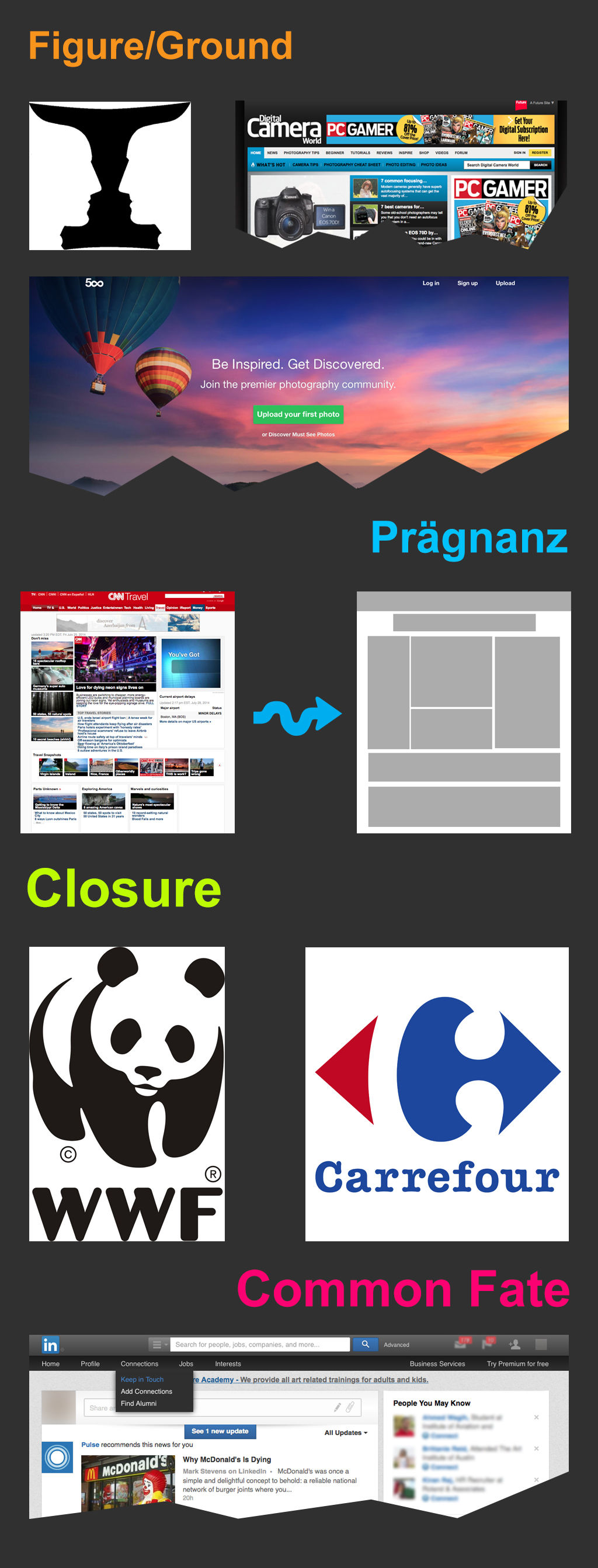
The Gestalt principles or laws address this tendency of the mind to simplify a complex image so the person sees it in a certain manner. The human inclination to process visual information accounts for how the elements of a seen image form visual relationships with each other. There are numerous Gestalt principles. Notable ones are the principles, or laws, of similarity, prägnanz, common region, figure ground, proximity, closure, and common fate.
How Does the Law of Common Fate Work in Digital Design?
The common fate principle provides a unique perspective on how users perceive and interact with digital products or services. Like other visual designers, UX designers who mindfully apply this principle can create works that are engaging—ones that help users in their tasks to achieve goals. They can create interfaces that are visually cohesive, intuitively navigable and intriguing, leading to richer user experiences.
Designers can achieve this if they provide strong visual cues that help users process and digest information fast. Digital products that feature common fate can be aesthetically pleasing. What’s more, they can also serve to help users in busy environments or potentially stressful situations—as they direct attention efficiently. Designers apply the common fate law in:
Web design: When website users perceive elements that move together as related, it helps to foster a sense of cohesion and continuity. In a menu, when users click an option, all elements move together to show they are related. Animations can make multiple elements move at the same time. That’s a factor that can help guide the user's attention to specific parts of the page. So, that way, the interaction becomes more engaging—while it helps users in problem solving—such as selecting an item to buy. Carousels are especially helpful for this.

Volkswagen utilizes carousels to showcase their new releases.
© Volkswagen, Fair Use
Mobile apps: Designers often apply the law of common fate when they use similar animations for user interface (UI) elements that have the same purpose. This creates a visual link between these elements, and makes them appear related. In a travel app, for example, the cards in “Past Trips” can slide together to show they are in the same category. Items that move or point together guide the viewer's eyes along a set path. That ensures a clear flow of information, an essential aid for smartphone users and others.
Infographics: Infographics—with their integration of text and visuals—frequently show the law of common fate in good use. Elements that move or point together guide the viewer's eyes and guarantee a good, clear flow of information. It also gives the readability a boost and makes the information more digestible.
Visual hierarchy: The law of common fate helps designers establish a visual hierarchy within their interfaces. When they group elements with shared movement or behavior, designers can usually communicate relationships and emphasize the importance of specific components.
User guidance: Common fate perception is something that lets designers guide users' attention and direct their focus towards important elements or interactive features. When they use this principle—and do it well—designers can make sure that users can easily navigate and interact with the interface in front of them.

Common fate helps to clearly guide users around menu options.
© Priyanka Jeph, Fair Use
Coherence and consistency: If designers apply the law of common fate well, they’ll enhance the overall coherence and consistency at play in their designs. Elements that share a common fate appear visually connected—and they reinforce a good sense of unity and purpose. That makes for a user experience that has more harmony.
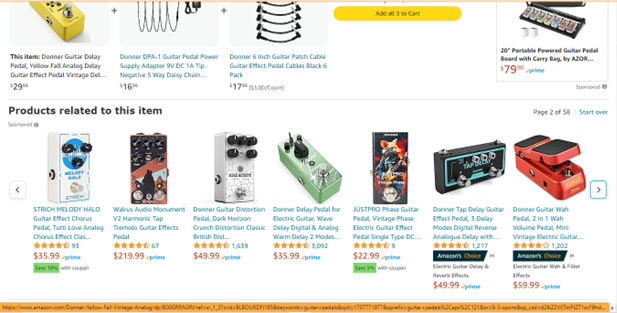
Users scroll through related items via a horizontal slider on Amazon.com. Users can appreciate the related products in the slider and can scroll through them for alternative items.
© Amazon, Fair Use
Efficient information processing: If designers group related elements based on their movement, they’ll make users' cognitive processing a good deal easier. Users can quickly and intuitively make sense of the relationships and functionalities of elements. That will lead to better efficiency and make things easier to use.
Here are some of the main features where user experience (UX) and user interface (UI) designers apply common fate:
Navigation menus: Dropdown menus or submenus that expand or collapse with a consistent motion create a visual connection between the main menu and its subcategories. Users can anticipate the behavior and understand how the designer has organized the navigation system.
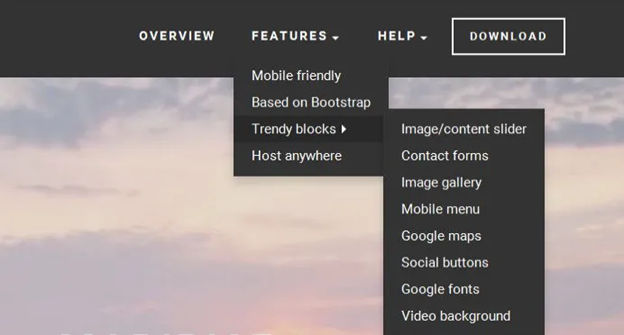
In dropdown menus, when a submenu appears to the right of the first menu, users expect the pattern to continue if they select another subcategory—i.e. it will appear to the right as well.
© Kathryncodonnell, Fair Use
Loading animations: These can employ coherent and synchronized movement. For example, they can be spinning circles or progressing bars. These can convey a sense of progress and continuity. Users perceive these animations as a group—since these indicate that the system is actively working. This lends great predictably to a user or customer experience, and it helps build trust as a design pattern.
List animations: When designers show lists or grids on an interface, they can animate the appearance or disappearance of items with a common movement pattern or direction. This helps users quickly understand the relationship at play between elements. For example, a cascading animation for a list of items carries the idea that these have a shared fate or relationship.
Interactive feedback: Interactive elements—such as buttons or links—can feature visual cues like hover or click animations that show a shared movement pattern at play. This gives users immediate feedback; plus, it reinforces the idea that these elements are indeed related and that they do serve a common purpose.

Apple’s product pages frequently feature animated product images. Users scroll, and pictures of the product and its components move together. This establishes an appealing visual narrative that speaks to the user.
© Apple, Fair Use
How to Apply the Law of Common Fate in Design
Here are some strategic ways that designers incorporate this principle in interfaces:
Guide user focus: Control design elements to guide user focus towards key areas of the interface. This can be a button, a new feature—or anything else a designer wants to highlight and draw attention to. When designers group elements together and make them move in the same direction, it helps users understand an interface structure easily.
Improve navigation: Designers use common fate to improve how easy it is to navigate in an interface. They can group related elements together and make them move in the same direction, to help users understand the interface’s structure more easily. That will promote a smoother navigation experience.
Enhance aesthetics: When designers integrate motion into their designs, it doesn’t just serve functional purposes—it adds a dynamic, visually appealing touch as well. Thoughtful animations, transitions and effects can make for an interface that’s more engaging and enjoyable for users.
Make consistent animations: Designers should make extra sure that elements with a shared fate or purpose exhibit consistent and synchronized animations. This consistency, after all, reinforces the users’ perception of a group—and that helps users to understand the interface and engage with it.
Differentiate visual elements: While designers should visually connect elements with a common fate, it's also essential to differentiate them from unrelated elements. So, they should use effective contrast in color, shape or size to distinguish between groups and prevent users from associating unrelated elements.

The law of common fate in grouping elements is stronger here compared to the law of similarity (another Gestalt principle). Regardless of color scheme, it is important to ensure synchronous movement so that the user can perceive this.
© Jon Hensley, Fair Use
Give clear directional cues: Make sure that the movement or behavior of elements provides clear prompts as to direction. Users should be able to anticipate the trajectory or outcome based on the visual cues—something that facilitates their understanding of the interface.
Conduct user testing and iterate with the feedback: Designers should validate the effectiveness of common fate perception in their designs—doable through user testing and feedback. It’s important to collect insights from users to understand how they interpret and perceive the relationships between elements; this will allow for iterative improvements.
Ensure contextual relevance: Reflect on the specific context and purpose of a design that uses the principle of common fate. Designers should be sure that the shared movement or behavior does indeed fall into line with the overall user journey—and serve a meaningful purpose as it helps the users get to and get through their goals more easily.
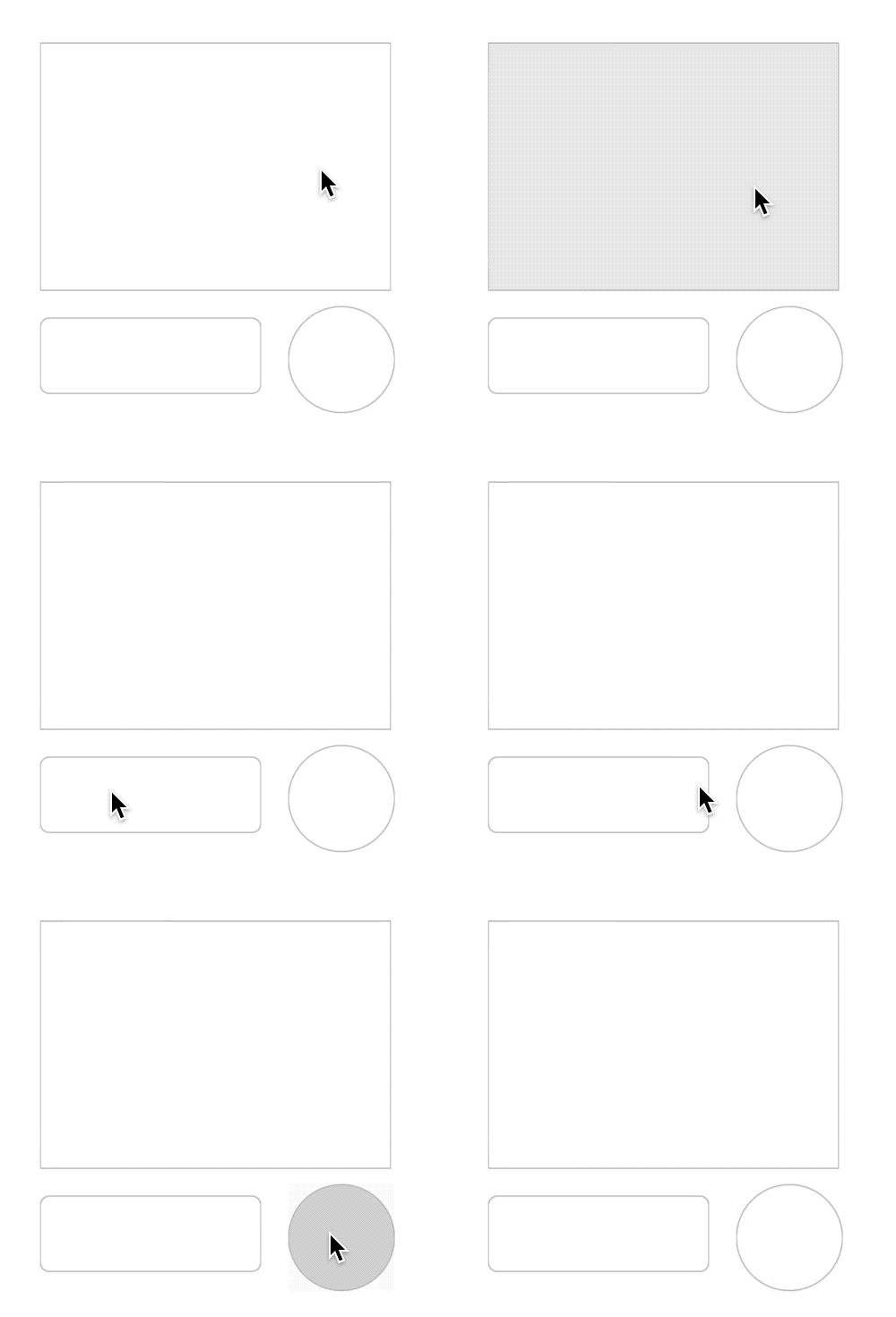
Google’s Material Design—The ripple effect features when users click on a button; this is an effect that starts at the point of interaction and connects the action to the outcome visually.
© Google, Fair Use
The Risks of the Gestalt Law of Common Fate in UX Design
While common fate is a powerful tool in UX design, it’s not without its limitations—and potential risks. So, it's essential to consider these; here are a few things to bear in mind:
Overuse or misuse: If a designer applies common fate excessively—or inappropriately—it can lead to visual clutter and confusion. So, it’s important to be sure that any use of this principle runs in line with the overall design goals and doesn’t overwhelm or distract users. For example, a digital solution should solve problems; so, what problem does the target audience have—and how much of this Gestalt design is appropriate? Is there enough negative space or white space to help users notice the common fate elements easily?
Cultural and contextual sensitivity: Different cultures and contexts may interpret common fate differently. Think about the target audience and their cultural background, to make sure that the design does effectively communicate the intended message. For example, patterns, symbolism and metaphors can hold different meanings for people from other cultures, as can color meanings and the reading direction for text (in Arabic, for example, it’s right to left). Research is—therefore—essential for any designer or design team looking to cast their brand’s message correctly across the world. UX researchers should apply careful insights that they collect from thorough studies and tools such as user personas, user journey maps and customer journey maps.
Accessibility considerations: Common fate effects that rely solely on visual cues may pose challenges for users with visual impairments or other accessibility needs. Designers should always strive to get information across in way that makes for an inclusive user experience. When designers well and truly understand their users’ needs, they can cater to all abilities.
User familiarity: Users' familiarity with common fate principles may vary. That’s why it’s important for designers to do solid usability testing so they can be sure that users interpret the intended relationships between elements in the right way. Testing is a vital part of any UX design process—and designers who investigate user interactions will get valuable insights out of it. From these, they’ll be able to improve various facets of their designs; that includes the information architecture and overall usability.
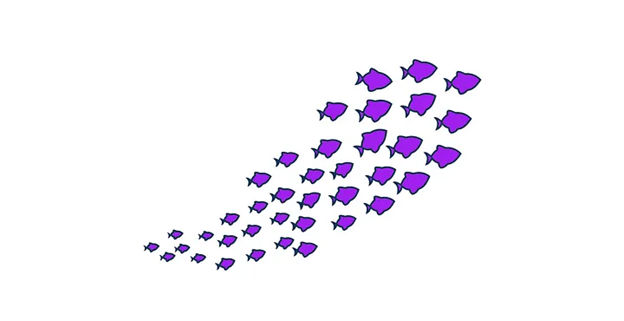
These fish are “on board” in the same direction, moving naturally, as a school.
© Saif Ali Khan, Fair Use
The law of common fate is just one of the many tools in a designer’s toolkit. Given its popularity, such as in the form of carousels, it’s worth considering early on and in wireframing. It’s one of various Gestalt principles that can help craft user-friendly interfaces that are effective. Conduct user research and use it with discretion to help guide users around. One way to envision common fate is to see it as a well-signposted escalator to assist target users to the next level of engagement with the brand’s web page or app screen.