User behavior refers to users’ actions, decisions and interactions while they use a product or service. It encompasses the way users navigate through interfaces and choices they make. It includes the underlying motivations and needs that drive their behavior too. Designers must understand user behavior and get insights into user preferences, pain points and opportunities for improvement.
User experience Strategist and Consultant William Hudson explains how user research is key to understanding user behavior:
Why User Behavior is a Critical Driver in Design
User behavior is a fundamental aspect of user experience (UX) design—at the very heart of the craft, in fact. As a concept, it spans the way users actually interact with a product, the decisions they make—and the actions they take. And when designers analyze user behavior, they get valuable insights that can inform the design process exceedingly well. From there, designers can improve the usability of a product or service—and much more.
What are the Factors that Influence User Behavior?
It’s a vital point that designers really understand what influences user behavior—so they can create intuitive and user-friendly designs. A wide range of factors influence users’ behaviors—and these include internal and external factors—such as the following:
Internal Factors
Internal factors inherently link to a user's psychological state. They encompass:
1. Motivations: Crucially, designers must understand what motivates users to interact with a product or service. Whether it's to achieve a goal, satisfy a need or just seek pleasure, these motivations are very important for designers to unearth—to create experiences that resonate with individual users.
2. Cognitive biases: Cognitive biases are mental shortcuts—ones that people use to make decisions quickly. Designers can leverage these biases to make more effective experiences and prompt users to engage. For example, there’s the anchoring bias—that’s one where users rely heavily on the first piece of information they receive.
Author and Human-Computer Interaction Expert, Professor Alan Dix explains bias and anchoring:
3. Emotions: Emotions have a massive bearing on how users interact with products and services. Positive emotions, of course, boost user engagement. Meanwhile, negative emotions can—but don’t always—lead to user dissatisfaction and churn.
4. Perceptions: Perception is the way that users interpret—and understand—the world around them. And factors like color, typography and imagery can have a massive impact on user perception—and so influence how users interact with an interface.
5. Past experiences: Users bring their past experiences and knowledge with them to each interaction. Previous encounters with similar products—or services—can shape their expectations and behaviors. Designers can work with these prior experiences to make intuitive and familiar interactions.
External Factors
External factors are those elements outside the user's individual psyche that can influence their behavior. They’re items like the environment, context, culture and social factors.
1. Environment: The physical environment can greatly influence a user’s behavior. And it could include lighting, noise levels—and even the device the user uses. Designers really need to consider these factors if they’re to create experiences that suit various environments.
2. Context: The context in which a user uses a product or service can have a big bearing on their behavior. And this could include the time of day, the user's location or even how they’re feeling emotionally. Designers need to gain sharp insights into the many contexts that users across a product’s or service’s user base will find themselves in at various times.
Professor Alan Dix explains how important it is for designers to work with the users’ context in mind:
3. Culture: Cultural norms, values and expectations can shape user behavior. Designers have got to be mindful of cultural nuances if they’re to create designs that are both respectful and inclusive.
4. Social factors: Social influences can also impact user behavior. They’re items such as peer pressure and societal trends. And if designers include social proof elements like testimonials or user reviews in their design work, they can encourage specific user behaviors.

Adagio Teas leverages reviews to influence prospective buyers.
© Jen Cardello / via Adagio Teas, Fair Use
User Behavior Challenges for UX Designers
UX designers face a wide range of challenges from user behavior. They’ve got to deal with diverse user expectations and grapple with cognitive biases, for example. These challenges call for designers to be skilled enough to understand—and predict—user behavior. Here are some common issues:
Complex and Dynamic Nature
User behavior is inherently complex and dynamic. And it can vary across different individuals and change over time. No matter what the target audience may be, users do come from diverse backgrounds—and have different expectations, preferences and needs, too. It can be a challenge for designers to cater to this diversity and make sure that inclusivity figures strongly in design. Designers have got to think about this complexity whenever they design user experiences—to make sure they actually do meet users’ diverse needs and preferences.
Subjectivity and Variability
User behavior is subjective—and it’s something that can vary from person to person. Designers have got to account for this subjectivity and variability when they conduct user research. And, after designers collect feedback, they work these user insights into their design process—to help them create experiences that resonate with a broad range of users.
Professor Alan Dix explains the difference between the two main types of user research, qualitative and quantitative research.
The Balance of User Needs and Business Goals
Designers have got to strike a balance between how they meet user needs and how they achieve business goals, too. And, while it’s essential for them to prioritize user satisfaction, they’ve also got to consider the business objectives and constraints. This takes careful consideration—and trade-offs—during the design process. Non-design stakeholders, marketing campaign personnel and others sometimes can’t see eye to eye with designers, product managers and other product team members.
Emotional Design
Emotions have a huge influence on user behavior—naturally—but it can be tricky to design for emotions. For designers to strike the right emotional chord, they’ve got to build up a deep understanding of users—and a delicate balance of design elements.
To Anticipate and Adapt to Change
User behavior isn’t static. It’s something that can change over time. So, designers need to anticipate—and adapt—to these changes. They’ve got to continuously monitor user behavior, collect feedback and iteratively improve the user experience. Designers have to stay agile—and responsive—to evolving user needs and users’ problems. That’s crucial for them to design successful products.
Cognitive Biases
Cognitive biases can lead users to behave irrationally or make poor decisions, and biases—such as confirmation bias—tend to be universal. They’re one of the greatest challenges in UX design—something of an “occupational hazard” of being human. Designers have got to be exceptionally mindful of these biases—and create interfaces that mitigate their effect.
Designers face the challenge of being mindful of their own bias, too, when they commit to designing for users. CEO of Experience Dynamics, Frank Spillers explains an essential aspect of this bias in the following video:
Examples of User Behavior Problems and Challenges for Designers
User behavior can present challenges and problems for designers—and some common examples include:
Abandoned Shopping Carts
Users often abandon their shopping carts before they actually go through with completing a purchase—and it’s something that several factors can influence. These include unexpected costs, complex checkout processes or a lack of trust in the website's security. So, designers should streamline the checkout process, provide clear pricing information—and build trust. They can boost their users’ trust a great deal through secure payment options and customer reviews.
Low User Engagement
Low user engagement is a common challenge that designers have. Users may visit a website or app—but fail totally to engage further with its content or features. That sort of behavior can come from factors like unclear navigation, uninteresting content or a lack of personalization. So, designers really need to work to create intuitive navigation and compelling content. They’ve got to make personalized experiences that resonate with users' interests and preferences, too.
High Bounce Rates
High bounce rates happen when users leave a website or app—and quickly—after they’ve viewed only one page. Factors such as slow loading times, irrelevant content or poor usability can help bring about and influence this behavior. To address this, designers should optimize website performance—and provide relevant and engaging content; plus, they need to make sure there’s a seamless user experience, too.
Inefficient Task Completion
Users may struggle to complete tasks efficiently—and that can be due to confusing interfaces, complex workflows or a lack of clear instructions. Users can end up feeling frustrated and leave with a bad impression of the brand—never to return. So, it’s all the more imperative that designers conduct proper user research, simplify interfaces, provide clear instructions and optimize workflows—to help users complete tasks more efficiently.
CEO of Experience Dynamics, Frank Spillers explains the importance of task analysis:
User Behavior Analytics: Tools and Techniques
UX researchers and designers leverage user behavior analytics (UBA). UBA calls for them to collect data and analyze it to gain insights into user behavior. This data-driven approach provides valuable information that can inform design decisions and improve the user experience. Google Analytics, for instance, provides excellent insights. Some popular tools and techniques for user behavior analytics include:
Clickstream Analysis
Clickstream analysis tracks the sequence of user interactions on a website or app. It’s important as it gives insights into user navigation patterns, popular pages and drop-off points. And designers can use this information—to optimize navigation, improve the content placement and give the user journey needed boosts.
Conversion Funnel Analysis
Conversion funnel analysis tracks user behavior—throughout the conversion process—going from initial interaction to desired action. It helps to find areas of friction, drop-off points and chances for optimization. Designers can use this analysis to streamline the conversion process and so improve conversion rates.
A/B Testing
A/B testing calls for designers—or user researchers—to compare two or more variations of a design to see which performs better in terms of user behavior and desired outcomes. It’s a helpful way to test different design elements, content or user flows—so that designers and design teams can make solid data-informed decisions.
Heatmaps
Heatmaps visually represent user behavior patterns—and they highlight areas of a website or app that get the most attention or interaction. This information can help designers find areas of interest, user preferences—and potential usability issues.
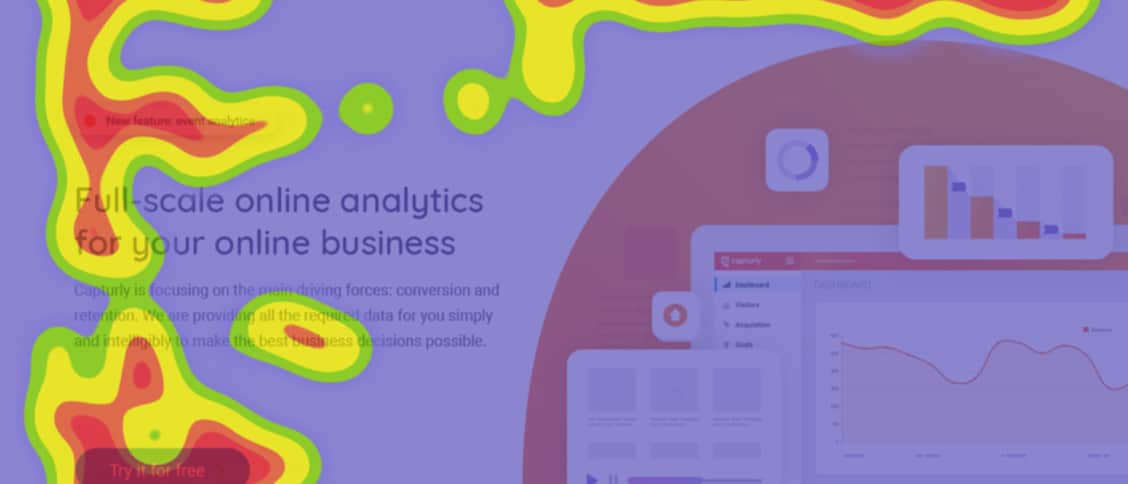
Heatmaps show users’ viewing behavior in a well-defined way.
© Adam Kiss, Fair Use
Case Studies: User Behavior Analysis in Action
Design professionals have applied UBA in various industries and contexts—and done so to improve user experiences. The interplay between user behavior and UX design is easy to understand—through real-world examples and case studies—and here are a few instances where user behavior has impacted UX design:
Netflix: Personalized Recommendations
Netflix analyzes user behavior data to provide personalized movie and TV show recommendations. And when they track user viewing history, ratings and interactions, Netflix can suggest content that aligns with users' preferences—and this increases engagement and satisfaction.
-jpg.webp)
Many data points on customers greatly enhance customer recommendations, lower churn rate and ensure customer loyalty.
© Rebuy Engine, Fair Use
Amazon: Dynamic Pricing
Amazon uses user behavior analytics to implement dynamic pricing strategies. When Amazon analyzes factors such as user browsing history, purchase behavior and market trends, they can optimize prices in real-time. Plus, they can offer personalized and competitive pricing to users, too.
Amazon's one-click ordering feature is another solid example of designing for user behavior. Amazon understood well that users value speed and convenience. So, they created a feature that drastically simplified the checkout process—and led to increased conversions.
Instagram's “Double Tap” Action
Instagram introduced the “double tap” as a new behavior for liking posts. This innovative feature quickly gained a great deal of popularity due to its ease and intuitiveness. And it demonstrates the power of how a brand can understand and influence user behavior in user experience design.
Spotify's Personalized Playlists
Spotify leverages user behavior data to create personalized playlists—and this feature is something that creates a highly engaging and personalized user experience. This use of user behavior analytics really highlights the potential of data-driven design.
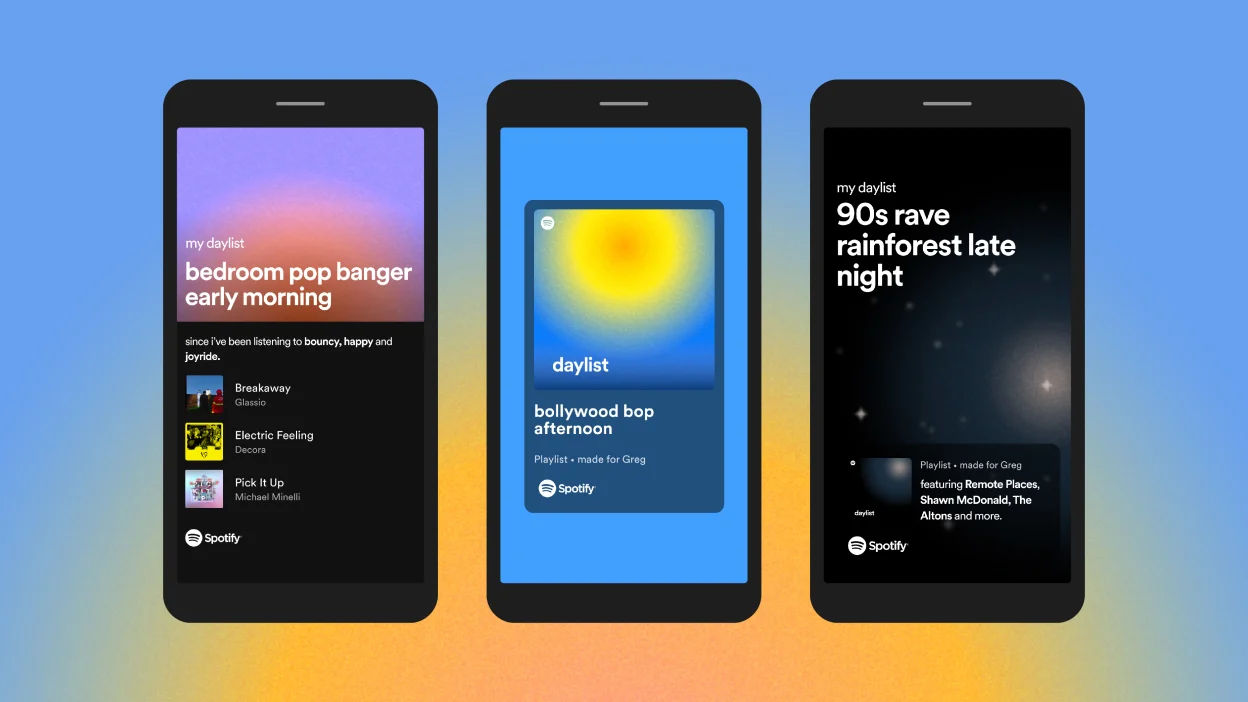
Spotify’s personalized playlists offer customized ways to delight users according to their tastes.
©Spotify, Fair Use
Tips for How to Address User Behavior in UX Design
Designers should bear in mind that it’s an ongoing process to account for user behavior—one that calls for continuous research, testing and iteration. Here are some practical tips—and best practices—to address user behavior:
1. Conduct Thorough User Research
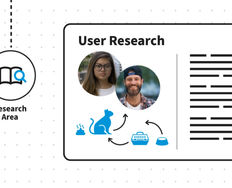
Designers need to understand their target audience—thoroughly—through UX research. This includes surveys, interviews and usability testing. It’s vital to get good insights into users’ behaviors, needs and pain points to inform design decisions properly.
2. Create Good Personas
Designers should develop user personas—which they base on research—to represent different user groups. Personas help designers empathize with users and design experiences that truly meet their specific needs and preferences.
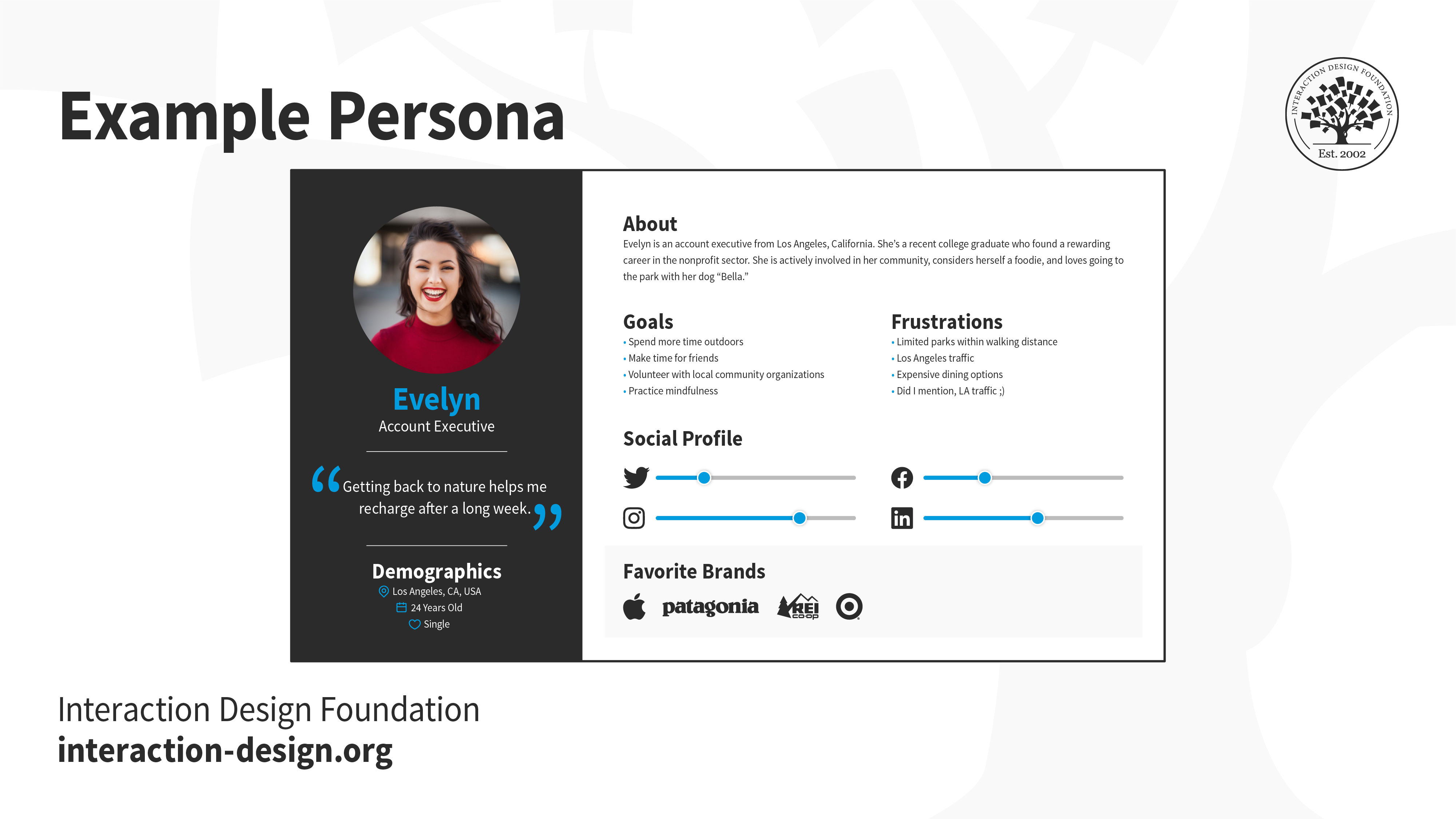
Personas help bring the realities of a target audience closer, so the design team can iterate the best solutions.
© Interaction Design Foundation, CC BY-SA 4.0
3. Map User Journeys
User journey maps visualize the entire user experience—and they highlight touchpoints, emotions and interactions. These maps can help designers to identify pain points and really optimize the UX.
4. Optimize User Flows
Designers should create intuitive user flows—ones that guide users through tasks and processes smoothly. It’s essential to minimize friction points, streamline interactions and provide clear instructions—and so make the most of user efficiency.
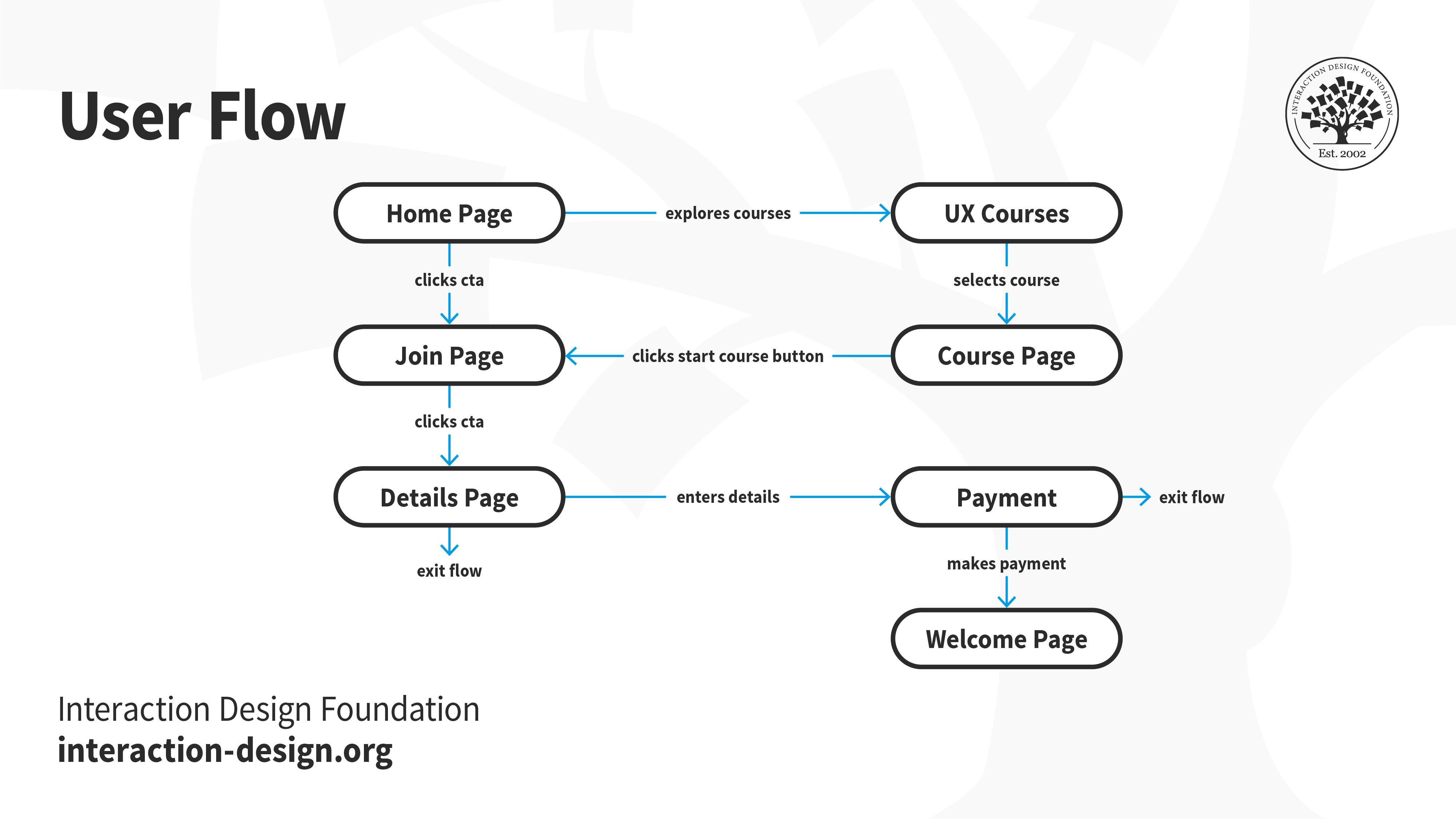
User flows help designers realize vital areas and dimensions of what users experience as they go from point to point—towards a desired goal.
© Interaction Design Foundation, CC BY-SA 4.0
5. Test and Iterate
Designers should continuously test and iterate on designs based on the user feedback and behavior data they get in. And they should use A/B testing, usability testing and analytics tools to collect insights and make data-informed design decisions.
6. Leverage Behavioral Psychology
Designers should apply principles of behavioral psychology—such as cognitive biases and heuristics—to nudge users towards desired actions—and ethically so. It’s vital to design experiences that align with users' mental models and leverage their cognitive biases to make good decision-making easier for them.
7. Provide Feedback and Guidance
Designers should offer clear feedback and guidance to users throughout their interactions. And it’s important to inform users of the consequences of their actions, provide error messages that guide them towards resolution—and offer helpful suggestions for improvement.

Google offers feedback to help users stay on track with what they want to do.
© Google, Fair Use
8. Personalize Experiences
Designers should use user behavior data to help them personalize both experiences and content. They should tailor recommendations, notifications and interactions based on users' preferences and past behaviors. It’s something that can help designers to create experiences that are highly engaging and relevant.
9. Continue to Monitor and Analyze User Behavior
It’s essential to continuously monitor and analyze user behavior with the use of analytics tools. Designers have got to get insights into user interactions, engagement patterns and pain points if they’re to identify areas for improvement and inform future design decisions well. User behavior analytics tools provide quantitative data about user interactions—and they give actionable insights that can guide design decisions very well.
UX Strategist and Consultant, William Hudson explains when and why to use user analytics:
10. Design for Accessibility and Usability
It’s crucial to ensure that the product’s accessible and usable for all users. And this means that designers must design for different devices, incorporate accessibility features and make sure there’s easy navigation—no matter who’s using the digital solution.
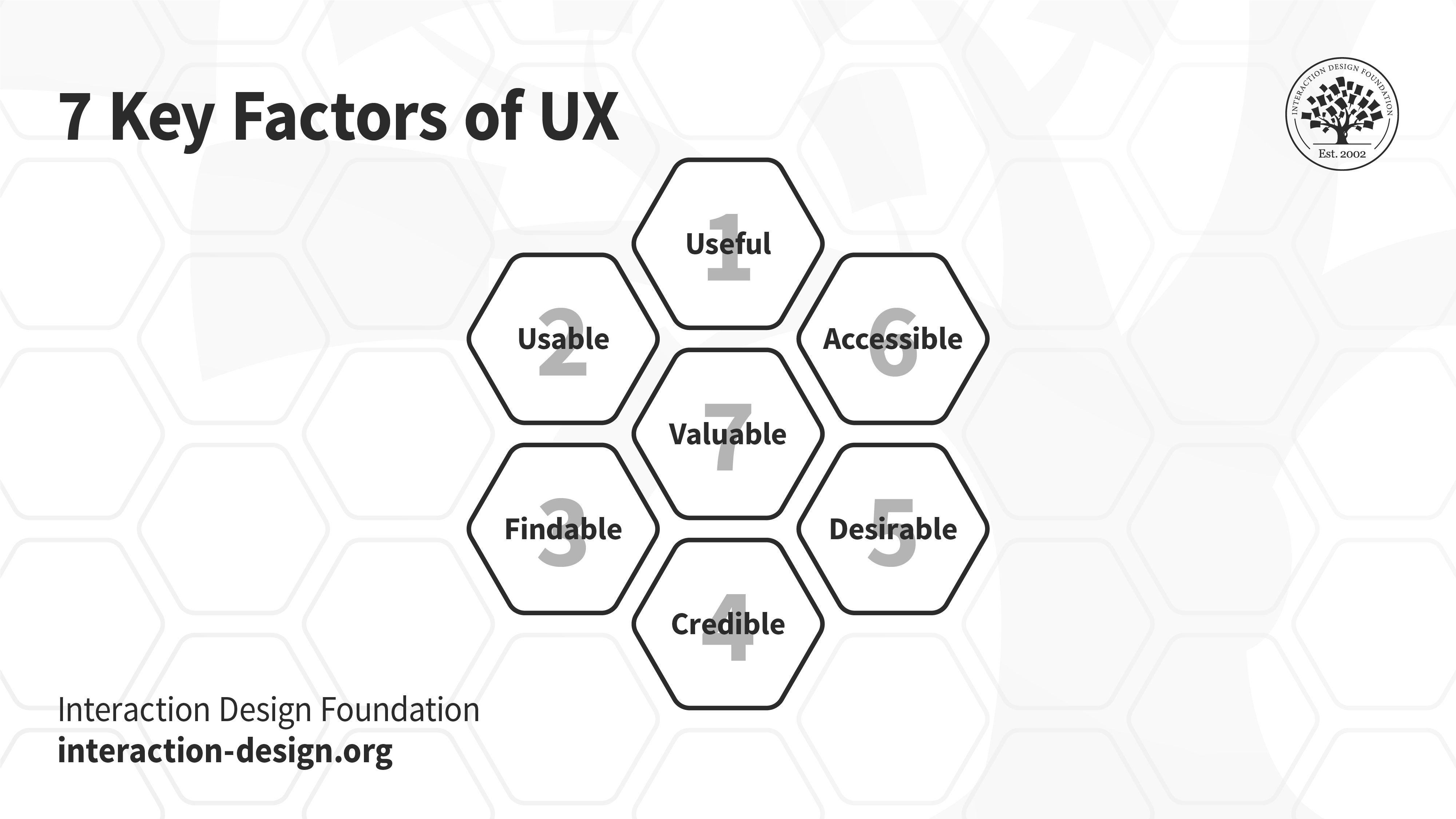
Usability and accessibility are vital parts of the 7 key factors of UX.
© Interaction Design Foundation, CC BY-SA 4.0
Risks When Designers Fail To Address User Behavior
When UX designers fail to properly address user behavior in digital products and services, several problems can rear their heads. And they’re things that can potentially lead to a product's underperformance—or even total failure—in the marketplace:
Poor User Adoption
Inadequate engagement: If the product doesn’t align with user expectations or behaviors, users mightn’t find it engaging or intuitive—and it'll lead to low adoption rates.
High user churn: Users may abandon the product quickly after the initial trial if it doesn’t cater to their needs or behaviors.
Negative User Experience
Frustration: Users may end up feeling frustrated if the product is hard to navigate or doesn't perform tasks as they expected it to.
Decreased satisfaction: Lack of consideration for user behavior can end up taking the form of a product that feels clunky and unsatisfactory.
Brand Damage
Negative reviews: Users may leave negative feedback on various platforms, which can damage the reputation of the product and the brand.
Loss of trust: A product that fails to meet user needs can erode trust in the brand—and it’s something that can make it far harder to retain customers or even acquire them in the first place.
Financial Implications
Wasted resources: Large amounts of time and money end up vanishing into the design and development of features that really don’t resonate with users.
Reduced revenue: Poor user experience can bring on lower sales and a drop in potential revenue, too.
Missed Opportunities
Lack of innovation: When a brand fails to understand user behavior, it’s a mistake that can cost in the form of missed chances for innovation, too. Designers won’t be able to leverage insights that could lead to product improvements or service enhancements.
Inability to scale: If a design solution doesn’t account for user behavior, it may face big challenges when the brand tries to scale it—or evolve it—with market demands.
Accessibility Issues
Exclusion of users: If designers don’t consider the diverse behaviors and needs of all potential users, the product may end up not being accessible to everyone—particularly to users with disabilities. Legal problems could arise as a result.
See why accessibility is such a fundamental issue in UX design in this video:
Legal and Compliance Risks
Privacy concerns: If designers ignore user behavior around privacy, it’s a potentially hazardous thing—and it can lead to design decisions that compromise user data. That could potentially violate privacy laws and regulations.
Non-compliance penalties: Products that fail to consider user behavior in compliance-related scenarios may face legal penalties—again, a hazard.
Competitive Disadvantage
Losing to competitors: If competitors better understand—and cater to—user behaviors, they can easily outperform products that don’t prioritize UX in their design.
Remember, user behavior is a complex consideration and a multidimensional one, too. It’s a multifaceted concept that goes far beyond mere clicks and scrolls—and it delves into the realms of cognitive psychology and human perception. A myriad of factors have a big bearing on user behavior. What’s more, it’s not static—and it’s something that can change over time as a user learns, adapts or develops new habits. Designers have got to understand their users’ behaviors—and at the deepest level possible. That’s key to how they can create the best information architecture in user interface (UI) designs, well-considered product designs, and much more.
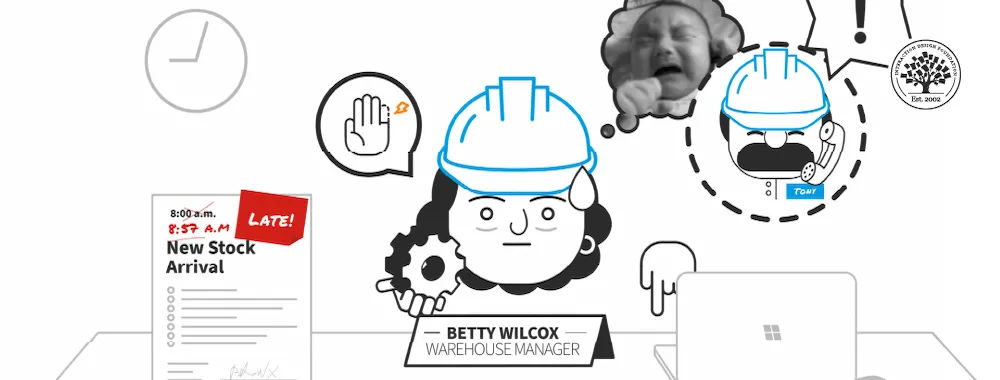
To design for users’ and customers’ behavior takes much research and data-driven decisions about products experience, expectations, contexts and far more.
© Interaction Design Foundation, CC BY-SA 4.0