Readability in user experience (UX) design refers to how easily users can read and understand textual content. It is crucial for a positive user experience as it directly impacts how effectively users can consume information on a website or application. Designers aim to enhance readability via appropriate presentation and language to make sure users can easily comprehend content.
Why is Readability Vital in UX Design?
In user experience design and user interface (UI) design, readability’s an essential but often misunderstood concept. It refers to how easily users can not just perceive but understand the text they find on a digital platform, too. It’s different from legibility—which refers to how easy it is for someone to distinguish one letter from another in a particular typeface—and distinguish and recognize characters and words.
As a concept, readability has a wider span than legibility. It covers how comfortably readers can decipher and process what a designer presents on a screen, and make sense of the intended message. So, readability in UX design isn’t just about making text legible for target users. It’s also about how designers present information to users and how users understand it. Like other aspects of user-centered design, it involves a delicate balance—in this case, of accessibility, legibility and comprehensibility.
Even so, legibility is a vital part of readability. Users must first be able to clearly make out the text that they’re going to have to process. Typography primarily influences this aspect of design—and it’s helpful to know the anatomy of type to assist design choices. A good choice of typography and fonts is one of the most important design decisions behind a digital product. For the best legibility, designers should use a large default font size, make sure there’s high contrast between text and its background, and pick a clean typeface.
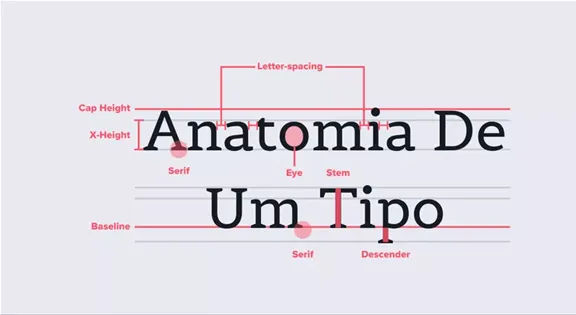
Spot all the little elements of type here.
© Aelaschool, Fair Use
The clarity of individual characters is crucial. Factors like x-height, kerning, weight and the presence of serifs or sans serif fonts are what typically determine how clear things are. These elements make up the design of the typeface and the shape of the glyphs—things that are essential for users to make out one letter from another.
Author, Assistant Professor and Designer, Mia Cinelli explains crucial points about typography in this video:
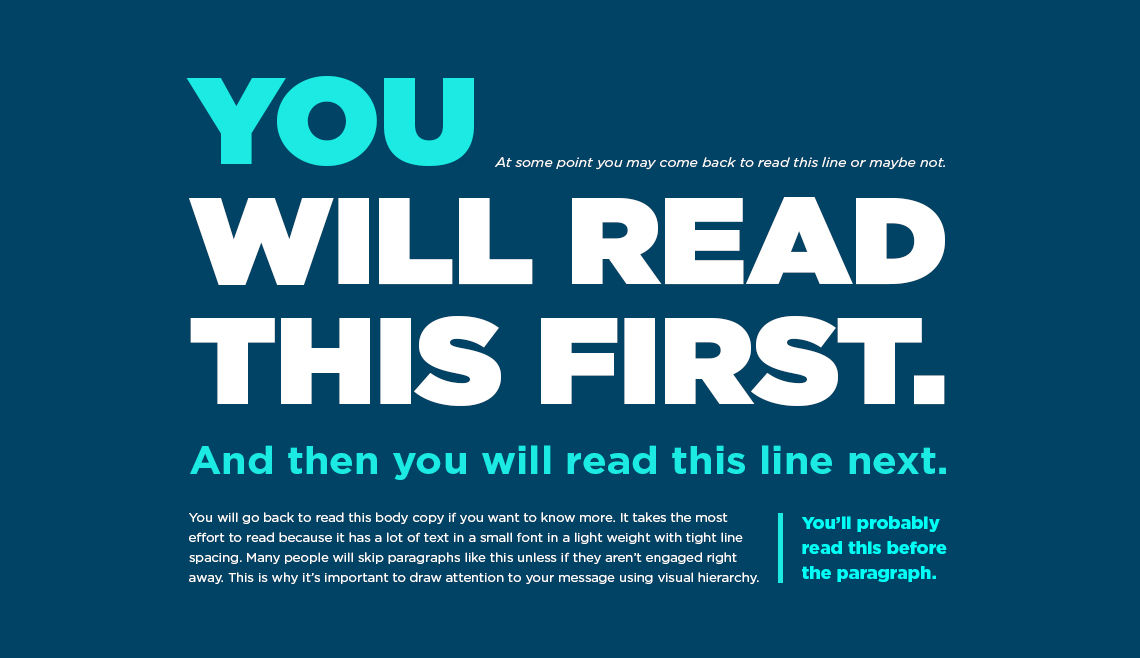
In digital designs such as web pages, a web designer’s choice of typography, how they use space and the overall visual hierarchy to boost the content’s clarity and accessibility are vital. These are the ingredients of a user’s reading experience in terms of how the content actually looks. Designers also need to choose the best words and terms for their content. Both aspects are about how to create and present text such as website copy optimally. This includes correct spelling, punctuation and attention to detail with grammar.
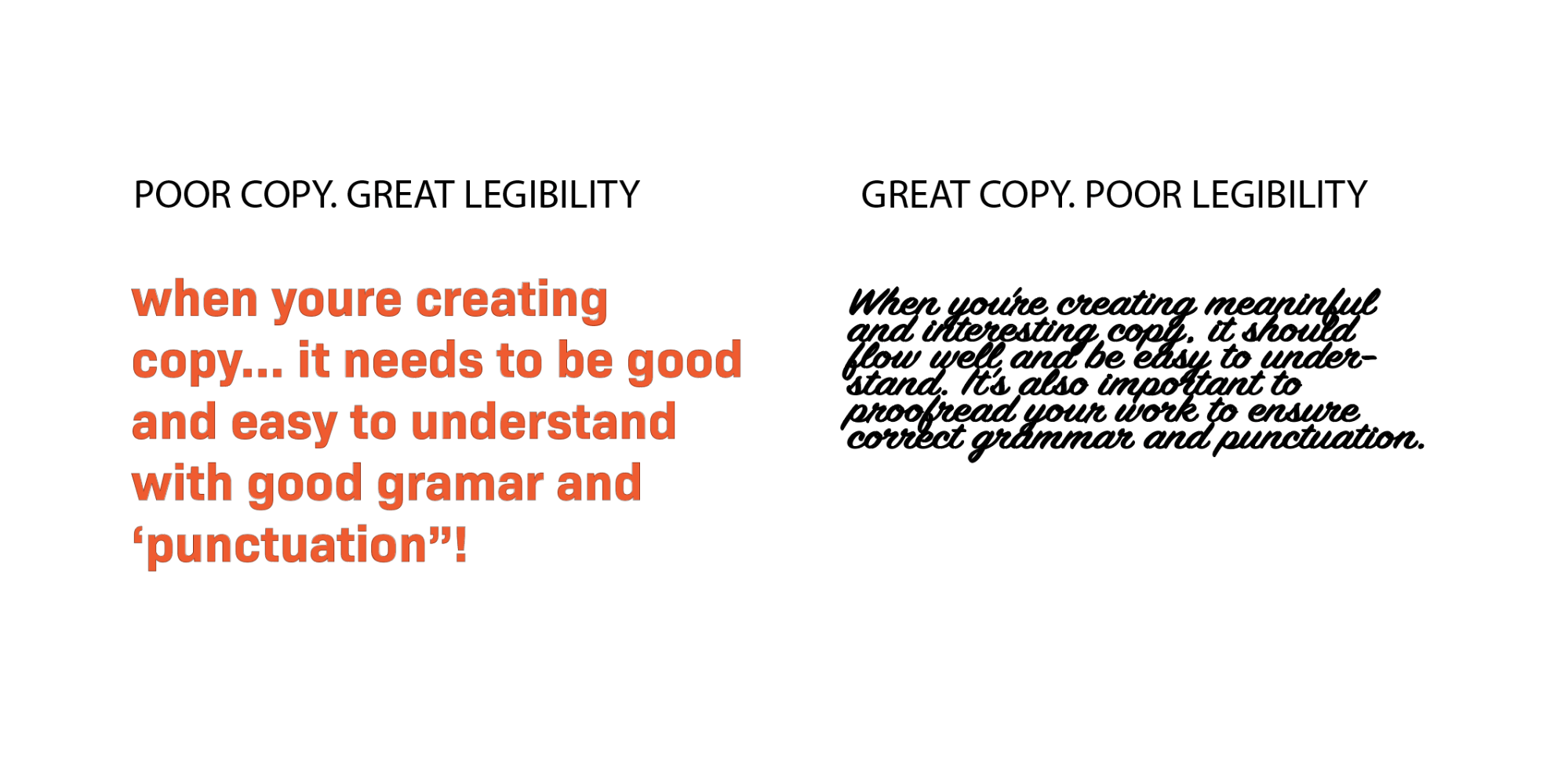
This example presents how text or copy can have great legibility, but be poor—or have poor legibility, and hide good copy from users.
© Anchor Digital, Fair Use
For good readability in design, it takes a solid understanding of users’ comprehension needs for designers to be sure their users can quickly digest written content. Since users’ satisfaction and engagement firmly depend on this, all users—including those with visual impairments—should be able to navigate and understand digital content—and do it efficiently. That’s why doing user research is a vital part of the design process. From solid research, designers can appreciate what users experience—and expect—in their user flows throughout their contact with a brand and its digital solution or service.
UX Strategist and Consultant, William Hudson explains important aspects of user research in this video:
To make sure there’s a high degree of readability, designers must fine-tune the complexity of the words and sentence structures that appear on—and that describe—their products or services. The aim here is to make the content flow smoothly and be easy to understand. The interplay between legibility and readability is a critical factor behind creating user-friendly interfaces. Designers have to think about both aspects to make sure that all users—no matter their reading skills or visual abilities—can interact with the content comfortably and effectively.
For mobile app and web design readability, it’s vital for designers to create and present content that’s both highly inclusive and accessible. They’ve got to make digital environments more welcoming and easier to navigate for a diverse audience. As far as inclusivity goes, good readability makes sure that digital content is accessible to people with disabilities and from many backgrounds. Consider users with visual impairments, as well as dyslexia and varying language abilities. When designers factor these aspects into their design work and use appropriate wording and terminology, they can help build an inclusive environment. From there, they can reach a wider audience as well as meet legal accessibility standards. What’s more, they can prove that their brands can identify better with a wide range of users’ needs.
Watch this video to understand the need to design with accessibility in mind:
How Does Design Affect Readability?
In design work, here are some factors that affect readability:
1. Vocabulary and User Comprehension
The choice of vocabulary is vital in UX design. When designers use words that resonate with the user's reading level, users understand the message better and it comes across much more effectively.
2. Inverted Pyramid Style
To adopt an inverted pyramid style to deliver content can greatly boost readability. Designers show the most crucial information first. They then follow it with important details—and end with background information. This structure helps users to get the essential points quickly. That’s particularly beneficial in digital environments—like mobile apps and websites—where attention spans run shorter.
3. Text Layout and Scanning
The physical layout of text plays a critical role in readability, and when designers break up large blocks of text into smaller paragraphs of two to three sentences, and use left-aligned text rather than center-aligned, they make it easier for users to scan and read. This layout caters to how users typically consume digital content. They often just skim digital content rather than read it in depth.
4. Consistency in Design Elements
When designers keep consistent across design elements such as images, headers, buttons and menus, it not only strengthens brand identity. It also raises the readability of content. A unified and cohesive look is something that helps to make a seamless user experience on digital products—and users have an easier time navigating and interacting with the content.
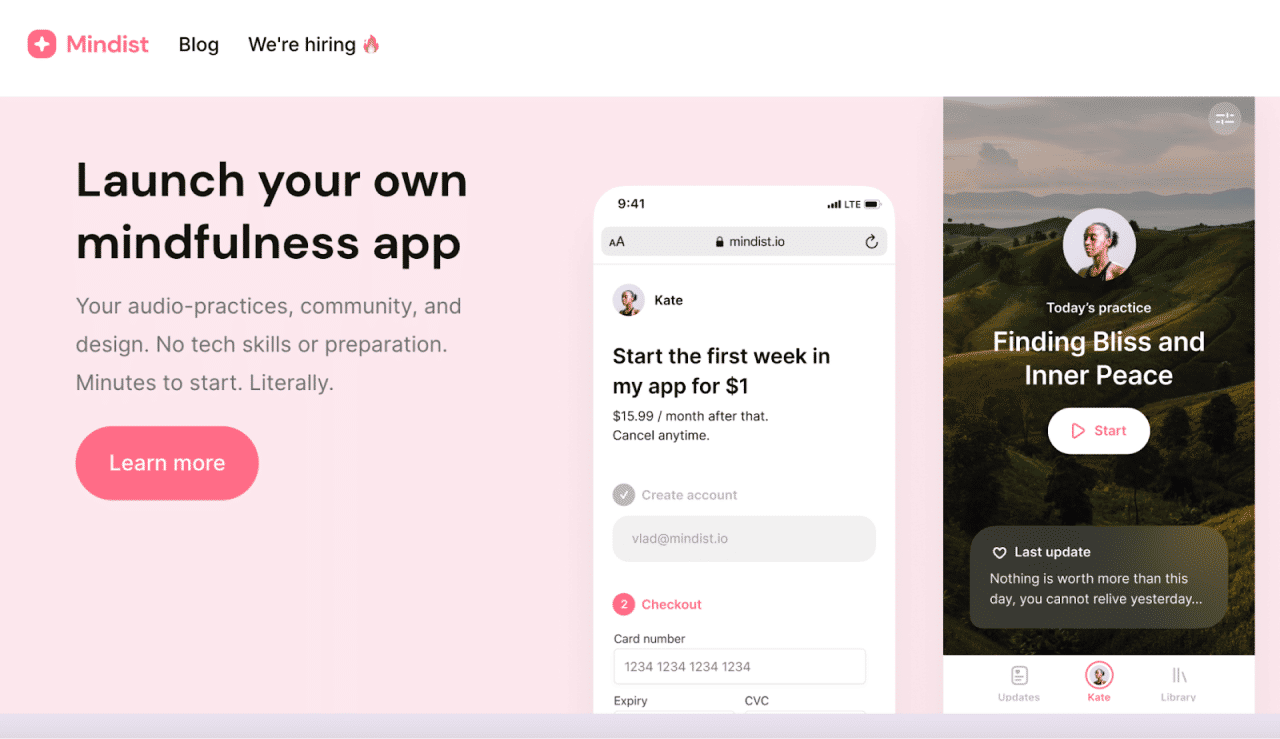
This application’s start page features—fittingly—a nature photo in the background; meanwhile, the picture’s subtle dimming effect and highly legible font in white give exceptional readability and deliver an effortless user experience.
© Mindist.io, Fair Use
What are the Benefits of High Readability in UX Design?
Like good readability in graphic design and document production, a high degree of readability in UX and UI design:
1. Improves User Engagement and Comprehension
High readability greatly boosts user engagement and comprehension. When users can easily read and understand content, they’re more likely to stay engaged. This leads to a deeper understanding and retention of the information they encounter.
2. Enhances Understandability of Content
Clear and concise content that users can easily read raises the overall understandability of that content. This lets users absorb and interpret information without any unnecessary complexity or confusion getting in the way.
3. Facilitates Recognition of Characters and Words
Good readability is something that helps users smoothly recognize characters and words. That’s a vital factor for effective communication and interaction with digital content—especially so when many users scan what they find.
4. Increases User Satisfaction
When users find content that they can easily read and navigate, their overall satisfaction with the digital experience goes up. This can lead to higher retention rates and positive user feedback—also including the trust they’ve got in the brand.
5. Improves SEO
Search engines favor websites that offer content that’s clear and easy to read. High readability scores make for better SEO rankings. This makes the content more discoverable and accessible to a broader audience.
6. Encourages Memorability Through Consistent Design Choices
Consistent design choices in typography, spacing and layout also make for high readability. This—in turn—helps make the content memorable. Users are more likely to recall information they’ve encountered in a format that’s easy for them to digest.
7. Reduces Cognitive Load for Users
Well-structured content that users can easily read lightens the cognitive load on them. Users can navigate through information effortlessly and without feeling overwhelmed.
8. Helps Users Perform Intended Actions After Reading the Text
High readability helps make sure users are clear about the actions they’ve got to take after they read the text. These could be to fill out a form, sign up for a newsletter or make a purchase. This clarity is something that can greatly improve conversion rates.
9. Impacts Users’ Decision Making
Good readability means users get to read and understand content—efficiently—and helps influence their decision-making process in a good way. Poor readability, though, might lead users to abandon the content—leading to higher bounce rates.
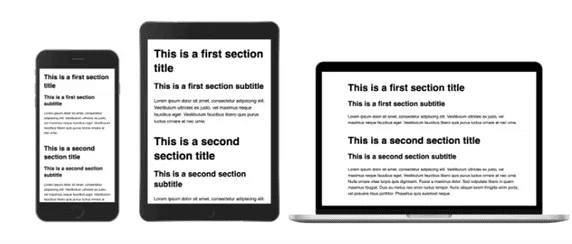
Consider the various screen sizes where users can encounter a site or app; note how users will make decisions in their various situations according to how—among other factors—easily they can read and process the content.
© Interaction Design Foundation, CC BY-SA 4.0
How to Create and Organize Content for the Best Readability
To make the most readable content in their visual designs, designers should adopt some strategies to make and present text best for their target audiences. This involves aspects of legibility. Here are some screen and document design techniques and tips to improve readability:
1. Do Strong UX Research
It might seem obvious, but it’s vital for a designer to know who they’re writing for. While their efforts to make content accessible have more general guidelines, designers really do need to pinpoint their target audience. That’s how they can assess the most suitable type of content—including the brand voice. For example, users with a particular industrial background may be familiar with terms that might confuse more general users who’re used to more informal content—like blog posts. In any case, it’s important to strive for good readability. So, it’s helpful to create user personas that accurately reflect the likely audience.
Watch as Author and Human-Computer Interaction Expert, Alan Dix explains personas:
2. Choose the Best Typography and Fonts
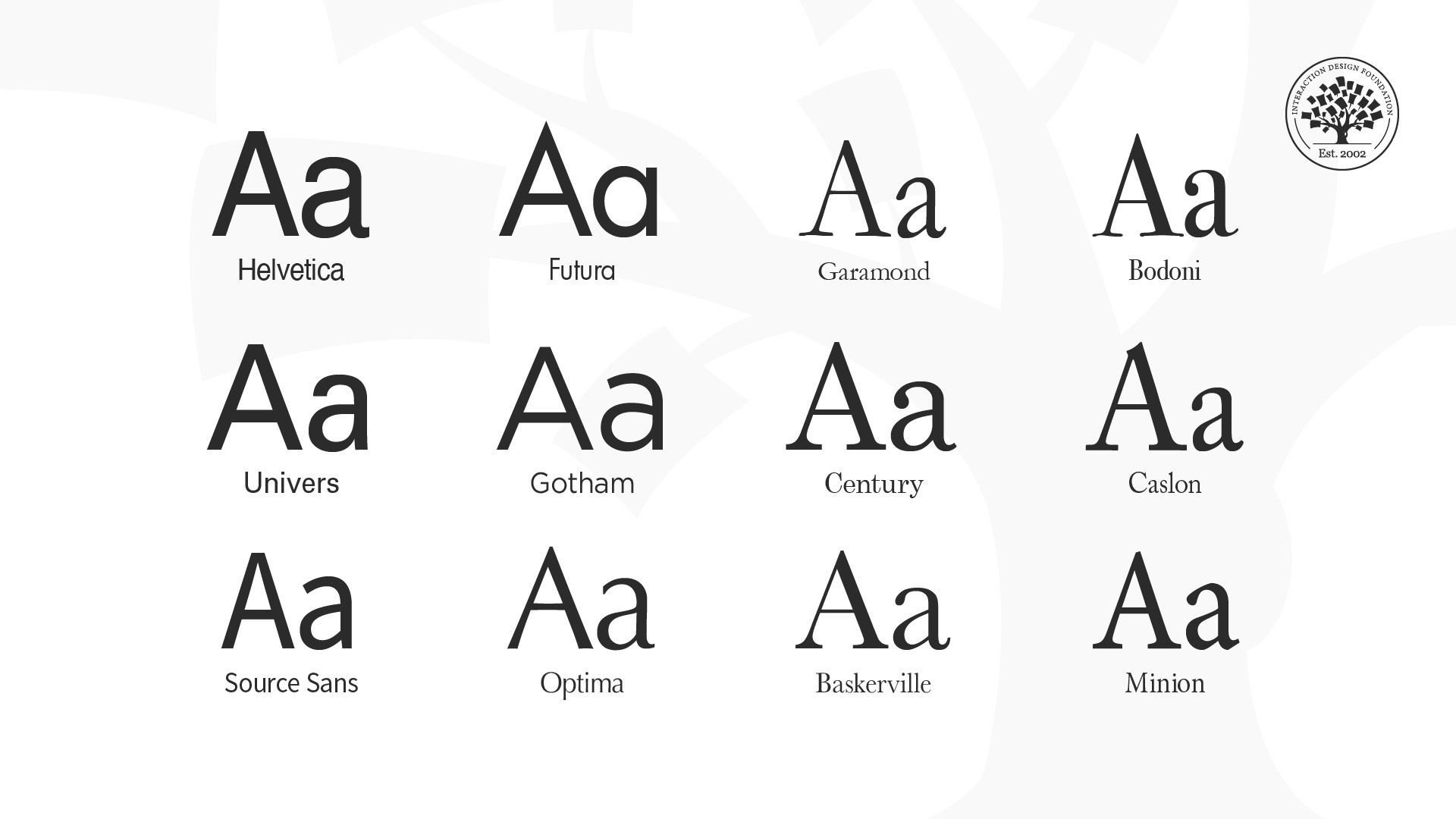
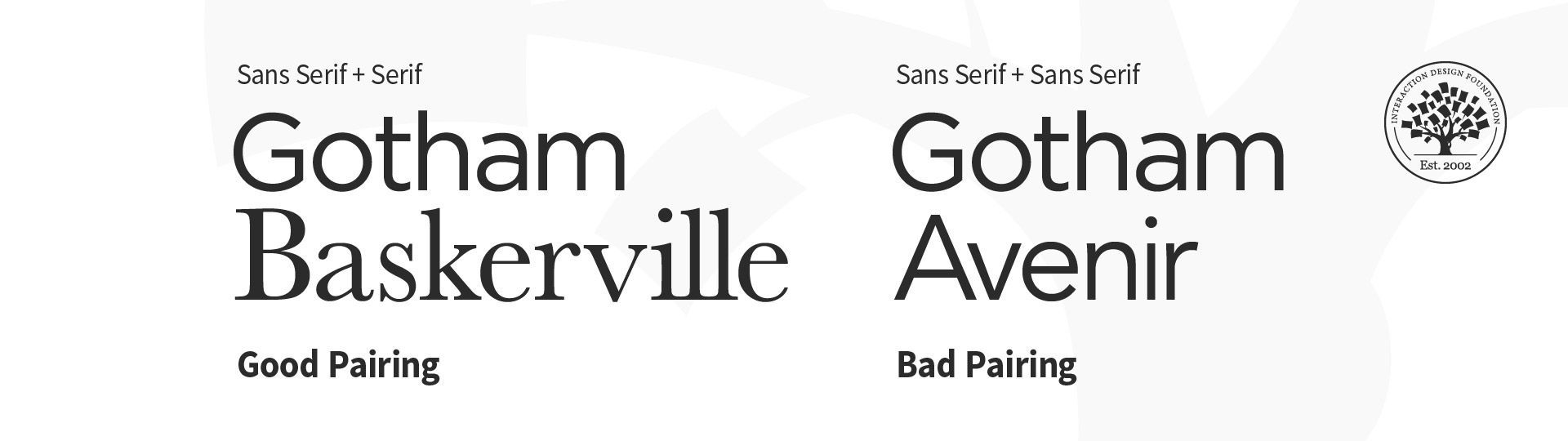
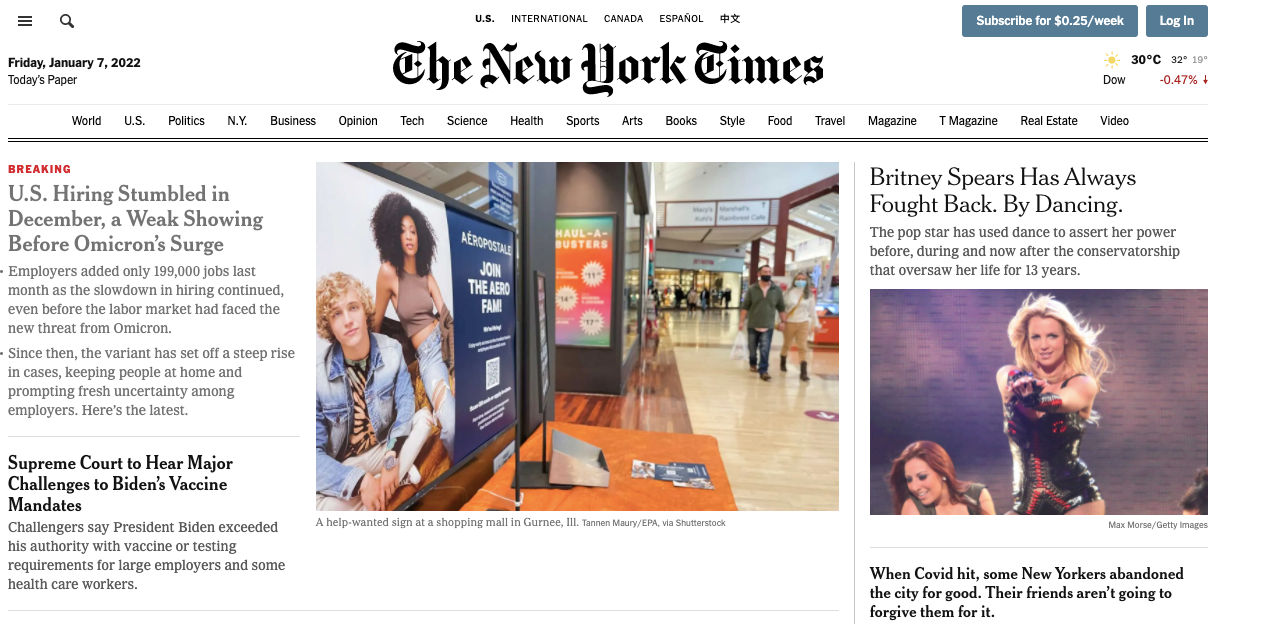
Typography is a cornerstone of readability in UX design. To choose the right fonts, it takes more than just aesthetics; it's about ensuring clarity and ease of reading, too. Key considerations include to pick fonts that are easy to read on various devices and screens. Simple fonts—with a mix of uppercase and lowercase letters—help keep a clear visual hierarchy and improve users’ ability to understand. For example, it can be a good idea to keep to a strong sans-serif font for headlines and a readable serif font for body content—for both desktop and mobile screens.
3. Use Design Elements Consistently
Keeping things consistent is a crucial way to enhance readability. When designers organize all design elements—like fonts, colors and layout styles—in a way that’s unified, they can help make a seamless experience that helps users with recognition and navigation. This consistency also serves to reinforce brand identity, and make the interface more memorable to users.
4. Make Effective Use of Space
It’s vital to put negative space around text blocks, and this spacing is one of the most helpful visual aids. It doesn’t just improve the overall aesthetic of the design. It plays a big role in readability, too. Such spacing helps to cut down on visual clutter, which makes the text more scannable and easier to digest. It’s a particularly important approach in digital environments where users are likely to skim rather than read in detail. In any case, well-designed documents give a boost to readability and comprehension, and white space—or negative space—is a handy tool for designers to remember.
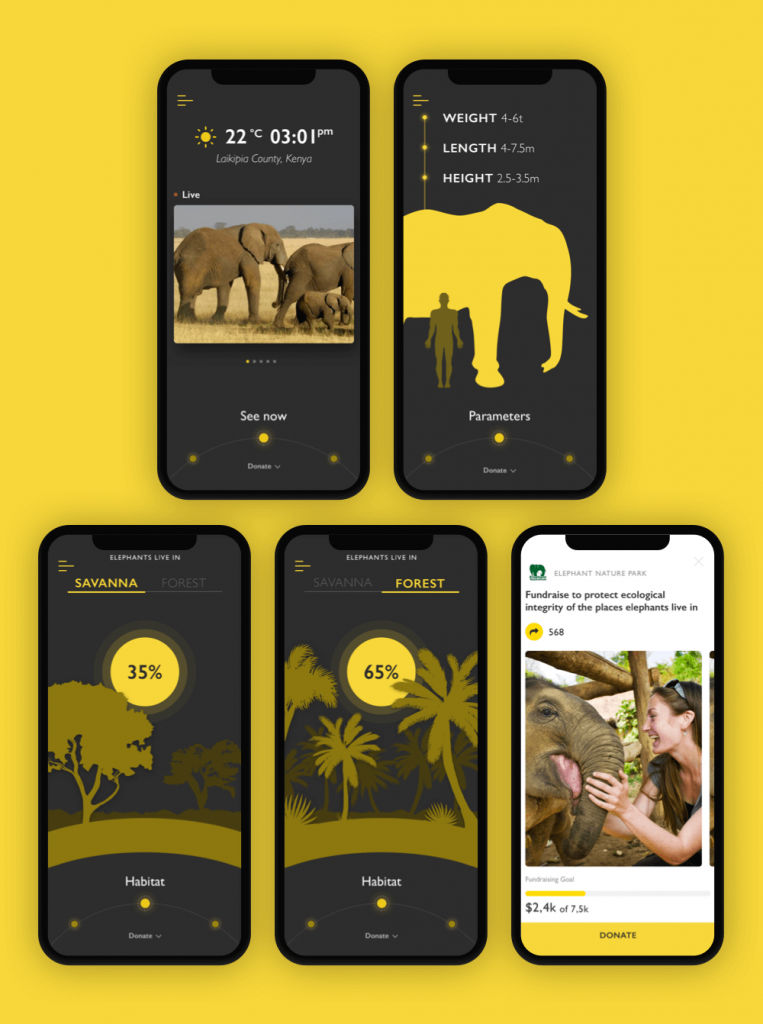
The Nature Encyclopedia App features a readable sans-serif font to make the text easily readable. What’s more, for the charity pages, which feature more text, the background lightens. The contrast boosts the readability level while marking the distinct nature and aims of the screens.
© Marina Yalanska, Fair Use
5. Use Color and Contrast Well
Proper use of color and contrast has a great bearing on readability. So, choose colors that stand out against the background but stay away from overly harsh contrasts that can strain the eyes. Ideal text-background combinations—like black text on a white background—look professional and they make sure that a wide range of users can access content. Designers should note that this includes users with visual impairments—like color blindness—who’ll find some color schemes hard to notice or read.
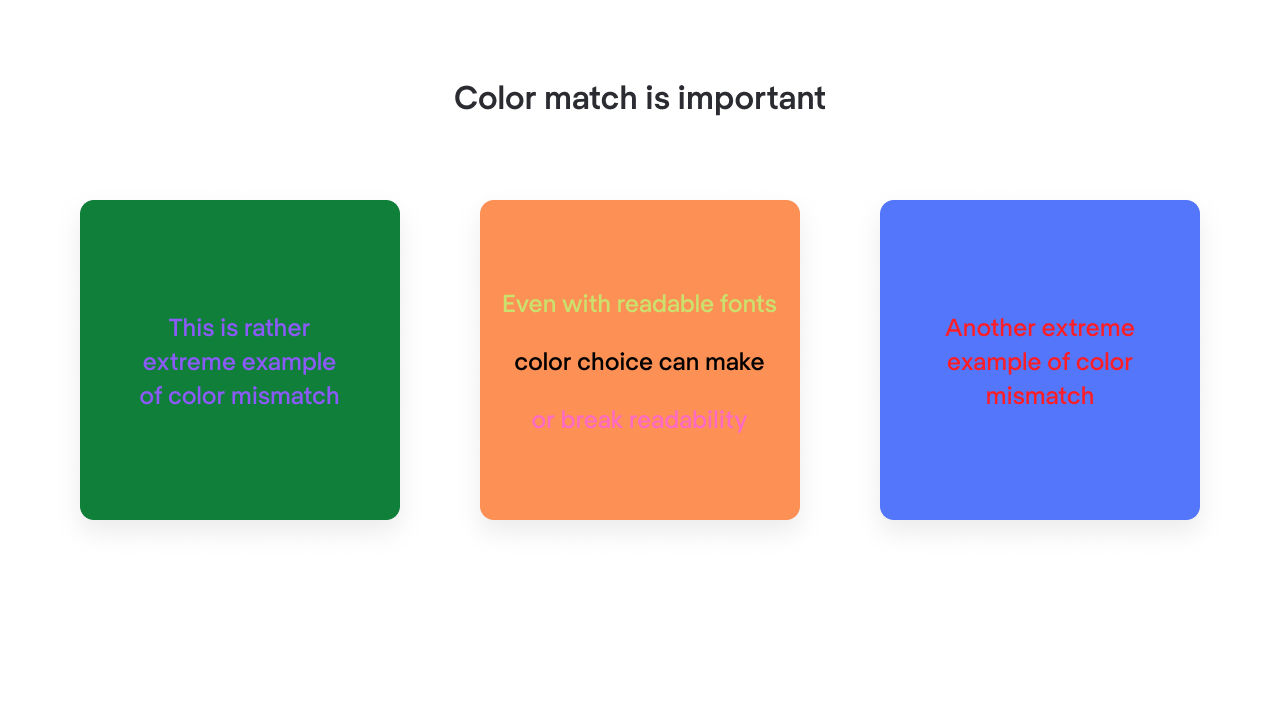
Color contrast is an important tool to help with readability—the right color choices make the difference.
© Mariia Kasym, Fair Use
6. Optimize Text Layout
The layout of the text should make for easy reading and scanning, and that includes the points that designers should:
Keep line lengths to—an optimal—45 to 72 characters and use shorter paragraphs. Such structuring helps to keep users’ attention and makes the content more readable overall.
Use headings and subheadings properly, with appropriate mixed-case bold, to help guide users through the content.
Keep to a sensible minimum for font size: about 12-16 pt, depending on context.
Space the line height to about 1.5, or as appropriate or comfortable for the content.

Note how the more generous spacing of this particular font helps with readability, even with a smaller font size on the right.
© Ilene Strizver, Fair Use
Align text to the left rather than justify it. A page of text that has a jagged right edge can make things more readable. That’s because the lines give a consistent starting point for the eye.
Avoid all caps—all caps can work against text’s readability.

Notice the difference between all caps and the more readable text on the right.
© Ilene Strizver, Fair Use
7. Design for Accessibility and Inclusivity
When designers set out content with accessibility firmly in mind, they help make sure that that content’s readable for everyone—and this includes users with disabilities. For example, it’s good to use fonts that dyslexic users can read easily. It’s important to avoid italics and use bold text to add emphasis, too. What’s more, it’s good to create a printer-friendly version of the content. That’s so it can cater to those users who prefer reading on paper.
8. Include User-Centric Writing
To compose the best content for readability, designers should use:
Straightforward language and avoid abbreviations and jargon as much as they can.
Short sentences, and avoid long, convoluted sentences.
Active voice, to identify who—or what—the actors are in a given piece of text.
An 8th-grade reading level as a target so they can cater to a broad audience. It’s also important to remember that many users won’t have English as their first language. So, plain English is best to access these readers with. Designers can use software such as Readable to help test, monitor and improve their readability score.
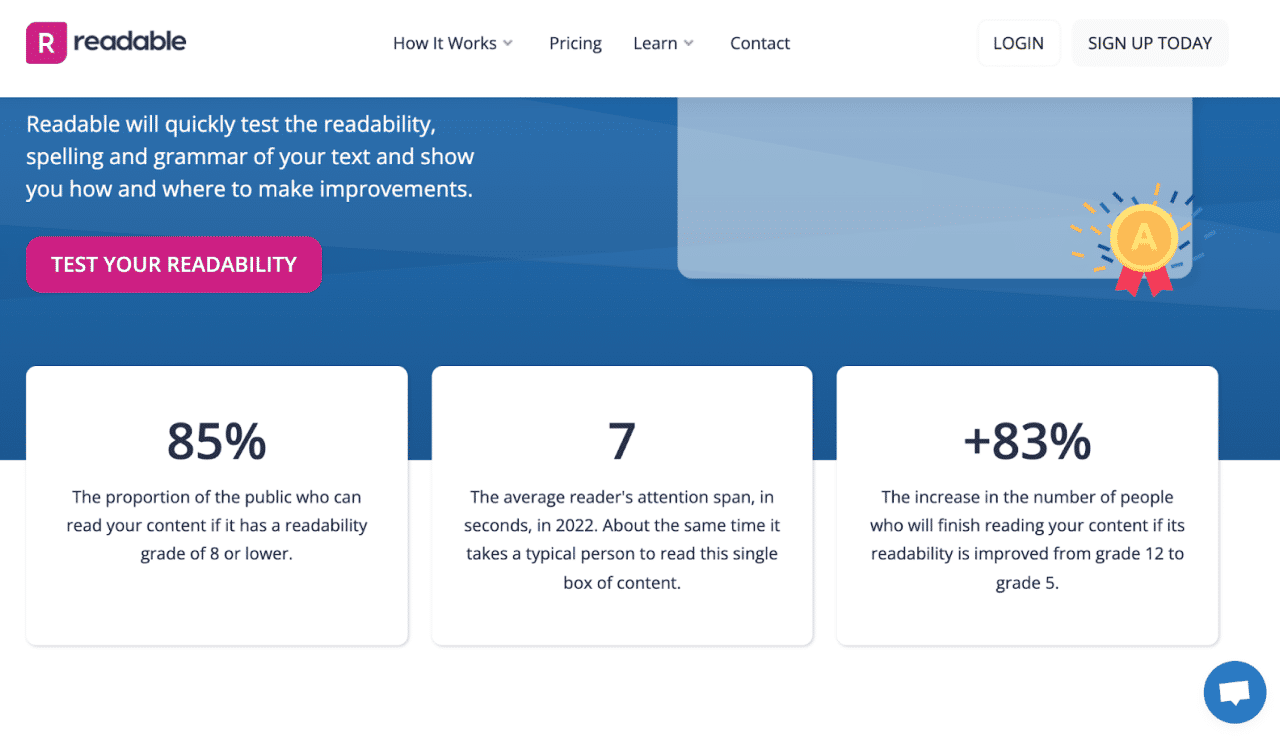
Readable is a highly useful online tool dedicated to readability testing. It features a flawless website design that prioritizes user comprehension and ease of use.
© Mariia Kasym, Fair Use
9. Place Important Content Above the Fold
It’s vital to make sure that important content is especially visible. One way to make sure of this is to place it above the fold so that users don’t have to scroll to find it.
10. Conduct User Testing and Make Appropriate Adjustments
To make sure of both good legibility and readability, it’s crucial to do regular user testing. Designers can measure reading speed to see if users struggle with recognizing text. If test users do experience issues where they lean towards the screen or have difficulty discerning text, the design might want adjustments in typography. For readability, it’s a good idea to test how users interact with the content layout and organization. That can provide insights into whether the text’s comprehensible and engaging.
William Hudson explains the importance of usability testing:
11. Integrate with Visual Elements
Designers can enhance both readability and legibility when they work text in with other visual elements—likes images, charts and diagrams. These components don’t just break up text into manageable blocks. They help to clarify and emphasize information, too. This makes the content more accessible and appealing. Plus, it gives users contextual cues to help them understand the information in front of them better.
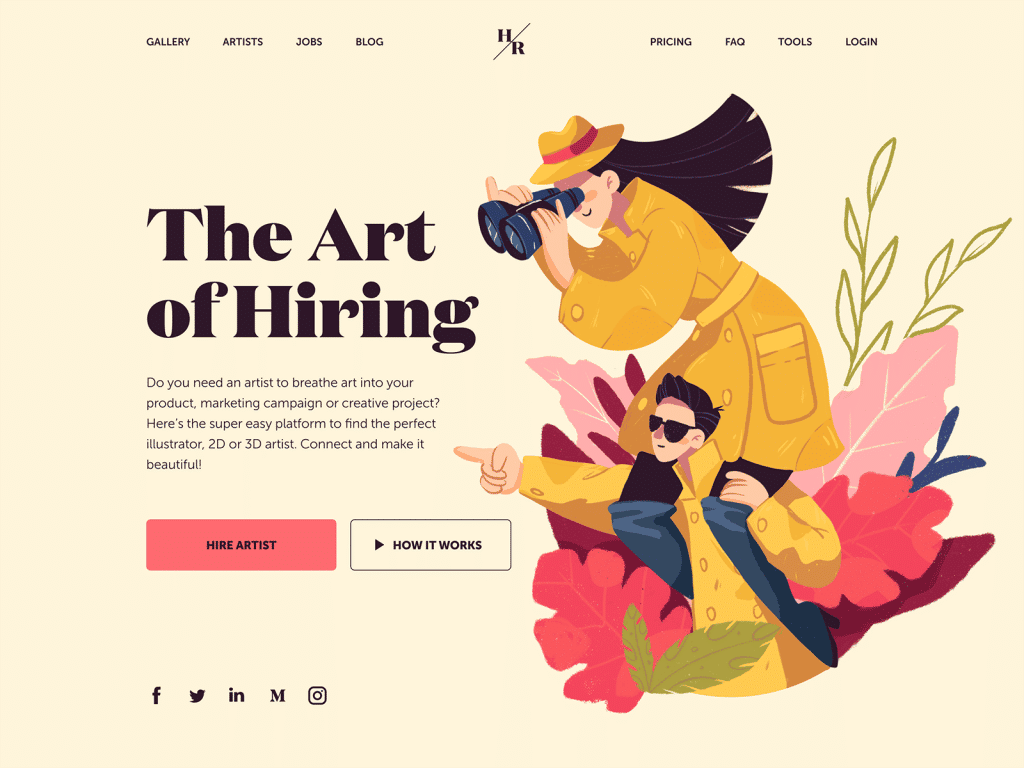
This design features serif font Domaine for the tagline, and reflects the illustration’s style. Meanwhile, the description copy block features a highly readable sans-serif font.
© Marina Yalanska, Fair Use
12. Avoid Common UX Mistakes
Several common UX mistakes stem from poor readability of text content. These sorts of things happen when designers ignore user research, overcomplicate navigation, neglect mobile optimization and fail to act on user feedback. Such errors can make the content hard to navigate and understand. What’s more, they can further alienate users and undermine how effective the digital product is. If users come away from an experience feeling confused and frustrated, it won’t matter how visually attractive the digital product is. It’ll cause the brand to suffer—and that includes from lack of user trust.
Overall, it’s essential to remember the value of good readability in web design and other areas of UX design. Readability is a critical part of UX. It’s vital to appreciate how it extends from microcopy—such as button text—to larger content—such as landing page text. “How does document design improve readability?” is a good question for designers to bear in mind. When they consider it throughout the designer process, they can help make sure that their brand and its users stay on the same page time and again in great user experiences.