The Internet of Things (IoT) refers to a network of physical objects—devices, appliances, and more—containing components that enable them to collect and exchange data over the Internet and interact with each other and central systems. Designers take a holistic mindset to craft IoT experiences that bridge the digital and physical worlds for users.
How Does UX Design Affect the Internet of Things?
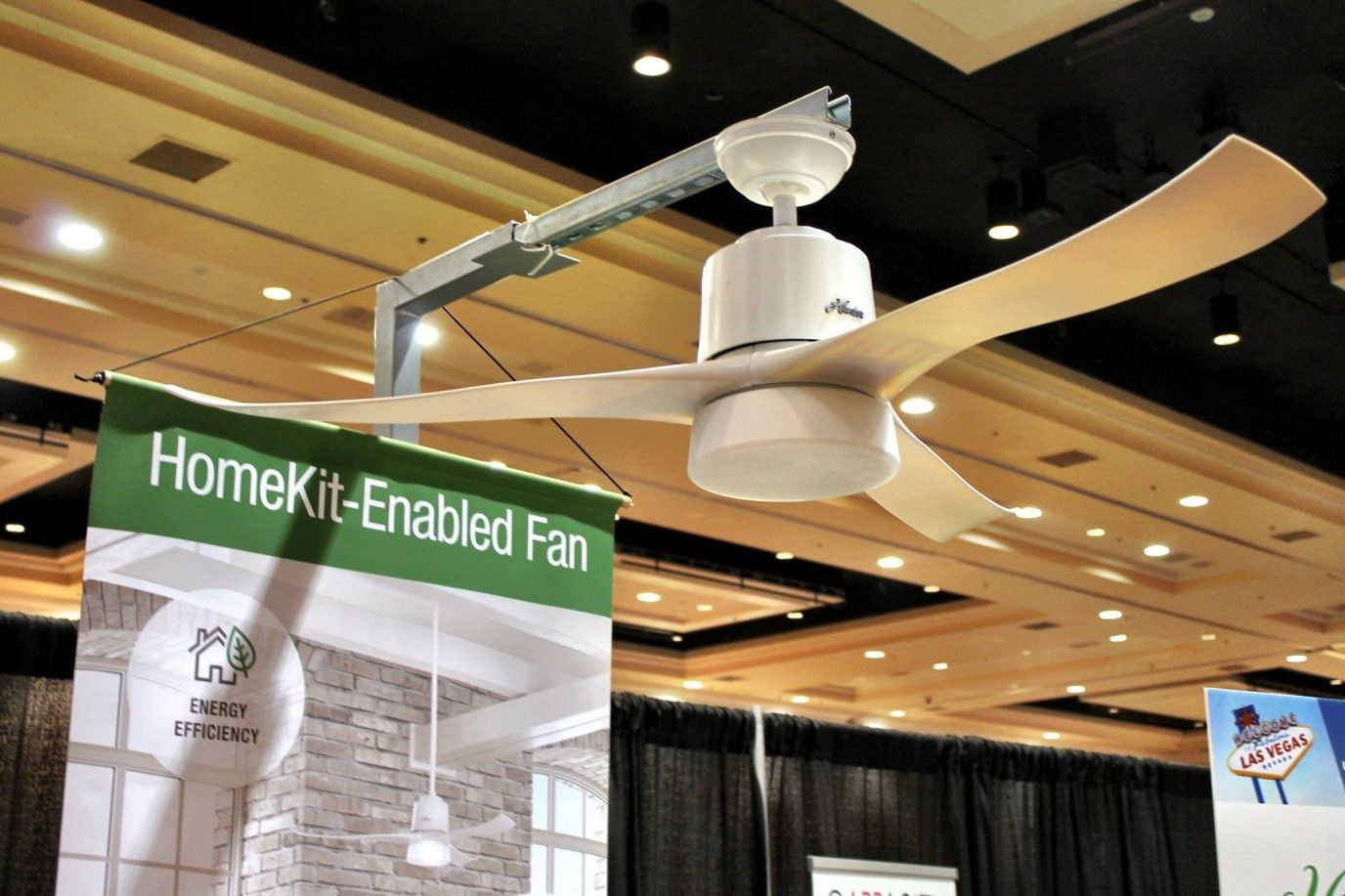
The Internet of Things expands the role of UX (user experience) design far beyond screen-based technology. Modern users live in a truly “smart” world, one where physical devices—from thermostats to vehicles and beyond—sense, communicate, and act. Rather than design solely for desktops, tablets, or phones, IoT UX designers must create interactions that span sensors, voice interfaces, wearables, environmental controls, and more. These interactions often happen without a visible UI (user interface). So, designers must consider context, automation, and the entire system of connected devices. It’s about thinking outside “traditional” UX practices and accommodating a sophisticated system of interconnectedness.
Good IoT design is important because it reshapes the expectations users bring to the interactions they have with devices, systems, and more. In terms of the Internet of Things, users expect devices and systems to:
Communicate effortlessly.
Anticipate their needs.
Protect their personal data.
Thoughtful UX design means that connected products must empower users rather than overwhelm them. And thoughtful UX designers help users embrace helpful technology without anxiety about security and safety. Designers must think ahead to the many possibilities of what can happen behind the scenes.
For example, a user who adjusts their home heating system from a smartphone should not have to worry about what might happen if their phone screen freezes after they have accidentally clicked a button to raise the temperature many times. For that, an empathic grasp of user behavior and user needs goes a long way toward creating design solutions users can trust.
This example shows how, despite advances in technology, the deep, human-centered skills we all have, like empathy, are what lead to designs that users love. Watch our video to understand how empathy for your users serves them, your brand, and you as a designer:
How The Internet of Things Works
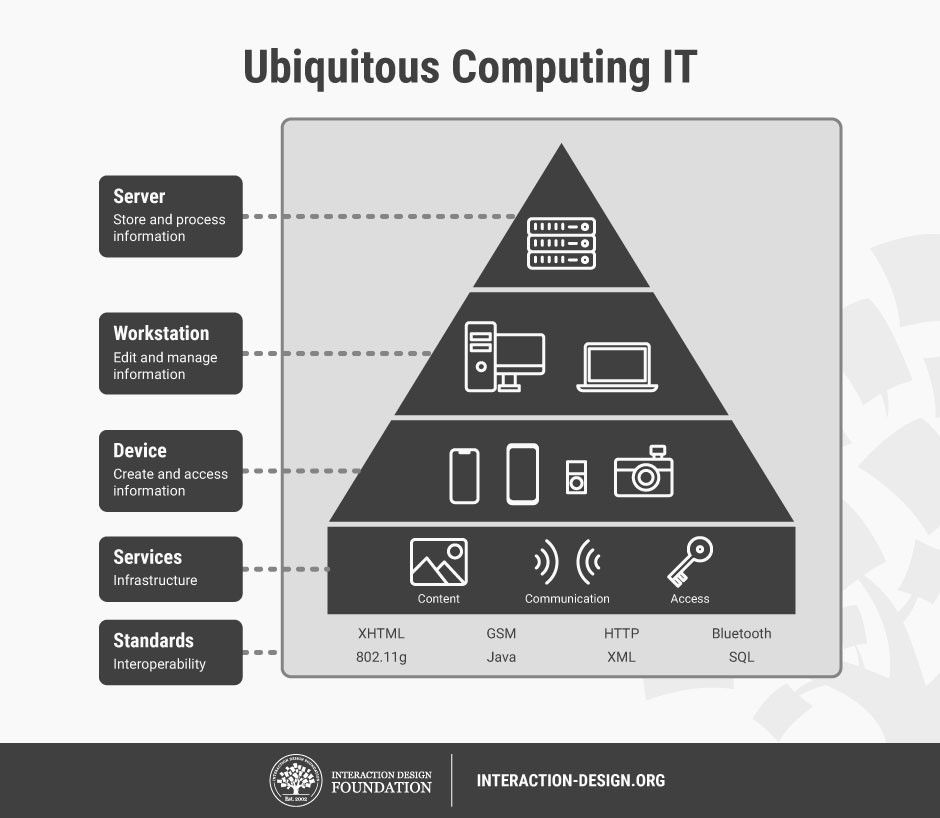
Designers who understand the structure of the Internet of Things can anticipate user needs and constraints better. A typical IoT system consists of four core elements:
Devices/Sensors: Physical objects with embedded technology like sensors capture environmental data such as temperature, motion, or location.
Connectivity: Devices transmit and receive data through Wi-Fi, Bluetooth, cellular, or mesh networks.
Data processing: Cloud-based or edge computing systems analyze the data.
User interaction: Users receive feedback or control devices through apps, voice commands, or automated triggers.
For example, a smart lighting system detects motion, communicates with a home network, processes occupancy patterns, and automatically adjusts lighting. The user might control preferences through an app or rely on automatic behavior based on learned patterns.
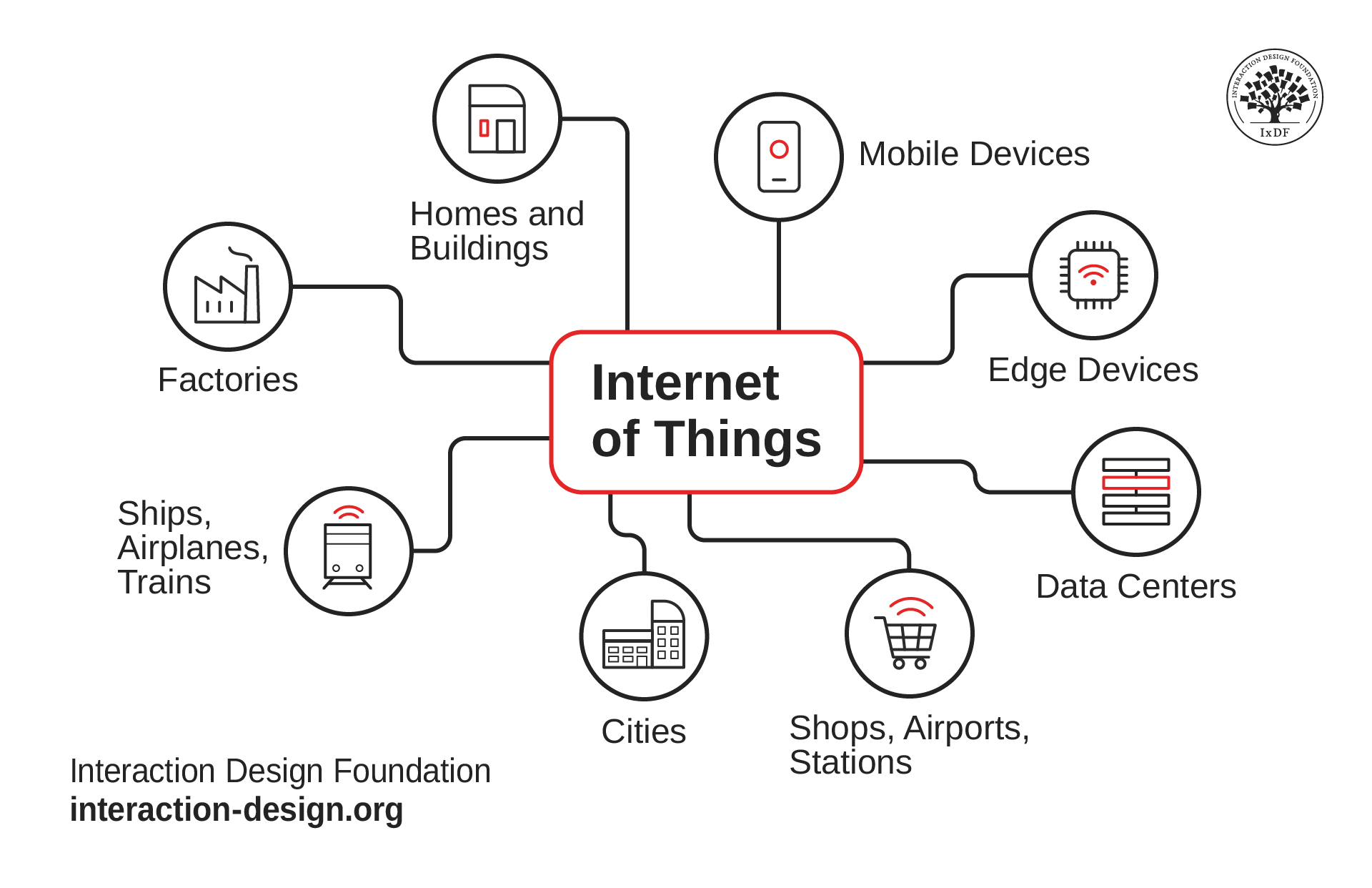
Because the Internet of Things helps homes, businesses, transit systems, and whole cities run—to name several key areas—IoT designers will continue to have massive roles to play long into the future.
© Interaction Design Foundation, CC BY-SA 4.0
What Are the Benefits of the Internet of Things?
Designers who create digital solutions and other products and integrate them well with the IoT offer numerous advantages to users, brands, and other organizations (including governments):
Efficiency: Automation reduces manual tasks, saving time and resources.
Data-driven decisions: Real-time data collection enables informed decision-making.
Cost savings: Predictive maintenance and optimized operations lower expenses.
Enhanced user experience: Personalized services improve satisfaction and engagement.
Key Examples of the Internet of Things Technology
IoT technology permeates various sectors of the human world, enhancing operations and user experiences, and is well and truly part of modern living:
Smart Homes
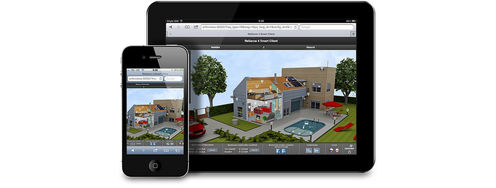
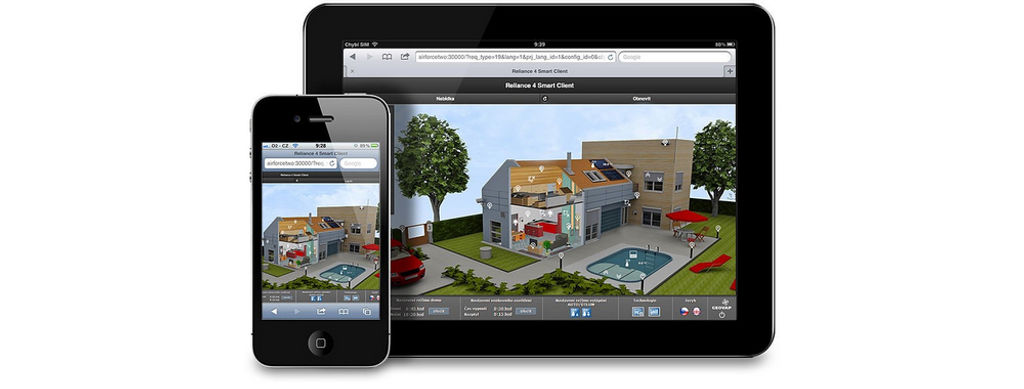
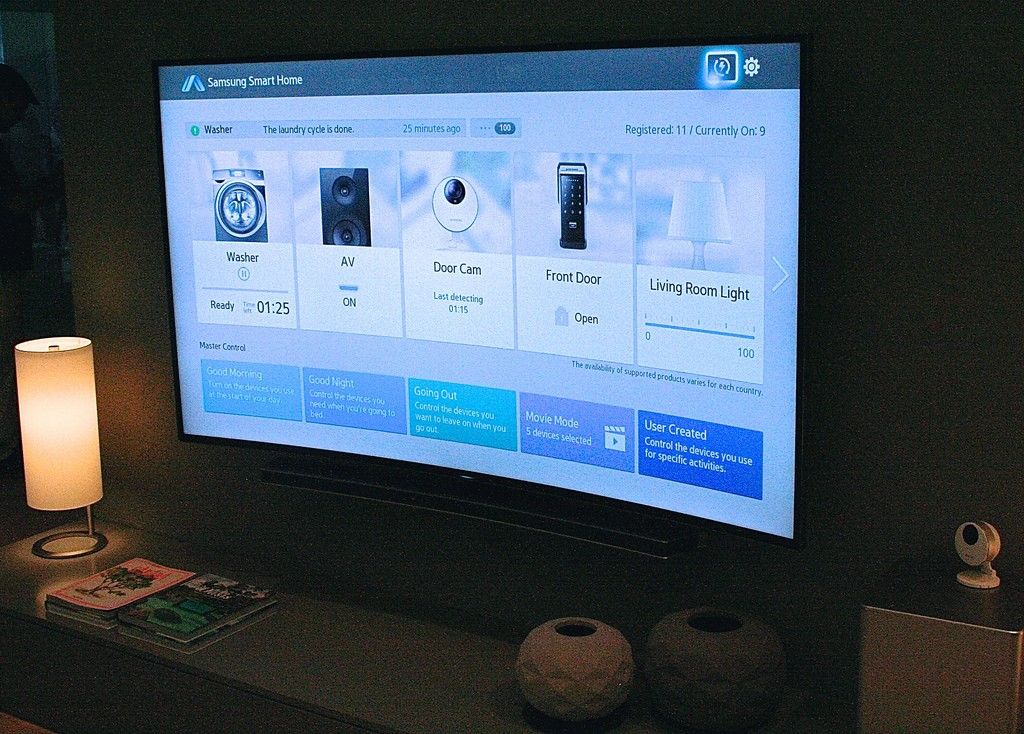
The IoT enables homeowners to automate and control devices remotely. Smart lighting systems adjust brightness based on occupancy, while smart locks provide keyless entry and monitor access. Voice assistants like Amazon Alexa and Google Assistant integrate multiple devices, so users can manage their homes through voice commands no matter the distance.
Healthcare
In the medical field, IoT devices monitor patient vitals in real-time, making proactive care easier. Wearable devices track heart rate, sleep patterns, and physical activity—and transmit data to healthcare providers for analysis. Remote monitoring reduces hospital visits and enables timely interventions when needs arise.
Agriculture
Farmers tap into the IoT for precision agriculture. Soil moisture sensors inform irrigation systems to optimize water usage, while drones with cameras assess crop health. These technologies come together to increase yield and reduce resource consumption.

Smart agriculture at work—symbolizing a fascinating dimension of IoT; how devices and nature stand side by side to bring the best results. Here, sensors monitor vital factors, such as solar radiation, temperature, humidity, and soil temperature and moisture.
© Pycno, Fair Use
What UX Design Challenges Does the Internet of Things Present?
Like many technological advancements, the designs of IoT solutions demand careful thought to ensure brands don’t overlook vital factors, especially relating to users’ privacy and safety. Poorly designed IoT experiences can lead to frustration, confusion, or even danger when security vulnerabilities arise.
To accommodate the IoT in design, consider specific challenges that differ from traditional UX design—they include:
1. Contextual Complexity
Unlike a smartphone app that operates within predictable contexts, IoT devices interact with dynamic environments. A smart thermostat must adapt to fluctuating temperatures, household schedules, and energy pricing.
Map all environmental variables that could influence device behavior.
Conduct field studies to understand real-world use conditions. From your findings, design flexible systems that adapt gracefully to changing contexts.
2. Invisible Interactions
Many IoT interactions occur without explicit user input—they’re “alive” in the sense they can decide and act. Devices may act autonomously based on sensor data, which blurs the line between human and machine control.
Use clear feedback mechanisms, such as notifications or subtle physical cues—such as lights or sounds—to inform users about device actions.
Give users accessible controls to override automated behaviors. Let them be able to take over from the machines.
3. Security and Privacy
IoT systems collect vast amounts of sensitive data. Poor security design can expose users to hacking, identity theft, or physical risks—for example, hacked smart locks. As systems become increasingly sophisticated, new risks emerge. Nefarious individuals, malfunctioning systems, and other threats may exploit vulnerabilities or “loopholes.” These risks can cause harm either through deliberate malicious actions or through the brand’s failure to effectively safeguard and support its users and customers.
Integrate security and privacy into the UX from the start. Use encryption, authentication, and clear privacy settings. Communicate data collection practices transparently and give users control over their information.
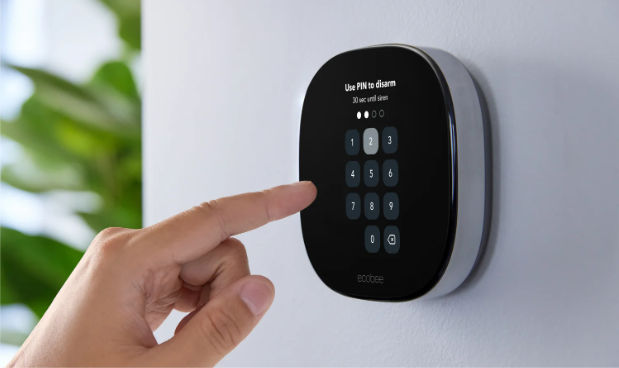
Ecobee’s Smart Thermostat doubles as a base station and keypad for home security.
© Ecobee, Fair Use
4. Connectivity Issues
IoT devices often depend on uninterrupted network access. Failures in connectivity can disrupt functionality in critical ways. For example, consider a new design for a smart lock and what might happen during a power outage. If the designer hasn’t designed the smart lock to fail-closed (remain locked) or allow manual override for safety, this could result in an unfortunate customer becoming the victim of an opportunistic burglar when the power is out.
Design for graceful degradation. Ensure devices retain basic functionality offline or can reconnect seamlessly.
Provide clear guidance when connectivity issues arise.
5. Interoperability
Many IoT ecosystems involve devices from different manufacturers. Lack of standardization can frustrate users when devices fail to work together.
Follow open standards where possible.
Clearly communicate compatibility requirements.
Design modular systems that allow incremental upgrades without full replacement.

Smart lighting—a key aspect of safety and convenience in the modern age—takes such forms as street lighting. For example, from a network of IoT streetlights, authorities can monitor factors such as bulbs that need changing, vandalism, and other areas that can affect public wellbeing and safety.
© Remy Marcotorchino, Fair Use
Internet of Things: UX Design Best Practices
On IoT projects, these are some general guidelines and best practices to help you optimize what you create for your solution’s—and brand’s—users:
1. User Research
Good user research forms the foundation designers build upon. User research becomes even more critical in IoT projects because of the complexity and diversity of twenty-first-century interactions. Effective research strategies include:
Contextual inquiry: Observe users in their natural environments to understand how IoT devices fit into daily routines.
Journey mapping: Map the full user journey across devices, touchpoints, and platforms.
By grounding IoT designs in real-world insights, UX researchers and designers ensure that systems meet genuine needs rather than hypothetical ones.
Watch as William Hudson, User Experience Strategist and Founder of Syntagm Ltd, explains important points about how to make user research work for you.
2. Take a Holistic View
IoT interactions often involve multiple devices, services, and stakeholders. For example, a smart fridge might communicate with grocery stores, recipe apps, and energy management systems.
Design for ecosystems, not isolated devices. Visualize the full system architecture and identify user touchpoints across the ecosystem.
3. Prioritize Simplicity
IoT systems can become complex—quickly. If a system overwhelms users with endless configuration options or ambiguous automation, they may well abandon it.
Offer simple, intuitive interfaces. Default settings should serve common use cases while allowing customization for advanced users.
4. Design for Trust
Trust plays a central role in IoT adoption. Users must believe that devices will perform reliably, safeguard data, and respect autonomy.
Provide clear communication about system behavior, data practices, and security measures. Enable users to monitor and control device operations easily.
5. Anticipate Failure
In IoT, failures can occur at many levels—device, network, data processing, or user interface.
Plan for failure modes—an “if something can go wrong, it will” mindset can help you string a safety net beneath your users and your brand. Design recovery workflows that minimize user disruption. Offer clear troubleshooting steps and support channels.
6. Consider Physical Interfaces and Not Just Screens
Some IoT devices lack screens—so comes a need to explore alternative input and feedback methods, such as voice, gestures, or ambient signals (for example, LEDs or vibrations).
Match input methods to context and user capabilities. Provide redundant feedback where possible to ensure accessibility. It’s better to be redundant than miss the mark and risk a system failure. Users have many needs—including users with disabilities—which demands a heightened sense of catering to all users in design for IoT products and systems.
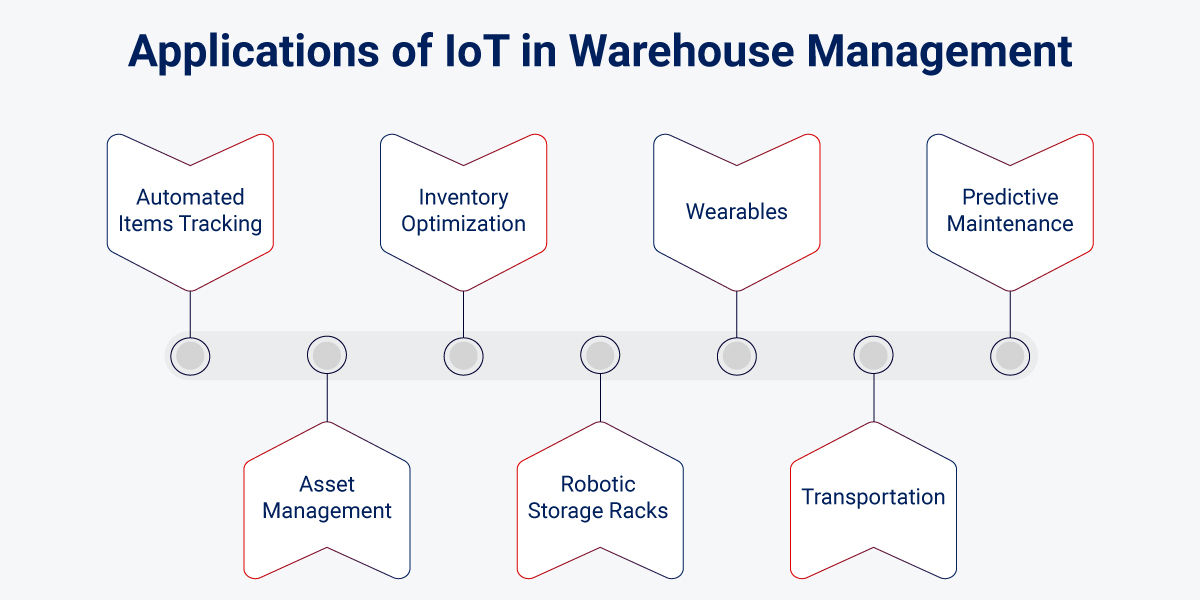
Consider the many aspects of warehouse operations, including stock levels, employee safety, and loading of products—and how IoT design solutions can optimize them.
© Rishabh Software, Fair Use
The Future of UX Design and The Internet of Things
As the Internet of Things matures, new UX challenges and opportunities will emerge—particularly:
Artificial Intelligence (AI) integration: Smarter algorithms will enable devices to predict user needs, so designers must balance helpfulness with user autonomy.
Edge computing: Solutions that process data locally on devices reduce latency and enhance privacy but introduce new design constraints.
Sustainability: Energy-efficient durable IoT products become crucial as device proliferation impacts the environment. The complex and delicate nature of the planet is a fitting example to speak to why designers must consider everything to be a system—or part of one—and design with a careful eye for potential consequences.
UX designers and other professionals in the IoT field will need to stay agile. They must learn new skills and adapt methods to keep up with developments as user expectations—as well as needs, behaviors, and concerns—grow with technological advancements. As the world increasingly relies on AI, designers have an added area of responsibility (and opportunity) to ensure they cover all possible angles to delight users with thoughtfully designed products. Some of these might become household names.
Watch as Ioana Teleanu, Senior Product Designer, UiPath; Founder, UX Goodies explains how AI is changing the world.
Overall, “trust” may be the core watchword for designing for the Internet of Things. Whether they realize it or they don’t, users of all types entrust numerous aspects of their everyday lives to brands who promise them solutions for managing their lives and living well. IoT designers must justify their users’ faith and deliver on—and ideally exceed—their expectations.
When designers prioritize user needs, anticipate challenges, and embrace the complexity of connected environments, they can create IoT products that aren’t just functional but meaningful and empowering too. A holistic mindset leads to products that not only offer seamless experiences but remove the worry from users’ minds before it can even occur to them. The future belongs to those who design for connections. Connection, another vital watchword in the human experience, demands careful consideration and design, between devices, services, and—most importantly—people.