Mobile computing is the use of mobile devices to perform computing tasks while on the go—and without a fixed physical link. These devices include smartphones, tablets and wearable technology. They let users access, store and manipulate data from anywhere, anytime. Designers aim to satisfy users’ demands on tiny screens and account for their mobile contexts mindfully.
CEO of Experience Dynamics, Frank Spillers explains the human-centered approach to mobile design:
The Rise of Mobile Computing: A Paradigm Shift
Mobile computing is a field of study—it’s a term that describes how legions of digital products operate, too. It has revolutionized many aspects of human life. These span from how people communicate and conduct business—to how they learn and entertain themselves. As the digital age continues to advance, it’s impossible to overstate just how important both exceptional user experience (UX) design and exceptional user interface (UI) design are for devices and users on the go.
Mobile computing has marked a shift that’s unprecedented in the digital landscape—and society on the whole. Where once users had found themselves tied to stationary desktop machines—the advent of mobile technology has long since untethered this experience for them. Users can freely move around, and with their smartphones or other mobile devices they can interact with digital services anytime, anywhere.
The benefits of mobile computing are many. It offers unparalleled convenience: Users can access information, communicate, shop, work and entertain themselves—away from their living rooms and offices. Even so, there’s perhaps an even more important factor involved with mobile computing. This form of ubiquitous computing has also—in a great sense—democratized access to digital services. It’s brought technology within reach of populations whom “traditional” computing hadn’t reached.
From a business perspective, the ubiquity of mobile devices continues to open up many avenues for reaching and engaging with customers. Businesses deliver personalized, location-specific content, offer seamless omnichannel experiences, and leverage mobile-specific features like push notifications to drive engagement.

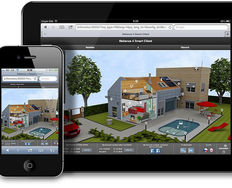
Mobile users are everywhere, and can enjoy quality content anywhere.
© Sigismund von Dobschütz, CC BY-SA 3.0
What Mobile Computing Means for UX Designers
The sheer importance of mobile computing goes far beyond just the provision of digital services and web design on mobile devices. How users interact with brands via digital products has fundamentally altered user expectations—as well as behaviors. This phenomenon provoked a shift in the way designers make digital experiences for the target users of the products or services they create for brands. This is where the importance of user experience design—and, maybe more importantly, user-centered design—in mobile computing comes into play. Designers and design teams who work to tailor mobile experiences for their target market have a wide range of considerations to build into their solutions long before they go to user testing. What’s more, the business goals of a typical organization need to be in tune with users who encounter brands primarily through mobile screens.
The rise of mobile computing means that users expect digital services to be available on their mobile devices—optimized for smaller screens, touch input and on-the-go use. Users demand experiences that aren’t just functional but intuitive, enjoyable and matched to their specific context, too. Users want to feel that thoughtful designers have preempted their pain points—so the magic of a seamless experience plays out across all the touchpoints where they engage with brands.
Mobile UX designers must fulfill their users’ expectations and meet their needs through the seamless digital experiences they make for users specifically for mobile devices. The designs that product teams produce for their target audiences mustn’t just be accessible, but usable and delightful on mobile devices as well. At the very least, designers must show empathy and insight into what sometimes are potentially stressful situations for users—such as apps for hospital services or driving. Good design means good functionality, usability and aesthetic appeal.
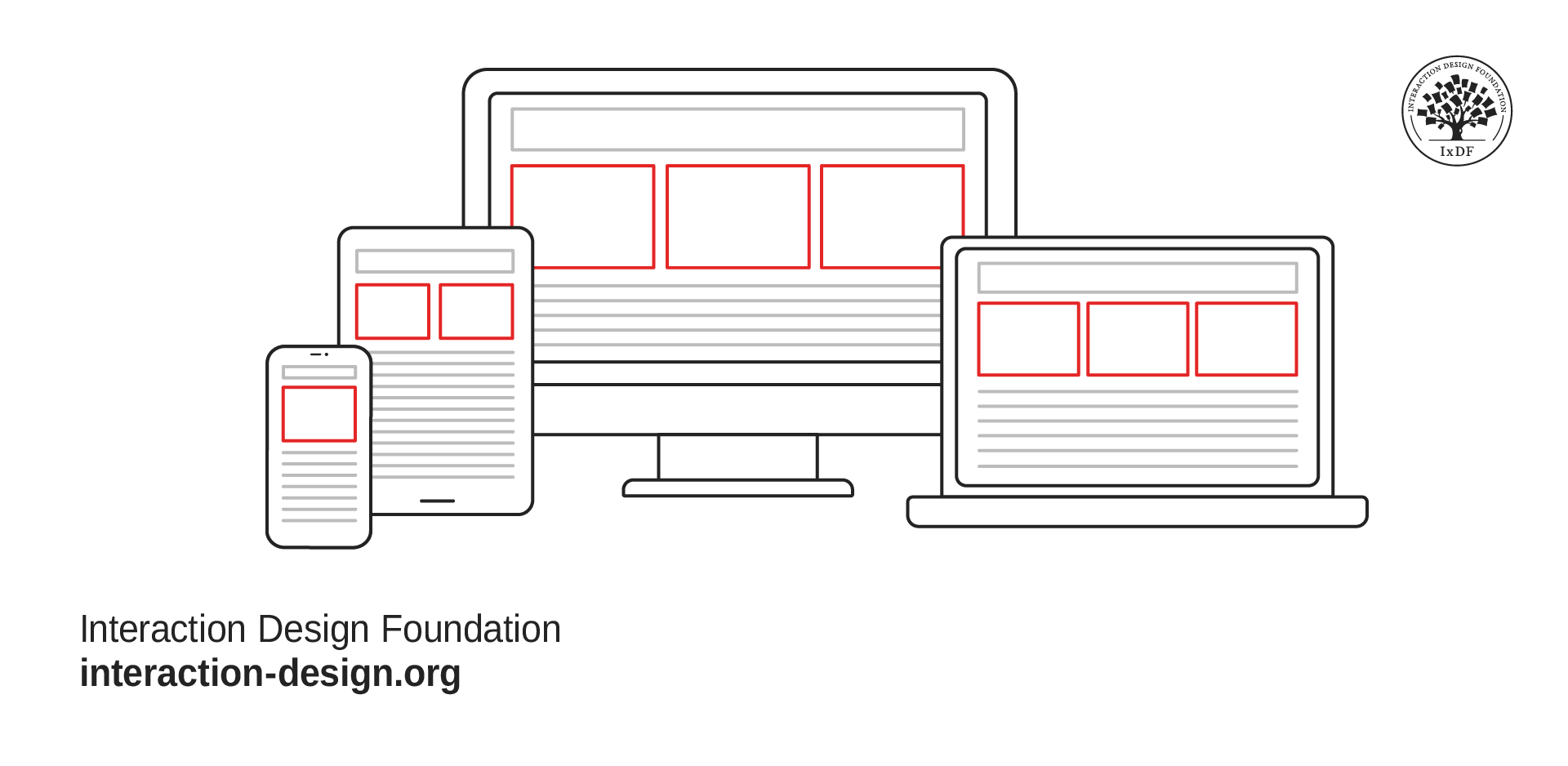
The many faces of design—most of which users encounter via their mobile devices.
© Interaction Design Foundation, CC BY-SA 4.0
A well-designed mobile UX can have a very profound impact on user satisfaction, engagement and loyalty. As a matter of fact, it can make the difference between a product that just exists on a mobile device and one that mobile users really take to and embrace fully. A vital point for designers to think about is that mobile computing isn’t just about apps or websites that users access on their mobile devices. It’s about the need to create an experience that they uniquely tailor to the mobile context, too—and give value and delight to users wherever they may be. So, the designer’s role goes far beyond just the design of interfaces—and designers have to think about the larger context where the users’ journeys play out, too. This includes their motivations, goals and the environment where they actually use the app.
Service design is another huge realm of mobile computing. Because many brands offer services via their apps—such as Uber—designers have to factor in various considerations that go beyond just visual design features such as color schemes. With mobile, users are everywhere and anywhere. It could be a moment before they turn up at a coffee shop to pick up a latte. Or, it could be a real-time concern when they’ve got to check on their home security system. Compared with the desktop-oriented domain of users in previous times, mobile computing is a whole other world.
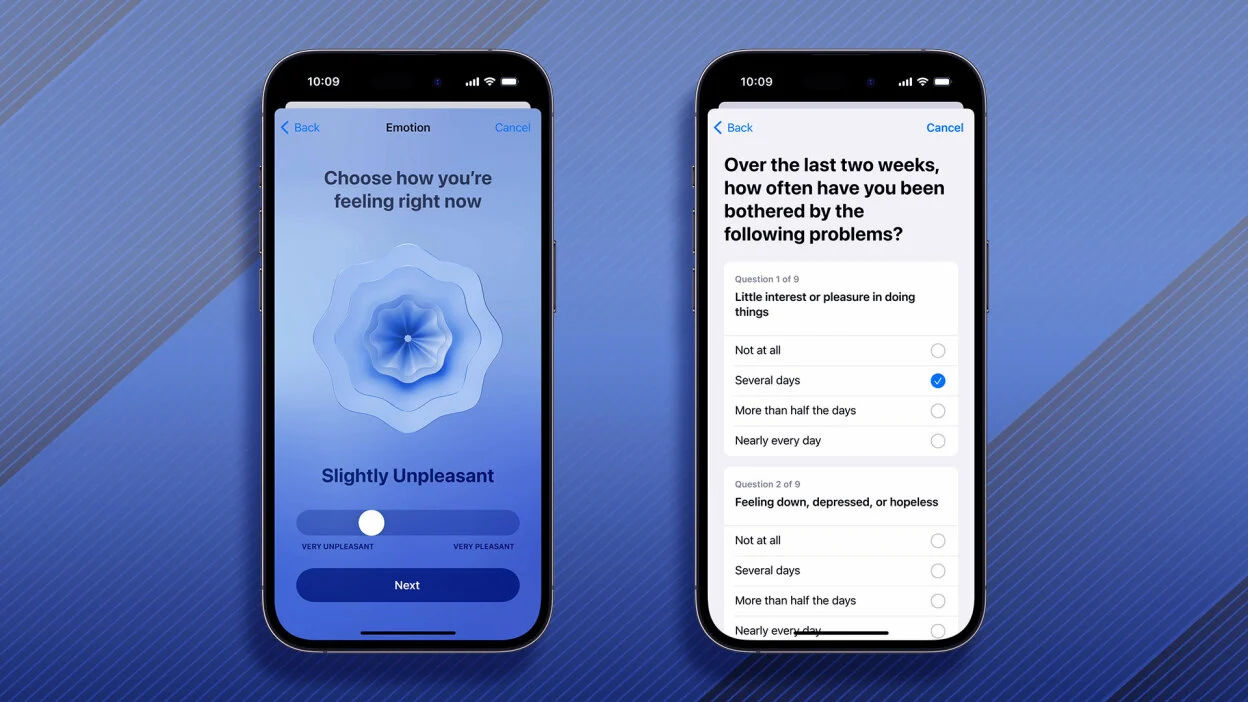
Uber delivers on mobile users’ expectations as it aligns its design solutions with the many contexts of its target market.
© Mashable composite: Uber / Getty Images, Fair Use
Designers need to understand user needs and behaviors in a mobile service context, as well as create user personas and scenarios, map out user journeys, create wireframes, prototype and conduct usability testing.
Frank Spillers explains service design in this video:
Challenges for Design in Mobile Computing
While mobile UX design holds immense potential, it’s also got some unique challenges that go with it. These stem from the inherent characteristics of mobile devices—as well as the diverse contexts in which users use them, and the varied user behaviors they elicit.
1. Limited Screen Real Estate
Mobile devices—especially smartphones—have much smaller screens compared to desktop computers. This limits the amount of information that a screen can show at any one time. It also puts a constraint on how big and complex interface elements can be. Designers have to prioritize content and functionality—and they’ve got to do it carefully. What’s more, they have to think up creative ways to maximize the use of screen space. Mobile users usually want to accomplish their tasks quickly—and easily—so it’s important to make designs simple and intuitive, with clear navigation and minimal clutter.
2. Varied Input Modalities
Mobile devices primarily rely on touch input—and it’s something that’s fundamentally different from the mouse and keyboard input of desktop computers. Touch input is less precise. It’s also a lot more susceptible to accidental activations—and it can get in the way of on-screen content. What’s more, mobile devices often support additional input modalities such as voice and sensors. These are additional considerations for designers and developers both.
3. Diverse Usage Contexts
Users use mobile devices in a wide range of physical, social and situational contexts. That means that users may be on the move, multitasking—in varying lighting conditions or in situations where audio isn’t feasible. For example, they could be in a dark, noisy nightclub; or they might be in a bright hospital room where silence needs to reign. In any case, the design has to cater to these diverse contexts—and make sure that usability and accessibility do feature well under different conditions.
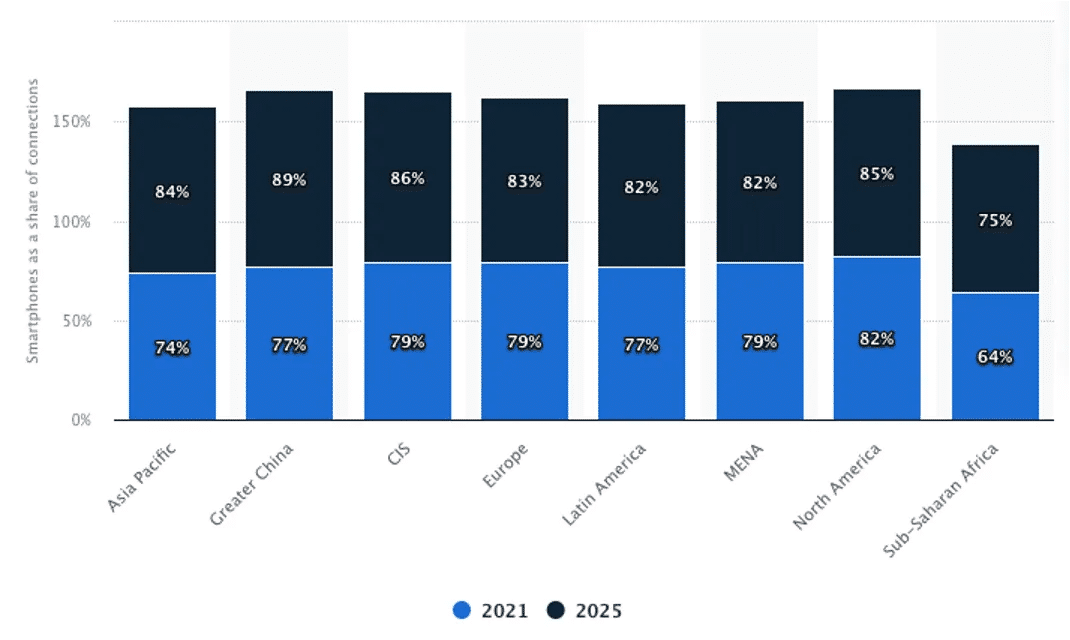
Mobile computing is growing as a reality, across the world.
© Statista, Fair Use
4. Limited Resources
Mobile devices often have less powerful processors, limited memory and shorter battery life compared to desktop computers. Designers have to create applications that are resource-efficient and that minimize battery, data and performance impact.
5. Fragmented Device Landscape
The landscape of mobile devices is one that’s highly fragmented. There are a wide range of devices that are different in terms of their screen sizes, resolutions, operating systems, hardware capabilities—and more. Designers need to strive for a responsive design that makes sure that strong consistency and usability happens across different devices.
Frank Spillers explains the need for mobile accessibility in this video:
Best Practices in Mobile UX Design
To meet design considerations for mobile computing, designers should:
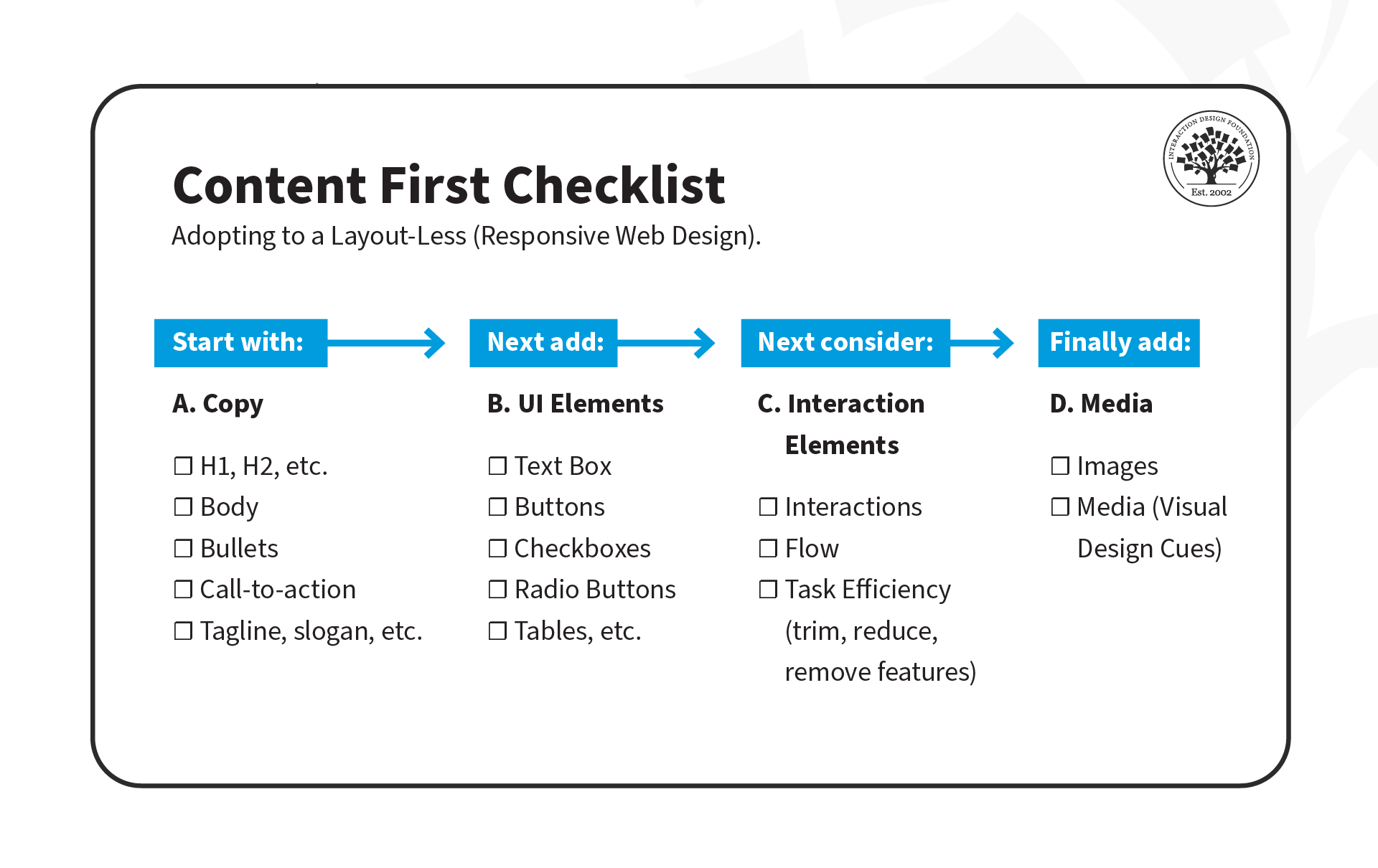
Prioritize content and features: Due to the limited screen space, it’s crucial to prioritize the most important content and features. This calls for solid UX research skills, to understand user needs and behaviors and focus on what matters most to them. Designers also need to know how to map out user journeys, and create user personas, wireframes and prototypes.
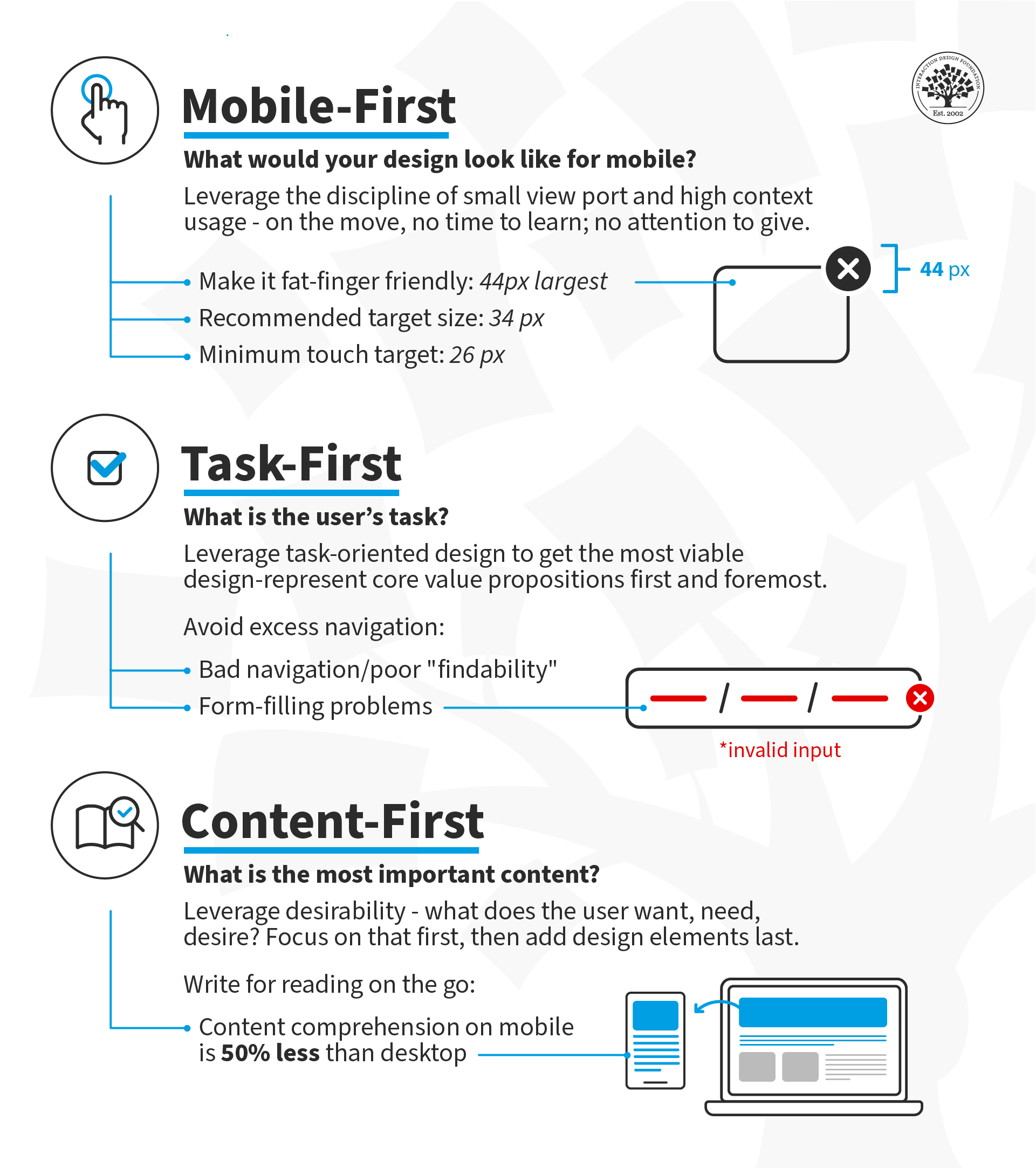
Design for the thumb: Most users operate their mobile devices with just one hand, so it’s vital to design interfaces that are thumb-friendly—or fat-finger friendly. Designers should be sure to put key elements within easy reach of the thumb and design touch targets that are large enough to tap very easily.
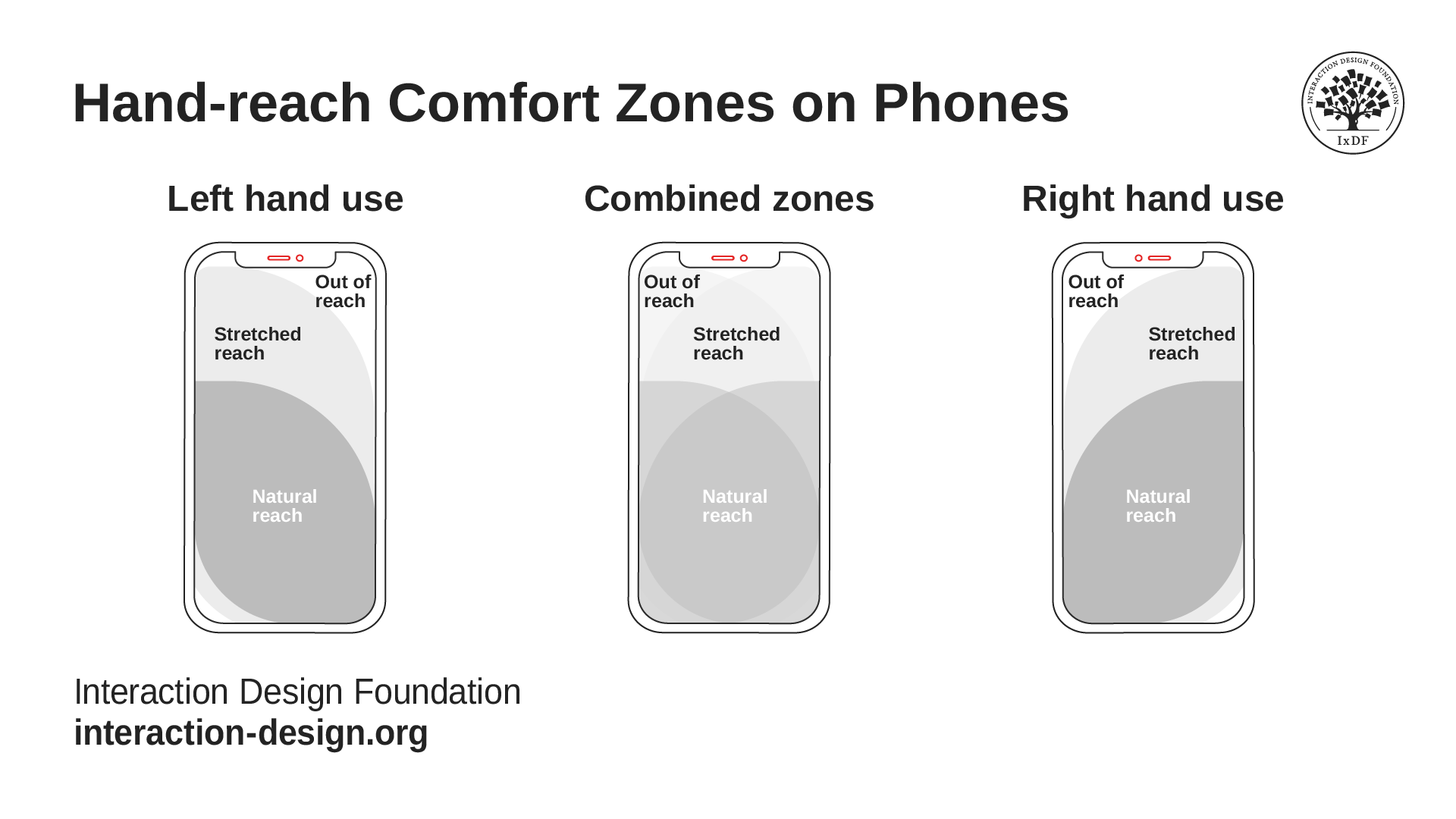
It’s vital to know how users grasp their devices—and comfortably so.
© Interaction Design Foundation, CC BY-SA 4.0
Follow platform guidelines—like those for iOS or Android—to be sure that the app does feel familiar and intuitive to users.
Use standard UI elements like buttons, checkboxes and sliders—it helps users recognize and understand how they’re to interact with an interface. It’s important to understand design principles, as well as how visual hierarchies and elements in a design catch the viewer’s eye in mobile contexts.
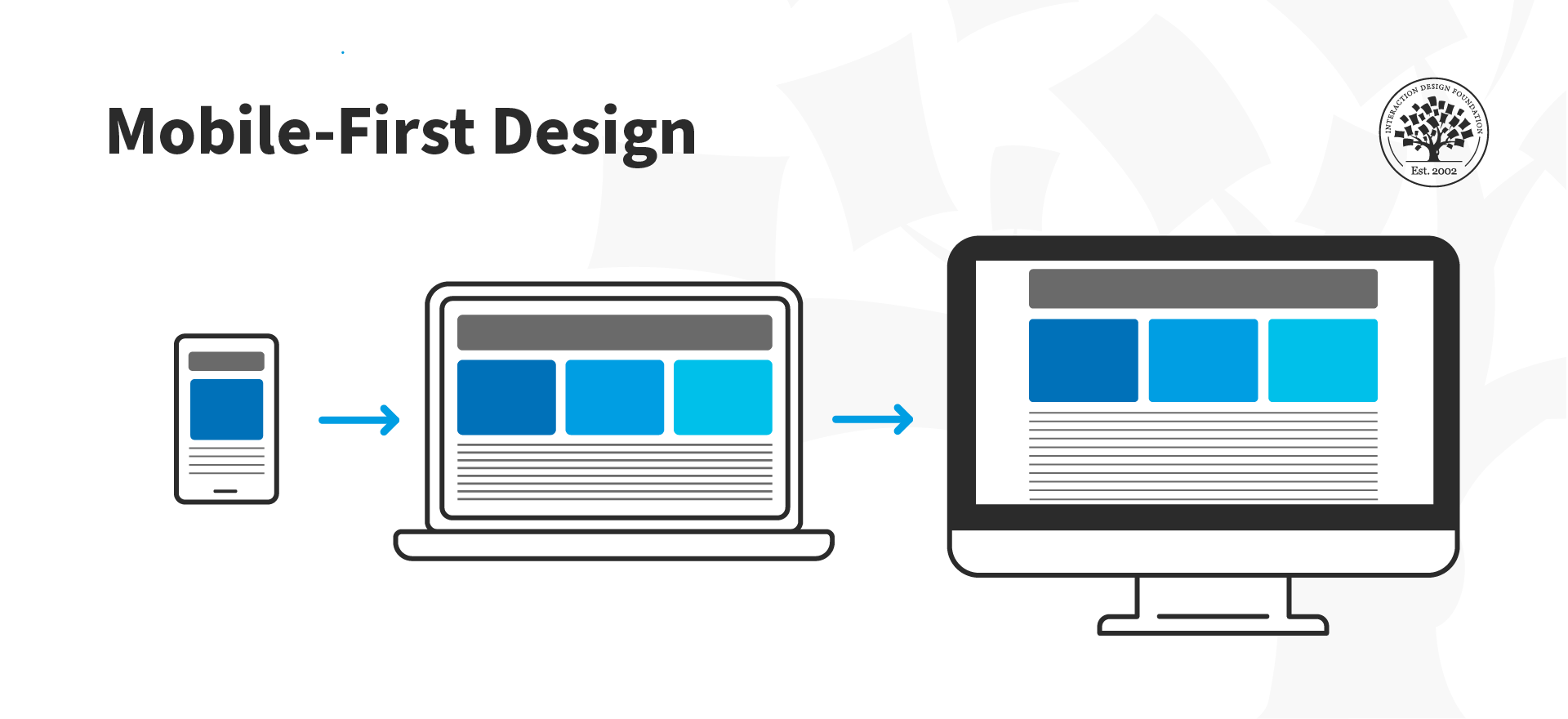
Consider mobile-first design and design for the smallest device first; then progressively enhance the design features for larger layouts. When designers start with mobile in mind, there’s little risk that users will feel as though the experience is a shrunken-desktop version.
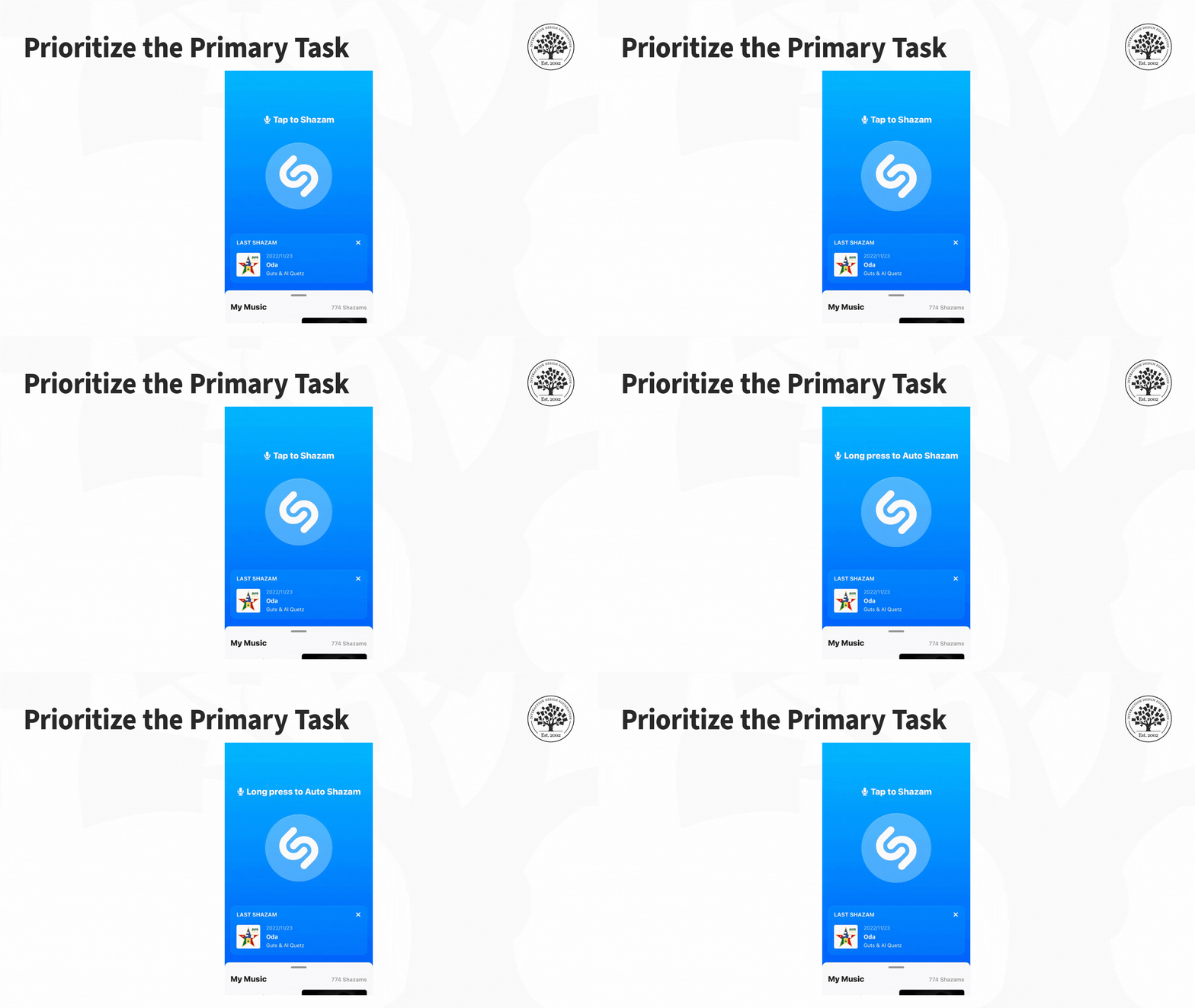
Focus on simplicity and clarity so each screen can support a single primary action—without any irrelevant content or functionality. Navigation needs to be intuitive and self-evident; plus, it’s got to guide users through the flow with a minimum in cognitive effort from them.
Make sure text is legible so users can see it without having to zoom in—and a recommended minimum size is 11 points. It’s a crucial thing to keep adequate contrast going between text and its background for the sake of good readability. What’s more, whitespace can help with making things more legible; that’s because it reduces visual clutter and improves comprehension.
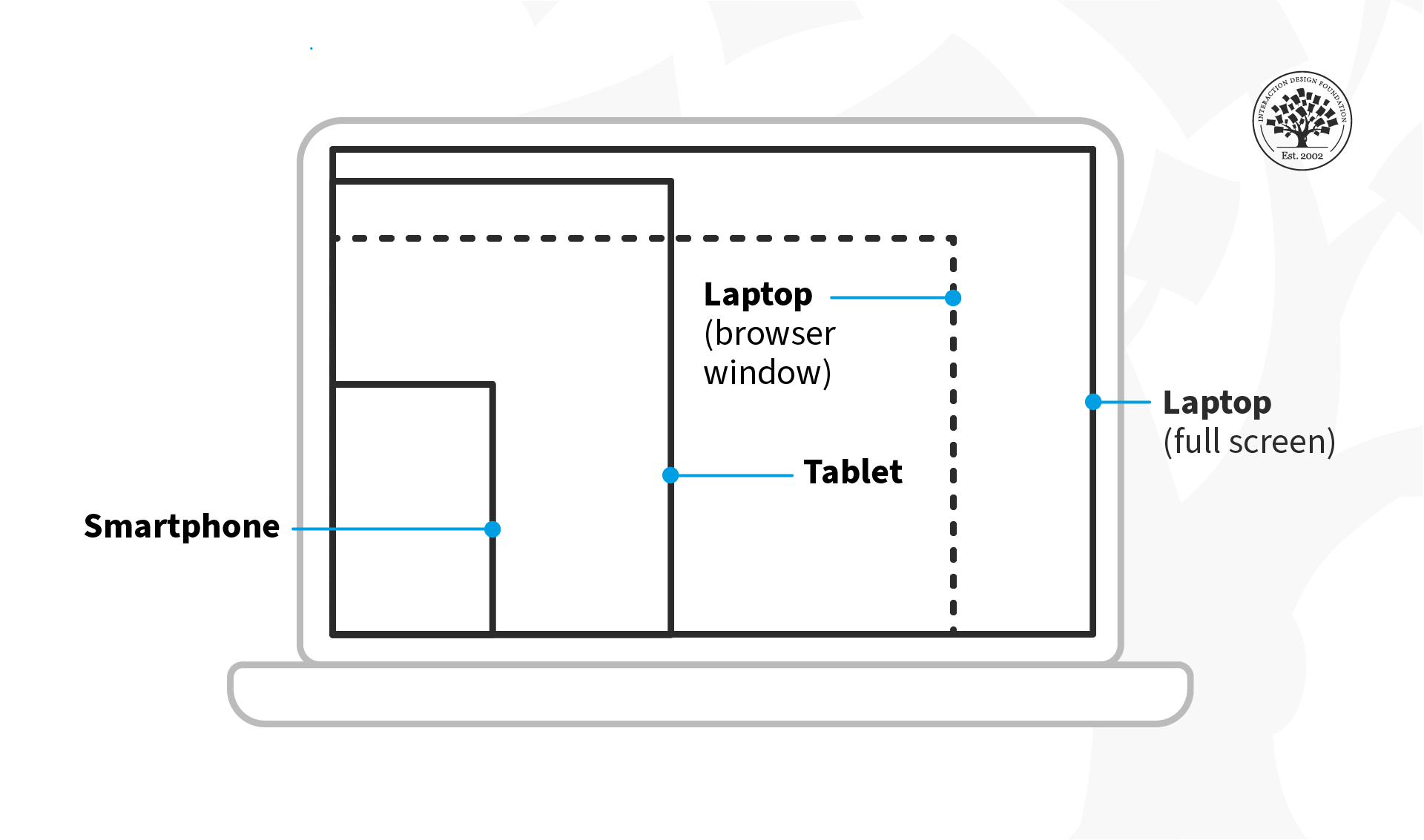
Understand adaptive and responsive design so that the design adjusts best to different screen sizes, orientations and resolutions. Flexible layouts, dynamic content scaling and platform-specific design guidelines are great helps that designers use there.
Responsive design flows the content across various screen sizes.
© Interaction Design Foundation, CC BY-SA 4.0
Minimize input to help users by minimizing the need for time-consuming typing, through techniques like auto-completion, predictive text and smart defaults. Wherever possible, it’s good to support alternative input methods like voice or gesture.
Optimize for speed to minimize load times, simplify tasks and give immediate feedback on user actions as they take them.
Consider the context and make sure that users can access the interface under a variety of conditions and use it. This could also mean to adapt the product so it supports offline use or give context-specific functionality based on the user's location or their activity.
Deliver a seamless cross-device experience to make sure users get to enjoy a high level of consistency in both content and functionality as they switch between devices. They should be able to pick up where they left off between desktop and mobile, for example.
Test and iterate to make sure that the design meets real user needs and expectations, and that it provides a positive user experience in the field.
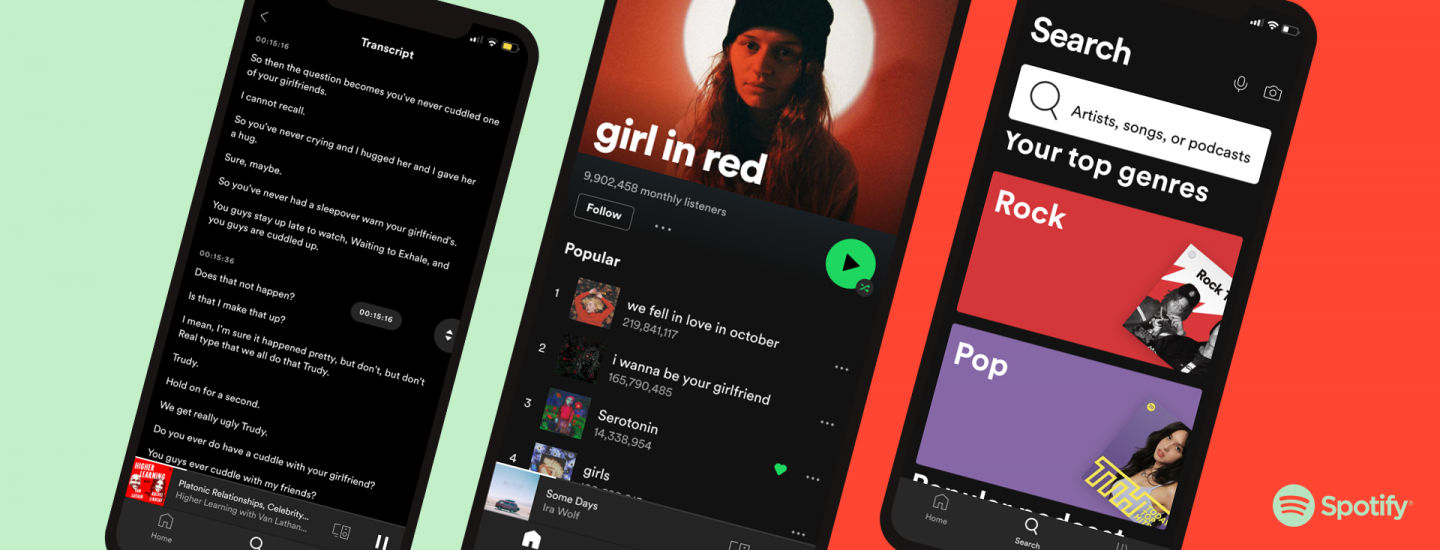
Spotify is one of the brands at the forefront—among prominent mobile UX design examples—in meeting mobile users’ expectations, including accessibility.
© Spotify, Fair Use
The Future of Mobile Computing
As mobile computing keeps on evolving, designers really need to stay abreast of what’s going on in terms of emerging trends and technologies. They’ve got to refine their designs so they can meet mobile users’ ever-changing demands. It’s about contributing to the ongoing evolution of mobile UX design—and making impactful experiences that really resonate with users.
Another point is that, as users increasingly expect personalized and context-aware experiences, UX designers will need to use technologies—like artificial intelligence and machine learning—carefully and mindfully, to help deliver on these expectations.
Overall, the mobile revolution has ushered in an era for UI UX design that’s new and exciting. It’s created unique opportunities for designers to craft engaging and adaptable experiences—ones they directly tailor to mobile devices. Still, with these opportunities there do come some challenges. To design well for a smaller screen, varied device capabilities and diverse user contexts, it takes a deep understanding of the unique characteristics of mobile computing. Designers must navigate these complexities to create attractive, intuitive and user-friendly interfaces—ones that meet the ever-evolving demands of mobile users.