Prototypes

Your constantly-updated definition of Prototypes and collection of videos and articles.
Be a conversation starter: Share this page and inspire others!

888 Shares

What are Prototypes?

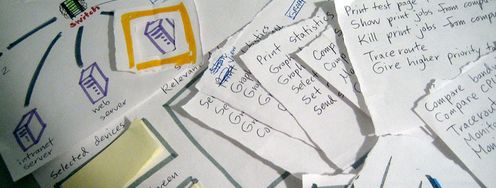
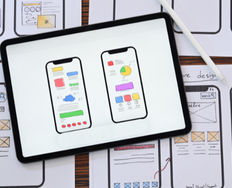
Prototypes are early models of a product that simulate its design and functionality. They are created to test concepts, gather feedback, and iterate on the design before the final product is developed. 

Prototyping, on the other hand, is the experimental process of making prototypes. Teams build prototypes of varying degrees of fidelity, from low-fidelity paper prototypes to high-fidelity digital models that closely resemble the final product. 

Transcript

“They slow us down to speed us up. By taking the time to prototype our ideas, we avoid costly mistakes such as becoming too complex too early and sticking with a weak idea for too long.”

— Tim Brown, CEO & President of IDEO

Discover how prototyping can help you access your users to fine-tune ideal products.

Transcript

The Power of Prototypes: The Benefits That Drive Innovation

Prototyping is the fourth phase of both design thinking and design sprints. It’s an essential part of user experience (UX) design that usually comes after ideation, where a designer or design team have created and selected ideas that can solve users’ needs. In prototyping, designers craft a simple experimental model of their proposed product. This allows them to assess how well the product aligns with user needs and expectations through valuable user feedback. Designers should incorporate prototyping into their process from the early stages, even using paper prototyping when appropriate. This early feedback from users can be instrumental in guiding the product's development.

Learn more about paper prototyping in this next video:

Transcript

Prototyping is more than just a step in the design process—it's a strategic investment that yields substantial returns. Here are some of the key advantages:

Risk Mitigation and Enhanced Communication

Prototypes act as safety nets, allowing designers to identify and address potential flaws or usability issues early in the design process. By visualizing and interacting with a prototype, designers can uncover problems that might not be apparent in abstract designs or specifications. This early detection prevents these issues from escalating into costly problems during development or after product launch.

What’s more, prototypes enhance communication by serving as a universal language that facilitates effective communication among designers, developers, stakeholders, and users. A prototype can bridge the gap between abstract concepts and concrete implementations, ensuring everyone has a clear understanding of the product's direction and functionality.

In this video, UX Designer and Author of Build Better Products and UX for Lean Startups, Laura Klein discusses collaboration between cross-functional teams: 

Transcript
  

Cost-Effectiveness and Accelerated Innovation

Prototyping offers significant cost savings—it enables the early detection of errors, allowing designers to rectify them in an efficient and cost-effective manner. Modifying a prototype is far less costly than reworking a fully developed product, as changes become increasingly expensive as the project progresses.

What’s more, the iterative nature of prototyping accelerates innovation. Designers can rapidly experiment and explore multiple ideas and quickly test and refine them based on user feedback. This iterative process fosters creativity and leads to more innovative and effective solutions.
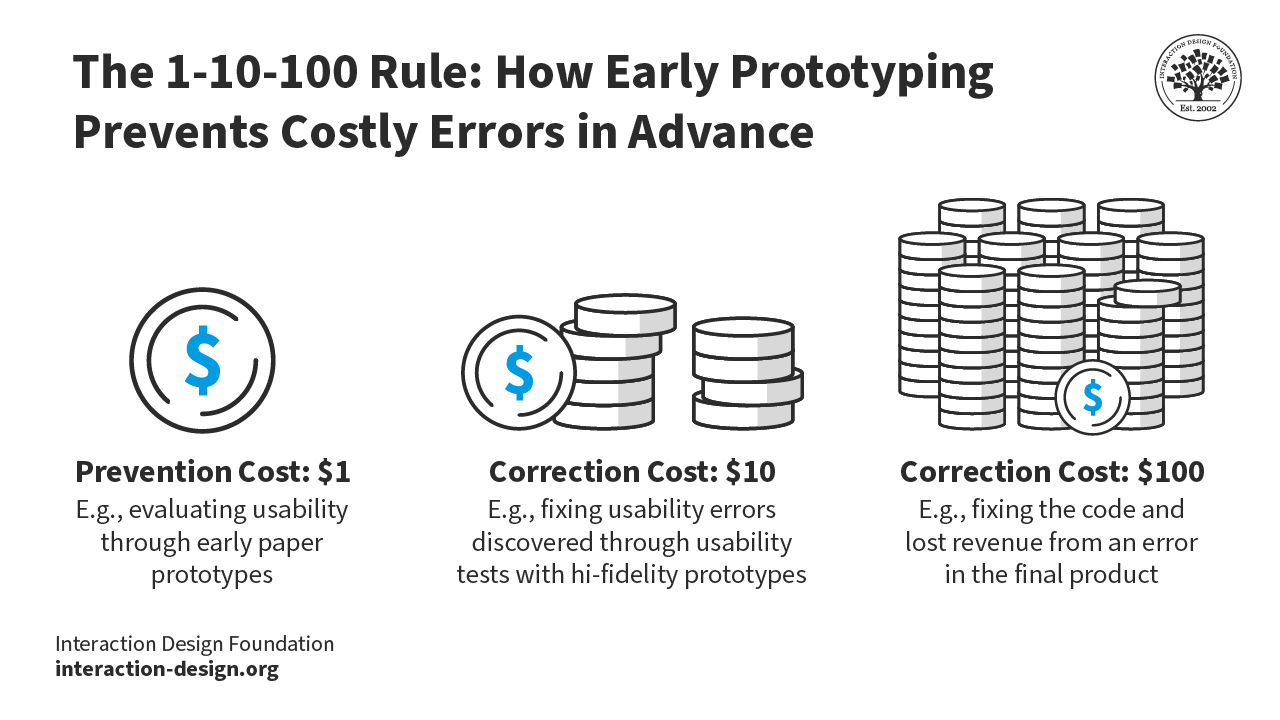
Prototyping can help catch potentially costly errors well in advance.

Stakeholder Buy-In

Prototypes provide a solid foundation for ideation and further improvements, giving all stakeholders a clear picture of the potential benefits, risks, and costs associated with the product's development. This transparency builds trust and fosters collaboration among team members.

User-Centered Design

User-centered design is at the heart of prototyping. By gathering invaluable feedback from real users throughout the design process, prototypes ensure that the final product aligns with user needs, preferences, and expectations. This user-centric approach not only leads to a more satisfying product but also fosters a sense of ownership among stakeholders which generates excitement and enthusiasm that can help secure support and resources.

Explore User Needs

Prototypes are a valuable tools for experimenting with various aspects of user needs and problems. This can lead to insights into less obvious areas of the user's world, such as unexpected usage patterns or unforeseen accessibility issues. By addressing these issues early on, designers avoid costly oversights and create a more inclusive and user-friendly product.

Reduce Time-to-Market

Finally, prototyping can significantly reduce time-to-market. By minimizing the number of errors that need correction before product release and adapting changes early in the process, the design and development process is streamlined, resulting in a faster launch. This allows companies to gain a competitive advantage and respond more quickly to market demands.

How to Understand Fidelity: Low-Fidelity vs Mid-Fidelity vs High-Fidelity Prototyping

Fidelity refers to the level of detail and functionality of a prototype. Usually, this will depend on the product’s development stage. A prototype can provide a wide view of the entire system or subsystem (called a horizontal prototype – e.g., an entire website) or one that gives a detailed view of just one feature (a vertical prototype – e.g., a checkout process). The level of fidelity of a prototype should be appropriate for presenting to users in user testing so they can give focused feedback. 

Low-Fidelity Prototypes
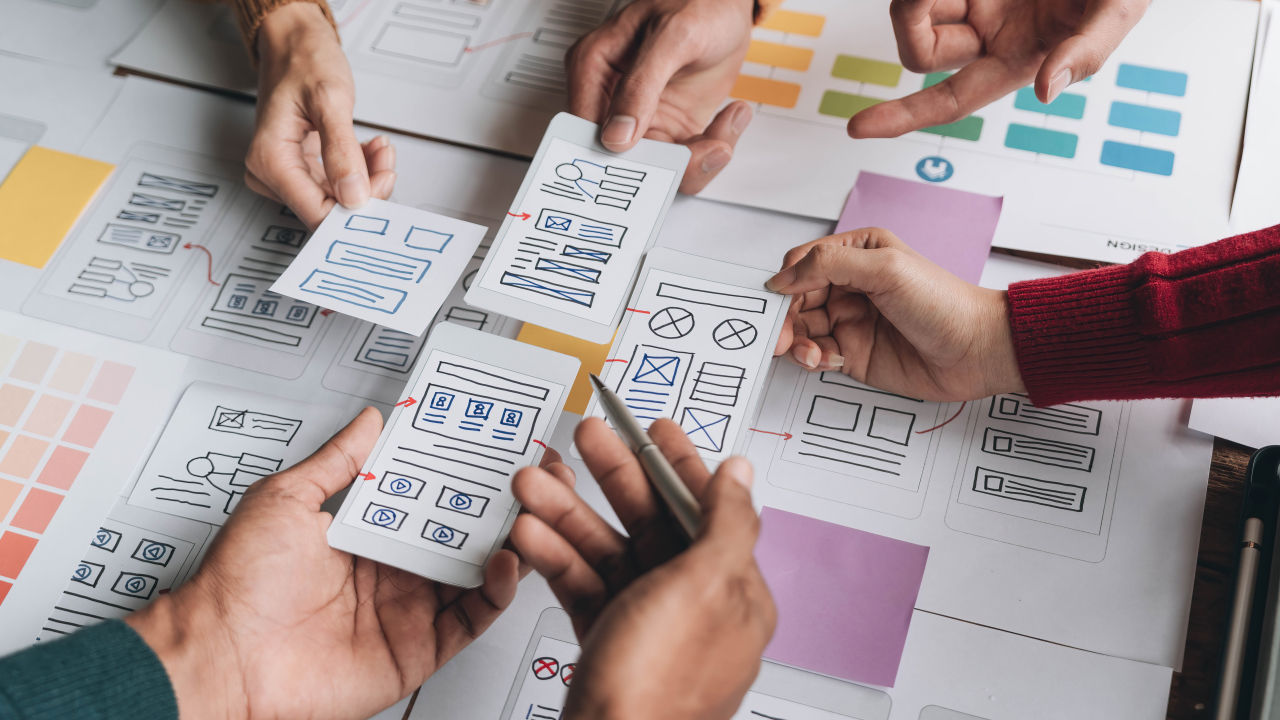
© Interaction Design Foundation, CC BY-SA 4.0

  • Characteristics: Basic, often hand-drawn representations of a product's interface or flow, focusing on the core concept and user journey rather than visual details.

  • Examples: Paper prototypes, sketches, wireframes.

  • Pros: Fast and cheap to create; disposable; easy to make changes and test new iterations; provide a quick overview of the product; anyone can produce them; encourage design thinking as they are visibly not finalized.

  • Cons: Lack of realism can make it difficult for users to provide feedback; results from early versions may be hard to apply to the final product; lack of interactivity deprives users of direct control, requiring them to imagine how they would use the product; can oversimplify complex issues.

  • Best for: Early-stage concept exploration, brainstorming, and gathering initial user feedback on basic functionality and flow.

Mid-Fidelity Prototypes

© Interaction Design Foundation, CC BY-SA 4.0

  • Characteristics: Bridge the gap between low and high fidelity, offering a more interactive and detailed representation. They typically include some visual design elements and basic interactions.

  • Examples: Clickable wireframes, interactive mockups, basic animations.

  • Pros: Provide a more realistic user experience than low-fidelity prototypes; allow for testing of basic interactions; relatively quick to create compared to high-fidelity versions.

  • Cons: May still lack visual polish and some advanced interactions; can be time-consuming to create compared to low-fidelity prototypes.

Best for: Testing specific features or interactions, refining user flows, and evaluating design concepts with a higher degree of realism.

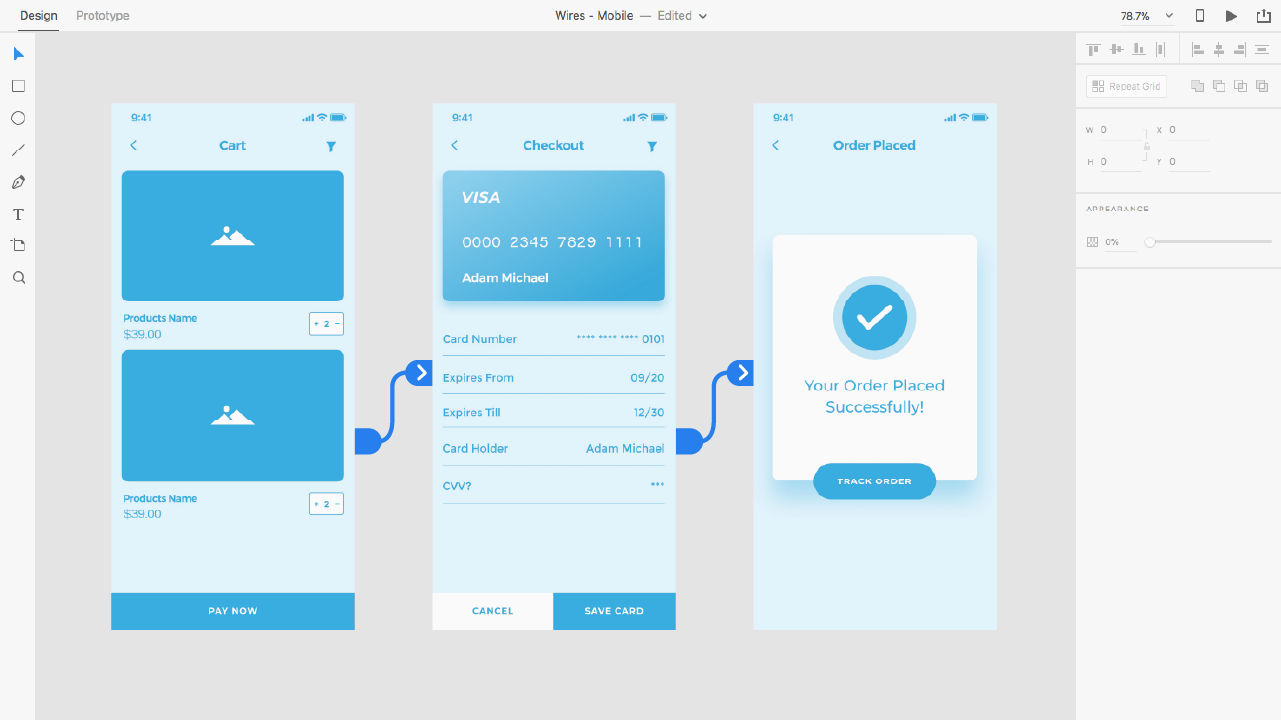
High-Fidelity Prototypes
© Interaction Design Foundation, CC BY-SA 4.0

  • Characteristics: Closely resemble the final product, with detailed visuals, interactions, and animations. They aim to simulate the actual user experience as closely as possible.

  • Examples: Digital prototypes created on software, interactive prototypes with realistic data, fully functional UI elements, microinteractions.

  • Pros: Engaging—stakeholders experience the vision firsthand and can judge its alignment with user needs; testing yields more accurate, applicable results; versions closest to the final product enable prediction of user reception in the marketplace.

  • Cons: Longer and costlier to create; users may focus on superficial details rather than content; designers may resist changes due to the investment of time and effort; users may mistake the prototype for the finished product and form biases.

  • Best for: Usability testing, evaluating the overall user experience, gathering detailed feedback on the final design, and demonstrating the product to stakeholders.

Fidelity is relative—a static mockup of a landing page, for example, is of higher fidelity than sketched cut-outs users can move. 

Prototyping in Action: How to Bring Ideas to Life

Prototyping is the fourth stage in the Design Thinking process, following empathize, define, and ideate. It’s the crucial point where abstract ideas and user insights are transformed into tangible representations. While many associate prototyping with building a physical or digital model, fundamentally it's about experimentation and learning.
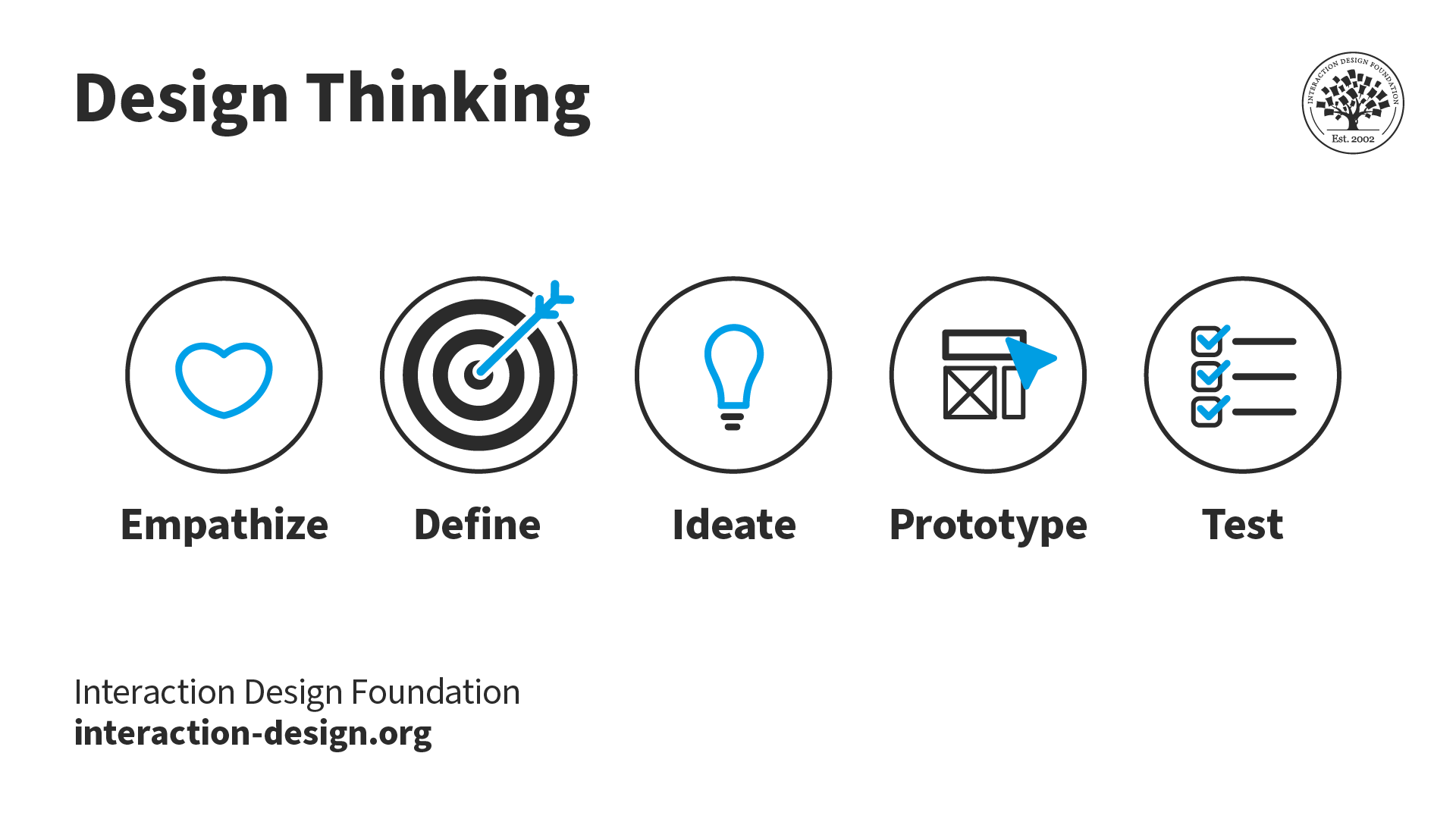
An illustration with different icons that represent each stage of the design thinking process

© Interaction Design Foundation, CC BY-SA 4.0

Here's how prototyping connects with other stages of design thinking:

  • Step 1, Empathize: In this initial stage, designers step into their user’s shoes and try to immerse themselves in their world—this helps them gain a deep understanding of their needs, pain points, and aspirations. The insights gleaned during the empathize stage inform the prototyping process and make sure the prototype addresses real user problems.

  • Step 2, Define: The define stage synthesizes the research findings and defines a clear problem statement. This problem statement acts as a guiding light for the prototyping process so that efforts are focused on solving the right problem.

  • Step 3, Ideate: During the ideate stage, designers brainstorm a wide range of potential solutions to the problem statement. These ideas, whether wild or practical, serve as the foundation for prototyping. Prototypes allow designers to test and evaluate these ideas in a tangible form.

  • Step 5, Test: The final stage involves putting the prototype in front of users and gathering feedback. This feedback loop allows designers to refine and iterate on their design, ensuring the final product meets user needs and expectations.

The design thinking process isn't linear—it's a dynamic framework where designers can move between stages, revisiting previous phases as they gather new insights, challenge assumptions, and refine their solutions.
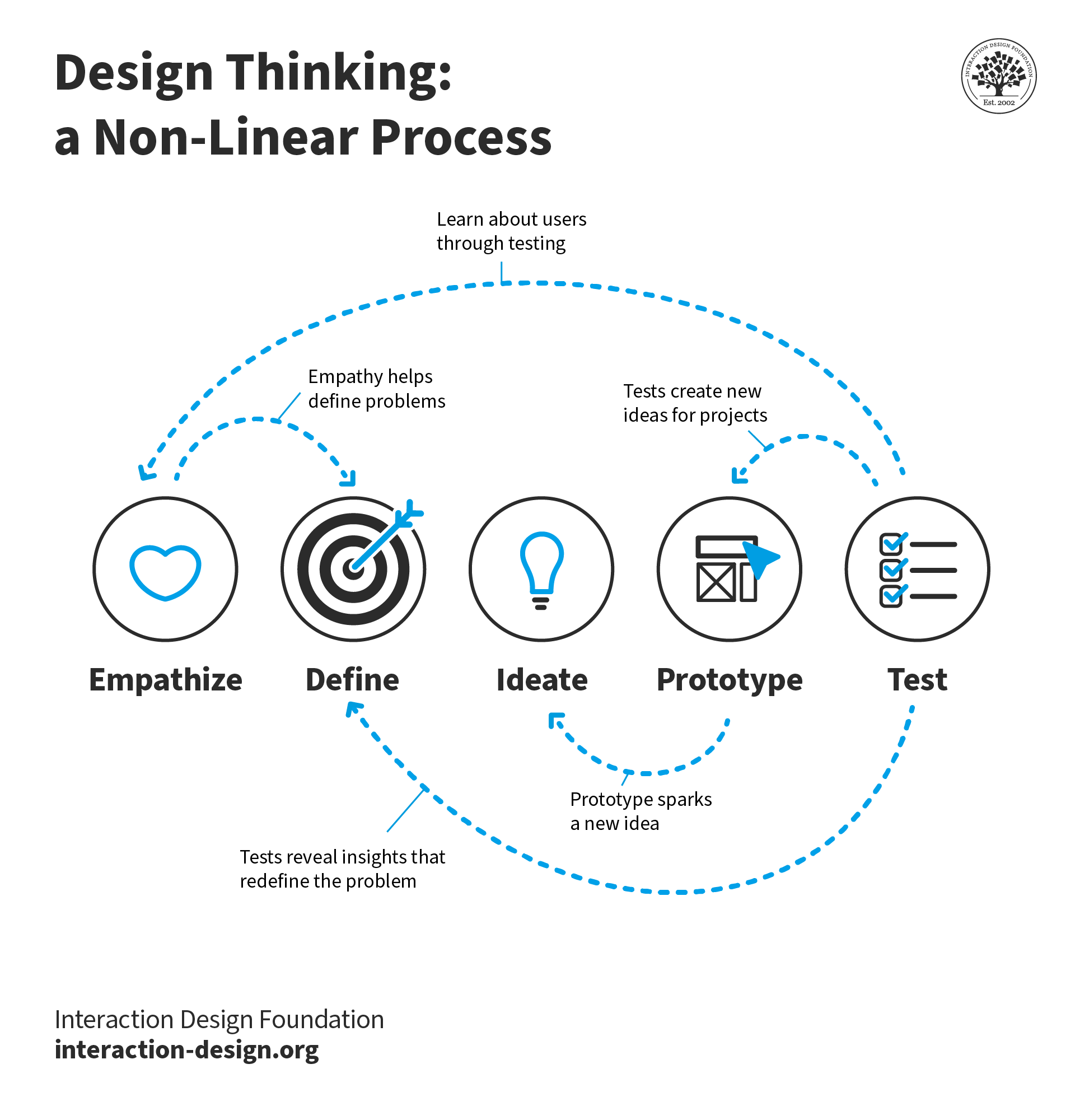
An illustration that shows the non-linear nature of the design thinking process

© Interaction Design Foundation, CC BY-SA 4.0

The Prototyping Process: A Roadmap for Effective Design

The prototyping process guides designers from initial concept to refined design. Here's a general outline of the prototyping process:

  1. Define goals and objectives: Designers clearly articulate the purpose of their prototype, drawing on insights from the empathize and define stages. They determine what questions they are trying to answer, what aspects of the design they want to test, and what user needs they are trying to address.

  2. Choose the right fidelity: Designers select the appropriate fidelity level for their prototype based on their project goals, stage of development, resources, and target audience. They consider whether a low-fidelity paper prototype (suitable for early-stage ideation) or a high-fidelity simulation (ideal for testing close to the final product) best suits their needs.

  3. Create the prototype: Designers build their prototype using the chosen tools and techniques, incorporating the most promising ideas from the ideate stage. They start with the core user flows and interactions, focusing on the most critical aspects of the user experience.

  4. Test and gather feedback: Designers share their prototype with stakeholders and potential users to gather feedback. They encourage constructive criticism and ask open-ended questions to gain insights into their experience and expectations. 

  5. Iterate and refine: Based on the feedback received, designers iterate on their prototype. They make necessary changes, refine interactions, and test new ideas. They repeat this process multiple times, continuously testing and refining.

  6. Document and share: Designers document the prototyping process, including iterations, feedback, and decisions made. They share this documentation with their team and stakeholders to maintain transparency and provide a valuable reference for future development.

  7. Test and validate: Designers conduct user testing with their final prototype to validate their design decisions and identify any remaining issues. This can involve usability testing, A/B testing, or other research methods. This stage is an essential step to ensure that the final product truly meets user needs.

  8. Implement and launch: Once designers have thoroughly tested and refined their prototype, they incorporate the design into the final product development. They continue to monitor user feedback after launch to continue iterating and improving the user experience.

How to Showcase Prototypes in a Design Portfolio
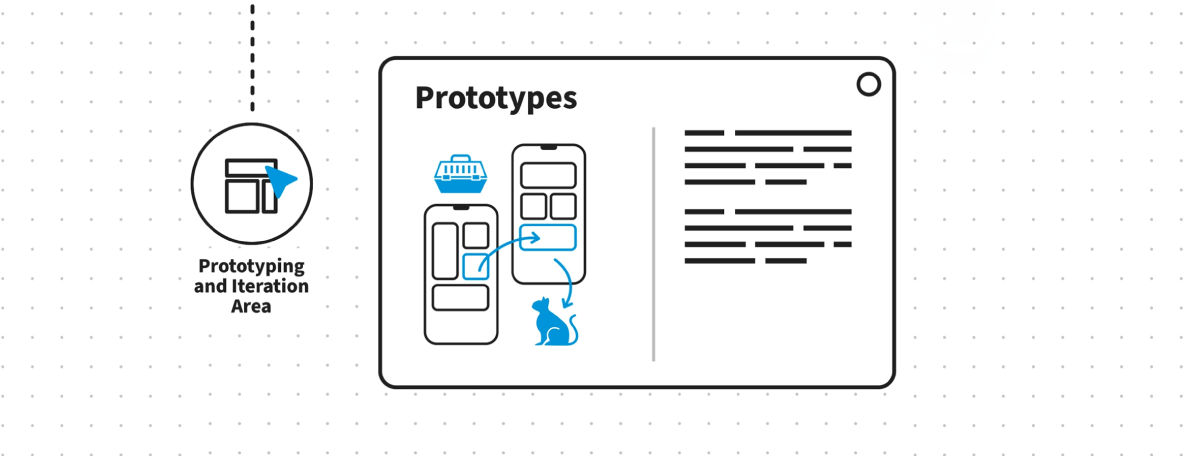
An illustration that shows the prototyping section of a case study

© Interaction Design Foundation, CC BY-SA 4.0

A well-crafted design portfolio is essential for designers to showcase their skills and experience to potential employers or clients. Including prototypes in a portfolio can elevate their work and demonstrate their ability to translate ideas into tangible experiences. Here's how designers can effectively integrate prototypes into their case studies:

  1. Choose the best work: Designers should select case studies, projects and prototypes that best represent their skills and highlight their problem-solving abilities. 

  2. Provide context: Clearly explain how the prototype fits into the overall project narrative. Describe the problem being addressed, the specific goals the prototype aimed to achieve, and how it contributed to the final solution. 

  3. Use a variety of formats: Showcase different types of prototypes within a case study, such as initial sketches, wireframes, and interactive mockups. This illustrates the evolution of the design and the iterative process undertaken. 

  4. Interactive prototypes: If feasible, include interactive prototypes that allow viewers to click through and experience the user flow firsthand. This approach brings the case study to life and showcases the interactive aspects of the design.

  5. Video demonstrations: Consider creating short video demonstrations of interactive prototypes as part of the case study presentation. This is particularly effective for showcasing complex interactions or animations that might be difficult to convey through static images.

  6. User testing results: If available, incorporate summaries of user testing results or feedback received on prototypes directly into the case study. This demonstrates a commitment to user-centered design and the ability to gather and apply feedback to improve the design.

  7. Link to live projects: If any of the prototypes have been developed into live products or websites, include links to them within the case study. This allows viewers to see the real-world impact of the design work and understand how the prototype translated into a final product.

Five Common Low-Fidelity Prototyping Methods

  1. Sketches: Although not technically prototypes, sketches serve as a powerful tool for making decisions. They are incredibly easy to create and discard, making them accessible to designers and non-designers alike. Use sketches in early, divergent stages of the design process to explore ideas, communicate concepts with teammates, and visualize user journeys.

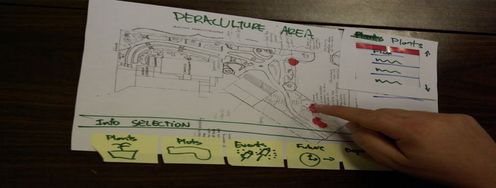
  2. Paper Prototypes: These tangible prototypes involve creating rough "animations" by sliding pieces of paper to simulate user interactions. They are inexpensive, easy to modify, and allow designers to focus on the core concept rather than visual details. Paper prototypes are best suited for testing novel solutions and user flows, but are less helpful for evaluating standard UI patterns.
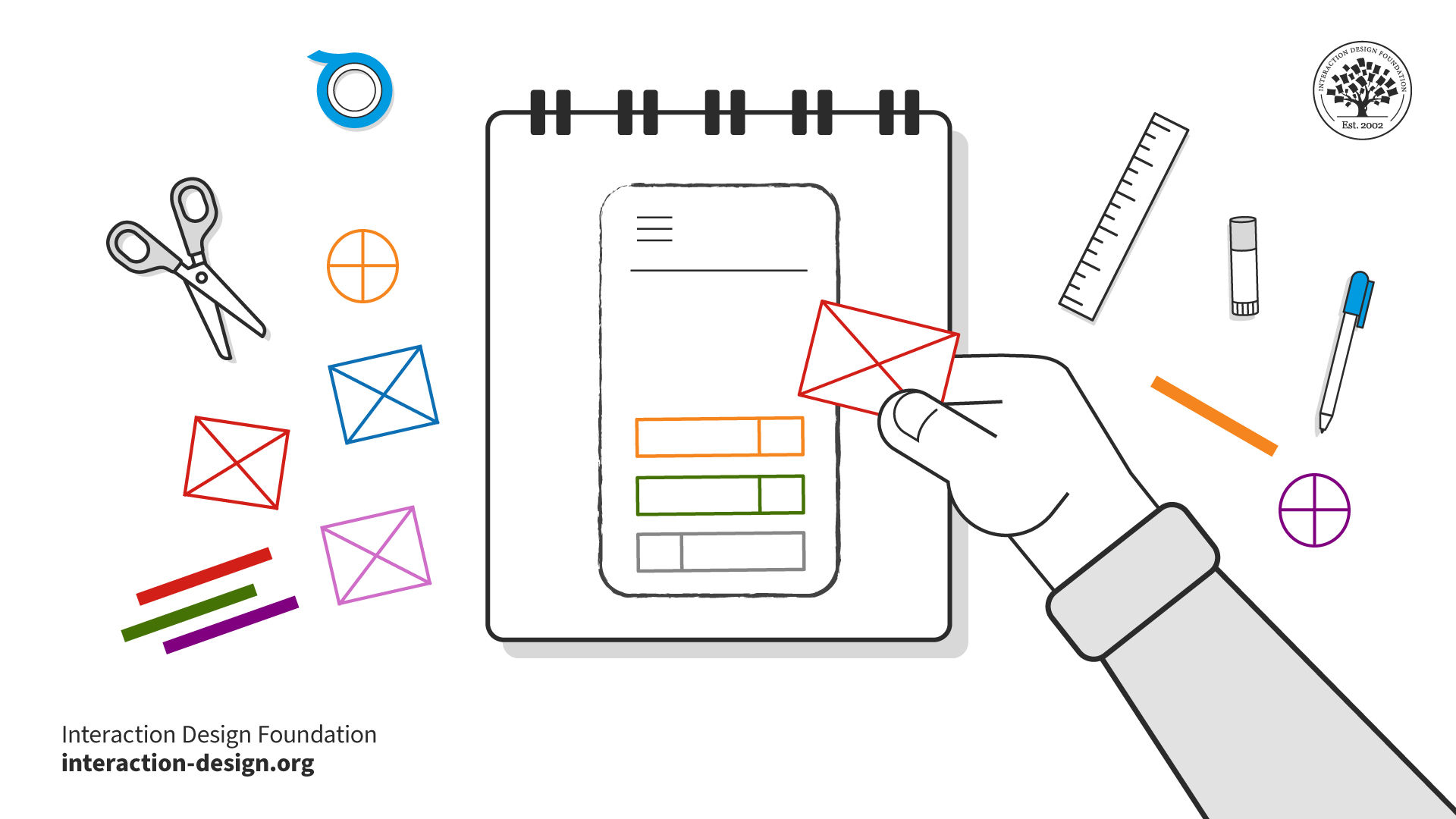
An illustration of a person creating a paper prototype

© Interaction Design Foundation, CC BY-SA 4.0

  1. Lego Prototypes: Lego bricks offer a unique way to quickly create physical prototypes, especially for tangible products. Their versatility and ease of modification make them ideal for experimenting with form and function. Use Lego prototypes for empathizing with users, recreating user journeys, or visualizing complex systems.

  2. Digital Wireframes: Wireframes are simple, bare-bones illustrations of an app or website's layout and functionality. They allow designers to focus on content structure and user flows, ignoring visual aspects. Wireframes are best used after the initial ideation phase, when the focus shifts to information architecture, layout, and space allocation.

Wizard of Oz Prototypes: These prototypes simulate complex interactions or functionality that may be difficult to implement early in development. A team member acts as the "wizard," manually controlling responses or actions behind the scenes. Wizard of Oz prototypes are useful for testing complex systems, future technologies, or voice interfaces, providing realistic user feedback without building a fully functional prototype.

Questions About Prototypes?
We've Got Answers!

What is rapid prototyping?

Rapid prototyping, often exemplified by techniques like paper prototyping, is a user-centered approach that facilitates quick mockups of solutions. Using low-technology, low-cost materials, designers can simulate their solutions at the early stages of design. CEO of Syntagm, William Hudson highlights one such rapid prototyping method:

Transcript

Paper prototyping, as highlighted in the video, is especially beneficial for novel solutions. It's easy to create, modify, and animate, avoiding distractions with superficial details. Users find it less intimidating, promoting genuine feedback. It portrays a malleable, unfinished concept, making it perfect for brainstorming innovative ideas. For a comprehensive grasp on the iterative process behind such concepts and to delve deeper into innovative design methodologies, consider enrolling in our Design Thinking: The Ultimate Guide course.

How to make a prototype?

Making a prototype begins with understanding its purpose: to refine ideas and get closer to the desired solution. 

Transcript

As HCI expert Prof. Alan Dix highlighted in the video, start by sketching your design, perhaps on paper, to visualize your idea. Depending on your needs, your prototype can be crafted from materials like blue foam, cardboard, or even digital tools for a "make-do" version to help users comprehend. Involve real users, gather their feedback, and evaluate and refine the prototype iteratively. It's crucial to remember that while iterating is essential, starting with a robust foundation based on a deep understanding of your users and technology ensures a better outcome.

You can download our guidelines in this template: “Six Best Practice Tips for Gathering Feedback on Your Prototypes”!

Advance Your Career With This Free Template for “Gathering Feedback on Your Prototypes”
Gathering Feedback on Your Prototypes
We respect your privacy
Get 1 powerful email each week: Design a life you love!

What is a prototype in psychology?

In psychology, a prototype is essentially the most central or "typical" member of a category. Here's an example related to the category of "fruit."

Category: Fruit

Question: When you think of fruit, what's the first fruit that comes to mind?

Common Answer (Prototype): Apple

For many people, an apple might be the first fruit they think of, making it a prototype of the "fruit" category in their minds. It doesn't mean an apple is the "best" or "most accurate" representation of all fruits, but it's a central or typical example that people often associate with the category.

Now, let's say you show someone a series of pictures – a carrot, a tomato, and an apple – and ask which one is the most representative of "fruit." Most people would pick the apple because it fits their prototype for the category. This psychological concept of prototyping helps us quickly categorize and process information in our world.

While this concept is rooted in cognitive psychology, it holds relevance in design thinking, where understanding users' prototypes can aid in crafting intuitive interfaces. Dive deeper into prototypes and their significance in design from our What Kind of Prototype Should You Create? article. 

What does prototype mean in business?

In business, a prototype serves as a preliminary model of a product or solution, enabling teams to visualize, test, and refine their ideas before full-scale production. This approach saves time and cost as businesses can course-correct early on.

Businesses can use prototyping for research as well as testing. Prototypes can help businesses user needs, streamline processes, and deliver value-added propositions. This iterative approach ensures that organizations not only meet customer expectations but also innovate effectively.

What is JS prototype?

JavaScript (JS) is a web programming language that developers use to create web pages. In the context of JS, a prototype serves as a template or blueprint from which other objects inherit properties and methods. In JavaScript, every object has a "prototype" from which it inherits properties and methods. This concept allows for object-oriented programming patterns, such as inheritance.

Note that the programming concept is different from using JavaScript to create design prototypes. Many teams opt for quick-and-dirty coded prototypes for testing solutions before building the actual product. Such prototypes may involve light coding, including HTML, CSS and JavaScript.

Is service design in demand?

Absolutely! As businesses increasingly recognize the value of delivering exceptional customer experiences, service design has become a pivotal discipline. It ensures seamless and holistic services that cater to both customer needs and business goals.

Copyright
Transcript

The demand for professionals with expertise in service design is growing across various industries, from tech to hospitality. In order to stay competitive and satisfy the current demand, many individuals are looking to improve their skills. For those keen on mastering this domain, Interaction Design Foundation's course on Service Design provides an in-depth understanding and hands-on learning. It's a great way to get started or deepen your expertise!

How to prototype in Figma?

To prototype in Figma:

  1. Start by setting up your design frames.

  2. Create your interfaces.

  3. Shift to "Prototype" mode at the top-right and connect design elements to  the appropriate frames.

  4. Assign interactions like "On Click" and set actions like "Navigate To."

  5. Use the properties panel to tweak animations and preview your prototype with the play button.

Figma's real-time collaboration feature enhances teamwork and feedback processes. 

Transcript

As highlighted in our video above and reinforced in our article "UX Tools Matter Less Than You Think", while being skilled with tools like Axure, Balsamiq, Sketch is beneficial, the specific UX tool isn't the crux. It's about adaptability and creating interactive, testable prototypes. Read "Best Prototyping Tools" on Interaction Design Foundation for a comprehensive understanding of prototyping.

What are function prototypes?

Function prototypes aren't related to UI/UX design; they belong to the realm of programming. In coding, a function prototype declares a function's name, return type, and parameters without its body. It provides an advanced outline of the function, ensuring correct usage across different parts of a program.

How much does a prototype cost?

The cost of creating a prototype can fluctuate significantly depending on its complexity and fidelity. However, it's essential to remember the value of good design. As noted in our article UX Quotes "The cost of bad design is significantly higher than the cost of good design." Investing in a well-thought-out prototype can save expenses in the long run by preventing costly design errors. While initial costs for prototypes can range from minimal (for low-fidelity sketches) to substantial (for high-fidelity interactive models), the key is to weigh these costs against potential savings from averting poor design decisions later on. Learn how to make the most of prototypes by avoiding these common pitfalls.

What makes a good prototype?

A good prototype helps teams test ideas and is often used in usability tests.  In this video, UX designer and author of Build Better Products walks us through the two most common types of design activities teams work on: innovations and incremental improvements.

Transcript

Usability tests with prototypes help teams test solutions against real user needs and challenges identified through in-depth research like contextual inquiry or diary studies. While major innovative changes can bring significant advancements, even small incremental improvements based on regular feedback and observational testing can lead to substantial impacts. 

Prototyping is a powerful tool that helps product teams adapt to evolving user needs, whether by making a system more intuitive or introducing a new feature to address a specific user challenge. Always remember, it's about improving an existing flow, making a product better every day.

What are the three types of prototypes?

The three primary types of prototypes based on fidelity are:

1. Low-Fidelity Prototypes: Simple and often hand-drawn representations, such as sketches or paper interfaces. They're quick to produce and useful for initial concept validations.

2. Mid-Fidelity Prototypes: More detailed than low-fidelity, these often use digital tools and give a clearer understanding of the product's aesthetics and functionality.

3. High-Fidelity Prototypes: Highly detailed and interactive, resembling the final product closely. They're used for advanced user testing and to get a realistic feel of the final design.

The right fidelity level is essential for effective feedback and aligning with the project's stage and goals. For a deeper dive into prototyping and its role in design, read this article and consider enrolling in our comprehensive design thinking course.

Where to learn prototyping?

To thoroughly grasp prototyping, enroll in our Design Thinking - The Ultimate Guide course. This course delves into design thinking methodologies, emphasizing the significance and methods of prototyping. For a deeper dive into understanding user needs to inform your prototypes, also consider our User Research – Methods and Best Practices course. Utilize these resources to excel in prototyping and design.

Earn a Gift Earn a Gift, Answer a Short Quiz!

1
2
3
4
1
2
3
4
Question 1
Question 2
Question 3
Get Your Gift
Interaction Design Foundation logo

Question 1

What is the primary benefit of using prototypes in the design process?

1 point towards your gift

  • To finalize the product design before testing.
  • To refine and validate designs based on user feedback.
  • To sell the product idea to investors without user testing.
Interaction Design Foundation logo

Question 2

What distinguishes a high-fidelity prototype from a low-fidelity prototype?

1 point towards your gift

  • High-fidelity prototypes are less detailed and quicker to produce.
  • High-fidelity prototypes provide a more realistic user experience.
  • Low-fidelity prototypes are used for final stages of testing.
Interaction Design Foundation logo

Question 3

Which software is commonly used for creating digital high-fidelity prototypes?

1 point towards your gift

  • Adobe XD
  • AutoCAD
  • Microsoft Word

Learn More About Prototypes

Make learning as easy as watching Netflix: Learn more about Prototypes by taking the online IxDF Course Design Thinking: The Ultimate Guide.

Why? Because design skills make you valuable. In any job. Any industry.

In This Course, You'll

  • Get excited when you discover that you don't need to start from scratch to use the secret recipes that empower companies like Apple and Google to shape the future. You just need a structure and proven methods to optimize what you already do. As AI becomes part of your day-to-day workflows, your ability to guide it with timeless human-centered skills such as strategic thinking, creativity, and empathy for real users is what turns AI into your superpower and delivers meaningful results.

  • Build on your existing creativity, problem-solving, and people skills to learn the powerful 5-stage method called Design Thinking. It's one of the key drivers behind Apple and Google's continuous innovation and provides a clear, structured way to solve real-world problems. You've already got the instincts, so it's easy to learn the method. 

  • Make yourself invaluable with hands-on skills in Design Thinking. Design Thinking can help you break into User Experience Design, product design, and tech. It's widely applicable, impactful, and fun! Use your skills to improve customer support processes, create new products, and even tackle big challenges like climate change. This human-centered approach is a key driver of business success because it guides you to systematically understand and address what your users really need and want. That's why Design Thinking skills can help you increase sales, keep customers loyal, and turn them into powerful advocates for your company.

  • Gain confidence and credibility as you effortlessly apply methods from all five stages of the Design Thinking process. You'll be guided to build empathy and gather insights into people's habits through user interviews. 

  • Use our downloadable templates to create affinity diagrams, empathy maps, and actionable "How Might We" questions. Develop solutions as you apply ideation and innovation methods. Create a paper prototype early and fast, then test and optimize your prototype to ensure that your users love it. More love, more impact, greater salary potential. 

  • Apply your new skills in an optional project where you'll design and test a user-centered experience that's perfect for your portfolio and career growth. Master Design Thinking to amplify your uniquely human strengths like empathy, intuition, and creativity, and confidently stay in demand as AI reshapes how teams work.

It's Easy to Fast-Track Your Career with the World's Best Experts

Master complex skills effortlessly with proven best practices and toolkits directly from the world's top design experts. Meet your experts for this course:

  • Don Norman: Father of User Experience (UX) Design, author of the legendary book “The Design of Everyday Things,” and co-founder of the Nielsen Norman Group.

  • Alan Dix: Author of the bestselling book “Human-Computer Interaction” and Director of the Computational Foundry at Swansea University.

  • Mike Rohde: Experience and Interface Designer, author of the bestselling “The Sketchnote Handbook.”

Get an Industry-Recognized IxDF Course Certificate

Increase your credibility, salary potential and job opportunities by showing credible evidence of your skills.

IxDF Course Certificates set the industry gold standard. Add them to your LinkedIn profile, resumé, and job applications.

Course Certificate Example

Be in distinguished company, alongside industry leaders who train their teams with the IxDF and trust IxDF Course Certificates.

Our clients: IBM, HP, Adobe, GE, Accenture, Allianz, Phillips, Deezer, Capgemin, Mcafee, SAP, Telenor, Cigna, British Parliament, State of New York

All Free IxDF Articles on Prototypes

Read full article
Rapid Prototyping, Faking It Until You Make it in a UX Driven World - Article hero image
Interaction Design Foundation logo

Rapid Prototyping, Faking It Until You Make it in a UX Driven World

The idea of “faking it, until you make it” is not new but it has a unique UX twist. The ability to develop and test prototypes at rapid rates of iteration lets you “fake” new products, get user feedback and make improvements without ever “making the product” until you have things just right. This ca

Social shares
899
Published
Read Article
Read full article
Design Thinking: Get Started with Prototyping - Article hero image
Interaction Design Foundation logo

Design Thinking: Get Started with Prototyping

Prototyping is an integral part of Design Thinking and User Experience design in general because it allows us to test our ideas quickly and improve on them in an equally timely fashion. The Institute of Design at Stanford (d.school) encourages a “bias towards action”, where building and testing is v

Social shares
1.2k
Published
Read Article
Read full article
5 Common Low-Fidelity Prototypes and Their Best Practices - Article hero image
Interaction Design Foundation logo

5 Common Low-Fidelity Prototypes and Their Best Practices

Low-fidelity prototypes allow us to quickly and inexpensively test ideas, so we can validate our hypotheses and improve our solutions. To maximize their effectiveness, it’s important for us to know which low-fidelity prototypes we should use, their pros and cons, as well as how to create them. Here,

Social shares
1.3k
Published
Read Article
Read full article
From Prototype to Product: Ensure That Your Solution Is Feasible and Viable - Article hero image
Interaction Design Foundation logo

From Prototype to Product: Ensure That Your Solution Is Feasible and Viable

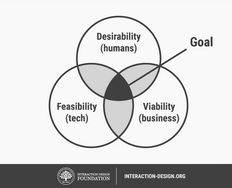
The end goal of a design thinking process is to create a solution that is desirable, feasible and viable. This means that your product should satisfy the needs of a user, be feasible to implement and have a financial model as well. During the bulk of your design thinking process, you’ll focus on des

Social shares
1k
Published
Read Article
Read full article
8 Best Prototyping Tools for UX Designers in 2026 - Article hero image
Interaction Design Foundation logo

8 Best Prototyping Tools for UX Designers in 2026

Prototyping is the bridge that carries you, as a designer, between a concept and the first attempts to get it into some concrete form in UX design (User Experience). It allows you to move ideas from your mind into hands-on experiences for others to see, test, and critique, and for you to iterate on

Social shares
823
Published
Read Article
Read full article
Top UX and UI Design Tools for 2026: A Comprehensive Guide - Article hero image
Interaction Design Foundation logo

Top UX and UI Design Tools for 2026: A Comprehensive Guide

UI/UX design tools, also called user interface and user experience design tools, are specialized software applications that help designers create, modify, and explore user interfaces and user experiences. But they’re more than just software: They’re like bridges in a sense, or a way for you, dear de

Social shares
1k
Published
Read Article

5 Common Low-Fidelity Prototypes and Their Best Practices

5 Common Low-Fidelity Prototypes and Their Best Practices

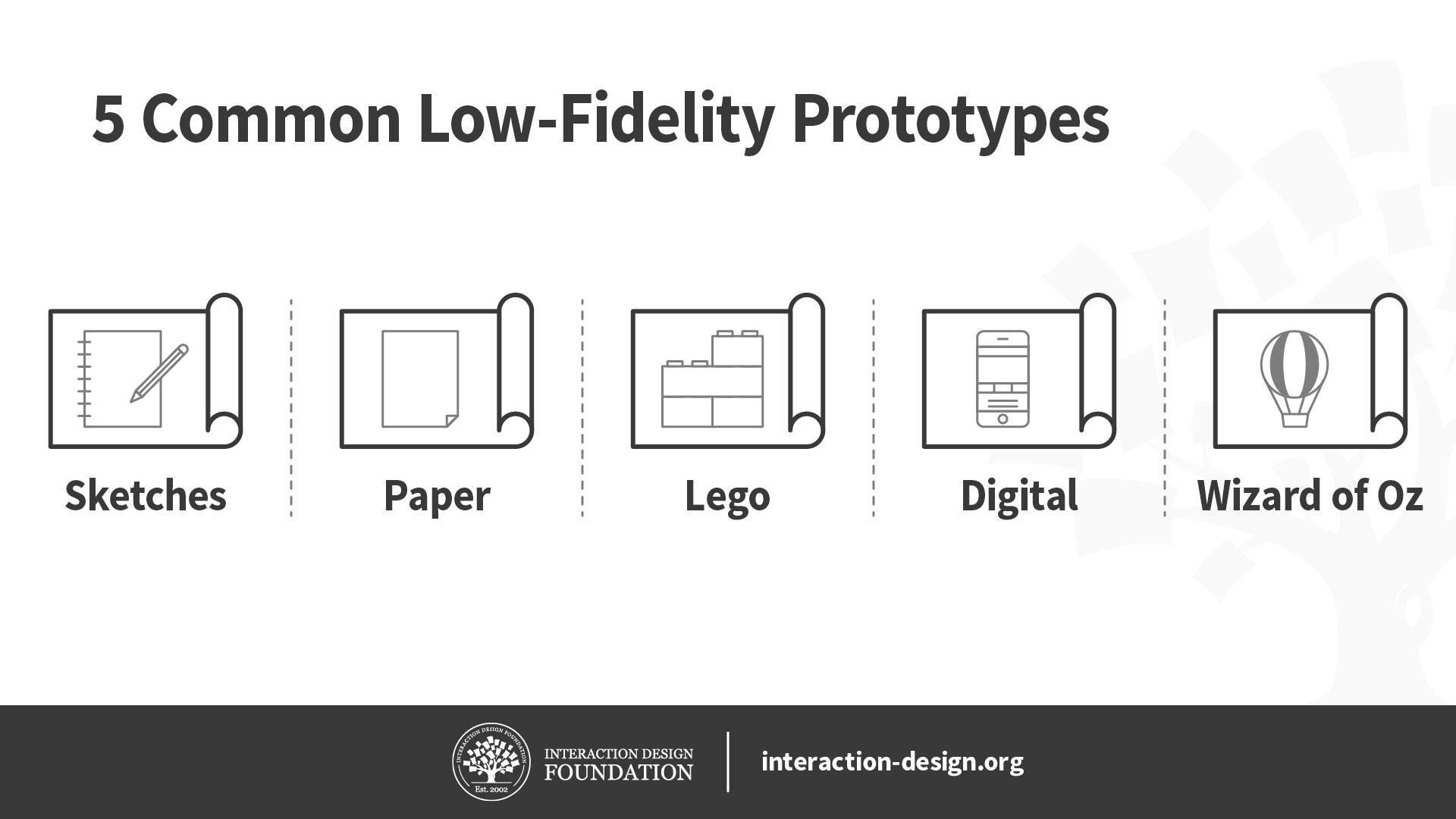
Low-fidelity prototypes allow us to quickly and inexpensively test ideas, so we can validate our hypotheses and improve our solutions. To maximize their effectiveness, it’s important for us to know which low-fidelity prototypes we should use, their pros and cons, as well as how to create them. Here, let’s look at the best practices of five of the most common low-fidelity prototypes: sketches, paper prototypes, Lego prototypes, wireframes and Wizard of Oz prototypes.

Before we begin looking at these five low-fidelity prototypes, let’s briefly talk about when you should use low-fidelity prototypes in the first place. Low-fidelity prototypes let us test ideas quickly and cheaply, which makes them useful during the early divergent stages of the design process, when we want to create and test as many ideas as we can. Since they require less time to create, we are less likely to get attached to them, so they allow us to discard bad ideas more easily than high-fidelity prototypes do.

We should use low-fidelity prototypes to test only for broad concepts rather than fine details such as animations. This is because low-fidelity prototypes tend to lack details and realism. For instance, we can use low-fidelity paper prototypes to test different solutions for a problem at the very early stages of ideation.

Illustration of different prototyping methods. They are Sketches, Paper, Lego, Digital, and Wizard of OZ.

© Interaction Design Foundation, CC BY-NC-SA 4.0

With this in mind, let’s dive into five commonly used low-fidelity prototyping methods!

Sketches

While sketches are often considered to not be technically prototypes, they can be extremely helpful for making decisions, mostly because they are incredibly easy to create and even easier to discard. We don’t need any artistic skill to sketch well, so this is a great tool for designers and non-designers alike.

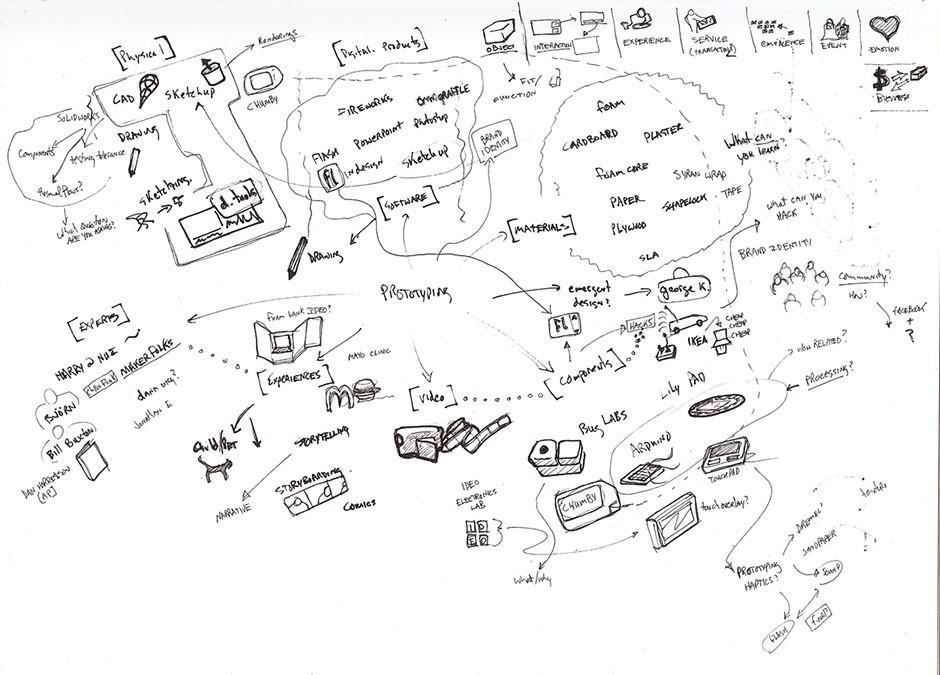
Sketches of how a product might work with arrows, words, and little descriptive objects.

Even the messiest of scrawls (not that what we see above is a messy scrawl) can serve as nurturing “soil” to make the seed of an idea sprout into a first-class end product.

© Tom Maiorana, CC BY 2.0.

Pros and Cons of Sketches

Pros of sketches

  • They are extremely cheap and fast to create. As such, you can sketch out a large number of ideas in a short amount of time.

  • You can do it anywhere: with pen and paper or digitally on your smartphone, tablet or desktop computer.

  • They are disposable, so you won’t get attached to sketches that turn out to be bad ideas.

Cons of sketches

  • Sketches lack detail and are ambiguous by design. As such, you cannot use sketches to convey complex interactions of an app, for example.

  • Sketches are almost never of high enough fidelity to be useful with people outside of the team, since they rarely have the context to understand what the sketch is meant to convey.

  • Sketches are not very helpful in convergent processes where you want to select a few best ideas—other forms of prototypes, such as paper prototypes or wireframes, are more helpful.

When to Use Sketches

  • Use sketches in early, divergent stages of your design process.

  • Sketch out your rough ideas so you can discuss them with team-mates.

  • You can also sketch diagrams and mind maps in order to illustrate a system, process or the structure of your ideas. Flesh out how your idea(s) can be implemented with all the parties involved, so you can evaluate its (or their) feasibility.

  • Sketch the touch points that affect a user’s journey, and then identify how they relate to one another.

Best Practices and Tips for Sketching

  • Always sketch out your ideas, rather than store them in your head! Design thinking emphasizes a bias towards action. Whenever you have an idea, sketch it out, no matter how silly it seems—you will be able to evaluate it much better when it’s on paper rather than in your head.

  • Use the right amount of detail: remember that a sketch should be rough and quick. Don’t spend extra time adding details which are not required for your quick sketch.

  • Draw diagrams to map out complex ideas or use cases, where many factors and players affect one another. Journey maps, behavior maps, system flow diagrams and a range of other mapping methods are at your service to help you scope out complex situations.

  • Invite other team-mates to join in your sketching sessions, when appropriate. Because sketches are so easy to create, they are great opportunities for you to involve other stakeholders in the design process.

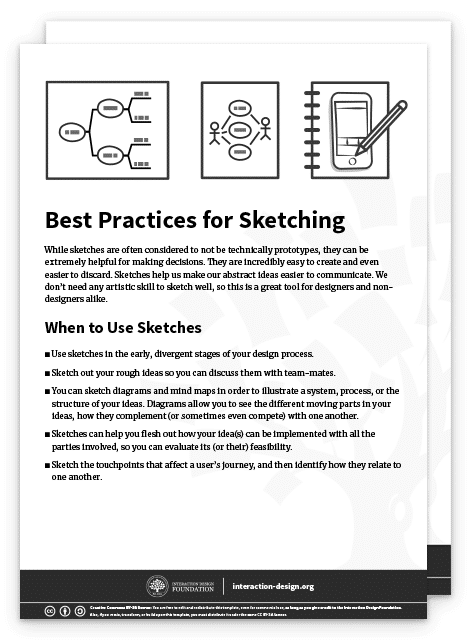
Advance Your Career With This Free Template for “Best Practices for Sketching”
Best Practices for Sketching
We respect your privacy
Get 1 powerful email each week: Design a life you love!

Paper Prototypes

Transcript

William Hudson explains the power of paper prototypes, as well as when and how to use them.

Pros and Cons of Paper Prototypes

Pros of Paper Prototypes

  • Paper prototypes are cheap and easy to create as well as modify.

  • You can create rough “animations” by sliding pieces of paper to give users a more realistic idea of how the interface will work.

  • You can ignore the deeper, superficial details of an interface, such as the color of a button. This allows you to test the concept of your idea, rather than its visual execution.

  • Paper prototypes are very obviously unfinished; therefore, users are unlikely to hold back their critiques for fear of hurting your feelings.

Cons of Paper Prototypes

  • While generally easy to create, sometimes you might spend a bit of time to make a paper prototype. You might get emotionally attached as a result and become unable to objectively evaluate its merits. Also, while it’s fairly easy to make small changes, sometimes larger, more structural changes are tricky because they can require completely recreating whole sections of the prototype.

  • Paper prototypes are less helpful to test commonly used user interface patterns. That’s because users are likely to already know how the user interface works. In such cases, you should skip the paper prototype and move on to a higher-fidelity prototype instead.

  • You can only test paper prototypes in person. Since the prototype is physical, you’ll find it very difficult to conduct remote tests with it.

  • While better than sketches, paper prototypes still require imagination from users. This means some users might struggle when they try to understand how the interface works.

When to Use Paper Prototypes

  • Use paper prototypes when you’re exploring novel solutions, to test whether people understand your solution.

  • Don’t use paper prototypes when you’re revisiting the same solution, or using a standard user interface pattern to solve a problem. In such cases, you can skip the paper prototype and move to the next stage of your design process.

  • Use paper prototypes when you’re exploring different ways of solving a problem. For instance, if you have different interface ideas to achieve the same user goal, you might want to sketch out a couple of different paper prototypes to test them on users.

Best Practices and Tips for Paper Prototypes

  • Paper prototype sketching templates can help you speed up your process. However, you don’t need them and simple sketches on blank sheets of paper will work just as well.

  • You don’t even need to use a ruler—however, you should ensure your paper prototypes are neat and legible, of course.

  • Test your paper prototypes on users. Play-act with them to let them know what happens when they click on a certain button, for instance.

  • Do a dry run of your paper prototype testing session before you involve real users. Get your team-mates to try it out first. This is because you’ll likely find that it’s more difficult to host a paper prototype testing session than you think. You’ll need to know how to explain to your users the way your prototype works, as well as answer the many questions they will ask you.

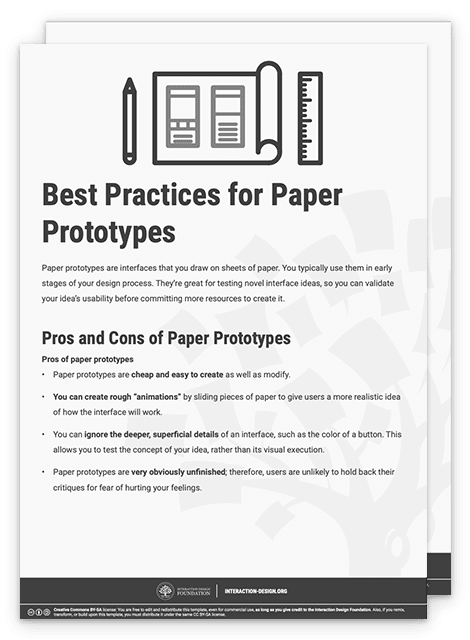
Download our template for best practices for paper prototyping.

Advance Your Career With This Free Template for “Best Practices for Paper Prototypes”
Best Practices for Paper Prototypes
We respect your privacy
Get 1 powerful email each week: Design a life you love!

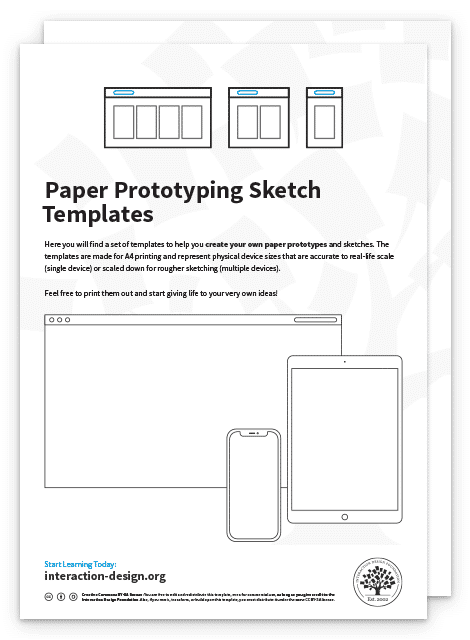
You can also download and print our paper prototyping sketch templates to speed up your paper prototyping.

Advance Your Career With This Free Template for “Paper Prototyping Sketch Templates”
Paper Prototyping Sketch Templates
We respect your privacy
Get 1 powerful email each week: Design a life you love!

Lego Prototypes

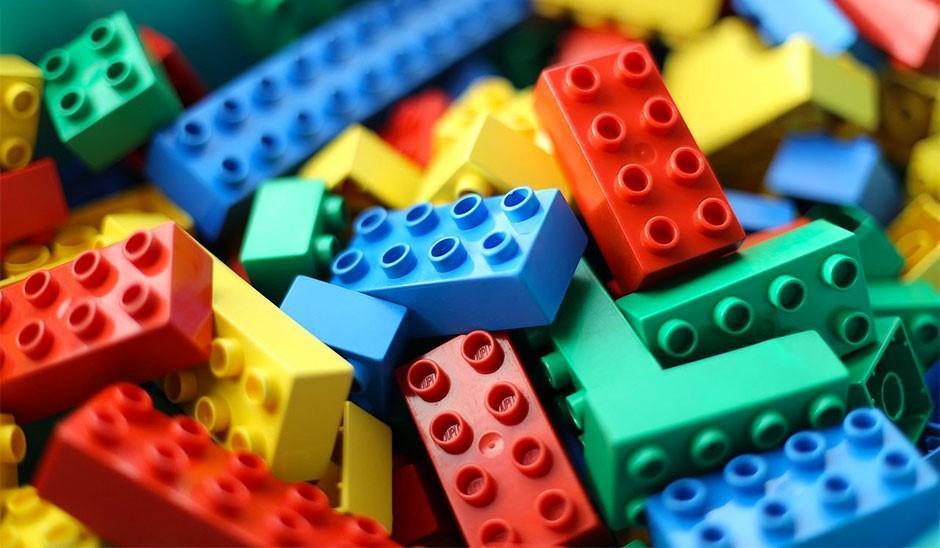
Photo of colored lego bricks.

Lego’s genius transcends child’s play—we have much to tap from Lego as regards prototyping.

© Arto Alanenpää, CC BY-SA 4.0.

Lego is a staple of any kid’s toy box. Its versatility and ability to spark the imagination is what drives the company’s success. As a designer, you can take advantage of Lego’s versatility to create quick and simple prototypes of your ideas. The best part of using Lego pieces to build your prototypes is that they become easy to dismantle and tweak; simply detach a part of your Lego prototype, swap it with an alternative design and play with it to see if it works.

Tim Brown, CEO of international design firm IDEO, recounts in his book Change by Design that Lego prototyping has been widely used in IDEO’s design thinking process. The design team at IDEO even used it to create a prototype for a complex insulin injection device!

Pros and Cons of Lego Prototypes

Pros of Lego prototypes

  • Lego bricks allow you to quickly create physical prototypes—you can build a rough model faster than most 3D printers can! They allow you to produce relatively cheap prototypes for products that are physical and tangible.

  • Lego prototypes are versatile and easy to modify and dismantle. You can easily remove, add or rotate bricks to change your prototype.

  • Lego prototypes encourage experimentation and fun, which are important components of success in the design thinking process.

Cons of Lego prototypes

  • Lego prototypes are not suitable for digital products, such as mobile apps or websites. However, they can still be used to create user journey stories for such intangible products.

  • Lego prototypes are relatively expensive low-fidelity prototypes—especially if you don’t have a set of Lego bricks. In that case, you of course have to first purchase some bricks, which cost more than other forms of prototypes such as paper prototypes.

When to Use Lego Prototypes

  • Use Lego prototypes to empathize with your users. Use Lego bricks to recreate and reenact user journeys cheaply and visually.

  • Use Lego prototypes when your solution involves a complex system of different parties. You can use different Lego characters to represent each party involved, so you don’t miss any of their needs in the final product.

  • When you’re creating complex physical products, you can use Lego pieces to create quick and dirty prototypes. Use these to get a rough sense of how large or heavy the final product will feel.

Best Practices and Tips for Lego Prototypes

  • Like sketches, Lego prototypes don’t require any level of artistic talent. Use this as an opportunity to involve your non-designer team-mates and stakeholders.

  • Lego prototypes are best used to reenact user journeys. Use Lego characters to run through what a day is like for your user—this is a great empathy-building exercise for your team!

  • Use Lego prototypes to mimic the actual size of a proposed physical product. This way, for example, you can test whether it fits into your jeans pocket.

  • You can also use Lego prototypes to mimic the actual weight of your proposed product. Since the Lego bricks are pretty light, remember that you can always place weights into your Lego creations to add more heft to them!

Download our template for best practices for Lego prototypes.

Advance Your Career With This Free Template for “Best Practices for Lego Prototypes”
Best Practices for Lego Prototypes
We respect your privacy
Get 1 powerful email each week: Design a life you love!

Digital Wireframes

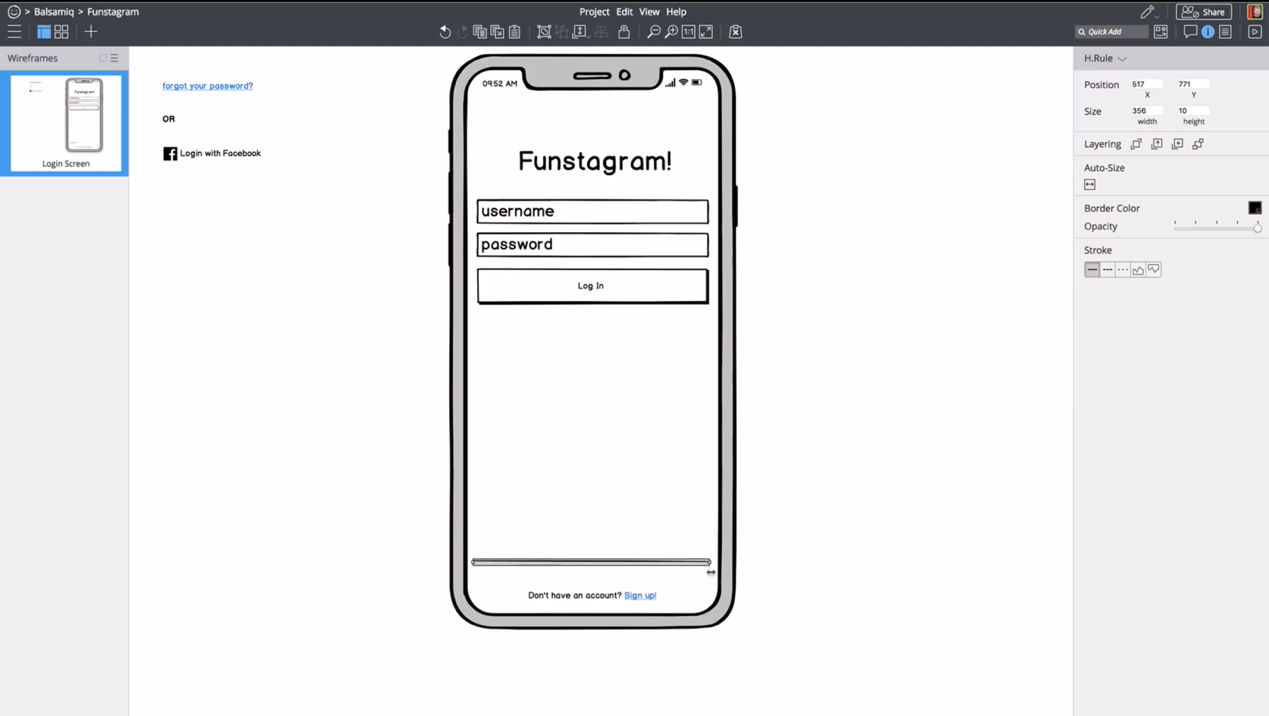
Image of the Balsamiq interface showing a mobile phone with a login screen.

Wireframing apps such as Balsamiq, shown above, allow you to create quick illustrations of your app or website.

© Balsamiq, Fair Use.

Wireframes are simple, bare-bones illustrations of your app or website. They allow you to ignore the visual and interactive aspects of your prototype and focus on content structure and functionality. Technically, paper prototypes (which we mention above) are low-fidelity wireframes. But for our purposes here, we refer to digital wireframes when we say “wireframe”.

Pros and Cons of Wireframes

Pros of wireframes

  • You can quickly change your wireframes, compared with higher-fidelity prototypes such as app mockups. This is because wireframes don’t contain details such as images and colors.

  • Wireframes let you focus on the functionality and content structure of the product. On top of that, your users will focus their feedback on functional problems, rather than visual preferences. This means you can ignore visuals, such as colors and fonts, in favor of polishing the core functions of the app.

  • Wireframes, compared with other low-fidelity prototypes, let you communicate the relation between different pages in your product. Users and team-mates can easily see where each page leads and what clicking each button does.

Cons of wireframes

  • Since wireframes are still quite bare-bones, users might struggle to understand how what you present to them works. You’ll need to let users know that they should ignore the visuals of the wireframe and instead focus on functionality and other content such as copy.

  • Wireframes have encouraged “lorem ipsum”, or placeholder content, in the past. This is no longer advised, since copy and images that are significantly different from your placeholders will absolutely affect the final user experience. While you don’t need to have absolutely final text or images, you should at least use a rough approximation to get any value when showing the interface to people outside your team.

When to Use Wireframes

  • Use wireframes slightly later in your design process, when you are ready to flesh out a few design ideas.

  • You may not want to use wireframes until you are ready to focus on the content, layout, information architecture and space allocation of various elements. In other words, you should not use (digital) wireframes when you are in the divergent stages of your design process if they slow you down. In the divergent stages—where you want to create as many ideas as possible—sketching might be a lower-friction method for testing out ideas. However, wireframing applications have gotten good enough that some folks can generate ideas just as quickly digitally as they can with pencil and paper.

  • Use wireframes when you are ready to think about topics such as how to create optimal user flows, what kinds of templates you should use for various screens and pages and how much space to allocate various elements on a screen.

Best Practices and Tips for Wireframes

  • Use wireframes to flesh out the information architecture and layout of your app, rather than focus on visual elements such as brand colors and typography.

  • Wireframes are great tools for you to think about which layout templates you need to create your product. Try to stick to as few layouts as you need to create a consistent experience.

  • Use wireframes to focus on functionality, rather than animations and other visuals.

  • Don’t use colors in your wireframes. If you have to, use shades of gray.

  • Stick to one font in your wireframes. Use different font sizes to indicate different heading levels.

  • Minimize placeholder copy. Your wireframes should be 100% usable, and you should therefore focus on crafting copy that will help users understand how to use your product. Use placeholder copy only in areas where you know the content will not affect usability—for example, in the body text of an article.

Download our template for best practices for digital wireframes.

Advance Your Career With This Free Template for “Best Practices for Digital Wireframes”
Best Practices for Digital Wireframes
We respect your privacy
Get 1 powerful email each week: Design a life you love!

Wizard of Oz Prototypes

Illustration of a hot air ballon with the title Wizard of Oz Prototyping.

© Interaction Design Foundation, CC BY-NC-SA 4.0

Wizard of Oz prototypes are prototypes with fake functions—for instance, where you get a team-mate to mimic complex interactions rather than code a piece of software for it. Like the Wizard of Oz in the story (who generates an ominous and deceptive appearance from behind a curtain), you are mimicking some aspects of your product. They’re a kind of low-to-medium-fidelity prototype, where the key functions are not functional at all while other aspects such as visuals are fully designed.

The idea of Wizard of Oz prototypes is to get users to believe that the prototype is fully functional, so you can test it while saving time and resources. For example, you can create a Wizard of Oz prototype for a smart assistant, where your team-mate types out responses to trick the user into thinking that the smart assistant is fully functional.

Pros and Cons of Wizard of Oz Prototypes

Pros of Wizard of Oz prototypes

  • You can test particularly complex parts of your design without having to build it. This allows you to validate your design before you spend more resources to implement it.

  • You can test future technologies easily without building a complicated prototype. This allows you to fine-tune the requirements of the technology.

  • Users tend to provide realistic feedback, since Wizard of Oz prototypes are more believable and interactive.

Cons of Wizard of Oz prototypes

  • You’ll need to spend some time to build your Wizard of Oz prototype. Since you need the user to believe that it’s fully functional, you’ll need to make it look convincingly polished.

  • You have to train a “wizard” who’ll simulate the responses of the system. The wizard also must be present during all tests. This means your prototype requires more time and labor.

  • The wizard might not act consistently throughout tests. Thus, your system might behave differently from test to test, which affects your test results. This means you’ll need to pay extra attention to train wizards and give them rules to follow.

When to Use Wizard of Oz Prototypes

  • Use Wizard of Oz prototypes in the late stages of the design process.

  • Use Wizard of Oz prototypes when you’re designing complex systems or designing for future technologies.

  • Wizard of Oz prototypes can also be extremely useful when prototyping any sort of voice interface or chat system where the backend would be hard to build but easy for a human to fake.

Best Practices and Tips for Wizard of Oz Prototypes

  • Figure out what questions you want to answer through your Wizard of Oz prototype before you begin to build it.

  • You can use ready-made tools such as social media, instant messaging and videos to create realistic imitations of computer interactivity. For instance, you can create a set of simple screens together with messages sent to a computer to fake the interactions of a social media website.

  • Prepare a set of behavior instructions for the wizard. In it, provide instructions for common and predictable scenarios so the wizard knows how to react and guide the user.

  • Note that the Wizard of Oz prototype doesn’t test for the reliability and accuracy of the system! Your tests will therefore not tell you how system performance failures might affect the user experience.

Download our template for best practices for Wizard of Oz prototypes.

Advance Your Career With This Free Template for “Wizard of Oz Prototypes”
Wizard of Oz Prototypes
We respect your privacy
Get 1 powerful email each week: Design a life you love!

The Take Away

Low-fidelity prototypes play an important role: they allow designers to quickly test ideas to improve the final design. We’ve looked at five common low-fidelity prototypes and their best practices. Here’s a brief summary of when you should use them:

  • Sketches: Use them to communicate and explore ideas early in the design process.

  • Paper prototypes: Use them to explore novel solutions slightly later in the design process.

  • Lego prototypes: Use them to explore physical products as well as build empathy through reenacting user journeys.

  • Wireframes: Use them to focus on content placement, information architecture and functionality.

  • Wizard of Oz prototypes: Use them to mimic complex systems, complex interactivity or future technologies before you spend resources to build them.

References and Where to Learn More

Jakob Nielsen, Paper Prototyping: Getting User Data Before You Code, 2003

Bill Buxton, What Sketches (and Prototypes) Are and Are Not

d.school: Wizard of Oz Prototyping

Tim Brown, Change by Design: How Design Thinking Transforms Organizations and Inspires Innovation, 2009

Images

Hero Image: © Grant Hutchins, CC BY-SA 2.0

Feel Stuck?
Want Better Job Options?

AI is replacing jobs everywhere, yet design jobs are booming with a projected 45% job growth. With design skills, you can create products and services people love. More love means more impact and greater salary potential.

At IxDF, we help you from your first course to your next job, all in one place.

See How Design Skills Turn Into Job Options
Privacy Settings
By using this site, you accept our Cookie Policy and Terms of Use.
Customize
Accept all

Be the One Who Inspires

People remember who shares great ideas.

Share on:

Academic Credibility — On Autopilot

Don't waste time googling citation formats. Just copy, paste and look legit in seconds.