Your constantly-updated definition of Paper Prototyping and collection of videos and articles. Be a conversation starter: Share this page and inspire others!
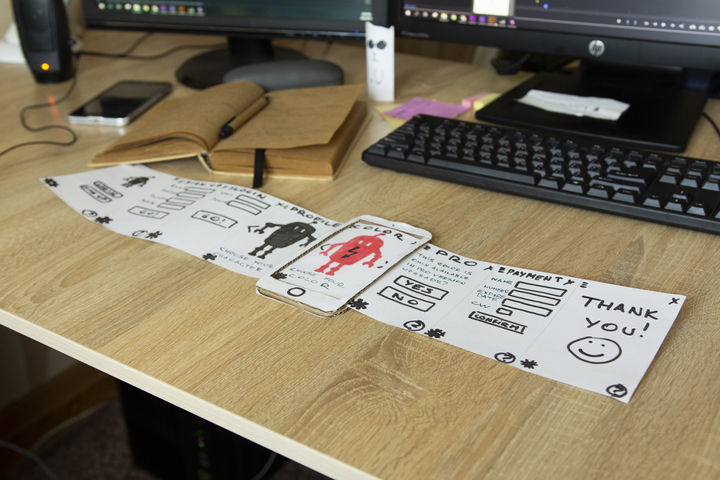
Paper prototyping is a process where design teams create paper representations of digital products to help them realize concepts and test designs. They draw sketches or adapt printed materials and use these low-fidelity screenshot samples to cheaply guide their designs and study users’ reactions from early in projects.
Transcript
Transcript loading ...
Autoscroll
See why paper prototyping is a small, yet invaluable investment.
“Paper prototyping is great for exploring design possibilities. You can try as many as you want, and if they don’t work for you it’s fine, just throw them in the bin and start over. It opens your eyes on things you haven’t thought of and gives you new design perspectives.”
— Chaymae Lougmani, CEO & Co-founder at www.Snaget.io
Paper Prototyping saves Money—and Designs
Paper prototyping is a core activity indesign processes. You depict screenshots (in what you can call “paper-shots”) to help determine how your design/product should appear. Like other forms of low-fidelity prototyping—e.g., card sorting—paper prototyping is a cheap-and-easy way to help shape concepts. If you use it early on, you can prevent unwanted development costs.It’s useful in brainstorming, where your team searches how to address users’ problems best. As you proceed, you can do “down-and-dirty” or guerrilla testing to informally test ideas with users and course-correct as needed.
Pros and Cons of Paper Prototyping
Consider the strengths and limitations of paper prototyping:
Without an interactive design, users must give blow-by-blow accounts of their actions and thoughts. Also, you can’t moderate from a distance. You must give directions about next steps, without leading users.
More work
You’ll make digital prototypes, anyway. These may suit your concept without the need for primitive prototypes.
Interpret results carefully
Users can’t get a real feel of the product. Positive feedback is a good indicator of how to proceed, not a guarantee.
How to use Paper Prototyping Best
You should enter with the right tools and mindset. So,
Gather stationery – pens, pencils, markers, paper, card, Post-its, scissors, tape, glue, rulers and suitable stencils. About $10/£10/€10 is typically enough to cover this. You can use graph paper to help guide ideas. Colored paper is great for representing buttons.
Get building – Just go ahead and see where you go. As you get your ideas down on paper, you can think about them more concretely. Later, you can get insights about improving them.
Move quickly – If you spend too long making your prototype, you’ll get attached to it. Don’t waste time erasing: You want to get ideas down rather than revise them and potentially miss insights from the raw version.
Remember what to test – Build with that purpose in mind, but stay aware of other factors.
Prototype for small screens first –When you go mobile-first, you can prioritize your content better.
Remember the users – As you’ll test your prototype against users’ behaviors and needs, consider their expectations as you build.
Remember, the earlier you use paper prototyping, the better.
Questions About Paper Prototyping? We've Got Answers!
How does paper prototyping fit into the UX design process?
Paper prototyping helps UX designers quickly explore ideas and test concepts early in the design process. It fits into the ideation and validation stages and lets teams refine layouts and interactions before they invest in digital prototypes.
Designers start by sketching rough screens, user flows, or interface elements. This helps visualize different solutions and test usability without coding. Example: A team designing a new checkout process might sketch multiple layouts and test them with users to see which flow feels most intuitive.
Paper prototypes improve collaboration,too. Designers, stakeholders, and users can review and adjust ideas in real time—reducing the risk of costly revisions later. Once a concept is validated, designers move to digital wireframes and interactive prototypes for deeper testing.
Because paper prototyping is fast, flexible, and low-cost, it’s an essential step in creating user-friendly, well-tested designs before development begins.
Watch as UX Strategist and Consultant, William Hudson explains important points about paper prototyping:
What are common mistakes to avoid in paper prototyping?
Common mistakes in paper prototyping can slow down the process and reduce its effectiveness. One major mistake is adding too much detail too soon—paper prototypes should focus on layout and user flow, not fine-tuned visuals. Example: Spending time perfecting colors or fonts on paper wastes effort when early testing should focus on usability.
Another mistake is skipping user testing. A prototype is only useful if it gets tested with real users. Example: A team designing a new checkout flow might assume their layout works, but testing could reveal confusion about button placement or terminology.
Some teams also fail to make changes, treating the prototype as final instead of a flexible tool. Paper prototypes should evolve based on feedback.
Finally, not simulating real interactions—just showing static sketches—misses key usability insights. Designers should mimic real navigation by swapping paper screens as users interact. Just because paper prototypes look “crude” doesn’t mean they can’t suggest details about interactivity early in design.
Watch as UX Strategist and Consultant, William Hudson explains important points about paper prototyping:
How many screens should I include in a paper prototype?
Include only as many screens as needed to test key user flows and interactions. A paper prototype should be simple and flexible, so don’t create unnecessary screens.
Five to seven screens for a basic usability test are often enough to cover a single task—like signing up for an account or completing a purchase. Example: If you’re testing a checkout process, include screens for the cart, shipping details, payment, and confirmation.
If testing multiple user journeys, you may need 10 to 15 screens, but keep it lightweight. The goal is to validate core interactions, not to recreate an entire app on paper.
Instead of adding too many screens, focus on key decision points where users might get confused. If users need more context, you can sketch new screens on the spot. When you keep it flexible, it helps you and your design team—as well as other stakeholders—iterate quickly and refine things without overcomplicating the process.
Watch as UX Strategist and Consultant, William Hudson explains important points about paper prototyping:
How do I ensure my paper prototype reflects real user interactions?
To ensure your paper prototype reflects real user interactions, make it as interactive and realistic as possible—while keeping things simple, in the spirit of paper prototyping. Instead of just showing static sketches, simulate real navigation by letting users tap, flip, or move paper screens as they would in a digital product.
Use a “human computer” approach, where one team member acts as the system, changing screens based on user actions. Example: If you’re testing a login flow, when the user “enters” their password by pointing to a field, swap the screen to show the user the next step.
Include key interactions like buttons, menus, and pop-ups to mimic real experiences. Also, for best results, test with real users—not just team members—to catch usability issues you might overlook. If you’re stuck and need insights quickly, you can do “down the hallway” or “quick and dirty” paper prototype testing with colleagues or friends. Still, try to test with real users early on to get fresh eyes to try out your prototype. It’ll give you precious actionable insights you may not get from “test users” down the hall who are used to design.
Encourage users to think aloud while they’re interacting. Their feedback will help refine the prototype before it moves to digital design. A good paper prototype feels dynamic and helps uncover real usability insights early in the design process.
Watch as UX Strategist and Consultant, William Hudson explains important points about paper prototyping:
How do I present a paper prototype to clients or stakeholders?
Do it correctly by focusing on clarity, interactivity, and user value. To start, explain the prototype’s goal—what problem it solves and what user flows it represents. Keep it simple and avoid overwhelming them with too much detail. Remember, they may not have design backgrounds—so communicate everything in terms they can understand. They’re like test users who are completely “fresh” to what you’re showing them—so note their responses to the prototype as well.
Next, walk them through key interactions by simulating real user actions. Example: If you’re presenting a mobile checkout process, physically swap paper screens as the user “taps” buttons to show how the flow works. This makes the experience engaging and easy to follow.
Encourage questions and feedback, but remind them that paper prototypes are for testing structure early—not hinting at final visuals. If stakeholders or clients focus too much on aesthetics, gently steer them back to functionality and usability. They need to remember why you’re showing them such low-fidelity prototypes and not get put off by “raw” looks.
Last but not least, highlight how user testing will refine the design before proceeding to digital development. A strong presentation keeps stakeholders engaged and aligned while reinforcing that user needs drive the design process.
Watch asAuthor, Speaker and Leadership Coach, Todd Zaki Warfel explains important points about how to present to clients:
Paper prototyping is a fast and low-cost way to test design ideas before investing in digital development. It helps teams explore layouts, user flows, and interactions without needing code or complex tools.
One major benefit is speed—designers can sketch multiple ideas quickly and modify them right there on the spot. Example: A UX team designing a new mobile app can test different navigation structures in minutes by drawing screens on paper and rearranging them.
Paper prototypes encouragecollaboration as well. Team members and stakeholders can give feedback early, reducing the chances of costly revisions later. Users can interact with paper screens, simulating a real experience and revealing usability issues before any digital design begins.
Furthermore, paper lowers creative barriers. Because sketches feel informal, people are more willing to suggest changes and won’t feel bad about criticizing someone’s hard work in a digital design. That leads to better design decisions.
Ultimately, paper prototyping saves time and resources—a great way to help designers refine ideas before moving to high-fidelity digital prototypes.
Watch as UX Strategist and Consultant, William Hudson explains important points about paper prototyping:
Transcript
Transcript loading ...
Autoscroll
What are some highly cited scientific articles about paper prototyping?
This study compares the effectiveness of paper-based and computer-based low-fidelity prototyping methods in the context of user interface design. The authors conducted experiments to evaluate how each prototyping approach influences user feedback and the identification of usability issues. Findings suggest that paper prototyping is particularly advantageous during the early stages of design due to its simplicity and cost-effectiveness. The research underscores the value of paper prototyping in facilitating rapid iterations and engaging stakeholders in the design process.
What are some popular and respected books about paper prototyping?
Carolyn Snyder, a seasoned usability engineer, offers a comprehensive guide to paper prototyping in this book. She provides practical advice on creating and testing paper prototypes for various user interfaces, including websites and software applications. The book includes numerous case studies and illustrations, demonstrating how paper prototyping can identify usability issues early in the design process—saving time and resources.
How detailed should a paper prototype be?
A paper prototype should be detailed enough to test key interactions and layouts but not so refined that it slows down the creative process.
Early sketches should focus on basic structure and user flow rather than fine details. Example: If you’re designing a mobile app, start with rough screens showing navigation, buttons, and content placement without worrying about colors or fonts.
As testing progresses, add more details like labels, icons, or annotations to clarify functionality. However, don’t overcomplicate things—paper prototypes should stay flexible, allowing quick changes based on feedback.
The goal is to validate ideas quickly and cheaply before moving on to digital prototypes. Too little detail makes testing unclear, while too much can make revisions harder. Keep it simple but effective!
Watch as UX Strategist and Consultant, William Hudson explains important points about paper prototyping:
Improve your UX / UI Design skills and grow your career! Join IxDF now!
Learn More About Paper Prototyping
Make learning as easy as watching Netflix: Learn more about Paper Prototyping by taking the
online IxDF Course Design Thinking: The Ultimate Guide.
Why? Because design skills make you valuable. In any job. Any industry.
In This Course, You'll
Get excited to learn one of the most powerful problem-solving methods in the world. Design thinking is how you turn messy, ill-defined problems into products and services people love. It's how Apple entered the crowded MP3 player market and redefined the industry with the iPod. It's how Airbnb went from near-bankruptcy to an $86.5B market debut. Whatever your role, design thinking gives you a clear, structured way to solve real-world problems, from everyday challenges like launching a product or improving a service to complex, societal problems like sustainability or healthcare access. And as AI handles more of the routine work, your ability to frame the right problem, understand people in context, and turn raw data into testable ideas will matter even more. Whether you want to land your first design role, raise the quality of the work you deliver every day, or step into leadership, this course gives you the toolkit to get there. No previous design experience required.
Make yourself invaluable when you learn the methods to empathize deeply with your users, ideate, prototype, test and iterate to solve complex problems. These are timeless, human-centered design skills you can use in any role across all industries. Research from Forrester found that 3 out of 4 design thinking projects at least double their investment, with a median ROI of 229% per project. In this course, you'll bring structure to your empathy, intuition, creativity, and problem-solving skills with the five stages of design thinking: Empathize, Define, Ideate, Prototype, and Test. You'll learn research andempathy techniques such as user interviews, the 5 Whys, and the What-How-Why method. Your team will stay focused and aligned with synthesis tools like affinity diagrams, personas, and empathy maps. And you'll apply ideation methods like brainstorming, SCAMPER, and Worst Possible Idea to generate solutions you can validate before you invest in building them. You'll know when to use each method and why, and apply them immediately to your daily work with downloadable templates, including interview guides and "How Might We" sessions, ready to use on your next big project.
Gain confidence and credibility as you run effective workshops, back your decisions with evidence, and get buy-in from stakeholders. You'll map influence and interest across your stakeholder group, write Point of View statements to frame the design challenge around real user needs, and use prototypes to test your ideas before committing to a full build. These are the same methods IBM, Google, and other major companies use to innovate and turn rough ideas into successful products. You'll learn that design thinking isn't just a set of techniques. It's a way of caring about people that puts empathy at the heart of every solution you design.
Craft a personal portfolio with optional hands-on activities. You'll interview real participants, design cultural probes, and map their behaviors. Then, with your problem defined, you'll ideate solutions, storyboard the user journey, and paper-prototype an app interface ready to test on users. You'll finish with a complete case study that shows how you approach a problem, what you learn from users, and how your ideas evolve through the design thinking process. By the end of this course, you'll have the design thinking skills you need to drive your long-term career growth and create solutions people genuinely need and want.
Learn From Industry Leaders
Master complex skills with proven best practices and toolkits directly from industry leaders. Meet your experts for this course:
Don Norman: Father of User Experience (UX) Design, author of the legendary book “The Design of Everyday Things,” and co-founder of the Nielsen Norman Group.
Alan Dix: Author of the bestselling book “Human-Computer Interaction” and Director of the Computational Foundry at Swansea University.
Mike Rohde: Experience and Interface Designer, author of the bestselling “The Sketchnote Handbook.”
Earn Industry-Recognized Certificates
Industry giants trust our courses to train their teams, and prestigious universities integrate our content into their curricula. Add your certificates to your LinkedIn profile, résumé, and job applications.
5 Common Low-Fidelity Prototypes and Their Best Practices
Low-fidelity prototypes allow us to quickly and inexpensively test ideas, so we can validate our hypotheses and improve our solutions. To maximize their effectiveness, it’s important for us to know which low-fidelity prototypes we should use, their pros and cons, as well as how to create them. Here,
Imagine a new mobile app or an e-commerce site gets launched; it looks great, sure, and it should be a hit because it at least looks like it’s got what it takes, but—drumroll—it tanks in the marketplace, all because people find it hard to complete even the simplest tasks. That’s rough, but—behind th
Center Stage – Help the User Focus on What’s Important
An important task for you as a designer is to help the user carry out tasks as efficiently as possible. Software companies such as Adobe and Microsoft are experts at this. They frequently use a design pattern called ‘center stage’ to help the user focus on what’s important. Center stage is one of th
Social shares
579
Published
Read Article
5 Common Low-Fidelity Prototypes and Their Best Practices
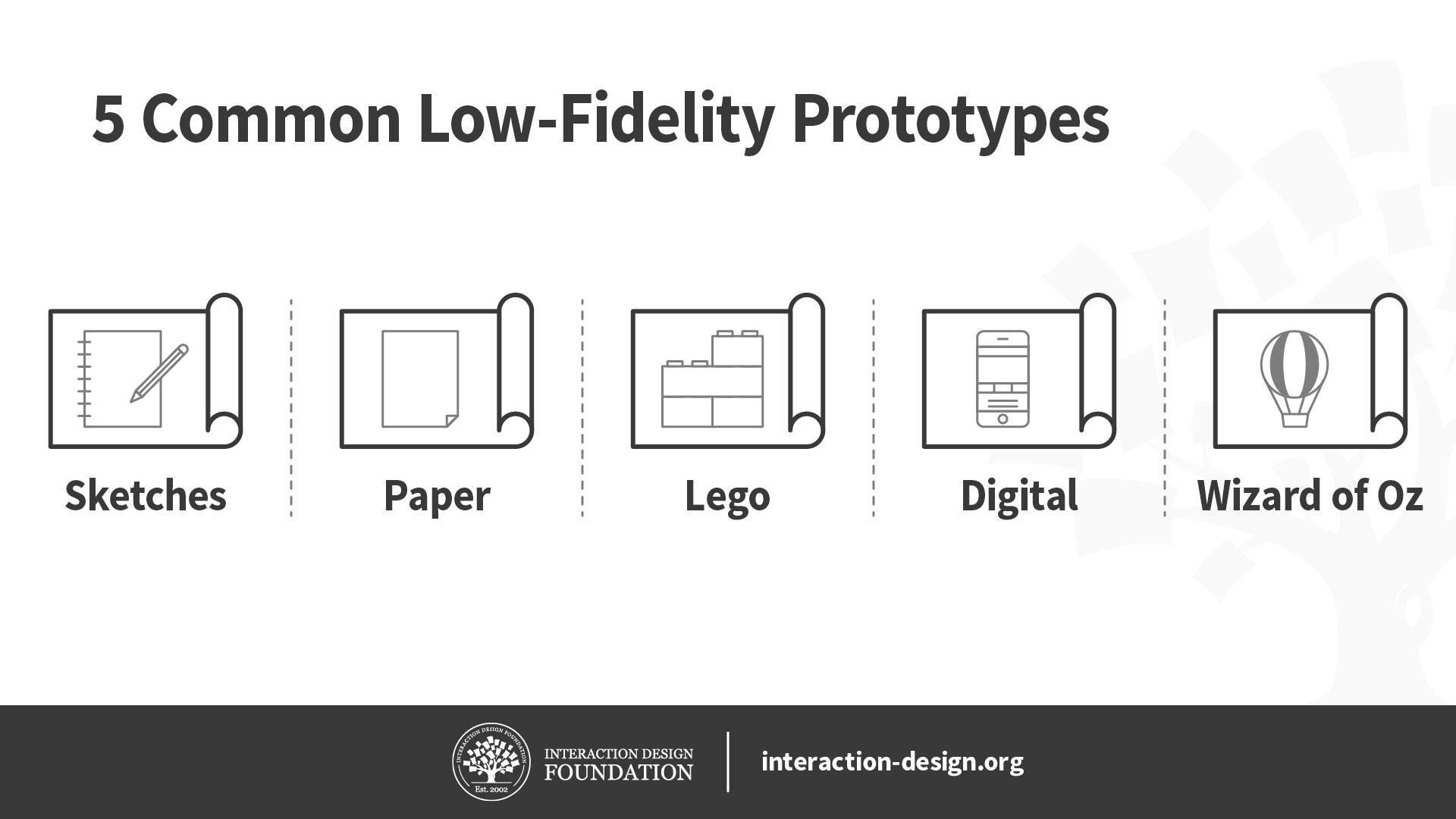
Low-fidelity prototypes allow us to quickly and inexpensively test ideas, so we can validate our hypotheses and improve our solutions. To maximize their effectiveness, it’s important for us to know which low-fidelity prototypes we should use, their pros and cons, as well as how to create them. Here, let’s look at the best practices of five of the most common low-fidelity prototypes: sketches, paper prototypes, Lego prototypes, wireframes and Wizard of Oz prototypes.
Before we begin looking at these five low-fidelity prototypes, let’s briefly talk about when you should use low-fidelity prototypes in the first place. Low-fidelity prototypes let us test ideas quickly and cheaply, which makes them useful during the early divergent stages of the design process, when we want to create and test as many ideas as we can. Since they require less time to create, we are less likely to get attached to them, so they allow us to discard bad ideas more easily than high-fidelity prototypes do.
We should use low-fidelity prototypes to test only for broad concepts rather than fine details such as animations. This is because low-fidelity prototypes tend to lack details and realism. For instance, we can use low-fidelity paper prototypes to test different solutions for a problem at the very early stages of ideation.
With this in mind, let’s dive into five commonly used low-fidelity prototyping methods!
Sketches
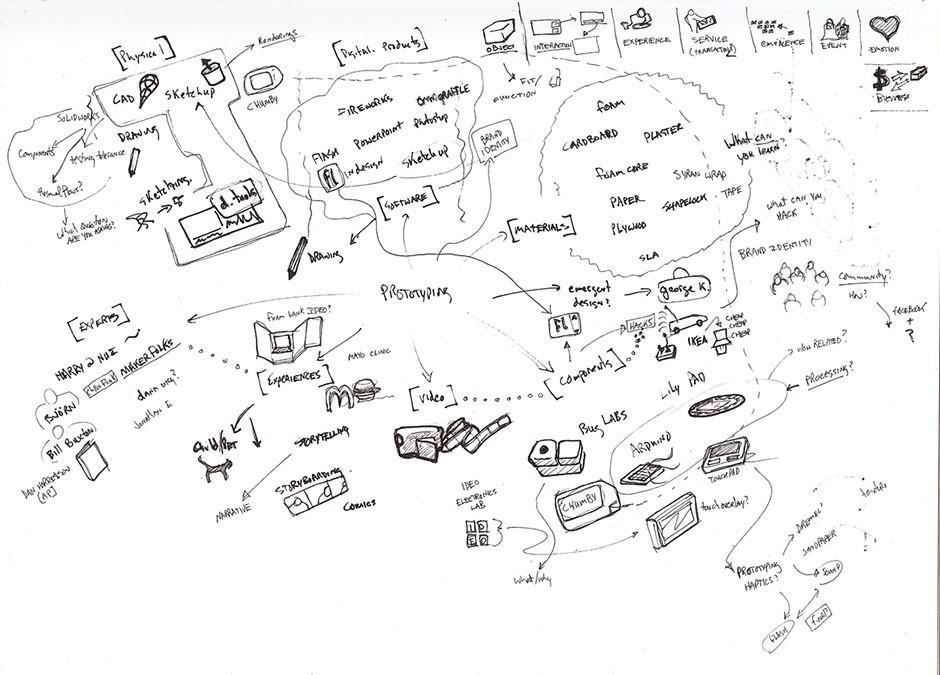
While sketches are often considered to not be technically prototypes, they can be extremely helpful for making decisions, mostly because they are incredibly easy to create and even easier to discard. We don’t need any artistic skill to sketch well, so this is a great tool for designers and non-designers alike.
Even the messiest of scrawls (not that what we see above is a messy scrawl) can serve as nurturing “soil” to make the seed of an idea sprout into a first-class end product.
They are extremely cheap and fast to create. As such, you can sketch out a large number of ideas in a short amount of time.
You can do it anywhere: with pen and paper or digitally on your smartphone, tablet or desktop computer.
They are disposable, so you won’t get attached to sketches that turn out to be bad ideas.
Cons of sketches
Sketches lack detail and are ambiguous by design. As such, you cannot use sketches to convey complex interactions of an app, for example.
Sketches are almost never of high enough fidelity to be useful with people outside of the team, since they rarely have the context to understand what the sketch is meant to convey.
Sketches are not very helpful in convergent processes where you want to select a few best ideas—other forms of prototypes, such as paper prototypes or wireframes, are more helpful.
When to Use Sketches
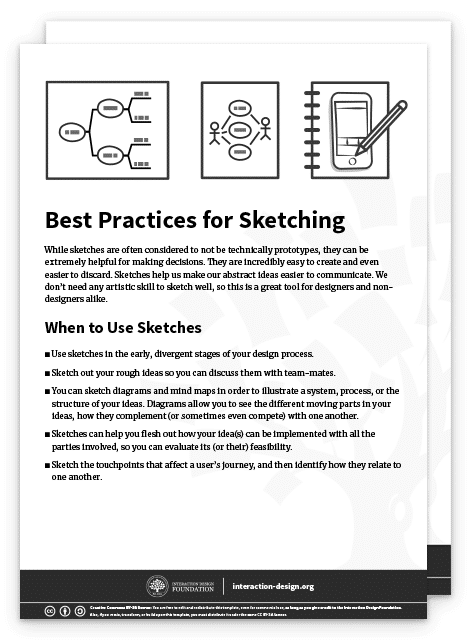
Use sketches in early, divergent stages of your design process.
Sketch out your rough ideas so you can discuss them with team-mates.
You can also sketch diagrams and mind maps in order to illustrate a system, process or the structure of your ideas. Flesh out how your idea(s) can be implemented with all the parties involved, so you can evaluate its (or their) feasibility.
Sketch the touch points that affect a user’s journey, and then identify how they relate to one another.
Best Practices and Tips for Sketching
Always sketch out your ideas, rather than store them in your head! Design thinking emphasizes a bias towards action. Whenever you have an idea, sketch it out, no matter how silly it seems—you will be able to evaluate it much better when it’s on paper rather than in your head.
Use the right amount of detail: remember that a sketch should be rough and quick. Don’t spend extra time adding details which are not required for your quick sketch.
Draw diagrams to map out complex ideas or use cases, where many factors and players affect one another. Journey maps, behavior maps, system flow diagrams and a range of other mapping methods are at your service to help you scope out complex situations.
Invite other team-mates to join in your sketching sessions, when appropriate. Because sketches are so easy to create, they are great opportunities for you to involve other stakeholders in the design process.
Advance Your Career With This Free Template
for “Best Practices for Sketching”
Paper Prototypes
Transcript
Transcript loading ...
Autoscroll
William Hudson explains the power of paper prototypes, as well as when and how to use them.
Pros and Cons of Paper Prototypes
Pros of Paper Prototypes
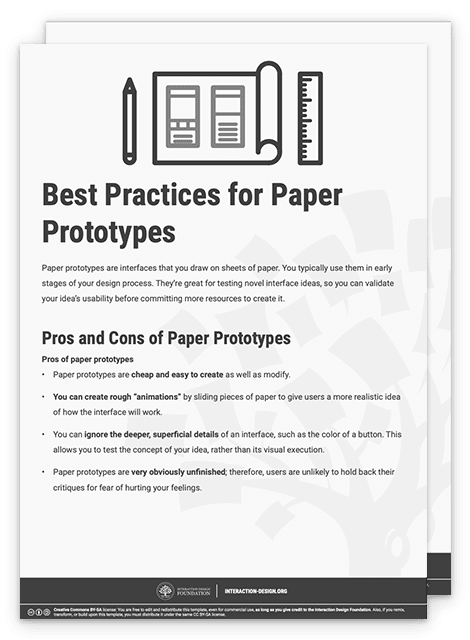
Paper prototypes are cheap and easy to create as well as modify.
You can create rough “animations” by sliding pieces of paper to give users a more realistic idea of how the interface will work.
You can ignore the deeper, superficial details of an interface, such as the color of a button. This allows you to test the concept of your idea, rather than its visual execution.
Paper prototypes are very obviously unfinished; therefore, users are unlikely to hold back their critiques for fear of hurting your feelings.
Cons of Paper Prototypes
While generally easy to create, sometimes you might spend a bit of time to make a paper prototype. You might get emotionally attached as a result and become unable to objectively evaluate its merits. Also, while it’s fairly easy to make small changes, sometimes larger, more structural changes are tricky because they can require completely recreating whole sections of the prototype.
Paper prototypes are less helpful to test commonly used user interface patterns. That’s because users are likely to already know how the user interface works. In such cases, you should skip the paper prototype and move on to a higher-fidelity prototype instead.
You can only test paper prototypes in person. Since the prototype is physical, you’ll find it very difficult to conduct remote tests with it.
While better than sketches, paper prototypes still require imagination from users. This means some users might struggle when they try to understand how the interface works.
When to Use Paper Prototypes
Use paper prototypes when you’re exploring novel solutions, to test whether people understand your solution.
Don’t use paper prototypes when you’re revisiting the same solution, or using a standard user interface pattern to solve a problem. In such cases, you can skip the paper prototype and move to the next stage of your design process.
Use paper prototypes when you’re exploring different ways of solving a problem. For instance, if you have different interface ideas to achieve the same user goal, you might want to sketch out a couple of different paper prototypes to test them on users.
Best Practices and Tips for Paper Prototypes
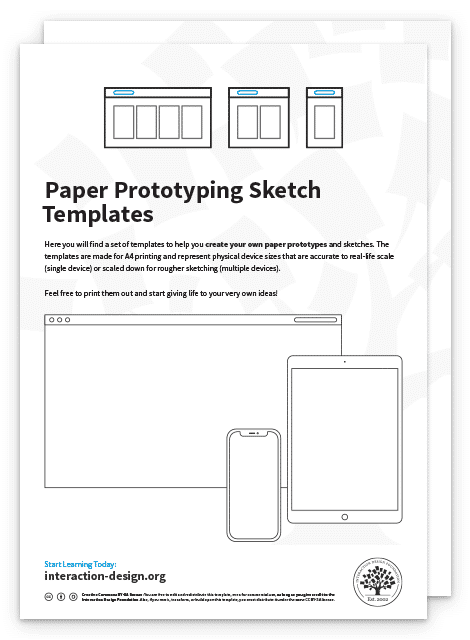
Paper prototype sketching templates can help you speed up your process. However, you don’t need them and simple sketches on blank sheets of paper will work just as well.
You don’t even need to use a ruler—however, you should ensure your paper prototypes are neat and legible, of course.
Test your paper prototypes on users. Play-act with them to let them know what happens when they click on a certain button, for instance.
Do a dry run of your paper prototype testing session before you involve real users. Get your team-mates to try it out first. This is because you’ll likely find that it’s more difficult to host a paper prototype testing session than you think. You’ll need to know how to explain to your users the way your prototype works, as well as answer the many questions they will ask you.
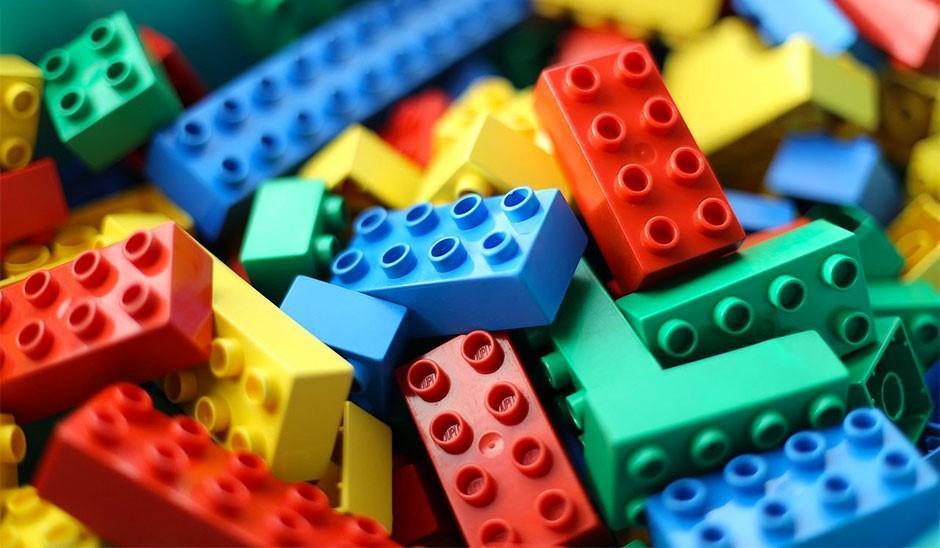
Lego is a staple of any kid’s toy box. Its versatility and ability to spark the imagination is what drives the company’s success. As a designer, you can take advantage of Lego’s versatility to create quick and simple prototypes of your ideas. The best part of using Lego pieces to build your prototypes is that they become easy to dismantle and tweak; simply detach a part of your Lego prototype, swap it with an alternative design and play with it to see if it works.
Tim Brown, CEO of international design firm IDEO, recounts in his book Change by Design that Lego prototyping has been widely used in IDEO’s design thinking process. The design team at IDEO even used it to create a prototype for a complex insulin injection device!
Pros and Cons of Lego Prototypes
Pros of Lego prototypes
Lego bricks allow you to quickly create physical prototypes—you can build a rough model faster than most 3D printers can! They allow you to produce relatively cheap prototypes for products that are physical and tangible.
Lego prototypes are versatile and easy to modify and dismantle. You can easily remove, add or rotate bricks to change your prototype.
Lego prototypes encourage experimentation and fun, which are important components of success in the design thinking process.
Cons of Lego prototypes
Lego prototypes are not suitable for digital products, such as mobile apps or websites. However, they can still be used to create user journey stories for such intangible products.
Lego prototypes are relatively expensive low-fidelity prototypes—especially if you don’t have a set of Lego bricks. In that case, you of course have to first purchase some bricks, which cost more than other forms of prototypes such as paper prototypes.
When to Use Lego Prototypes
Use Lego prototypes to empathize with your users. Use Lego bricks to recreate and reenact user journeys cheaply and visually.
Use Lego prototypes when your solution involves a complex system of different parties. You can use different Lego characters to represent each party involved, so you don’t miss any of their needs in the final product.
When you’re creating complex physical products, you can use Lego pieces to create quick and dirty prototypes. Use these to get a rough sense of how large or heavy the final product will feel.
Best Practices and Tips for Lego Prototypes
Like sketches, Lego prototypes don’t require any level of artistic talent. Use this as an opportunity to involve your non-designer team-mates and stakeholders.
Lego prototypes are best used to reenact user journeys. Use Lego characters to run through what a day is like for your user—this is a great empathy-building exercise for your team!
Use Lego prototypes to mimic the actual size of a proposed physical product. This way, for example, you can test whether it fits into your jeans pocket.
You can also use Lego prototypes to mimic the actual weight of your proposed product. Since the Lego bricks are pretty light, remember that you can always place weights into your Lego creations to add more heft to them!
Download our template for best practices for Lego prototypes.
Advance Your Career With This Free Template
for “Best Practices for Lego Prototypes”
Digital Wireframes
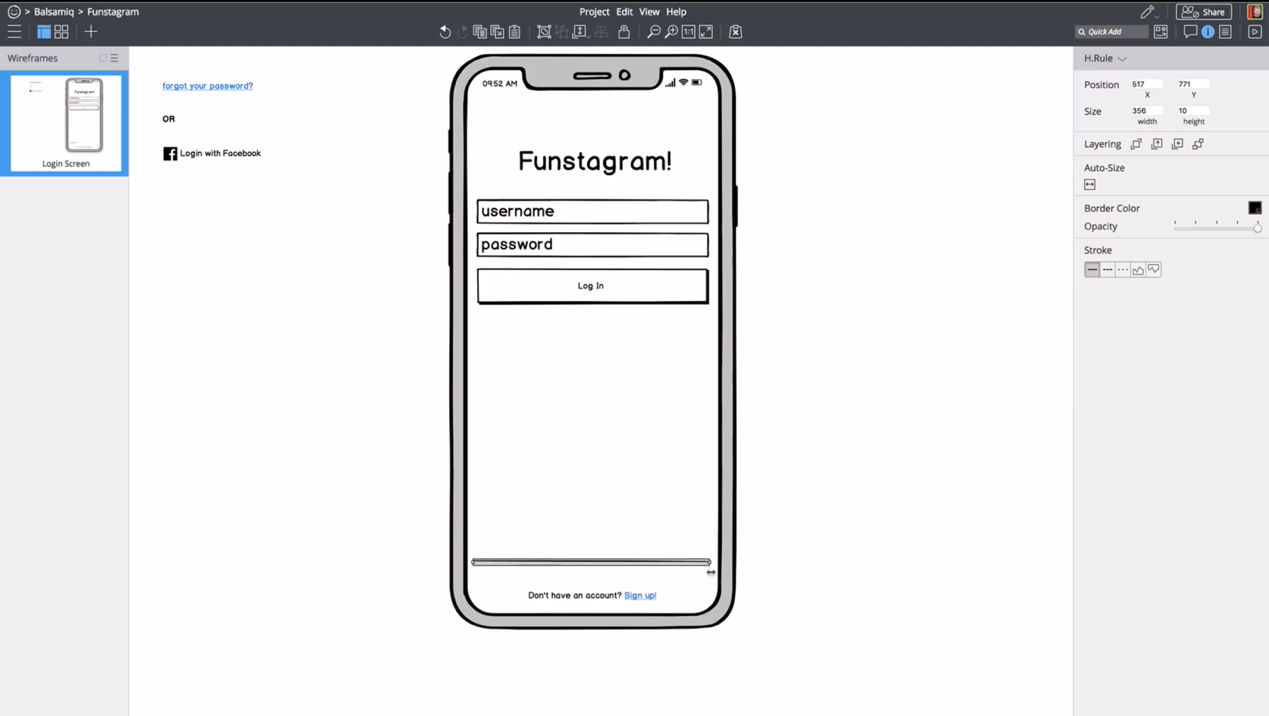
Wireframing apps such as Balsamiq, shown above, allow you to create quick illustrations of your app or website.
Wireframes are simple, bare-bones illustrations of your app or website. They allow you to ignore the visual and interactive aspects of your prototype and focus on content structure and functionality. Technically, paper prototypes (which we mention above) are low-fidelity wireframes. But for our purposes here, we refer to digital wireframes when we say “wireframe”.
Pros and Cons of Wireframes
Pros of wireframes
You can quickly change your wireframes, compared with higher-fidelity prototypes such as app mockups. This is because wireframes don’t contain details such as images and colors.
Wireframes let you focus on the functionality and content structure of the product. On top of that, your users will focus their feedback on functional problems, rather than visual preferences. This means you can ignore visuals, such as colors and fonts, in favor of polishing the core functions of the app.
Wireframes, compared with other low-fidelity prototypes, let you communicate the relation between different pages in your product. Users and team-mates can easily see where each page leads and what clicking each button does.
Cons of wireframes
Since wireframes are still quite bare-bones, users might struggle to understand how what you present to them works. You’ll need to let users know that they should ignore the visuals of the wireframe and instead focus on functionality and other content such as copy.
Wireframes have encouraged “lorem ipsum”, or placeholder content, in the past. This is no longer advised, since copy and images that are significantly different from your placeholders will absolutely affect the final user experience. While you don’t need to have absolutely final text or images, you should at least use a rough approximation to get any value when showing the interface to people outside your team.
When to Use Wireframes
Use wireframes slightlylater in your design process, when you are ready to flesh out a few design ideas.
You may not want to use wireframes until you are ready to focus on the content, layout, information architecture and space allocation of various elements. In other words, you should not use (digital) wireframes when you are in the divergent stages of your design process if they slow you down. In the divergent stages—where you want to create as many ideas as possible—sketching might be a lower-friction method for testing out ideas. However, wireframing applications have gotten good enough that some folks can generate ideas just as quickly digitally as they can with pencil and paper.
Use wireframes when you are ready to think about topics such as how to create optimal user flows, what kinds of templates you should use for various screens and pages and how much space to allocate various elements on a screen.
Best Practices and Tips for Wireframes
Use wireframes to flesh out the information architecture and layout of your app, rather than focus on visual elements such as brand colors and typography.
Wireframes are great tools for you to think about which layout templates you need to create your product. Try to stick to as few layouts as you need to create a consistent experience.
Use wireframes to focus on functionality, rather than animations and other visuals.
Don’t use colors in your wireframes. If you have to, use shades of gray.
Stick to one font in your wireframes. Use different font sizes to indicate different heading levels.
Minimize placeholder copy. Your wireframes should be 100% usable, and you should therefore focus on crafting copy that will help users understand how to use your product. Use placeholder copy only in areas where you know the content will not affect usability—for example, in the body text of an article.
Download our template for best practices for digital wireframes.
Advance Your Career With This Free Template
for “Best Practices for Digital Wireframes”
Wizard of Oz prototypes are prototypes with fake functions—for instance, where you get a team-mate to mimic complex interactions rather than code a piece of software for it. Like the Wizard of Oz in the story (who generates an ominous and deceptive appearance from behind a curtain), you are mimicking some aspects of your product. They’re a kind of low-to-medium-fidelity prototype, where the key functions are not functional at all while other aspects such as visuals are fully designed.
The idea of Wizard of Oz prototypes is to get users to believe that the prototype is fully functional, so you can test it while saving time and resources. For example, you can create a Wizard of Oz prototype for a smart assistant, where your team-mate types out responses to trick the user into thinking that the smart assistant is fully functional.
Pros and Cons of Wizard of Oz Prototypes
Pros of Wizard of Oz prototypes
You can test particularly complex parts of your design without having to build it. This allows you to validate your design before you spend more resources to implement it.
You can test future technologies easily without building a complicated prototype. This allows you to fine-tune the requirements of the technology.
Users tend to provide realistic feedback, since Wizard of Oz prototypes are more believable and interactive.
Cons of Wizard of Oz prototypes
You’ll need to spend some time to build your Wizard of Oz prototype. Since you need the user to believe that it’s fully functional, you’ll need to make it look convincingly polished.
You have to train a “wizard” who’ll simulate the responses of the system. The wizard also must be present during all tests. This means your prototype requires more time and labor.
The wizard might not act consistently throughout tests. Thus, your system might behave differently from test to test, which affects your test results. This means you’ll need to pay extra attention to train wizards and give them rules to follow.
When to Use Wizard of Oz Prototypes
Use Wizard of Oz prototypes in the late stages of the design process.
Use Wizard of Oz prototypes when you’re designing complex systems or designing for future technologies.
Wizard of Oz prototypes can also be extremely useful when prototyping any sort of voice interface or chat system where the backend would be hard to build but easy for a human to fake.
Best Practices and Tips for Wizard of Oz Prototypes
Figure out what questions you want to answer through your Wizard of Oz prototype before you begin to build it.
You can use ready-made tools such as social media, instant messaging and videos to create realistic imitations of computer interactivity. For instance, you can create a set of simple screens together with messages sent to a computer to fake the interactions of a social media website.
Prepare a set of behavior instructions for the wizard. In it, provide instructions for common and predictable scenarios so the wizard knows how to react and guide the user.
Note that the Wizard of Oz prototype doesn’t test for the reliability and accuracy of the system! Your tests will therefore not tell you how system performance failures might affect the user experience.
Download our template for best practices for Wizard of Oz prototypes.
Advance Your Career With This Free Template
for “Wizard of Oz Prototypes”
The Take Away
Low-fidelity prototypes play an important role: they allow designers to quickly test ideas to improve the final design. We’ve looked at five common low-fidelity prototypes and their best practices. Here’s a brief summary of when you should use them:
Sketches: Use them to communicate and explore ideas early in the design process.
Paper prototypes: Use them to explore novel solutions slightly later in the design process.
Lego prototypes: Use them to explore physical products as well as build empathy through reenacting user journeys.
Wireframes: Use them to focus on content placement, information architecture and functionality.
Wizard of Oz prototypes: Use them to mimic complex systems, complex interactivity or future technologies before you spend resources to build them.
References and Where to Learn More
Tim Brown, Change by Design: How Design Thinking Transforms Organizations and Inspires Innovation, 2009