User Scenarios

Your constantly-updated definition of User Scenarios and collection of videos and articles.
Be a conversation starter: Share this page and inspire others!

591 Shares

What are User Scenarios?

User scenarios are detailed descriptions of a user – typically a persona – that describe  realistic situations relevant to the design of a solution. By painting a “rich picture” of a set of events, teams can appreciate user interactions in context, helping them to understand the practical needs and behaviors of users.

Transcript

Multiple Uses of Scenarios

The term and general concept of scenarios has many uses. In wider-ranging discussions within software development, they can range from “prescriptive” to “evocative” (see “The Persona Lifecycle” under Learn More About User Scenarios). Prescriptive scenarios describe what should happen but don’t necessarily reflect any consideration for user needs and behaviors. A typical example would be a scenario derived from a use case. Use cases are intended to describe how a system responds to events and became the core for many software development methods from the mid-1980s onwards. (They have been supplanted by user stories in many methods.) Use cases are intended to describe all of the possible outcomes from a particular set of events. The term “scenario” is used in this context to describe just one path – one set of outcomes – through the use case. A well-known instance is the “sunny day scenario” when everything happens as it should. Prescriptive scenarios are perhaps one of the main reasons that software systems are not inherently easy to use since both the use cases and prescriptive scenarios describe what users should do, as if they were a programmed system component.
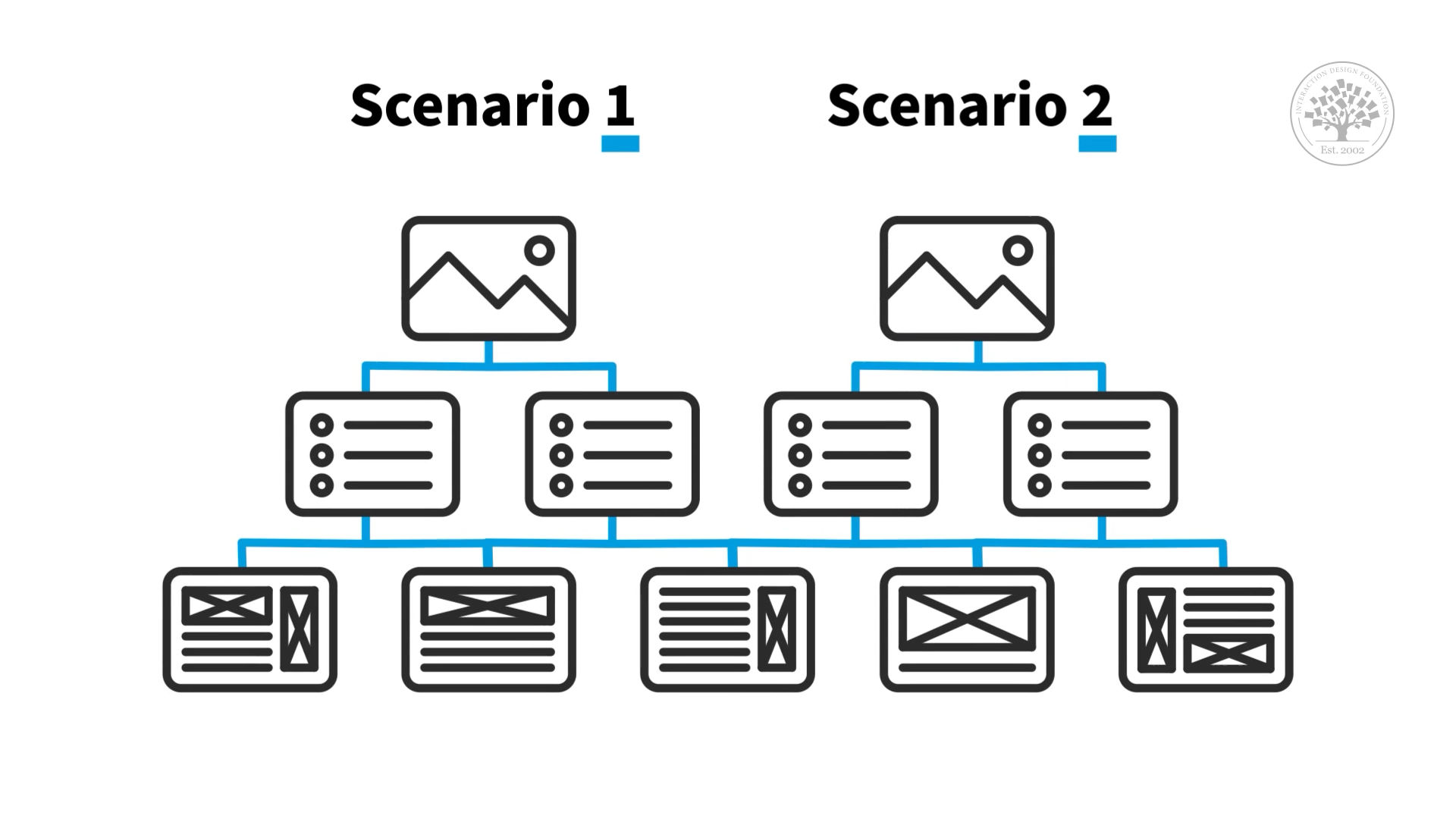
Hierarchical diagram showing that different scenarios describe different parts of the system.

Individual scenarios are usually describing a particular path through an interactive system.

© Interaction Design Foundation, CC BY-SA 3.0

User scenarios are generally evocative. Their purpose is to provide motivation and back stories explaining how and why they need to interact with our solutions the way they do. In so doing they’re intended to promote empathy and understanding, as well as a user focus in a technological solution, whether it’s a website, wearable device or voice assistant.

Scenarios, Personas and Roles
A

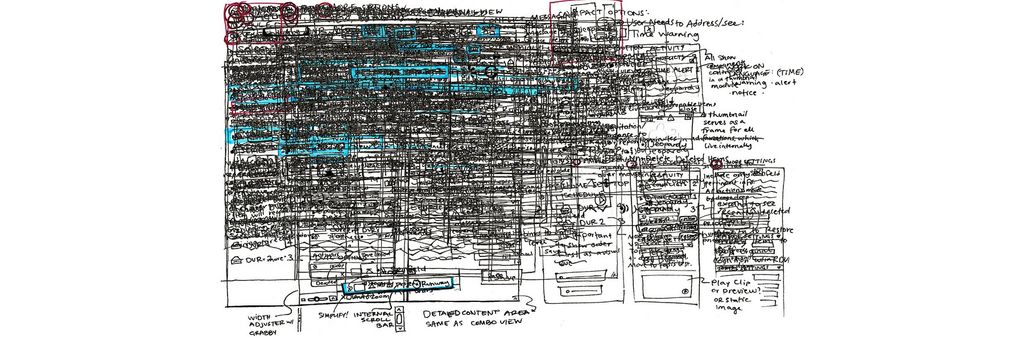
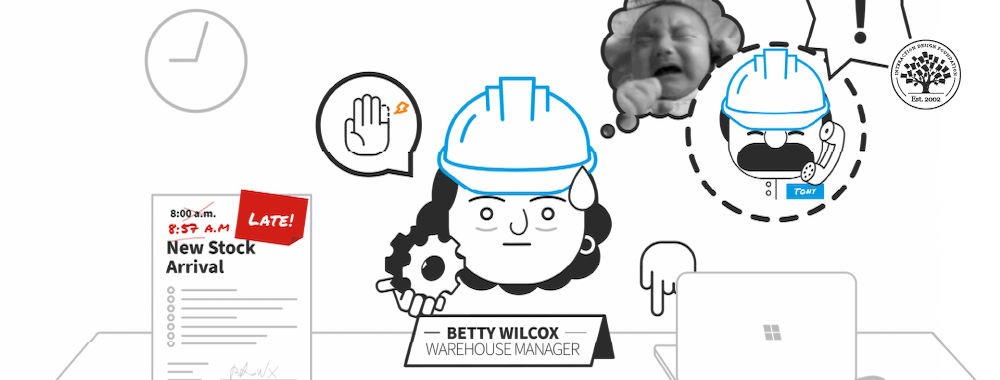
Although usually textual, user scenarios paint a “rich picture” of important factors behind users’ needs and behaviors.

© Interaction Design Foundation, CC BY-SA 3.0

In software development, scenarios are typically focused on actors who assume one or more roles within the system. This approach is counter-productive from a user-centered design perspective since there is no detailed understanding of the roles themselves or how the activities being described in the (prescriptive) scenarios are actually performed.

While personas can take one or more roles in the context of a system, user research provides us with a wealth of information about a persona’s relationship to a role: Do they love it or hate it? Is the role well-defined or vague? What are the pain points? (And so on.) Also, particularly in customer-facing systems, the roles themselves are not very meaningful. For example, in an e-commerce solution the role is “customer”. In the travel industry the role is “passenger” or “customer” depending on the transaction. In more general solutions the role may simply be expressed as “user”. These roles tell us almost nothing about how we need to design our solutions.

So, the focus in user-centered scenarios is personas, with the concept of role being used only when relevant. The travel example above is a case in point: for some transactions it is important to know whether the user is the customer, the passenger or both. Similarly, in many contexts some roles are associated with greater responsibility and therefore more functionality is available to them. The relationships between roles are not always hierarchical, though. In a hospitality setting, cleaning and maintenance roles would not have access to accounting information (and vice versa).

Creating User Scenarios

User scenarios have a number of benefits and applications in user-centered and user experience design. They allow us to…

  • Explore and explain motivations for certain user needs and behaviors.

  • Explicitly describe how our persona expects interactions to proceed, with expectations about the sequence of events, the formats of input and output and details of the information required to realize this scenario effectively.

  • Draw attention to “pain points” in an existing process or anticipated complexity in new processes.

For each scenario we need to describe not only the persona’s goal, but also the context in terms of the…

  • Persona involved and their role (if relevant).

  • Events leading up to the scenario, particularly those that created the need for this scenario to be realized.

  • Environment in which the scenario is performed. Note that this is not only the physical environment, but also the social, legal and organizational environments.

Then it’s time to write the scenario. User scenarios are written as stories that are rich in detail. But be careful not to include too much in the way of extraneous information. For example, what the persona is wearing would only be relevant if there was an important issue with the physical environment that needed to be explained. (Shorts in a refrigerated storeroom would be an exception!)

Questions About User Scenarios?
We've Got Answers!

How do you explain user scenarios in a technical document?

In a technical document, explain user scenarios clearly by outlining the user's goals, actions, and the system's response. Start with a concise title summarizing the scenario, followed by a brief description of the user, their objective, and the context. Detail each step the user takes to accomplish the goal and note the system's interactions or responses at each stage. Use clear, precise language and consider incorporating visuals or diagrams to enhance understanding. This approach ensures a comprehensive overview of user interactions with the system.

What is an example of a scenario in user experience?

An example of a scenario in user experience might describe a user, “John,” navigating an e-commerce website to purchase a laptop. The scenario details John’s goals, actions, and the system’s responses as he searches for a laptop, reads product descriptions, and completes the purchase. Each interaction and system feedback is outlined step-by-step, illustrating user flow and potential pain points. For a more comprehensive insight into crafting user scenarios, refer to our article Design Scenarios: Communicating the Small Steps in the User Experience.

What makes a good scenario?

A good scenario is user-centered, specific, and realistic, clearly outlining user goals, actions, and context. It should illustrate how users interact with a product, highlighting possible pain points and user flows. Simplicity and clarity are vital to avoiding unnecessary jargon and complexity. Developing engaging and informative scenarios is crucial in understanding and enhancing user experience. For more depth on creating compelling scenarios, refer to the book chapter Personas – The Encyclopedia of Human-Computer Interaction.

What is the difference between a user story and a user scenario?

Transcript

A user story, as Laura Klein mentions in the video above, is a concise representation of a feature, often written on cards or sticky notes in Agile methodologies. It is usually in the format: 'As a [user type], I would like [some goal or action], so that [outcome],' focusing on a user's need, want, and perspective, and can typically be completed in hours or days. In contrast, a user scenario is more detailed, illustrating how a user interacts with a product to accomplish a specific goal, providing a comprehensive view of user interactions.

For more insights on user stories, refer to this article. Note that from a user-centered design and user experience perspective, persona stories are preferable to user stories. Persona stories do not encourage the author to pretend they’re the user and instead rely on user research. They take the form “[Persona][action][goal]” and can be followed by “so that [outcome]” if different from the goal. For more information see this article on persona stories.

What is the difference between a use case and a user scenario?

A use case is a set of steps that describe the interactions between a role and a system to achieve a goal. It's more technical and focuses on how the system responds to user actions. On the other hand, a user scenario is a narrative describing how a user interacts with a system, focusing on a user's experience, goals, and actions, typically used to understand user needs and behaviors in context. Use cases detail every alternative path that users may take for the given goal, including all error conditions. User scenarios are not usually so detailed.

What is a scenario in Agile?

In Agile methodology, a scenario represents a specific user interaction with the system, illustrating the steps a user takes to accomplish a goal. It’s detailed and focused, providing a clear context and user perspective, aiding in developing features that are user-centric and aligned with user needs. It’s essential for ensuring that developed functionalities meet user expectations effectively.

Transcript

As Laura Klein points out in her video, Agile design often involves releasing something that might not seem 'perfect' to designers. The focus is on iterative improvement, constantly enhancing based on feedback and learning what would make the design better, aiming for what is ‘good enough’ to solve a problem and learn from. It’s about achieving balance and focusing on user satisfaction and continuous enhancement.

What is user scenario testing?

User scenario testing is a crucial UX method where designers evaluate the usability and intuitiveness of a product by observing potential users as they perform tasks within specific contexts or situations, reflecting real-world use. This technique allows designers to identify and resolve usability issues, enhancing the overall user experience. It focuses on user behavior, goals, and task flows, ensuring products meet user needs and expectations efficiently. 

Transcript

Alan Dix, a renowned HCI professor, explains that user scenarios are invaluable stories for design derived from observing or conversing with users. They allow designers to comprehend and convey the dynamics of user interactions, providing a rich, linear view of users’ experiences, intents, and actions.

Where to learn more about user scenarios?

Enroll in the HCI: Foundations of UX Design course on Interaction Design Foundation to learn more about user scenarios. This course, led by HCI Professor Alan Dix, offers extensive insights into creating compelling user scenarios and understanding user interactions, aiding in crafting user-centered designs. By studying this course, you can deepen your knowledge in user experience and interaction design, learning how to build more user-friendly, engaging products.

Transcript

Earn a Gift Earn a Gift, Answer a Short Quiz!

1
2
3
4
1
2
3
4
Question 1
Question 2
Question 3
Get Your Gift
Interaction Design Foundation logo

Question 1

What is the purpose of user scenarios?

1 point towards your gift

  • To describe technical system specifications
  • To illustrate how users interact with a system in realistic situations
  • To list all possible user actions
Interaction Design Foundation logo

Question 2

Which element is essential in a user scenario?

1 point towards your gift

  • Code snippets
  • Detailed system architecture
  • User goals and context
Interaction Design Foundation logo

Question 3

Why are personas important to create user scenarios?

1 point towards your gift

  • They provide real user information and backgrounds to show user behaviors and needs.
  • They represent fictional characters to show user behaviors and needs.
  • They completely replace the need for user research.

Learn More About User Scenarios

Make learning as easy as watching Netflix: Learn more about User Scenarios by taking the online IxDF Course Human-Computer Interaction: The Foundations of UX Design.

Why? Because design skills make you valuable. In any job. Any industry.

 In This Course, You'll

  • Get excited about designing products and experiences people truly love. From medical apps that save lives to educational tools that bridge learning gaps, Human-Computer Interaction (HCI) is at the heart of every great User Experience (UX) Design. You'll learn what people enjoy and how to use that knowledge to create meaningful, engaging solutions. No design background? No problem. You already have transferable skills, like empathy, problem-solving, communication, and organizing information, so you have more HCI knowledge than you realize. HCI blends psychology, design, engineering, and ethics to help you craft experiences that feel intuitive and make it easy for people to fulfill their needs and reach their goals. That's what we human beings love. More love means higher business profits and a salary that reflects your value.

  • Make yourself invaluable when you discover the science behind great design. You'll master timeless human-centered design skills like perception, insight, and strategic thinking that become even more powerful in an AI-enhanced world. Turn AI into your superpower with your unique human understanding that no algorithm can generate on its own. Studies show that tech and design-related occupations will grow 23% by 2031, much faster than the average. HCI skills are in demand across every industry. This course helps you structure your existing skills and apply them creatively, from idea to delivery. With your HCI skills, it's easy to drive customer loyalty and business success because you know how to design for people. Level up in your current role or use your new skills to break into a career in design and tech.

  • Gain confidence and credibility as you build experiences so effortless they feel like second nature. It's easier than you think. With ready-to-use templates for global navigation, personas, and more, you'll get everything you need to immediately apply your skills and create user-centered results people keep coming back to. Build a standout portfolio and fast-track your career with optional hands-on exercises. This course will give you real-world human-centered design solutions, such as a website, app, or smart device, to showcase your in-demand skills.

It's Easy to Fast-Track Your Career with the World's Best Experts

Master complex skills effortlessly with proven best practices and toolkits directly from the world's top design experts. Meet your expert for this course:

  • Alan Dix: Author of the bestselling book “Human-Computer Interaction” and Director of the Computational Foundry at Swansea University.

Get an Industry-Recognized IxDF Course Certificate

Increase your credibility, salary potential and job opportunities by showing credible evidence of your skills.

IxDF Course Certificates set the industry gold standard. Add them to your LinkedIn profile, resumé, and job applications.

Course Certificate Example

Be in distinguished company, alongside industry leaders who train their teams with the IxDF and trust IxDF Course Certificates.

Our clients: IBM, HP, Adobe, GE, Accenture, Allianz, Phillips, Deezer, Capgemin, Mcafee, SAP, Telenor, Cigna, British Parliament, State of New York

All Free IxDF Articles on User Scenarios

Read full article
Personas for Mobile UX Design - Article hero image
Interaction Design Foundation logo

Personas for Mobile UX Design

To design successful user experiences, it's critical to understand your users. One way to learn about your users is with user personas. Here, we’ll explore the benefits of personas in UX design and provide a step-by-step guide on how to create compelling user personas that inform your design choices

Social shares
871
Published
Read Article
Read full article
Design Scenarios - Communicating the Small Steps in the User Experience - Article hero image
Interaction Design Foundation logo

Design Scenarios - Communicating the Small Steps in the User Experience

Design scenarios are useful tools for communicating ideas about user actions. Mapping design scenarios also has the added benefit that it helps formalize ideas and to take creative approaches to those ideas. Most importantly of all, it will ensure that your designs are firmly rooted on terra firma a

Social shares
964
Published
Read Article
Read full article
Creating Personas from User Research Results - Article hero image
Interaction Design Foundation logo

Creating Personas from User Research Results

When you’re in the beginning stages of your design project and you have just finished some highly informative interviews and observations in the context of your users, your head is full of impressions. You have a feeling for the different types of users who exist, and you have heard some similaritie

Social shares
954
Published
Read Article
Read full article
How to Design Use Cases in UX - Article hero image
Interaction Design Foundation logo

How to Design Use Cases in UX

Imagine a new mobile app or an e-commerce site gets launched; it looks great, sure, and it should be a hit because it at least looks like it’s got what it takes, but—drumroll—it tanks in the marketplace, all because people find it hard to complete even the simplest tasks. That’s rough, but—behind th

Social shares
767
Published
Read Article

Design Scenarios - Communicating the Small Steps in the User Experience

Design Scenarios - Communicating the Small Steps in the User Experience

Design scenarios are useful tools for communicating ideas about user actions. Mapping design scenarios also has the added benefit that it helps formalize ideas and to take creative approaches to those ideas. Most importantly of all, it will ensure that your designs are firmly rooted on terra firma and taking a “what our users want/need” approach from the outset. In general, user scenarios are designed to capture the key interactions with a system and not all possible interactions.

What is a User Scenario?

A user scenario simply describes a basic story of an action or goal that a user wants to accomplish. It might be how Kevin needs to buy a CD online for delivery today for his friend’s birthday, for example. Of course, scenarios can be much more detailed too the idea is to work out the: who, what, when, where, why and how of the user’s scenario.

Scenarios can be used to describe both what currently happens within a system or environment or more typically the intended behavior within a system or environment.

User scenarios can be useful when defining usability testing too. They enable testers to focus on the key tasks within a system.

As Steve Jobs, the Apple founder, said; “Design is not what just what it looks and feels like. Design is how it works.” User scenarios help you examine how your design will work.


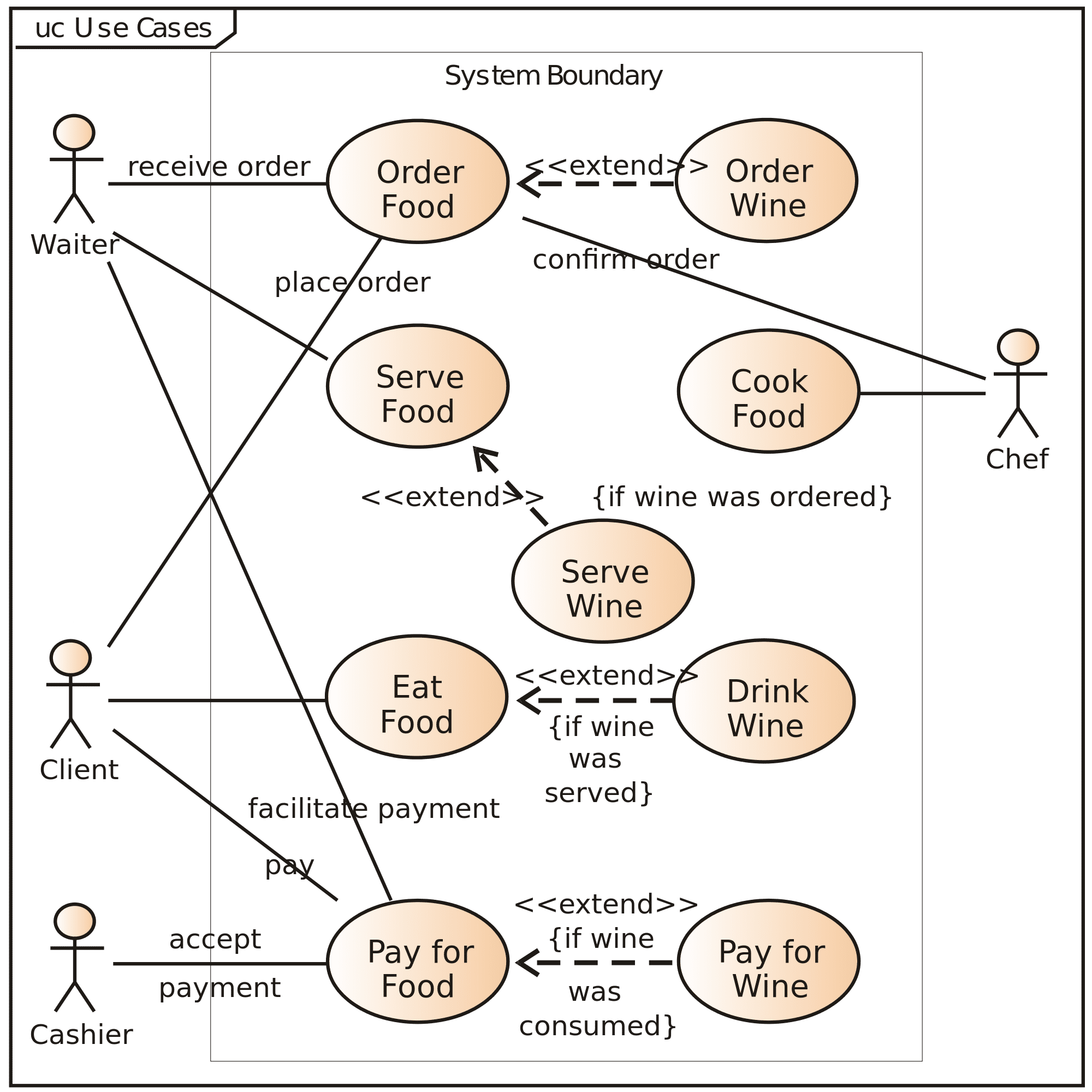
Author/Copyright holder: Kishorekumar 62. Copyright terms and licence: CC BY-SA 3.0

A common way for developers to illustrate user scenarios is to use UML (Unified Modelling Language) as seen here.

When Should Scenario Mapping Be Used in a Project?

Scenario mapping can be effective at many points during a project but there are three great uses for it at specific stages:

  • Ideation – if you’re trying to create a new product, then having scenario maps makes it very easy to explore ideas with your team and with users. It also helps, in a similar means to task analysis, formulate a shared vision for the project. (See the method below as to how to do this).

  • Iteration – if you’re new to a product and you’re going to be involved in creating future iterations then it’s pretty easy to create scenario maps “on the fly” by observing users with the current product. (This can be done solo and doesn’t need the method below).

  • Usability testing – user scenarios can also be used to define which are the most important areas to test during usability testing and to provide guidance on how it should be done.


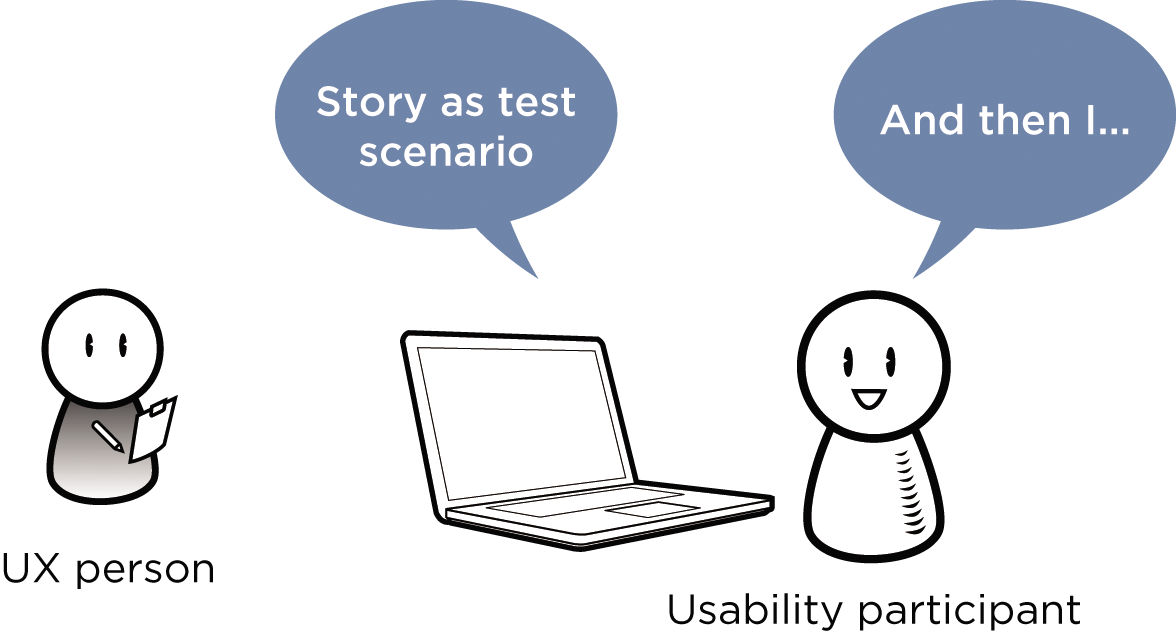
Author/Copyright holder: Rosenfeld Media. Copyright terms and licence: CC BY 2.0

Usability testing is a vital part of UX work and user scenarios make it easy to provide the story for the user to test.

How to Do User Scenario Mapping?

It’s a pretty simple process to create user scenarios and here’s a simple way to conduct it:

  • First, find a place that you can use to get creative – you’re going to need somewhere where a group can talk and discuss without being interrupted and without disturbing others. You’re probably going to need between 2 and 3 hours for the session.

  • Then invite a bunch of relevant people to the session – the UX team, the development team, the product manager, etc. but don’t invite too many people, a maximum of 7 is a good idea as it means everyone can contribute without anyone getting lost in the mix.

  • Then get some post-it notes, flipchart paper, etc. stuff that makes it easy to capture an idea and get it in front of everyone. Bring sellotape or blu-tack in case things aren’t sticky enough for the surfaces in your room.

  • Explain to everyone present what your objectives are and what a user scenario is – it’s always good to have everyone on the same page. However, don’t spend too much time on this either; you want people firing on their creative best not snoring in the corner because you’ve TMI’d them to death.

  • Hopefully you have user personas because they’ll come in handy as you map your first user scenario. What is it that this user must do in this interaction with the product? This tells you what goes into the scenario.

  • You also need to provide context to make your scenarios as accurate as possible – the who, what, when, where and why detail that gives a scenario colour and makes it easy to relate to.

  • Then it’s time to take some baby steps and walk through the scenario in the shoes of your user (referring to your user personas). What will the user do? What information do they need to get that done? What questions will they need answered or will you need answered to do this? What assumptions will you have to make to make this work?

  • Finally, you also want to collect ideas from the team that don’t fit within the scenario but may be related to it.

  • After you’ve completed each scenario make a written note of it and stick it to the wall. Try and get scenarios grouped so that you can make easy sense of them and spot any gaps that arise.


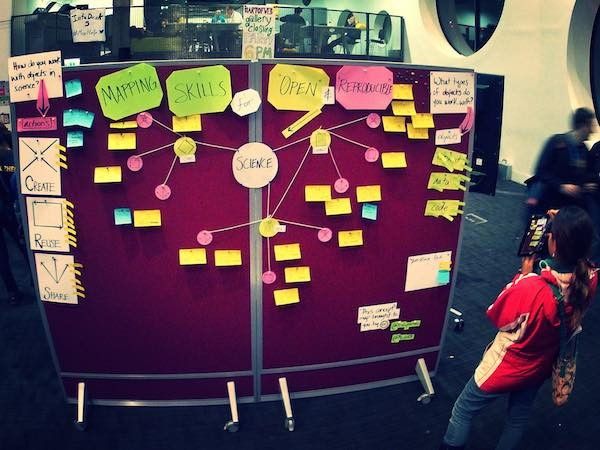
Author/Copyright holder: Billy Meinke. Copyright terms and licence: CC BY 2.0

Grouping ideas together makes it easy for you to form connections between them – you can even follow this example and link them using bits of string (or draw arrows).

  • Repeat this process for each scenario. Until you’ve generated scenarios for every key task the user will perform with the product.

  • Need to find more scenarios? Then the question is “what key tasks must be performed in order to satisfy the user and/or the business” (though it’s worth noting that tasks that satisfy the business and not the user are unlikely to be performed very often).

  • Once all your scenarios are complete – take a high-res photo of the wall (it saves you from having to copy all that data down before you give up the room to someone else) and ensure that you can read the notes you’ve made in the photo.

  • The last stage is to compile all that data into something useful (say a spreadsheet or a flowchart) and then share it with other stakeholders to get their feedback. The feedback they provide should be specific and detailed to be of the most value; “I don’t like that.” is not feedback – it’s opinion. “I don’t think that can be done because our hardware doesn’t support XYZ functionality” on the other hand is useful feedback – it invites exploring other options or changing the plan.


Author/Copyright holder: FlorianBauer79. Copyright terms and licence: CC BY-SA 3.0

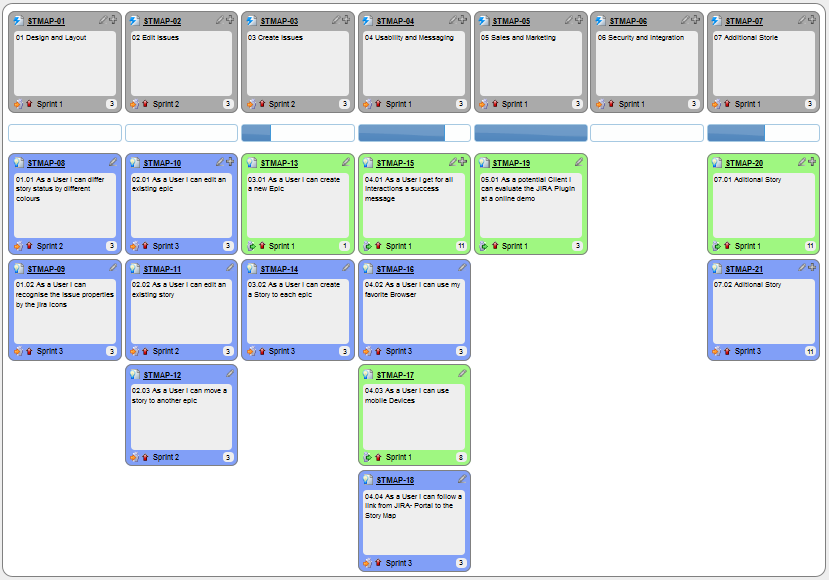
Here’s an example of user scenarios being brought together to form a user story. This will guide the design and development process.

One final note: scenario maps are not intended to represent every possible interaction with a system or product but rather to capture the most important interactions. If you try to cover everything, particularly with a complex product, you’re going to find that future iterations of the scenario maps become ever more convoluted (as one change will impact a bunch of other scenarios) so it’s best to keep things quite high-level.

The Take Away

User scenarios are a great way of communicating the key tasks a user will perform with a system. They can also help define the usability testing regime when a project has finished. It is a simple process to create user scenarios and every UX designer should have them in their toolkit for developing and iterating products.

Resources & Where to Learn More

Course: “User Experience: The Beginner's Guide”.

You can find some great examples of user scenarios here (as used for accessibility analysis).

The British government’s usability website offers some handy hints on using user scenarios too.

Hero Image: Author/Copyright holder: Katie Inglis . Copyright terms and licence: CC BY-NC-ND 2.0

Feel Stuck?
Want Better Job Options?

AI is replacing jobs everywhere, yet design jobs are booming with a projected 45% job growth. With design skills, you can create products and services people love. More love means more impact and greater salary potential.

At IxDF, we help you from your first course to your next job, all in one place.

See How Design Skills Turn Into Job Options
Privacy Settings
By using this site, you accept our Cookie Policy and Terms of Use.
Customize
Accept all

Be the One Who Inspires

People remember who shares great ideas.

Share on:

Academic Credibility — On Autopilot

Don't waste time googling citation formats. Just copy, paste and look legit in seconds.