Low-Fidelity Prototypes

Your constantly-updated definition of Low-Fidelity Prototypes and collection of videos and articles.
Be a conversation starter: Share this page and inspire others!

394 Shares

What are Low-Fidelity Prototypes?

Low-fidelity prototypes are simplified, early-stage representations of a product or interface that prioritize functionality over visual design. They are usually created using pen and paper or basic digital tools and help visualize the core functions and flow of a product. 

Fidelity refers to the level of detail and functionality of a prototype—there are low-fidelity, mid-fidelity and high-fidelity prototypes

Designers use low-fidelity prototypes to quickly test and iterate ideas before investing time and resources in high-fidelity development. A classic example of low-fidelity prototypes are paper prototypes.

Transcript

Why Are Low-Fidelity Prototypes Important?

Low-fidelity prototypes are flexible and cost-effective ways to explore design concepts. They are usually created at the early stages of the design process. Designers use them to start visualizing their ideas and to test their validity. Designers can also use low-fidelity prototypes to do early testing with users and gather feedback to refine their ideas.

These prototypes help:

  • Uncover usability issues early: Thanks to testing the flow of an application with users, designers may identify potential pain points and inefficiencies. For instance, a paper prototype of a mobile app might reveal that users struggle to complete a specific task.

  • Foster collaboration and alignment: For non-designers, sometimes it can be difficult to understand early ideas or concepts. Low-fidelity prototypes help visualize these ideas and make sure all stakeholders are on the same page. 

  • Reduce development costs: Any issue that is identified at this early stage of the process will save costs later on. For example, a navigation issue in a paper prototype can be easily addressed and fixed, whereas a navigation issue in a commercially available app will be far more difficult and costly to fix.

  • Stimulate creativity and innovation: the rapid and low cost of low-fidelity prototyping allows designers to experiment with different ideas and concepts in an efficient manner.

Rapid Iteration: Types of Low-Fidelity Prototypes

Designers use different types of low-fidelity prototypes depending on their objectives. Here are the primary types:

  • Sketches: Hand-drawn representations of screens or flows, often created with pen and paper. They can also be created with digital software. In this video, best-selling author Mike Rohde explains how everyone can sketch, even without having drawing skills.

Transcript

  • Storyboards: Sequential sketches that depict user interactions and the overall user experience. In this video, UX designer and author Laura Klein explains how telling stories and creating sketches can help designers.

Transcript

  • Post-it notes: Sticky notes can be used to represent different screens or elements, allowing for easy rearrangement.

  • Paper prototypes: Physical mockups using paper and pen to simulate user interactions.
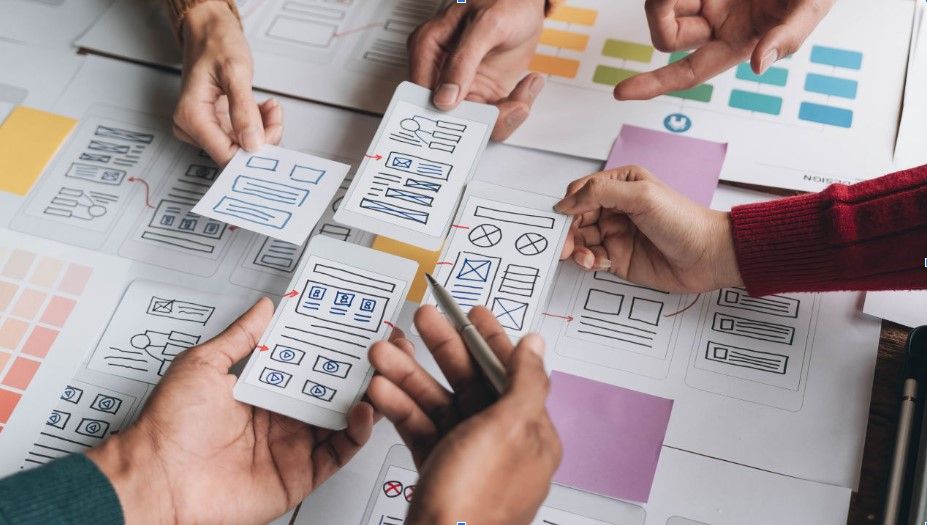
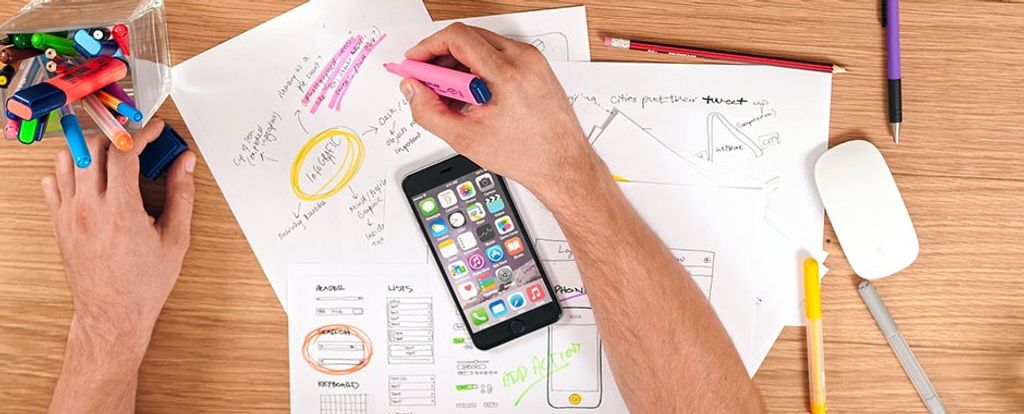
People working on a paper prototype.

© Interaction Design Foundation, CC BY-SA 4.0

  • Role-playing: Acting out user scenarios can help identify potential pain points and improve the design. This is especially useful when designing for a 3D product. In this video, CEO of Experience Dynamics Frank Spillers explains how low-fidelity prototypes are essential for  creating3D experiences, such as AR or VR apps.

Transcript

  • Wizard of Oz prototyping: A technique where a designer simulates a software application's functionality behind the scenes. In other words, users interact with what seems like a fully functioning product, but behind the scenes, a designer is manually controlling the experience. It's a way to test complex interactions without building the entire system first. Learn more about Wizard of Oz prototyping in this video:

  • Lego prototypes: For physical products, Lego bricks can be used to create tangible representations of the design.

  • Digital wireframes: Basic digital representations of the interface using simple shapes and outlines.

Design Process in Focus: The Role of Low-Fidelity Prototypes in Your Portfolio

Hiring managers want to see the design process of a candidate. Therefore, designers should incorporate low-fidelity prototypes in their portfolio to visualize their design process and increase their chances of getting hired. This not only showcases design skills but also helps build credibility, and shows the designer’s full involvement in the project and their journey from design concept to final product.

High-Fidelity Prototypes vs. Low-Fidelity Prototypes: What’s the Difference

The level of prototype’s fidelity should match the desired outcome—if they’re going to be presented to users for testing and focused feedback is required, the prototype’s fidelity should reflect that. 
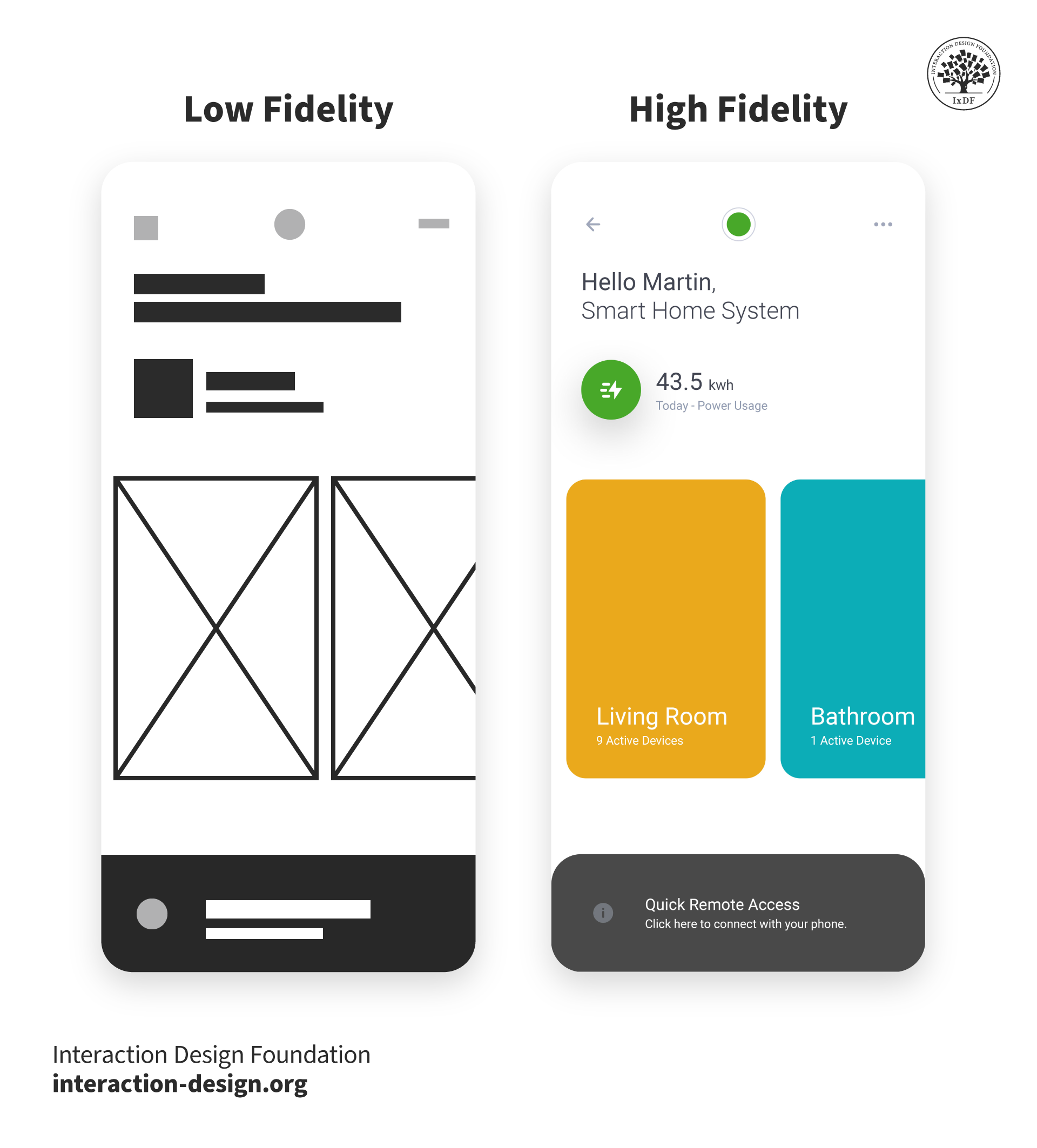
Low-Fidelity vs High-Fidelity Prototypes

© Interaction Design Foundation, CC BY-SA 4.0

Here are the main differences:

  • Low-fidelity prototypes allow for quick iterations and easy modifications, encouraging a focus on core functionality. However, their lack of visual appeal and interactivity can limit their effectiveness in gathering detailed user feedback. While valuable for early-stage exploration, paper prototypes may not accurately represent the final product's complexity, which can lead to misunderstandings.

  • High-fidelity prototypes offer a more polished representation of the final product. While they require greater time and resources to develop, they provide a more realistic user experience, enabling more accurate feedback. However, this increased fidelity can also lead to a focus on superficial details, potentially overshadowing the core functionality. Additionally, designers may become overly attached to their work, making changes difficult. It's essential to balance the desire for a visually appealing prototype with the need for iterative improvement.

Some designers split high-fidelity prototyping into “mid-fidelity” (where prototypes can have basic digital interactivity or be slick wireframes) and “high-fidelity” (where they’re far closer to the final version). Interactive prototypes yield far more useful results in user tests. However, fidelity is relative—a static mockup of a landing page, for example, is of higher fidelity than sketched cut-outs users can move. Overall, the right prototype depends on the project stage and the specific product.

The Design Journey: From Low-Fidelity to High-Fidelity

The optimal moment to transition from the rapid iteration of low-fidelity prototypes to high-fidelity ones depends on the unique characteristics of each project. Designers must consider project goals and resource allocation.

Typically, once the main usability issues have been identified and solved, and the fundamental interactions and core flow are solid, it would be a good time to move on to high-fidelity prototypes.

Questions About Low-Fidelity Prototypes?
We've Got Answers!

- Mastering UX Design with Effective Prototyping: Turn your ideas into reality with UX prototyping by Apurvo Ghosh.

- The Design of Everyday Things by Don Norman. This book emphasizes the importance of user-centered design and provides valuable insights into creating intuitive and user-friendly interfaces. It covers the principles that underpin high-fidelity prototyping.

When should you use a low-fidelity prototype?

Use low-fidelity prototypes in the early design stages to quickly test and iterate on ideas. These simple, cost-effective prototypes focus on functionality over aesthetics and help designers explore concepts, gather user feedback, and facilitate team collaboration. They support an iterative design process, allowing rapid adjustments based on feedback. 

Learn more about low-fidelity prototypes in Low-fidelity prototyping: What is it and how can it help?

What materials and tools are typically used for creating low-fidelity prototypes?

Designers typically use a range of materials and tools to create low-fidelity prototypes. These include:

  • Paper and pen: The simplest and most common tools. Sketching ideas on paper allows quick visualization and easy adjustments.

  • Post-it notes: Useful for creating modular components that can be rearranged to explore different layouts and interactions.

  • Cardboard: Helps create more tangible prototypes, especially for physical products, allowing designers to understand scale and ergonomics.

  • Wireframes: designers create digital low-fidelity prototypes with different digital design tools. These tools offer pre-made UI elements, enabling quick assembly of design ideas.

  • Whiteboards: Ideal for collaborative brainstorming sessions. Teams can draw and adjust their ideas in real-time.

  • Cutting tools: Scissors, craft knives, and cutting mats are often used to shape and refine paper or cardboard prototypes.

  • Glue and tape: Essential to assemble physical prototypes, allowing designers to combine various materials.

  • Markers and highlighters: Highlight key features or interactions, making it easier to communicate ideas to stakeholders.

Learn more about low-fidelity prototypes in 5 Common Low-Fidelity Prototypes and Their Best Practices.


How detailed should a low-fidelity prototype be?

A low-fidelity prototype should convey core functionality and user flow without focusing on visual details. Include a basic layout, key interactions, user journey, and brief annotations to explain elements and interactions. This approach allows for rapid creation and iteration, focusing on user experience and essential features.

Learn more about low-fidelity prototypes in Low-fidelity prototyping: What is it and how can it help?

What are the limitations of low-fidelity prototypes?

Low-fidelity prototypes, while useful for early design stages, have limitations such as lacking visual and interaction details, which can lead to misunderstandings about the final product. They may not elicit accurate user feedback and are less effective for stakeholder presentations. Additionally, they can oversimplify complex interactions, missing critical user experience aspects. As the design progresses, transitioning to higher-fidelity prototypes and supplementing with detailed annotations can address these limitations.

Learn more about low-fidelity prototypes in 6 Common Pitfalls in Prototyping and How to Avoid Them.


Can low-fidelity prototypes be used for user testing?

Yes, you can use low-fidelity prototypes for user testing, particularly in the early stages of design. These prototypes help gather valuable feedback on basic functionality, user flows, and overall concept without extensive investment. They allow designers to identify major usability issues and understand user needs quickly. However, keep in mind that the feedback may be less precise regarding visual details and complex interactions. As the design evolves, transitioning to higher-fidelity prototypes can provide more detailed and accurate user testing results.

Learn more about low-fidelity prototypes in UX Prototypes: Low Fidelity vs. High Fidelity.

How do you present a low-fidelity prototype to stakeholders?

To present a low-fidelity prototype to stakeholders, start by explaining its purpose and focusing on functionality and user flow over visual details. Clearly outline the goals, guide them through the prototype, and highlight key interactions. Use annotations to clarify elements and encourage feedback. Manage expectations by reminding them that the prototype is preliminary and will evolve.

Learn more about low-fidelity prototypes in How do you present prototypes to stakeholders?

What are common mistakes to avoid when creating low-fidelity prototypes?

When creating low-fidelity prototypes, avoid overcomplicating the design. Keep the prototype simple and focused on core functionalities, regularly update it based on feedback, and provide clear annotations to explain interactions. 

Learn more about low-fidelity prototypes in 6 Common Pitfalls in Prototyping and How to Avoid Them.

How do you decide what features to include in a low-fidelity prototype?

To decide what features to include in a low-fidelity prototype, focus on core functionalities and key user interactions that need validation. Prioritize essential elements that demonstrate the basic user flow and overall concept, such as main user journeys and critical interactive components like buttons and forms. Incorporate features requiring user feedback and avoid unnecessary details.

Learn more about low-fidelity prototypes in 5 Common Low-Fidelity Prototypes and Their Best Practices.

Earn a Gift Earn a Gift, Answer a Short Quiz!

1
2
3
4
1
2
3
4
Question 1
Question 2
Question 3
Get Your Gift
Interaction Design Foundation logo

Question 1

Why do designers use low-fidelity prototypes during the early stages of product development? 

1 point towards your gift

  • To quickly test and iterate design ideas
  • To create a final, polished version of the product
  • To focus on detailed visual elements of the interface
Interaction Design Foundation logo

Question 2

What is the primary difference between low-fidelity and high-fidelity prototypes? 

1 point towards your gift

  • Low-fidelity prototypes are used for detailed visual design, while high-fidelity prototypes focus on core functionality.
  • Low-fidelity prototypes prioritize basic functionality, while high-fidelity prototypes offer a more polished, realistic experience.
  • High-fidelity prototypes are faster to create than low-fidelity prototypes.
Interaction Design Foundation logo

Question 3

How do low-fidelity prototypes help reduce development costs? 

1 point towards your gift

  • By allowing designers to skip the testing phase
  • By enabling direct deployment of the prototype to the market
  • By identifying usability issues before high-cost development

Learn More About Low-Fidelity Prototypes

Make learning as easy as watching Netflix: Learn more about Low-Fidelity Prototypes by taking the online IxDF Course AI for Designers.

Why? Because design skills make you valuable. In any job. Any industry.

In This Course, You'll

  • Get excited about how quickly you can create meaningful results when you turn AI into your new superpower and combine it with timeless human-centered design skills. As an AI-powered designer, you’ll increase your efficiency and salary potential, and as a human-centered leader, you'll create ethical AI-powered products people love. When these abilities come together, you’ll solve real-world problems faster and make the world a better place. Studies show that AI-driven productivity accelerates growth and helps busy professionals like you achieve in months what once took decades. Now's the time to master the powerful combination that keeps you in demand.

  • Make yourself invaluable when you use AI to accelerate repetitive tasks while applying your irreplaceable human strengths like empathy, critical thinking, and ethical decision-making to guide every solution toward what users truly need. Leaders seek professionals with AI fluency because the people who thrive combine AI efficiency with deep human insight that machines can't replicate. You'll learn to automate and streamline repetitive tasks, make data-driven decisions, and optimize your workflow for innovation and cost savings. No matter your background, you'll easily master AI for Designers. With clear guidance and real-world examples, you'll apply your skills immediately.

  • Gain confidence and credibility as you master the art of text prompts for design. You'll learn how to deal with bias in AI and how to use AI tools to create intuitive user experiences that drive business success. You can fast-track your portfolio of AI-enhanced case studies with step-by-step guidance, practical tips for real-life projects, and downloadable templates. This course gives you the hands-on knowledge to guide AI with timeless human-centered design skills, and that's how you stay in demand in any industry!

It's Easy to Fast-Track Your Career with the World's Best Experts

Master complex skills effortlessly with proven best practices and toolkits directly from the world's top design experts. Meet your experts for this course:

  • Ioana Teleanu: Founder of UX Goodies and former Lead Product Designer (AI) at Miro.

  • Rafael Hernandez: Lead Product Designer at T. Rowe Price.

  • Jarvis Moore: Senior Design Lead, Design Systems at Microsoft.

  • Niwal Sheikh: Product Design Lead at Netflix.

  • Vitaly Friedman: Senior UX Consultant for the European Parliament, and Creative Lead, Smashing Magazine.

  • Pablo Stanley: Designer and CEO of Musho and Lummi.

Get an Industry-Recognized IxDF Course Certificate

Increase your credibility, salary potential and job opportunities by showing credible evidence of your skills.

IxDF Course Certificates set the industry gold standard. Add them to your LinkedIn profile, resumé, and job applications.

Course Certificate Example

Be in distinguished company, alongside industry leaders who train their teams with the IxDF and trust IxDF Course Certificates.

Our clients: IBM, HP, Adobe, GE, Accenture, Allianz, Phillips, Deezer, Capgemin, Mcafee, SAP, Telenor, Cigna, British Parliament, State of New York

All Free IxDF Articles on Low-Fidelity Prototypes

Read full article
6 Common Pitfalls in Prototyping and How to Avoid Them - Article hero image
Interaction Design Foundation logo

6 Common Pitfalls in Prototyping and How to Avoid Them

Prototyping is an indispensable part of the design thinking process. However, it’s crucial to know how to prototype the right way and avoid some common pitfalls. If not, your prototyping efforts might be for nothing as your biases and inefficiencies will lead to a suboptimal design solution. Let’s l

Social shares
986
Published
Read Article
Read full article
14 UX Deliverables: What will I be making as a UX designer? - Article hero image
Interaction Design Foundation logo

14 UX Deliverables: What will I be making as a UX designer?

What does a UX designer actually produce? Here, we will explore the concept of UX deliverables, a term that describes the outputs of a UX design process during its various stages. The deliverables produced by UX designers vary according to their role in the design team and also depending on the meth

Social shares
1.2k
Published
Read Article
Read full article
What UX Tools Do I Need to Create My Portfolio, and How Do I Learn Them? - Article hero image
Interaction Design Foundation logo

What UX Tools Do I Need to Create My Portfolio, and How Do I Learn Them?

“What UX tools should I learn so that I can build my portfolio?” “How do I learn UX tools?” We get these questions a lot here at the Interaction Design Foundation. If you’re starting out in UX, you might have these burning questions, too. So, here, we’ll go through everything you need to know about

Social shares
669
Published
Read Article
Read full article
Transform Your Creative Process with Design Thinking - Article hero image
Interaction Design Foundation logo

Transform Your Creative Process with Design Thinking

Think about a new user experience (UX) design project at work that your team needs fresh ideas for—you want to create a winning digital product for your users, one that’s desirable, economically viable, and technologically feasible. To start with, you try to understand market trends and consumer beh

Social shares
521
Published
Read Article

6 Common Pitfalls in Prototyping and How to Avoid Them

6 Common Pitfalls in Prototyping and How to Avoid Them

Prototyping is an indispensable part of the design thinking process. However, it’s crucial to know how to prototype the right way and avoid some common pitfalls. If not, your prototyping efforts might be for nothing as your biases and inefficiencies will lead to a suboptimal design solution. Let’s look at six common pitfalls and misconceptions of prototyping that can undermine your prototyping process, as well as how to combat each of them and build better products.

Prototyping is incredibly important. When you create prototypes to test them with users or to discuss your design ideas, you can gain important feedback that lets you improve your ideas. However, there are also many misconceptions about how to prototype that might cause you to go down the wrong path. That’s why we’ve listed below six common misconceptions and pitfalls, as well as solutions to each to help you reframe your mindset. Let’s get started!

1st Pitfall: Diving Into the First Good Idea

It’s tempting to grab at the first glimmer of light you see and run with that as your final solution. Perhaps you’ve come up with a great idea and can’t see why it might fail.

However, diving into the first good idea is not a good idea, because most problems we want to solve are more complex than they look on the surface. If you latch onto a promising idea and push it all the way into a fully formed solution, you might find out too late that you’ve gotten a couple of assumptions wrong (if you are lucky). The way people behave, constraints in the environment and a thousand other factors might cause matters to turn out differently from your or your team’s expectations.

Prototyping, especially the higher-fidelity version, can be expensive and time-consuming. If you commit to prototyping the first option, you may spend all your time trying to make a suboptimal idea work rather than finding a better or simpler idea.

Solution: Explore a Range of Different Approaches First

Start with a diverse range of ideas. Go through a divergent ideation process, where you come up with as many ideas as possible, even when you think you’ve got a “best” idea. Use low-fidelity prototypes to help you—for instance, sketch out your ideas as you brainstorm, and share them with your team-mates to create even more ideas.

One of the keys to successful prototyping is to work through a number of models and explore different approaches. That way, you can include the best characteristics and remove problematic ones for the final solution.

Test out many ideas. Test them by building prototypes—no matter how rough and simple—and test them on team-mates, internal stakeholders and users. Test many alternatives even within one idea. Most times, you will be inspired to create more ideas or merge a few solutions into a better and more successful one.

2nd Pitfall: Falling in Love with Your Prototypes

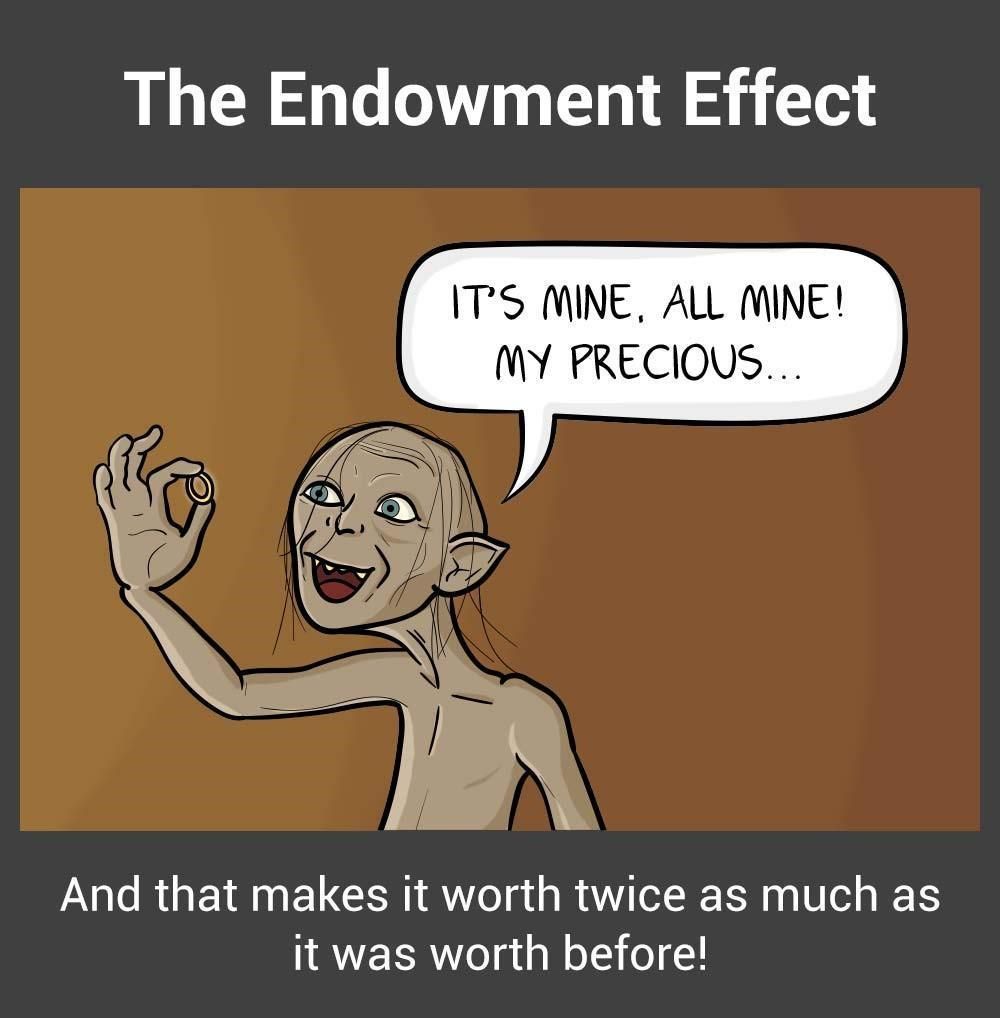
The endowment effect,otherwise referred to as “investment bias”, can interfere significantly with your prototyping process. The endowment effect happens when people ascribe more value to an object simply because they have ownership over it.

In prototypes, the endowment effect can create the dangerous situation wherein prototypes become too precious to fail or give up on.

Comic of the Endowment Effect showing Gollum holding the ring. The caption says

The endowment effect can make you fall in love with your prototypes and hinder objective evaluation of their effectiveness in solving user needs.

© Teo Yu Siang and the Interaction Design Foundation, CC BY-NC-SA 3.0.

The danger of falling in love with your prototypes is that you can get overly invested in the success of your prototypes, and thus overlook faults and negative user feedback. If you insist on implementing a prototype because of the amount of time and effort you’ve put into it, you can end up with something you love that doesn’t help solve your users’ needs.

Solution: Start with Cheap and Fast Prototypes

Start simple. Make quick and fast prototypes. Make use of low-cost, readily available materials in early-stage, low-fidelity prototypes. Always make sure that your prototype has just the level of detail required for what you are testing for, never too much. For example, use sketches and paper prototypes in the early parts of your design process. This prevents you or your team-mates from becoming too attached to a prototype. If you spend too much time early in the design process to create high-fidelity prototypes that look great, you might dupe yourself into thinking that you’ve landed on a miraculous discovery, a winner that will definitely resonate with users.

Also, be prepared to break, completely destroy or throw those models away once the questions they pose are answered. You can achieve this mentality by using low-cost materials in your prototypes. Test out a number of ideas and models as rapidly as possible in order to avoid becoming anchored to one stream of thought.

3rd Pitfall: Wasting Time Explaining and Pitching

Design thinking has a bias towards action. This means it’s always better to show rather than tell—avoid spending too much time pitching and explaining ideas rather than making things. This results in a theoretical focus and could lead you to move forward with ideas that you have not tested. As much as possible, create prototypes to explain your ideas. If you are unable to show how your idea works, you may find there are holes in the idea—and that’s a learning opportunity right there!

Solution: Have a Bias Towards Action

Embrace a bias towards action by opting to show the value of the ideas instead of telling everyone how great they are. When you build simple prototypes to show what your ideas are, you also make them much easier to understand and allow others to build on them.

For instance, when IDEO was approached by Gyrus ACMI, a medical visualization and energy systems company, the team met with specialist surgeons to understand their needs better. After one of the surgeons explained (or tried to explain) how their surgical instrument could be improved, an IDEO designer immediately created a rough prototype of the idea. The team was able to understand instantly what the surgeon meant, and they brought the discussion forward and saved the team many more meetings. Prototype to show, because showing is much more productive than telling.

4th Pitfall: Prototyping Without a Purpose

Why are you prototyping? Always make sure you can answer this question before you begin to prototype. You should create a prototype to answer specific questions, test and validate assumptions, illustrate an idea, flesh out an idea and so on. If you prototype for the sake of prototyping, you’ll lack a focus. You’ll likely create a prototype with too much detail, which is a waste of resources, or too little detail, which makes it ineffective in tests.

Solution: Have a Question in Mind

Before you create a prototype, ask yourself, “Why am I creating this prototype?” Make sure you have a central purpose (i.e., to test your assumption X, or to test the usability of your solution, etc.), and then build your prototype to match that purpose. For instance, if you need to test your assumption that users will not be willing to use a piece of equipment heavier than 2 kilograms, then you don’t even need to create a functional prototype. Simply create a prototype that weighs under 2 kg, and another that weighs over 2 kg, and test both on users. You’ll save time and still be able to learn exactly what you want to learn.

5th Pitfall: The Failure Roadblock: Feeling Discouraged by Failed Prototypes

“Failure” and prototyping go hand in hand. After all, you are likely to discover mistakes when you test your prototypes. The danger here is that you might feel disillusioned and unmotivated to move forward in your design process.

Solution: Reframe the Idea of Failure

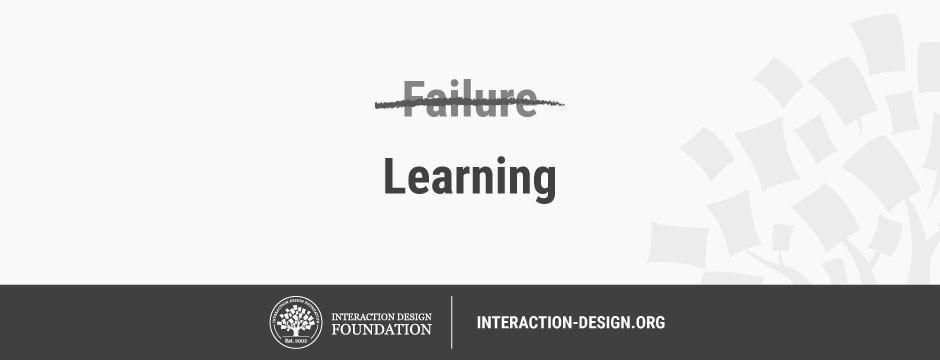
Illustration with the word

© Teo Yu Siang and the Interaction Design Foundation, CC BY-NC-SA 3.0.

“I have not failed. I’ve just found 10,000 ways that won’t work.”

– Thomas Edison, American inventor.

Reframe the idea of failure in prototyping into a learning mentality. Remind yourself that wrong ideas and failed prototypes allow you to learn more than successful tests and prototypes do. Embrace the principles of lean methodology by working validation into every decision that you make or have a hand in making. Validation reframes the concept of failure and makes it part of the process of learning instead of being a destructive influence. When you think of prototypes as learning opportunities, you set yourself up for a kind of positive failure that leads to a new, more informed experiment.

6th Pitfall: Seeing Prototypes as a Waste of Time

If you constantly need to build prototypes for every idea and assumption that you have, wouldn’t you be wasting time? Many times, designers and teams who are not used to design thinking feel that prototyping is a waste of time and resources. “Wouldn’t building prototypes slow us down?” they ask. “Wouldn’t we be better off to stay focused on the drawing board before we get around to putting things together in the real world?”

The truth is the opposite. Although we might spend time when we build prototypes, they actually allow us to move faster in the long term. It’s because, through prototyping, we are able to see whether our ideas would work out, and refine or abandon them. In the long term, we will be able to reach the ideal solution faster.

Solution: Adopt a Long-Term View

Build prototypes with a long-term view in mind. When you make prototypes, remember that the small amount of time you spend now will help you save days and even weeks of hard work—or needless toil, more like—in the future. Communicate to internal stakeholders who are concerned about the time “wasted” on prototypes, so the whole team (and ideally, the whole company) is on the same page. It may seem counter-intuitive, but spending time on prototypes will save you time.

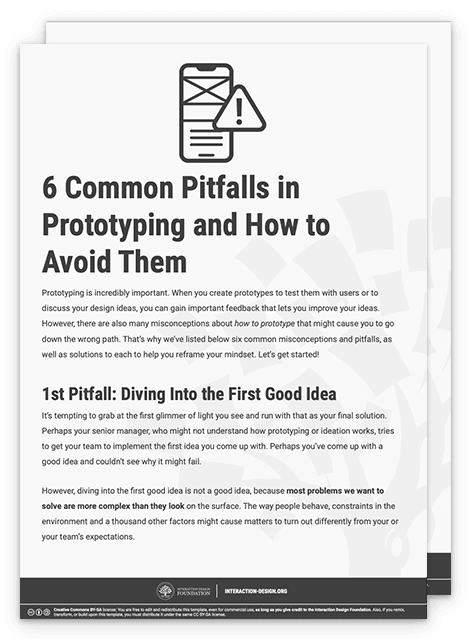
Download Our Template of the 6 Common Pitfalls in Prototyping

We’ve created a template that contains all six of the common pitfalls we described above, as well as ways you can solve them:

Advance Your Career With This Free Template for “6 Common Pitfalls in Prototyping and How to Avoid Them”
6 Common Pitfalls in Prototyping and How to Avoid Them
We respect your privacy
Get 1 powerful email each week: Design a life you love!

The Take Away

Prototyping is crucial in every design thinking project. However, there are pitfalls that could undermine your efforts to let prototypes work for your team. Specifically, you should avoid six of these common pitfalls. Learn to embrace the idea of constantly and rapidly prototyping, and make sure you have the right mindset when making prototypes. The old saying goes that nothing is more powerful than an idea whose time has come. That may seem all very well, but a series of prototypes will bring such an idea into the real world where people can make it truly powerful.

References & Where to Learn More

  • Tim Brown, Change by Design: How Design Thinking Transforms Organizations and Inspires Innovation, 2009

  • Peter Manzo. Sep. 23, 2008. Fail Faster, Succeed Sooner. Stanford Social Innovation Review.

  • Tom Kelley and Dave Kelley, Creative Confidence: Unleashing the Creative Potential Within Us All, 2013.

Images

Hero Image: © Unknown, CC0.

Feel Stuck?
Want Better Job Options?

AI is replacing jobs everywhere, yet design jobs are booming with a projected 45% job growth. With design skills, you can create products and services people love. More love means more impact and greater salary potential.

At IxDF, we help you from your first course to your next job, all in one place.

See How Design Skills Turn Into Job Options
Privacy Settings
By using this site, you accept our Cookie Policy and Terms of Use.
Customize
Accept all

Be the One Who Inspires

People remember who shares great ideas.

Share on:

Academic Credibility — On Autopilot

Don't waste time googling citation formats. Just copy, paste and look legit in seconds.