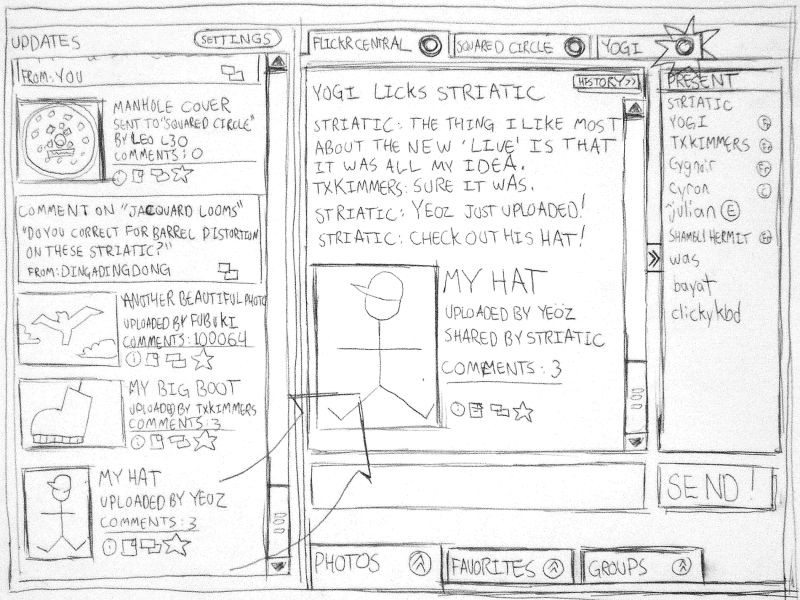
Mockups are models designers use to present, demonstrate, test and improve their concepts. They help concretely visualize a project's aesthetic and functional aspects and facilitate a common understanding among designers, stakeholders and users.
Professor Alan Dix, Human-Computer Interaction (HCI) expert, explains why designers need to prototype. The same principles apply to mockups:
Are Mockups Worth It?
Mockups are valuable in the user experience (UX) design process. Designers can experiment with visual aspects before the project goes into development. Development can be costly and time-consuming. Mockups allow designers to adapt to changes and ideate early. These benefits can improve the product’s time to market.
“You can use an eraser on the drafting table or a sledgehammer on the construction site.”
— Frank Lloyd Wright, architect and designer.
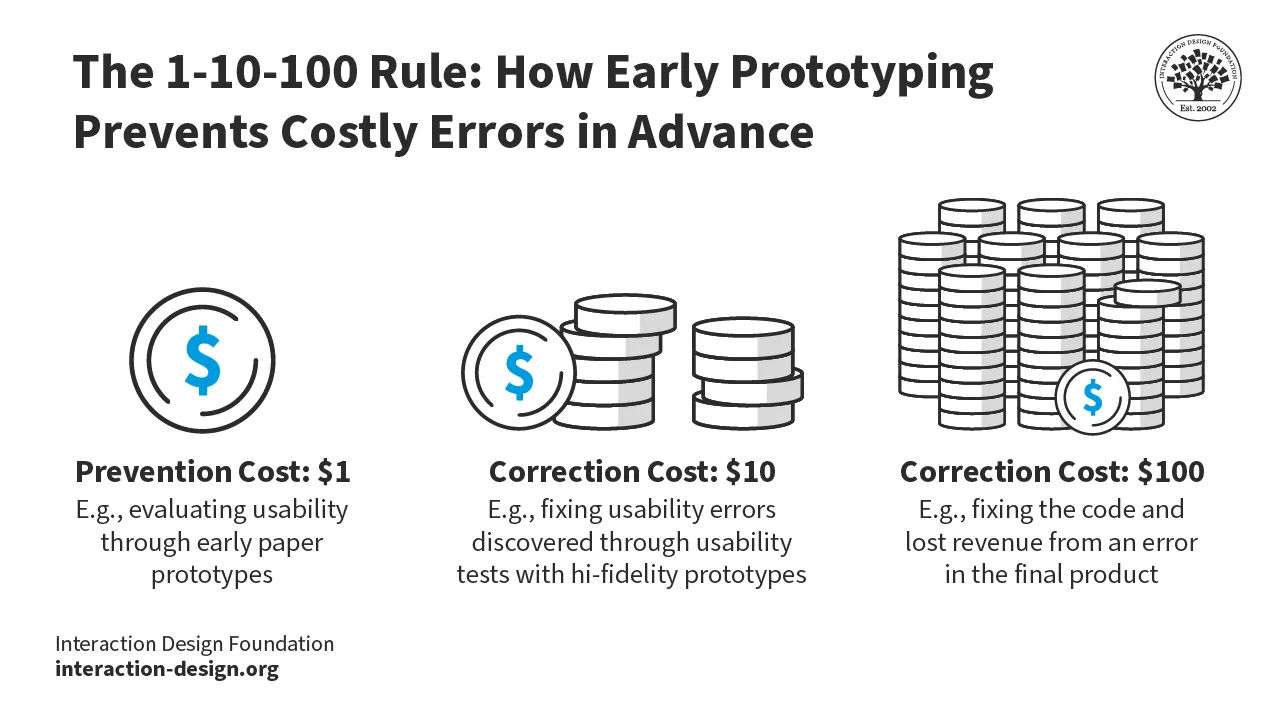
As with prototypes, mockups used for early usability testing prevent costly and time-consuming corrections later in development.
© Interaction Design Foundation, CC BY-SA 4.0
Mockups help designers conduct usability testing early and collaborate and iterate with stakeholders.
In 2012, Microsoft released a new version of their operating system, Windows 8. Microsoft made big changes to the previous version, like removing the Start Menu and adding a new Start Screen. These changes alienated users and resulted in much negative feedback. More comprehensive user testing with mockups and prototypes could have revealed these usability issues early on. While Microsoft addressed this feedback when they released Windows 8.1 in 2013, these design decisions hurt their reputation.

Designers use mockups to aid them during user interviews and observations. Users answer questions about the mockups to reveal valuable insights. Insights gathered early in the design process help designers make informed decisions about how to improve the usability of their products.
© Envato Elements, Commercial license
Finally, mockups can improve the efficiency of the development process. They provide clear guidelines for developers and other stakeholders. Mockups are integral to a design and development team’s internal documentation.
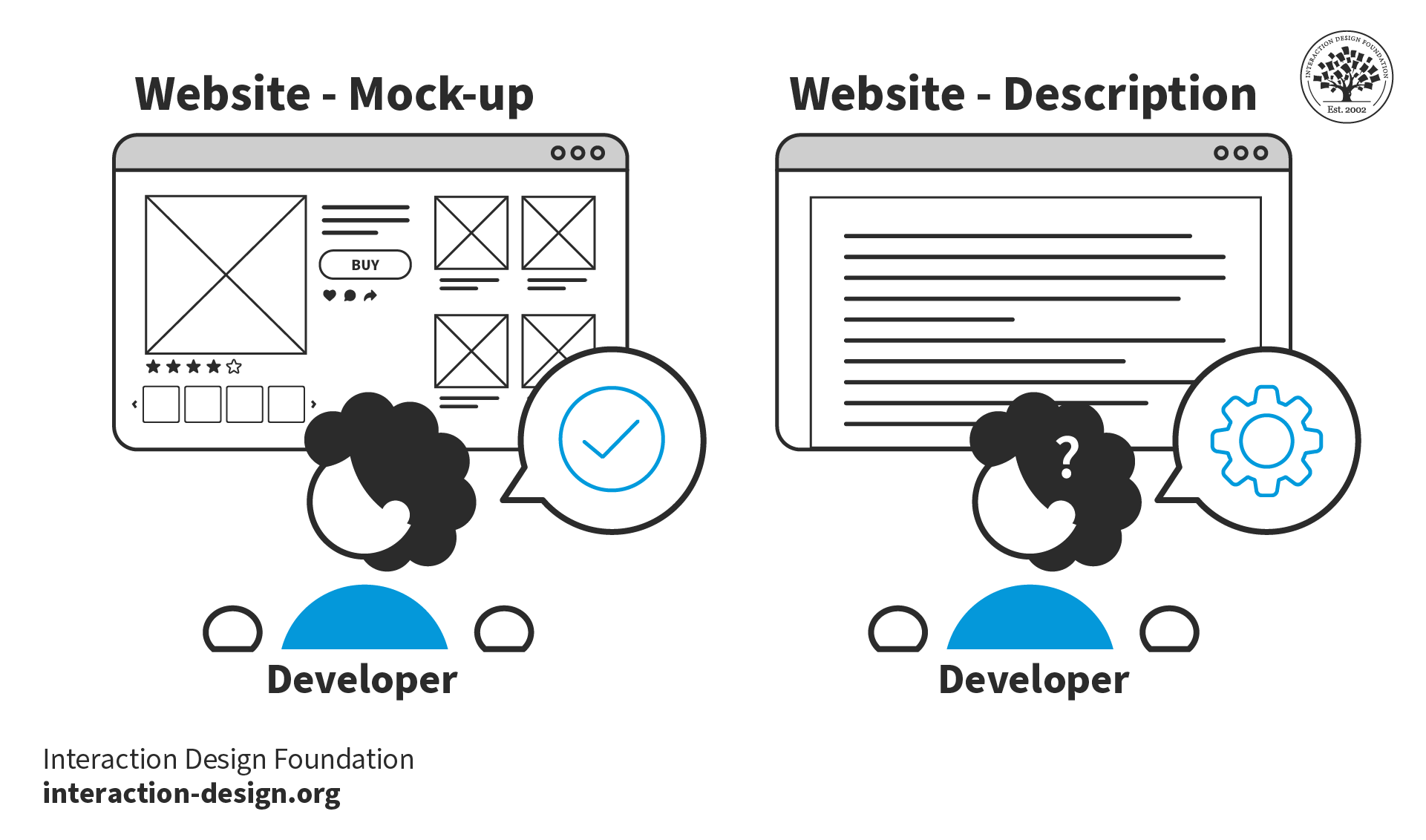
Mock-ups are valuable tools not just for iteration but for communication. They communicate designs to developers and stakeholders more efficiently and accurately than words.
© Interaction Design Foundation, CC BY-SA 4.0
Mockups vs. Prototypes vs. Wireframes vs. Sketches
While some designers use the words mockup, prototype, wireframe and sketch interchangeably, they do have subtle differences:
Sketches are basic drawings that designers use for idea generation, notes and communication. While you can “sketch a mockup,” the noun “sketch” means a simple drawing and is not a mockup. Designer, teacher and illustrator Mike Rhode explains how to get the most out of your notes with sketchnoting:
Wireframes are simple visual representations that focus on the layout of a product. Designers use them to propose essential elements for applications and web pages. They do not include color, images or detailed design elements.
Mockups are visual representations of a product or user interface (UI). They range from low to high fidelity and include color, text, shapes and other visual elements. Designers use them to showcase a product's appearance and functionality.
Prototypes are experimental, interactive models of a product. Designers use them to test how users and stakeholders interact with their concepts.
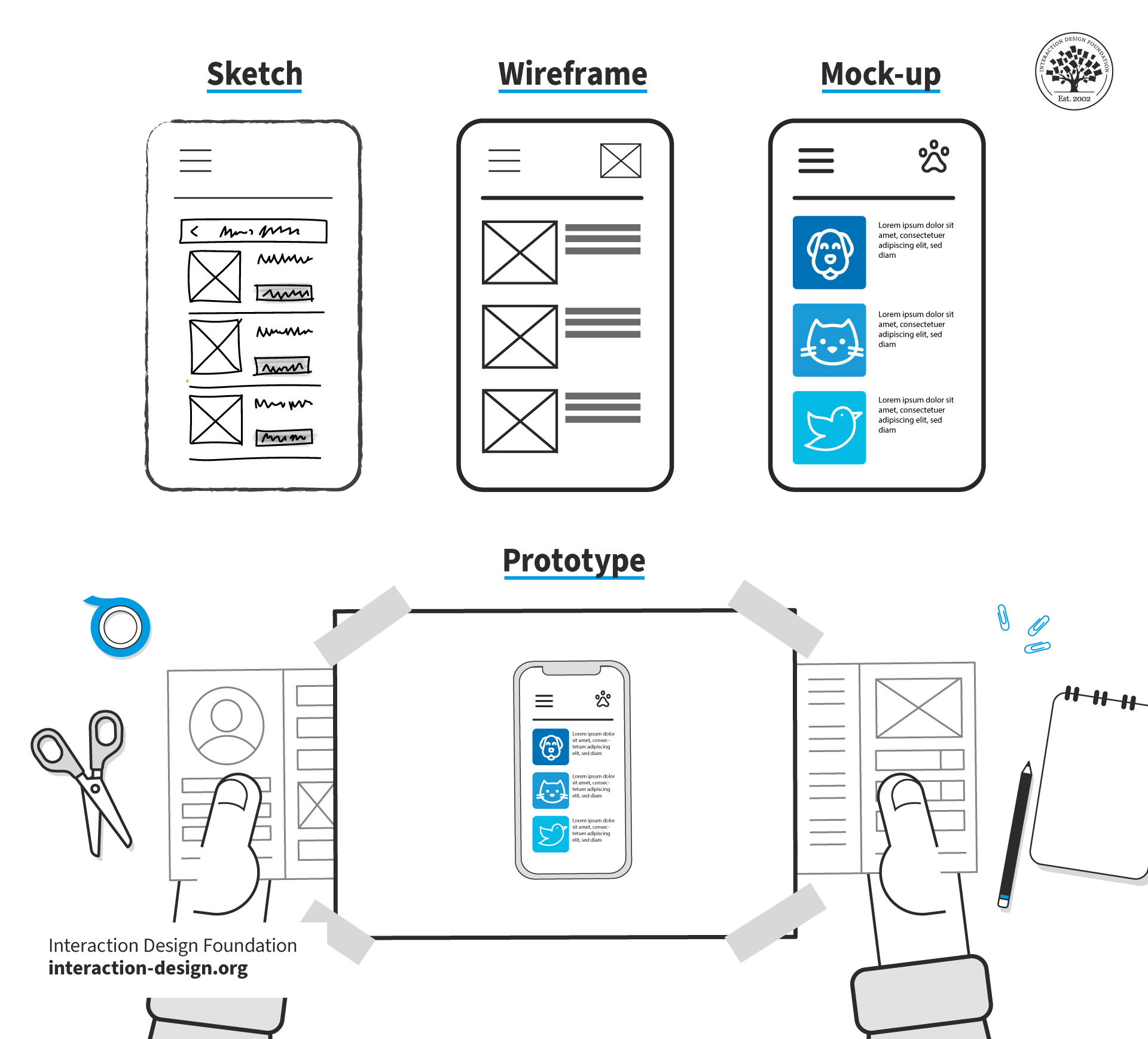
While sketches, wireframes, mockups and prototypes may be similar, they serve different purposes.
© Interaction Design Foundation, CC BY-SA 4.0
When Should Designers Use Mockups?
Designers use mockups during prototyping—one of the stages of design thinking. Watch this video to learn more about the five stages of design thinking:
In addition to early usability testing, designers use more detailed mockups to test specific visual elements of an app later in the design process. These elements can include font choices, color schemes and textures. For example, a designer may create two versions of a user interface with different color schemes to see which users prefer.
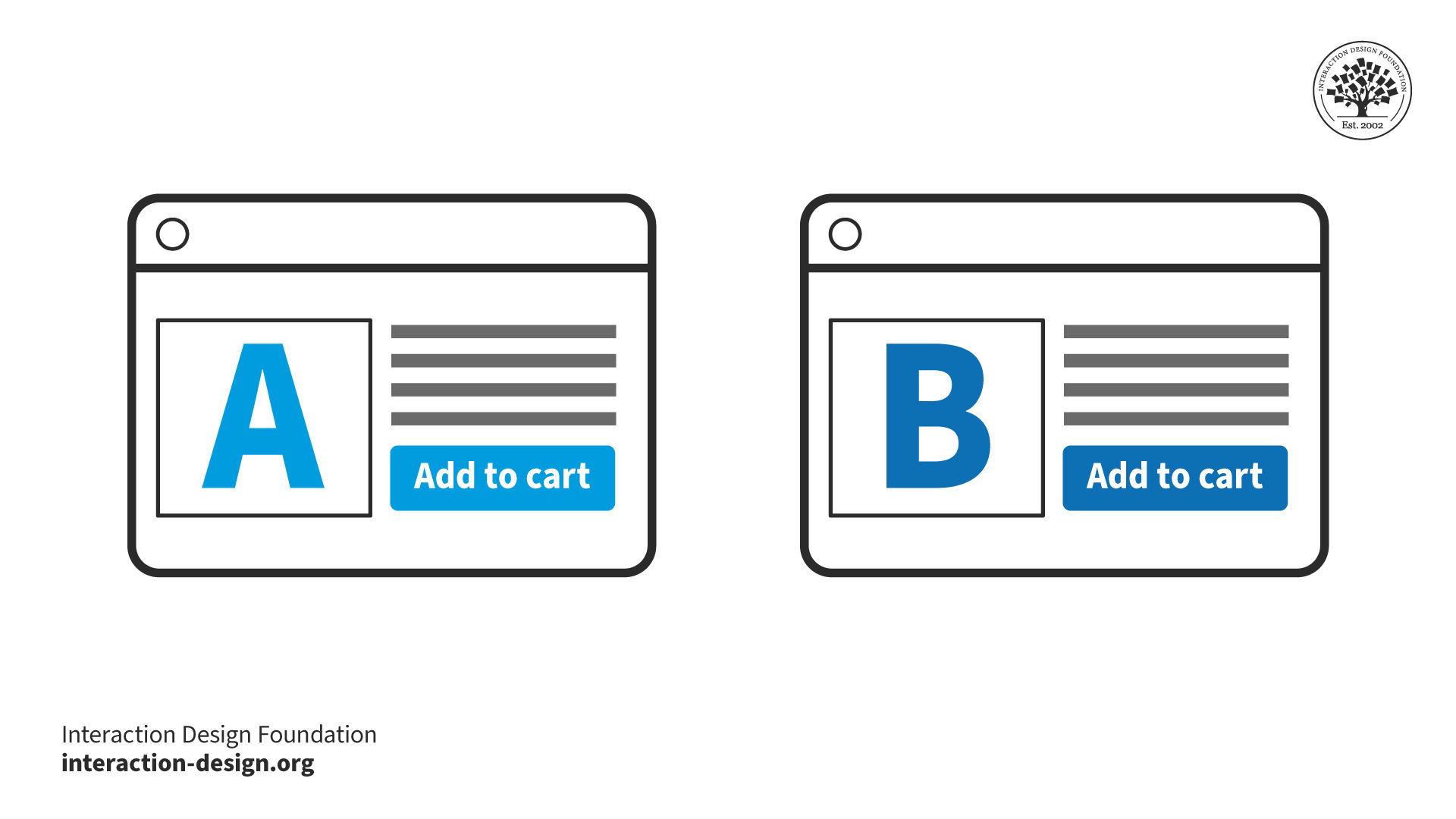
Designers use detailed mockups to test specific visual elements with users. For example, a designer presents two mockups to users. Each one has slightly different color choices. The designer (or user researcher) looks for user behavior changes between the two versions. This research provides insights on which color scheme to use.
© Interaction Design Foundation, CC BY-SA 4.0
For finished products, design teams create mockups for presentations and as marketing materials. These detailed designs are separate from the design thinking process. Instead, their purpose is to promote and sell the product.
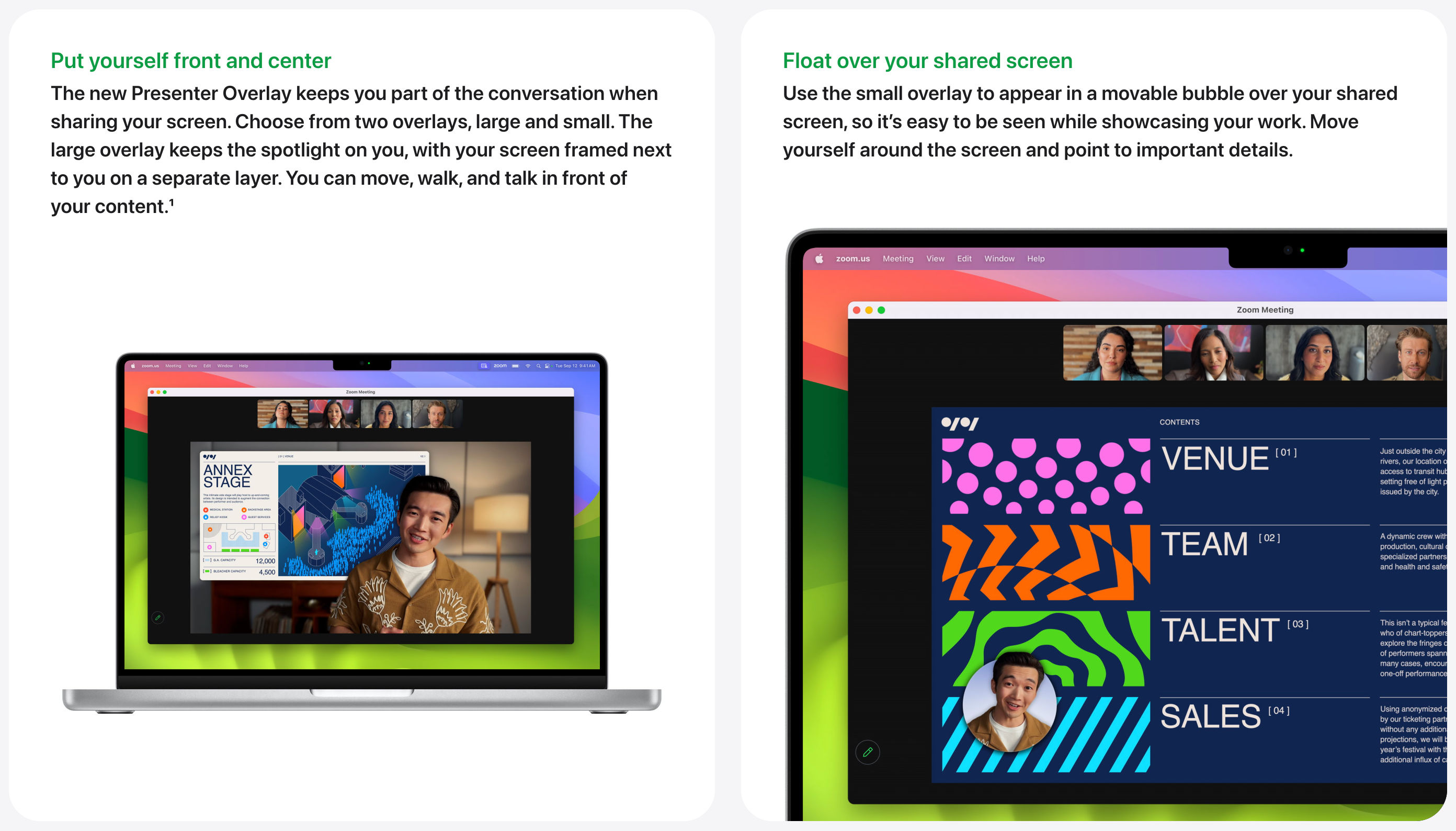
Apple uses mockups to present new versions of its MacOS operating system. These images give users and customers a visual representation of how MacOS features will look and function. The mockups in this example are animated. Designers commonly use animated mockups in digital mediums to represent the product better.
© Apple, Fair use
Characteristics and Types of Mockups
Mockups range from simple to highly detailed representations of final products. Each has its own pros and cons and place in the design process.
What is a Low-Fidelity Mockup?
Low-fidelity (low-fi) mockups are simple representations of the intended product. They may present only a few features planned for the final version. Low-fi mockups can be physical or digital and are not restricted by whether the end product itself is physical or digital. For example, designers can use paper and pen or digital design software for a mobile app mockup.
Some designers skip low-fi mockups. However, a low-fi mockup is a powerful tool with many advantages. Mike Rhode explains why you should put paper before pixels in the design process:
Pros of Low-Fidelity Mockups
Cheap and fast to produce. Designers can make low-fi mockups using inexpensive materials like pens and paper or freemium software like Canva.
Excellent for experimentation and iteration. Low-fi mockups are easy to alter. They are simple to annotate, amend or scrap and start again.
Available to all. Designers, stakeholders and test users can use accessible tools like stationery or drag-and-drop software to get involved and amend the design.
Focus on context and functionality. Low-fi versions focus on visual hierarchy and key design elements.
Gives a quick, broad view of the product. Design teams can easily focus on the product as a whole, free of the distraction of specific details.
Encourages and fosters design thinking. Low-fi mockups enable collaboration, emphasize user needs, aid problem-solving and promote creativity.
Incite criticism. When a user sees a developed version of a system that took a lot of work to make, they can find it harder to give criticism. Compare this with a simple drawing—the user may give feedback more comfortably.
Cons of Low-Fidelity Mockups
Lack of realism. Given how basic low-fi mockups are, users may find it hard to give feedback. The results from tests on these early versions might sometimes be unreliable.
Can oversimplify complex issues. Their basic nature can make it challenging to understand the intricate parts of the design and how all the features work together.
Users must use their imagination. Low-fi mockups are often abstract and incomplete. Users must imagine missing details and visualize the final product.
What is a High-Fidelity Mockup?
High-fidelity (high-fi) mockups closely resemble the final product in appearance. A detailed digital render of a user interface is high-fidelity compared to a simple paper version.
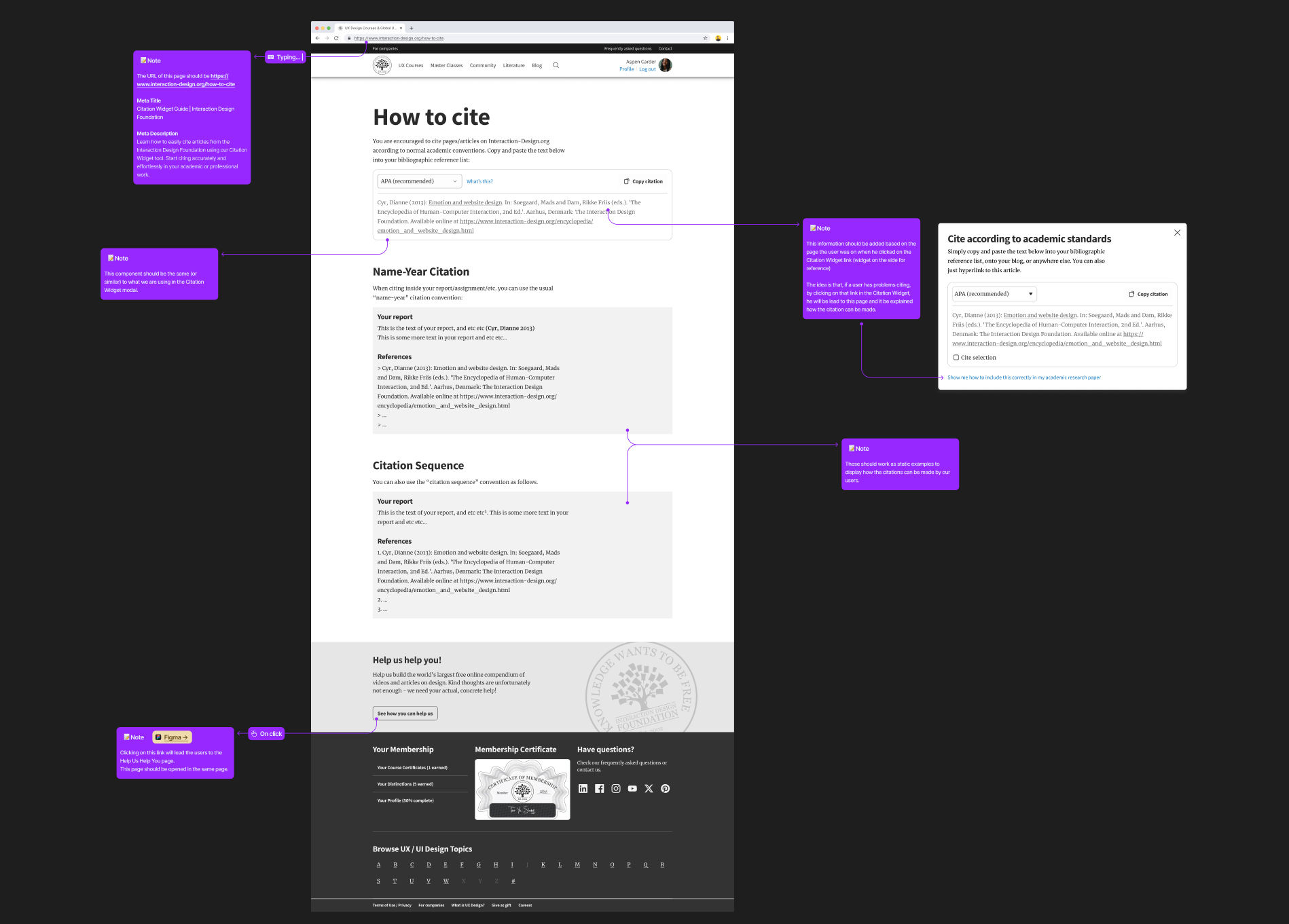
This high-fidelity mockup of the Interaction Design Foundation’s citation page features all final design elements. The designer included annotations to inform stakeholders how the page will work.
© Interaction Design Foundation, CC BY-SA 4.0
Pros of High-Fidelity Mockups
Engaging. Stakeholders can quickly see their vision come to life. They can easily assess if it matches their expectations, wants and needs.
Reliable testing. User testing with high-fi mockups helps get valid and valuable information. If a mockup looks like the final product, the design team can understand better how users will respond to it.
Focus on detail. Designers can use high-fi mockups when they need to test specific details of their designs. For example, button shapes or font sizes.
Cons of High-Fidelity Mockups
Slow to produce. They usually take longer than low-fi mockups to make.
Iteration speed. Changing high-fi designs can slow down the whole project. Designers can quickly amend small details, but significant design changes take hours.
Perceived quality. High-fi mockups might make test users think the product is better than it currently is.
Resistance to change. Detailed designs can take hours to produce and designers can be reluctant to change them.
The fidelity of a mockup exists on a scale. Designers sometimes combine low- and high-fidelity elements depending on their needs.
For instance, a designer may use an initial mockup to showcase essential design elements. Later, the designer adds high-fidelity elements to represent the final product more closely. This blended approach allows for flexibility and efficiency in the design process.
How to Create Mockups
Tools and Materials
Designers use a range of tools to create mockups. Some tools are better suited to either low- or high-fidelity versions. Here are some of the most common tools:
Pen, paper and stationery are universal tools. They are an excellent choice for low-fidelity mockups. Some designers use scissors, tape and other stationery tools to amend designs.
Design software can produce both low- and high-fidelity mockups. Software enables designers to convert their basic versions into detailed designs.
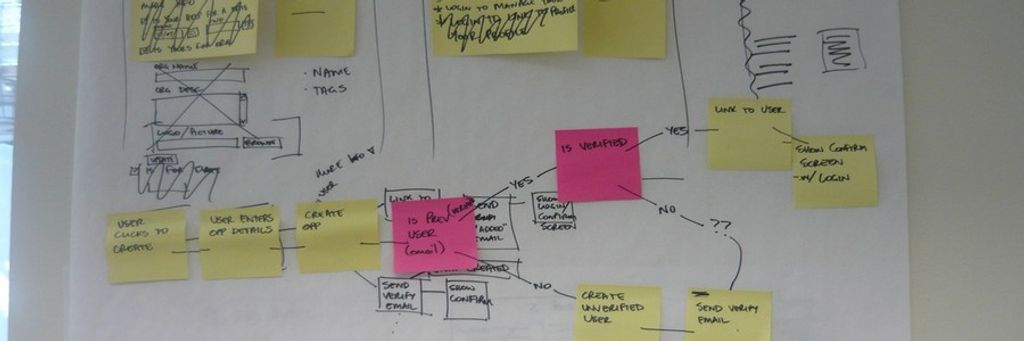
Whiteboards and markers provide a quick, collaborative way to work. Designers can quickly create rough drawings and amend them on the fly. Teams can photograph whiteboard sketches or reproduce solidified mockups for later use.
Mockup kits are a selection of cards and templates that represent elements of a website or app. Designers arrange these elements, such as buttons or text boxes, to build basic designs. Kits are commercially available, but some designers create hand-drawn or printed versions.
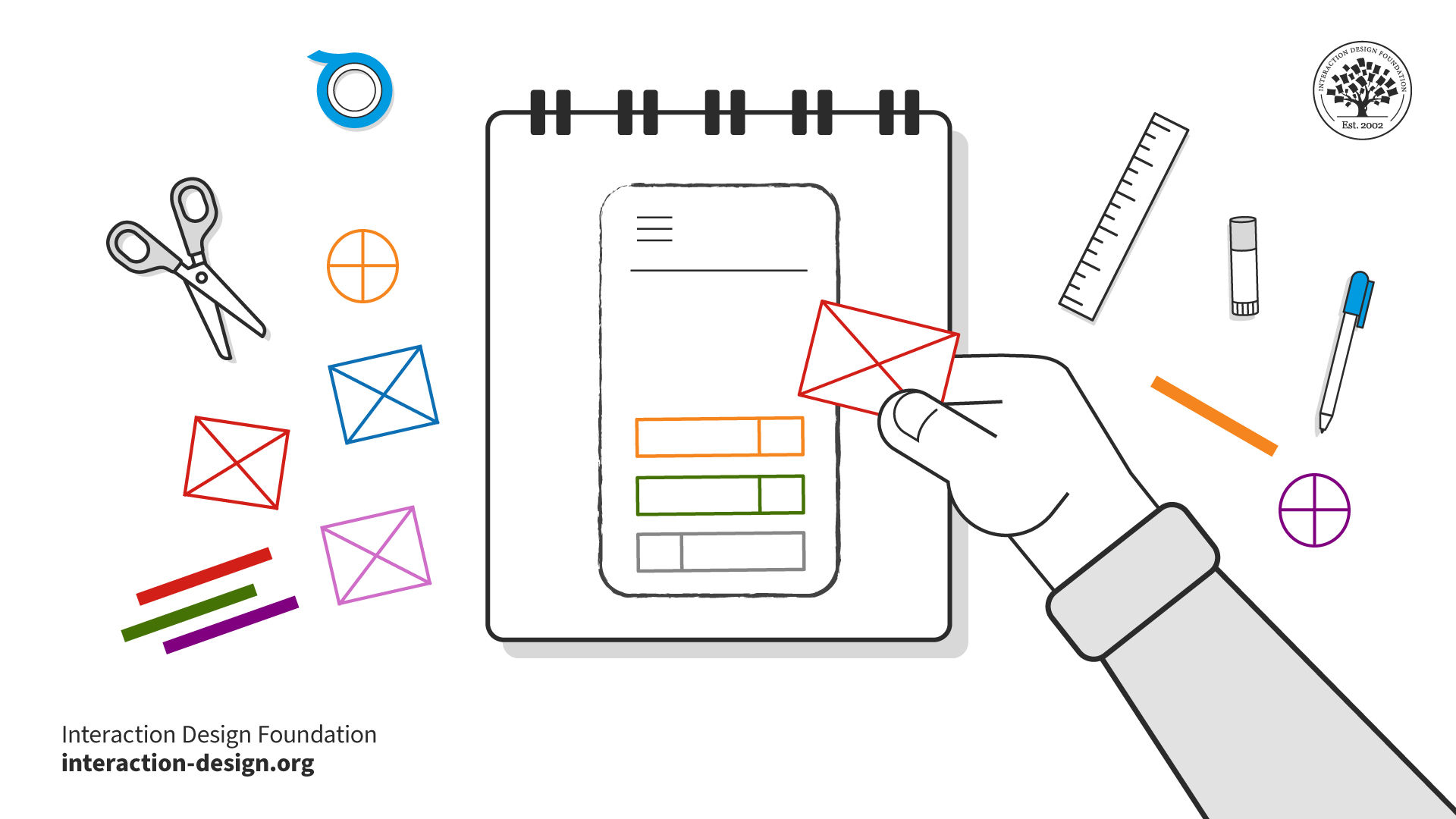
Designers can change their mockups quickly using kits and templates. They are easy to make, allowing users and stakeholders to get involved in the iteration process.
© Interaction Design Foundation, CC BY-SA 4.0
3D printing enables product designers to create accurate physical versions of their ideas. 3D modeling software is hard to master, but printers are fast and continue to become more cost-effective.
Lego bricks are simple and intuitive to use. Product designers can use Lego to create mockups quickly and collaboratively with stakeholders. Design and consulting firm IDEO often uses Lego, even for intricate projects like an insulin injection device.
How to Create Mockups: Best Practices
“If you start off with a really dreadful design and you fix the obvious errors, then you end up with something that's probably still pretty dreadful.”
— Professor Alan Dix, HCI expert
Here are some best practices:
Apply user research. Mockups are most effective when informed by prior user research. Designers base their designs on user needs, preferences and pain points.
Study the competition. Designers look at competitors' products to learn what works well and what doesn't. This research can inspire design decisions and identify common pitfalls to avoid. Designers who use this knowledge create more refined mockups. This approach saves time and improves overall design quality.
Understand the technology. Designers must have a solid understanding of the technology used to build the final product. This knowledge ensures the mockup is practical and will work within technological limitations.
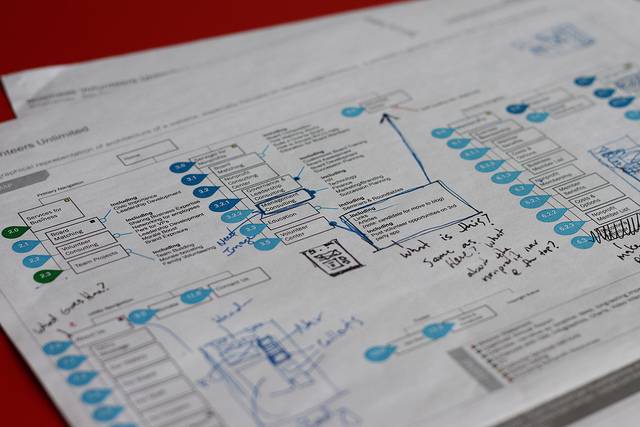
Create wireframes: Mockups aren't a replacement for wireframes. Wireframes act as a skeletal framework for a design. They lay out the structure without focusing on visual design details. Wireframes serve as a guide for mockups, which then add elements like color and texture.
Stay focused. A mockup should deliver a single, well-thought-out concept for stakeholders to review and iterate upon. This method works better than presenting many choices. Too many options can overwhelm and slow down decision-making. Idea exploration and the selection of concepts are better suited to the ideation phase.
Presentation matters: How designers present a mockup can significantly impact its usefulness. Designers consider their audience and how they will communicate their designs. For example, designers can annotate mockups. Clear annotations can clarify design decisions and functionalities, which are essential for stakeholders. However, designers avoid annotations for test users. Annotations can bias user perceptions by offering insights not available in the final design.