UX Portfolios

Your constantly-updated definition of UX Portfolios and collection of videos and articles.
Be a conversation starter: Share this page and inspire others!

3,650 Shares

What are UX Portfolios?

A UX portfolio is a curated collection of a UX designer's best work—it showcases their skills, process and approach to solving user-centered design challenges. It is a visual and narrative representation of their work experience and demonstrates their ability to research, analyze, design, and implement effective UX solutions.

In this video, Morgane Peng, Design Director at Societe Generale CIB, describes what a portfolio is and why it should be seen as a friend.

Transcript

The work included in UX design portfolios take the form of UX case studies. In this next video, Morgane Peng describes what a case study is.

Transcript

“Any sloppiness in the design of the [UX design portfolio], independent of the design of the artifacts that you’ve produced, tells the hiring manager a lot about you.”

—Daniel Rosenberg, Global UX executive

UX Portfolios: Portray, Promote, Tell a Story

For UX designers, this is how they tell their unique story. It goes beyond pixels and wireframes to show how they solved problems and delighted users. It's where a designer’s abilities are put on display and they’re able to prove why they’re the right choice for a job or project.
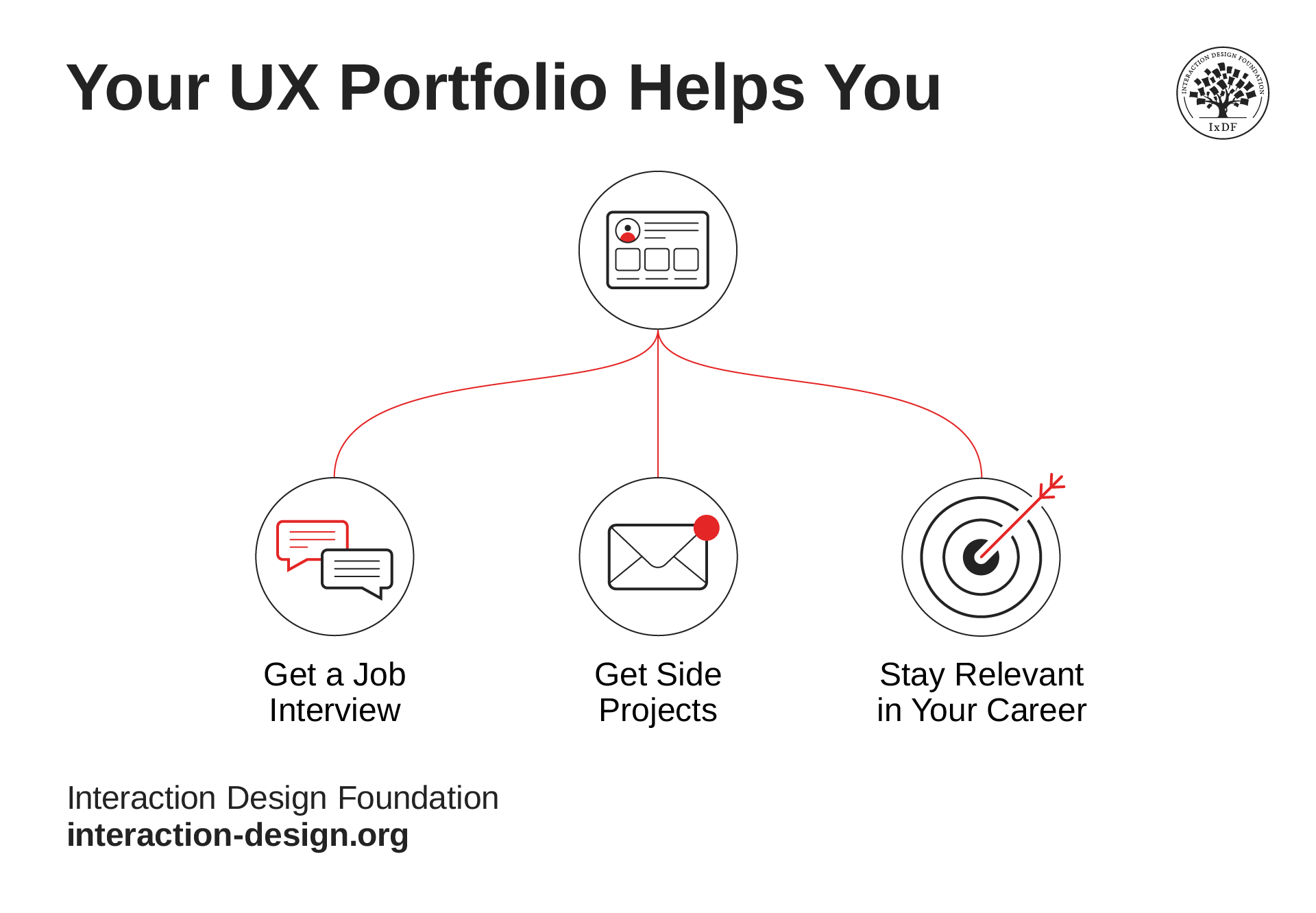
A graphic representing the benefits of a UX Portfolio, highlighting its role in securing job interviews, obtaining side projects, and staying current.

© Interaction Design Foundation, CC BY-SA 4.0

User experience (UX) design portfolios are essential to:

  1. Get you hired: To get recruiters/clients interested in potentially hiring you for a full-time job or freelance project.

  2. Stay relevant: For designers to stay current with periodic updates and decide how to advance.

A UX portfolio should explain your achievements and demonstrate what a designer can do. Where a cover letter can typically give recruiters their first impression, a portfolio can, too—it’s where you can provide concrete evidence to portray yourself as a strong candidate. Within five minutes, a recruiter or hiring manager will decide if the designer is worth a phone screener/face-to-face interview from seeing:

  1. Who you are: What your background is and what drives you.

  2. What you can do: This varies with the seniority of UX roles, etc.

  3. How you think and work: To understand how you approach problems and work with others.

What Makes a UX Portfolio Stand Out?

So, how do you ensure your portfolio stands out from the crowd? Here are some tips and tricks to create the best portfolio.
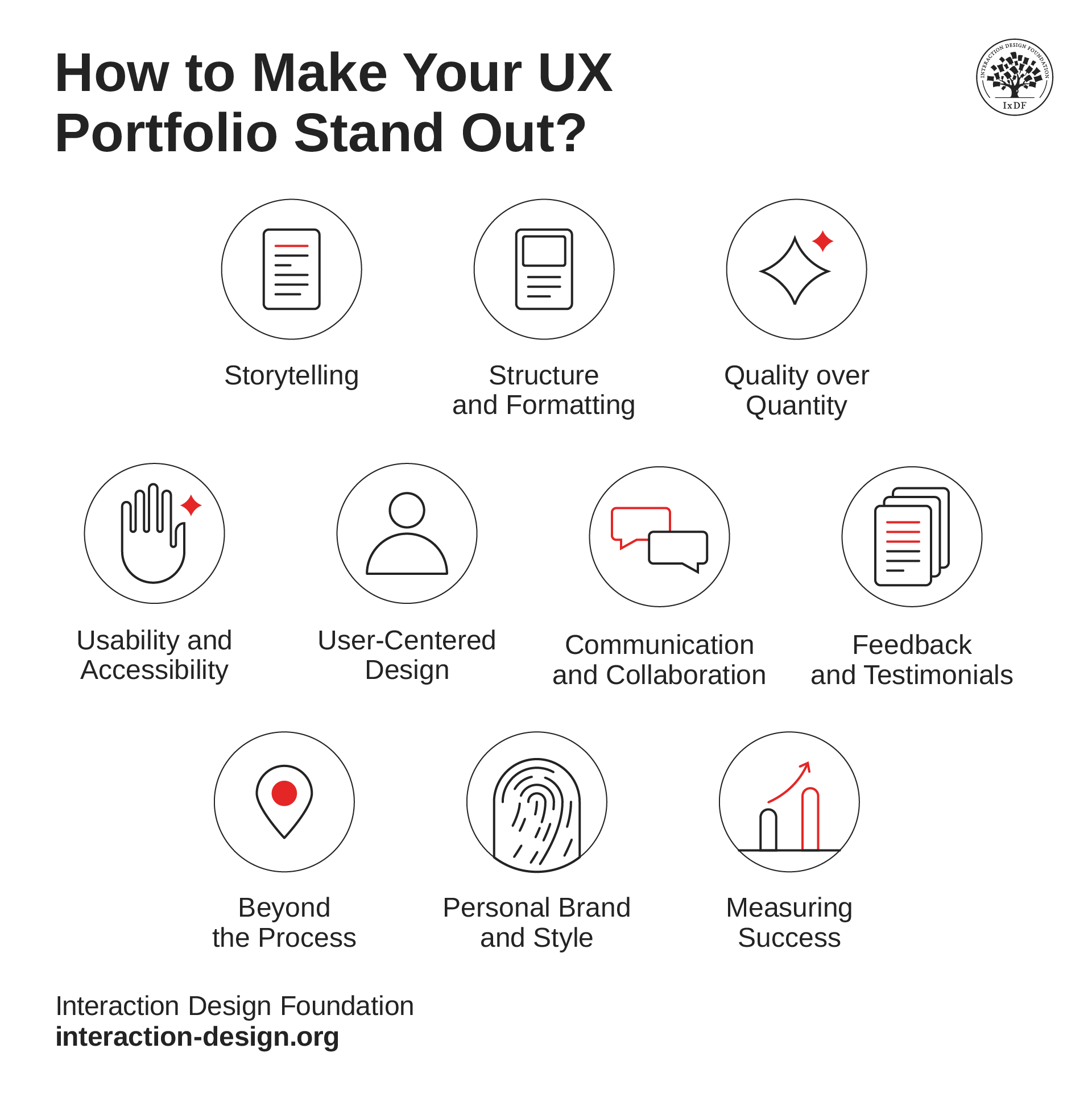
An infographic suggesting ten tips for creating a great UX portfolio.

© Interaction Design Foundation, CC BY-SA 4.0

1. Tell a Story

Each project in a UX designer portfolio should be like a story. It should have a beginning, middle, and end. Start with an introduction that outlines the journey and years of experience. It sets the stage for what readers can expect to discover. In the middle, describe all the activities you did to meet business needs. Explain how your design skills were used to solve problems and create solutions. Summarize by mentioning the outcome and results of the work. Also, show off the designs and solutions you created.

Learn to structure your portfolio and use narrative to present it successfully.

Transcript

2. Structure and Formatting

Use clear, concise language and visual hierarchy to entice the audience. Use descriptive headings and subheadings to guide them. Try to make it easy for readers to follow the thought process and design journey.

3. Quality over Quantity

Be discerning when choosing projects to include in the portfolio. Focus on quality over quantity. Designers should select projects that best reflect the breadth and depth of their expertise, as well as ones that are suited to the specific job they’re applying for. Explain why you choose each project and how they show your skills and versatility as a UX designer.

Highlight the results and the challenges faced in each project. Clearly articulate the impact of the design solutions—particularly on users and business objectives.

4. Usability and Accessibility

A strong focus on usability and accessibility is fundamental in UX design. So, it’s important that you express your commitment to inclusive design—designs created to be used by people of all abilities. It involves crafting solutions that not only meet but exceed user expectations. The core aim is to create designs that focus on users’ needs and behaviors and provide user satisfaction. You can also discuss how you integrated accessibility features into your designs. Such specific examples of how your designs accommodated diverse user needs showcases your skills.

5. User-Centered Design

At the core of UX design is the user-centered design approach. Describe how you gathered insights gathered and what user research methods you used. Provide comparisons to show the direct influence of user feedback on the resulting designs. Explain how personas, user stories, or empathy maps were used to guide the design process. At the same time, ensure that the audience understands the foundation of the design challenge, the approach and the work.

Explore the nuances of user-centered design in this video by Don Norman, a UX pioneer.

Transcript

6. Communication and Collaboration

Collaboration and effective communication are vital skills in UX design. A design portfolio can also be used to highlight a designer’s ability to work in a team. Provide examples of instances when you worked with others—designers, developers, or project managers. Detail how you communicated with stakeholders and ensured to meet their requirements.

Stephen Gay, Design Leader at Google, explains that portfolios should present what you’ve worked on and how you work.

Transcript

7. Feedback and Testimonials

Incorporate feedback and testimonials in your UX designer portfolio and their sources. Summarize the impact of your work on users and the business with these testimonials. You can also enhance the look of your portfolio through visuals. Additionally, you can show real-world validation and add reliability through user feedback. This makes your portfolio stronger and more credible.

8. Beyond the Process

To make your portfolio stand out, provide a breakdown of your work—hiring managers don’t want to just see the end result, they want to see how you got there. Start from the research and user testing stages to wireframes and design iterations. Include samples of research reports, sketches, wireframes, and design prototypes. You can even add photos of user research sessions, of your workspace, or anything that can effectively illustrate your process. The goal is to show your audience how you approach UX design—leave no room for ambiguity.

9. Personal Brand and Style

Your personal brand should be evident in your portfolio without compromising professionalism. The idea is to share how your personality shines through in your work, which will create a personal connection. Infusing your personality into your portfolio makes it more engaging and memorable.

In this video, Cory Lebson, an experienced UX Consultant talks about how to create your brand and brand yourself as a UX professional.

Transcript

10. Quantify Your Success

If you can showcase quantifiable results that show the impact of your UX design work, that will be an additional bonus. You can include statistics related to user engagement, conversion rates, or other KPIs that reflect the success of your projects. Visual comparisons that show the transformation your designs brought about are effective for the same.

Let’s move on to the different types of portfolios. Essentially, there are two portfolio types: online (to keep on your personal website) and static (to send to interested recruiters). Let's study how to make each one in detail.

How to Make an Online UX Portfolio?

You can use a readymade solution or code one yourself. Essential guidelines are:

  1. Impress with a concise introduction, also known as a hook (1-3 sentences): Show your name and current (or desired) role in a conversational tone.

  2. Choose the best, most relevant 2-3 case studies for your desired role.

  3. Make it usable:

    1. Ensure optimal navigation.

    2. Design proper affordances: E.g., make sure you underline links and have a different color.

    3. Maximize color contrast and readability.

  4. Create an “About me” page/section with more information that describes your background and motivations, include

    1. Finer details (e.g., hobbies).

    2. Your relevant work history and educational background.

    3. Carefully curated social media links to your professional profile/s (e.g., LinkedIn).

  5. Put side projects on a different page/section to keep the recruiter’s focus on your case studies and use them as supporting evidence of your passion.

  6. Make it look visually pleasing and consistent.

  7. Keep it simple: Make it sufficient to work well now; improve it later.

    Advance Your Career With This Free Template for “7 Design Guidelines for Your Online UX Design Portfolio”
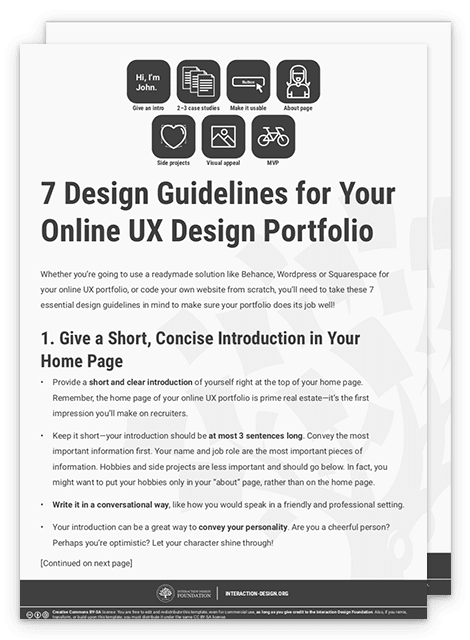
    7 Design Guidelines for Your Online UX Design Portfolio
    We respect your privacy
    Get 1 powerful email each week: Design a life you love!

How to Make a Static (PDF) UX Portfolio?

To provide deeper, customized insights:

  1. Begin with a tool you know well.

  2. Build your sections:

    1. Cover page: Make a fantastic first impression

    2. About section: Introduce yourself in 3–4 sentences.

    3. Three UX case studies—each being several pages, depending on the need for detail—usually longer than online versions. Keep these manageable and relevant.

    4. Final page with contact details—And perhaps a short thank-you note.

  3. Tailor it to the exact job role.

  4. Make it usable: E.g., readable text.

  5. Make it visually appealing and consistent regarding font, color theme, etc.—Use PowerPoint/Keynote templates.

  6. Reduce file size for download speeds.

  7. Export to PDF and upload somewhere accessible to quickly share a link.
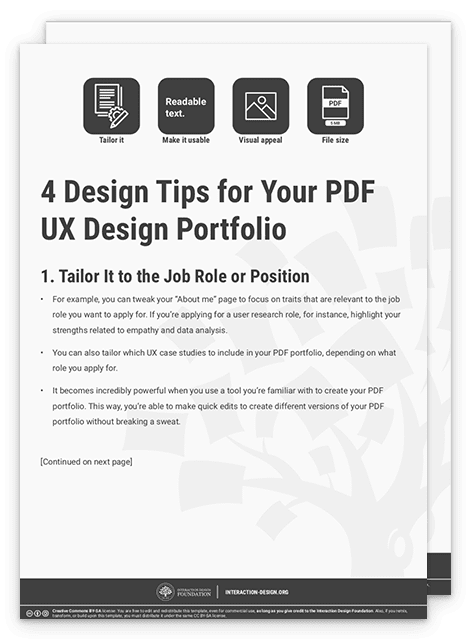
Advance Your Career With This Free Template for “4 Design Tips for Your PDF UX Design Portfolio”
4 Design Tips for Your PDF UX Design Portfolio
We respect your privacy
Get 1 powerful email each week: Design a life you love!

Effective UX portfolios show how organizations can benefit from working with a skilled, proactive, team-oriented designer like you. You should always complement your best text with appropriate visuals and review your portfolio every 6–12 months. Add a tailored UX cover letter/email and resume to support your portfolio. If you request feedback at interviews, you can use it to help perfect what future recruiters/clients see.
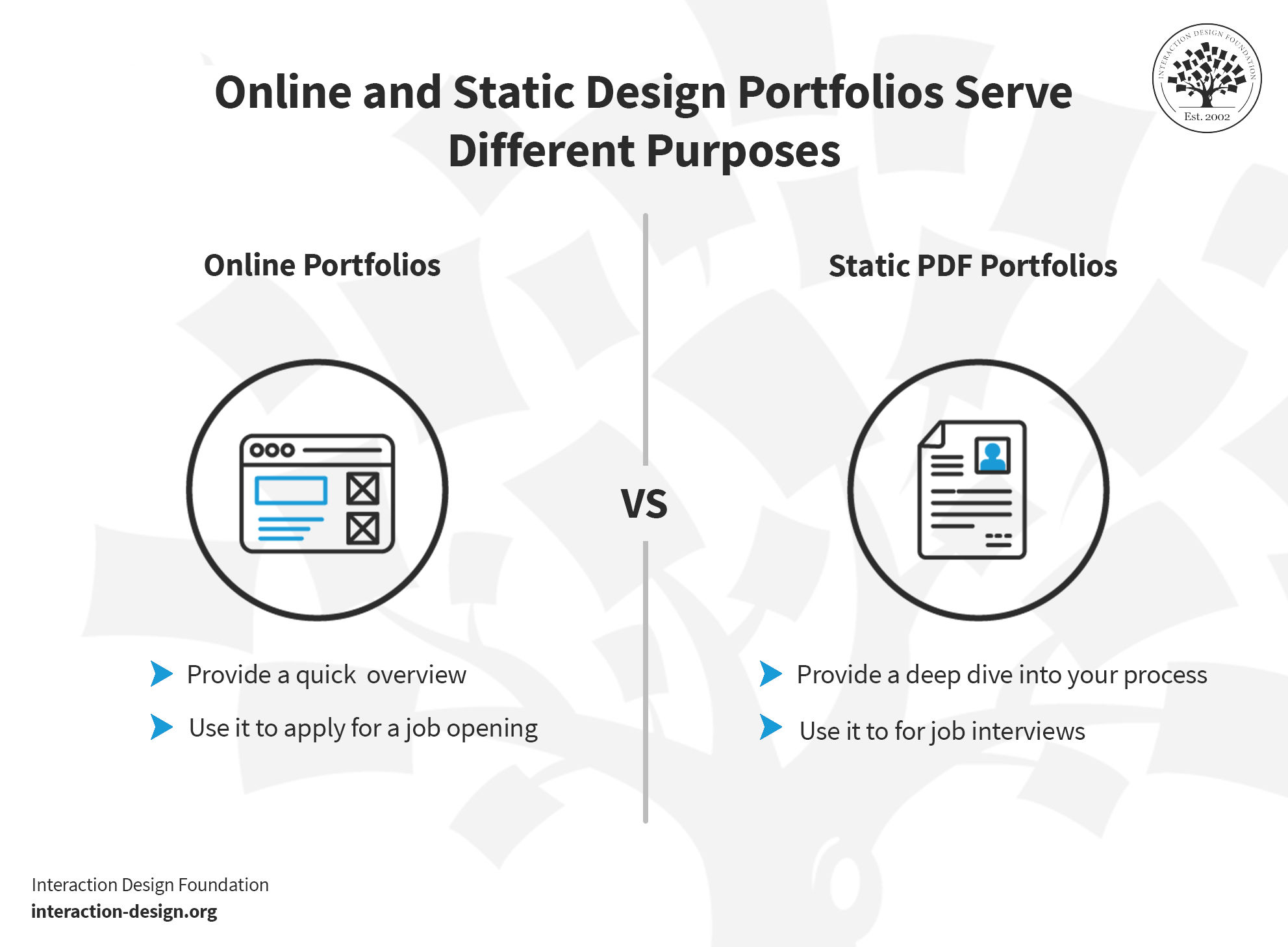
A graphic showcasing the difference between online portfolios and static PDF portfolios.

© Interaction Design Foundation, CC BY-SA 4.0

Questions About UX Portfolios?
We've Got Answers!

What is a UX Design portfolio?

A UX Design Portfolio is a curated collection of designers' best work. It showcases their skills, processes, and creativity in UX design. It also includes case studies of projects, wireframes, interactive prototypes, and user research findings. A well-crafted UX designer portfolio shows a designer's abilities and can take the form of various formats, such as a personal website, PDF document, or online design platforms. Hence, it allows potential employers to assess their expertise and suitability for UX design roles.

How to build a UX portfolio with no experience?

Building a UX portfolio without prior experience involves several steps: 

  • Start with personal projects or redesign existing apps/websites to gain hands-on experience. 

  • Document your process, including research, wireframes, and user testing. Create case studies to showcase your work. 

  • Volunteer or do freelance projects to expand your portfolio. 

  • Finally, seek feedback and iterate on your portfolio. 

  • You can also highlight transferable skills, such as problem-solving, to show your potential.

Read this article for handy tips to make your portfolio stand out

Do UX researchers (also) need a portfolio?

UX researchers can benefit from having a portfolio. However, the nature and content of their portfolios may differ from those of UX designers. As they focus on gathering and analyzing user data, they can showcase their methodologies, insights, documenting processes, and the impact of their work. Plus, the portfolio can show its value to the research process. It can help them stand out in the job market and communicate their ability to drive user-centered decision-making.

Learn more about UX research and different data collection methods with Ann Blandford in this video.

Transcript

What should a UX portfolio include?

A strong UX portfolio should include a variety of projects with detailed case studies. Each case study should cover project goals, research methods, the design process, challenges, and outcomes. It should also showcase your visual design skills with high-quality mockups and wireframes. However, remember that the quality of your work and the way you present it in your portfolio are crucial. Make sure each case study tells a compelling story of your design process, problem-solving skills, and the impact of your work on user experiences.

What do recruiters look for in a UX portfolio?

Recruiters and hiring managers have very limited time to review a portfolio. To ensure that yours captures their attention, here are five key strategies to make your portfolio shine: 

1. Craft a portfolio that speaks to the priorities and objectives of the recruiter’s organization. 

2. Keep it simple and scannable.

3. Outline your process and impact.

4. When choosing which design projects to display, you’ll want to tailor your project choices based on your career goals. 

5. Tell a story with your portfolio case studies. 

What do AI-powered screening tools look for in UX Portfolio?

When an AI-based screening tool evaluates a UX portfolio, it looks for several key elements that show the designer's skills and expertise. These elements include:

  • A user-centered design approach

  • Problem-solving skills

  • A well-defined design process

  • Visual design skills

  • Interaction design abilities

  • Collaboration and communication skills

  • Measurable results and impact. 

It is important to note that while an AI can evaluate certain aspects of a UX portfolio, human reviewers also play a crucial role. They can provide valuable insights and subjective feedback.

Earn a Gift Earn a Gift, Answer a Short Quiz!

1
2
3
4
1
2
3
4
Question 1
Question 2
Question 3
Get Your Gift
Interaction Design Foundation logo

Question 1

What is the primary purpose of a UX portfolio? 

1 point towards your gift

  • To showcase design aesthetics and visual style
  • To display a designer’s best work, process, and approach to solving UX problems
  • To provide a list of tools and software the designer uses
Interaction Design Foundation logo

Question 2

How should each project in a UX portfolio be presented? 

1 point towards your gift

  • With a focus solely on the final visual design
  • By listing the tools and technologies used in each project
  • As a complete story with a beginning, middle, and end
Interaction Design Foundation logo

Question 3

When creating a UX portfolio, why is "quality over quantity" emphasized? 

1 point towards your gift

  • To ensure the portfolio reflects the depth of skills rather than overwhelming viewers with too many examples
  • To minimize the amount of time spent on portfolio preparation
  • Because it is important to include only the projects that look the most visually appealing

Learn More About UX Portfolios

Make learning as easy as watching Netflix: Learn more about UX Portfolios by taking the online IxDF Course Build a Standout UX/UI Portfolio: Land Your Dream Job.

Why? Because design skills make you valuable. In any job. Any industry.

In This Course, You'll

  • Get excited when you discover the secret to a portfolio that fast-tracks your way to job offers. Did you know most hiring managers decide on your application in just 7.4 seconds? In today's competitive job market, first impressions are everything

  • Learn to build a career where you fulfill your potential and earn a salary that reflects your true value. Your design portfolio is your ultimate advocate. It speaks for you when you're not in the room. In this course, you'll get real-world insider insights from an expert who's reviewed thousands of portfolios. Take the course and build the career you're truly meant for.

  • Make yourself invaluable when you learn how to hook hiring managers with your problem-solving mindset, user-centered design approach, and business acumen. We know how frustrating it is to apply for job after job with no response. As AI makes it easier to generate generic portfolios and case studies, you stay in demand by clearly showing your timeless human-centered design skills: How you think, make decisions, and solve real problems. This User Experience/User Interface (UX/UI) portfolio course gives you the skills to finally stand out from the pack. Whether you're new to design or already experienced, you'll turn your past work experiences into portfolio gold and create a portfolio they love! No matter your background, it's easier than you think.

  • Gain confidence and credibility with our step-by-step blueprint for a portfolio that gets you hired faster into a role where you'll fulfill your purpose and increase your salary potential. Through hands-on projects and ready-to-use downloadable templates, you'll develop a winning portfolio strategy, write attention-grabbing hooks, present your portfolio with confidence, and master the first impression formula. You'll walk away with a pitch-ready UX/UI design portfolio you can use to land your dream job.

It's Easy to Fast-Track Your Career with the World's Best Experts

Master complex skills effortlessly with proven best practices and toolkits directly from the world's top design experts. Meet your expert for this course:

  • Morgane Peng: Designer, speaker, mentor, and writer who serves as Director and Head of Design at Societe Generale CIB.

Get an Industry-Recognized IxDF Course Certificate

Increase your credibility, salary potential and job opportunities by showing credible evidence of your skills.

IxDF Course Certificates set the industry gold standard. Add them to your LinkedIn profile, resumé, and job applications.

Course Certificate Example

Be in distinguished company, alongside industry leaders who train their teams with the IxDF and trust IxDF Course Certificates.

Our clients: IBM, HP, Adobe, GE, Accenture, Allianz, Phillips, Deezer, Capgemin, Mcafee, SAP, Telenor, Cigna, British Parliament, State of New York

All Free IxDF Articles on UX Portfolios

Read full article
How to use Design Thinking to build the Perfect Portfolio - Article hero image
Interaction Design Foundation logo

How to use Design Thinking to build the Perfect Portfolio

All the UX training in the world would be for nothing if you couldn’t get a job as a UX professional and fulfill your dream. Hiring for UX positions is difficult – recruiters need to assess many applicants’ skills, experience and attitudes towards their work. Contrary to being measured by traditiona

Social shares
725
Published
Read Article
Read full article
How to create the perfect structure for a UX case study - Article hero image
Interaction Design Foundation logo

How to create the perfect structure for a UX case study

UX case studies form the core content of a UX professional’s portfolio. They are essential to getting you hired, because case studies are a window to your professional practice, by showing how you think, adapt, cooperate and ultimately solve challenges. A UX case study has to tell a story about you.

Social shares
975
Published
Read Article
Read full article
How to write the beginning of your UX case study - Article hero image
Interaction Design Foundation logo

How to write the beginning of your UX case study

Writing your portfolio UX case studies is easier when you follow a simple structure: a beginning, a middle and an end part. As with practically everything else in the field of writing, knowing what to do where and what to save for later is vital. That’s why, here, we will get you off to a good start

Social shares
637
Published
Read Article
Read full article
How to write the middle or “process” part of your case study - Article hero image
Interaction Design Foundation logo

How to write the middle or “process” part of your case study

UX case studies are all about the work you’ve done and how you progressed from an initial problem statement to the delivery of a finalized product. Describing a process instead of just a collection of visuals is the key difference between a UX portfolio case study and a Visual Design portfolio. You

Social shares
562
Published
Read Article
Read full article
How to Write the Conclusion of Your Case Study - Article hero image
Interaction Design Foundation logo

How to Write the Conclusion of Your Case Study

You worked on an amazing UX project. You documented every detail and deliverable and when the time came, you began to write a UX case study about it. In the case study, you highlighted how you worked through a Design Thinking process to get to the end result; so, can you stop there and now move on t

Social shares
1k
Published
Read Article
Read full article
What is a UX Portfolio? - Article hero image
Interaction Design Foundation logo

What is a UX Portfolio?

Your UX design portfolio is bait—and only bait—to get you into the first stage of your job application process. It’s what recruiters use to determine whether or not to call you in for a face-to-face interview or have a phone screener call with you. Many companies will spend less than 5 minutes to se

Social shares
634
Published
Read Article

Grab Hiring Managers’ Attention with Your Design Portfolio Right From the Start

Grab Hiring Managers’ Attention with Your Design Portfolio Right From the Start

How do you ensure your design portfolio grabs the attention of potential employers from the get-go? Your hook holds the answer—the gateway to make a memorable impression. Let's discover how to craft a hook that captivates and sets you apart.

In this video, Morgane Peng, Design Director at Societe Generale CIB, shows you how to create engaging hooks and headlines for your portfolio.

Transcript

What Are Hooks and Why Are They Important?

Hooks are the attention-grabbing elements of any content, usually found at the beginning. Their purpose is to pique the audience's interest and compel them to continue reading or engage further. In essence, hooks serve as the initial "grabber" that draws readers in and makes them want to know more.

Hooks are essential because they are the first impression a reader or viewer receives, and as the saying goes, "first impressions are lasting impressions." A strong hook can make the difference between someone continuing to read, watch or listen to your content or moving on to something else. In a world where attention spans grow increasingly shorter and competition for engagement is fierce, a compelling hook is essential to capture and retain audience attention.

In terms of a design portfolio, a hook refers to a compelling element or a combination of elements and aspects that immediately captures the viewer's attention and sparks interest to explore more of the portfolio. The hook can be a striking unique personal statement, an intriguing project thumbnail or a distinctive visual theme or design. Its purpose is to differentiate the portfolio from others and entice potential employers, clients or collaborators to go deeper into the designer’s work. Essentially, the hook is a standout feature that represents the designer's skills, creativity and unique approach—it makes the portfolio memorable and engaging right from the start.

What Are Headlines and Why Are They Important?

Headlines serve as concise summaries that introduce the content's main topic and are a key element in a good hook. Positioned at the top, a headline is a vital element that captures attention, generates interest and sets clear expectations for the reader. Well-crafted headlines also enhance content readability and shareability.

In a design portfolio, headlines act as part of the initial hook that captures and retains viewer attention. They serve as concise, compelling titles, statements or captions that introduce you and your portfolio. Effective headlines help organize the portfolio—they highlight the designer’s skills succinctly and differentiate them from others. Additionally, well-crafted headlines can enhance the portfolio's overall appeal and professionalism, which sets the tone and context for what the viewer can expect.

How to Craft a Good Headline

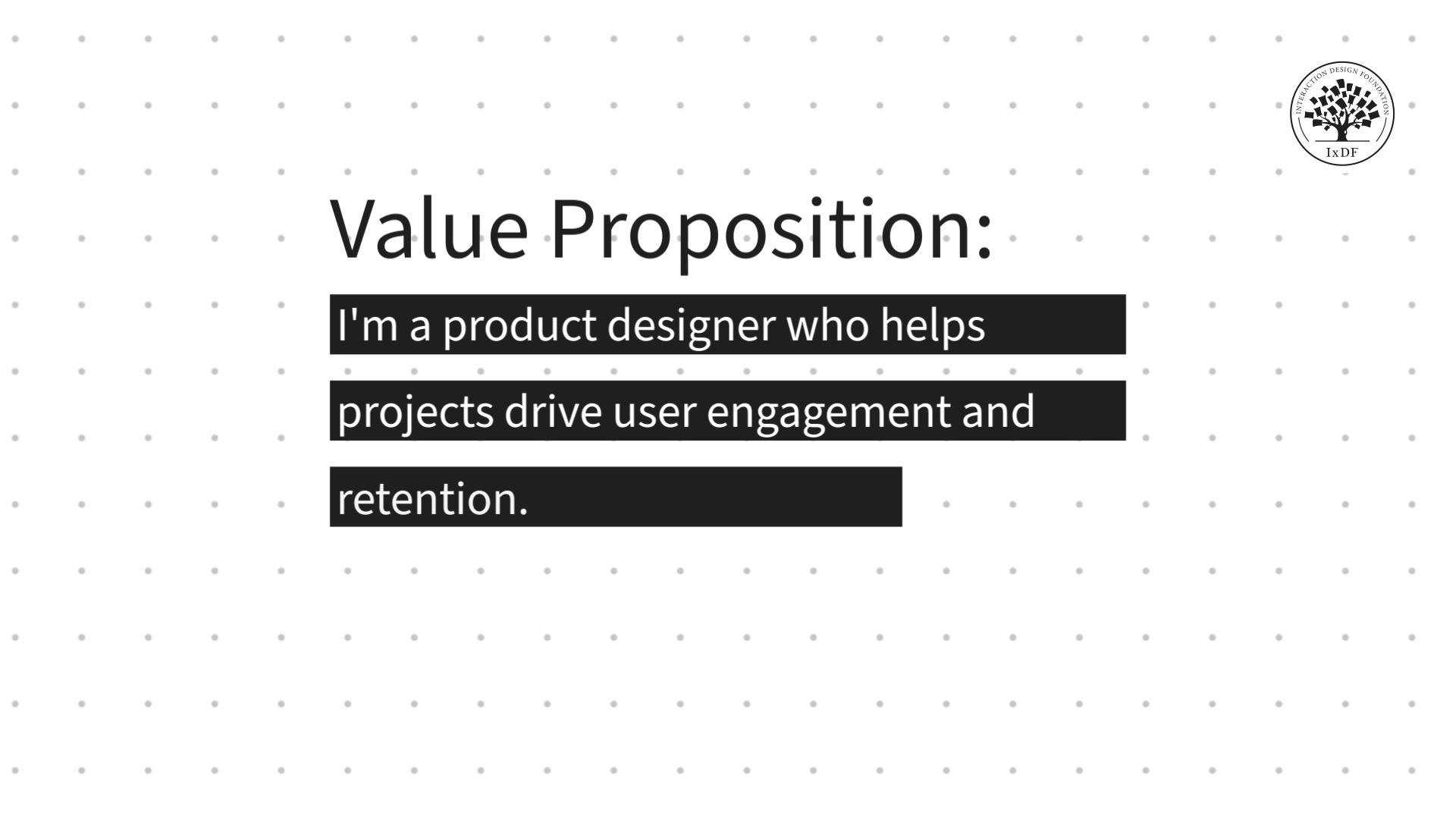
Text: Value proposition: I'm a product designer who helps projects drive user engagement and retention.

© Interaction Design Foundation, CC BY-SA 4.0

Your headlines should not only grab attention, but also help hiring managers scan the content of your design portfolio.

Here's a step-by-step guide to help you create an effective headline:

  1. Include key skills or specializations: Incorporate essential skills or specializations directly into your headline to quickly convey what sets you apart as a designer. This allows hiring managers to immediately identify whether your expertise aligns with their needs.

"Expert Web Designer Specializing in E-commerce Solutions"

  1. Highlight achievements or awards: If you have received notable achievements or awards in your design career, showcase them in your headline to provide instant credibility and make your portfolio stand out.

“D&AD-Award-Winning Graphic Designer with a Passion for Branding"

  1. Specify industry experience: If you have extensive experience working within specific industries, mention them in your headline to signal to hiring managers that you have relevant expertise in their field.

“Specialist UX/UI Designer in the Tech and SaaS Industries"

  1. Quantify results or impact: If possible, quantify the results or impact of your design work in your headline to demonstrate your effectiveness as a designer. This helps hiring managers quickly understand the value you can bring to their team.

"Increased Conversion Rates by 30% Through Strategic Design Solutions"

  1. Use keywords relevant to the job: Tailor your headline to include keywords relevant to the job description or the specific role you're applying for. This can help your portfolio to appear more prominently in search results and catch the eye of hiring managers.

"Versatile Designer Skilled in Responsive Web Design and SEO Optimization"

  1. Keep it brief and scannable: While it's important to include relevant information in your headline, keep it brief and scannable so hiring managers can quickly grasp the essence of your portfolio. Avoid long sentences or unnecessary details.

"Creative Designer | UX Expert | Branding Enthusiast"

  1. Be authentic: Let your personality shine through in your hook to establish a genuine connection with your audience.

"Passionate about designs that not only look good but also make a meaningful impact on users' lives."

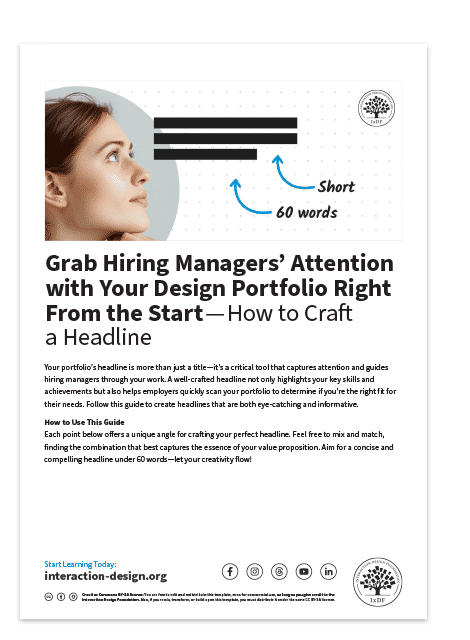
Use this template to craft your impactful, attention-grabbing headline.

Advance Your Career With This Free Template for “Grab Hiring Managers Attention With Your Design Portfolio Right From the Start How To Craft a Headline”
Grab Hiring Managers Attention With Your Design Portfolio Right From the Start How To Craft a Headline
We respect your privacy
Get 1 powerful email each week: Design a life you love!

The Take Away

The primary purpose of your portfolio's landing page is to engage visitors, especially potential employers, and convince them that they've found the right candidate. To achieve this, your hook and introduction need to be spot on.

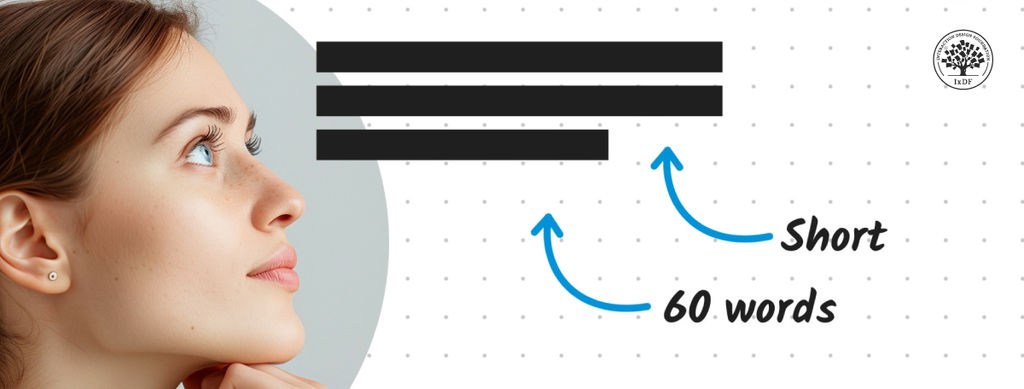
A good hook should be visually appealing and straightforward, as our initial impressions heavily rely on visuals. Once visitors start reading your landing page, they should find your content valuable, primarily focused on you and your work. Therefore, a well-written headline is essential to introduce yourself effectively. Your headline should be concise (around 60 words maximum) and provide a snapshot of who you are and what you do. Experiment with different angles, such as your role, industry, value proposition or processes, to distinguish yourself from other candidates.

Test your headline to ensure readability and clarity, and seek feedback from mentors or peers for validation. Additionally, consider whether to include a photo next to your headline, as portfolios are more personal and allow for such visual elements to enhance the personal touch of your landing page.

References and Where to Learn More

Spark your creativity with The 10 Most Inspirational UX Design Portfolio Examples in 2024.

Check out Journey’s piece, How to Create an Effective Design Portfolio Copy.

Build a network that supports your career growth—join an IxDF Local Group.

Hero image: © Interaction Design Foundation, CC BY-SA 4.0

Feel Stuck?
Want Better Job Options?

AI is replacing jobs everywhere, yet design jobs are booming with a projected 45% job growth. With design skills, you can create products and services people love. More love means more impact and greater salary potential.

At IxDF, we help you from your first course to your next job, all in one place.

See How Design Skills Turn Into Job Options
Privacy Settings
By using this site, you accept our Cookie Policy and Terms of Use.
Customize
Accept all

Be the One Who Inspires

People remember who shares great ideas.

Share on:

Academic Credibility — On Autopilot

Don't waste time googling citation formats. Just copy, paste and look legit in seconds.