Rapid Prototyping, Faking It Until You Make it in a UX Driven World

• 7 min read

899 Shares

The idea of “faking it, until you make it” is not new but it has a unique UX twist. The ability to develop and test prototypes at rapid rates of iteration lets you “fake” new products, get user feedback and make improvements without ever “making the product” until you have things just right. This can be a very valuable way of making a small budget go a long way.

Liz Gannes, writing for Gigaom, reports that Aardvark maybe the most successful proponents of faking it, until you make it in recent times. The company knew what it wanted to do but didn’t have the funds to go about it.

So what did they do? They created a manual process that appeared like an automated process. Instead of automating connections between their users, they used a human being to control and drive interactions instead. They took their concept and showed that it was a valid way to conduct business.

The approach worked too – Aardvark went on to get picked up by Google for $50 million, which is a pretty good indicator of success.

The Faking it Until You Make it Technique in UX

Ekta Srivistava, a User Interface Specialist and UX Architect, writing for Usability Geek, offers a great process for introducing the concept of faking it until you make it into UX work. The PR2I process. It’s a form of rapid prototyping that allows you to quickly create and deliver “fakes” until you’re ready to make a product.

The PR2I Process

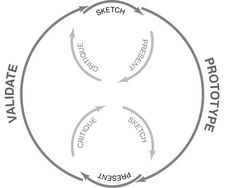
This is a prototyping process that uses rapid iteration to get to a product that will add the maximum value to the user. It is a cyclical concept where you move through each stage to the next and when you reach the end, you return to the beginning (over and over again) until you have the result that you need.

Ekta suggests that you begin with a rough sketch that includes the vital concepts you intend to work on and then move forward with the process itself:

Stage 1 – Prototyping
© Sage Ross. CC BY-SA 4.0

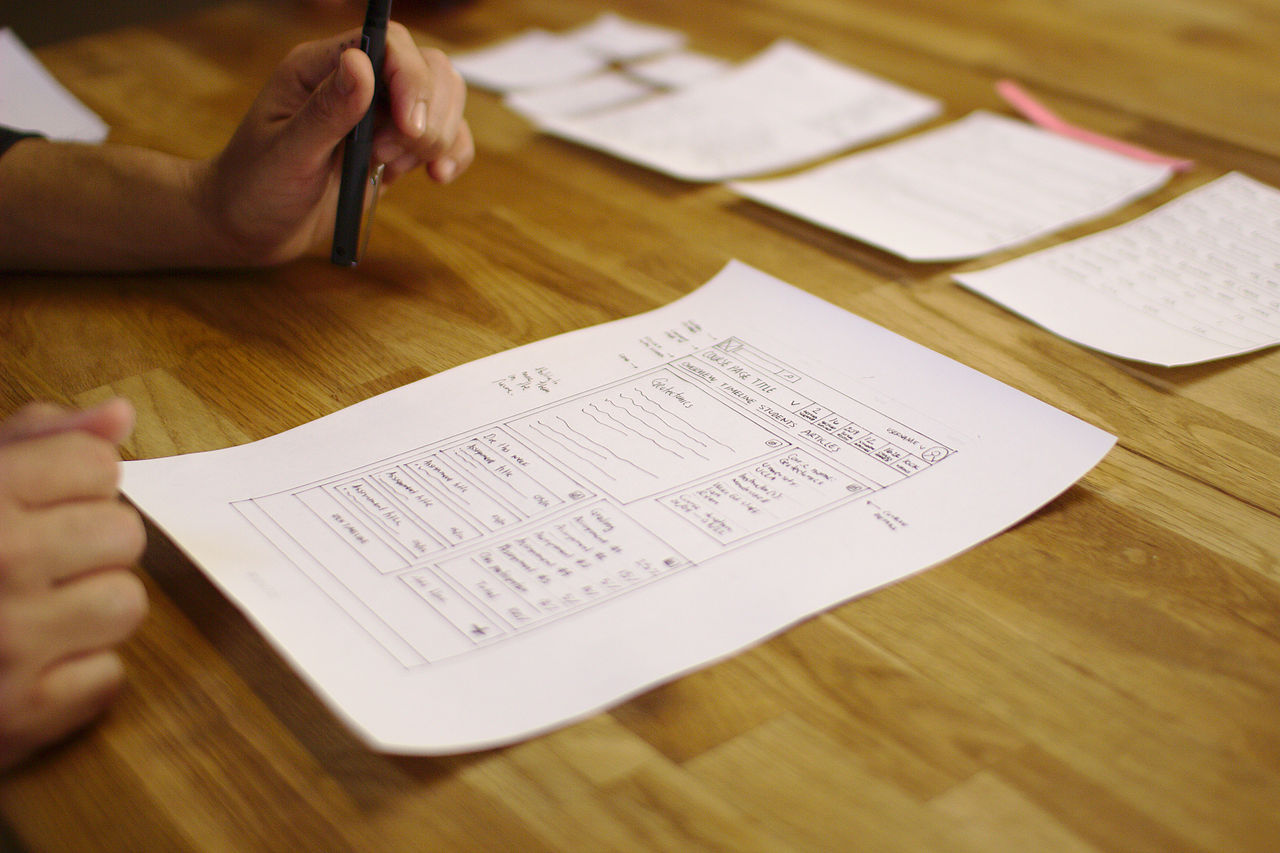
You’ll need to conduct a little user research and have any business or client requirements well in hand so that you have something to base your prototyping exercises on. Once you have these detailed requirements – you can create a mock up. These can be sketches early in the process and then move to low-fi prototypes as you progress.

Ekta recommends that you keep in mind UX best practices and try to ensure that you meet these throughout the lifecycle.

Stage 2 – Reviewing

This is when you bring together all the stakeholders on your project and ensure that their expectations are met with the prototype. You make detailed notes of what’s working well and what’s not going so well. These make it easier to refine the product.

Stage 3 – Refining

Once you have some feedback, you need to ensure that you understand this clearly and then incorporate this into a list of refinements to be included in the next iteration. Then you return to the start (if necessary).

Prototyping Techniques

Not all prototypes are created the same. There are low-fi and high-fi techniques you can use which boil down to:

Sketches

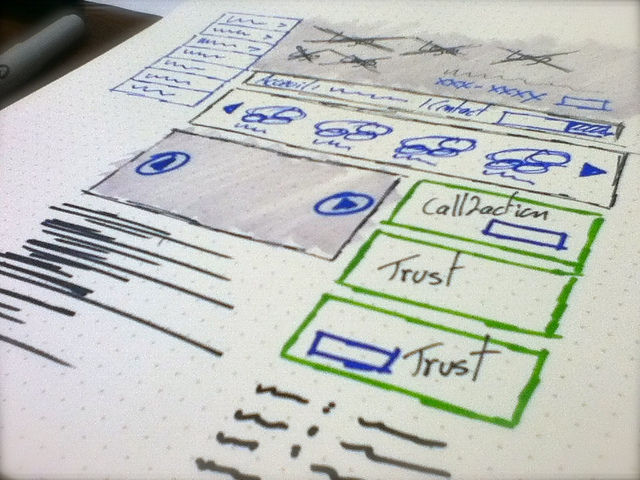
Sketches are the lowest fidelity technique. They make for a great project starting point. They’re easy to create and very easy to deliver. They allow you to check that concepts and requirements have been fully-understood without putting in too much effort. As you move through the project, sketches will become less useful. It can be hard to test functionality easily with sketches and it can become time consuming as the product becomes more complex and better evolved.

Wireframes
© Benoît Meunier, CC BY-SA 2.0

Wireframes are a more complex approach to mapping out your product. They are more detailed than sketches and if you use computer software to develop the wireframes then you can add genuinely interactive elements to the wireframe. This makes it easier to formally test ideas and see if they work in practice. In general, the look of the finished product isn’t so important at the wireframing stage – you don’t need to make these things pretty but you do need to include enough detail so that you can see how the wireframe performs with users.

Prototypes

Prototypes are working models of your finished product. They are designed to emulate not just the functionality of the product but also the look and feel. By the time you introduce these high-fidelity models into the process – you should be a long way to finalizing the details of the product. Prototypes, by their very nature, take longer to produce and cost more to produce than wireframes or sketches.

Ekta recommends that you develop prototypes, where possible, with the intention of recycling code from the prototype into the finished product. While this may add additional costs at this stage – it should save money over the lifecycle of the product’s development.

The Take Away

While faking it until you make it on Aardvark’s scale may take a lot of nerve – on a smaller scale through rapid prototyping it makes sense in all UX environments. Testing ideas without building them is cheaper and more resource efficient than it has ever been.

There are plenty of tools that allow you to automate this and not all of them are expensive. This means that a smart UX designer or UX design team can substantially boost the value they add to the bottom line without laying out a small fortune in the first place.

Resources

Need to develop some sketches for UX work? Here are some suggestions for automating the process from UX Booth.

Wireframing on a budget? Never mind, we’ve got a list of 10 free to use tools for you here.

We also have a great list of wireframing and prototyping tools you can use on your projects here.

Find out all the fine detail of Aardvark’s success and how they faked it, until they made it at Gigaom here.

Read Ekta’s piece on rapid prototyping at Usability Geek here.

References

Hero Image: ©Samuel Mann, CC BY 2.0

Learn More in This Course:

AI for Designers

11 days
13 % booked
View Course

What You Should Read Next

  • Read full article
    What is Interaction Design? - Article hero image
    Interaction Design Foundation logo

    What is Interaction Design?

    Interaction design is an important component within the giant umbrella of user experience (UX) design. In this article, we’ll explain what interaction design is, some useful models of interaction design, as well as briefly describe what an interaction designer usually does.A simple and useful unders

    Social shares
    1.5k
    Published
    Read Article
  • Read full article
    Apple’s Product Development Process – Inside the World’s Greatest Design Organization - Article hero image
    Interaction Design Foundation logo

    Apple’s Product Development Process – Inside the World’s Greatest Design Organization

    Apple’s Product Development Process may be one of the most successful design processes ever implemented. With a valuation that exceeds $2 trillion, there’s a lot that designers can learn from Apple and introduce into their own design environments.Apple is a notoriously secretive business. In Steve J

    Social shares
    1.4k
    Published
    Read Article
  • Read full article
    Shneiderman’s Eight Golden Rules Will Help You Design Better Interfaces - Article hero image
    Interaction Design Foundation logo

    Shneiderman’s Eight Golden Rules Will Help You Design Better Interfaces

    Follow Ben Shneiderman’s 'Eight Golden Rules of Interface Design' if you want to design great, productive and frustration-free user interfaces. Apple, Google and Microsoft are among some of the highly successful companies whose well-designed products reflect Shneiderman’s rules. The characteristics

    Social shares
    1.4k
    Published
    Read Article
  • Read full article
    How to Change Your Career from Graphic Design to UX Design - Article hero image
    Interaction Design Foundation logo

    How to Change Your Career from Graphic Design to UX Design

    If there’s an occupation that is 100% linked with the public’s idea of what design is all about, it’s graphic design. From the familiar golden arches of the McDonald’s brand to the typography and colors of movie posters, graphic designers create some of the most iconic and ubiquitous designs around

    Social shares
    1.4k
    Published
    Read Article
  • Read full article
    The Grid System: Building a Solid Design Layout - Article hero image
    Interaction Design Foundation logo

    The Grid System: Building a Solid Design Layout

    Now that we’ve seen some grids at work in the Rule of Thirds article, let’s examine them a little more deeply. As a concept that deals so fundamentally with the fabric and background of our work as designers, it’s easy to overlook the power of grids and think more about the elements we want to creat

    Social shares
    1.4k
    Published
    Read Article
  • Read full article
    The Principles of Service Design Thinking - Building Better Services - Article hero image
    Interaction Design Foundation logo

    The Principles of Service Design Thinking - Building Better Services

    Service design is all about taking a service and making it meet the user’s and customer’s needs for that service. It can be used to improve an existing service or to create a new service from scratch. In order to adapt to service design, a UX designer will need to understand the basic principles of

    Social shares
    1.4k
    Published
    Read Article
  • Read full article
    A Simple Introduction to Lean UX - Article hero image
    Interaction Design Foundation logo

    A Simple Introduction to Lean UX

    Lean UX is an incredibly useful technique when working on projects where the Agile development method is used. Traditional UX techniques often don’t work when development is conducted in rapid bursts – there’s not enough time to deliver UX in the same way. Fundamentally Lean UX and other forms of UX

    Social shares
    1.3k
    Published
    Read Article
  • Read full article
    Dieter Rams: 10 Timeless Commandments for Good Design - Article hero image
    Interaction Design Foundation logo

    Dieter Rams: 10 Timeless Commandments for Good Design

    Let’s pay a virtual visit to a famous industrial designer’s workshop. By examining the principles of his winning approach, we can incorporate vital elements into our designs in the “less is more” age.As user experience practitioners, most of us have worked with Nielsen and Molich’s 10 heuristics or

    Social shares
    1.3k
    Published
    Read Article
  • Read full article
    The 7 Factors that Influence User Experience - Article hero image
    Interaction Design Foundation logo

    The 7 Factors that Influence User Experience

    User Experience (UX) is critical to the success or failure of a product in the market but what do we mean by UX? All too often UX is confused with usability which describes to some extent how easy a product is to use and it is true that UX as a discipline began with usability – however, UX has grown

    Social shares
    1.3k
    Published
    Read Article
  • Read full article
    10 Free-to-Use Wireframing Tools for UX Designers in 2026 - Article hero image
    Interaction Design Foundation logo

    10 Free-to-Use Wireframing Tools for UX Designers in 2026

    Wireframes help you quickly ideate and test your ideas. While paper wireframes are the fastest to create, digital wireframes look more polished and presentable. If you are looking for a pocket-friendly wireframing tool, look no further.Whether you prefer browser-based apps or offline desktop tools,

    Social shares
    1.3k
    Published
    Read Article

Top Articles

Top Topic Definitions

Feel Stuck?
Want Better Job Options?

AI is replacing jobs everywhere, yet design jobs are booming with a projected 45% job growth. With design skills, you can create products and services people love. More love means more impact and greater salary potential.

At IxDF, we help you from your first course to your next job, all in one place.

See How Design Skills Turn Into Job Options
Privacy Settings
By using this site, you accept our Cookie Policy and Terms of Use.
Customize
Accept all

Be the One Who Inspires

People remember who shares great ideas.

Share on:

Academic Credibility — On Autopilot

Don't waste time googling citation formats. Just copy, paste and look legit in seconds.

Feel Stuck? Want Freedom?

Join 326,037+ designers who get one powerful email each week. Learn to design a life you love.

Next email in
1
day
7
hrs
47
mins
52
secs

Free forever. No spam. Unsubscribe anytime.