User Interface (UI) Design Patterns

Your constantly-updated definition of User Interface (UI) Design Patterns and collection of videos and articles.
Be a conversation starter: Share this page and inspire others!

3,943 Shares

What are User Interface (UI) Design Patterns?

User interface (UI) design patterns are reusable/recurring components which designers use to solve common problems in user interface design.
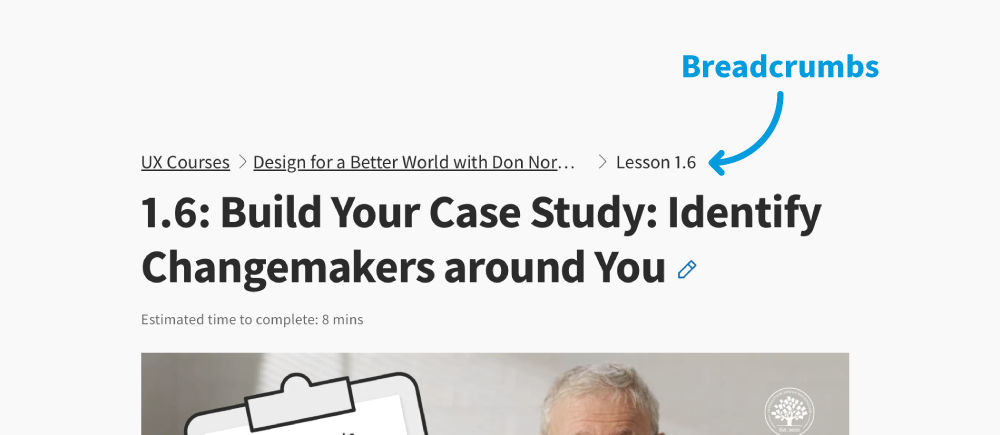
© Interaction Design Foundation, CC BY-SA 4.0

For example, the breadcrumbs design pattern lets users retrace their steps.

Designers can apply them to a broad range of cases, but must adapt each to the specific context of use.

Why Design Patterns Are Such Powerful Design Aids

Websites and apps have a conventional look and feel because of design patterns such as global navigation and tab bars. In UI design, you can use design patterns as a quick way to build interfaces that solve a problem; for instance, a filter pattern is a versatile tool that helps the user extract, enhance, or manipulate data to achieve specific goals.

Transcript

UI design patterns serve as design blueprints that allow designers to choose the best and most commonly used interfaces for the user's specific context. Each pattern typically contains:

  • A user’s usability-related problem.

  • The context/situation where that problem happens.

  • The principle involved—e.g., error management.

  • The proven solution for the designer to implement to address the core of the problem.

  • Why—the reason for the pattern’s existence and how it can affect usability.

  • Examples—which show the pattern’s successful real-life application (e.g., screenshots and descriptions).

  • Implementation—some patterns include detailed instructions.

Common UI Design Patterns

Some of the most common UI design patterns are:

  • Breadcrumbs: Use linked labels to provide secondary navigation that shows the path from the front to the current site page in the hierarchy.

  • Lazy Registration: Forms can put users off registration. So, use this sign-up pattern to let users sample what your site/app offers for free or familiarize themselves with it. Then, you show them a sign-up form. For example, Amazon allows unrestricted navigation and cart-loading before it prompts users to register for an account. Note:

    • When content is accessible only to registered users or users must keep entering details, offer them simplified/low-effort sign-up forms.

    • Minimize/Avoid optional information fields. Use the Required Field Markers pattern to guide users to enter needed data.

  • Forgiving Format: Let users enter data in various formats (e.g., city/town/village or zip code).

  • Clear Primary Actions: Make buttons stand out with color so users know what to do (e.g., “Submit”). You may have to decide which actions take priority.
Here, we use the design pattern “clear primary action” to clearly show users where they can click.

© Interaction Design Foundation, CC BY-SA 4.0

  • Progressive Disclosure: Show users only features relevant for the task at hand, one per screen. If you break input demands into sections, you’ll reduce cognitive load (e.g., “Show More”).

  • Hover Controls: Hide nonessential information on detailed pages to let users find relevant information more easily.

  • Steps Left: Designers typically combine this with a wizard pattern. It shows how many steps a user has to take to complete a task. You can use gamification (an incentivizing design pattern) here to enhance engagement.

  • Subscription Plans: Offer users an options menu (including “Sign-up” buttons) for joining at certain rates.

  • Leaderboard: You can boost engagement if you use this social media pattern.
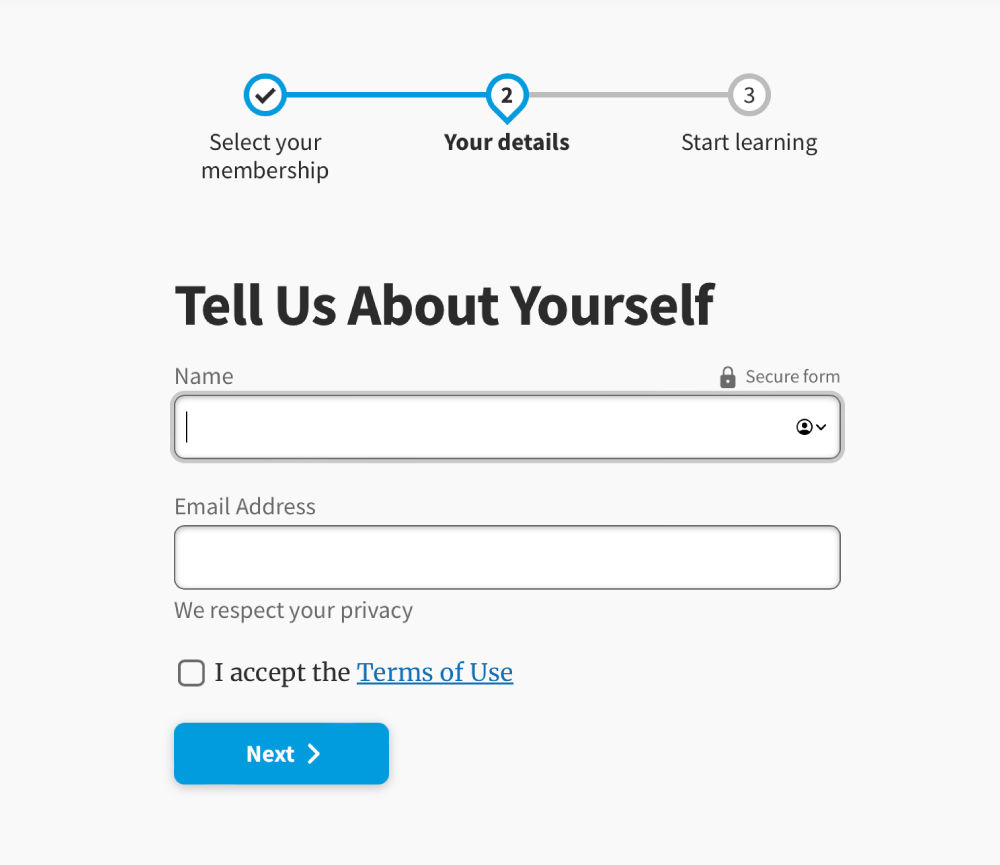
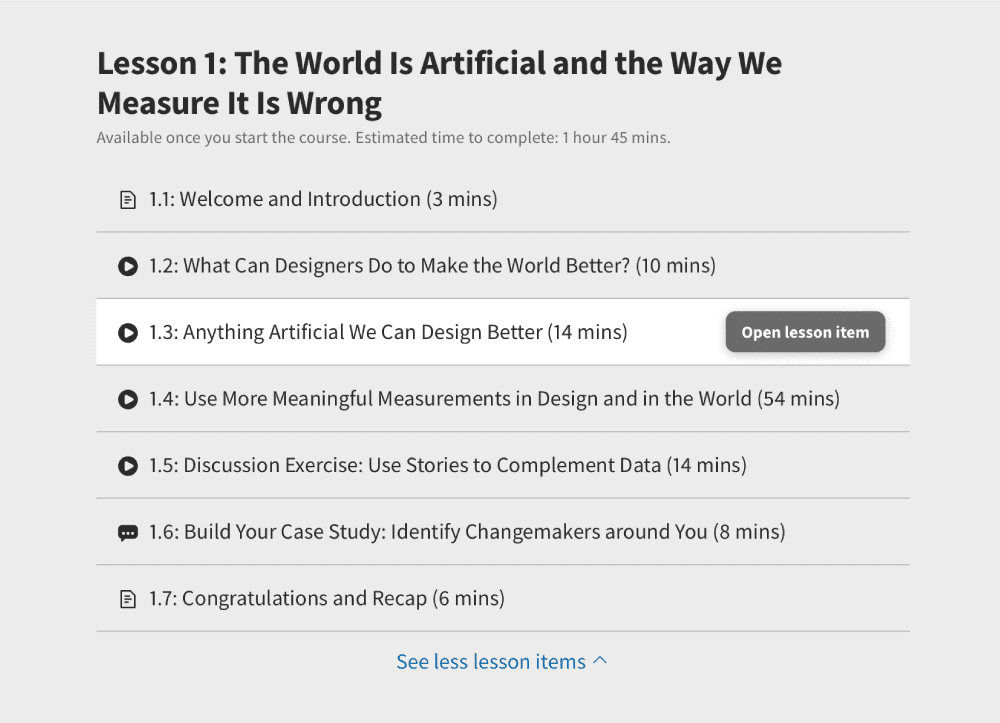
    This page uses the design patterns progress tracker, clear primary actions and progressive disclosure.

    © Interaction Design Foundation, CC BY-SA 4.0

  • Dark Patterns: Some designers use these to lead or trick users into performing certain actions, typically in e-commerce, so they spend more or surrender personal information. Dark patterns range in harmfulness. Some designers leave an unchecked opt-out box as a default to secure customer information. Others slip items into shopping carts. To use dark patterns responsibly, you must be ethical and have empathy with your users. Dark patterns are risky because user mistrust and feedback can destroy a brand’s reputation overnight.

How to Use Design Patterns

Transcript

Freely available, UI design patterns let you save time and money since you can copy and adapt them into your design—instead of reinventing the wheel for every new interface. They also facilitate faster prototyping and user familiarity. However, you should use them carefully. The wrong choices can prove costly – for example, if you:

  • Approach problems incorrectly because you’re over-relying on patterns.

  • Don’t fine-tune patterns to specific contexts.

  • Don’t customize a distinct brand image (e.g., your website ultimately resembles Facebook).

  • Overlook management requirements. If you create your own patterns, you must clearly define how to use them and with what types of problems, version-control them, and store them for team access.

Overall, give users familiar frameworks that maximize convenience and prevent confusion while they interact with your unique-looking brand.

Future-Focused UI Patterns for Mobile

Let’s look at mobile UX design, more specifically, common mobile UI patterns. These can be used to design intuitive interfaces and speed up your design process.

Transcript

Questions About User Interface (UI) Design Patterns?
We've Got Answers!

What is an example of a UI pattern?

A UI pattern is a repeatable solution to a standard design problem, ensuring consistent user experience. This video highlights the 'OK/Cancel' pattern, emphasizing the concept of proximity

Transcript

The pattern uses grouping to indicate that items, like the 'OK' and 'Cancel' buttons, relate to each other. This means users instinctively understand their relationship and function when they see these buttons together. Following a recognizable UI pattern, such as this, can significantly enhance a user's navigation experience. Check out the full video for insights on essential mobile UX design patterns.

What are the 4 golden rules of UI design?
  1. Grid and Layout: The foundation of any design is its grid and layout. Proper alignment and spacing ensure that content is organized and easily digestible by users.

  2. Typography: Text plays a vital role in conveying information. Choosing the right font and maintaining readability is paramount.

  3. Hierarchy: This defines the order and prominence of elements, guiding users through the interface and highlighting important content.

  4. Simplicity and Order: Our brains prefer order over chaos. A well-organized interface, free from clutter, allows faster processing and a more pleasant user experience.

By mastering these rules, designers can craft aesthetically pleasing and functional interfaces.

This video explains how people-centered UI design combines structure and visuals with principles like discoverability and predictability, so every color, button, and interaction supports usability and can even matter in high-stakes moments.

Transcript

Why are UI patterns important?

UI Design Patterns are essential, recurring solutions designers employ to address common interface dilemmas. These patterns simplify complex environments, ensuring users view vital content when needed. 

Transcript

For instance, in the clip, the Galaxus product search uses an, efficient UI patterns to provide a better filtering experience. Such designs prioritize user convenience, eliminating unnecessary auto-refreshes and incorporating intuitive features, especially in mobile views. Whether through slide-in filters or accordions, these patterns enhance navigation. Crucially, well-designed UI patterns improve user experience, mitigate usability problems, and bolster a product's success. They remain a cornerstone of user-centric design and product innovation.

What are the categories of UI patterns?

UI patterns streamline user experience and can be classified into various categories. Some essential UI pattern categories include:

  1. Onboarding: Engaging users with compelling visual design, like the Down Dog app.

  2. Gestures: Intuitive actions like tap, swipe, and unique gestures made familiar by apps like Tinder.

  3. Integration: Seamlessly connecting apps with other platforms, ensuring fluid transitions.

  4. Back Buttons: Allowing users to navigate to previous content or sections without feeling lost.

  5. Accordions: Efficient navigation tools, but must ensure users don't get lost within.

  6. Contrast and Affordance: Showcasing navigational cues like open/close indicators.

  7. Hamburger Menus: Simplified navigation menus, optimizing visibility and accessibility.

  8. Search: Allowing users to search content within specified parameters effectively.

  9. Videos: Engaging content that should be easily scannable, captioned, and accessible.

  10. Customization: Providing users control of their data and avoiding random, non-desirable features.

  11. Touch Targets: Ensuring clear signifiers for tapable items and preventing accidental touches.

These categories are essential for creating user-friendly, effective interfaces.

What is the difference between UI patterns and components?

UI patterns and components are essential to interface design but serve distinct purposes. UI patterns are recurring solutions that address common design challenges in user interfaces. They provide consistent, efficient ways to solve usability issues, like how filtering should function in e-commerce sites without causing disruptive refreshes. On the other hand, components are the building blocks used within those patterns. For instance, in an e-commerce filter pattern, buttons, drop-down menus, and checkboxes are the components. Simply put, UI patterns guide how components are organized and interact to deliver an optimal user experience. By understanding and leveraging both, designers can create functional and user-friendly interfaces.

What is the difference between a design system and a design pattern?

A design pattern solves common user interface challenges, focusing on specific interaction or design problems. It's a repeatable solution applied within different contexts. On the other hand, a design system is a comprehensive set of standards meant to guide the creation of products. It encompasses a library of patterns, components, guidelines, and best practices, ensuring consistency across an organization's designs. While design patterns offer singular solutions, design systems provide a holistic framework and a shared vocabulary for teams, streamlining the product development process. Design patterns can be seen as individual elements within the broader architecture of a design system.

What are UI pattern libraries?

UI pattern libraries are curated collections of user interface design solutions that address recurring challenges in product development. These libraries offer a repository of proven, practical design components that can be reused across different projects. Leveraging UI pattern libraries can help designers maintain consistency, speed up the design process, and ensure best practices in usability. As highlighted in this article from Interaction Design Foundation, there are numerous resources online where designers can access and get inspired by extensive UI pattern libraries, streamlining their design workflow and enhancing user experience.

What are design system patterns?

Design system patterns are reusable, standardized solutions to commonly occurring design challenges. Within a design system, they ensure consistency across products by providing a shared language for both designers and developers. These patterns encompass visual elements, interactions, and even code snippets. By utilizing them, teams can improve design cohesiveness, speed up the design process, and ensure a smoother design handoff between designers and developers. 

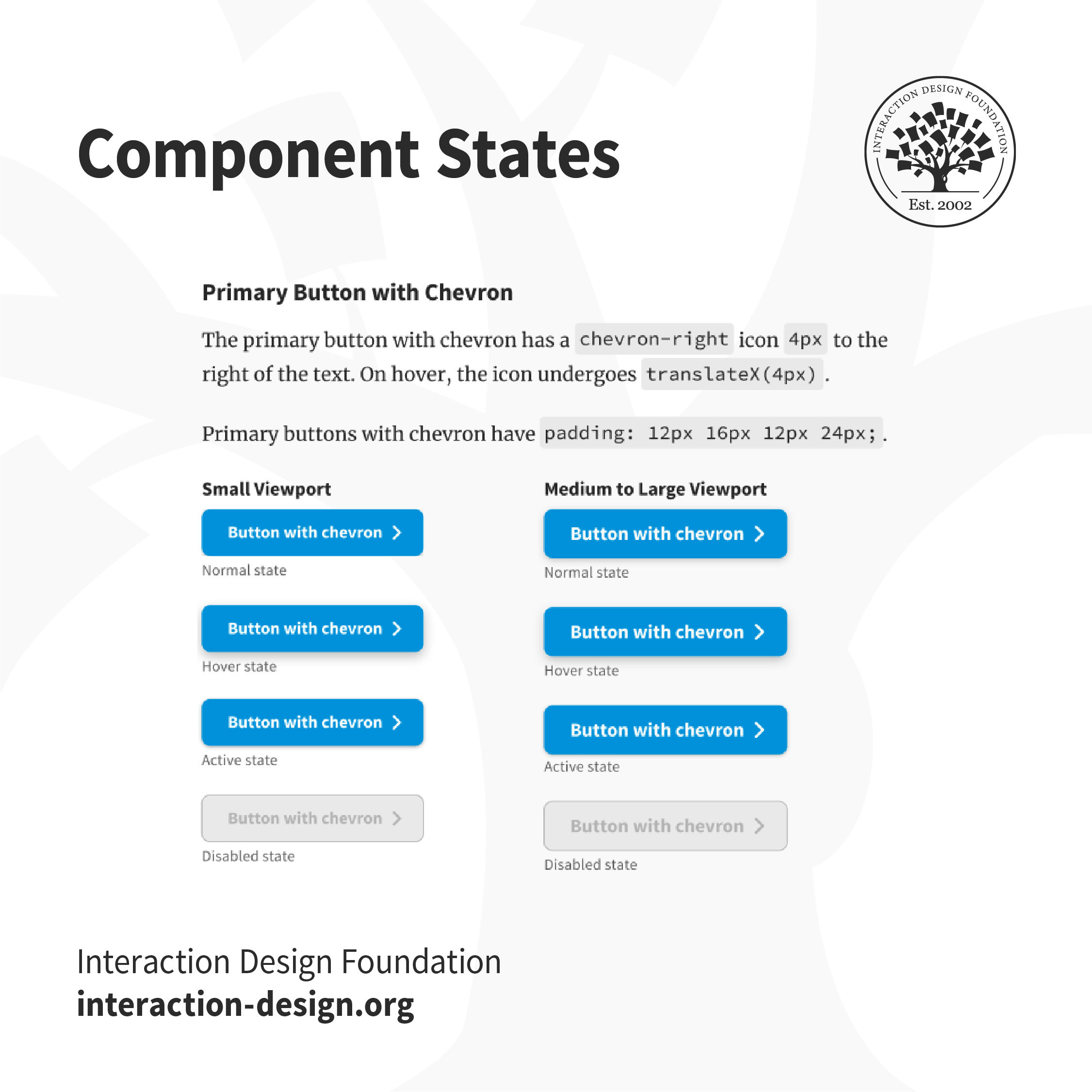
Different states of IxDF's buttons from our Design System.

Incorporating design system patterns promotes efficiency and maintains brand integrity throughout different projects.

What is the 60 30 10 rule in UI design?

The 60-30-10 rule in UI design is a color distribution guideline for creating balanced and visually appealing interfaces. 

This rule suggests using three primary colors:

  1. Background color (60%): This dominates the design, typically a neutral tone.

  2. Foreground (text) color (30%): Provides visual contrast, often a darker shade.

  3. Accent color (10%): Draws attention to essential elements or actions.

Starting with these primary colors is essential, ensuring harmony and reducing visual clutter. For a cohesive look, the foreground color can sometimes hint at the accent color. This rule simplifies the design process and ensures a consistent, user-friendly experience.

Where to learn more about UI Design patterns?

For a comprehensive understanding of UI design patterns, consider these courses from Interaction Design Foundation:

  1. UI Design Patterns for Successful Software: Delve into effective patterns, their psychology, and real-world applications in design.

  2. Mobile UI Design Course: Learn mobile-specific design patterns and best practices for intuitive mobile interfaces.

Transcript

If you're short on time, the UI Design Skills Masterclass provides a swift yet thorough overview of crucial UI design concepts. Enhance your design acumen and stay abreast of evolving UI trends with these invaluable resources.

Earn a Gift Earn a Gift, Answer a Short Quiz!

1
2
3
4
1
2
3
4
Question 1
Question 2
Question 3
Get Your Gift
Interaction Design Foundation logo

Question 1

What is the main purpose of UI design patterns?

1 point towards your gift

  • To make the interface visually complex, but interesting
  • To replace user testing
  • To solve common design problems with reusable solutions
Interaction Design Foundation logo

Question 2

How should designers apply UI design patterns?

1 point towards your gift

  • Adapt the pattern to fit the specific context of use.
  • Avoid using patterns in complex designs.
  • Rigidly follow the pattern without modification.
Interaction Design Foundation logo

Question 3

Which UI design pattern helps users retrace their steps on a website?

1 point towards your gift

  • Breadcrumbs
  • Infinite scrolling
  • Modal windows

Learn More About User Interface (UI) Design Patterns

Make learning as easy as watching Netflix: Learn more about User Interface (UI) Design Patterns by taking the online IxDF Course UI Design Patterns for Successful Software.

Why? Because design skills make you valuable. In any job. Any industry.

In This Course, You'll

  • Get excited as you discover the design patterns brands like Nike and Apple use to create interfaces users love. You know that feeling when you use a website that's so intuitive it feels almost like magic? Or the frustration when you can't find the items you just added to your cart? The difference lies in the User Interface (UI) design. Skills in UI Design equip you to create intuitive user experiences and amazing customer interactions. It's easy because you already have transferable skills like analytical thinking, creativity, clear communication, and problem-solving. In this course, you'll build on them to deliver exceptional customer interactions, even if interface design is new to you.

  • Make yourself invaluable with the in-demand design skills you need to create successful software. UI design patterns offer standardized ways to organize visual elements like hamburger menus and breadcrumbs. These repeatable design frameworks deliver predictable success. How? Your user-friendly software interfaces make your users' lives easier. Navigation, forms, data visualization, and feedback patterns reduce your users' cognitive load. Less cognitive load means happier customers. Happier customers mean greater loyalty, increased conversions, and higher earning potential. As AI speeds up production, you stay in demand by applying timeless human-centered design skills that keep simplicity, clarity, and usability front and center. This is how AI becomes a real advantage in your career, not just another tool.

  • Gain confidence and credibility with hands-on experience. No matter your background, you'll quickly master UI Design Patterns. With clear guidance and real-world examples, you'll apply your skills immediately. Master frameworks that simplify data entry, improve website usability, and engage your users. Fast-track your UI design portfolio and career with 20+ downloadable templates for sitemaps, user input forms, leaderboards, and more. If you'd like, you can also complete an optional portfolio project to showcase your new skills. This course gives you practical skills to delight your users, excel professionally, and confidently advance your career.

Get an Industry-Recognized IxDF Course Certificate

Increase your credibility, salary potential and job opportunities by showing credible evidence of your skills.

IxDF Course Certificates set the industry gold standard. Add them to your LinkedIn profile, resumé, and job applications.

Course Certificate Example

Be in distinguished company, alongside industry leaders who train their teams with the IxDF and trust IxDF Course Certificates.

Our clients: IBM, HP, Adobe, GE, Accenture, Allianz, Phillips, Deezer, Capgemin, Mcafee, SAP, Telenor, Cigna, British Parliament, State of New York

All Free IxDF Articles on User Interface (UI) Design Patterns

Read full article
10 Great Sites for UI Design Patterns - Article hero image
Interaction Design Foundation logo

10 Great Sites for UI Design Patterns

You don’t want to spend your whole life redesigning the wheel, do you? No, neither do we. If you are looking for a design that solves a problem that has been solved with a different application before, then the template for your wheel is probably already out there. This lets you save time and make a

Social shares
1.4k
Published
Read Article
Read full article
Make it Easy on the User: Designing for Discoverability within Mobile Apps - Article hero image
Interaction Design Foundation logo

Make it Easy on the User: Designing for Discoverability within Mobile Apps

Discoverability sometimes also referred to as “learnability” is the ease at which users can find new features or functions with an app and learn to use the things that they find. While this has always been an important part of user experience design – it becomes even more important in the mobile des

Social shares
787
Published
Read Article
Read full article
Using Design Patterns: Doing It Again Without The Hard Work - Article hero image
Interaction Design Foundation logo

Using Design Patterns: Doing It Again Without The Hard Work

Design is hard work and focusing on solving user and customer problems is the crux of that work. If you can find a tool that keeps that focus whilst eliminating some of the hard work then it’s clearly advantageous to use that tool. That’s where design patterns come in. They save designers from havin

Social shares
695
Published
Read Article
Read full article
Best Practices and UI Design Patterns for Help in Mobile - Article hero image
Interaction Design Foundation logo

Best Practices and UI Design Patterns for Help in Mobile

When users start to get to grips with your mobile app, they will need a little help from time to time. The good news is that standard design patterns can reduce design time for help in mobile apps. Here are some practical guidelines that you can use to improve the UX of help in general.You should no

Social shares
813
Published
Read Article
Read full article
Attract Users’ Attention with Update Alerts - Article hero image
Interaction Design Foundation logo

Attract Users’ Attention with Update Alerts

Updates can take many different forms. The updates on the activities of your favorite contacts in a social media application are very different from the updates that the same company behind the social platform implements in its terms and conditions. The first are updates that you want—or even crave—

Social shares
597
Published
Read Article
Read full article
Center Stage – Help the User Focus on What’s Important - Article hero image
Interaction Design Foundation logo

Center Stage – Help the User Focus on What’s Important

An important task for you as a designer is to help the user carry out tasks as efficiently as possible. Software companies such as Adobe and Microsoft are experts at this. They frequently use a design pattern called ‘center stage’ to help the user focus on what’s important. Center stage is one of th

Social shares
568
Published
Read Article

Using Design Patterns: Doing It Again Without The Hard Work

Using Design Patterns: Doing It Again Without The Hard Work

Design is hard work and focusing on solving user and customer problems is the crux of that work. If you can find a tool that keeps that focus whilst eliminating some of the hard work then it’s clearly advantageous to use that tool. That’s where design patterns come in. They save designers from having to reinvent the wheel in their design efforts and allow them to keep focus on solving problems instead.

What is a Design Pattern?

A design pattern is simply a reusable idea, design or code structure that has already been optimized for the purpose it is intended for. It is a very common approach in software design and development (though the approach for a software design pattern must be language agnostic and thus implementable on any development project) and in more visual design approaches too (such as UI design or help screen design).

Petrula Vrontikis, the leading designer and design educator says; “Practice safe design: use a concept.” Design patterns are concepts which have been fully fleshed out and are applicable to more than one project.

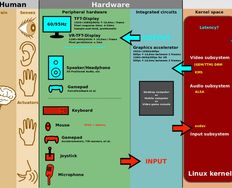
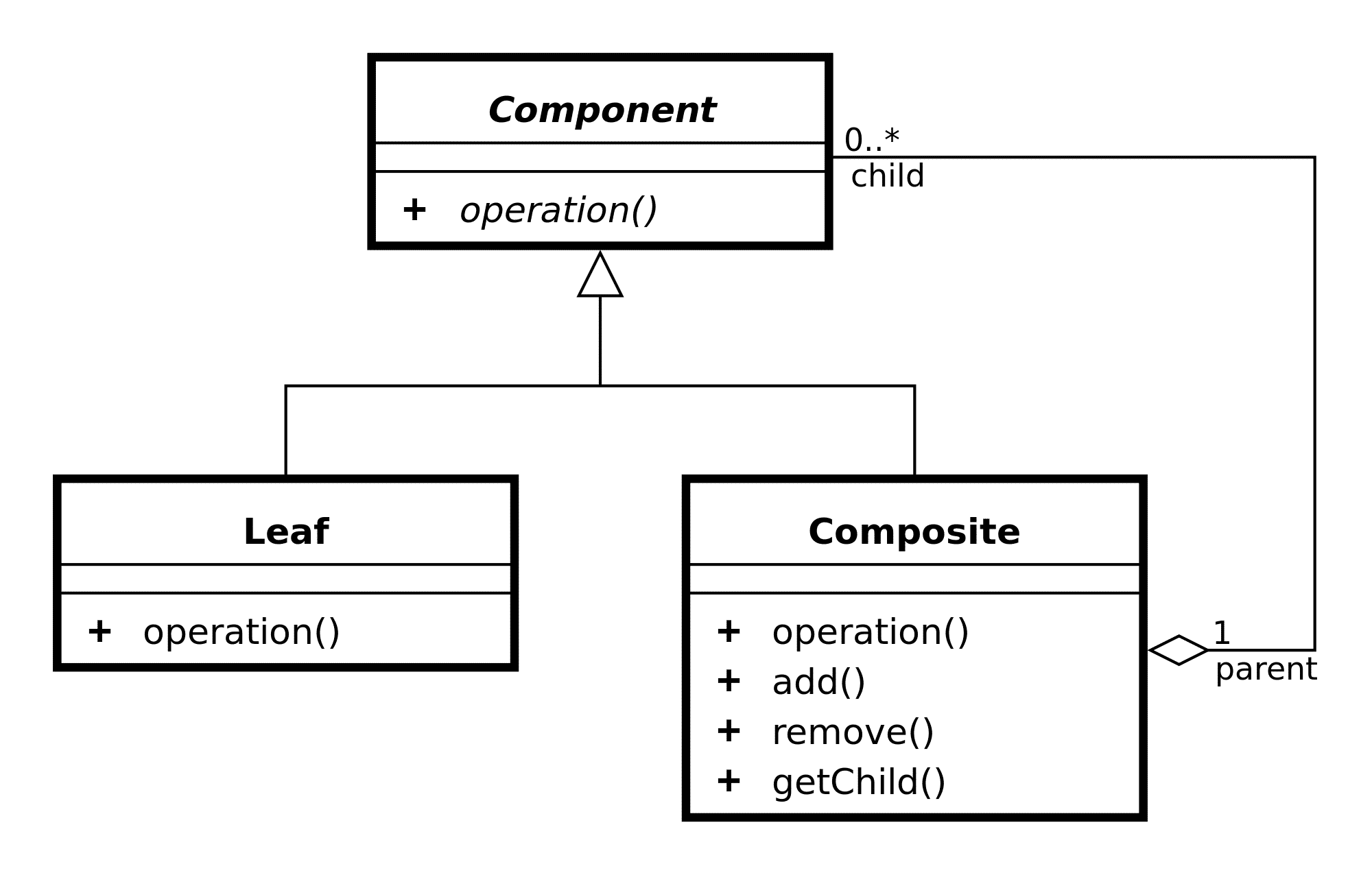
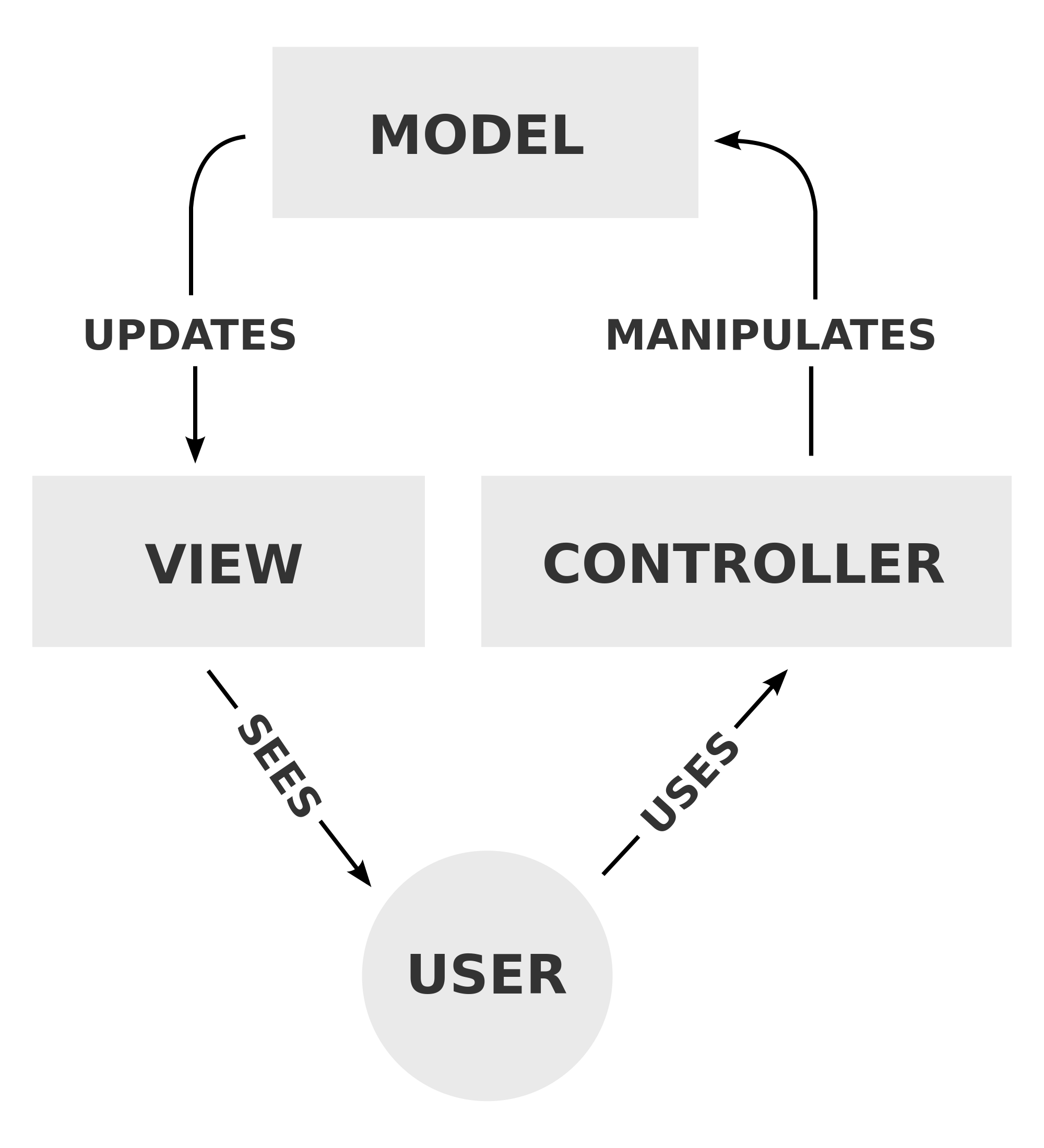
An example of the use of design patterns in software engineering.

© Aaron Rotenberg, Public Domain

What Goes Into a Design Pattern?

How long is a piece of string? It’s one of those questions. Design patterns can be used for so many different applications that there’s no standard for developing a design pattern. In general, the best design patterns act as guides to implementation in any circumstance that the concept may be needed in. That means that software patterns should not be based on code but rather on principles which can be implemented in any language. Graphic design patterns should be detailed enough that they can be quickly adapted to another project but not so detailed that they constrain rapid adaption. Learning design patterns should be high-level enough that they can be moved from a course on software development to a course on leadership without endless reiteration and so on….

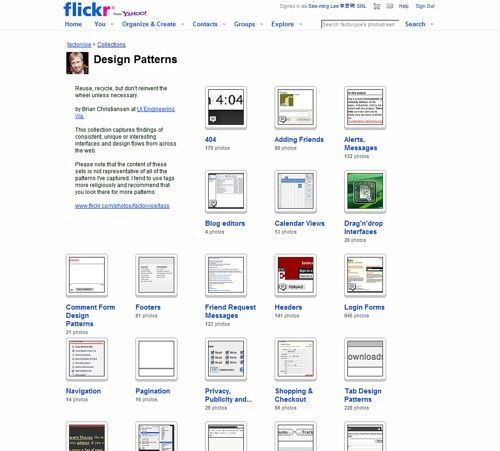
There are no hard and fast rules for design patterns, but to be useful they are often compiled into pattern libraries like this one.

© Unknown, Unknown

Creating Design Patterns

While there are no hard and fast rules for what goes into a design pattern – if you are going to create design patterns within your business you should:

  • Define what the design pattern is to be used for and clearly label that use on the pattern

  • Ensure that you version control design patterns so that latest revisions of a pattern are always preferred to earlier versions

  • Store design patterns somewhere that they can easily be accessed by all relevant parties – that means either in a physical location which can be accessed by all or in a server location that can be accessed by everyone – design patterns are of no value if they cannot be gotten to when they are needed

  • Regularly review design patterns for their utility – are they still a solution to a regularly occurring problem or can they be ditched? For example if you’ve made the move to social media logins for apps and websites – old school registration forms might need to be removed from your design pattern library.

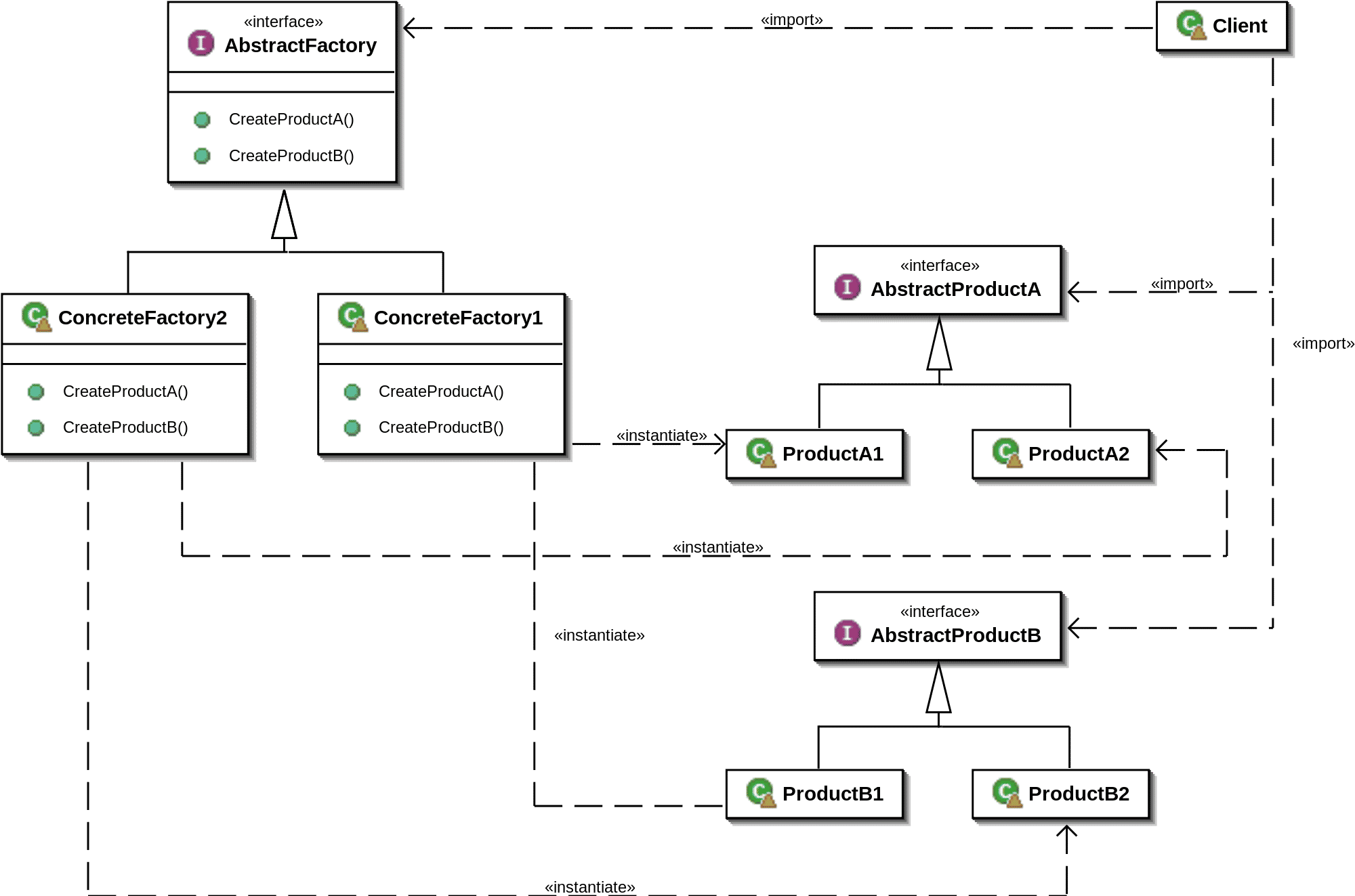
Design patterns can have many uses. Here’s an abstract of a factory’s design pattern.

© Giacomo Ritucci, CC BY-SA 3.0

The Advantages of Design Patterns

Design patterns are useful in terms of:

  • Saving time – a pre-built solution to a regularly occurring problem means that there’s no need to reinvent the wheel, you can pull the solution off the shelf and implement it

  • Saving money – when you save time, you also save money in a corporate environment

You may also find that you can source design patterns (for free or at a small cost) from other organizations or online. This can reduce the effort required to create the patterns themselves.

The Disadvantages of Design Patterns

Design patterns may also cause issues when their use is not carefully considered including:

  • They prevent proper consideration of a problem. Sometimes a problem is not what it appears to be – reaching for a pre-built solution to the wrong problem can add time and cost more money to design and development lifecycles.

  • They may be irrelevant in certain circumstances. Software design patterns, in particular, may be irrelevant if the style of programming language is different to the previous style that the pattern was developed for. There are many different ways of handling things in different software languages and even when a language agnostic approach is employed; it can be difficult to capture these differences meaningfully in a pattern.

  • They may introduce inefficiency into the final product or solution. What was the best solution last year is not guaranteed to be the best solution this year. Even if the pattern still solves the problem – it may not solve it in the best way possible.

  • They require management. In order to be useful design patterns need to be created carefully (which costs time and money) and stored in a way so that they are accessible to everyone who needs them. In addition you may need to educate people on the use and creation of these patterns.

An example of a simple UI design pattern–these can rapidly become much more complex and valuable as needed.

© RegisFrey, Public Domain

The Take Away

Design patterns offer an “off the shelf” approach to solving recurring problems in design. They can be very effective in terms of saving time and money on design projects. On the flip side, if their use is not carefully considered they can actually impede the delivery of high quality design projects. It is important that if patterns are to be used that they are created carefully for reuse and that they can be accessed by anyone who needs them easily.

Resources

Wanting to create some software design patterns? Here’s a good walkthrough for you - http://code.tutsplus.com/articles/a-beginners-guide-to-design-patterns--net-12752

You can find some excellent examples of UI design patterns here - https://www.smashingmagazine.com/2009/06/10-ui-design-patterns-you-should-be-paying-attention-to/

Feel Stuck?
Want Better Job Options?

AI is replacing jobs everywhere, yet design jobs are booming with a projected 45% job growth. With design skills, you can create products and services people love. More love means more impact and greater salary potential.

At IxDF, we help you from your first course to your next job, all in one place.

See How Design Skills Turn Into Job Options
Privacy Settings
By using this site, you accept our Cookie Policy and Terms of Use.
Customize
Accept all

Be the One Who Inspires

People remember who shares great ideas.

Share on:

Academic Credibility — On Autopilot

Don't waste time googling citation formats. Just copy, paste and look legit in seconds.