Your constantly-updated definition of Empathize in UX/UI Design and collection of videos and articles. Be a conversation starter: Share this page and inspire others!
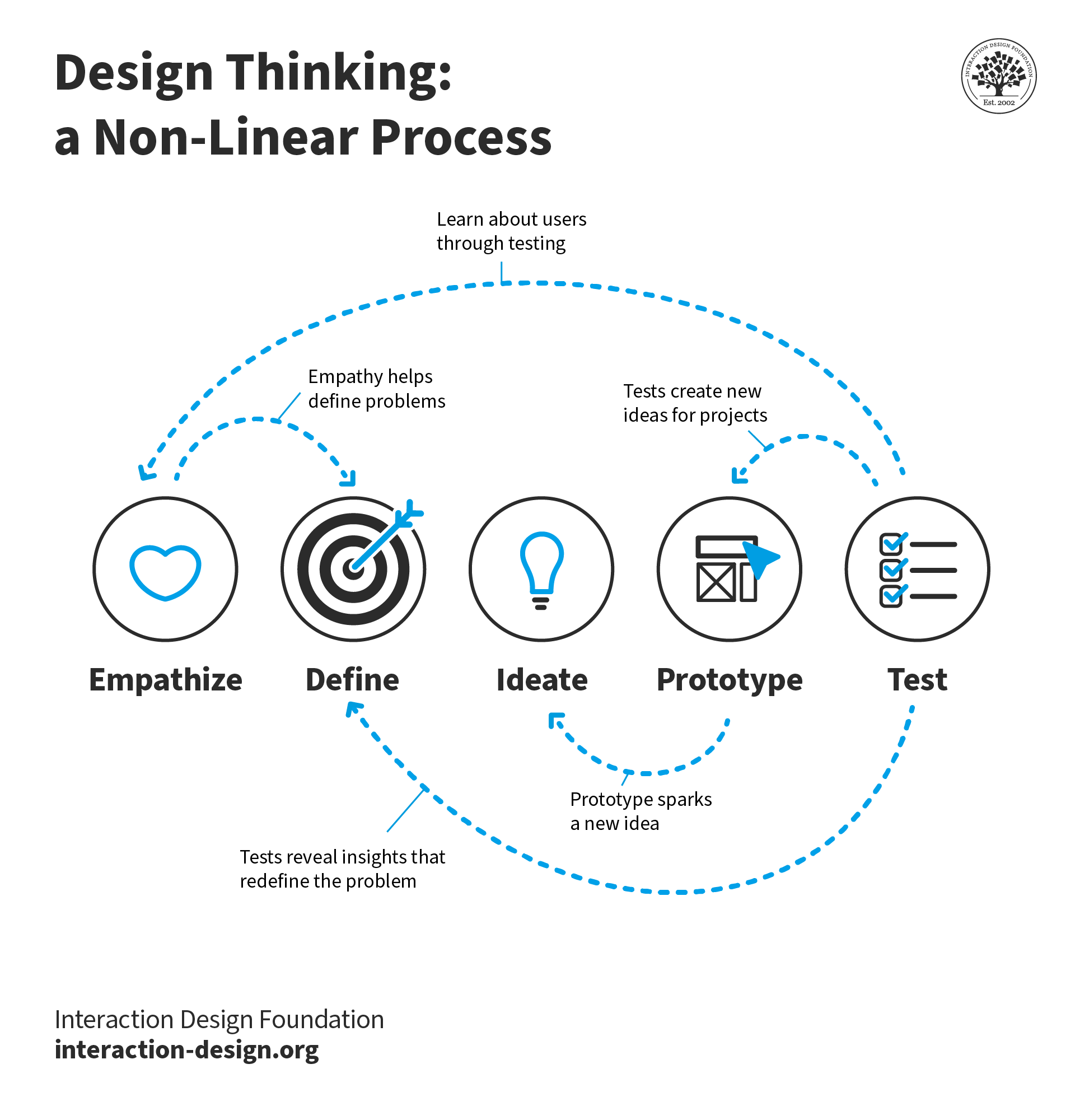
Empathize is the first stage of the design thinking process. Design teams conduct research to get personal grasps of their users’ needs. They set aside assumptions to obtain insights into the users’ world by observing and consulting with users. This way, they can understand users’ experiences, motivations and problems.
“If you want to build a product that’s relevant to people, you need to put yourself in their shoes.”
— Jack Dorsey, Programmer, entrepreneur, co-founder of Twitter & founder of Square
See how to empathize with users to gather a wealth of insights and fuel your design process.
Empathize with Real People – Leave Your Assumptions Outside
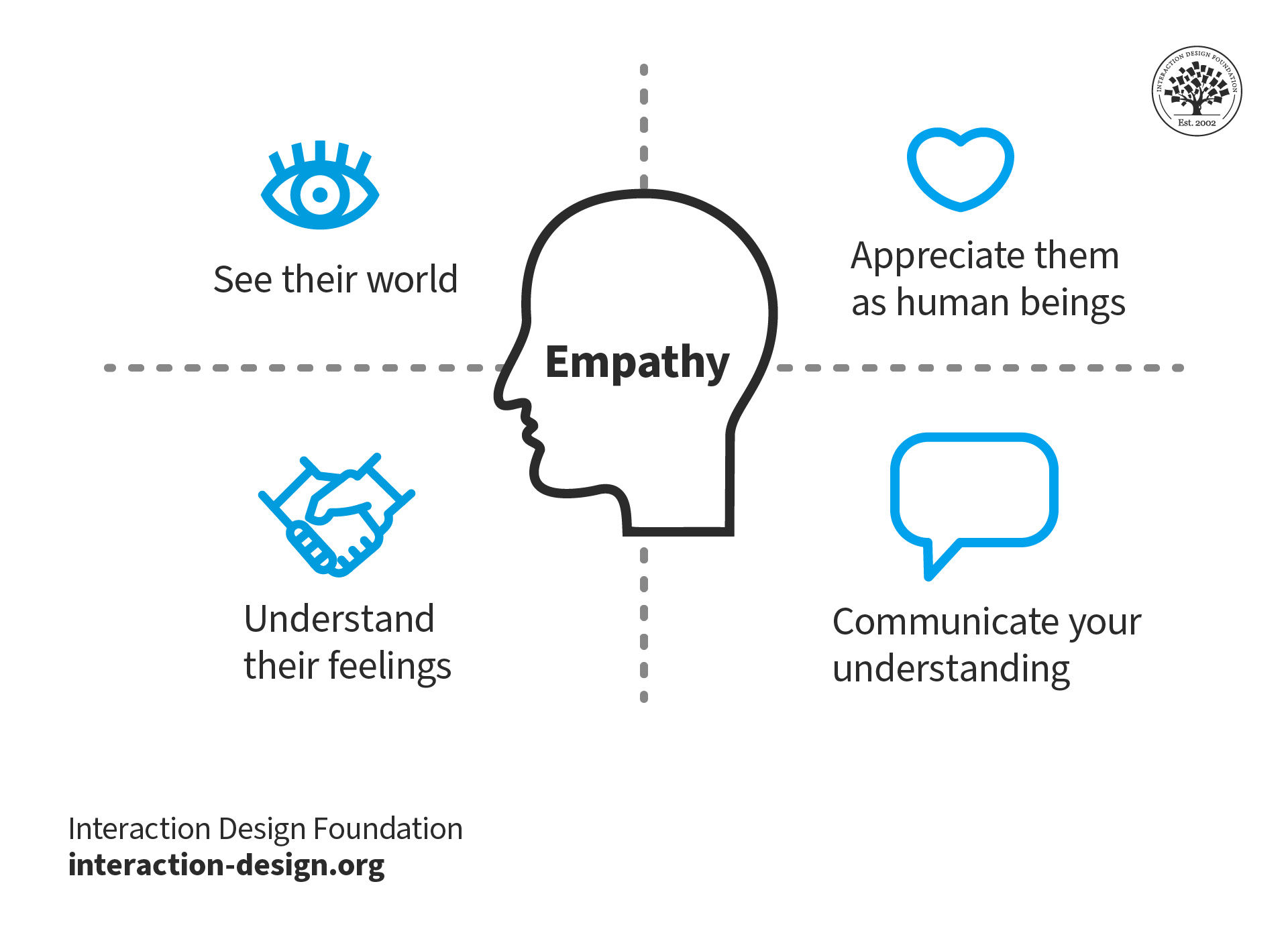
Empathize is design thinking’s first stage for a reason. It’s the first step on the road to thoughtfully designed products that prove the designers built with a compassionate eye for their users. Empathy is a naturally occurring characteristic which people have in varying degrees. However, they can improve their ability to empathize as a soft skill. Anyone in a design team will have preconceived ideas about the many situations people find themselves in as users. It’s unavoidable – you can’t unlearn your life experience. Therefore, you should always adopt a beginner’s mindset to be able to view and analyze situations with users objectively.
Empathize is the first stage in the design thinking process.
To empathize is to research. So, you should constantly remind yourself to question everything you observe instead of judging. You should also listen to others open-mindedly rather than focus on points that confirm your biases. Because our biases will naturally creep into how we view the world and the situations we consider, as designers—or design thinkers—we must catch and overcome these before they distort our research. You must become fully objective before you can start to see through your users’ eyes and interpret their viewpoints optimally. They are the experts. You must understand the users’ dimensions of use (e.g., tasks) and their feelings (e.g., motivations) before you can work towards delighting them through your design.
When you empathize you try to understand you users’ perspective.
How to Empathize to Get the Right Insights
You have a range of options, including:
Observing real users. Ask these questions to shift from concrete observations to abstract motivations:
“What?” – You detail your observations.
“How?” – You analyze how users do things (e.g., with difficulty).
“Why?” – You make educated guesses about the users’ emotions and motivations.
Conducting photo- and/or video-based studies in users’ natural environments or sessions with the design team or consultants – You record these users while they try to solve an issue you propose to resolve with your design.
Personal photo/video journals – You ask users to record their own experiences with approaching a problem. These may capture their pain points more accurately.
Interviewing users – Your team uses brainstorming to first find the right questions to ask in a generally structured and natural flow. Then, you can directly ask users for their insights in an intimate setting where they can respond earnestly to open-ended questions.
Engaging with extreme users – You find the extreme cases within your userbase to determine the greatest degrees of users’ needs, problems and problem-solving methods. You can then see the full scope of problems which typical, non-extreme users might run into. If you can satisfy an extreme user, you can satisfy any user.
Analogous empathy – Your team finds effective analogies to draw parallels between users’ problems and problems in other fields. This way, you can get insights you’d otherwise overlook.
Sharing inspiring stories– Your team shares stories about what they have observed so you draw meaning from these and note fascinating details.
Bodystorming – You wear equipment (e.g., goggles, gloves, torso attachments) to gain first-hand experience of your users in their environment.
Empathy maps and customer journey maps – Your team should have at least one of these as a reference point to appreciate the users’ perspectives.
Personas to establish accurate portraits/profiles of users who’ll interact with your product.
Whichever approach/es you take, beware of formulating solutions at this stage. Aim to realistically envision possible scenarios where users experience problems. Empathize is not just a key part of design thinking. It’s also pivotal to user-centered design and user experience (UX) design. When your design team remains aware of your users’ realities and passionate about helping real people solve real problems, you’ll reap precious insights which you can ultimately translate into products your users will love.
Questions About Empathize? We've Got Answers!
What is empathy vs sympathy?
Empathy and sympathy are related but distinct concepts. Empathy involves understanding and sharing another person's feelings and experiencing their emotions as if they were your own. It's about stepping into someone's shoes and genuinely feeling with them. On the other hand, sympathy is recognizing another's suffering and offering comfort, often from distance or detachment. Empathy is pivotal in design, allowing designers to connect with users' needs and experiences deeply. The article on interaction-design.org further elaborates on how empathy is integral to design thinking, enabling truly human-centered solutions.
Is empathy a skill?
Yes, empathy is a skill. While some individuals may have a natural inclination towards empathetic understanding, it's a competency that can be honed and developed over time. Empathy is crucial in design, enabling professionals to resonate with users' experiences and needs deeply. Unlike analytical processes, empathy is deeply rooted in the human ability to connect with and understand another person's emotions and experiences. In the context of design, while AI tools offer advancements and efficiency, they fall short in capturing the nuance and depth of human empathy, as discussed in this video on interaction-design.org.
Transcript
Transcript loading ...
Autoscroll
This human-centric emotion remains paramount in crafting meaningful user experiences.
What does empathy mean in design?
Empathy, in design, refers to understanding and sharing users' feelings, needs, and perspectives. It's a foundational step in human-centered design, where designers immerse themselves in the user's world to craft solutions tailored to their genuine requirements. Empathizing doesn't just mean observing; it's about deeply connecting and feeling with the user, ensuring designs resonate on a human level. The significance of empathy in design is highlighted in the article on interaction-design.org, which underscores the transformative power of stories in cultivating this essential skill.
What is empathy in UI/UX design?
In UI/UX design, "empathize" is the initial phase of a five-step design process, as Riley Hunt from the Interaction Design Foundation explains in this video.
Transcript
Transcript loading ...
Autoscroll
The Empathize phase is crucial for understanding users deeply and delving into their needs, feelings, and perspectives. It involves UX teams exploring the core problem their product aims to solve. Through user interviews and reviewing existing knowledge, teams gain insights into the user's challenges and motivations. This understanding, grounded in empathy, ensures that subsequent design decisions genuinely resonate with users, making products more intuitive and user-centered. Empathy lays the foundation for creating experiences tailored to real user needs.
What is an example of empathetic design?
Empathetic design deeply understands and addresses users' needs. A classic example is OXO's Good Grips kitchen tools, created after noticing people with arthritis struggling with standard utensils. OXO designed more ergonomic, user-friendly tools by focusing on users' pain points and experiences. For a deeper dive into empathetic design, refer to the Interaction Design Foundation's article, 'Empathy: How to Improve Your Designs by Developing Empathy for Your Target Group.' This piece offers insights and strategies to harness empathy effectively in design projects.
What is lack of empathy in design?
A lack of empathy in design occurs when designers fail to consider, understand and address their users' true needs, feelings, and experiences. This results in products that might be functional or aesthetically pleasing but are not user-friendly or inclusive. Such oversight can lead to reduced user satisfaction, accessibility issues, or design solutions that miss the mark. To grasp the importance of empathy in the design process, explore the Interaction Design Foundation's article on 'Stage 1 in the Design Thinking Process: Empathise with Your Users'. This article underscores the critical role of empathy in creating effective, user-centric designs.
Transcript
Transcript loading ...
Autoscroll
What are the 5 stages of design thinking?
The five stages of design thinking, as highlighted in the video by the Interaction Design Foundation, encompass a non-linear, iterative process that drives innovative solutions. These five stages are:
Empathize: Understand users' needs and feelings.
Define: Clarify the problem.
Ideate: Generate potential solutions.
Prototype: Turn ideas into testable versions.
Test: Evaluate solutions with users.
Copyright
Hasso-Platner Institute Panorama
Ludwig Wilhelm Wall, CC BY-SA 3.0 <https://creativecommons.org/licenses/by-sa/3.0>, via Wikimedia Commons
Transcript
Transcript loading ...
Autoscroll
Inspired by the Hasso Plattner Institute of Design at Stanford, also known as the d-school, this 5-phase model promotes a dynamic approach. Rather than following a strict sequence, designers can loop between stages or work on them concurrently, adapting to the unique requirements of each project.
What is empathy in web design?
Empathy ensures designers prioritize the user's experience in web design, mainly catering to varied abilities and disabilities. According to the video on interaction-design.org, there are four main disability types: blindness (including low vision and color blindness), hearing, cognitive, and motor impairments. The video with Frank Spillers, CEO of Experience Dynamics, emphasizes that designing with blindness in mind can address 80% of accessibility issues.
Transcript
Transcript loading ...
Autoscroll
This is mainly due to the significance of keyboard and screen reader accessibility. For instance, screen readers, like VoiceOver on iOS, help blind users by audibly reading out content. Moreover, elements like 'alt-text' on images are essential, as they provide a textual description that screen readers can convey, making the content accessible and aiding in SEO. Thus, empathy in web design ensures that websites are usable, accessible, and inclusive for everyone.
Where to learn more about empathy?
Are you looking to delve deeper into empathy in design? The Interaction Design Foundation offers an extensive course on Design Thinking: The Ultimate Guide. This course provides comprehensive insights into the heart as a crucial step in the design thinking process. Enhance your understanding and skills by exploring real-world examples, expert-led content, and actionable strategies. Whether you're a beginner or a seasoned designer, this course is the perfect resource for mastering empathy in design.
Earn a Gift! Answer a Short Quiz at the End of This Page
Earn a Gift, Answer a Short Quiz!
1
2
3
4
1
2
3
4
Question 1
Question 2
Question 3
Get Your Gift
2
3
4
2
3
4
Question 1
Question 2
Question 3
Get Your Gift
3
4
3
4
Question 1
Question 2
Question 3
Get Your Gift
4
4
Question 1
Question 2
Question 3
Get Your Gift
Try Again! IxDF Cheers for You!
0 out of 3 questions answered correctly
Remember, the more you learn about design, the more you make yourself valuable.
Why? Because design skills make you valuable. In any job. Any industry.
In This Course, You'll
Get excited to learn one of the most powerful problem-solving methods in the world. Design thinking is how you turn messy, ill-defined problems into products and services people love. It's how Apple entered the crowded MP3 player market and redefined the industry with the iPod. It's how Airbnb went from near-bankruptcy to an $86.5B market debut. Whatever your role, design thinking gives you a clear, structured way to solve real-world problems, from everyday challenges like launching a product or improving a service to complex, societal problems like sustainability or healthcare access. And as AI handles more of the routine work, your ability to frame the right problem, understand people in context, and turn raw data into testable ideas will matter even more. Whether you want to land your first design role, raise the quality of the work you deliver every day, or step into leadership, this course gives you the toolkit to get there. No previous design experience required.
Make yourself invaluable when you learn the methods to empathize deeply with your users, ideate, prototype, test and iterate to solve complex problems. These are timeless, human-centered design skills you can use in any role across all industries. Research from Forrester found that 3 out of 4 design thinking projects at least double their investment, with a median ROI of 229% per project. In this course, you'll bring structure to your empathy, intuition, creativity, and problem-solving skills with the five stages of design thinking: Empathize, Define, Ideate, Prototype, and Test. You'll learn research andempathy techniques such as user interviews, the 5 Whys, and the What-How-Why method. Your team will stay focused and aligned with synthesis tools like affinity diagrams, personas, and empathy maps. And you'll apply ideation methods like brainstorming, SCAMPER, and Worst Possible Idea to generate solutions you can validate before you invest in building them. You'll know when to use each method and why, and apply them immediately to your daily work with downloadable templates, including interview guides and "How Might We" sessions, ready to use on your next big project.
Gain confidence and credibility as you run effective workshops, back your decisions with evidence, and get buy-in from stakeholders. You'll map influence and interest across your stakeholder group, write Point of View statements to frame the design challenge around real user needs, and use prototypes to test your ideas before committing to a full build. These are the same methods IBM, Google, and other major companies use to innovate and turn rough ideas into successful products. You'll learn that design thinking isn't just a set of techniques. It's a way of caring about people that puts empathy at the heart of every solution you design.
Craft a personal portfolio with optional hands-on activities. You'll interview real participants, design cultural probes, and map their behaviors. Then, with your problem defined, you'll ideate solutions, storyboard the user journey, and paper-prototype an app interface ready to test on users. You'll finish with a complete case study that shows how you approach a problem, what you learn from users, and how your ideas evolve through the design thinking process. By the end of this course, you'll have the design thinking skills you need to drive your long-term career growth and create solutions people genuinely need and want.
Learn From Industry Leaders
Master complex skills with proven best practices and toolkits directly from industry leaders. Meet your experts for this course:
Don Norman: Father of User Experience (UX) Design, author of the legendary book “The Design of Everyday Things,” and co-founder of the Nielsen Norman Group.
Alan Dix: Author of the bestselling book “Human-Computer Interaction” and Director of the Computational Foundry at Swansea University.
Mike Rohde: Experience and Interface Designer, author of the bestselling “The Sketchnote Handbook.”
Earn Industry-Recognized Certificates
Industry giants trust our courses to train their teams, and prestigious universities integrate our content into their curricula. Add your certificates to your LinkedIn profile, résumé, and job applications.
All Free IxDF Articles on Empathize in UX/UI Design
Here’s an interesting fact you may—or may not—know: users are more likely to choose, buy, and use products that meet their needs than products that just meet their wants. And an Empathy map will help you understand your user’s needs while you develop a deeper understanding of the persons you’re desi
What Is Empathy and Why Is It So Important in Design Thinking?
It’s fairly safe to assume you want your products to actually work, right? Then you need to start the design process with empathy — one of the most important elements in both design thinking and the wider area of human-centered design. But what is empathy exactly, and why is it so vital? Let’s take
Empathy – How to Improve Your Designs by Developing Empathy for Your Target Group
Empathy is the ability to understand and identify with another person’s context, emotions, goals and motivations. In order to design great experiences, successful design firms actively search for empathic insights into their target group. In a design context, empathy serves a distinct purpose: to in
Storytelling plays a huge role in User Experience design and in the Design Thinking process. Storytelling creates a compelling narrative around the people we’re designing for so that we as designers can develop a deep and emotional understanding of their motivations and needs. Stories have the abili
Workshops to Establish Empathy and Understanding from User Research Results
Honestly, how much do you enjoy reading research reports? And how engaging do you find them? Unsurprisingly, receiving a report with your insights into the target group may not get your clients to empathize with the potential users of their product or service optimally. Alternatively, you might cons
Workshops to Establish Empathy and Understanding from User Research Results
Honestly, how much do you enjoy reading research reports? And how engaging do you find them? Unsurprisingly, receiving a report with your insights into the target group may not get your clients to empathize with the potential users of their product or service optimally. Alternatively, you might cons
Social shares
574
Published
Read Article
Empathy Map – Why and How to Use It
Here’s an interesting fact you may—or may not—know: users are more likely to choose, buy, and use products that meet their needs than products that just meet their wants. And an Empathy map will help you understand your user’s needs while you develop a deeper understanding of the persons you’re designing for. There are many techniques you can use to create this kind of understanding. An Empathy Map is just one tool that can help you empathize, synthesize your observations from the research phase, and draw out useful insights about your user’s needs.
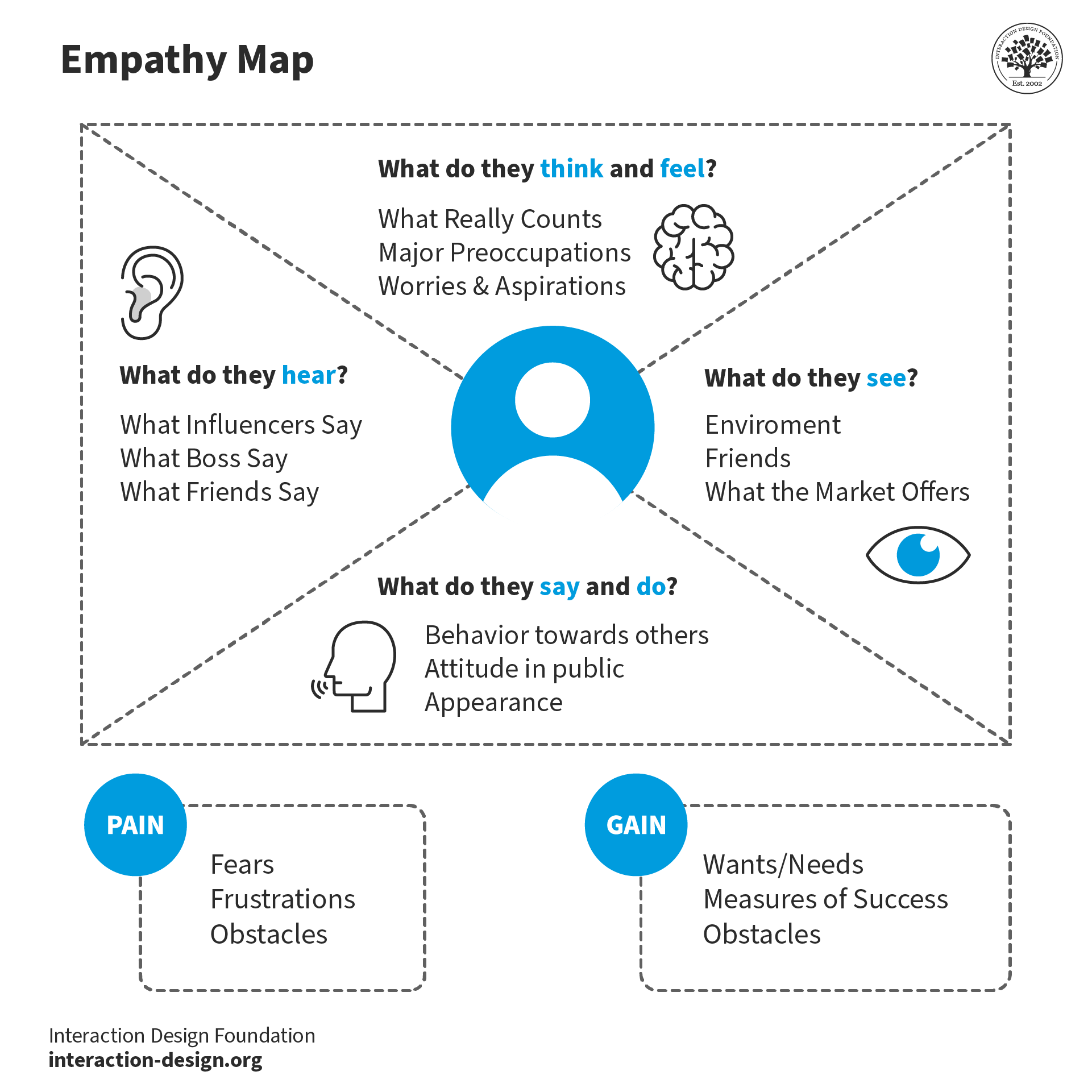
An Empathy Map lets us sum up our learning from engagements with people in design research. The map provides four significant areas to focus our attention on, thus providing an overview of a person’s experience. Empathy maps are also great as a background for the construction of the personas that you will often want to create later.
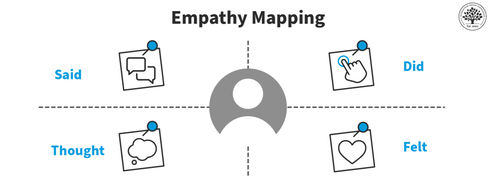
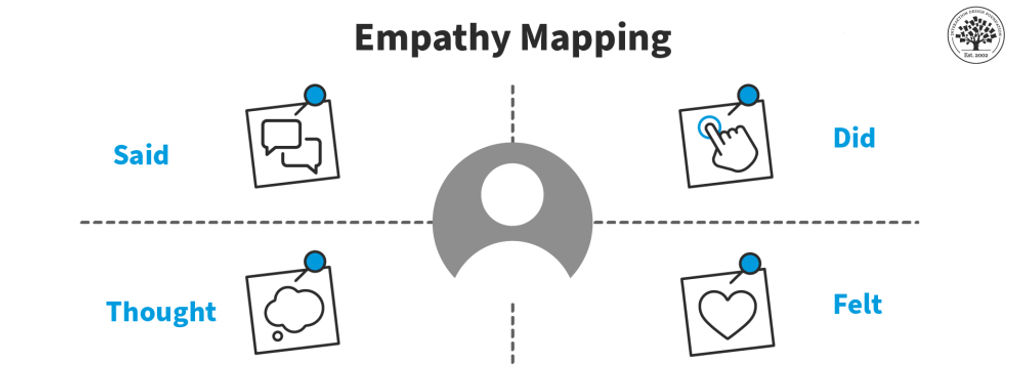
An Empathy Map consists of four quadrants, and these reflect four key traits which the user demonstrated—or possessed—during the observation/research stage. These four quadrants refer to some pretty important points—namely, what the user Said, Did, Thought, and Felt. Sure, it’s relatively easy to determine what the user said and did, but how about working out what they thought and felt? Do you need to have preternatural skills—like a psychic—to tell what’s going on with those? Well, don’t worry; it’s based on careful observations and analysis of how the user behaved and responded to certain activities, suggestions, conversations, and the like.
An empathy map typically includes four quadrants of information about the user.
What are the Best Practices to Create an Empathy Map?
Step 1: Fill out the Empathy Map
Set the four quadrants out on a table and draw them on paper or a whiteboard, as you see them laid out above.
Review your notes, pictures, audio, and video from your research/fieldwork and then fill out each one of the four quadrants while you’re defining and synthesizing.
What did the user SAY? Write down significant quotes and keywords that the user said.
What did the user DO? Describe which actions and behaviors you noticed or insert pictures or drawings.
What did the user THINK? Dig deeper. What do you think that your user might be thinking? What are their motivations, their goals, their needs, their desires? What does this tell you about their beliefs?
How did the user FEEL? What emotions might your user be feeling? Take into account subtle cues like body language and their choice of words and tone of voice.
Step 2: Synthesize NEEDS
Synthesize the user’s needs based on your Empathy Map. This’ll help you define your design challenge.
Needs are verbs—i.e., they’re activities and desires—and remember that needs aren’t nouns, which will instead lead you to define solutions.
Identify needs directly from the user traits you’ve noted. Spot needs based on contradictions between two attributes—such as a disconnect between what a user says and what the user actually does.
An “Insight” is the realization that can help you solve your current design challenge—think “Eureka” or “Aha! moment” here.
Look to synthesize significant insights—and that’s especially so from contradictions between two user attributes. You’ll be able to find this within one quadrant or in two different quadrants. You can synthesize insights by asking yourself a question, too—and that’s “Why?”—whenever you notice strange, tense, or surprising behavior.
Now it’s time to write down your insights.
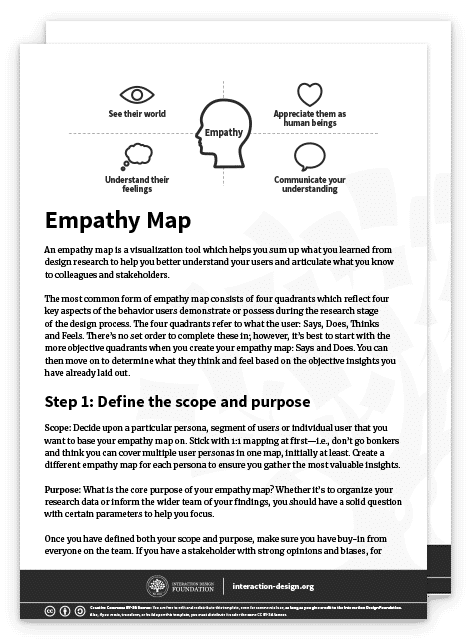
You can download and print the Empathy Map template here:
Advance Your Career With This Free Template
for “Empathy Map”
What Are the Benefits of Empathy Maps?
What makes empathy maps so useful for design thinking and product development is the way they delve into the user’s thoughts, feelings, words, and actions and so can offer a holistic view of the user’s experience. Here, we’re going to get right into the key benefits of empathy mapping.
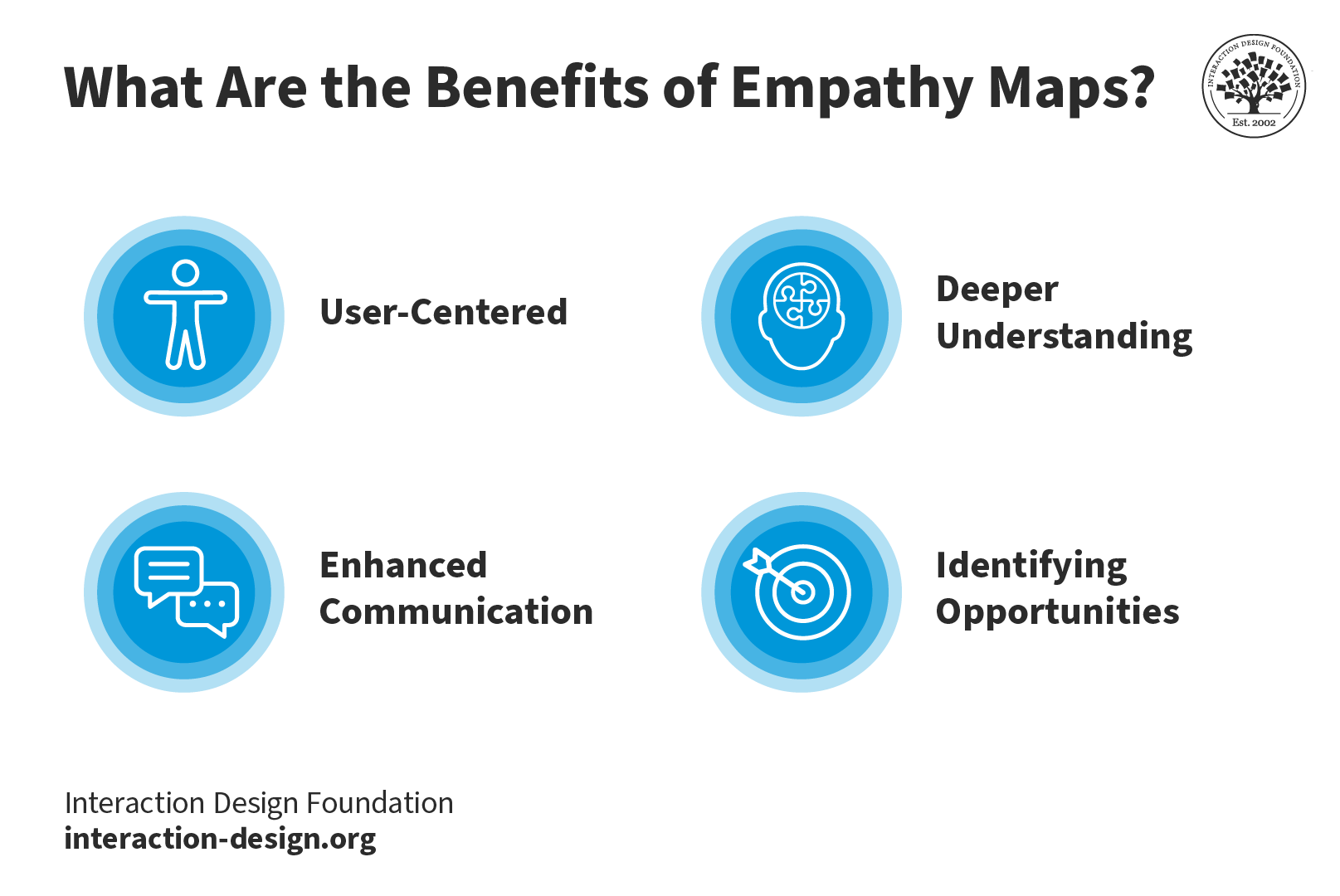
Key Benefits of Empathy Maps: they’re user-centered, they foster a deeper understanding of the user, they improve communication, and they help identify opportunities.
The design process has got to address the user's needs and emotions and, happily, empathy maps make sure that there’s a user-centric approach in place, and it’s something that makes it more likely that you’ll create products that truly connect with users.
2. Deeper Understanding
Empathy mapping goes beyond what users explicitly state and manages to unearth hidden motivations, desires, and pain points—all of which are valuable nuggets that deliver on a deeper understanding that helps you design solutions that address unspoken needs.
3. Enhanced Communication
These maps visually and concisely represent user insights so that everyone on the team gets to see the same information. And it’s something that makes it so much easier to communicate findings within cross-functional teams. Brands that stick to this process can work that magic where they lubricate things and nurture better collaboration among stakeholders and team members.
4. Identifying Opportunities
Empathy maps highlight potential areas for improvement and innovation, and that’s because they focus on user needs. The insights that come out of all this become the foundation for brands to refine existing products or develop new, user-focused solutions that can resonate that much better with the target audience.
Drawbacks of Empathy Maps
To be sure, empathy maps are valuable tools; saying that, though, they’ve got a few drawbacks inherent to them; let’s look at these now:
1. Limited perspective: One drawback is that teams often have got to interpret research data that mightn’t always accurately represent the user’s thoughts and feelings. It means that—at least, potentially—a skewed understanding of the user can come out of this.
2. Lack of context: Because empathy maps tend to focus on an individual user’s interaction with a product or service, they can often miss the bigger picture, or larger context. A great deal of a user’s thoughts and behaviors are things that come down to environmental factors, and they’re elements that you just can’t capture in an empathy map.
3. Incomplete information: Another risk is that if a brand takes the empathy map as their only user research tool, they may end up with gaps in their understanding of the full user experience. A map is a handy tool to have, to be sure, but it doesn’t replace other user research methods like interviews, usability testing, or surveys.
4. Static Nature: Because empathy maps are static representations, there’s a risk that they mightn’t capture the dynamic nature that’s involved in user emotions and thoughts—and they’re things that change over time and in response to different situations. So, teams have got to treat the empathy map as an evolving, living document and update it—continually—so they make sure it stays relevant.
It’s wise to always use empathy maps together with other research and design methods so you can get a more holistic understanding of users.
What Is the Difference Between a Journey Map and an Empathy Map?
While empathy maps focus on a specific moment or interaction, journey maps are what give a broader view of the user experience. Empathy mapping focuses on the user's thoughts and emotions during a scenario; meanwhile journey maps outline the user's end-to-end experience, and that includes a whole variety of touchpoints and stages.
Empathy maps offer a great deal of depth, and they get into dissecting specific instances. Journey maps, though, will provide you with breadth, capturing the entire user journey. What the benefit of using them together is, is that both tools complement each other and help design teams understand the user experience—and comprehensively so.
5 Tips for an Empathy Mapping Session
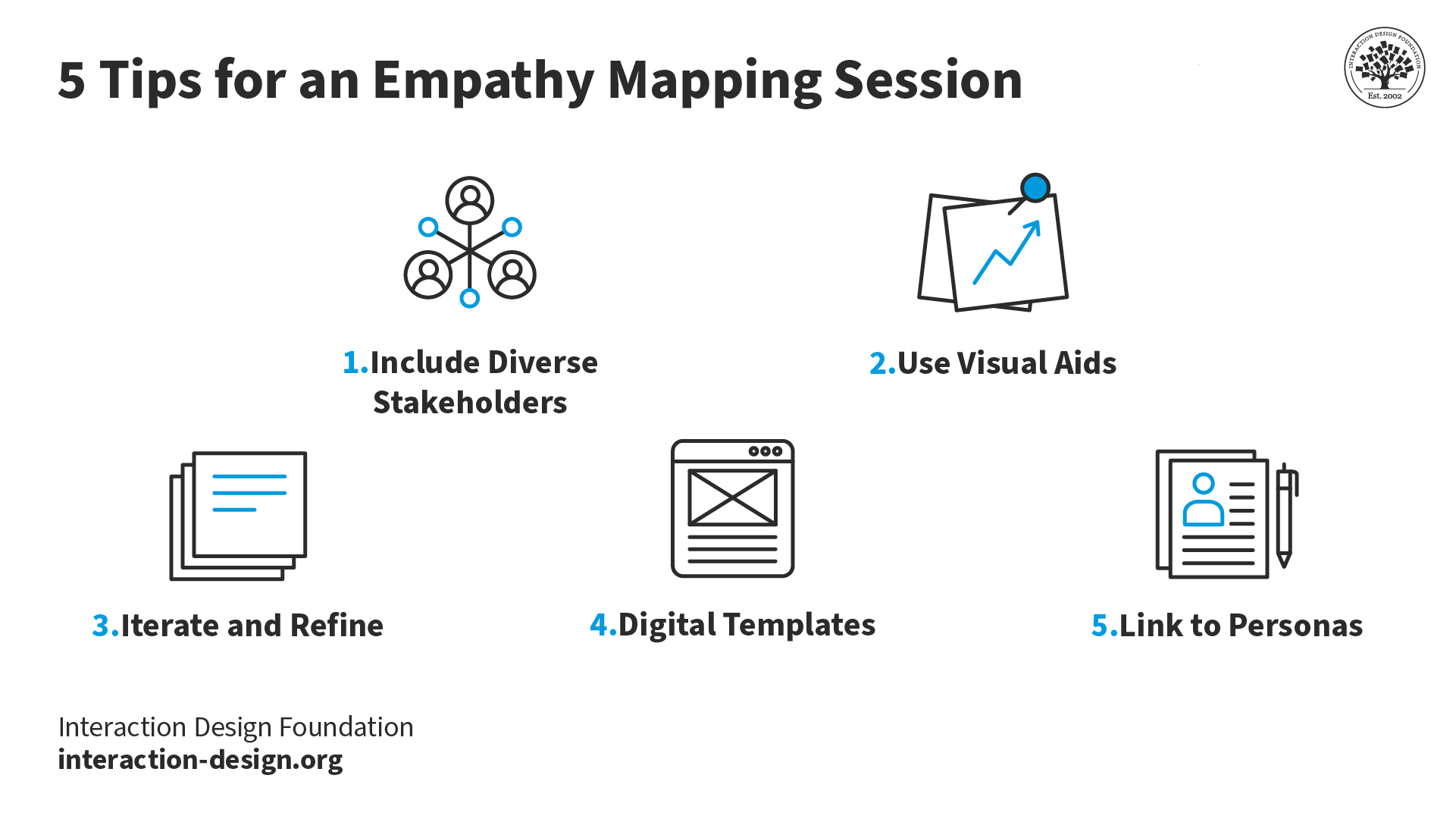
Top 5 tips for you and your team and stakeholders to enjoy a successful empathy mapping session.
1. Include diverse stakeholders: It’s really vital to get in the perspectives of various team members and stakeholders. And the richness that comes from having this difference is that it’s going to ensure the team gets a well-rounded understanding of the user. What’s more, when the team builds the empathy map together, they’re more likely to adopt the map in their work process.
2. Use visual aids: These will be vital sources of help to bring ideas to life and empower team members and stakeholders to understand things better.
3. Iterate and refine:Empathy maps aren’t static—they’re “living” documents. So, it’s important to regularly revisit and update them as new insights come up on the horizon and into focus. This iterative process really makes sure that the design stays aligned with evolving user needs—pretty much underlining the point that these maps are great aids for looking ahead with.
4. Digital templates: Use digital tools and templates for remote collaboration—and how important it is to work well with team members remotely is impossible to overstate—and create a centralized database of user insights. It’ll facilitate easy sharing and accessibility for team members to enjoy and make the most of.
5. Link to personas: Connect empathy maps to how you and your design team create user personas. The insights from these maps form the foundation for developing rich and realistic user personas—vital tools to have on board your design process.
In this video, HCI Expert Professor Alan Dix offers an overview of personas.