Iterative development in user experience (UX) design is an approach that involves continuous improvement and user-centered design principles. Designers and their teams create, test and refine designs in cycles. Designers learn from user feedback and make incremental improvements throughout the design process.
UX Designer and Author of Build Better Products and UX for Lean Startups, Laura Klein explains important points about iteration in software development.
Why is Iterative Development Important in UX Design?
To define iterative development is to understand quickly how it’s a valuable design methodology. The ability—and freedom—to develop iteratively means that design and development teams can refine a digital product based on the user testing and evaluation they do, and keep refining it continually. In this approach, designers create a prototype, test it with users and analyze the results before they make improvements according to what they found. This cycle of feedback loops is one that continues until the teams get the design to meet user needs in the best way possible. So, as part of a product development process, the iterative development model goes a long way to make sure that brands’ product designers include the users’ requirements from the early stages, through the first versions to go in the testing phase, and on into refinement after refinement of features and content.
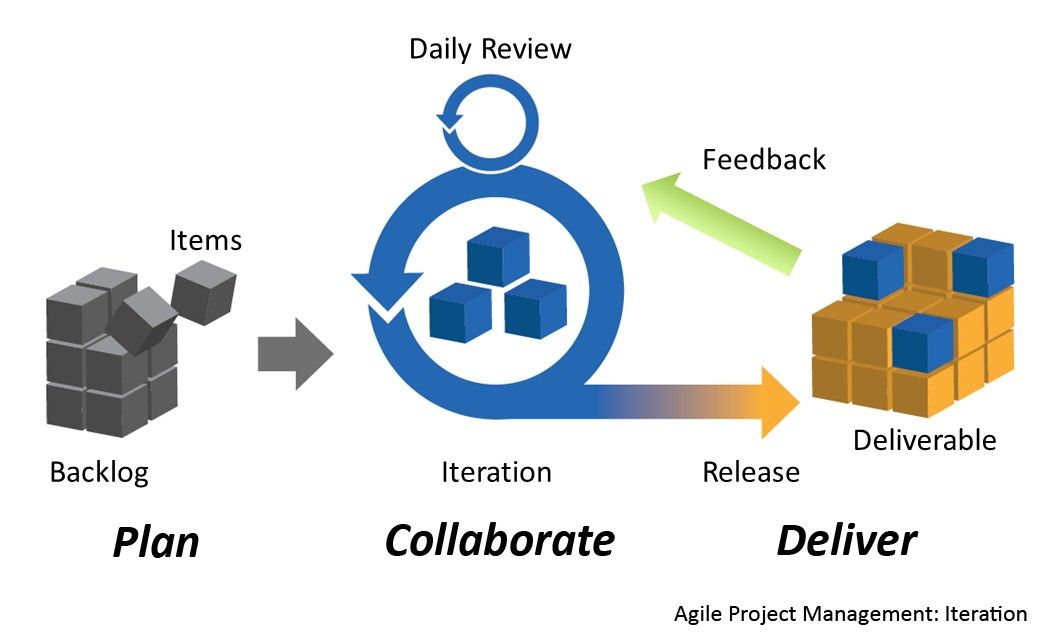
For the software development of products like mobile apps and websites, the iterative development approach splits up the overall development process into smaller chunks—complete with steps like design, development and testing. Teams can work in sprints—like how teams do in the Agile design approach—to add new feature after new feature and test each one as they go, with improved versions of each iteration to show for it as they go. This point highlights the difference between iterative and incremental software development models. In the latter, teams strive to make fully working parts before they release a product.
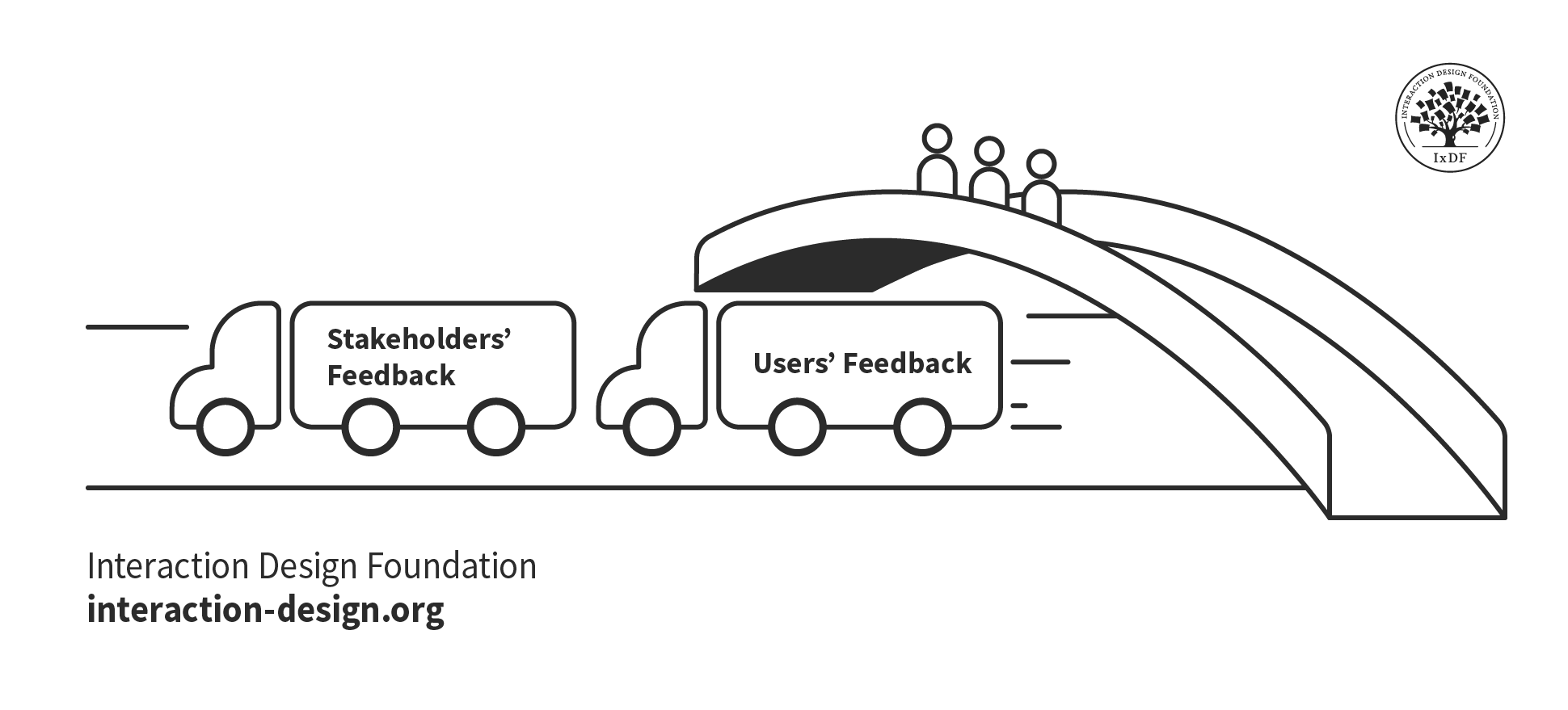
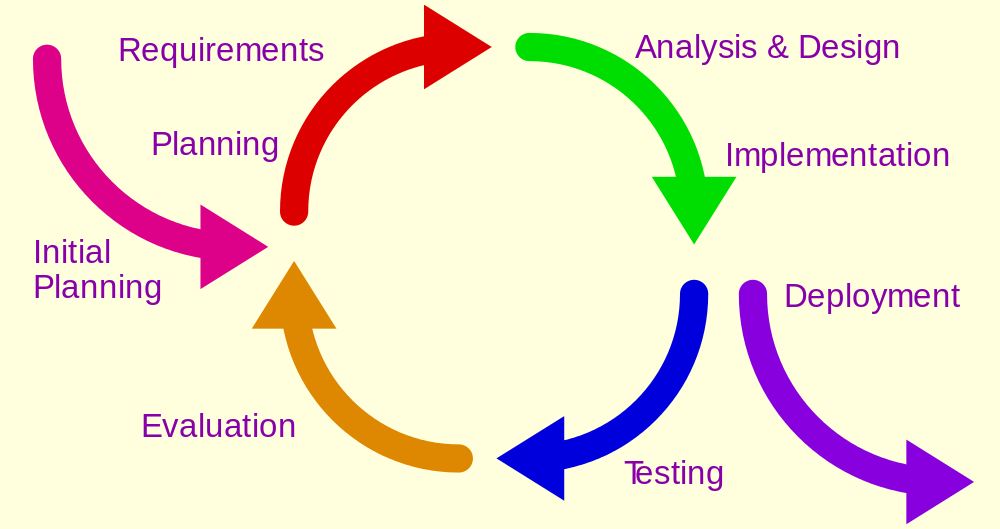
The bridge between an existing version of a solution and the next iteration on it—to cross it takes careful consideration of users’ and stakeholders’ feedback, along with the team’s ideas on where to take things.
© Interaction Design Foundation, CC BY-SA 4.0
What are Benefits of Iterative Development in UX Design?
There are plenty of advantages of iterative development, and product teams can help themselves and their brands if they consider these as they work their way towards more user-friendly digital solutions. Key bonuses include the points that design teams can:
Keep a user-centered approach: Iterative design in this sense puts users right at the heart of the process. Designers and their teams can keep sight of the fact that users' actual behavior often differs from what they say they’ll do—something that makes it crucial to test prototypes with real users.
Author and Human-Computer Interaction Expert, Professor Alan Dix explains important points about prototyping:
Make continuous improvements: The iterative approach treats design as an ongoing process and not a one-off or one-time event. It’s a mindset that frees designers to remain open to new ideas and solutions as they proceed throughout the development cycle.
Design with flexibility and adaptability: Iterative design is—by its nature—resilient to changes, and it means that teams can accommodate new requirements or insights even far into the development cycle and so make late alterations. This quality of plasticity applies to how teams can revisit existing products, too, and tweak features and more to mirror and match what users really want out there in the marketplace.
Enjoy a collaborative process: An iterative approach calls for deep collaboration among team members—a point that means teams can have a shared understanding of user needs and design goals and use that as a compass to guide the iterations they make. This clarity and alignment also help resolve misunderstandings within the project team early in the development lifecycle, so system requirements can stay well in line with user needs and expectations for a product or service.
Laura Klein explains important points about cross-functional collaboration:
Enhance user experience: Because designers continuously test and refine their designs based on user feedback, it means that what comes out ultimately as the final product will be truly user-centric and meet user needs effectively.
Reduce risk: To find and resolve issues early in the process greatly reduces the risk of product failure. It means that design teams don’t get stung by only discovering major flaws after full development—and so save themselves massive amounts of time and resources and the money of the brands that bankroll them. This cost-effectiveness therefore can make the whole design process more efficient, too. The early detection and resolution of problems keeps wasteful efforts or incorrect notions from taking the product even slightly in the wrong direction.
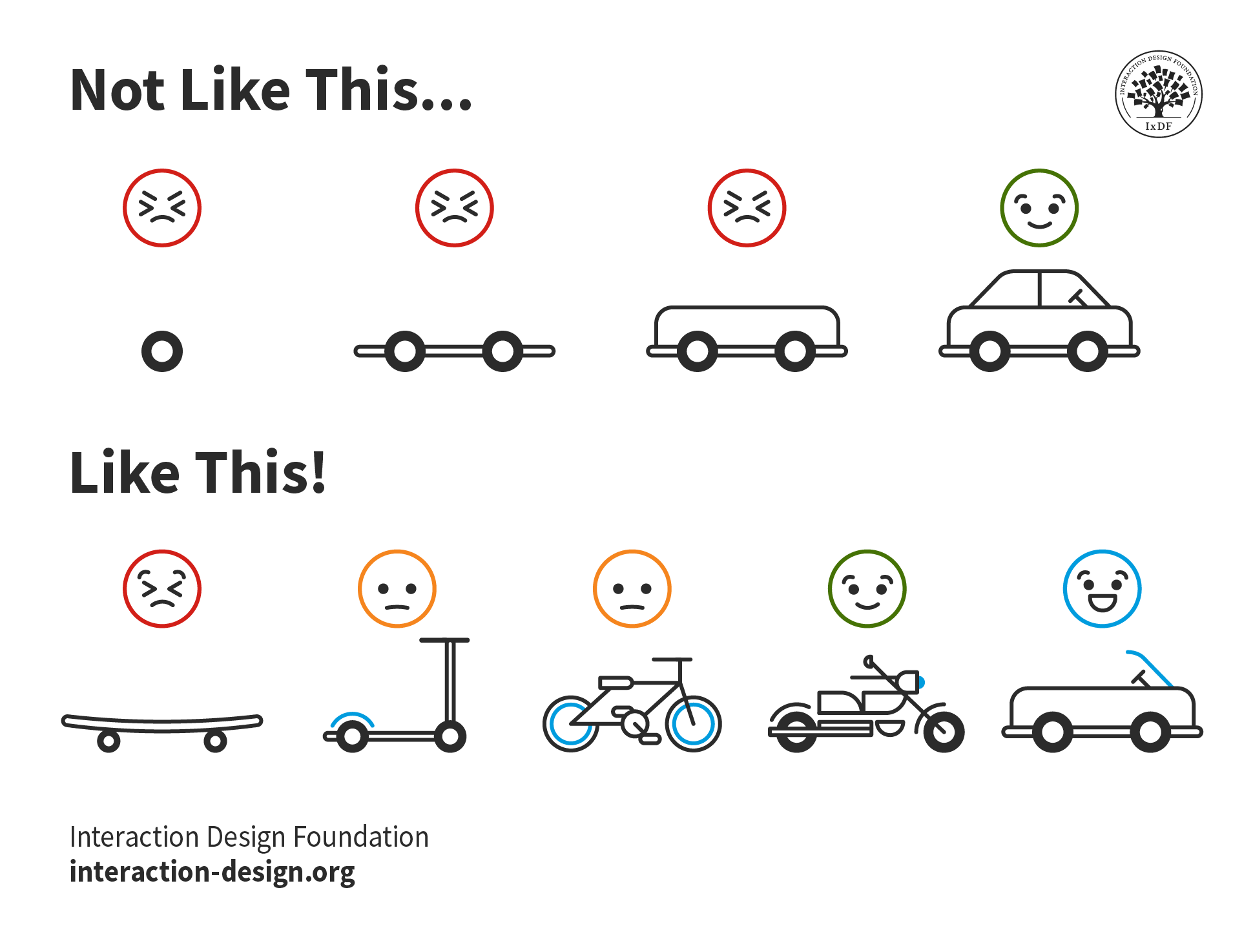
Product life cycles—to answer the call of market research and user wants in iterative steps on the way to the most desirable items on the market.
© Interaction Design Foundation, CC BY-SA 4.0
Foster innovation: The cyclical nature of iterative design provides opportunities for designers to explore new solutions and innovative features—ones they mightn’t have considered in a linear design approach.
Have improved stakeholder visibility: Iterative development gives stakeholders better visibility of progress at each iteration. This means everyone involved in the project can enjoy more transparent communication and alignment throughout the project. It’s helpful for client relationship management, too—as opposed to a design team needing to present a finished product without context.
Author, Speaker and Leadership Coach, Todd Zaki Warfel explains important points about how to present design work to stakeholders:
Make learning and discovery a priority: The process prioritizes learning and discovery, so designers can get deeper insights into user behaviors, needs and expectations with each iteration they do.
Get a Minimum Viable Product (MVP) up and running fast: One of the most precious plusses of iterative development is that a brand can release an MVP that’s respectable enough to get into the marketplace so users can test it. Then, designers can work to tweak it iteratively—with new features that are relevant and needed. This is an important differentiator between incremental and iterative development; in the latter, it’s vital to get something good out there—not perfect, just good enough on the road to iterative fine-tuning of the best version possible.
CEO of Experience Dynamics, Frank Spillers explains essential points about MVPs:
What Does Iterative Development Look Like?
To start on an iterative development cycle with the digital products they build, teams tend to engage in the following practices:
1. Plan and Research
The iterative UX design process begins with thorough planning and research. In this stage, design teams map out their requirements, collect necessary documentation and make a timeline for the first iterative cycle. Designers conduct comprehensive UX research to get insights into user behaviors, needs, pain points and challenges. They use various research methods—like surveys, focus groups and interviews—to build up a healthy and comprehensive understanding of the target audience.
UX Strategist and Consultant, William Hudson explains important points about user research:
It's crucial to research the context in which users will interact with the product—as it’s this information that needs to shape design decisions. For example, if users will use the product while they’re walking, they will need a different UX compared to when they’re sitting at desks.
Frank Spillers explains important points about users’ needs in context:
2. Design and Prototype
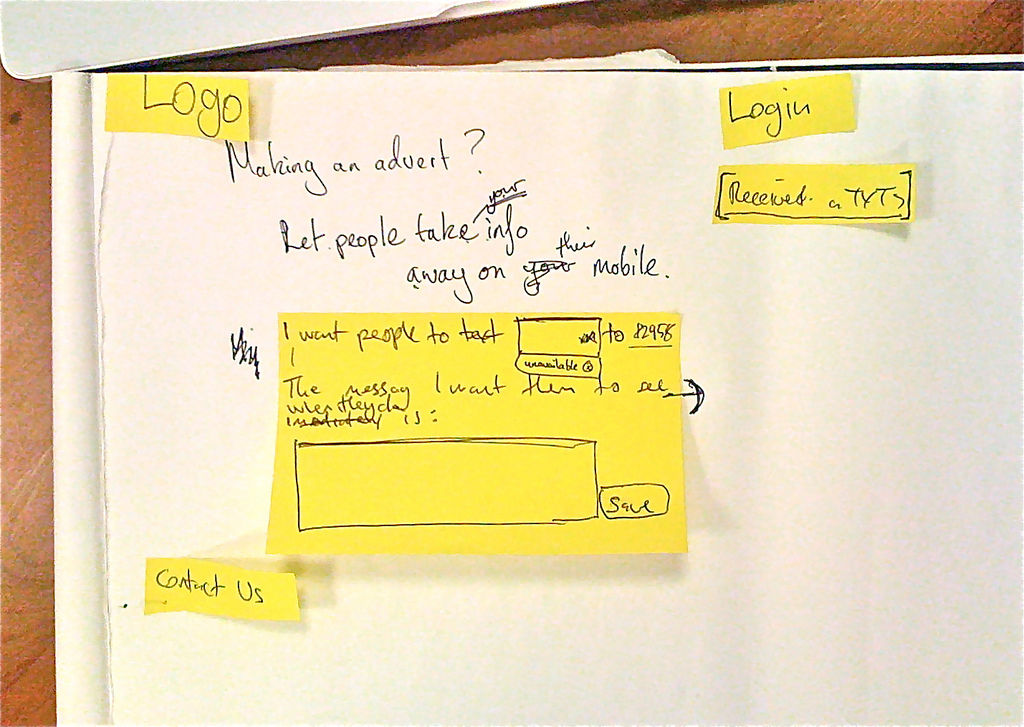
Once the research is complete, designers move on to the design and prototyping phase. Here, they start work on the information architecture and user interface (UI) design. Designers work on sketches, wireframes, prototypes or design specifications so they can visualize their ideas quickly and effectively.
The conceptual design should display a low-fidelity, semi-functional prototype, wireframe or mockup that demonstrates the core features, functions and basic interactions. In the beginning, it's a good idea to focus on the top three things a user would want to do with the product and then make sure these are front and center in the design, both easy to find and complete.
William Hudson explains essential aspects of wireframing:
Prototyping plays a central role in UX design—and here it serves as a middle- to high-fidelity representation of the final product or intended MVP. Prototypes make design ideas concrete, and they’re vital items for designers to test and determine if they’ll work. What’s more, prototypes facilitate good lines of communication since other stakeholders can come into the conversation to evaluate design ideas using the prototype.
3. Test and Get Feedback
Once the development team has completed their coding and development, it's time to test for potential bugs or issues that team members might have overlooked during the implementation step. This stage is essential since it helps the development and design teams determine whether their design or product actually works—and can therefore work well—for the users who’ll encounter it.
Usability testing is a crucial part of this phase. It can slash the risk that teams might build the wrong thing. What’s more, it allows designers to catch design flaws early in the process—often these are things that designers may be too close to their work to notice. During usability testing, for example, designers ask users to complete common tasks while these users provide a running commentary of their thoughts. Designers pay attention to metrics like success rate, error rate, time on task, effort and number of confusions which users might endure.
William Hudson explains important points about usability testing:
4. Refinement and Iteration
The final stage of the iterative UX design process is where designers refine the prototypes based on the feedback and insights they collect. Designers focus on how they can improve the UX and UI. Now, it’s time to address usability challenges and make sure that the design can measure up to user needs and expectations.
This stage also calls for a thorough evaluation of all development up to this point. So, it’s time for the team and stakeholders to examine the project and provide feedback on any changes they need to make. Possibly the most vital aspect of iterative development is how the nature of this process lets designers optimize and fine-tune their serviceable solutions—building up to an MVP from the earliest prototypes. Each iteration enables designers to spot and fix errors early, so that what ultimately results will be a final design that doesn’t just meet the desired objectives in terms of usability, aesthetics and functionality but goes beyond them, too. Another vital point to keep top of mind is how the design edges its way towards speaking to users as they access it on their user journeys.
CEO of Experience Dynamics, Frank Spillers explains key points about user journeys:
What are Best Practices to Implement Iterative Development in UX Projects?
This calls for a structured approach—one that emphasizes continuous improvement and user-centered design. Designers can then be in a better position to create more effective and user-centric digital experiences since they can evolve their designs in tandem with emerging technologies and user needs. Evolution is the keyword.
1. Set Up an Iterative Workflow
First, UX teams should infuse user research into the design lifecycle as early as possible. This approach helps them create designs that impress customers, prospects and internal stakeholders. The iterative process begins with planning and analysis, and it’s here where teams map out requirements, get necessary documentation together and create a timeline for the first iterative cycle.
The central idea is to create smaller projects with well-defined scope and duration. During each iteration, design and development teams constantly evolve their creations, implement updates and do it quickly. This is an approach that affords the exploration of multiple concepts, so teams can discard less-effective ones and build upon promising ideas.
2. Follow an Effective Iterative Workflow
Namely, it’s a good idea to keep to this workflow:
Start with solid user research and planning.
Create initial designs and prototypes.
Get feedback through testing and evaluation.
Refine designs based on insights.
Repeat the process until the desired outcome emerges.
It can take many iterations to get to the “ultimate version”—hence why an MVP is a valuable asset for teams to satisfy themselves with.
3. Use the Right UX Design Tools
The right tools are crucial for successful iterative UX design—and they’ll help designers create, modify and explore user interfaces and experiences throughout the design process. Designers need the best user research tools, wireframing tools, prototyping tools and visual design software to get the best functionality and feel for what they’ll iteratively build up to be the product they want on the market. What’s more, they’ll need the best collaboration and version-control tools to help them work together with other team members and stakeholders, experiment and backtrack if they need to.
It’s a constant cycle—with feedback loops and iterative changes.
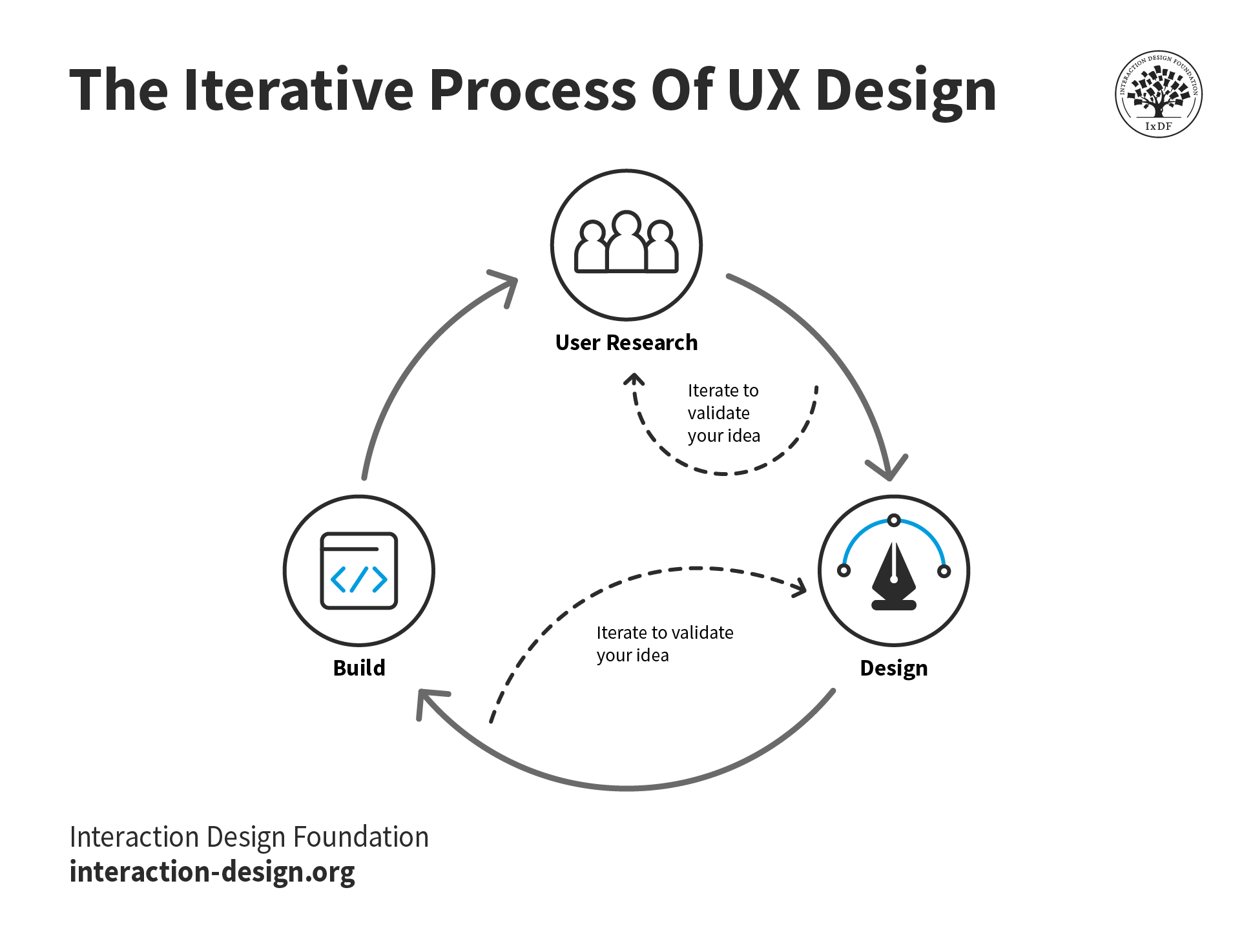
It’s a constant cycle—with feedback loops and iterative changes.
© Interaction Design Foundation, CC BY-SA 4.0
Why is Iterative Development Important for UX Portfolios?
Another vital dimension where iterative development is valuable is in how designers can showcase their iterative development process in their portfolios.
Design Director at Societe Generale CIB, Morgane Peng explains important points about UX portfolios:
When designers show how they take an iterative development process, they:
Demonstrate problem-solving skills: Iterative development in UX portfolios shows how designers approach and solve complex problems. It illustrates how they can identify issues, generate solutions and refine the ideas they come up with through multiple iterations.
Highlight critical thinking: When designers showcase the iterative process, they can put their critical thinking skills under the spotlight. Potential clients can then see how they analyze feedback, user data and testing results—the vital ingredients of how designers can make informed decisions and improvements that really count.
Reveal design evolution: Iterative development in portfolios lets potential employers or clients see how a designer's ideas evolve and get from initial concepts, through all the tweaks and versions, to final products. This progression showcases that designer’s creativity, adaptability and ability to refine designs based on the new insights they get. All of these are vital ingredients for potential clients to get a taste of, and to see them set out in a portfolio trumps the sight of just a finished product.
Illustrate user-centered design: Iterative development is a core principle of user-centered design. For designers to show a firm and fruitful grasp of this process, they’ll not just prove their commitment to creating products that truly meet user needs and expectations—but that they deeply understand how the industry works.
Showcase research and testing skills: Iterations often call for designers and their teams to put in intense amounts user research, usability testing and data analysis. When a designer includes these steps in a portfolio, it shows how proficient they are in these crucial UX skills.
Prove collaboration abilities: Iterative development usually demands designers to work with cross-functional teams. So, if a designer shows this, they can highlight how well they can collaborate, communicate and incorporate feedback from various stakeholders.
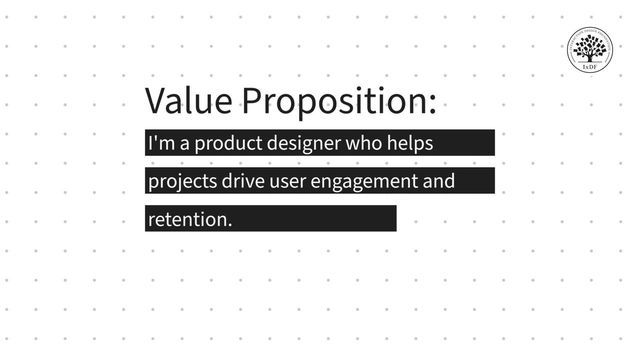
Show attention to detail: Iterative development reveals a designer's commitment to refining and perfecting their work. What’s more, it proves how much attention to detail they have, plus their drive for excellence. It’s something that should mirror their value proposition—or what they can bring to the table for new clients.
© Interaction Design Foundation, CC BY-SA 4.0
Provide context for design decisions: When designers show how well they work according to an iterative process, they can explain the rationale behind the design decisions they make. This will give potential employers or clients clear insight into the thought processes that lie behind meaningful—and positive—changes.
Highlight adaptability: To show iterative development at work in a portfolio is a sign of how well a designer can adapt to changing requirements, user needs or project constraints. That’s a valuable—if not vital—skill in the fast-paced world of UX design.
Demonstrate project management skills: To show multiple iterations—and what went into them and why—can illustrate how well a designer can manage time, resources and project scope effectively.
Build trust: When designers are transparent about the design process—including both successes and challenges—they can build trust with potential employers or clients. Case studies offer an excellent opportunity to show what went on behind the scenes—which is what prospective clients want to see if they’re to pick a designer they can have faith in.
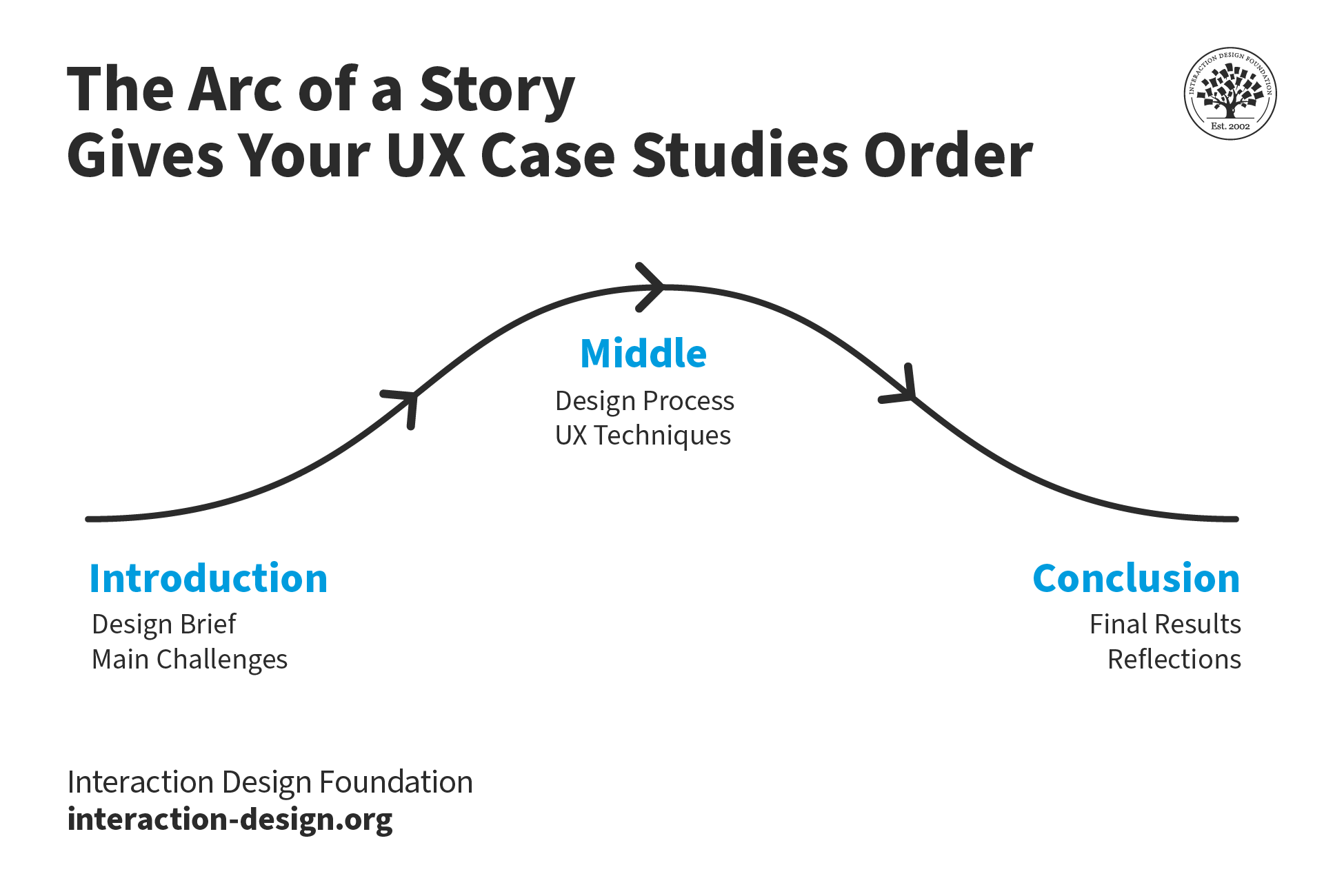
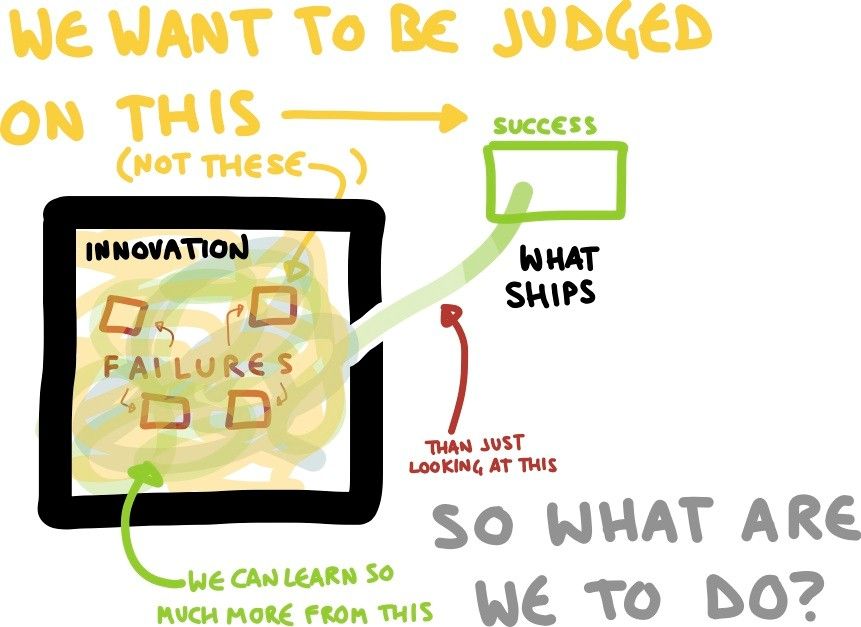
Storytelling is exceptionally effective to show how a designer approached iterative development to tweak the best possible product or service at the time.
© Interaction Design Foundation, CC BY-SA 4.0
What are Disadvantages of Iterative Development?
For all its benefits, iterative development can present several challenges for designers and teams who work on UX projects. Here are some common issues, along with tips for how to overcome them:
To overcome resistance to change: Some team members or stakeholders may resist taking an iterative approach—and that can be especially the case if they’re used to the Waterfall approach of doing things, where each team or team member works on their slice of the project and then passes it on down the line to the next. So, to address this, it’s wise to educate them on the benefits of iterative design and showcase successful case studies.
Morgane Peng explains helpful points about how to get through to stakeholders who may not understand design needs in the context:
To deal with time constraints: Iterative design can be time-consuming and—sometimes—add pressure to the process. To manage this, it’s best to prioritize features and focus on the most critical aspects of the design in early iterations.
To maintain consistency: With multiple iterations coming and going, it can be hard to keep design consistency—hence why it’s vital to implement a design system or style guide to make sure there’s solid coherence across iterations. Consistency is one of the most fundamental ways for brands to win their users’ trust and it’s a fragile thing. So, designers need to always stay aware—and check how consistent the content is as they work to produce a seamless experience throughout the users’ journeys.
To balance user feedback: Not all user feedback needs action—for instance, some of it may be about idiosyncratic matters that are peculiar to one individual. So, it’s important to evaluate feedback critically and consider it in the broader context of the project goals. It’s also essential to make sure that a design has good accessibility, so users of all abilities can use it.
See why accessible design is so vital a consideration for brands:
To avoid over-iteration: One of the most important points to remember is that perfect really is the enemy of good. There’s such a thing as iterating too much, and good enough is often better than trying to make everything perfect. That’s why MVPs make sense as part of the magic of a faster time to market for—ideally—the best products that brands can offer at the time.
“If you are not embarrassed by the first version of your product, you’ve launched too late.”
– Reid Hoffman, Internet Entrepreneur, Venture Capitalist, Podcaster, Author and Co-founder and Executive Chairman of LinkedIn
Overall, iterative development in UX design plays a massive part in how teams can create user-centered digital experiences that are more likely to succeed. Teams get to keep their fingers on the pulse of the user needs, the best features to include and much more, all while they gel together under a common vision. This fast and active pace means that projects won’t run the risk of a long gestation period on the wrong track. What’s more, it’s a symbol—if not a constant reminder—of the ideal that users should be at the heart of the design process, always. Last—but not least—when a brand does iterative development well, it’s a testament to their industry and wisdom to get something out on the market that’s whole and functional enough to work well—something that can get better at impressive speed with every tweak and addition.
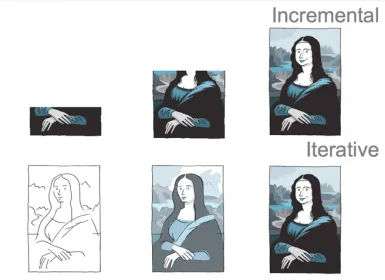
The whole story may not show right away, but users can get the picture and enjoy the product—and increasingly so with every iteration.
© Sean Promsopeak Nuon, Fair Use