Digital inclusion is the access and use of Information and Communication Technologies (ICTs)—like the internet and its infrastructure, hardware, software and digital literacy training—by all people, regardless of age, gender, ethnicity, nationality, mobility, physical and cognitive abilities, cultural and socio-economic backgrounds. Digital inclusion helps everyone, especially those who are disadvantaged or historically excluded, to have the access and skills to fully participate in the digital world.
CEO of Experience Dynamics, Frank Spillers, asks questions about accessibility in virtual reality (VR) that mirror questions designers ask in the broader scope of digital inclusion. Questions like, “Who have you left out? Who else do you need to think about?...*Who are we impacting?* Which user? Which community? Which historical, cultural or political context have we learned about, have we thought about, have we included?”
As of 2023, 2.6 billion people remained offline—reduced from 2.9 billion in 2021. To end digital exclusion or bridge the “digital divide,” designers, developers and government officials must think beyond the internet and its infrastructure to include other important aspects of digital inclusion.
The Foundations of Digital Inclusion
“Meaningful access is vital for social, political, and economic empowerment and therefore narrowing digital divides needs to go beyond simply reaching basic internet connectivity.”
— Roundtable on Digital Inclusion, United Nations
The five pillars to achieve greater digital inclusion are affordability and accessibility of the internet and its infrastructure, connected digital devices that meet users’ needs, digital literacy instruction, high-quality technical support and the design of applications, websites and online content that take accessibility into account.
To reduce internet poverty alone, although a noble effort, wouldn’t solve the issue of digital exclusion in the modern age. While the focus on connectivity continues, communities should also work to improve the following:
1. Affordable and Accessible Internet Services and Infrastructure
The internet provides people with equal opportunities to participate and compete online globally. It’s a window into the wider world that enables cultural and political exchanges, open dialogue, fun and exploration!
For instance, in rural areas where people might lack traditional internet infrastructure, including something as basic as electricity—as of 2023, 746 million people still lived without it—connecting them to the electrical grid is the first step to connecting them to the WiFi. Community-based initiatives and infrastructure projects could provide communal spaces for affordable and accessible WiFi networks.
After that, nations would need to consider how to provide low-cost internet services and establish local infrastructure so residents in those internet deserts can engage in online education, employment opportunities and essential services.
2. Connected and Useful Devices
Devices like computers, laptops, mobile devices, tablets, etc., that connect to the internet and meet the diverse needs of users are necessary for digital inclusion. This hardware should accommodate a wide range of user requirements and contribute to a more inclusive digital experience.
Furthermore, these devices should be available to everyone, from students who could use them for their science projects to working professionals who need to stay connected to older people who could use them to book medical appointments and beyond. They should be affordable as well.
For example, providing computers at a local library or personal tablets with user-friendly interfaces ensures that individuals with different abilities and backgrounds can effectively use internet-connected technology to foster equal access to online information, services and opportunities. For easier access to hard-to-get hardware and to keep costs down, shared technology resources for communities that need them most is a perfect starting point.
3. Digital Literacy Training
Digital literacy education is essential to promote digital inclusion. It equips people with the skills necessary to navigate and engage with the digital technologies mentioned in the previous section and software like applications, websites and computer programs.
If the student doesn’t know how to use the tablet provided to them, they’ll get nowhere on their science project. If the worker can’t figure out how to connect to the WiFi or open the video-call app, they won’t be able to join their urgent meeting. And if older adults can’t figure out how to turn their devices on, they’ll never be able to book their healthcare appointments. Without proper digital literacy instruction, all the devices become about as useful as a brick.
To help solve this, tech professionals and instructors could provide community workshops to offer hands-on training on online safety, basic computer operations, digital communication and beyond. Finally, digital literacy should be encouraged and taught from a young age. But for the aging population—those who didn’t grow up with AOL, Facebook, or TikTok—it can be difficult to learn new technologies.
Assistant Professor Jeff Johnson from the University of San Francisco speaks about the importance of good design for an aging population.
4. Technical Support
Quality technical support can enable users “to learn how to learn.” The ability to learn skills acts as the magic multiplier of all other skills. It enables people to more efficiently acquire and master the processes and tools of the digital world.
Digital providers must involve highly skilled tech professionals and instructors to provide quality and ongoing technical support. For instance, a dedicated helpline staffed by knowledgeable professionals or information technology (IT) technicians who regularly visit local schools, libraries and community centers can provide timely and accurate support to users who encounter technical issues. This guarantees people, regardless of their technical proficiency, can confidently and successfully use digital tools and services while promoting education on how to solve unique online and offline problems self-sufficiently.
5. Apps, Websites, and Online Content Designed for Accessibility
“Barriers to access are caused by society failing to make interactions accessible…we, as a society, have created barriers that inhibit people's full interaction with the world around them; and so, you [as the designer] have the power to remove some of those barriers.”
— Elana Chapman in Introduction to Digital Accessibility
Well-designed products and services promote resourcefulness, participation, and cooperation for all users regardless of socio-economic status, ability, nationality, gender, age, etc. Product designers must include accessibility measures for the sake of legality but, more importantly, for the sake of the 1.3 billion (or 1 in 6 people) who live with significant disabilities worldwide.
Follow along with Ditte Hvas Mortensen, user researcher and design psychologist, as she explains the 7 factors that influence user experience, including accessibility and its legal and design-related implications.
It’s paramount to design and develop apps and websites with clear navigation, adjustable font sizes and color palettes, and compatibility with screen readers and other assistive technologies so individuals with diverse abilities can engage just as effectively and efficiently as their non-disabled counterparts.
Why Aim for Digital Equity?
“Digital divide is the issue. Digital equity is the goal. Digital inclusion is the work.”
— National Digital Inclusion Alliance
If digital inclusion is the work people must do, what’s the end goal? To answer that, it’s first helpful to define “equity.”
George Washington University states, “Equity recognizes that each person has different circumstances and allocates the exact resources and opportunities needed to reach an equal outcome,” as opposed to “equality,” which “means each individual or group of people is given the same resources or opportunities.”
For example, in The Netherlands, where internet access and digital infrastructure are well-established, an equitable solution might involve providing Dutch students with personal devices and customized online resources.
Meanwhile, in Venezuela, where such infrastructure is less developed and internet poverty is much higher, an equitable solution could involve the investment in community internet cafes or school libraries in addition to the supply of affordable devices and free training on how to use them, and the creation of localized digital content.
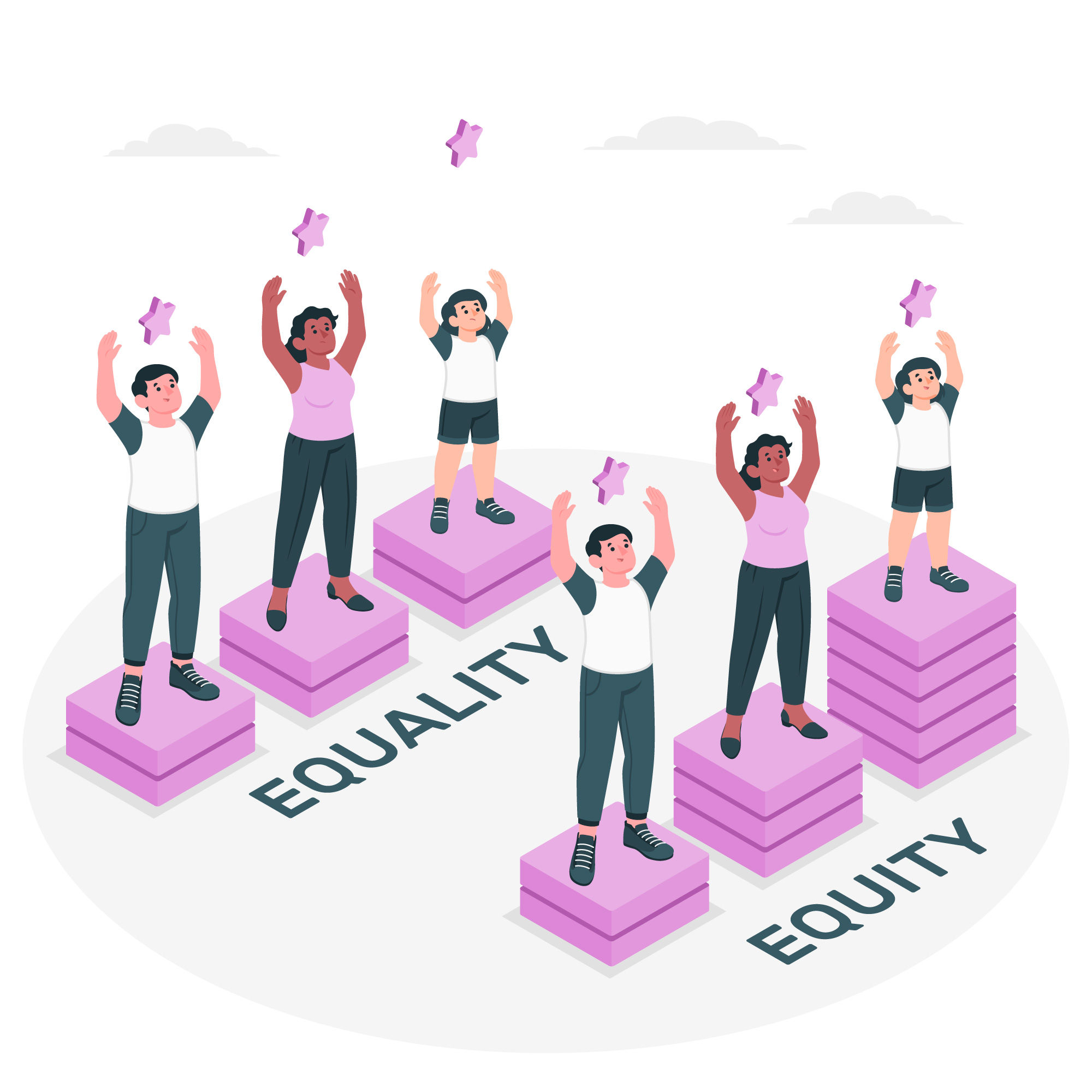
Equality offers the same opportunities and resources, while equity offers more to those who need it most for an equal outcome.
© Storyset on Freepik, Free License
The discussion around "equity" highlights the need to deconstruct structural barriers for true equality and focus on fairness through contextual solutions rather than offering the same resources to everyone, which can perpetuate digital exclusion.
Digital equity, the ultimate goal of digital inclusion efforts, ensures everyone has the necessary IT skills for active participation in society, the economy and politics. These skills are essential for people to engage in civic activities, secure jobs, access vital services and lifelong learning.
How Can Designers Ensure Digital Inclusion?
Designers facilitate digital inclusion when they adopt accessibility, usability and diversity in their designs. They create welcoming digital spaces for diverse audiences when they integrate these principles from the start of the design process.
Accessibility Standards
Implement recognized accessibility standards such as Web Content Accessibility Guidelines (WCAG) 2.1 to guarantee usable digital products with accessible visual design by people with disabilities.
Accessibility research expert Elana Chapman states, “If you start designing for those edge case users, you actually end up with something that works for more individuals and is more customizable for different groups of users.” This means the more designers work to include accessibility measures in their designs, the more likely they are to design for a broader audience, which inevitably leads to digital inclusivity.
Many websites like Google, Apple, and Amazon apply WCAG 2.1 and incorporate features like screen reader compatibility for visually impaired users, captioning and sign language interpretation for videos for those with hearing impairments and keyboard navigation options for users with motor impairments. These implementations validate the websites as navigable and usable by those with different abilities.
IxDF instructor and web design expert William Hudson takes it a step further when he speaks about usability in web design and where it intersects with accessibility. He states, “Most changes for accessibility do benefit all users, especially when you start to think about how can we simplify this layout? How can we make the whole thing [the design] easier to use?”
Inclusive User Interface (UI) Design
Design intuitive interfaces with straightforward navigation, legible web fonts and high color contrast. Consider options for adjustable text sizes and typefaces, alternative text for images and keyboard navigation.
The BBC website provides a real-life example of these design principles in the image below. It features an intuitive layout with clear navigation, uses high-contrast colors for readability—black and white—and offers a choice of text sizes and fonts.
Additionally, the BBC website includes alternative text for images. It supports keyboard navigation, which makes the site accessible and user-friendly for a diverse audience, including those with visual or motor impairments.
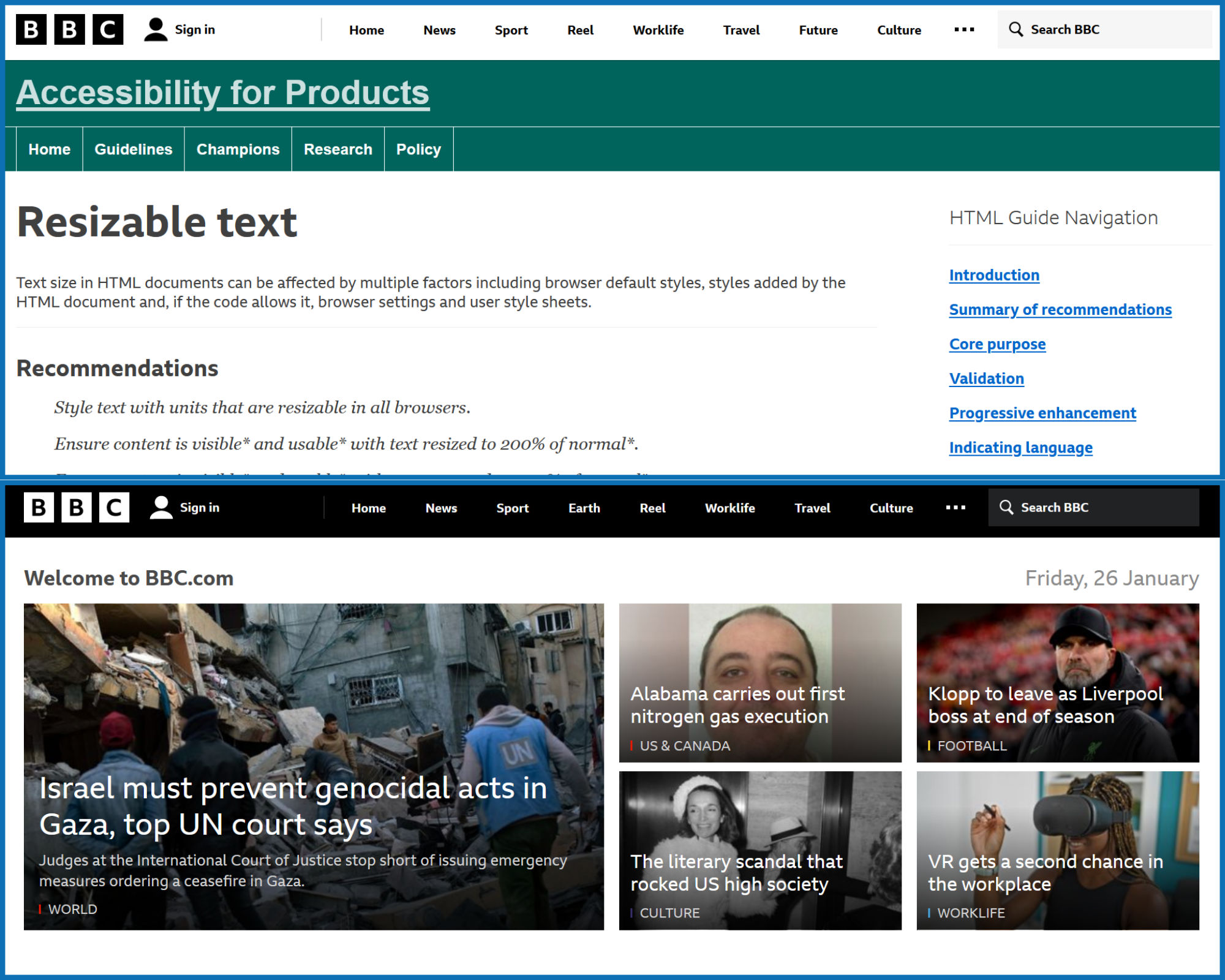
BBC’s clean black-and-white web design with an emphasis on the site’s accessibility and adaptability for resizable text.
©BBC, Fair Use
Multilingual Support
Provide content in multiple languages to cater to a global audience! Consider the linguistic diversity of users to make information accessible to non-native speakers.
A perfect example of this principle in action is the Duolingo language learning app. Duolingo offers its content in multiple languages to cater to a global audience with diverse linguistic backgrounds.
This approach allows users to learn new languages starting from their native language, which makes the learning process more accessible and practical for non-native English speakers. In this way, Duolingo significantly broadens its reach and impact for users from all over the world.
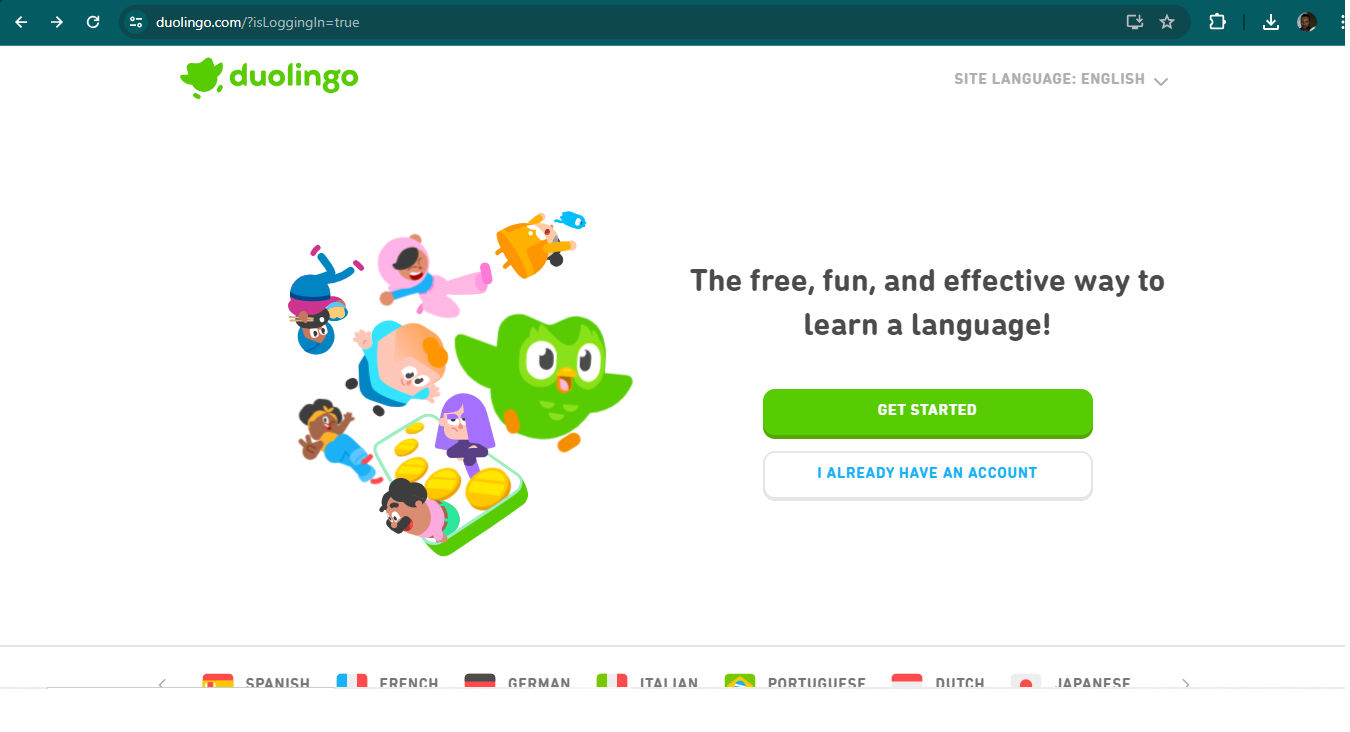
The language learning app Duolingo aptly provides its services in various languages right from the homepage in a dropdown menu.
©Duolingo, Fair Use
Responsive Design
Design responsive and adaptable products for different devices and screen sizes to accommodate users who access content through various platforms and devices.
Netflix provides an exemplary real-life case of responsive design. Expertly optimized, the platform accommodates a variety of devices, including TVs, desktop computers, tablets and smartphones. Regardless of the screen size or device, Netflix maintains a consistent and user-friendly experience where users can easily browse, watch and interact with content. Netflix has undoubtedly found diverse ways for its global audience to access and enjoy its streaming service.

Netflix demonstrates its responsive design across TV, desktop computers, tablets and mobile phones on its homepage, indicating anyone can watch everywhere.
©Netflix, Fair Use
Inclusive and Sensitive Content
Create content that is culturally sensitive and inclusive. Avoid stereotypes and use images and language that resonate with a diverse audience.
A notable example of culturally sensitive and inclusive content creation is the global marketing campaigns by Coca-Cola. In their ads, Coca-Cola avoids stereotypes and carefully selects images and language that resonate with diverse audiences worldwide.
They tailor their content to reflect different countries' local cultures, traditions, languages and socio-political contexts. Coca-Cola makes certain its messaging is inclusive and respectful, which enhances the brand's appeal and connection with consumers from various cultural backgrounds.
.png)
From top left to bottom right: Coca-Cola ads from the African Swahili-speaking regions, South Korea, Ukraine and Portugal. The ads consider the regions they’ll appear in and the present-day societies they represent.
© Coca-Cola, Fair Use
Usability Testing with Diverse Users
Conduct usability testing with individuals who represent diverse demographics, abilities and backgrounds. This helps identify potential barriers to a more inclusive design.
For example, McDonald’s, in partnership with CDS in the United Kingdom, ran two rounds of usability testing with 225 users to help improve the McDonald’s app.
Based on insights from the tests, the company optimized content and introduced changes to the visual design to guide McDonald’s customers and help them easily identify functionality. As a result, McDonald's customers could easily order from anywhere, anytime and choose how to collect their orders. It also made ordering faster, more accurate and reduced congestion. These changes made the app more convenient and better suited for different customer needs.
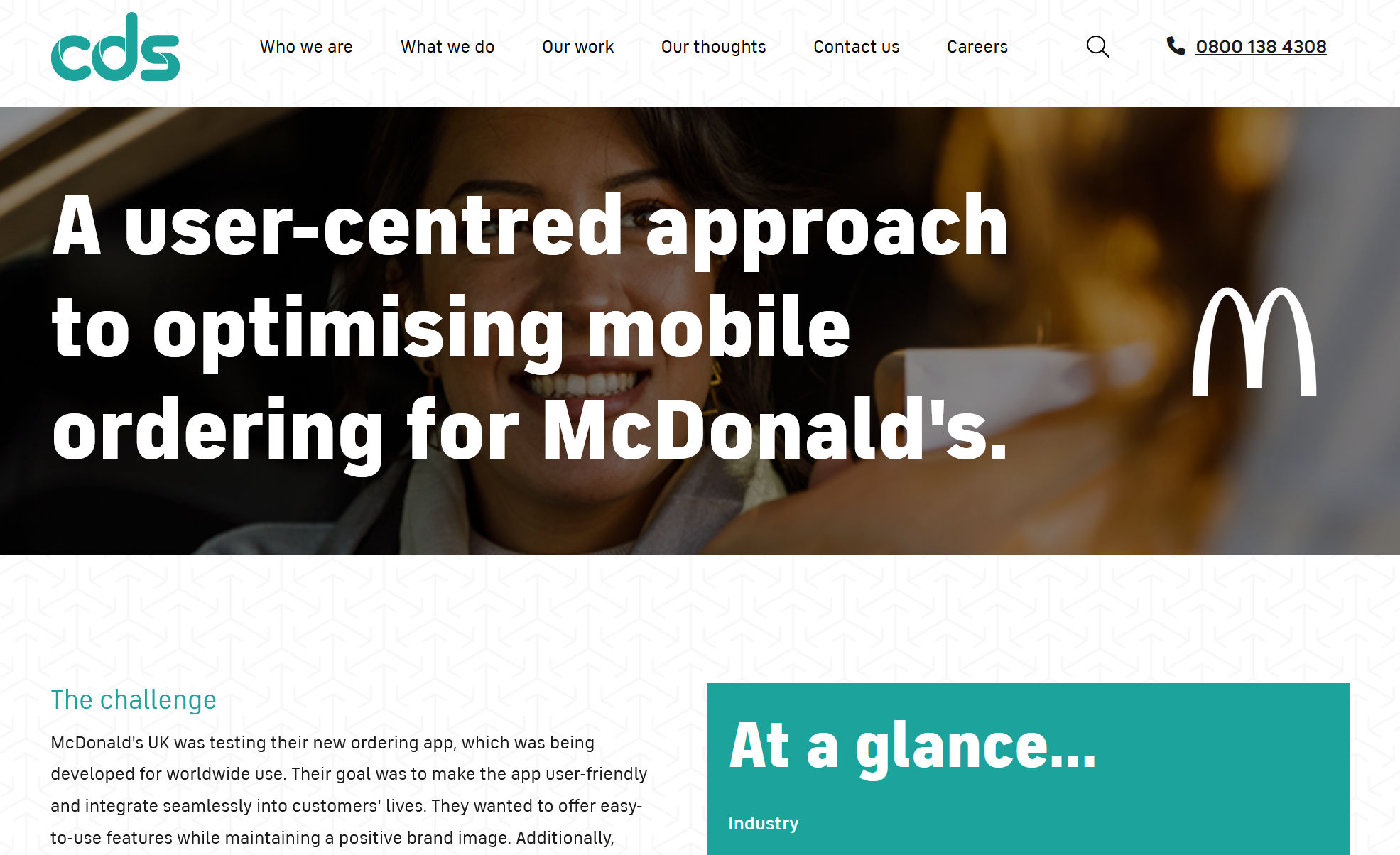
CDS’ case study of its usability testing research for the McDonald’s app in the UK.
©Image from cds.co.uk
Tech Literacy Initiatives
Support and engage in initiatives that encourage digital literacy so users have the skills to easily navigate and connect with technology.
Google's "Grow with Google" program is a digital literacy initiative. It offers free training, tools and resources to help people develop digital skills. It encompasses many topics, from basic internet navigation to advanced skills like coding. Its goal is to give people the information they need to interact in different digital environments.
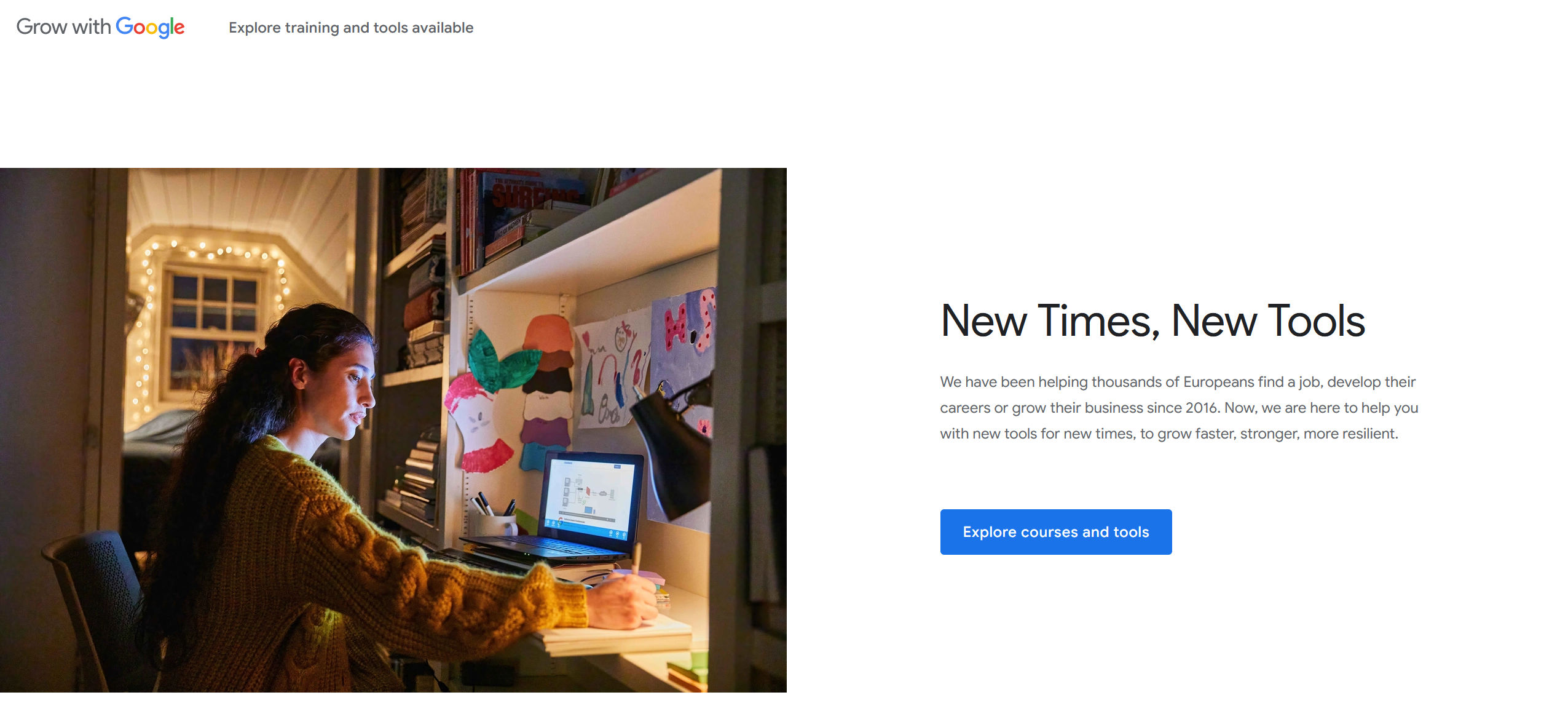
Google offers courses, certifications, free resources and a lot more to help people worldwide learn new technology, progress in their careers and develop their own businesses.
©Google, Fair Use
Collaborate with Accessibility Experts
Work with accessibility experts or consultants to assess and improve the accessibility of digital products. This type of collaboration can provide valuable insights and guidance during the design process.
Listen and learn from accessibility experts like Vitaly Friedman, Katrin Suetterlin, Jeff Johnson and Elana Chapman via IxDF’s Master Classes, where members can dive into timeless digital accessibility principles for only $5. The field of accessibility is dynamic. Keep an eye on this space!
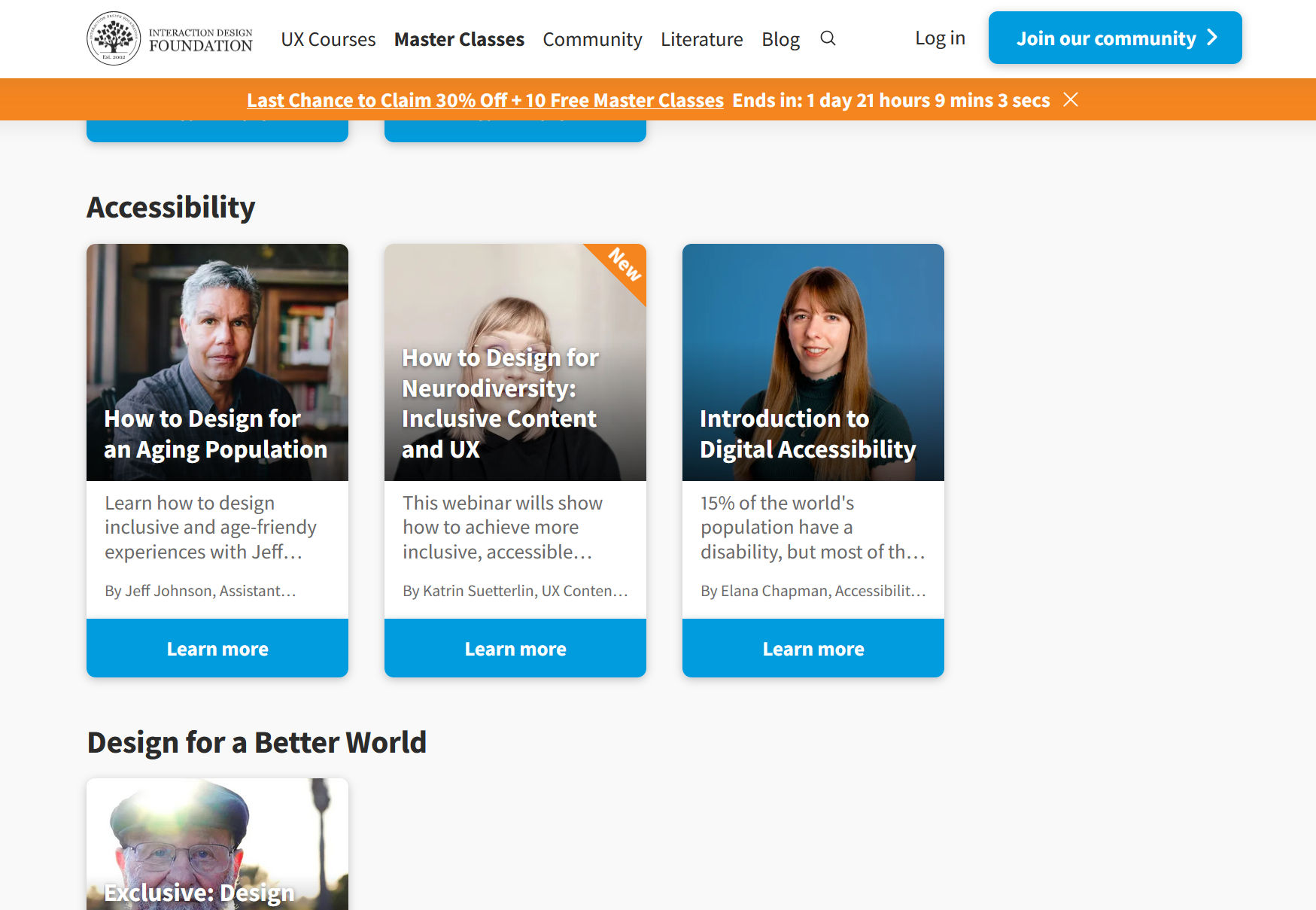
IxDF’s Master Classes are a great way to keep up to date with the latest accessibility measures and methods.
© Interaction Design Foundation, CC BY-SA 4.0
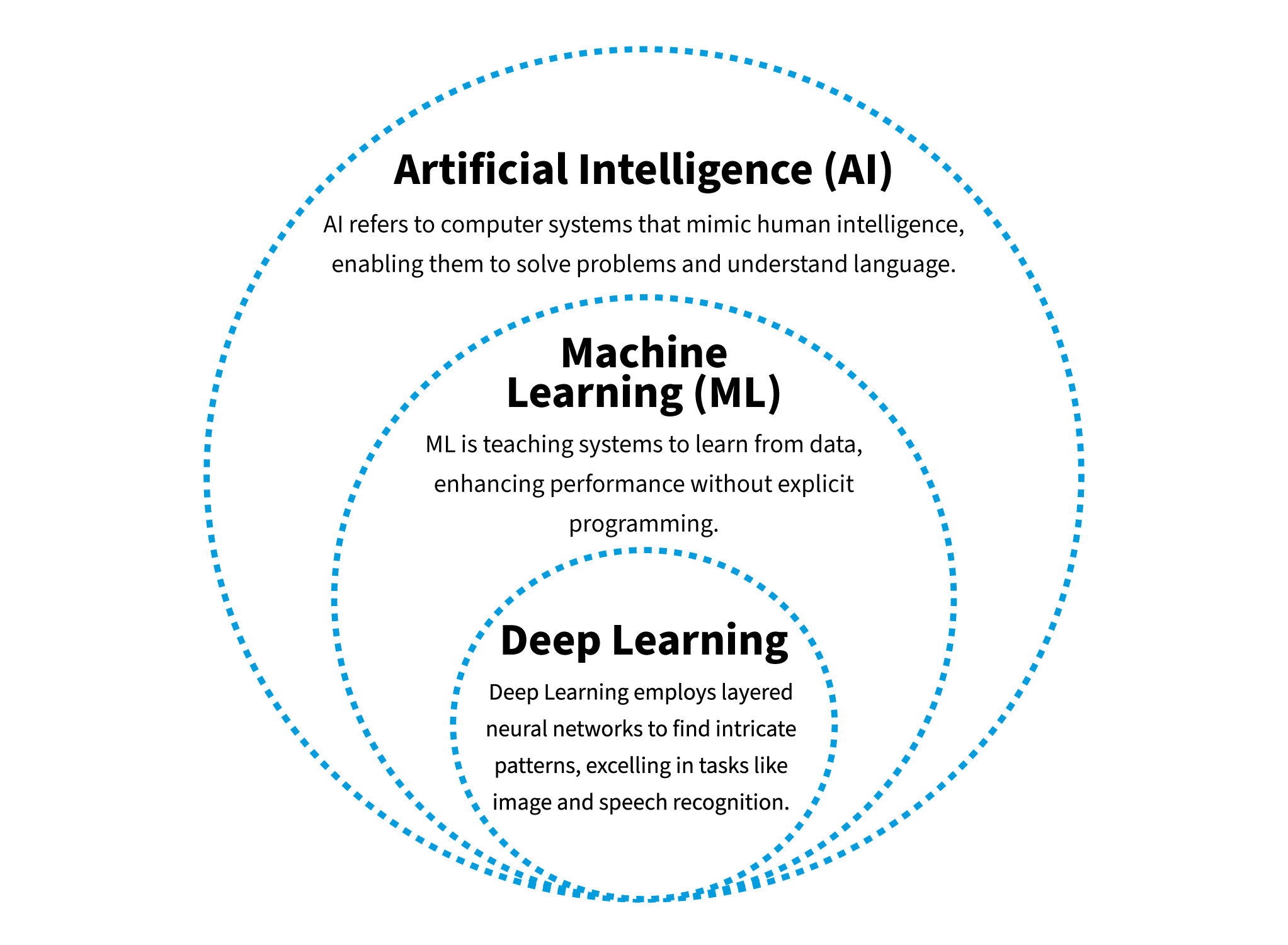 A brief overview of AI, machine learning and deep learning, where deep learning is a subset of machine learning, which, in turn, is a subset of artificial intelligence.










 © Mindymorgan, CC BY-SA 4.0
 © Teo Yu Siang and the