Design for All

Your constantly-updated definition of Design for All and collection of videos and articles.
Be a conversation starter: Share this page and inspire others!

197 Shares

What is Design for All?

Design for All is a concept that describes a wide range of design approaches, methods, techniques and tools for designers to meet the vast diversity of users’ needs and requirements. Designers strive to build access features into products from the start of their design process.

© Interaction Design Foundation, CC BY-SA 4.0

Why Do We Need to Design for All?

Design for All emerged in human-computer interaction (HCI) literature in the late 1990s, after a series of research efforts that the European Commission mainly funded. The concept comes from the combination of three other vital areas of user experience (UX) design:

1. User-Centered Design (UCD): Placing the user at the center of the interaction design process

UCD stresses that the quality of use of a system, including its usability and other factors, depends on the nature of the users, tasks, contexts and more. As such, it’s a design process that values a multidisciplinary and user-geared perspective. However, its scope is limited in how it can handle the sheer diversity of user needs. Also, designers have little guidance on how to address the requirements of radically different user groups.

2. Accessibility and assistive technologies

Accessibility involves the availability of alternative devices and interaction styles. Traditionally, the focus was on enabling users with disabilities to access websites and applications designed for users without disabilities. This was achieved through assistive technologies designed to “decode” the experience appropriately for users with specific disabilities. However, assistive technologies are essentially reactive in nature, and they only adapt “non-disability-oriented” experiences for these users. Also, with the rapid pace of technological developments, it has become increasingly difficult to develop accessibility add-ons. Moreover, there is a new focus on people at risk of technological exclusion, and it’s not just limited to users with disabilities. So, designing for all is about integrating accessibility early on in the design process. This means you have to “bake” it in from the early stages, not come back to it as if it were some afterthought to retrofit following a “mainstream” release.

Transcript

3. Universal Design – for physical products and the built environment

With its emphasis on designing one product (per project) that everyone can use, universal design offers great promise to “level the playing field” so all users can access products. A classic example is the curb cut for wheelchair users and anyone else who may need a ramp, such as if they have a bicycle.

When you’re designing applications and websites, you can leverage universal design through, for example, subtitles. Subtitles help hard-of-hearing as well as non-native-English speakers, plus any user in a noisy environment. However, universal design typically involves physical rather than digital products. That’s where design for all comes in.
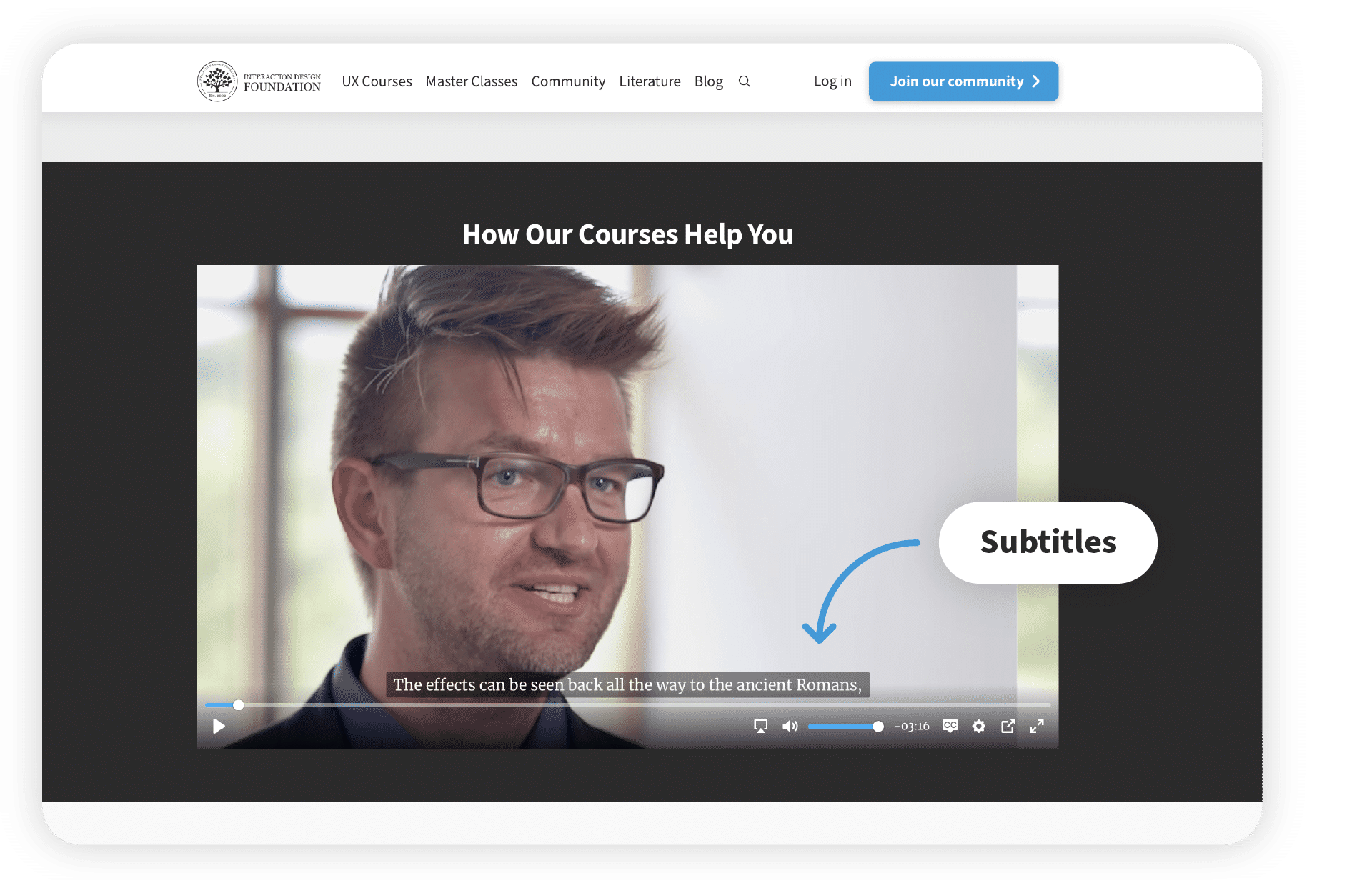
A screenshot of an IxDF course video with subtitles.

© Interaction Design Foundation, CC BY-SA 4.0

What is the Difference Between Design For All vs. Universal Design vs. Inclusive Design?

Design for all shares common objectives with two related approaches: universal design and inclusive design. However, they each approach the goal of user inclusivity and removing barriers from slightly different angles. The differences lie primarily in their scope and the specific user needs they address.

Transcript

1. Universal Design 

Here, you aim to create products and environments that are inherently accessible to both people without disabilities and people with disabilities. It is broader in scope than design for all as it encompasses physical spaces and products, not just digital interfaces. Yet it is narrower in scope in the sense that there is just one design to fit everyone. So, it cannot account for the sheer breadth of human diversity required for every problem imaginable.

2. Inclusive Design 

With this approach, you strive particularly to include and learn from a diverse range of users during the design process. It shares many similarities with design for all. However, it’s more explicit in terms of how it actively involves traditionally underrepresented user groups in the design process.

What Does Design for All Address?

Design for All’s inclusive approach caters to the needs of all users, whatever their abilities or disabilities. It aims to remove barriers and offer equal access to everyone. As such, it encompasses various dimensions of diversity, including:

Abilities

  1. Perception – Blindness, deafness, etc.

  2. Motion – Physical disabilities that include quadriplegia, loss of limbs, arthritis, neuropathy, weakness in hands, among others.

  3. Cognition – Differences in brain functions that arise from a variety of factors, including brain injury, stroke, Alzheimer’s, and mental illness, and often referred to as neurodiversity.
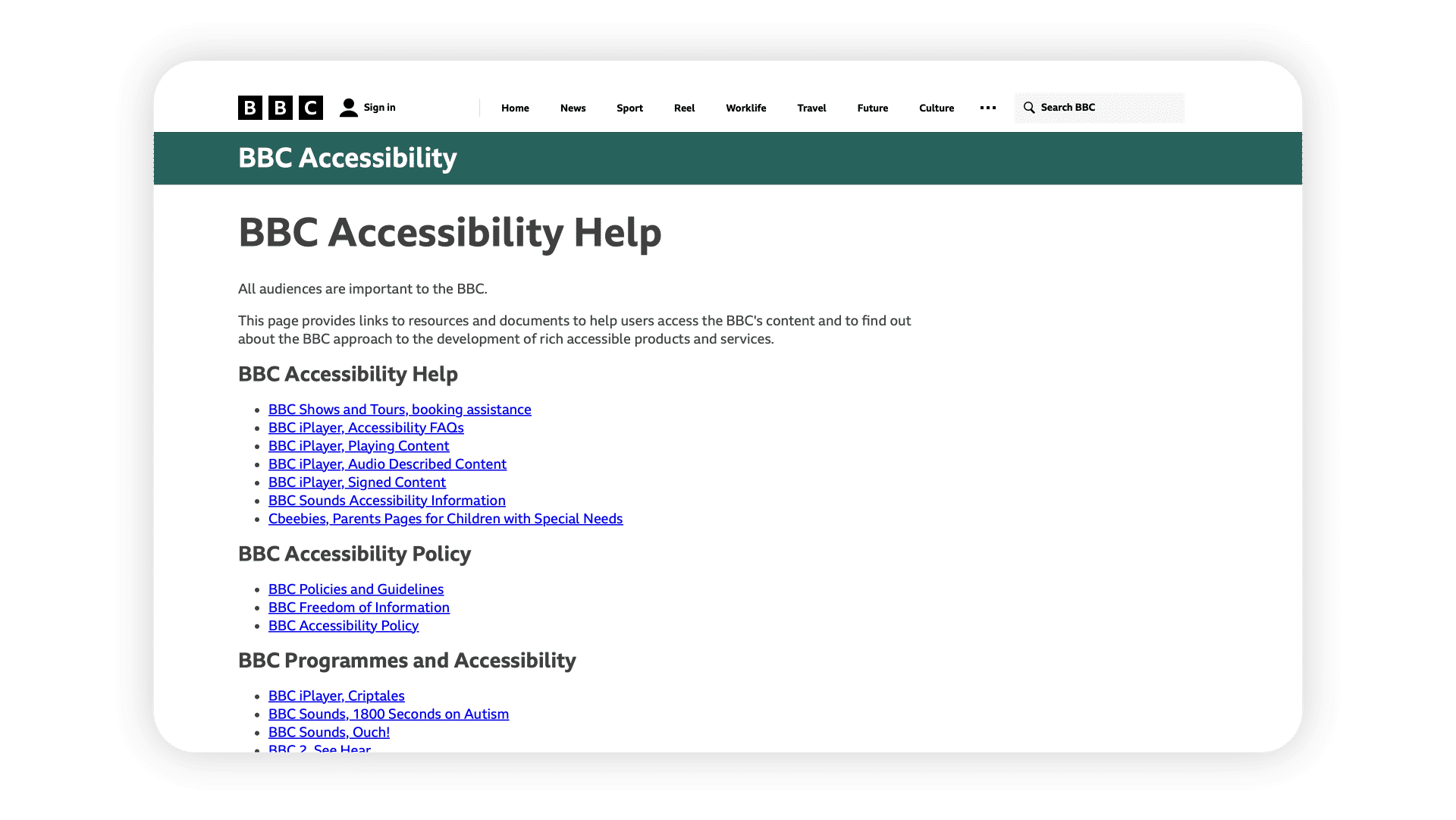
A screenshot of BBC's Accessibility Help page, showing their accessibility policy and resources.

The BBC has been a long-term champion of designing for all, building accessible features into its new site and more.

© BBC, Fair Use

Age

The Digital Age has witnessed a phenomenon at both extremes of the generation gap. Children are more computer-literate and from an earlier age. However, they still have user needs as children, no matter how more advanced they may become compared to previous generations. Similarly, older users, who came of age before the advent of home computers and the internet, will have different ability-related requirements. Compounding this is the demographic shift in the developed world with large aging populations in many countries.

Culture 

Gearing a product to an English-speaking market may restrict it culturally. While English is the most common language spoken in the world, it accounts for roughly 20% of the world’s population. That means a whopping 80% of users from outside the English-speaking world may miss messages because these get lost in translation. Plus, different cultures interpret symbols, colors, gestures, etc. differently. You as a designer therefore need to be sensitive to these issues and look into localization that goes beyond just translation. Designing for all is an approach to recognize, appreciate and integrate these differences rather than neutralize them with a one-size-fits-all mentality.
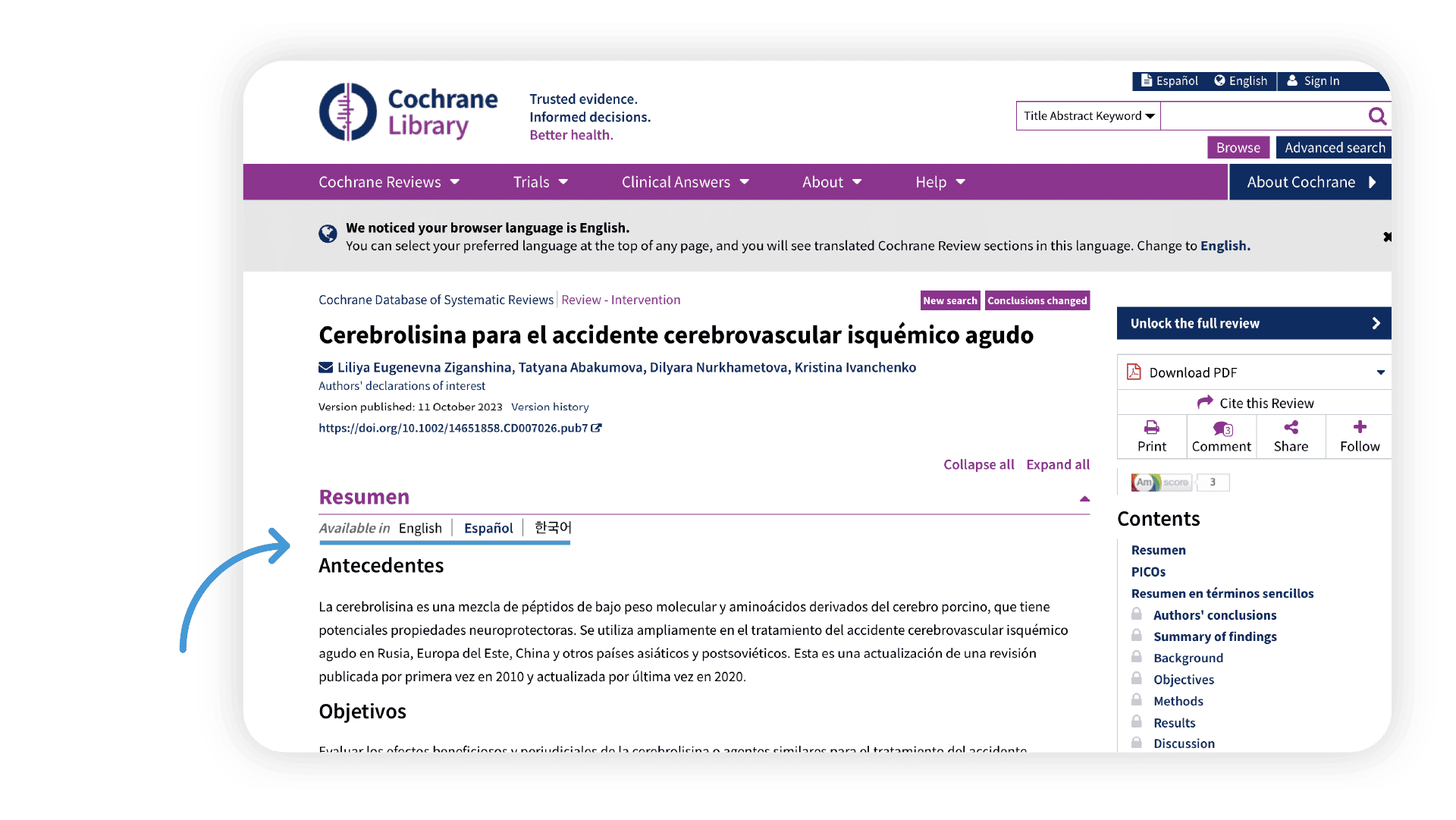
A screenshot showing an example of available translations within the Cochrane Library.

Cochrane Library is a collection of databases that contain high-quality, independent evidence to inform healthcare decision-making. Cochrane’s global volunteers help the organization offer translations of its evidence-based research in several languages.

© John Wiley and Sons Inc, Fair Use

Social Issues 

Poverty, social status and limited educational opportunities are serious barriers to many potential users across the world. Design for All offers a guiding light to remind designers to address the situation by using their education and skills to create designs that are accessible to people whose own education and skills are below the levels many designers might otherwise assume.

Pros and Cons of Design for All

Advantages of Design for All

  • Wider Audience Reach: By ensuring that your product or service is accessible and usable by all, you widen your audience reach. This can lead to increased user engagement, customer satisfaction, and ultimately, business growth.

  • Improved User Experience: Designing for all can lead to better user experiences for everyone, not just those with disabilities. By considering the needs of a diverse range of users, you can create products that are more intuitive, efficient, and enjoyable to use.

  • Innovation: Designing for all can spur innovation. When designers are challenged to create solutions that cater to a diverse range of users, they often come up with innovative ideas that improve the overall design of the product.

  • Social Responsibility: Designing for all reflects a commitment to social responsibility. It shows that a company values all its users and is committed to providing equal access to its products and services.

Women smiling with a mobile phone and portable card machine.

An Oxford University study investigates how mobile phones empower women in developing nations. Consider the needs of all your users in your design process—whether it is a physical product or a digital service.

© The University of Oxford, Fair Use

Challenges of Design for All

  • Complexity: Designing for all can be complex. It requires a deep understanding of diverse user needs, abilities, and preferences. It also demands a high level of creativity and problem-solving skills to come up with design solutions that cater to a wide range of users.

  • Resource Intensive: Designing for all can be resource-intensive. It may require more time, effort, and money to research, design, test, and iterate on solutions that are accessible and usable by all.

  • Difficulty in Measuring Success: Measuring the success of design for all can be challenging. It's not always easy to quantify the impact of inclusive design practices and to demonstrate their value to stakeholders.
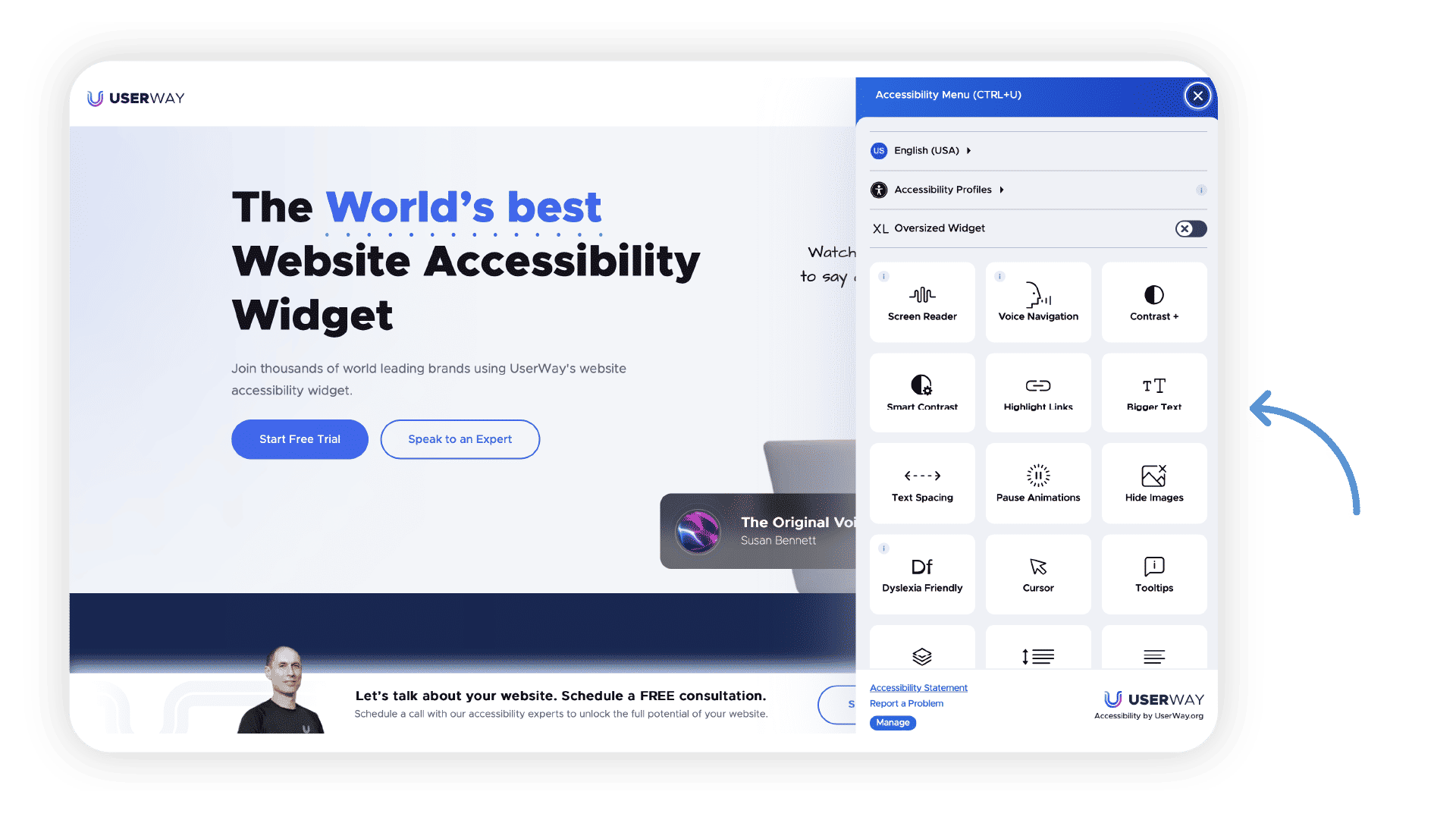
Landing page for UserWay, a digital accessibility provider

UserWay is a digital accessibility provider that helps websites be accessible. The organization “walks the talk” by offering multiple options to view their content, embodying the principles of designing for everyone.

© UserWay, Fair Use

Best Practices and Tips for Design for All

Design for All Best Practices 

It’s essential to adapt the adage “know your users” to ensure that you know the diversity of your users. Here is a list of design methods you can adapt with careful consideration to ensure your design encompasses the most diverse range of user characteristics and needs. And these show you how you can fine-tune them to help make your design truly accessible to all.

Observation and ethnographic research

View users as they conduct an activity you want to investigate, and record your observations and insights. Your goal is to gain insights into the user experience as the users experience and understand it within the context of use.

Surveys and Questionnaires

Use quantitative and qualitative UX research methods where you can carefully design questions so that users can give you meaningful answers. The questions must be relevant and focused to prevent irrelevant responses.

Interviews

Conduct interviews (ideally semi-structured ones), with a series of questions with enough scope for users to expand on their answers.

Activity Diaries and Cultural Probes 

Provide research participants with diaries and probes to collect data and gather insights from a variety of users. Participants keep self-reported records of their activities over a period of time. These can expose patterns of behavior you might otherwise miss in short-term observation. These materials can help expose user needs, although they require careful planning to maximize user trust, comfort and accuracy of answers.

Group Discussions 

These include brainstorming with participants from different stakeholder groups who have good communication abilities and skills. A small group of users with special needs is more likely to be open to participate than a single interviewee alone. Such discussions can yield vital insights about diversity and special needs of users.

Empathic Modeling

You put yourself in the position of a user with a disability. For example, earplugs help you simulate hearing loss. This can bring important considerations and insights to the design table.
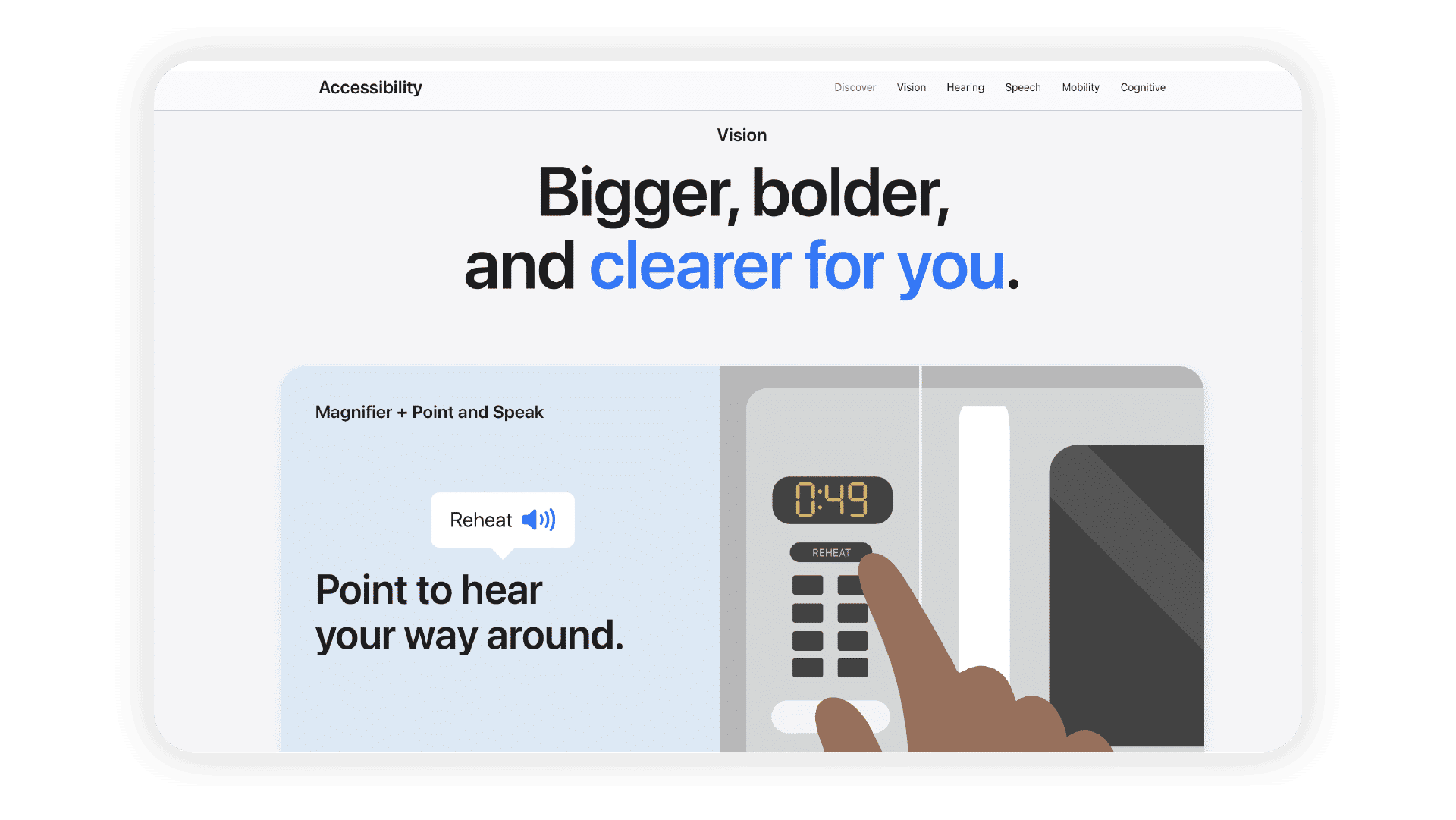
The accessibility page on Apple's website.

Apple is an industry leader in designing for all, building for a huge expanse of diverse user needs. Alt Text:

© Apple, Fair Use

Scenarios, Storyboards and Personas

  1. Scenarios: Use narrative descriptions of interactive processes, including user and system actions, to show how users may execute tasks in certain contexts.

  2. Storyboards: Use a graphical depiction of scenarios in sequences of images to show the relationship between user inputs and system outputs.

  3. Personas: Create a model of a user, complete with name, personality and picture, to represent each of the most important user groups.

Prototyping

Use a concrete representation of part or all of an interface. It can be low-, mid- or mixed-fidelity, ideally low for starting with. You can tailor these to suit aspects of your system that you want to investigate and test. The earlier you do it, the more insights you can yield from a diverse range of potential users. Prototypes are especially helpful for users with disabilities, as they have something concrete before them. This can save greatly on costs later, since it can reveal essential limitations about your original ideas for a product.

User Trials or User Testing

Test on a diverse range of “real users” as they follow a set of tasks. Here’s where you evaluate the usability of your design. It’s also where, especially with early designs and prototypes, you can gain precious insights into diverse user requirements. It’s important to design these tests thoughtfully, be they remote or in-person, so the insights reflect what users actually do, not what they claim to do.

Cooperative and Participatory Design

Get the full involvement of users through a variety of techniques, such as brainstorming, scenario building, sketching, storyboarding and interviews. This active partnership with users brings them on board and helps guide your design process from early on.

Table 15.1 in an academic paper about User Requirement Elicitation Methods.

© Margherita Antona, Stavroula Ntoa, Ilia Adami and Constantine Stephanidis, Fair Use

Design for All Tips

Here are some of our top tips for implementing Design for All in your design process:

Provide Multiple Ways to Interact

Provide multiple ways for users to interact with your product or service. This could include different input methods (e.g., touch, voice, keyboard), different output methods (e.g., visual, auditory, haptic), and different ways of navigating and accessing content.

Design for Flexibility

Design your product or service to be flexible and adaptable to different user needs and preferences. This could include customizable settings, adjustable interface elements, and adaptive content.

Follow Accessibility Standards and Guidelines

Follow established accessibility standards and guidelines, such as the Web Content Accessibility Guidelines (WCAG) for web design.

Research Continuously

Mainstream design is catching up with traditionally ignored user communities and still has a long way to go. Stay updated with research and industry best practices and pursue research independently if the existing research is inadequate. 

Iterate 

As with everything in design, iterate to incorporate user feedback and new research.
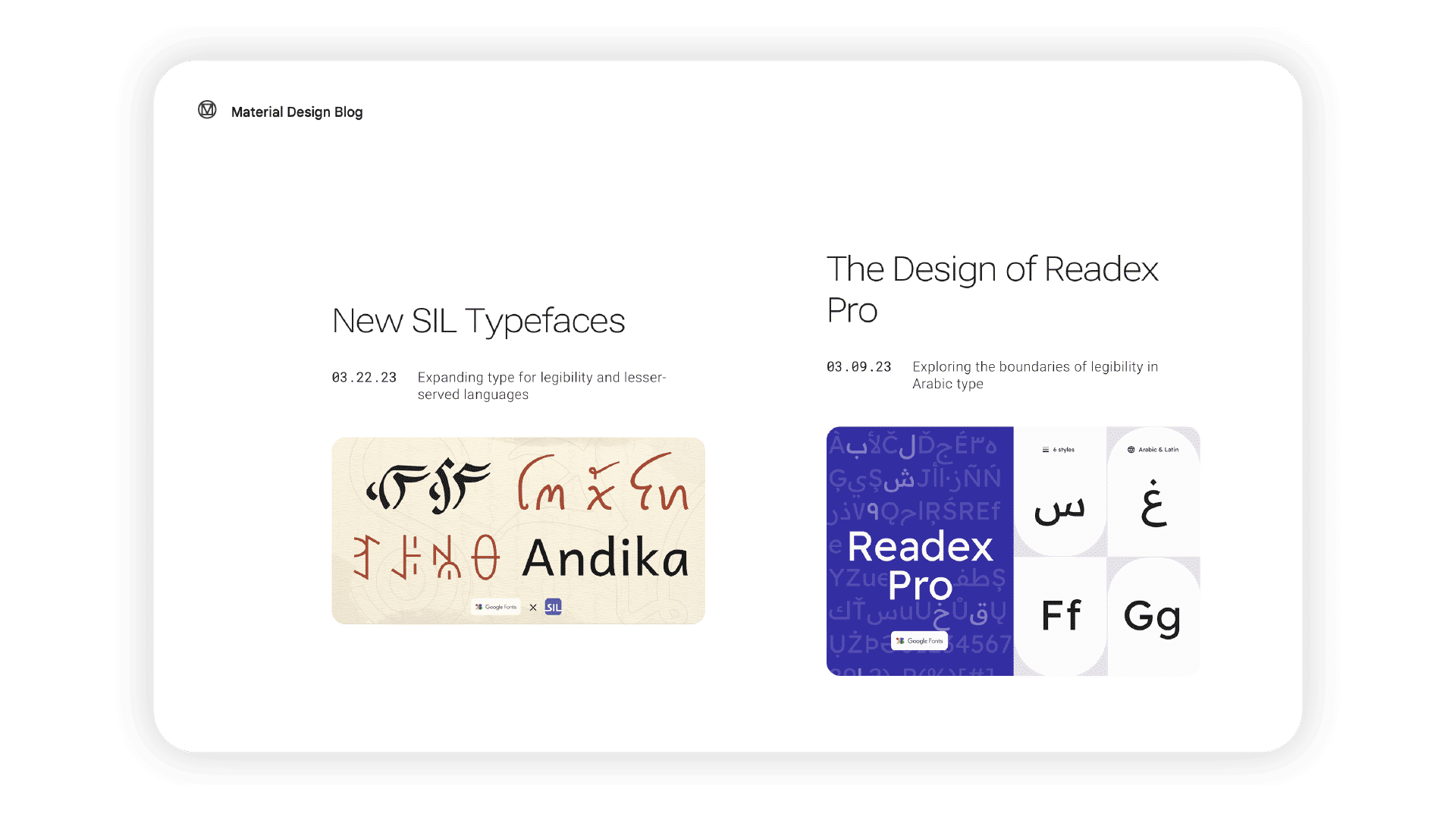
An announcement on the Material Design Blog, announcing new SIL typefaces for Google.

Google incorporates principles of Design for All and offers guidance on creating accessible and inclusive digital experiences. The company continuously updates its Material Design guidelines to cater to wider audiences. Here, for example, is the announcement for new typefaces for legibility and lesser-served languages.

© Google, Fair Use

Remember, Design for All is not just a trend or a nice-to-have; it's a necessity for creating products and services that truly meet the needs of all users. And designing for all is not just about meeting legal requirements or checking off boxes on an accessibility checklist. It's about embracing diversity, promoting inclusivity, and building empathy in design. It challenges you to think beyond your assumptions and biases as a designer, to design products that are truly able to reach all people, and which all people can use and enjoy. The results are more intuitive, efficient, user-friendly and enjoyable products for everyone.

Questions About Design for All?
We've Got Answers!

Why do we need to design for all?

The following are reasons that it’s important to design for all.

Moral: Everyone has the same access to products and services when designers make accessible designs.

Business: Products and services that designers create for the needs of people experiencing poverty, disability or the effects of getting older can reach four times as many consumers.

Innovation: Designers can drive towards making more innovative, better products and services for everyone.

UX (user experience): Designing for all can help create better user experiences all around, as it caters to everyone.

Legal: It’s best to do it also because avoiding it for financial reasons can lead to lawsuits.

What is the difference between Design for All and Universal Design?

In Universal Design, you aim to create products and environments that are inherently accessible to both people without disabilities and people with disabilities. It is broader in scope than design for all as it encompasses physical spaces and products, not just digital interfaces. Yet it is narrower in scope in the sense that there is just one design to fit everyone. So, it cannot account for the sheer breadth of human diversity required for every problem imaginable.

What is the difference between Design for All and Inclusive Design?

In Inclusive Design, you strive particularly to include and learn from a diverse range of users during the design process. It shares many similarities with design for all. However, it’s more explicit in terms of how it actively involves traditionally underrepresented user groups in the design process.

How do you Design for All?

Here are some recommended activities and tools:

To effectively design for all, a multifaceted approach is essential. Direct observation of users in their natural settings reveals authentic behaviors, while surveys and questionnaires gather both quantitative and qualitative data from a broad user base. Semi-structured interviews offer in-depth personal insights, complemented by activity diaries and cultural probes that track long-term behaviors. Group discussions highlight diverse needs, and empathic modeling fosters understanding of users with disabilities. Utilizing scenarios, storyboards, and personas helps you understand user needs and contexts. Early prototyping, particularly low-fidelity, identifies critical design limitations, and user testing with a diverse range of users is crucial for usability evaluation. Cooperative design involves users from the start, ensuring their needs are integrated. Best practices include that you provide multiple interaction methods, design for flexibility with customizable settings, adhere to accessibility standards like WCAG, and maintain a commitment to diversity and inclusion, with continuous user feedback to evolve designs according to changing needs.

What are some common challenges in implementing Design for All?

Challenges in implementing Design for All include:

- Complexity: Designing for all can be complex. It requires a deep understanding of diverse user needs, abilities, and preferences. It also demands a high level of creativity and problem-solving skills to come up with design solutions that cater to a wide range of users.

- Resource Intensive: Designing for all can be resource-intensive. It may require more time, effort, and money to research, design, test, and iterate on solutions that are accessible and usable by all.

- Difficulty in Measuring Success: Measuring the success of design for all can be challenging. It's not always easy to quantify the impact of inclusive design practices and to demonstrate their value to stakeholders.

Can Design for All be cost-effective for businesses?

Yes, "Design for All" can indeed be cost-effective for businesses. Here's why:

- Broader Market Reach: Design for all and your business can reach a wider audience of potential customers, including people with disabilities and the elderly. This expanded market can lead to increased sales, customer loyalty and a positive brand reputation.

- Innovation and Creativity: Design for all often leads to innovative solutions that benefit all users. For example, voice-activated devices—initially designed for people with disabilities—are now what many people widely use.

- Reduced Costs in the Long Run: Although initial development costs might be higher, this approach can lead to savings over time. Products that are accessible to a broader range of users may have a longer market life and reduce the need for multiple specialized products.

- Legal and Ethical Compliance: Many countries have laws and regulations that require products and services to be accessible. When your business does design for all, it helps it comply with these laws, avoiding legal costs and penalties.

Can “Design for All” be applied to mobile design effectively?

Yes, you can apply "Design for All” effectively to mobile app design. Consider these key principles:

Equitable Use: Design apps that are useful and marketable to people with diverse abilities. This includes providing the same means of use for all users: identical whenever possible, equivalent when not.

- Flexibility in Use: Accommodate a wide range of individual preferences and abilities. For instance, allow users to choose how they interact with the app, whether it’s through touch, voice commands, or adaptive technologies.

- Simple and Intuitive Use: Ensure that the app is easy to understand, regardless of the user's experience, knowledge, language skills, or current concentration level.

- Perceptible Information: Communicate necessary information effectively to the user, regardless of ambient conditions or the user's sensory abilities. This includes considerations for color blindness, screen readers for the visually impaired, and clear labeling.

- Tolerance for Error: Minimize hazards and the adverse consequences of accidental or unintended actions. This can mean confirming actions before they are completed or providing an easy 'undo' step.

- Low Physical Effort: Design the app to be used efficiently and comfortably with a minimum of fatigue. Touch targets should be large enough to be easily tapped, and gestures should be simple.

- Size and Space for Approach and Use: Provide appropriate size and space for approach, reach, manipulation, and use, regardless of the user’s body size, posture, or mobility.

What are some highly cited pieces of research about Design for All?

Here are some highly cited pieces of research about Design for All:

1, Vanderheiden, G. C. (1990). Thirty-something (million): Should they be exceptions?. Human factors, 32(4), 383-396. https://doi.org/10.1177/001872089003200402

This influential paper made a case for designing for accessibility from the start, rather than making "special" products for people with disabilities. It argued this approach would improve life for millions of people.

2. Stephanidis, C., & Klironomos, I. (2017). Universal access to ambient intelligence environments: Opportunities and challenges for people with disabilities. Universal Access in the Information Society, 16(4), 265-275. https://link.springer.com/book/10.1007/978-3-319-07509-9 This publication examines the opportunities and challenges of providing universal access to ambient intelligence environments for people with disabilities. It discusses the role of user-centered design and presents case studies of successful implementations.

3. Stephanidis, C., & Klironomos, I. (2019). Design for all: Towards universal access in the information society. International Journal of Human-Computer Interaction, 36(1), 1-4. https://www.researchgate.net/publication/2643566_Designing_for_all_in_the_Information_Society_Challenges_towards_universal_access_in_the_information_age This article provides an updated overview of the principles and practices of design for all, with a focus on universal access in the information society. It discusses the challenges and opportunities of implementing design for all in various domains.

Here are some popular books that cover Design for All well:

1. "Design Meets Disability" by Graham Pullin - This book looks at how design can be inclusive of people with disabilities. It covers principles of inclusive design and provides many examples.

2. "Inclusive Design for a Digital World: Designing with Accessibility in Mind" by Regine M. Gilbert - Regine Gilbert offers a comprehensive guide to inclusive digital design, covering topics such as web accessibility, user experience, and usability testing.

Where to learn more about Design for All?

Earn a Gift Earn a Gift, Answer a Short Quiz!

1
2
3
4
1
2
3
4
Question 1
Question 2
Question 3
Get Your Gift
Interaction Design Foundation logo

Question 1

Why is Design for All crucial in creating products?

1 point towards your gift

  • It helps create products that meet the diverse needs of all users, including those with disabilities.
  • It ensures that only people with disabilities can use the product efficiently.
  • It eliminates the need for user testing during the design process.
Interaction Design Foundation logo

Question 2

How does Inclusive Design differ from Universal Design?

1 point towards your gift

  • Inclusive Design focuses on involving diverse user groups in the design process.
  • Inclusive Design only addresses physical products, while Universal Design addresses digital products.
  • Inclusive Design creates a single design that works for everyone, while Universal Design adapts to different user needs.
Interaction Design Foundation logo

Question 3

What aspects of diversity does Design for All aim to address?

1 point towards your gift

  • Only physical disabilities and cognitive differences
  • Gender differences and user preferences
  • Abilities, age, culture, and social issues

Learn More About Design for All

Make learning as easy as watching Netflix: Learn more about Design for All by taking the online IxDF Course Accessibility: How to Design for All.

Why? Because design skills make you valuable. In any job. Any industry.

In This Course, You'll

  • Get excited about creating accessible products people love! Prioritizing accessibility naturally improves everyone's experience. For example, video captions don't just help people with hearing impairments. They also help anyone who watches videos in a noisy space, with sound off, or in a non-native language. With over 1 billion people living with disabilities, your design decisions will open (or close) the door to millions. If you want to tap into a massive, underserved market and build your reputation as an inclusive, impactful designer, this course is for you. 

  • Make yourself invaluable by mastering how accessibility can accelerate product success and, in addition, protect your brand from legal risks. Accessibility isn't just good for people with disabilities—it's great for business. Happier users lead to greater impact, loyalty, and the kind of salary that reflects your value. You'll learn how to demonstrate the return on investment (ROI) of accessibility and easily build a compelling business case. You'll confidently design for a wide range of disabilities and easily create smooth experiences everyone loves.

  • Gain confidence and credibility as you implement Web Content Accessibility Guidelines (WCAG) and the ready-to-use Accessibility Screener template. With expert guidance and step-by-step templates, it's simpler than you think! You'll immediately be able to apply these insights across all roles and industries. AI-powered features have the potential to make products more accessible at scale, but you stay in demand when you know how to apply them well. Timeless human-centered accessibility skills help you make clear choices that ensure new features, automated systems, and design decisions actually work for people with different abilities. You don't need a specific background. You'll get a deep understanding of how design impacts usability for everyone through interviews with an accessibility specialist with visual impairment. Even without any prior experience, you'll effortlessly optimize code with practical techniques like Accessible Rich Internet Applications (ARIA) markup and alt text for images. This course gives you the skills to master compliance standards and create products with improved usability for everyone.

It's Easy to Fast-Track Your Career with the World's Best Experts

Master complex skills effortlessly with proven best practices and toolkits directly from the world's top design experts. Meet your expert for this course:

  • Frank Spillers: Service Designer and Founder and CEO of Experience Dynamics.

Get an Industry-Recognized IxDF Course Certificate

Increase your credibility, salary potential and job opportunities by showing credible evidence of your skills.

IxDF Course Certificates set the industry gold standard. Add them to your LinkedIn profile, resumé, and job applications.

Course Certificate Example

Be in distinguished company, alongside industry leaders who train their teams with the IxDF and trust IxDF Course Certificates.

Our clients: IBM, HP, Adobe, GE, Accenture, Allianz, Phillips, Deezer, Capgemin, Mcafee, SAP, Telenor, Cigna, British Parliament, State of New York

All Free IxDF Articles on Design for All

Read full article
Accessibility: Usability for all - Article hero image
Interaction Design Foundation logo

Accessibility: Usability for all

Let’s examine a topic we often take for granted to understand what it’s really about. Doing so, you’ll be able to proceed with a broader appreciation of how users engage your designs.The Overlooked, Misunderstood Nature of Accessibility© WhisperToMe, Public DomainA design is only useful if it’s acce

Social shares
925
Published
Read Article

Accessibility: Usability for all

Accessibility: Usability for all

Let’s examine a topic we often take for granted to understand what it’s really about. Doing so, you’ll be able to proceed with a broader appreciation of how users engage your designs.

The Overlooked, Misunderstood Nature of Accessibility

Photograph of a road sign that reads, © WhisperToMe, Public Domain

A design is only useful if it’s accessible to the user: any user, anywhere, anytime. We often mistake the concept of accessibility as involving people with disabilities. However, we’re all disabled in many contexts and circumstances. Accessibility is all about people. If you’ve ever broken a leg, you’ll know how difficult formerly simple tasks become. How about a power outage? One moment, you’re going about your business; the next, you’re plunged into darkness. Moving a couple of steps becomes risky! Whatever task we’d taken for granted suddenly has us negotiating barriers.

Mobile devices are a great example of dealing with users with accessibility issues. When using mobile phones, we’re on the go, doing other things, with our attention split several ways. With the pervasiveness of handheld smart-gadgets, we as designers need to embrace accessibility for all and in all contexts.

In many countries, designing for accessibility isn’t just morally correct; it’s also a legal obligation. Throughout the EU, legislation to prevent discrimination against disabled people exists; failing to comply with these laws could cost a company dearly. Compliance is cheaper, but it pays big dividends, too.

The good news is that there are standards for accessibility, and these are easy to understand. Better still, if we consider them at the start of the design process, we’ll find them easy to implement. Accessibility is simply a function of access. People with a visual impairment, for example, may not be able to read the text on your website. However, if you have properly formatted your text, they’ll be able to use screen reading software to hear your words.

Designing for accessibility takes some forethought. Examine your options in the planning phase and stay focused on accessibility throughout development. It’s easy to get caught up in the substance of your work and forget about this essential point. Keep it in mind, and test your designs often to be certain that your efforts are successful.

The Key Areas for Considering

Image of the UI of a device which has several navigation buttons.© Yahoo! Accessibility Lab, CC BY-SA 2.0
We are all, designers and users, different. Some of us have dyslexia; others have partial hearing loss, for instance. The areas of user needs we should consider for accessible design are:

  • Visual: Long-sightedness, blindness, color blindness, are all forms of visual disability you need to cater for in your design.

  • Motor/Mobility: This category doesn’t just extend to problems with the use of the hands and arms (which are very likely to cause problems with web accessibility), but also with other muscular or skeletal conditions. If, for example, your web design were to feature in a trade-show booth, you’d need to consider how someone in a wheelchair could access that booth, and turn around and exit it on completing the task.

  • Auditory: Auditory disabilities affect the hearing and come in varying degrees of severity, up to and including total deafness.

  • Seizures: Some individuals can be affected by light, motion, flickering, etc. on screen, thus triggering seizures. The most common issue in this category is photosensitive epilepsy.

  • Learning: It’s also important to remember that not all disabilities are physical. Learning and cognitive disabilities can also influence accessibility.

Now, think about yourself as a user. Have you ever noticed difficulties when driving and using your cell phone? How does it feel when you’re trying to multitask? Do you have automatic transmission to make it easier?

As users with handheld/mobile devices, we all face difficulties when we have to divide our attention. Happily, GPS systems speak to us, so we don’t have to take our eyes off the road, except for the odd glance to see how far ahead a turn is. Good GPS software designers are fully aware of what it’s like for motorist users and design to help, not hinder or distract.

Example: Arnold has an interview at 3 p.m. in a town he’s never been to, and he has to use a neighbor-friend’s car. His neighbor returns late. Unfortunately, a snowstorm has started, too. Worse, the car is low on gas, so Arnold will have to fill up on the way. So, the factors that are impeding Arnold constitute his disabilities as a user, which are:

  • Unfamiliarity with road

  • Running late

  • Snowstorm

  • Low fuel

Arnold has four handicaps slowing him down. He thinks about calling the interviewers. However, he decides against it and stays focused on driving. One thing that is going in Arnold’s favor, though, is his GPS. Its large screen format isn’t cluttered. A bright red arrow contrasting starkly with a light-green screen shows him his route at a glance with a minimum of text and images. He feels better when its voice tells him a gas station is near. After refuelling, he gets back on the road, passes Legoland, which his GPS shows as a large icon. His interviewer had mentioned Legoland as a landmark; they’re nearby. Arnold breathes a sigh of relief. Even with the snowstorm, he’s thereby 2:50 p.m.! The designers of his easy-to-use GPS deserve thanks.

Planning for Accessibility of a Website

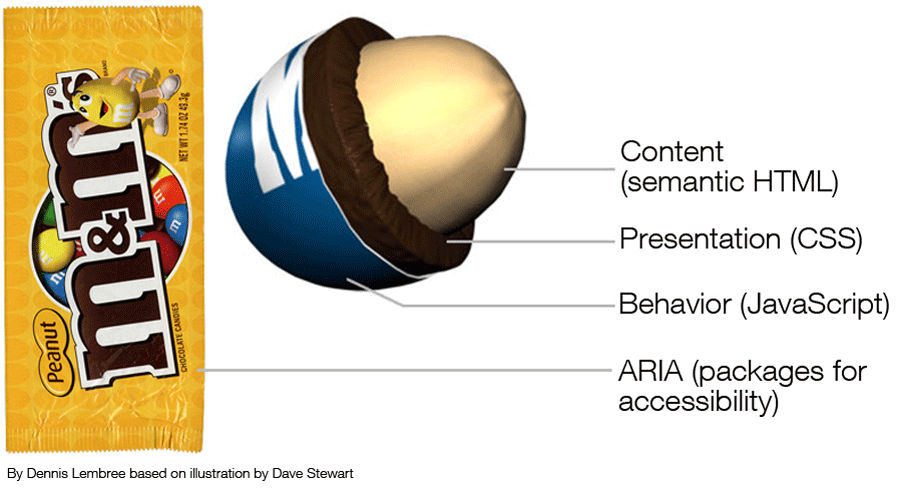
Illustration of the cross section of an M&M candy with each layer representing a component of accessibility. Starting from the inside out, the layers are: Content (semantic HTML), Presentation (CSS), Behavior (JavaScript), and ARIA (Packages for accessibility).© Dennis311, CC BY 2.0

You can use many ways to make your website accessible. To get started, here are some simple tips that can help ensure that many people with disabilities can access your site easily:

  • If you use a CMS, choose one that supports accessibility standards. Drupal and WordPress, for example, support these. If you’re going to amend a template rather than create one for the theme, make certain that the theme was designed with accessibility in mind. It can save time, effort and money.

  • Use header tags to create headings in your text; ideally, ensure that you use CSS to make this consistent throughout the site. Try not to skip from one heading level to the next (e.g., H1 to H4, rather H1 to H2); this can confuse screen reader software. Users with more severe visual impairments may access your site using a refreshable Braille display or terminal, which depends on screen readers.

  • Use alt text on your images; if you use images to enhance content, then a screen reader will need to explain them— that’s what the alt text is for. However, if your image is purely for decoration and adds no other value (other than looking good), you should skip the alt text to avoid confusing someone having the site content read to him/her.

  • Have a link strategy. Screen readers sometimes stutter over links and stop on the first letter. That means it’s important not to have “click here” links scattered through the text. The best link descriptions have a text description before the link and then a unique name for the link. (E.g., “Read more about the Interaction Design Foundation, at their website.) Consider offering a visual cue (such as a PDF icon) by links to make it clear what the link will deliver. Use underlines on links (they help color blind people distinguish links from text). Highlight menu links on mouseover to assist with locating the cursor.

  • Choose colors carefully; if in doubt, test your color schemes with some color-blind people. Color blindness is an incredibly common disability, and the wrong palette can make it difficult for a color-blind person to read your text or navigate your site. You also need to ensure that you provide high levels of contrast between text and background; the elderly, for example, can find it hard to see text unless the contrast is high.

  • Don’t refer just to the color of something when giving instructions; “click the red button” isn’t helpful to a color-blind person. “Click the circular button” is. Use shapes and forms to help guide users rather than relying on color alone.

  • Think about the design of forms. Screen readers can struggle with forms. Label fields, and use the tag to offer the description to a screen reader. Ensure that the Tab order on forms follows the visual order — it’s very easy for a screen reader to miss a field if this isn’t done. Make sure to assign an ARIA (Accessible Rich Internet Applications) required or not required role to each field, too. Screen readers don’t understand the asterisk, for mandatory fields, convention.

  • Avoid tables for layout. Screen readers can handle tables, but they start explaining how many columns and rows are present, which can be annoyingly distracting when the table is simply a layout technique. Keep tables for data presentation. Make certain to use the HTML scope attribute to explain relationships between cells, too.

  • Learn to use the proper HTML elements for lists and don’t put them on the same line as the text. This helps screen reading software to parse lists.

  • Put your mouse away, and see if your site works with a keyboard only. People with motion disabilities often find objects using trackpads. They may need a mouth stick or a single-switch input device; or, they may have to rely on their keyboard. Think about making it easy for people to skip through sections of content in this way, too… scrolling is a PITA without a mouse.

  • Familiarize yourself with ARIA (Accessible Rich Internet Applications) standards and learn to use them when necessary.

  • Consider the way you’re presenting dynamic content. Don’t auto-play video (which can play havoc with a screen reader). ARIA standards can help with overlays, popups, lightboxes, etc. If you’re using a slideshow, make certain to have alt text on all images and that users can navigate the show via the keyboard.

  • Validate your markup at the W3 standards website. Make sure that your HTML and CSS won’t conflict with assistive technologies. This also helps ensure that all browsers will read your code properly.

  • Avoid Flash. This hardly needs saying any more, given it’s no longer supported. If you still have Flash components on your website, remove and replace them with more accessible (and secure, light and modern) technology.

  • Offer transcriptions for audio files. Hearing-impaired users can’t use software to read voices… so, help them out and include a transcript.

  • Similarly, in video, offer captions for the hearing impaired.

  • Focus on readable content. The simpler the language, the easier it will be to read for learning-impaired users.

Technologies that Facilitate Accessibility Online

Much specialist technology is available for you to use to make your website a more accessible place. Some of the most common technology is listed below. In an ideal world, we designers would try to access this technology and test our sites with it to ensure site accessibility. We may understand that this isn’t always practicable, but it’s important to stay conscientious. Saving one user from having a bad experience is worth it.

Common Technologies Used to Facilitate Accessibility Online

  • Alternative web browsers

  • Braille for the web

  • Eye-tracking applications

  • Head wands

  • Mouth sticks

  • Screen magnifiers

  • Screen readers

The University of Minnesota-Duluth website provides a wealth of useful information regarding accessibility technology.

Accessibility Testing Tools

In addition to the W3 tools mentioned above, many different accessibility testing tools are available online. The following is a small selection of these:

WAVE—evaluates the overall level of accessibility for any given website.

Color Oracle— displays your site’s colors in a manner similar to how a user with color blindness would see the page.

Image Analyzer— examines website images and tests their compliance with accessibility standards.

Remember, users are people; no automated tools can beat testing your website for accessibility with real users. It’s also a great opportunity to conduct user research on a wider scale with those facing accessibility problems. Using the data can improve your website design for everyone, not just those facing certain challenges.

The Take Away

Designing with user accessibility in mind means envisioning all users as having needs that require attention. Although many users have physical and cognitive disabilities, all will be distracted at some point when accessing sites. Even so-called “fully able-bodied” users, sitting in quiet rooms with large monitors, will be hampered if the phone goes and they have to navigate with one hand.

Making accessible designs means planning and building in view of this. We have a variety of tips at our disposal, ranging from using header tags and alt text on images to having a link strategy. With careful consideration, we can determine what’s necessary to optimize accessibility, testing our designs on real users in the field.

Nobody’s perfect! Yet, by designing with everyone in mind in such an imperfect world, we’ll be another step closer to making better UXs.

Where To Learn More

Course: Accessibility - How to Design for All

Quesenbery, W. (2010). “Accessibility First – for a Better User Experience for All”. UX Matters.

Thurow, S. (2015).“Measuring Accessibility In the User Experience (UX) And The Searcher Experience”. Marketing Land.

Van Toll, T.J. (2014). “Mobile And Accessibility: Why You Should Care And What You Can Do About It”. Smashing Magazine.

Watson, L. (2012). “Accessibility is part of UX (it isn’t a swear word)”. No Mensa/blog.

Image

Hero Image: © Pixabay, CC0

Feel Stuck?
Want Better Job Options?

AI is replacing jobs everywhere, yet design jobs are booming with a projected 45% job growth. With design skills, you can create products and services people love. More love means more impact and greater salary potential.

At IxDF, we help you from your first course to your next job, all in one place.

See How Design Skills Turn Into Job Options
Privacy Settings
By using this site, you accept our Cookie Policy and Terms of Use.
Customize
Accept all

Be the One Who Inspires

People remember who shares great ideas.

Share on:

Academic Credibility — On Autopilot

Don't waste time googling citation formats. Just copy, paste and look legit in seconds.