Accessibility audits are critical evaluations to assess how well digital products—like websites or mobile apps—accommodate the needs of individuals with disabilities, to make sure these comply with official standards. Designers aim to align their brands with regulatory requirements and support accessibility initiatives—to provide welcoming user experiences for users of all ability levels.
See why accessibility is one of the most vital considerations in design:
Why are Accessibility Audits Important in UX Design?
Accessibility should be a major concern—and aim—for all brands. This is especially the case in an era with high national and international standards that govern how easy it should be for users with disabilities to access products and services. Accessibility audits are essential for brands to adhere to laws like the Americans with Disabilities Act (ADA) and Section 508. A brand that fails to comply can run into serious legal risks. Resulting actions such as lawsuits and massive fines make sure of the value of a good accessibility audit report. These audits are, therefore, critical for legal safety and public image.
In user experience (UX) design, the goal of an accessibility audit is to make digital products usable for everyone, and that include people with disabilities. This practice isn't just a legal obligation in many jurisdictions. It’s a strategic move as well for businesses who aim to engage a broader audience. One in six individuals worldwide experiences significant disabilities. What's more, 75% of Americans with disabilities use the internet every day. Given that, the need for accessible digital spaces is undeniable.
Accessibility audits in UX design are a fundamental aspect for designers to create inclusive digital products. Whether users access them with assistive technology or they don't, products should be usable and enjoyable for everyone, no matter their abilities or circumstances. When brands run audits to check for good accessibility, they practice ethical design and show they aim—and care—higher than good usability.
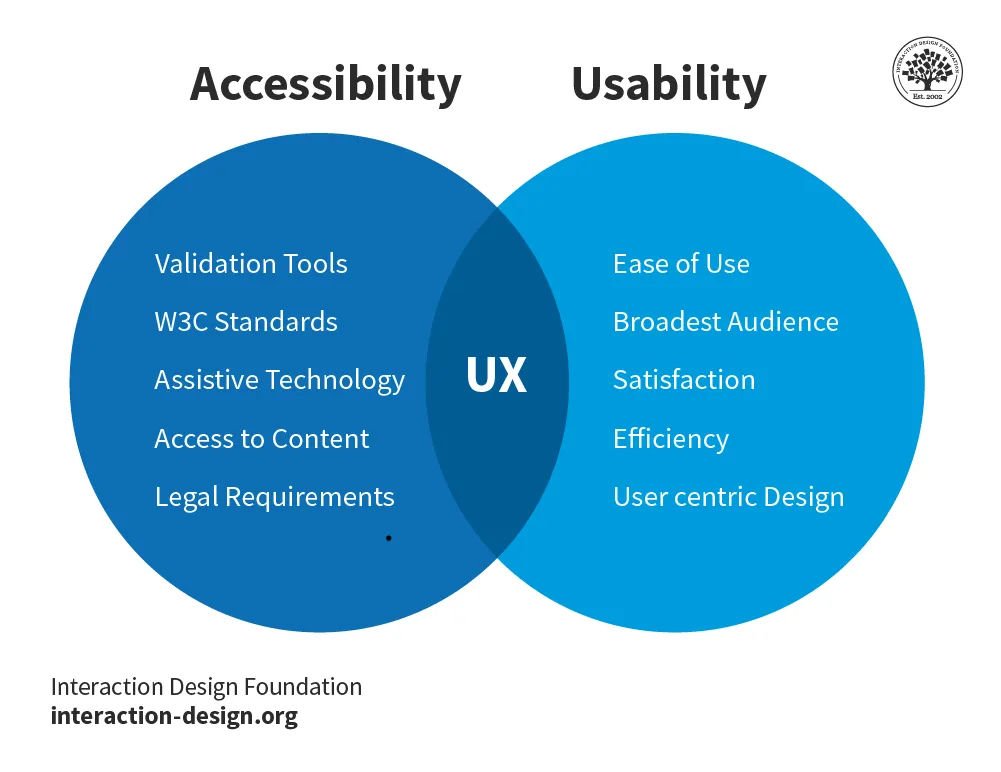
UX is where these two domains meet.
© Interaction Design Foundation, CC BY-SA 4.0
What are Key Elements of Accessibility in UX Design?
Accessibility audits look at numerous elements to make sure that digital products aren't only usable but enjoyable for all users as well. These elements include:
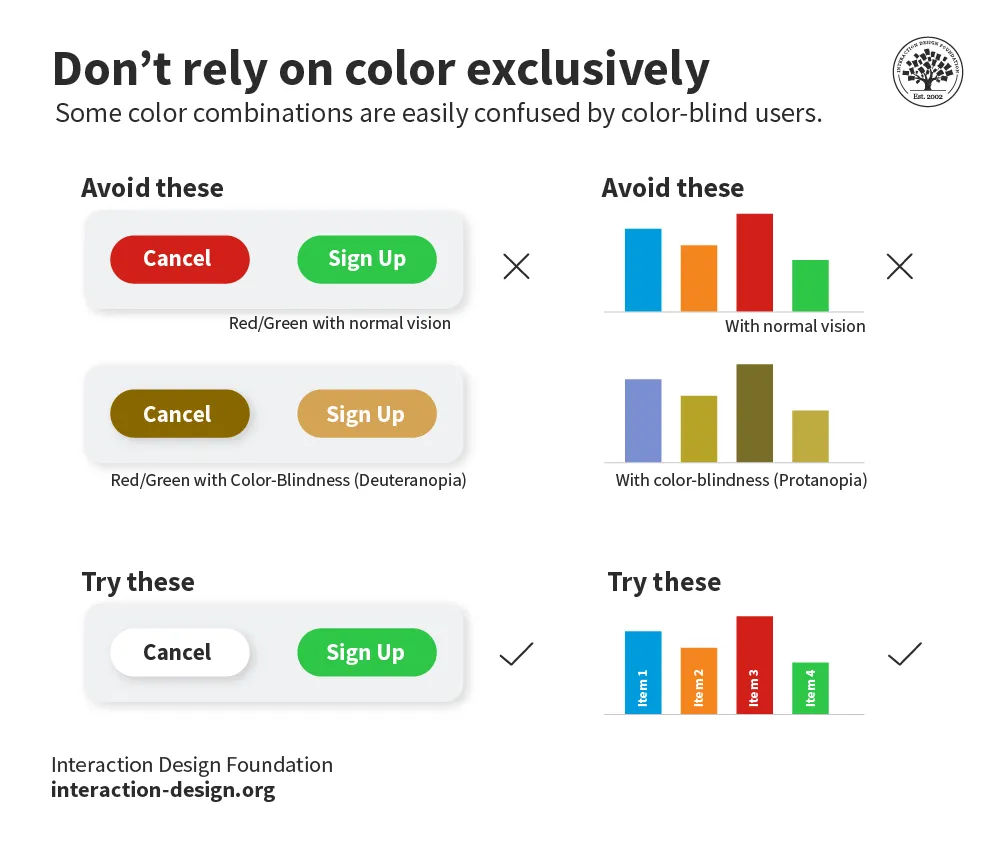
1. Color and Contrast
Designers should ensure that text and background have enough contrast for users with visual impairments to see them.
© Interaction Design Foundation, CC BY-SA 4.0
2. Keyboard Navigation and Focus Order
It’s important to provide a logical and intuitive sequence for keyboard navigation. That's crucial for users who can't use a mouse.
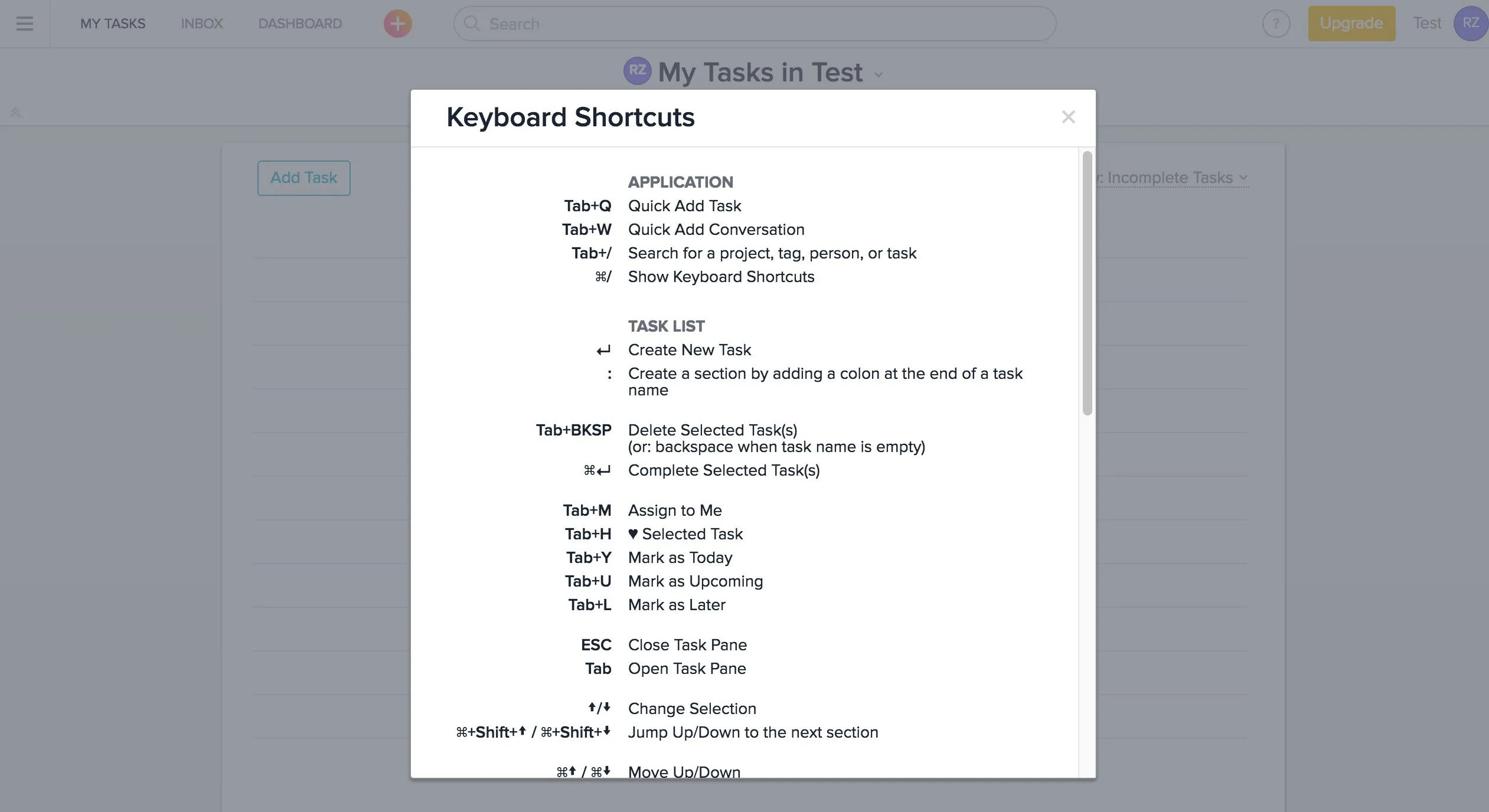
Web-based project management platform Asana lets teams track and manage work items. Asana has a rich set of keyboard shortcuts that reduce mouse usage and minimize repetitive actions.
© Asana, Fair Use
3. Screen Reader Compatibility
Designers should ensure that content is accessible through screen readers. Visually impaired users use screen readers to hear content rather than see it.
4. Alternative Media and Captions
It’s vital to include alternative text for images and captions for videos. These accessible features help users with hearing or visual impairments.
5. Responsive and Scalable Design
Designers should ensure websites and applications adjust to various device sizes and orientations—that way, they can accommodate users with limited mobility who may be using different devices.
Watch as CEO of Experience Dynamics, Frank Spillers explains responsive design:
Standards and Guidelines
Design and development teams have guidelines to follow on the road to making digital experiences that don't have accessibility problems. The Web Content Accessibility Guidelines (WCAG) come from the World Wide Web Consortium (W3C). These are the international benchmarks for web accessibility. WCAG guidelines have three levels of conformance: A, AA and AAA—AA being the recommendation for most organizations.
To conduct a website accessibility audit or use a WCAG accessibility audit checklist is a highly vital step for a brand that wants to identify issues that could hinder the user experience for a sizable demographic. The ultimate goal is to apply the WCAG standards to create a more inclusive digital space in any case—so all users can benefit.
Frank Spillers explains valuable additional points to consider regarding accessibility:
Types of Accessibility Audits
Accessibility audits come in three categories:
Automated audits use tools to identify issues.
Manual audits require human evaluators to assess compliance.
Hybrid audits combine these methods to provide a thorough evaluation.
Compliance and Beyond
Compliance with standards such as the ADA and WCAG is a primary driver. Nonetheless, the scope of accessibility audits extends beyond legal requirements such as ADA compliance or WCAG 2.2. These audits aim to remove barriers that make navigation, reading and interaction difficult for users with disabilities. They, therefore, enhance the overall user experience. Another point is that they show that brands who take accessibility seriously understand that every user’s experience is a priority.
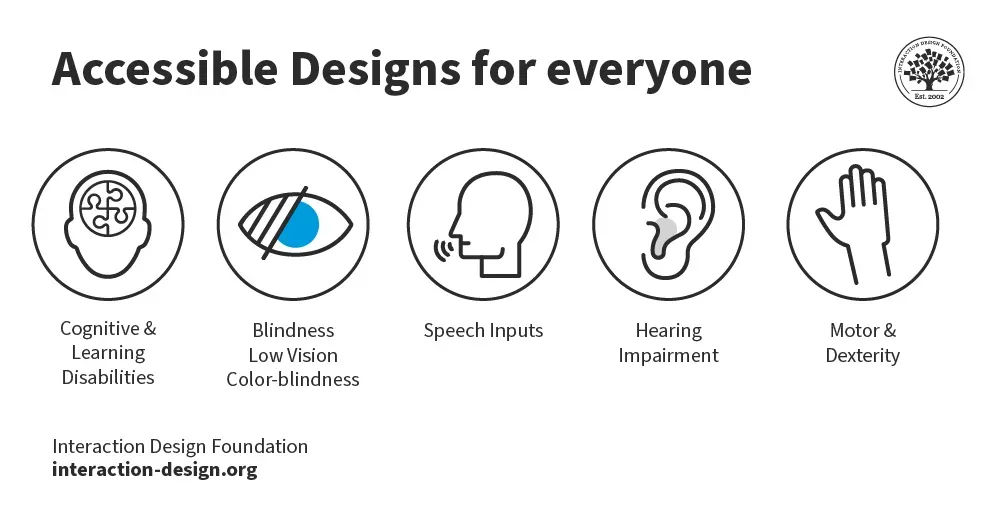
Accessible design includes users with many disabilities, and abilities.
© Interaction Design Foundation, CC BY-SA 4.0
What are the Benefits of Accessibility Audits?
When brands apply accessibility audits, they can:
1. Help All Users
When a brand improves the accessibility of its digital assets, it boosts the user experience for all visitors—not just those with disabilities. For instance, closed captions benefit users who are hard of hearing but also users who are in loud environments and users who don’t have English as their first language. So, accessibility audits service users across the board, in any case.
2. Comply with Legal Obligations and Mitigate Risk
Accessibility audits are vital practices for brands to stick to legal standards. These audits greatly lower the risk of costly litigation. When brands ensure they comply, they don't just avoid legal repercussions. They also protect their public image and financial stability.
3. Enhance User Experience and Brand Reputation
To conduct regular accessibility audits improves the overall user experience. Audits make digital platforms more navigable and enjoyable for people with disabilities. This inclusivity boosts the brand’s reputation as it demonstrates a commitment to all users, no matter their abilities. Enhanced user experience leads to increased customer loyalty. Plus, it potentially expands the customer base as it makes the brand more appealing to a diverse audience.
4. Expand Market Opportunities
Accessibility audits open up new market opportunities. They make digital content accessible to the estimated one billion people worldwide with disabilities. This expansion isn't just a strategic business advantage. It also aligns with ethical business practices, and it promotes inclusivity and equal access for all users. Brands that prioritize accessibility can tap into an otherwise underserved segment. They can increase, therefore, their market reach and competitive edge.
5. Boost SEO and Online Visibility
Search engines favor accessible websites. They tend to rank sites higher if they comply with accessibility standards. That's because accessible sites are likely to have better structured content that is easier for search engines to crawl and index. When brands improve accessibility, they can enjoy better SEO outcomes. It can drive more traffic to their sites and increase online visibility.
Frank Spillers explains how accessible designs boost SEO and more:
6. Enable Strategic Insights and Continuous Improvement
Accessibility audits provide detailed insights into a website's performance and user interaction patterns. This is particularly so for users with disabilities. These insights are crucial for continuous improvement to happen. They can guide future development to better meet the needs of all users. Regular audits make sure that websites remain up-to-date with the latest accessibility standards and technologies. They are a fostering force for innovation and ongoing enhancement of the user experience.
7. Save Money and Team Effort
Last—but not least—accessibility audits can catch accessibility problems early on enough in the UX design process for a brand to avoid costs later—including potential legal repercussions. So, the efforts put into accessibility audits cost less than the efforts to fix things after building accessibility audit checklists and finding numerous issues to address.
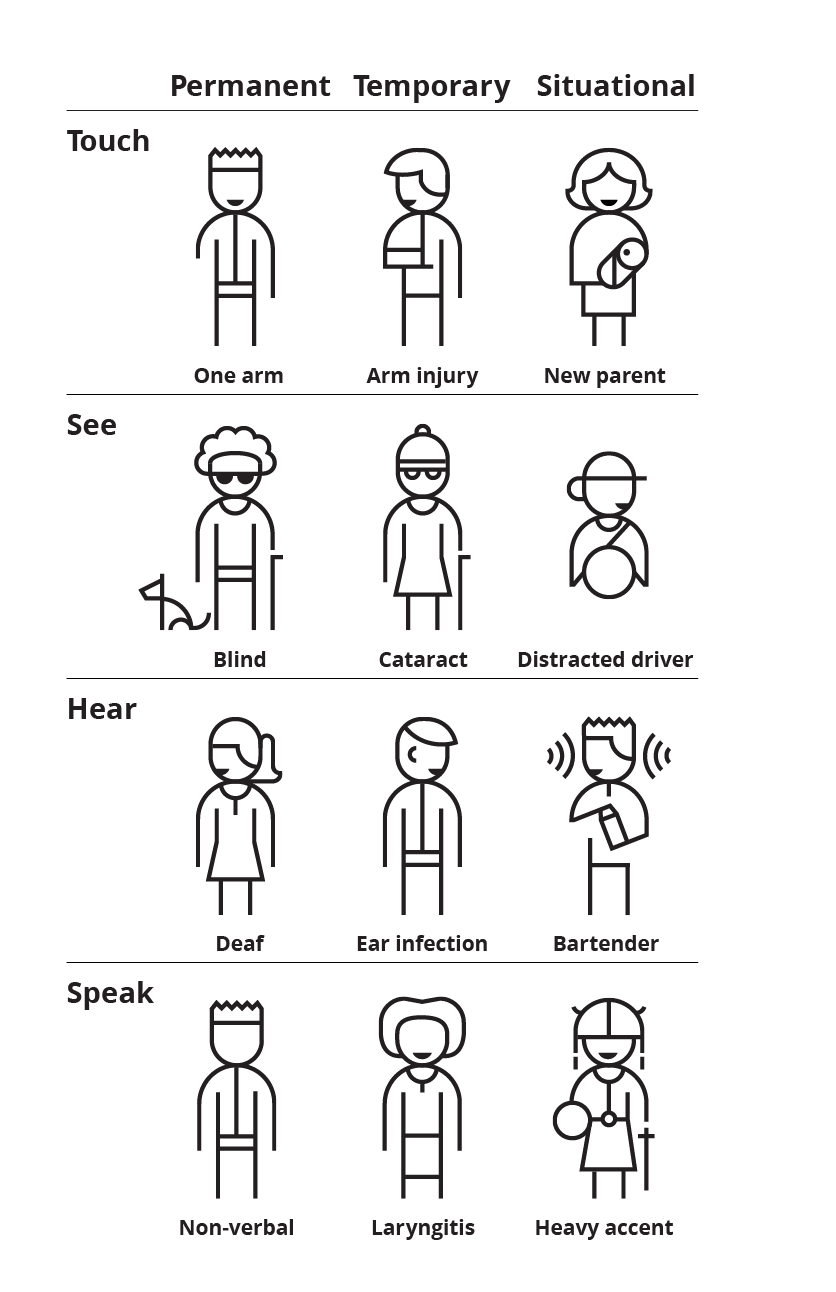
To design for accessibility helps all users, including those with temporary or more long-lasting disabilities.
© Microsoft’s inclusive design toolkit, Fair Use
Examples of Accessibility Audit Tools and Services
Designers and stakeholders have a wealth of options. In no particular order, here are some helpful tools to help test for accessibility and services that conduct accessibility audits:
1. WebAIM's WAVE Tool
WebAIM's WAVE is a highly regarded browser extension. It pinpoints accessibility issues on web pages. It provides visual feedback about the accessibility of web content by highlighting potential problems directly on the page itself. This makes it easier for developers to understand and fix issues.
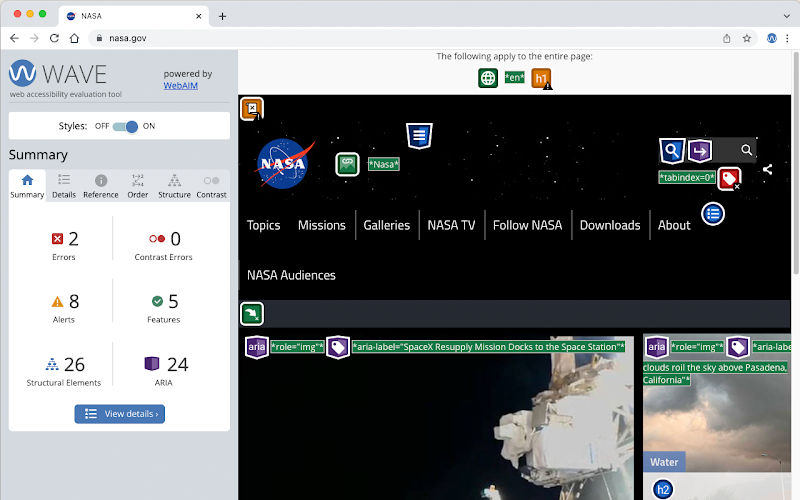
© WebAIM, Fair Use
2. Axe DevTools
Axe DevTools comes integrated directly into a browser's developer tools. It offers a robust accessibility testing toolkit. This tool helps developers identify and fix accessibility issues quickly. It helps make sure that digital content is in line with established accessibility standards.
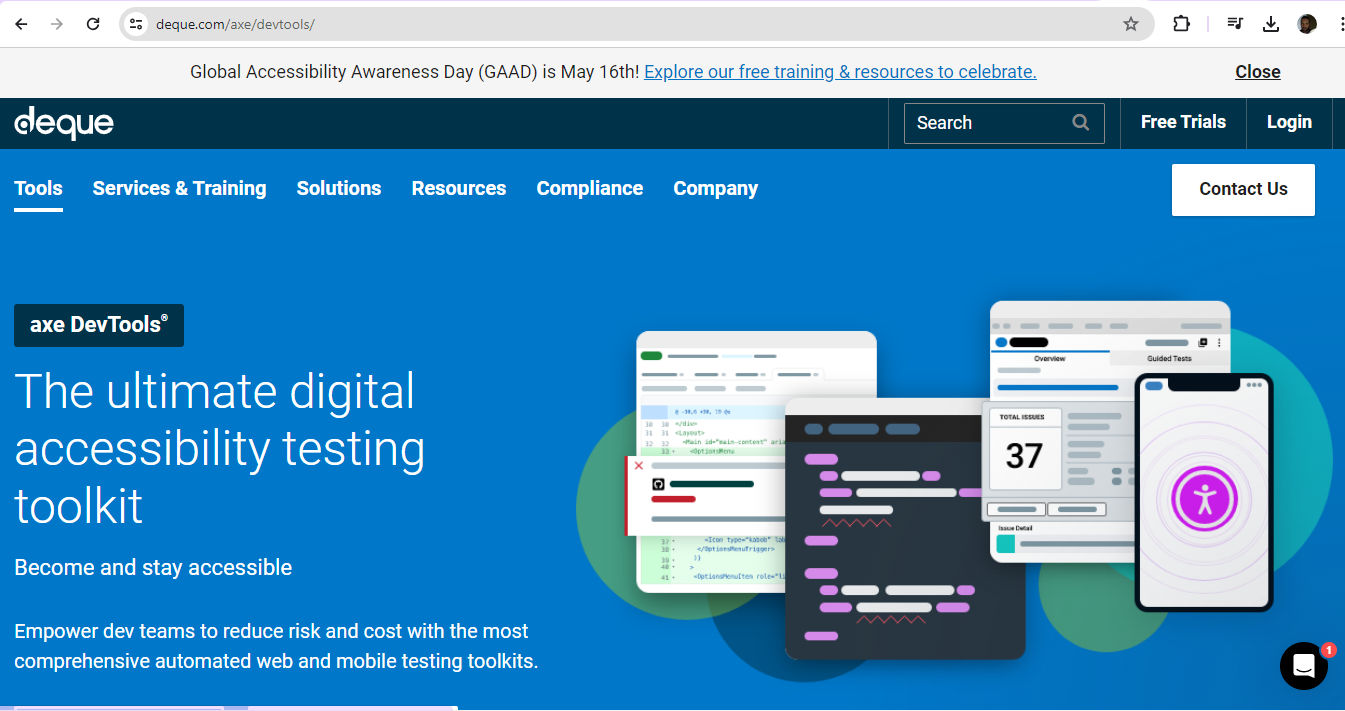
© Axe DevTools, Fair Use
3. Color Contrast Analyzers
Tools like Contrast Checker and Stark are vital to assess color contrast ratios. Color contrast is a crucial consideration for readability—especially for users with visual impairments. These analyzers help make sure that text stands out against background colors and complies with accessibility guidelines.
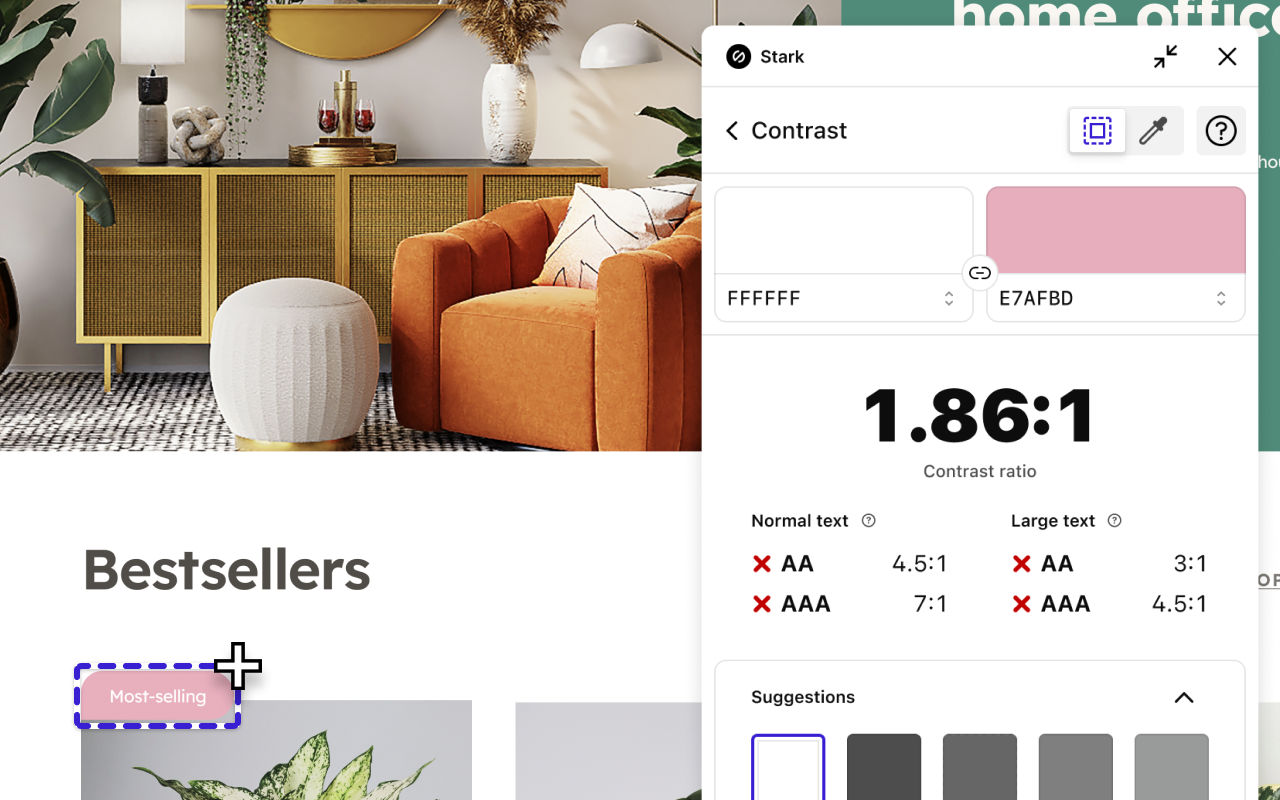
© Stark, Fair Use
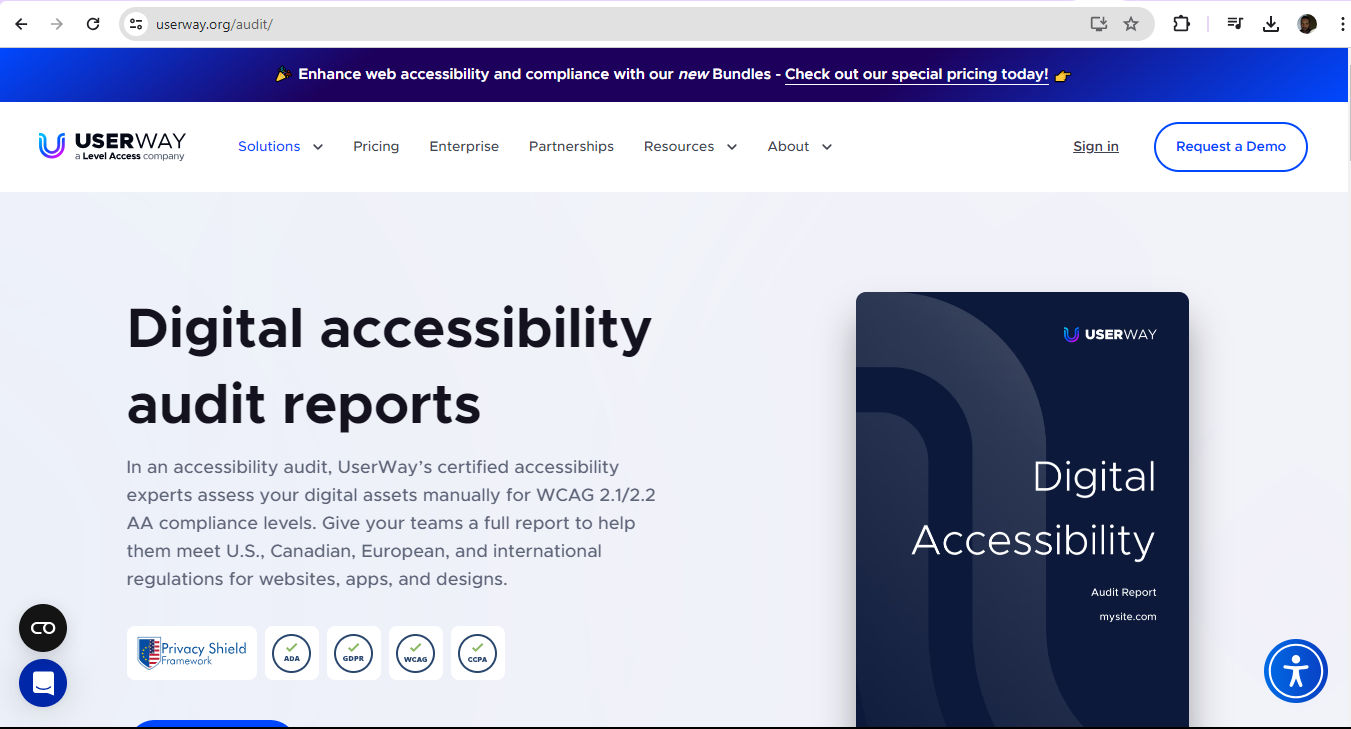
4. UserWay's Audit Services
UserWay provides comprehensive accessibility services—including audits that VPAT certified auditors conduct. Their services cover compliance with major standards such as Section 508, WCAG and the ADA. They also offer remediation consulting to help businesses improve their digital platforms.
© UserWay, Fair Use
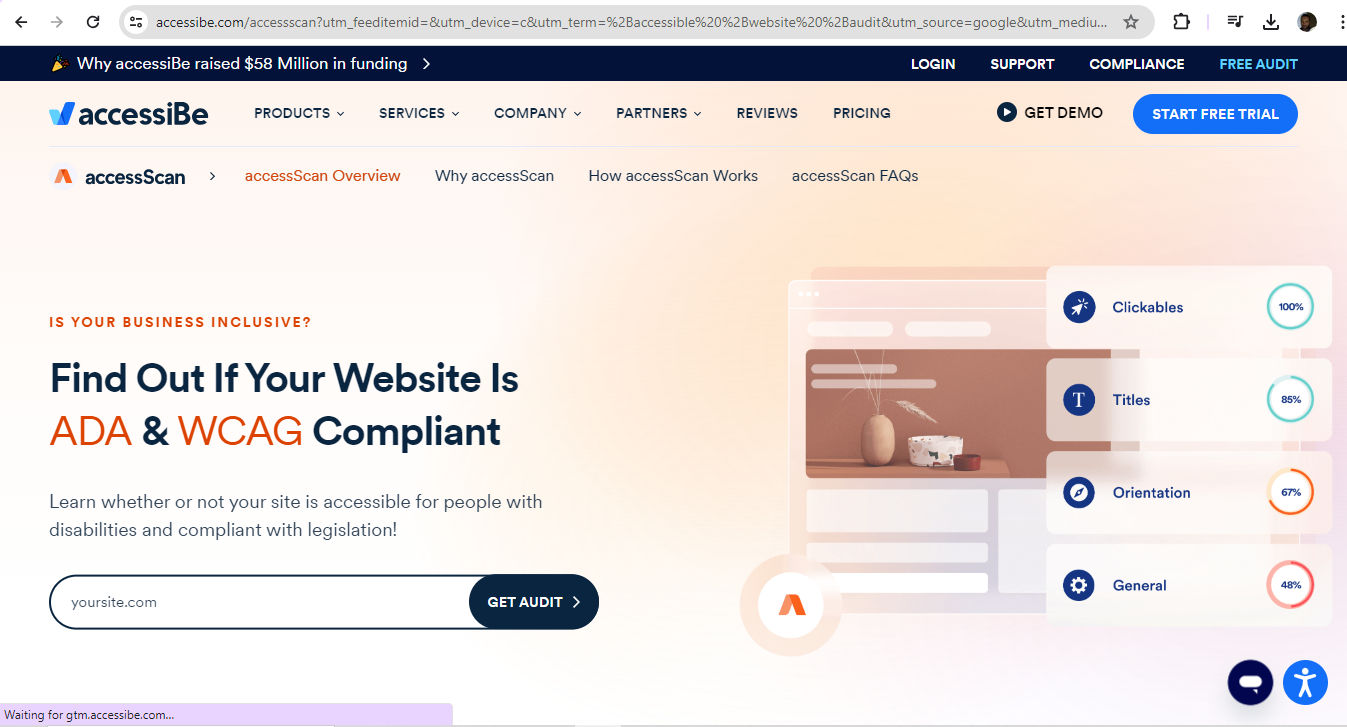
5. AccessiBe's Web Audits
AccessiBe offers detailed web audits and remediation reports—ensuring compliance with standards like the AODA. Their services are designed to make websites fully accessible, and to enhance usability for all users.
© AccessiBe, Fair Use
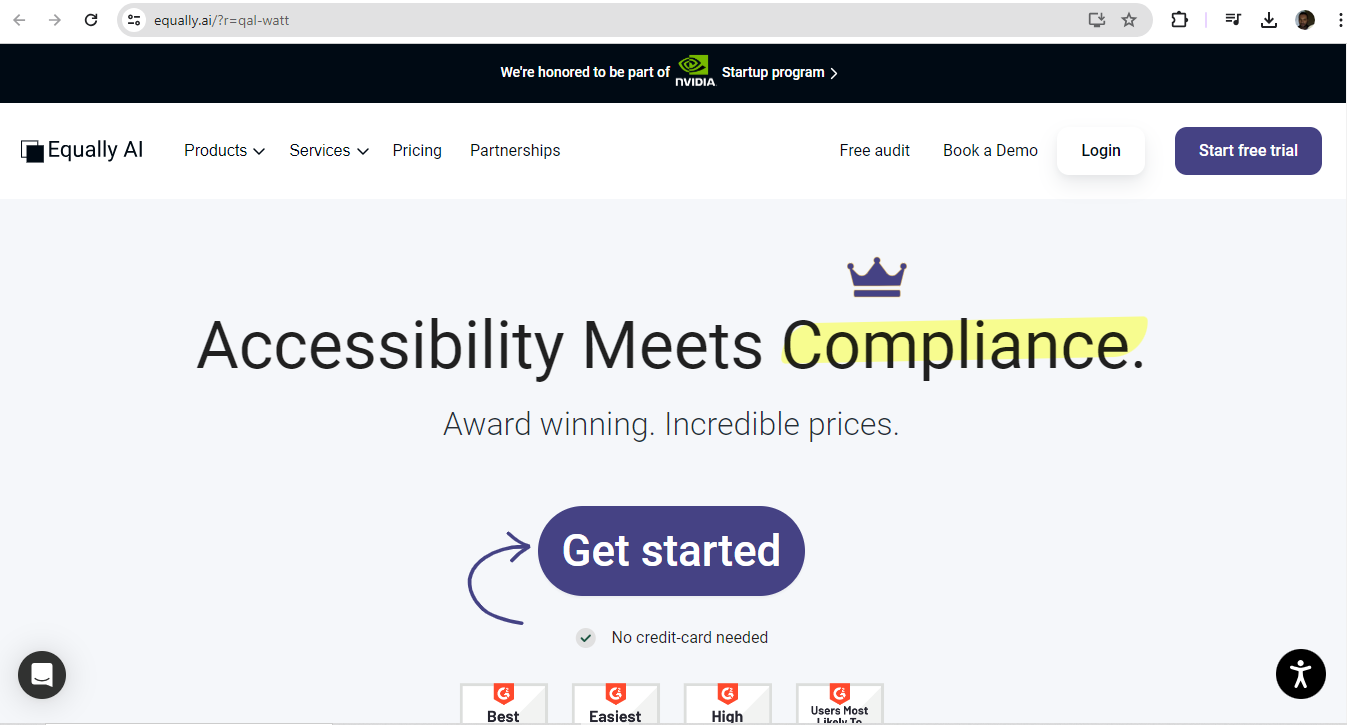
6. Equally AI's Tailored Audits
Equally AI provides accessibility audits at a set price per website template. They focus on various WCAG criteria including levels A, AA and AAA. They also offer customer service in multiple languages and cater to a diverse client base.
© Equally AI, Fair Use
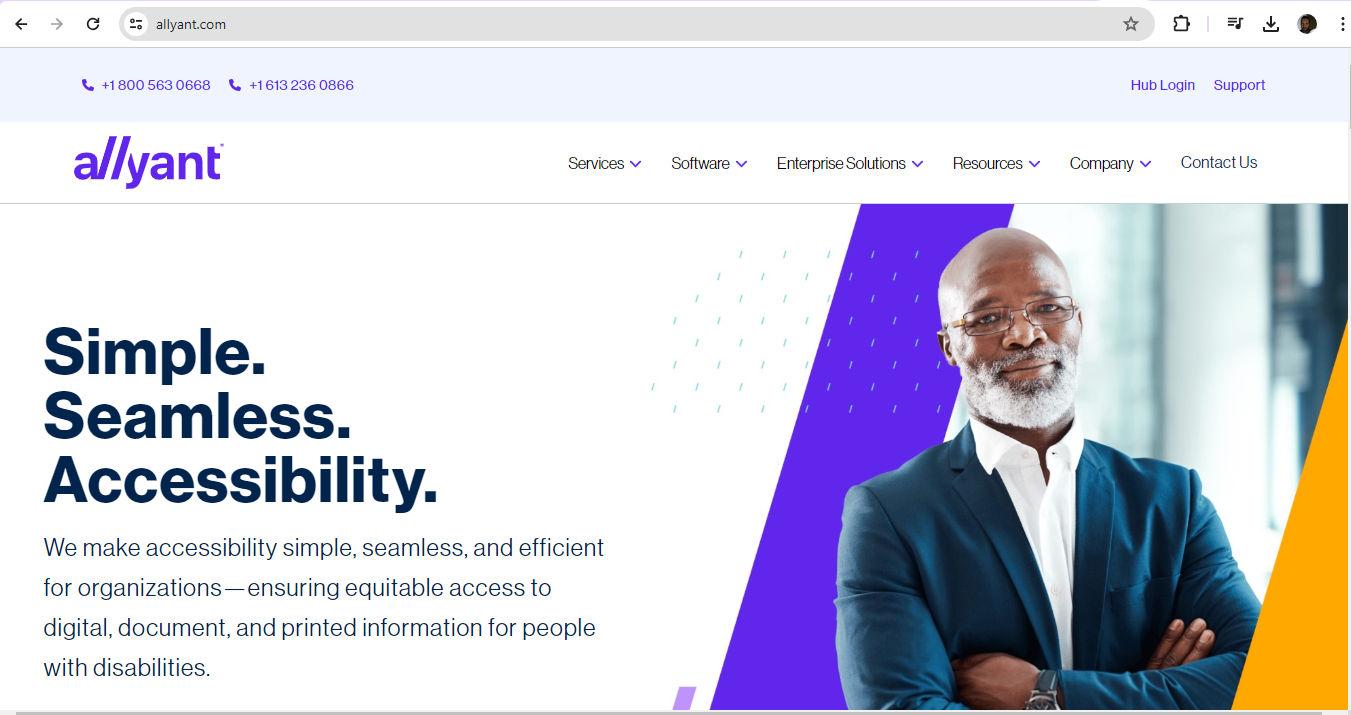
7. Allyant's Comprehensive Services
Allyant offers their Digital Accessibility Auditing and VPAT Service—making sure that thorough evaluations of digital products happen. Their focus on including people with disabilities in their audits enhances the accuracy and relevance of their assessments.
© Allyant, Fair Use
8. Free Accessibility Testing Tools
Several free tools are available for businesses and individuals to conduct preliminary accessibility checks:
Siteimprove Accessibility Checker
WAVE Accessibility Evaluation Tool
Accessibility Insights for Web
Contrast Checker
Photosensitive Epilepsy Analysis Tool (PEAT)
Contrast Ratio
Nu HTML Checker
HeadingsMap
PDF Accessibility Checker
These tools provide an accessible entry point for brands to start improving their digital content. So, they can build their own form of accessibility audit training.
When brands use auditing tools and the services of accessibility audit companies, they can vastly improve their digital accessibility. When they do that, they can meet both compliance requirements and ethical standards to deliver a better user experience for everyone.
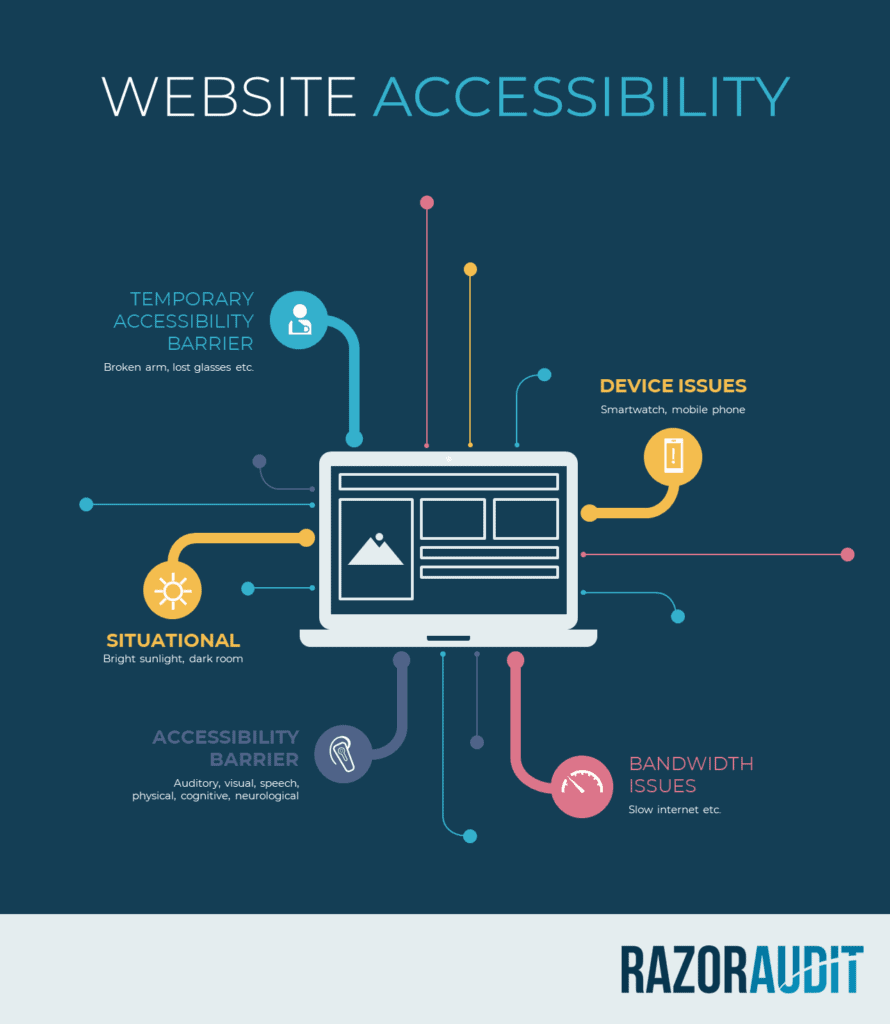
Audits can flag a wide range of issues, guiding brands to make appropriate adjustments.
© RazorSpire, Fair Use
When is the Best Time to Conduct an Accessibility Audit?
Brands should run these audits at various stages of a project or company's lifecycle. Here are some key times to consider:
1. During the Initial Planning Phase
To conduct an audit so early helps make sure that teams can integrate accessibility considerations into the project from the outset. This can help avoid costly retrofits at later stages.
2. Before Launch or Implementation
Before the launch of a new website, application or product, it's a critical point to conduct an accessibility audit so as to identify and rectify any potential accessibility barriers.
3. After Significant Updates or Changes
Whenever designers make significant updates or changes to a digital platform, it’s vital to ensure that the updates haven't introduced any new accessibility barriers.
4. Regularly and Ongoing
Accessibility is an ongoing commitment. Regularly scheduled accessibility audits can help ensure that a digital platform stays inclusive and compliant with accessibility standards over time.
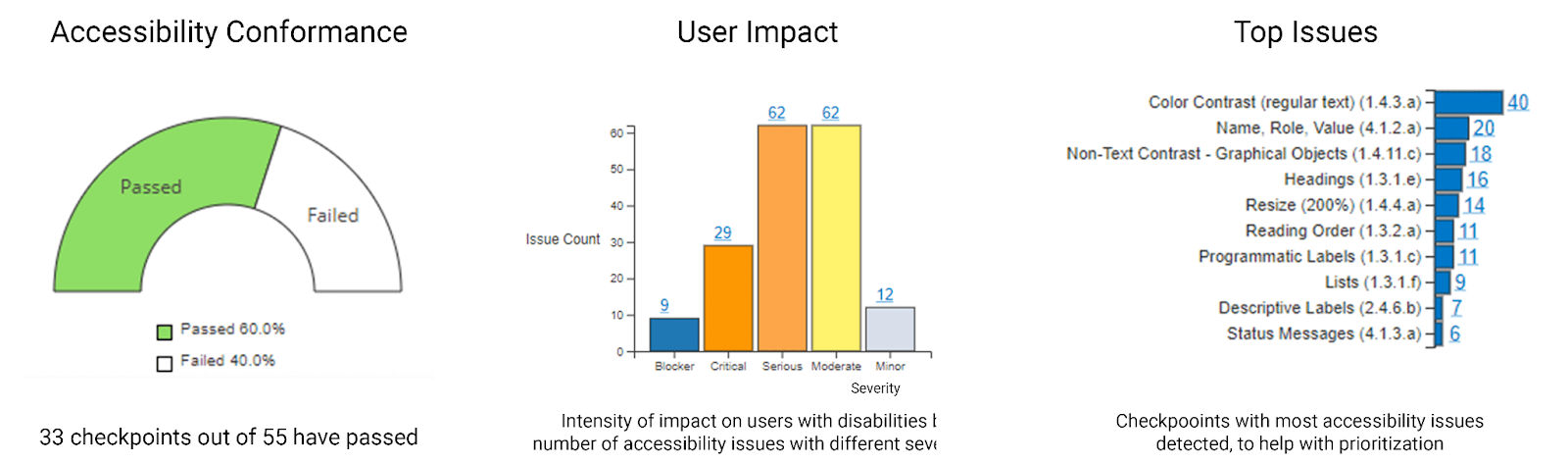
An example of an Accessibility Audit Report.
© Glenda Sims, Fair Use
What are Best Practices and Tips for Successful Accessibility Audits?
Here are some best practices for brands to not just comply with legal requirements but enhance market presence, user satisfaction and operational insights as well:
1. Define Clear Audit Scope
Start by defining the scope of the audit. Pick a representative sample of pages and features to review. This helps to manage the audit process more effectively. Plus, it ensures design and development teams don’t overlook critical areas of the website.
2. Use Standardized Tools and Checklists
Use tools like the WAVE tool or browser options to assess usability when stylesheets are disabled. Another point is to use a web accessibility checklist to systematically address elements like navigation, media and overall page structure.
3. Focus on Comprehensive Content Review
Make sure that all content types are accessible—and these include images, videos and forms. Check for proper text descriptions and audio captions. Check that interactive elements are fully functional and accessible, too.
4. Document Issues and Remediations
Keep a detailed log of identified issues using a spreadsheet or similar tool. Record the location of the issue on the site, the nature of the problem and suggested remediation strategies. This documentation is a vital way to track progress and ensure accountability is a reality.
5. Test Across Multiple Devices and Browsers
Perform accessibility tests using various devices—like mobiles and tablets—and across different browsers. This ensures that the website is accessible regardless of the device or browser that the visitor may use.
Watch as Frank Spillers explains 10 principles to consider for web accessibility and mobile design:
6. Prioritize Keyboard and Screen Reader Accessibility
Make sure that users can navigate the entire site using just a keyboard and that it’s compatible with screen reader technology. That's crucial for users who rely on these technologies to access their web content.
7. Establish a Regular Audit Schedule
Run accessibility audits at least once every 6–12 months. It’s especially important if a brand continuously adds new content to a site. This regularity makes sure that accessibility remains a priority and that new or updated content complies with accessibility standards.
8. Involve Real User Experiences
It’s crucial to involve users with disabilities in the usability testing process. Their first-hand feedback helps identify potential obstacles that developers and designers who don’t face these challenges might miss. This practice doesn't just enhance the functionality of the product; it also ensures it resonates well with users from all walks of life.
The experiences of people with disabilities can provide the most accurate data to inform necessary changes for brands.
UX Strategist and Consultant, William Hudson explains important points about usability testing:
9. Implement Experts in User Testing
Engage accessibility experts as well as users with disabilities in the testing process. Experts can provide insights based on industry standards.
William Hudson explains important points about expert evaluation in this video:
10. Use Both Automated and Manual Testing
Automated tools can quickly spot many accessibility issues. Still, manual testing is essential to uncover more nuanced problems that automated tools might miss. A combination of both methods makes for a comprehensive overview of accessibility issues.
What's more, the audit process typically involves a blend of automated tools and expert evaluation. This combination can ensure brands thoroughly cover accessibility standards and practical usability for people with disabilities.
11. Take Timely and Effective Post-Audit Actions
After an audit, it’s important to develop an accessibility strategy, assign responsibilities and prioritize issues for correction. Brands should address and fix any issues that a comprehensive audit does flag.
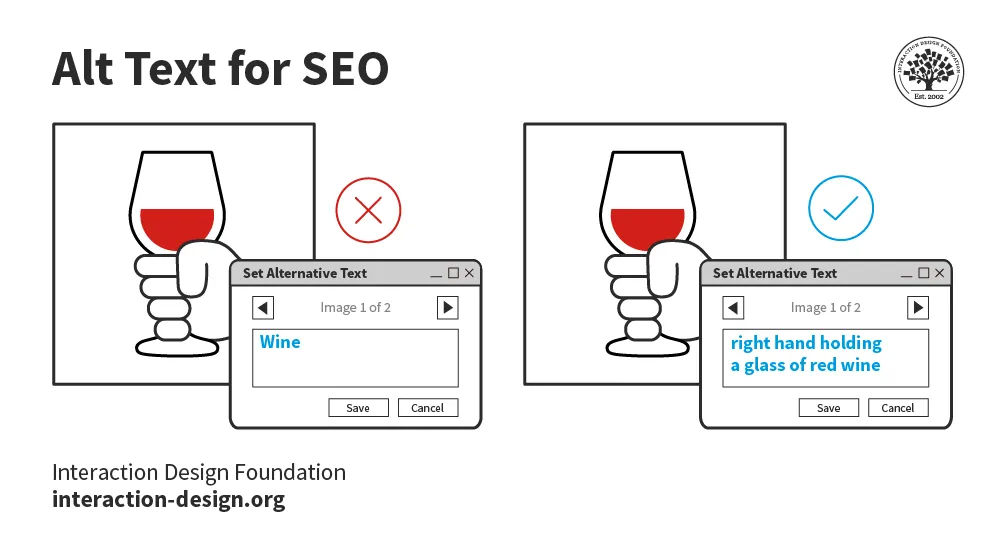
For example, a simple correction to Alt text can help SEO as well.
© Interaction Design Foundation, CC BY-SA 4.0
12. Continuously Integrate Audits in the Design Process
It’s vital to integrate accessibility audits early—and continuously—during website deployment, redesign or migrations. It minimizes labor-intensive efforts and prevents post-launch issues. What's more, it makes sure that accessibility is a cornerstone of a brand’s design process rather than an afterthought.
Overall, brands should embrace accessibility audits instead of using them just to avoid penalties. These audits are a cornerstone of UX design. They serve as a beacon to guide brands to optimize the experiences they deliver to all users. Designers who have the foresight to cover all aspects of accessibility before an audit prove their value. They help showcase their brands as great accessibility audit examples—and champions—of true user experience design.
The journey towards digital inclusivity doesn't end with a single web accessibility audit. Nor does it call for a brand to scramble frantically to keep up with what it should already be doing and push their web developers to make quick fixes. The pursuit of accessibility calls for a continuous commitment to improvement and adaptation to emerging standards and technologies. Accessibility audits can help brands acknowledge the diversity of the global community and, indeed, ensure equal access for every user.
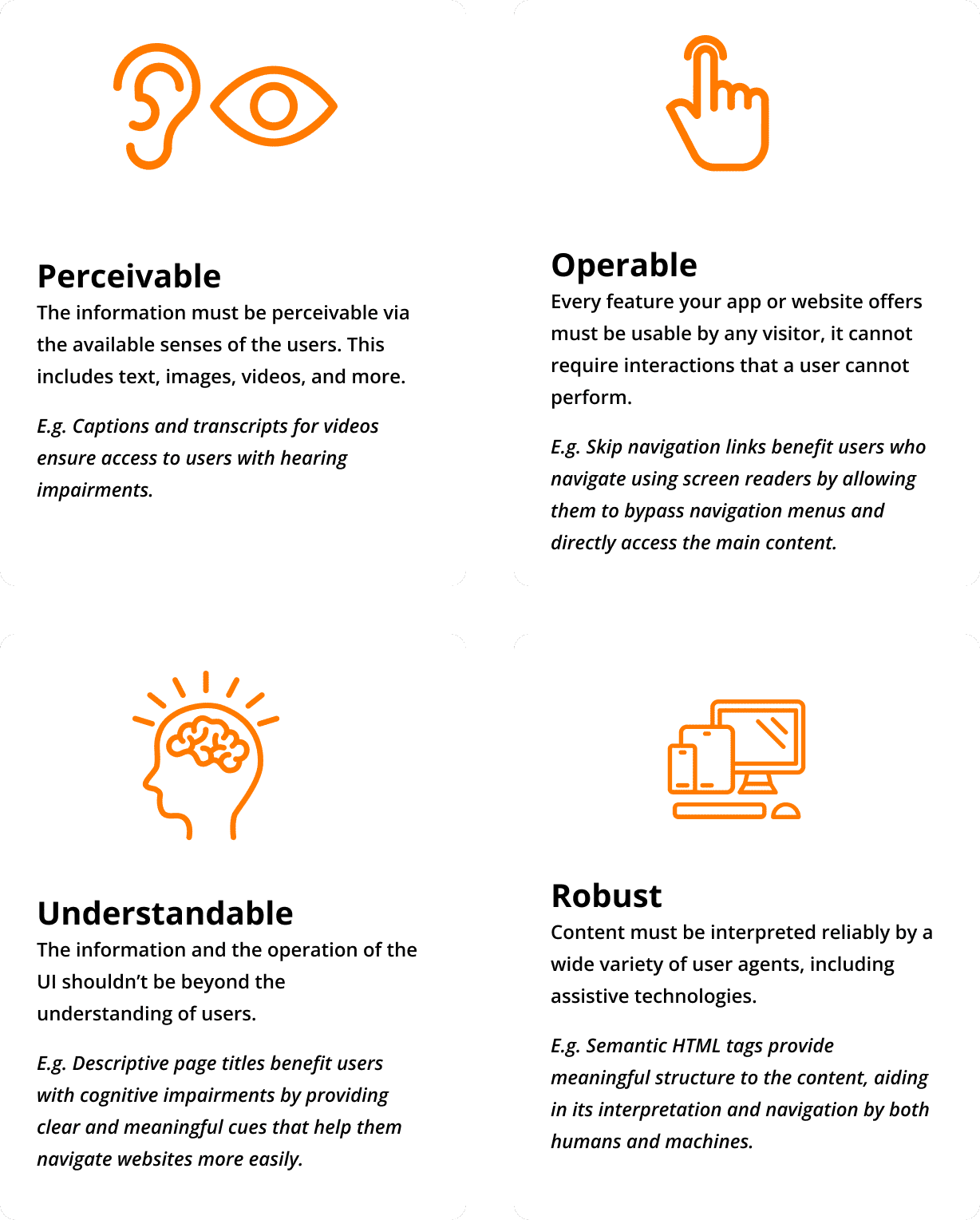
Digital content and solutions should have fundamental qualities—important to bear in mind throughout the design process.
© The AgileEngine Team, Fair Use


 © WhisperToMe, Public Domain
 © Yahoo! Accessibility Lab, CC BY-SA 2.0
 © Dennis311, CC BY 2.0