Over 1 billion people across the world have disabilities and are affected by inaccessibility, according to the WHO. We hear the term accessibility a lot in UX design, but it’s often used as a buzzword, bandied about to give the appearance of inclusivity and doesn’t hold up in practice. How do we change this, make our products more accessible and hold each other accountable?
For those of you who are unfamiliar with accessibility, it can be defined as: the practice of designing products and services so that they can be used by everyone, regardless of disabilities. Designers should strive to accommodate all users, their unique situation or restrictions notwithstanding.
The question still remains, why are accessibility considerations low priority and one of the first things to get cut from projects when resources or time become scarce?
The reality is many people simply don’t know where to start. Accessibility hasn’t been integrated into the design and development process so it’s repeatedly overlooked. In 2022, WebAIM analyzed one million home pages for accessibility issues and found that 96.8% had home pages with at least one WCAG 2.0 Failure (WCAG, the Web Content Accessibility Guidelines 2.0 provide recommendations to make web content more accessible).
These are the most common accessibility failures:
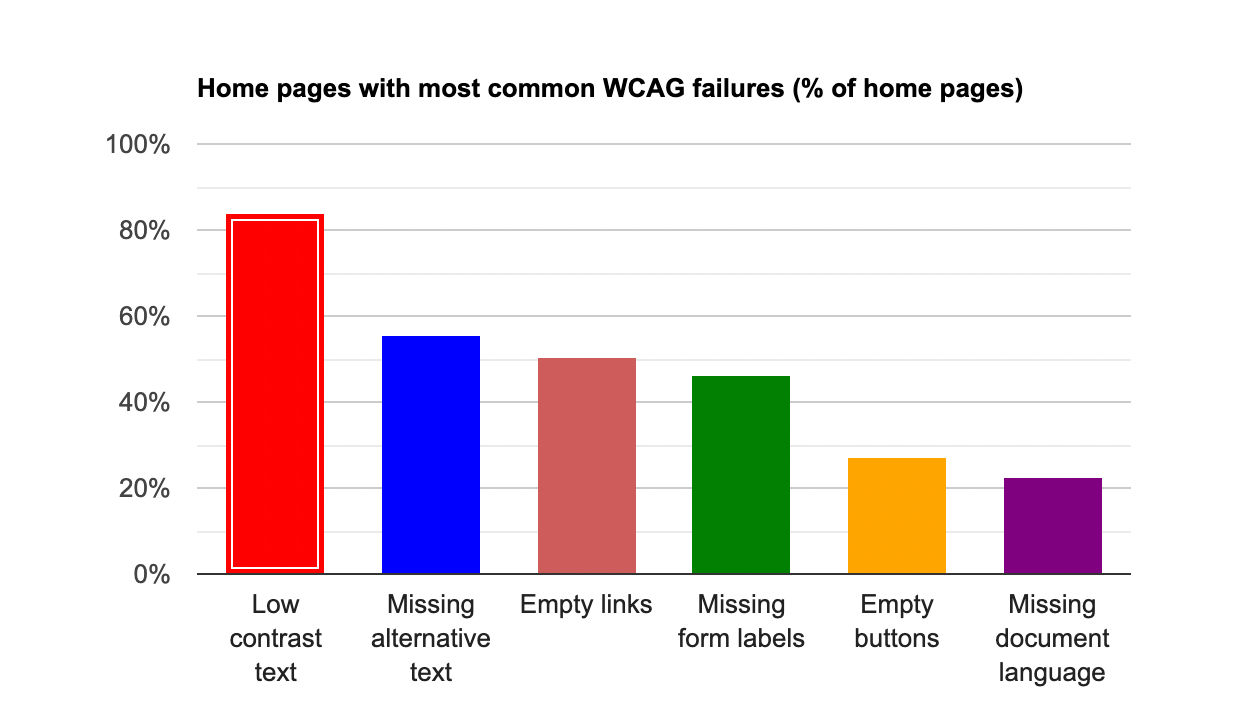
© WebAIM, Fair Use https://webaim.org/projects/million/
Low contrast text is the most common accessibility according to the WebAIM analysis, but what does this actually mean for the people who are affected? For people with low vision, cognitive impairments or color blindness the website text will only be able to be read slowly, if they can read it at all.
Global Accessibility Awareness Day
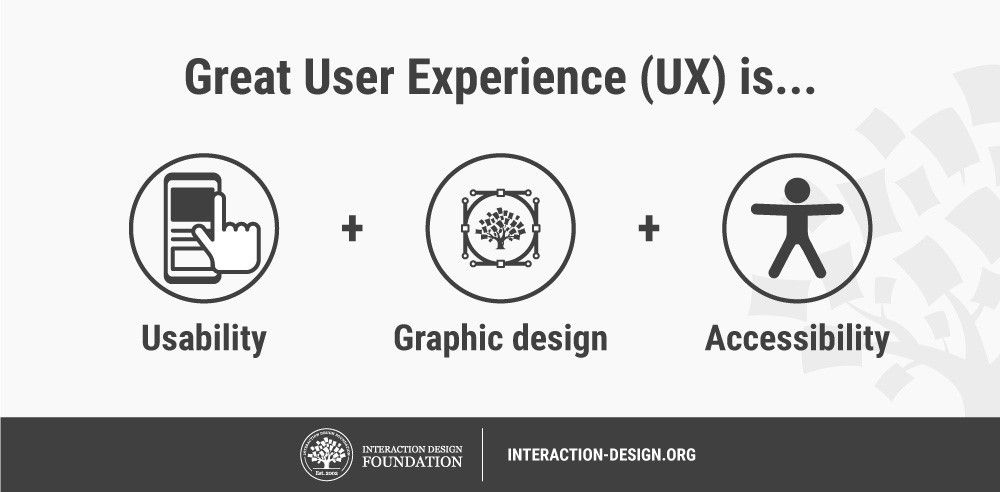
Accessibility is a human right so it should be a prerequisite in the design process, not a nice to have. You can’t have a great user experience if the design is inaccessible. Empathy is an important skill in UX design, and if it’s actively practiced, inaccessibility should become a thing of the past.
Global Accessibility Awareness Day (GAAD) was launched in May 2012 and is observed every third Thursday in May. It targets developers, designers and other creators to put a greater focus on digital accessibility and in turn digital inclusion.
 © Mindymorgan, CC BY-SA 4.0
GAAD was originally inspired by a single blog post written by a web developer, Joe Devon, over 10 years ago, in 2011. In it, he called on developers to come together and work to bridge the accessibility gap by raising awareness and global standards.
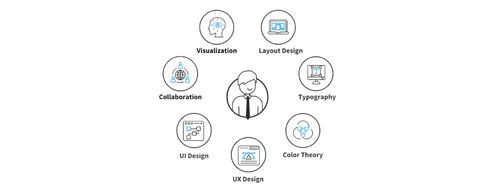
 © Teo Yu Siang and the Interaction Design Foundation, CC BY-NC-SA 3.0
Usability and Accessibility
“When we design something that can be used by those with disabilities, we make it better for everyone.”
-Don Norman
Frank Spillers, instructor of IxDF’s Accessibility: How to Design for All course, talks about the connection between accessibility and usability, and how it affects SEO.
Towards Accessibility
The current state of accessibility leaves a lot to be desired, but if each person, whether you’re a designer, developer or user, took it upon themselves to advocate for accessibility, we’re that much closer to a more inclusive future. Conduct an accessibility audit of your product, your company’s products or products you use. There are many free online resources that can help get you started with an accessibility evaluation.
The Web Accessibility Initiative (WAI) is part of the World Wide Web Consortium (W3C®). W3C was launched in 1994 to “develop common protocols that promote the evolution of the World Wide Web and ensure its interoperability.” W3C is the global standard in web technology and WAI in web accessibility.
WAI pursues accessibility through these five activities:
ensuring that web technologies support accessibility.
developing guidelines for accessibility.
developing tools to evaluate and facilitate accessibility.
conducting education and outreach.
coordinating with research and development
It’s important to be aware of web standards and regulations in your country not just for accessibility, but for legal reasons too. If your website isn’t compliant, you could face legal consequences. If you’re in any doubt, check out the WAI. Commit to accessibility and use the WAI guidelines and resources to develop policies, implement strategies and design inclusive products.
If you’d like to dive deeper into accessibility, you can enroll in our course Accessibility: How to Design for All–it’s currently 25% off!
Over one billion people worldwide have disabilities, keep this figure in your mind, practice empathy and consult the international guidelines when designing or using a product. Celebrate GAAD. and become an accessibility advocate today and everyday. On our own we can make a difference, but as a community, we have the power to make the world (and World Wide Web) accessible.
References & Where to Learn More
Learn more about how to design for accessibility in our course, “Accessibility: How to Design for All”.
Read up about Global Accessibility Awareness Day.
Check out WebAIM’s annual report.
Explore the Web Accessibility Initiative.
Learn how to conduct an accessibility audit here.