Forms are an essential part of many interactions, but good form layout and clear labels are only part of the picture. Forms also need to work in all the ways users interact with them. Not everyone uses a mouse. Many users rely on keyboards, whether by preference, motor impairments, or because they use assistive technologies such as screen readers. How a form handles keyboard navigation, action buttons, and data entry has a direct impact on both usability and accessibility compliance.
In the video, William Hudson explores the interaction side of form design: how users move through forms, how primary and secondary actions should be distinguished, and why flexible input handling is one of the simplest and most effective improvements you can make.
Primary and Secondary Actions
Every form has a primary action (such as submitting an order or saving changes) and secondary actions (such as editing an address or applying a discount code). These need to be visually distinct. William uses the Amazon checkout as a good example: the primary "Place your order" button is large and brightly colored, while secondary links are deliberately smaller and less prominent. This visual hierarchy reduces the chance of users accidentally clicking the wrong thing.
For complex, multi-step forms, William recommends removing all other page navigation to prevent users from accidentally abandoning the process. This is backed by the WCAG, which requires that important transactions (such as financial or legal submissions) include a summary page where users can review and correct their entries before final submission.
Keyboard Accessibility
Keyboard navigation is essential for accessibility. Many users, including those with motor impairments and those using assistive technologies, rely on the keyboard (or simulated keyboard input) rather than a mouse or touchscreen. The tab key is the primary way these users move between form fields, so the correct tab order is critical. If pressing Tab sends the cursor to an unexpected location, users can become disoriented or miss fields entirely. This is especially true for screen readers, where only the field label is read out.
William also emphasizes minimizing unnecessary switching between the keyboard and the mouse. If a user is typing, keep them typing. Drop-down lists, for example, often require a mouse click when a simple text field with suggestions would be faster and more accessible. (Card, Moran, and Newell's Keystroke Level Model associates a "homing" cost of about 0.4 seconds every time users have to switch from one input device to another.)
Flexible Input Handling
One of the most important principles in the video is this: treat user input as valuable and be flexible in how you interpret it. If someone types a credit card number with spaces, strip the spaces rather than throwing an error. If they include a currency symbol or other "spurious" punctuation in a payment field, ignore it rather than rejecting the input. The cost of writing a single line of code to clean up formatting is far less than the cost of confusing or frustrating users. Yet poorly designed forms routinely reject perfectly valid input because it does not match an overly rigid expected format.
Note that AI-generated form code often ships with overly strict client-side validation, which is exactly the rigidity this section warns against. As with much of AI-generated material, it is a starting point, but it's up to you to ensure that users' needs are met.
Modern Form Features
Since this video was recorded, HTML has introduced features that reinforce many of these principles. The autocomplete attribute is now a WCAG requirement (Success Criterion 1.3.5, Identify Input Purpose). By adding autocomplete tokens to form fields (for example, autocomplete="email" or autocomplete="street-address"), you enable browsers to pre-fill fields with stored user data. This helps everyone, but it is especially valuable for users with cognitive disabilities or motor impairments who find typing slow or difficult.
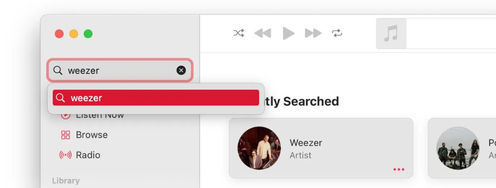
Inline validation (checking input as the user types or moves between fields, rather than waiting until they press Submit) is now standard practice. When done well, it catches errors early and lets users correct them in context. However, it must be implemented carefully: validating too aggressively (for example, showing an error before the user has finished typing) can be more annoying than helpful.
There is now a further reason to mark up forms properly. AI agents are increasingly used to complete forms on a user's behalf, and they depend on the same signals as assistive technology: correctly associated labels, autocomplete tokens, and a logical field order. A form that a screen reader can navigate is usually one that an agent can fill reliably. Forms that rely solely on visual layout, with placeholder text standing in for real labels, or on custom controls that lack proper roles, tend to defeat both.
The Take Away
Make primary actions obvious: Use visual hierarchy to distinguish the main action (such as "Submit" or "Place order") from secondary operations. For important transactions, provide a summary page before final submission, as required by WCAG.
Design for keyboard users: Ensure correct tab order, minimize forced switches between keyboard and mouse, and prefer text fields with suggestions over drop-down lists where typing would be faster.
Be flexible with input: Strip spaces, ignore currency symbols, and accept reasonable variations in formatting rather than rejecting valid input. Write one line of cleanup code rather than a paragraph of error messages.
Use autocomplete attributes: The HTML autocomplete attribute is now a WCAG 2.2 requirement for fields collecting user information. It helps all users but is especially beneficial for those with cognitive or motor disabilities.
References and Further Reading
For detailed guidance on using the HTML autocomplete attribute, search for WCAG Success Criterion 1.3.5 (Identify Input Purpose).
For the full list of input purposes that must be programmatically identifiable under WCAG 2.2, search W3C Input Purposes for User Interface Components.
Information on predicting data-entry task times can be found in "Using the Keystroke-Level Model to Estimate Execution Times" by David Kieras. Although published in 1993, it is still relevant today.
Hero image: © Interaction Design Foundation, CC BY-SA 4.0