The Business-To-Consumers (B2C) Model in UX/UI Design

Your constantly-updated definition of The Business-To-Consumers (B2C) Model in UX/UI Design and collection of videos and articles.
Be a conversation starter: Share this page and inspire others!

98 Shares

What is The Business-To-Consumers (B2C) Model in UX/UI Design?

The B2C (business-to-consumer) model in user experience (UX) design and user interface (UI) design is the provision of UX services by designers and design agencies to create digital products that connect businesses with individual consumers. When designers work with a B2C model, they understand consumer needs, simplify complex processes, optimize designs for mobile devices and incorporate persuasive design elements. 

Director of Design at Societe Generale CIB, Morgane Peng explains the importance of an impressive UX portfolio—a chief instrument for designers to win B2C contracts:  

Transcript
 

Why Is the B2C Model Important in UX Design?

Freelancer designers’ and design agencies’ main goal in the business-to-consumer business model is to create seamless, enjoyable experiences that drive conversions and boost customer loyalty to brands. To ask what is the direct-to-consumer (B2C’s other name) model useful for is a fundamental question. As with the B2B (business-to-business) model, the competitive B2C marketplace is a prime working area for user interface (UI) and UX designers, as it involves: 

1. Direct User Interaction

Businesses interact directly with end consumers—so, their digital products like websites are vital brand ambassadors. B2C UX/UI design is crucial for brands because it directly impacts customer satisfaction, retention and—ultimately—the success of the business.   

2. Emotional Connection

B2C transactions tend to involve more emotional decision-making—a critical reason for designers to create positive emotional experiences that resonate with consumers. The feelings their users experience can heavily shape how consumers perceive a brand. That’s why it’s critical to make sure positive experiences can keep users and customers coming back with enthusiasm and loyalty. 

Author and Human-Computer Interaction Expert, Professor Alan Dix explains important points about emotions in design: 

Transcript
 

3. Customer Expectations

B2C consumers often have high expectations for ease of use. That’s especially so, given the abundance of user-friendly apps and websites they interact with daily. It’s therefore essential for designers to meet—but ideally to exceed—these expectations through effective UX design and keep it in mind long before a brand’s product development and marketing campaigns roll out a digital solution for consumers. 

4. Mobile-First Approach

Many B2C interactions happen on mobile devices—a phenomenon that means most users access brands on their handheld devices. So, while that can be more challenging—due to smaller screens and varied contexts of use—it’s vital since B2C mobile experiences need to take priority. 

5. Trust and Security

In B2C transactions—especially those where users must divulge financial or personal information such as an online store—the UX needs to instill a great sense of trust and security, a fact that also applies to B2B companies. So, every aspect of the digital solution has to build towards that throughout the user journey for the first purchase to become a reality, let alone repeat purchases of existing customers. 

CEO of Experience Dynamics, Frank Spillers explains important points about user journeys: 

Transcript
 

Because the B2C model places the end consumer at the center of the business strategy, it becomes even more important for designers to attract, satisfy and retain customers for their brands. It's not just about creating a functional product or service. It’s about how designers create an experience that resonates with consumers on both practical and emotional levels, too, so they sense the value of the online presence they give custom to—as they can sense the brand values them as individuals as well. 
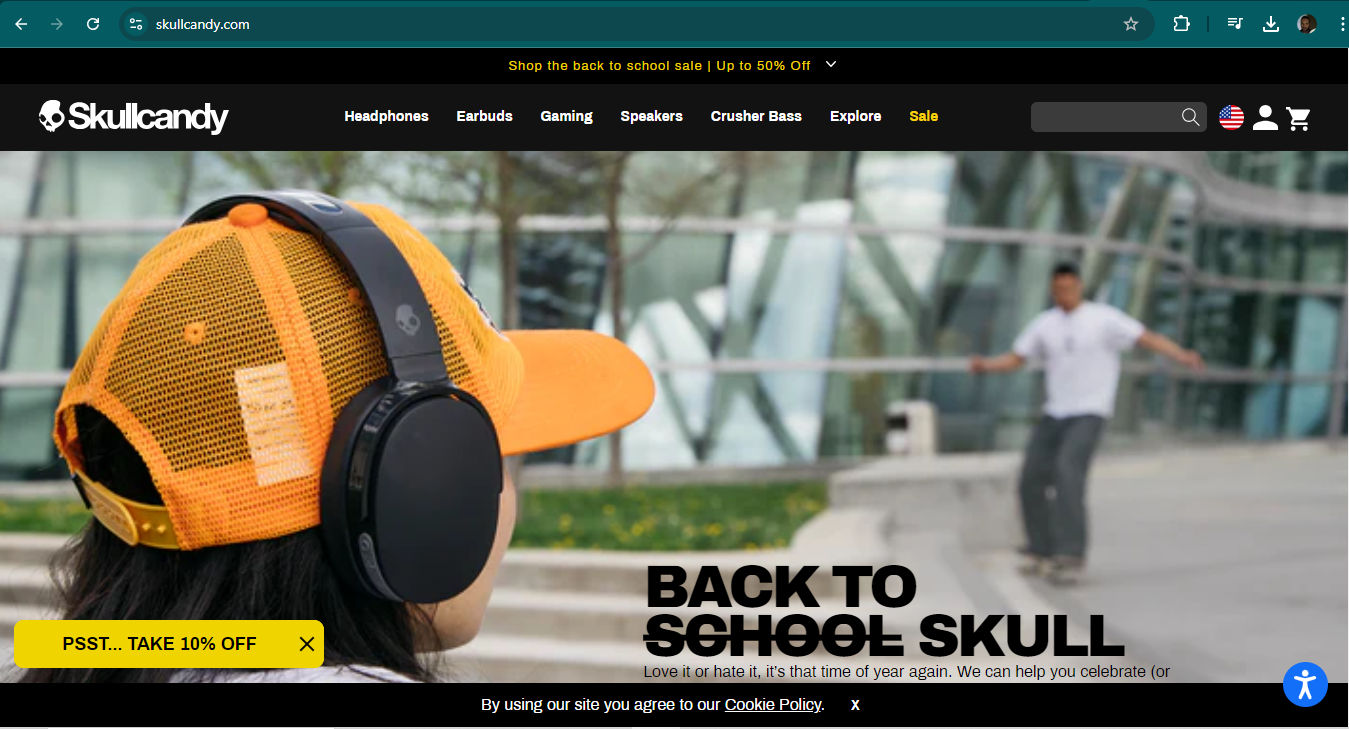
A screenshot from Skullcandy's landing page.

Headphone brand Skullcandy stands out to their youthful and energetic audience with the help of captivating images, easy navigation to product pages and more, as well as other points—such as fonts—that add up to a cohesive B2C website.

© Skullcandy, Fair Use

B2C vs B2B UX Design: What’s The Difference?

Many aspects differentiate the business-to-consumers model from the business-to-business model, namely in B2B vs B2C website design and B2B vs B2C product design considerations such as:  

1. User Complexity

  • B2C: Users are usually general consumers who have various levels of technical knowledge—which means they need more intuitive and straightforward interfaces to help them on their customer journeys or user journeys as they move forward to achieve goals.  

  • B2B: Users are often professionals who’ve got specific expertise in their field. They may need more complex features and functionalities to help them on their user journeys, which can find them helping other users—or customers.  

2. Decision-Making Process

  • B2C: Typically involves individual consumers who make faster decisions which are more emotionally driven.  

  • B2B: Tends to involve multiple stakeholders and longer decision-making cycles. The buying process is frequently more rational, and it’s based on return on investment (ROI).  

Chief Behavioral Scientist and CEO, The Team W, Inc., Susan Weinschenk explains important points about emotional decision-making: 

Transcript
 

3. User Goals

  • B2C: More varied—and these goals span from entertainment to personal problem-solving—frequently with an emphasis on enjoyment plus ease of use. 

  • B2B: Often task-oriented—and it focuses on efficiency, productivity and solving business problems that are specific.  

4. Design Aesthetics

  • B2C: Visual design is a vital factor, and the B2C model often needs more visually appealing designs—including the most effective color palettes—to attract and engage consumers.  

  • B2B: Typically prioritizes functionality and data presentation ahead of visual appeal—but this characteristic is changing.  
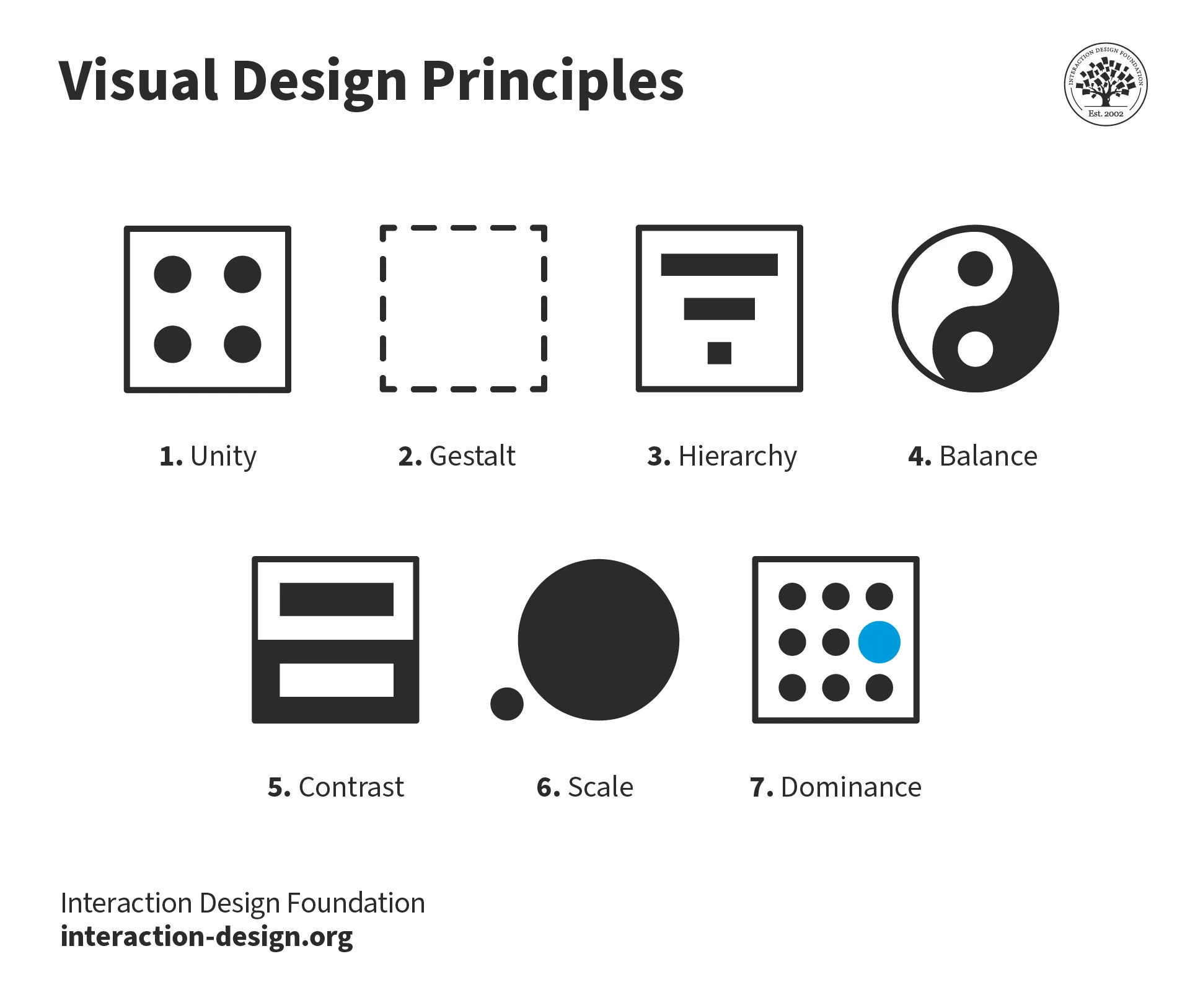
An illustration showing 7 visual design principles including unity, gestalt, hierarchy, balance, contrast, scale and dominance.

B2C designers especially leverage visual design principles to make alluring websites, web pages and more to delight their users and make a standout brand identity.

© Interaction Design Foundation, CC BY-SA 4.0

5. User Research

  • B2C: May involve larger-scale quantitative research to build an understanding about broader market trends.  

  • B2B: Tends to involve more in-depth, qualitative research with a smaller user base—for instance, technical help desk software.  

UX Strategist and Consultant, William Hudson explains the difference between qualitative and quantitative research:  

Transcript
 

6. Customization

  • B2C: In the main offers less customization, and can focus on a one-size-fits-most approach. Even so, conscientious designers still should cater to power users as well as casual or novice ones.  

  • B2B: May demand more customization options to meet specific business needs.

7. Onboarding and Training

  • B2C: Usually the aim is for intuitive designs that need minimal training, if any.  

  • B2B: May call for more extensive onboarding processes and user training—like what medical staff need to use a hospital interface system.  

8. User Loyalty

  • B2C: May have lower loyalty—although high loyalty is ideal—with users being more likely to switch between competing products. 

  • B2B: Frequently results in longer-term relationships, which is due to higher switching costs.

9. Sales Cycle  

  • B2C: Typically has shorter sales cycles—and these focus on immediate conversion and customer acquisition. 

  • B2B: Tend to involve longer sales cycles—which frequently need ongoing support and relationship building.   

10. Regulatory Compliance

  • B2C: Still subject to regulations, but these brands’ design solutions are often more subject to general consumer protection laws.  

  • B2B: May have to adhere to industry-specific regulations and standards.  

At any rate, accessible and inclusive design is important for designers to understand, as our video explains:  

Transcript
  

11. Pricing Models

  • B2C: Typically has simpler and more transparent pricing models.  

  • B2B: Frequently involves complex pricing structures, subscriptions or custom quotes. 

12. Feature Depth vs. Breadth

  • B2C: Often there’s a prioritization of breadth of features to appeal to a wider audience.  

  • B2B: Usually there’s a  focus on depth of features for specific use cases.  

13. Performance Metrics

  • B2C: Frequently has a priority placed on engagement, conversion rates and user satisfaction.  

  • B2B: Metrics such as efficiency, time saved and ROI are more the focus.  

14. Update Frequency

  • B2C: Frequently has more frequent, incremental updates to keep users engaged.  

  • B2B: May have less frequent—but more significant—updates due to the systems’ complexity.  

15. Brand Relationship

  • B2C: Concentrates on making emotional connections and forwarding brand loyalty.  

  • B2B: Places an emphasis on building trust and long-term partnerships.  
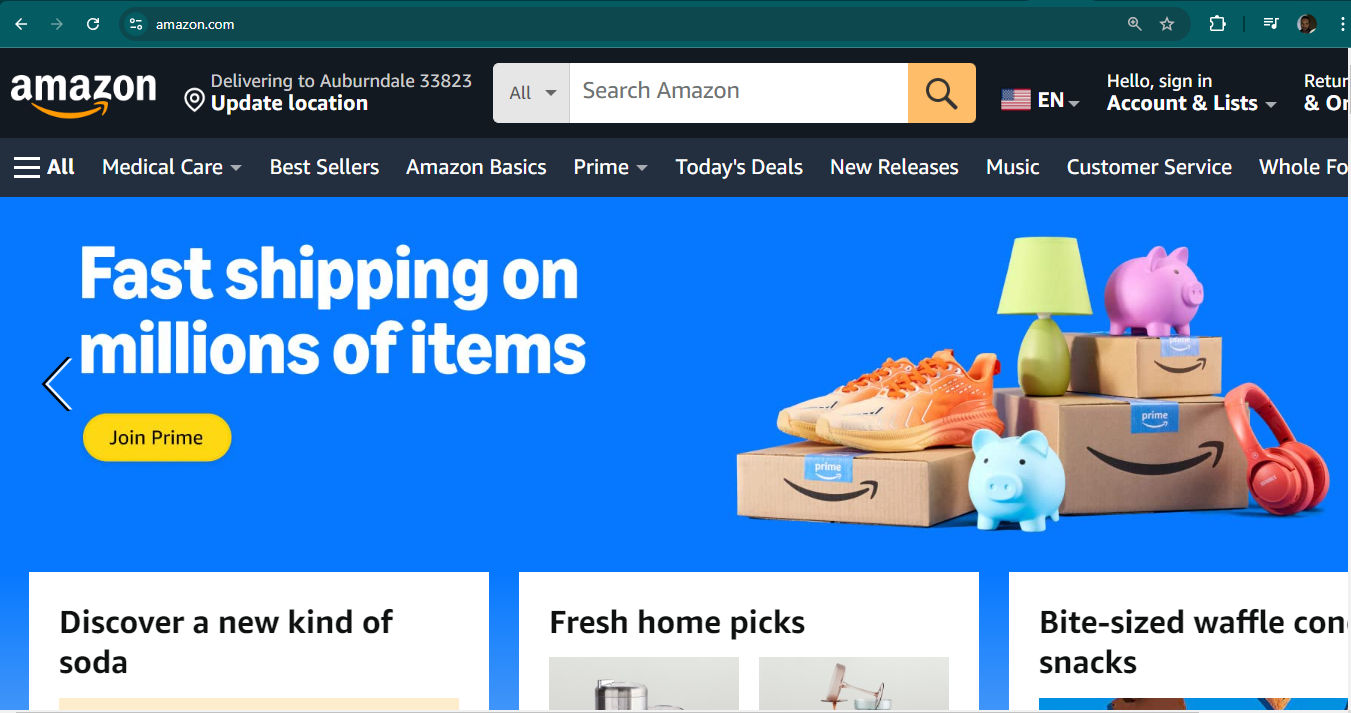
A screenshot from Amazon's landing page.

Amazon.com’s ecommerce model set the standard high for B2C, with factors such as a quick-and-easy checkout process and easy returns system to help win users as customers.

© Amazon, Fair Use

What Are the Benefits of Design Work with a B2C model?

UI-UX design work in a B2C context offers some significant benefits, such as: 

1. Enhanced User Experience

In B2C, the main focus is on individual consumers, and UI-UX designers can make intuitive, user-friendly interfaces—ones that cater to a wide range of users, and these users will have varying technical skills. This is a conscientious approach—and it’s something that leads to improved user satisfaction and higher levels of engagement, too. 

2. Increased Customer Retention

A well-designed UI-UX can greatly bolster customer retention rates. So, when consumers find a product or service easy and enjoyable to use, they'll be much more likely to become repeat customers and stay on as brand loyalists. 

3. Competitive Advantage

In the crowded B2C space—especially in e-commerce and digital services—user experience can be a powerful differentiator. A well-designed, user-friendly interface can give a company an edge over its competitors as a key differentiator.

4. Higher Conversion Rates

Good UI-UX design can streamline the customer journey. That can make it far easier for potential customers to navigate through the sales funnel—a powerful plus that can lead to higher conversion rates and increased sales. 
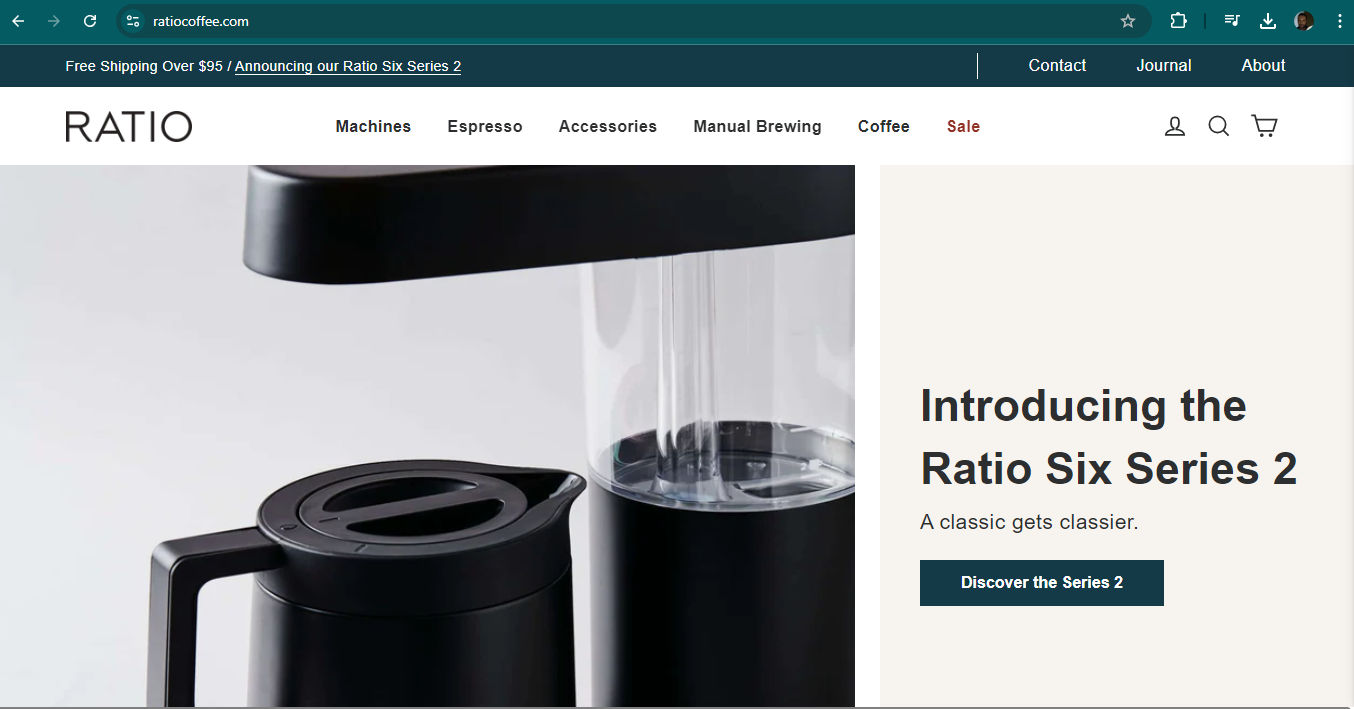
A screenshot from Ratio's landing page.

Luxury coffee-maker brand, Ratio’s website features clear navigation, CTA buttons with contrasting color and clear action words in the labelling, as well as many other effective features that make the brand stand out as it speaks clearly to its target audience.

© Ratio, Fair Use

5. Brand Identity Reinforcement

Effective UX/UI design plays a crucial role for how brands establish and reinforce their identities in the marketplace. Consistent design elements across all touchpoints can strengthen brand recognition and recall among consumers. What’s more, it can help direct positive emotions towards not just the brand itself but the brand’s signature elements—like a well-designed logo—too. 

6. Reduced Customer Support Costs

Intuitive design can cut down on how much customer support a brand needs to have. That’s because products or services become easier to understand and use. That can lead to major cost savings for businesses as they avoid the headaches of clogged helplines. 

7. Faster Market Adoption

Products with user-friendly interfaces tend to have a shorter learning curve. Naturally, that high learnability can lead to faster market adoption—something that’s especially important in the fast-paced B2C environment—and provide an auxiliary boost to marketing strategies a brand might use. 

8. Improved Customer Feedback

Well-designed interfaces often include mechanisms for bringing in user feedback. This direct line to consumers can provide valuable insights for product improvement and innovation. Better still, on B2C design, it’s often possible to collect user feedback rapidly. So, the feedback they get in is something designers can quickly work into UX improvements—allowing a virtuous cycle of continuous improvement. 

9. Mobile Optimization

With the increasing use of mobile devices for online shopping and interactions, UI-UX design in B2C often focuses on mobile optimization. This finger on the pulse of the digital public—most of whom use their smartphones and tablets ahead of laptops or desktops for their digital experiences—makes sure a seamless experience happens across all devices. That strategy captures a wider audience. 
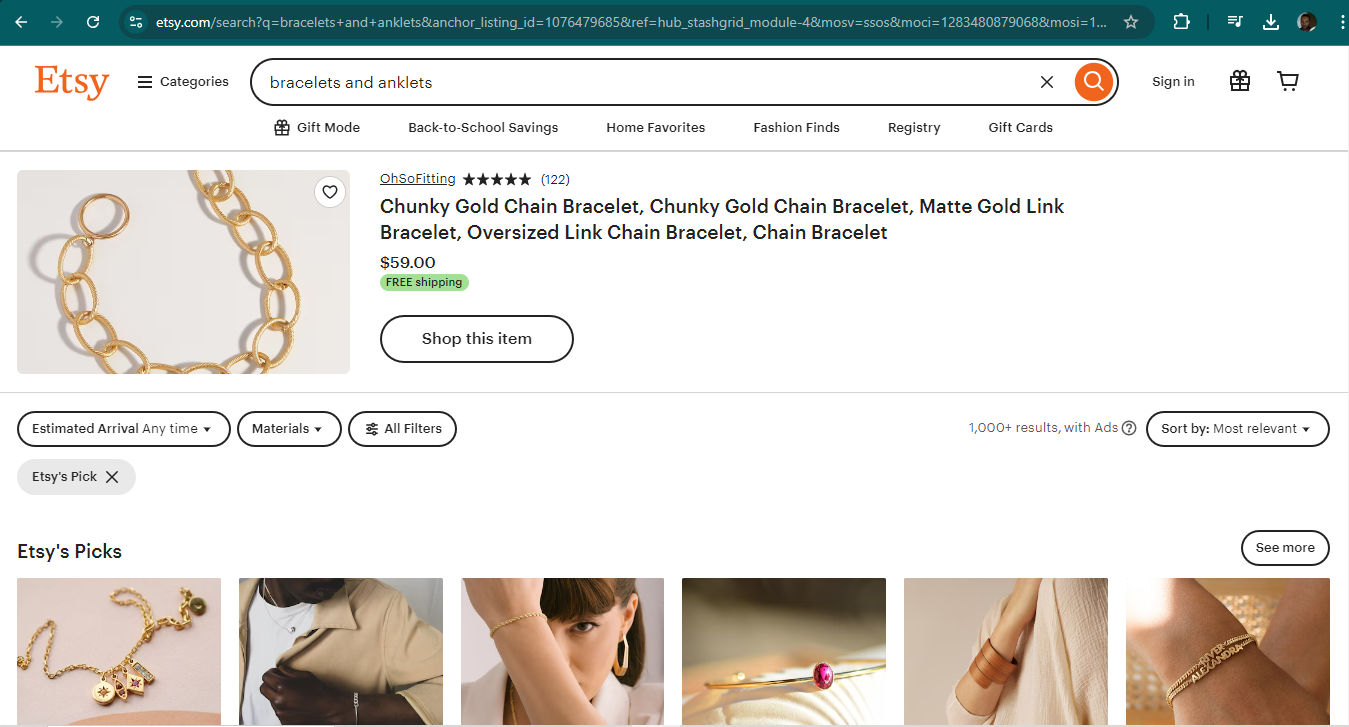
A screenshot from Etsy's landing page.

Etsy—with their price transparency and mobile-friendly design—exemplifies good B2C design with high-quality images, effective color scheme and more.

© Etsy, Fair Use

10. Personalization Opportunities

B2C UI-UX design often incorporates personalization features. This lets businesses tailor the user experience based on individual preferences and behaviors. This can lead to increased customer satisfaction and loyalty. So, designers need to guide how their tailor user experiences with the best user research and leverage the collected user data to get the clearest insights into what users really want. 

11. Accessibility

Good UI-UX design in B2C often emphasizes accessibility, to make sure that products or services are usable for people with various abilities. This doesn’t just expand the potential customer base; it demonstrates corporate social responsibility, too. An even bigger benefit is that to design for such a diverse consumer base—including users with disabilities of many types—means that all users can enjoy the help of accessible designs, such as subtitles for users who can hear but are in loud environments.  

12. Scalability

B2C UX design often means a brand deals with a large number of users. Good UX design therefore means that the product—or service—can scale effectively while it keeps a positive user experience going. 

13. Data-Driven Design

B2C models often have access to large amounts of consumer data. UI-UX designers can use this data to inform design decisions, creating interfaces that better meet user needs and preferences. 

UX Strategist and Consultant, William Hudson explains vital aspects about web and mobile app analytics and how it helps designers craft better solutions: 

Copyright
Transcript
 

How Do UX Portfolios Help Designers Get Profitable B2C Contracts?

For freelance designers, the way to get B2C contracts is through a powerful UX portfolio. First and foremost, designers should consider the value proposition they intend to distinguish themselves with in a highly competitive market, so they can reach the right clients: 

Director of Design at Societe Generale CIB, Morgane Peng explains why it’s vital to have a value proposition: 

Transcript
 

Portfolios play a crucial role in helping designers land lucrative B2C contracts because they: 

1. Showcase consumer-focused projects: A well-crafted UX portfolio lets designers highlight their experience with B2C projects, and shows how capably they can create user-friendly interfaces for consumer-facing products or services.  

2. Demonstrate understanding of consumer behavior: B2C projects often call for a deep understanding of consumer psychology and behavior. A portfolio that showcases projects with successful user engagement metrics is one that can prove a designer's ability to create experiences that resonate deeply with individual consumers. In a way that mirrors this is how designers can present their understanding of client behavior, and structure the content of their portfolio to account for it. 

Morgane Peng explains why content strategy is vital in a portfolio: 

Transcript
 

3. Highlight mobile and responsive design skills: Users and customers access many B2C products and services on mobile devices. So, a portfolio that shows strong mobile UX design skills is particularly attractive for B2C contracts—since it shows the designer's ability to create seamless experiences across various devices and screen sizes. 

CEO of Experience Dynamics, Frank Spillers explains important points about responsive design: 

Transcript
 

4. Showcase e-commerce expertise: For B2C contracts related to online retail or services, a portfolio that includes successful e-commerce projects can be extremely valuable. It can prove how skillfully the designer can create intuitive shopping experiences and optimize conversion rates. 

5. Illustrate brand consistency: B2C companies typically put a high value on brand identity and consistency. So, a portfolio that shows how a designer can keep a high level of brand cohesion across various touchpoints is one that can be very appealing to potential B2C clients. 

6. Demonstrate data-driven design decisions: B2C projects often involve large user bases—and that makes data-driven design crucial. A portfolio that showcases how the designer uses UX research, A/B testing and analytics to inform design decisions can be highly attractive to B2C clients—who’ll look for the numbers as well as the reasons behind the steps in a showcased digital product’s journey. 

UX Strategist and Consultant, William Hudson explains crucial aspects about A/B testing: 

Transcript
 

7. Highlight accessibility and inclusive design: B2C products often need to cater to a diverse user base. A portfolio that demonstrates expertise in creating accessible and inclusive designs can set a designer apart. That’s especially important for B2C contracts targeting broad consumer markets—and where accessible design is often enforceable in law, too. 

8. Showcase rapid prototyping and iteration: B2C markets can be fast-paced and competitive. A portfolio that demonstrates a designer's ability to quickly prototype, test and iterate on designs is one that can be very appealing to B2C clients who’re looking to stay ahead of the curve. 

Author and Human-Computer Interaction Expert, Professor Alan Dix explains important points about prototyping: 

Transcript
 

9. Demonstrate social media integration: Many B2C companies tend to rely immensely on social media for their marketing and customer engagement. So, a portfolio that showcases projects with seamless social media integration can be particularly valuable for B2C contracts. 

10. Feature storytelling and case studies: Detailed case studies in a portfolio can help designers explain their problem-solving process. That’s crucial for B2C projects where it’s key to understand and address consumer pain points. 
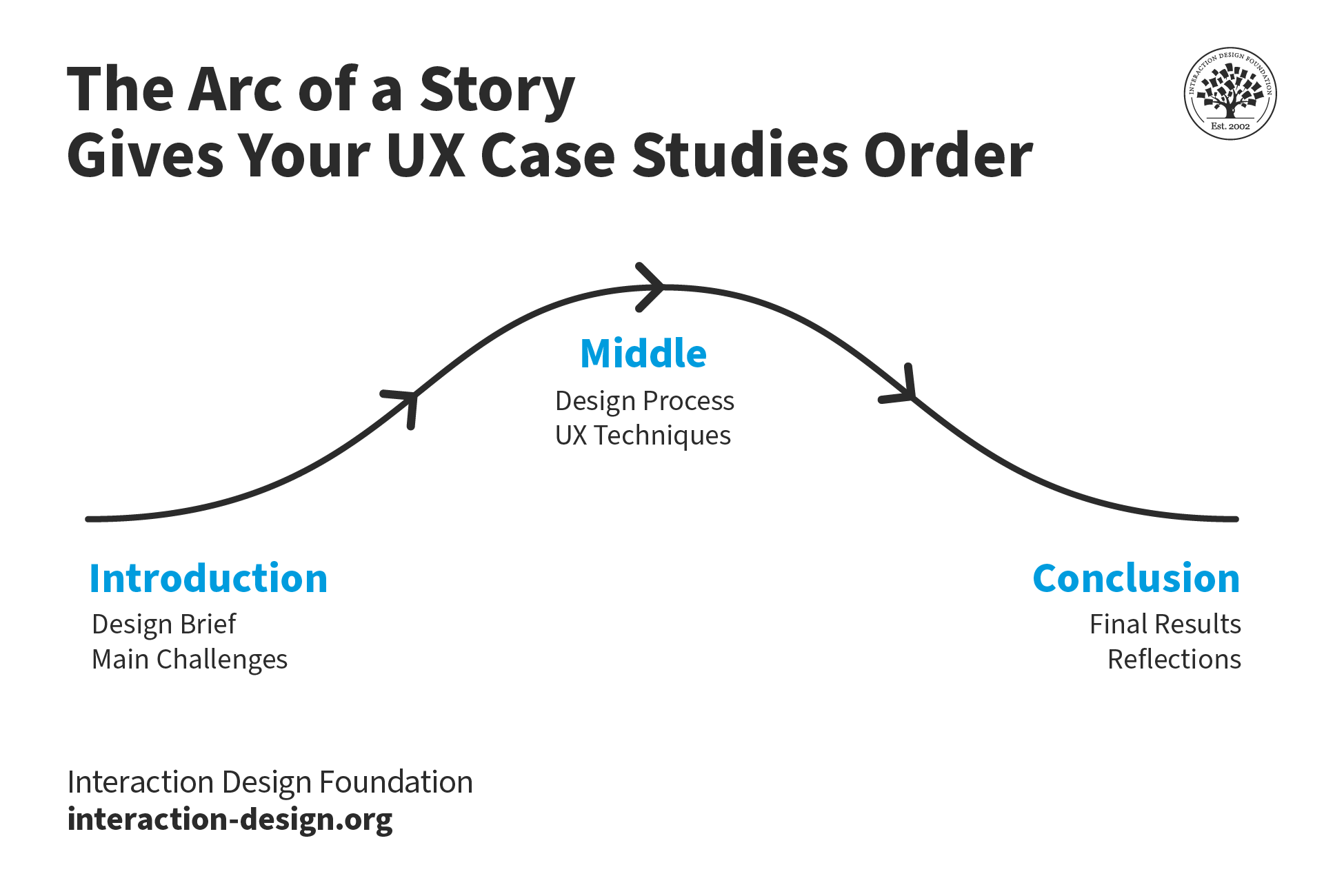
A diagram showing how a story arc works for a UX portfolio.

© Interaction Design Foundation, CC BY-SA 4.0

It’s virtually impossible to overstate the value of case studies in any portfolio. What’s more, it’s vital to show the right ones for the target audience—in this sense, a portfolio becomes a designed solution in its own right. 

Morgane Peng explains vital points about how to craft a portfolio with visual storytelling tools: 

Transcript
  

11. Showcase gamification elements: Many B2C apps and services use gamification to increase user engagement. A portfolio that demonstrates experience with gamification techniques can be particularly attractive for certain B2C contracts. 

12. Highlight localization skills: For B2C contracts that have their targets on global markets, a portfolio that showcases experience in designing for different cultures and languages can be a great advantage to the designer behind it. 

What Are Best Practices in B2C Design?

Here are several vital ones: 

1. Design for Impulse Purchases

In the B2C model, it’s an essential skill for UX designers to create experiences that encourage spontaneous buying decisions. Here are vital aspects of how to do that: 

  • Clear pricing: When it comes to pricing, clarity is crucial. Customers want to understand the cost of a product or service with zero confusion—hence the need for transparent pricing information. To make pricing clear and appealing: 

    • Avoid hidden fees: Show all costs upfront to build trust. 

    • Highlight discounts: Show savings to give a sense of value.

    • Use simple language: Don’t have complex terms that might confuse customers.

    • Use visual cues: Use color and design to draw attention to pricing information. 

  • Streamlined checkout process: A smooth checkout process is a vital instrument to capture impulse purchases. There’s a  short window of just a couple of minutes in which to guide users through this process, so it means every second counts in the checkout process. To optimize the checkout experience—and help reduce cart abandonment rates: 

    • Minimize form fields: Ask just for essential information to reduce friction. 

    • Offer guest checkout: Let customers purchase as guests so they don’t need to create an account.

    • Provide progress indicators: Show customers how far along they’ve got in the checkout process. 

    • Support multiple payment options: Include popular methods like credit cards and mobile wallets. 

    • Implement autofill: Use browser autofill features to speed up data entry. 

  • Persuasive product descriptions: Well-crafted product descriptions play a crucial role in driving impulse purchases. They serve a dual purpose: one is to inform customers about product details; the other’s to convince them of the product's value. To write compelling product descriptions: 

    • Highlight benefits: Focus on how the product solves customer problems—or improves their lives. 

    • Use sensory language: Pick words that appeal to the senses; it’ll help customers imagine themselves using the product. 

    • Tell a story: Craft a narrative around the product to make it more relatable and memorable. 

    • Use social proof: Include customer reviews or testimonials to build trust. 

    • Make it scannable: Use bullet points, short paragraphs and clear headings for easy reading. 

    • Speak directly to the ideal customer: Use language and terminology that really resonates with the target audience. 

    • Avoid generic phrases: Instead of clichés like "high quality," provide specific reasons as to why the product stands out. 

    • Support claims with facts: To state that a product is the best means it’s vital to back it up with evidence for how it’s the best. 

    • Create a sense of urgency: Use phrases like "Order today to get 10% off" to encourage users to take immediate action. 

Remember, the goal is to make the purchase process as smooth and appealing as possible. 
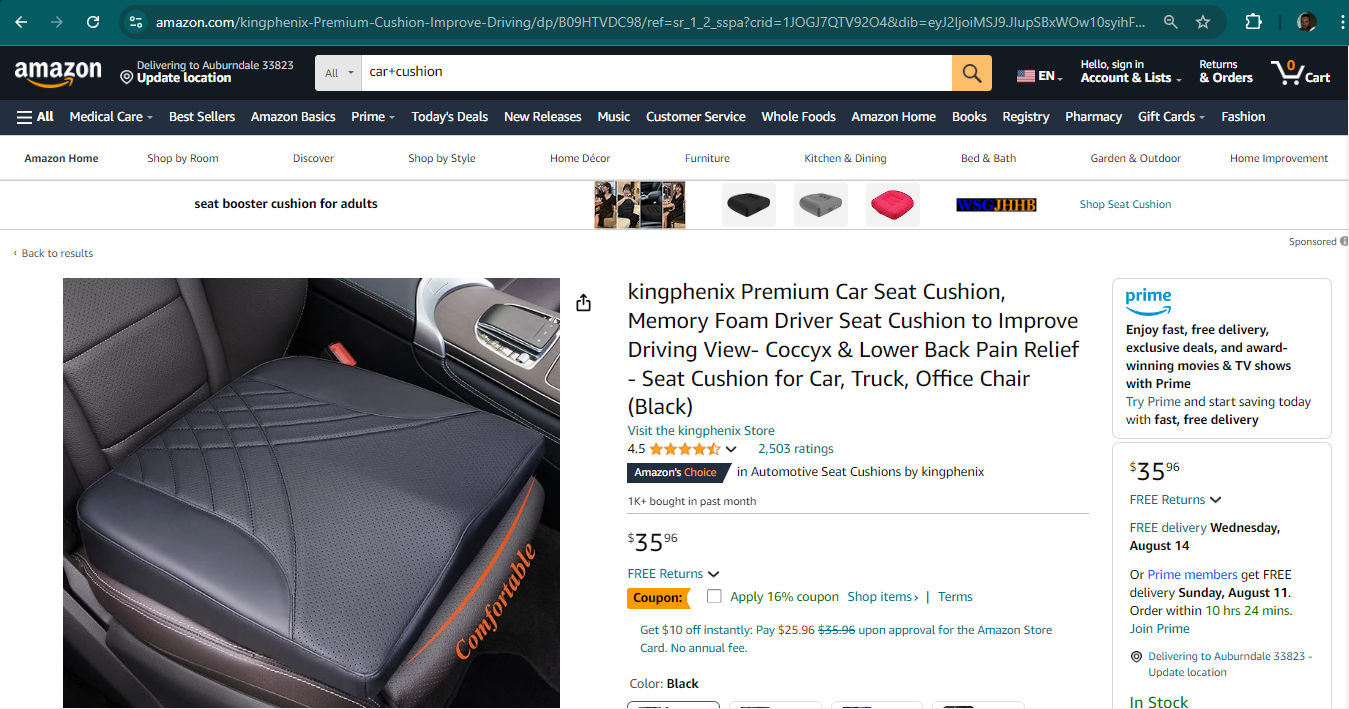
A screenshot from an Amazon.com product page for a car seat.

Amazon’s product pages, pricing visibility and checkout process show how easily users can make purchase decisions and make good on them, quickly—whether they’ve been thinking for a while about an item or it’s more on the spur of the moment.

© Amazon, Fair Use

2. Build Trust and Credibility

In the B2C model, the role that trust and credibility play in the success of a business is a vital one. UX designers have got to focus on how they can create experiences that build confidence and reliability in the eyes of consumers. Here are some key areas for that: 

  • User reviews and ratings: These serve as powerful tools to build trust and influence users’ purchasing decisions. To leverage user reviews effectively: 

    • Display reviews prominently: Make user reviews easily accessible and visible on product pages. 

    • Encourage feedback: Implement systems that can collect reviews from customers after purchases.

    • Respond to reviews: Engage with both positive and negative feedback to show responsiveness and customer care skills. 

    • Highlight top reviews: Feature highly rated or detailed reviews to give valuable insights to potential customers. 

  • Security features: In an era of increasing cyber threats, it’s never been more important to win and build users’ trust: Robust security features are essential for that. UX designers must make security a priority while they keep a seamless user experience going across all touchpoints in the customer journey. Here are key security elements to consider—and feature in B2C designs: 

    • SSL certificates: Implement SSL certificates to encrypt data transmission between users' browsers and the website server. That will protect sensitive information like personal details and payment data. 

    • Two-factor authentication (2FA): Enable 2FA for an extra layer of security. Users provide a second form of verification—like a temporary code sent to their mobile device, on top of their password. 

    • Secure payment gateways: Integrate trusted payment gateways that comply with industry standards like PCI DSS (Payment Card Industry Data Security Standard). 

    • Clear privacy policies: Display easily accessible and understandable privacy policies to tell users in no uncertain terms about data handling practices. 

  • Brand consistency: This plays a crucial role to build trust and credibility across all touchpoints of a B2C business. Designers have got to deliver consistent messaging and stay true to core brand values in every aspect of the user experience. Here's why brand consistency matters—and how to achieve it: 

    • Recognition and trust: Consistent branding helps users quickly recognize and trust a business, and that spans across different platforms and interactions. 

    • Emotional connection: Brand consistency helps build a strong emotional connection with users—something that leads to increased loyalty and engagement. 

    • Cohesive user experience: A consistent brand identity makes for a seamless experience for users—and it makes navigation and interaction more intuitive, something which an effective information architecture helps with immensely as well. 

William Hudson explains important points about information architecture: 

Transcript
 

Here are some ways to maintain a healthy level of brand consistency: 

  • Follow—or develop—the brand’s style guide: It’s a comprehensive style guide that outlines visual elements, tone of voice and messaging guidelines for all brand touchpoints. 
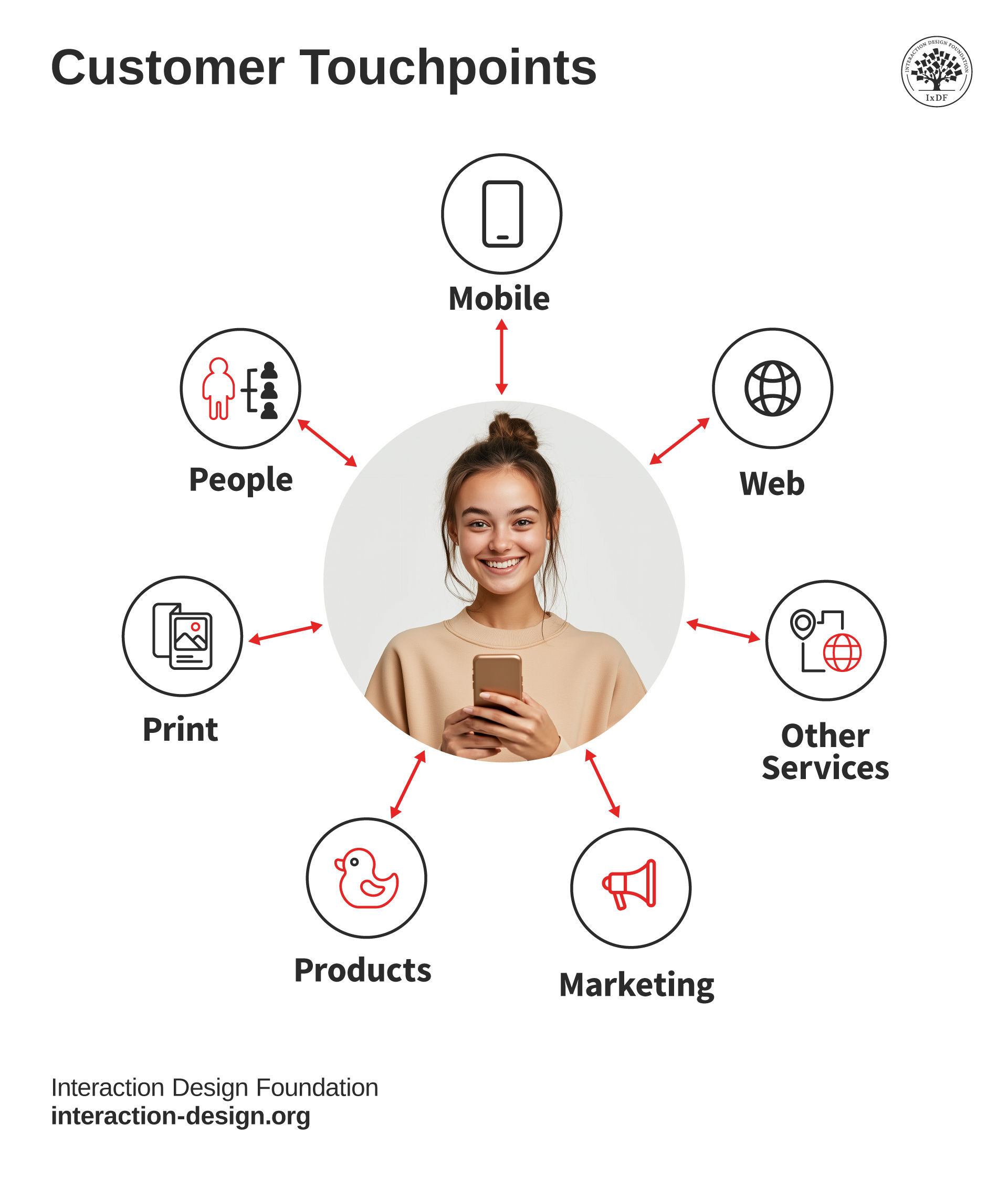
A diagram showing 7 customer touchpoints.

These are customer touchpoints—where customers interact with a brand.

© Interaction Design Foundation, CC BY-SA 4.0

  • Include consistent visual elements: Keep the typography, color schemes and imagery consistent across all digital platforms and marketing materials. 

  • Have unified messaging: Make sure that the brand's core values and messaging stay consistent across all communication channels—and these range from areas like website copy to customer support interactions.  

  • Cross-team collaboration: Involve stakeholders from different departments in the brand consistency process to ensure alignment across the organization. 

UX Designer and Author of Build Better Products and UX for Lean Startups, Laura Klein explains important points about cross-functional collaboration: 

Transcript
 

What Are Risks When UX Designers Work with a B2C Model?

Designers have many considerations to take on board when they work with a B2C model for clients of all types and sizes, including small businesses and larger online retailers. Here are some key concerns: 

  1. Diverse user base: B2C models often cater to a wide range of consumers with varying needs, preferences and technical abilities. This diversity can make it a challenge to create a one-size-fits-all solution that satisfies all users.  

  2. Rapidly changing consumer trends: Consumer preferences and behaviors can change all-too quickly in the B2C market. So, designers have got to stay up-to-date with these trends—and it’s best that they’re prepared to adapt their designs accordingly. 

  3. Balance business goals and user needs: There may be conflicts between what's best for the user experience and what drives business metrics. Designers need to find ways to balance these competing interests effectively—especially important when they discuss matters with stakeholders. 

Author, Speaker and Leadership Coach, Todd Zaki Warfel explains critical points about how to present design work to stakeholders: 

Transcript
 

  1. Information overload: B2C products often have a great many features and information to convey. UX designers must find ways to present this information without overwhelming users in any way.  

  2. Emotional design challenges: B2C products often need to evoke emotional responses from users. To design well for emotions can be complex and subjective.  

  3. Privacy and security concerns: With increasing awareness about data privacy, UX designers must create interfaces that instill trust and clearly communicate how the brand handles their user data.  

  4. Cross-platform consistency: B2C products need to work across multiple platforms (web, mobile and tablet). It can be a challenge to keep a consistent user experience across these platforms, so designers need the user context in mind as well as how to meet users consistently from screen to screen—and UI patterns are a powerful aid. 

 Frank Spillers explains important points about some common UI patterns: 

Transcript
  

  1. Accessibility issues: Ensuring that the product is accessible to users with disabilities is crucial in B2C models, as the user base is typically very diverse.  

  2. Cultural sensitivity: For global B2C products, it’s important to be aware of cultural differences and design accordingly—to avoid offending or alienating certain user groups. 

Professor Alan Dix explains why it’s important to design with culture in mind: 

Copyright
Transcript
  

  1. Short attention spans: In the B2C space, users often have short attention spans—whatever the context of use. So, designers need to create engaging experiences that quickly capture and retain user interest—and prove their empathy with their users as human beings. 

 See why empathy is a vital ingredient in design in our video: 

Transcript
  

  1. Personalization expectations: Many B2C users expect personalized experiences—and these can be complex to design and implement effectively. 

  2. Competitive pressure: The B2C market is often highly competitive, putting pressure on UX designers to create standout experiences that differentiate the product from competitors. 

  3. User feedback management: B2C products often receive a high volume of user feedback. It can be overwhelming to manage and prioritize this feedback for design improvement.  

  4. Performance expectations: B2C users typically expect fast, responsive interfaces. UX designers need to work closely with developers to ensure designs can be implemented efficiently. 

  5. Conversion focus: There's often a strong emphasis on conversion rates in B2C models. That can sometimes conflict with creating the best possible user experience. 
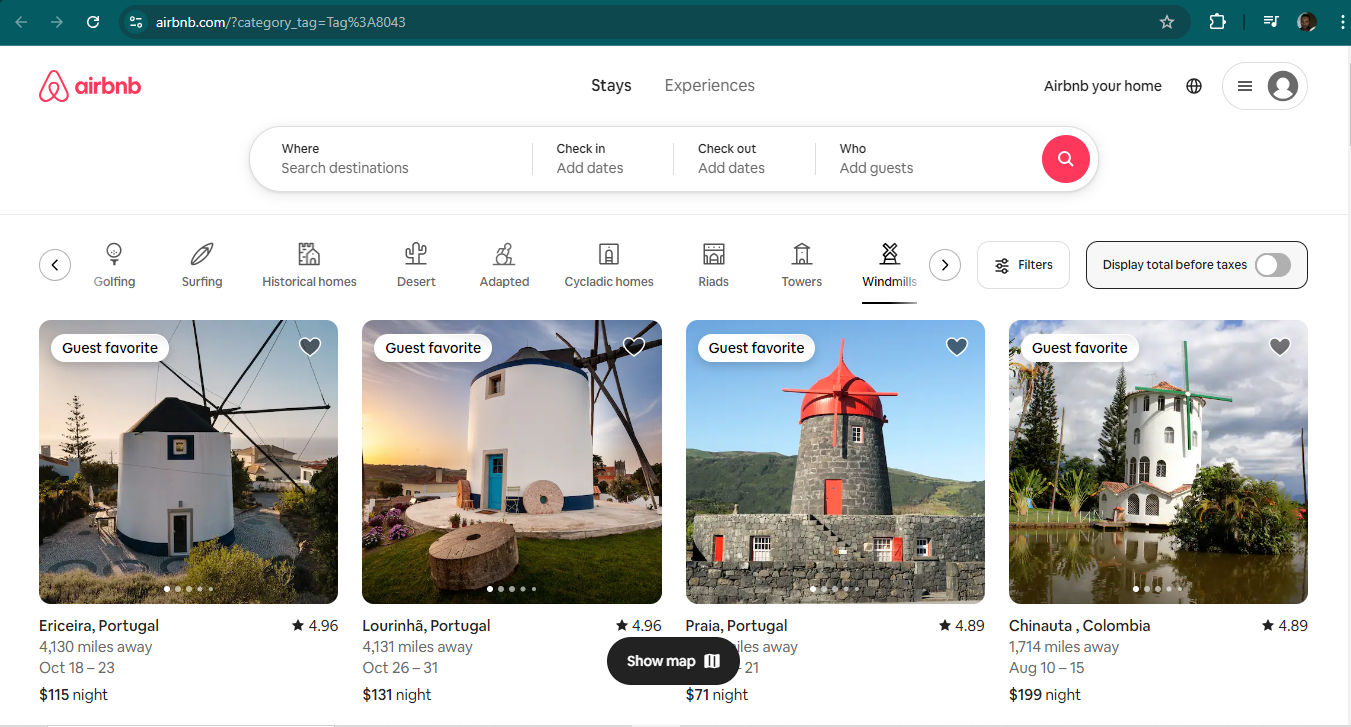
A screenshot from Airbnb's site showing windmill accommodations.

Who wants to stay in a windmill? Many guests would love the chance—and Airbnb caters to the context as well as a wide range of vacation property seekers, and delights them with just what they’re looking for.

© Airbnb, Fair Use

Overall, the central idea in business to consumer (B2C) highlights how important it is for designers to create the best digital solutions and experiences for individual consumers—such as websites and apps that are easy to use and appeal to a wide range of customers. Every factor—from the logo choice, color-contrast use, to how customer reviews and security features work—needs to play a part to make the magic of a seamless experience. These are what clients want when they consider hiring a UX freelancer or a B2C web design agency.  

The B2C model—sometimes called the direct-to-consumer model—is indeed all about how to bring the brand directly to the users, to make sure it doesn’t just attract customers but keeps them coming back again and again, too. 

Questions About Business-To-Consumers (B2C) Model in UX/UI Design?
We've Got Answers!

What are the key elements of a successful B2C user experience?

A successful B2C user experience relies on several key elements for interactive designers to get right, so:  

  • Make sure there’s intuitive navigation: That’s so users can find what they need quickly. Simplify the interface with clear labels and straightforward pathways—an effective information architecture is vital.  

  • Create engaging content that speaks directly to users’ needs and interests: It’s wise to personalize the experience; leverage user data to offer tailored recommendations to them.  

  • Maintain fast load times: It’s to keep users engaged and to reduce bounce rates.  

  • Prioritize mobile responsiveness: Many—if not most—users access sites via smartphones. 

  • Provide excellent customer support: Do it through easy access to help resources and live chat options. 

UX Strategist and Consultant, William Hudson explains important points about information architecture: 

Transcript
 

Read our piece, How to Write Great Case Studies for Your UX Design Portfolio for valuable additional insights. 

How can I optimize the checkout process for a B2C e-commerce site?

Try the following: 

  • Streamline the steps: Keep the checkout flow as short as possible, ideally no more than three steps.  

  • Offer guest checkout: It’s to avoid forcing users to create accounts. 

  • Make sure the form fields are clear and only ask for essential information. 

  • Provide multiple payment options to cater to different preferences.  

  • Display progress indicators to show users where they are in the process. 

  • Highlight security features to build trust, such as SSL certificates and secure payment badges.  

  • Last—but not least—test the checkout process on various devices to ensure a seamless experience across desktops, tablets, and smartphones. 

Read our piece, How to Write Great Case Studies for Your UX Design Portfolio for valuable additional insights. 

Watch our video on product design to keep some important points in mind in this kind of design: 

Transcript
 

What role does mobile responsiveness play in B2C design?

Mobile responsiveness plays a crucial role in B2C design. It makes sure that users have a seamless experience, no matter the device they use. As many customers shop on their smartphones, a mobile-responsive site adapts to different screen sizes and provides easy navigation. It boosts user satisfaction by offering fast load times and clear, readable content.  

Mobile responsiveness improves search engine rankings, too. That’s because search engines favor mobile-friendly sites. Ultimately, it leads to higher conversion rates as users can effortlessly browse and purchase products on their mobile devices. So, mobile considerations are massive points to remember for B2C UX/UI designers. 

CEO of Experience Dynamics, Frank Spillers explains important points about responsive design: 

Transcript
 

Read our piece, How to Write Great Case Studies for Your UX Design Portfolio for valuable additional insights.  

What are the best practices for creating engaging product pages in a B2C context?

Focus on clarity and appeal. It’s wise to use high-quality images to showcase the product from multiple angles. Plus, write concise, compelling descriptions that highlight key features and benefits. Include customers’ reviews and ratings—to build trust and provide social proof. Make sure the page loads quickly to keep users' attention, too.  

Also, add clear calls-to-action, such as "Add to Cart" or "Buy Now," to guide users toward making a purchase. Provide detailed specifications and size guides where applicable. Last—but not least—make the page mobile-friendly to accommodate users on all devices. 

Watch Author, Speaker and UX Writer at Google, Torrey Podmajersky explain interesting points about UX writing: 

Transcript
 

Read our piece, How to Write Great Case Studies for Your UX Design Portfolio for valuable additional insights. 

What are effective ways to reduce cart abandonment in B2C e-commerce?

Try these: 

  • Simplify the checkout process. Make sure the steps are minimal and straightforward. Offer a guest checkout option so users don't need to create an account.  

  • Provide clear and upfront shipping costs to avoid surprises at the end.  

  • Use trust signals—like security badges and money-back guarantees—to build customer confidence.  

  • Send reminder emails to users who leave items in their cart—and offer them incentives like discounts or free shipping.  

  • Last—but not least—make sure the site is mobile-friendly, as many, if not most, users shop on their smartphones. 

Watch our video on User Interface Design Patterns for helpful insights: 

Transcript
 

What are the common mistakes to avoid in B2C UX design?

In B2C UX design, avoid cluttered interfaces that overwhelm users. Keep navigation intuitive to help users find what they need quickly. Don't ignore mobile optimization; it’s imperative to make sure your site works well on all devices.  

What’s more, don’t have long and complicated checkout processes—they’ll likely lead to serious cart abandonment rates. Make sure that buttons and calls-to-action are clear and prominent, too. Don’t use technical jargon—it may confuse users. Last—but not least—don't overlook how important fast load times are; that’s because slow pages can frustrate users and drive them away. 

Watch our video on User Interface Design Patterns for helpful insights: 

Transcript
 

How can I leverage data analytics to enhance B2C user experiences?

To start, track user behavior on your site. Analyze which pages users visit most and where they drop off. Use this data to improve navigation and content placement.  

Then, personalize the user experience—by recommending products based on past behavior and preferences. Monitor customer feedback to find pain points and areas for improvement. Test different design elements through A/B testing to see what works best. Last—but not least—regularly review analytics to stay updated on trends and adapt quickly to changing user needs. 

UX Strategist and Consultant, William Hudson explains crucial aspects about A/B testing: 

Transcript
 

How do I design a seamless onboarding process for a B2C service?

To start, create a clear and simple sign-up form. Just ask for essential information to avoid overwhelming users. Provide a step-by-step guide to help users understand how to use your service. Use visuals and tooltips to highlight key features and functionalities. Offer a quick tutorial or walkthrough for first-time users.  

Make sure the process works smoothly on both desktop and mobile devices—and remember more users access digital solutions through handheld devices. Personalize the experience by addressing users by name and tailoring content to their preferences. Last—but not least—provide easy access to support if users have questions or need assistance. 

Watch our Master Class, How To Attract Users Through Great Onboarding Experiences with Wes Bush, Founder and CEO, Product-Led Institute and Author, Product-Led Growth

How do I handle internationalization and localization in B2C UX?

First, design your site to support multiple languages and regions. Use a flexible framework that allows easy translation of text and adaptation of formats like dates, times, and currencies. Hire native speakers to ensure accurate translations that capture cultural nuances.  

What’s more, adapt visuals and symbols to suit different cultural contexts. Different cultures around the world tend to view such items as color and other elements of visual and graphic design in different ways. So, test your site with users from various regions to identify and address any usability issues. Provide customer support in multiple languages to assist users from different backgrounds. Then, regularly update content to reflect local trends and preferences. 

Watch as Author and Human-Computer Interaction Expert, Professor Alan Dix explains why it’s important to design with culture in mind: 

Copyright
Transcript
 

What are some highly cited scientific articles about B2C UX/UI design?

Li, L., Xue, C., & Tang, W. (2022). Emotional experience design of B2C website based on emotion recognition. INDIN 2022, 275-279.  
This paper presents an innovative approach to enhancing user experience on B2C websites through emotion recognition technology. The study introduces a feedback system designed to recognize and respond to user emotions in real-time—aiming to improve Emotional Experience (EE) during Human-Computer Interaction (HCI). By integrating Baidu’s facial expression recognition service, the authors adjust the aesthetics and usability of a website to influence user emotions. The system provides visual feedback using color symbol expressions and prompts relaxation suggestions when negative emotions are detected.  

This research is influential as it explores the intersection of emotion recognition technology and user experience design—and offers novel insights into how emotional feedback mechanisms can boost user engagement and satisfaction on commercial websites. The findings suggest that such systems are effectively applicable to B2C platforms—paving the way for more personalized and emotionally aware web interactions.

  1. Norman, D. A. (2013). The Design of Everyday Things: Revised and expanded edition. Basic Books. 

Donald Norman's The Design of Everyday Things is a seminal work in understanding how design serves as the communication between an object and its user. The book emphasizes the importance of user-centered design and usability, making it a must-read for anyone involved in creating consumer products. By focusing on the principles of intuitive design, Norman has influenced countless designers to prioritize the user's needs and experiences—and offered insights into how thoughtful design can enhance functionality and satisfaction. 

  1. Maeda, J. (2006). The Laws of Simplicity. MIT Press. 

John Maeda's The Laws of Simplicity explores the balance between simplicity and complexity in design. Maeda provides ten laws to guide designers in creating products that are both aesthetically pleasing and functional. This book has been influential in helping designers focus on the essence of their creations, stripping away unnecessary elements to enhance user experience. It has become a foundational text for those looking to apply minimalist principles to B2C design. 

  1. Krug, S. (2014). Don't Make Me Think, Revisited: A Common Sense Approach To Web Usability. New Riders. 

Steven Krug's book is a practical guide to web usability, emphasizing the importance of intuitive navigation and user-friendly interfaces. Don't Make Me Think has been a staple in the design community for its straightforward advice and real-world examples, making it an essential resource for web designers aiming to improve the usability of B2C websites. Its influence is evident in the widespread adoption of usability testing and user-centered design practices. 

Earn a Gift Earn a Gift, Answer a Short Quiz!

1
2
3
4
1
2
3
4
Question 1
Question 2
Question 3
Get Your Gift
Interaction Design Foundation logo

Question 1

What is the main difference between the Business-to-Consumer (B2C) model and the Business-to-Business (B2B) model?

1 point towards your gift

  • B2C focuses on selling products directly to consumers, while B2B focuses on selling to other businesses.
  • B2C focuses on selling to other businesses, while B2B focuses on selling to consumers.
  • B2C focuses on selling services only, while B2B focuses on selling products only.
Interaction Design Foundation logo

Question 2

In a Business-to-Consumer (B2C) model, what is a primary focus of marketing efforts?

1 point towards your gift

  • Creating relationships with individual customers.
  • Establishing long-term contracts with businesses.
  • Developing product features based solely on technical specifications.
Interaction Design Foundation logo

Question 3

Which of the following channels is most commonly used in the B2C model to reach customers?

1 point towards your gift

  • Digital platforms like e-commerce websites.
  • Corporate events and industry conferences.
  • Direct sales through field representatives.

Learn More About The Business-To-Consumers (B2C) Model in UX/UI Design

Make learning as easy as watching Netflix: Learn more about Business-To-Consumers (B2C) Model in UX/UI Design by taking the online IxDF Course Build a Standout UX/UI Portfolio: Land Your Dream Job.

Why? Because design skills make you valuable. In any job. Any industry.

In This Course, You'll

  • Get excited when you discover the secret to a portfolio that fast-tracks your way to job offers. Did you know most hiring managers decide on your application in just 7.4 seconds? In today's competitive job market, first impressions are everything

  • Learn to build a career where you fulfill your potential and earn a salary that reflects your true value. Your design portfolio is your ultimate advocate. It speaks for you when you're not in the room. In this course, you'll get real-world insider insights from an expert who's reviewed thousands of portfolios. Take the course and build the career you're truly meant for.

  • Make yourself invaluable when you learn how to hook hiring managers with your problem-solving mindset, user-centered design approach, and business acumen. We know how frustrating it is to apply for job after job with no response. As AI makes it easier to generate generic portfolios and case studies, you stay in demand by clearly showing your timeless human-centered design skills: How you think, make decisions, and solve real problems. This User Experience/User Interface (UX/UI) portfolio course gives you the skills to finally stand out from the pack. Whether you're new to design or already experienced, you'll turn your past work experiences into portfolio gold and create a portfolio they love! No matter your background, it's easier than you think.

  • Gain confidence and credibility with our step-by-step blueprint for a portfolio that gets you hired faster into a role where you'll fulfill your purpose and increase your salary potential. Through hands-on projects and ready-to-use downloadable templates, you'll develop a winning portfolio strategy, write attention-grabbing hooks, present your portfolio with confidence, and master the first impression formula. You'll walk away with a pitch-ready UX/UI design portfolio you can use to land your dream job.

It's Easy to Fast-Track Your Career with the World's Best Experts

Master complex skills effortlessly with proven best practices and toolkits directly from the world's top design experts. Meet your expert for this course:

  • Morgane Peng: Designer, speaker, mentor, and writer who serves as Director and Head of Design at Societe Generale CIB.

Get an Industry-Recognized IxDF Course Certificate

Increase your credibility, salary potential and job opportunities by showing credible evidence of your skills.

IxDF Course Certificates set the industry gold standard. Add them to your LinkedIn profile, resumé, and job applications.

Course Certificate Example

Be in distinguished company, alongside industry leaders who train their teams with the IxDF and trust IxDF Course Certificates.

Our clients: IBM, HP, Adobe, GE, Accenture, Allianz, Phillips, Deezer, Capgemin, Mcafee, SAP, Telenor, Cigna, British Parliament, State of New York

All Free IxDF Articles on The Business-To-Consumers (B2C) Model in UX/UI Design

Read full article
The Business Models of Freelancing and Design Agencies and Who Can Start Their Own Business - Article hero image
Interaction Design Foundation logo

The Business Models of Freelancing and Design Agencies and Who Can Start Their Own Business

When you’re looking at going freelance or starting your own design agency, you’ll want to understand and examine the business models and the different types of work available to you before you start. This will help you understand and define what you intend to do with your business and how you will d

Social shares
699
Published
Read Article

How to Write UX/UI Design Case Studies That Boost Your Portfolio and Get You Hired

How to Write UX/UI Design Case Studies That Boost Your Portfolio and Get You Hired

The term “case study” sounds a little boring, doesn’t it? What if, instead, it were called a “design story”? Well, that’s exactly how you should think of it! Approach your UX/UI design case studies like stories, not just a list of tasks you completed. You will not only make your portfolio easier and more enjoyable to create, but you will engage the reader and leave them wanting more. Give hiring managers structure, intrigue, and emotion as you tell your design successes. You’ll find yourself preparing to interview for your dream job in no time.

UX (user experience) design projects can be messy. Deadlines change, project goals shift, and new findings can fundamentally alter design specifications. Stories will give your past experiences form and organize your case studies. In this video, Stephen Gay, UX Design Lead for Google One, explains why you should include narrative in your UX/UI design portfolio:

Transcript

When you arrange your experience into a meaningful sequence of events, recruiters will understand the path you took to the final product. The path is the juicy part of your case study—it shows how you make decisions, problem-solve, and work with others. Combine structure with storytelling elements like emotion and conflict, and your design stories will come to life.

The UX/UI Design Story Blueprint: How to Structure Your Case Studies

Before you begin weaving tales, it’s important to create a structure for your case studies that keeps you on track as you write.

Your case study structure has three main goals:

  1. To showcase your design process and your solutions.

  2. To keep the reader engaged as you guide them through your design projects.

  3. To make it as easy as possible for busy hiring managers to navigate your case study.

Therefore, your goal is a logical, well-organized, and easy-to-navigate structure. The best way to achieve this is to follow the design process or methodology you used, such as design thinking, plus a hook and conclusion. Morgane Peng, Managing Director and Head of Design at Societe Generale CIB, explains what to include in your case study in this video:

Transcript

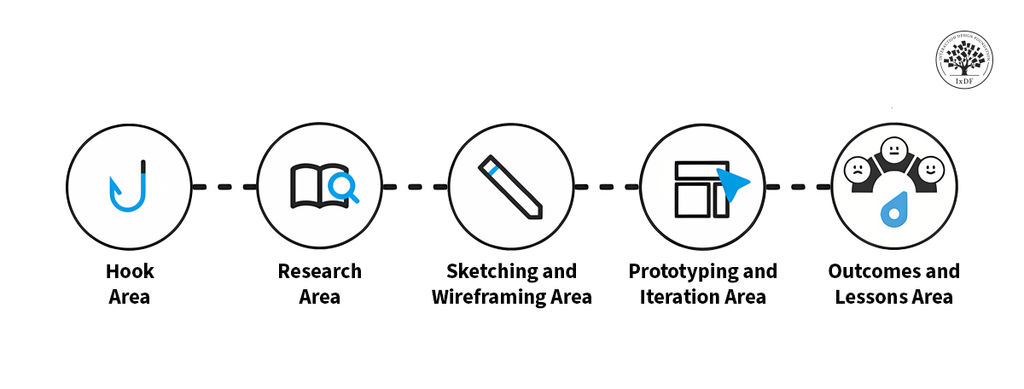
A typical structure for a case study might be:

  1. The hook

  2. Research

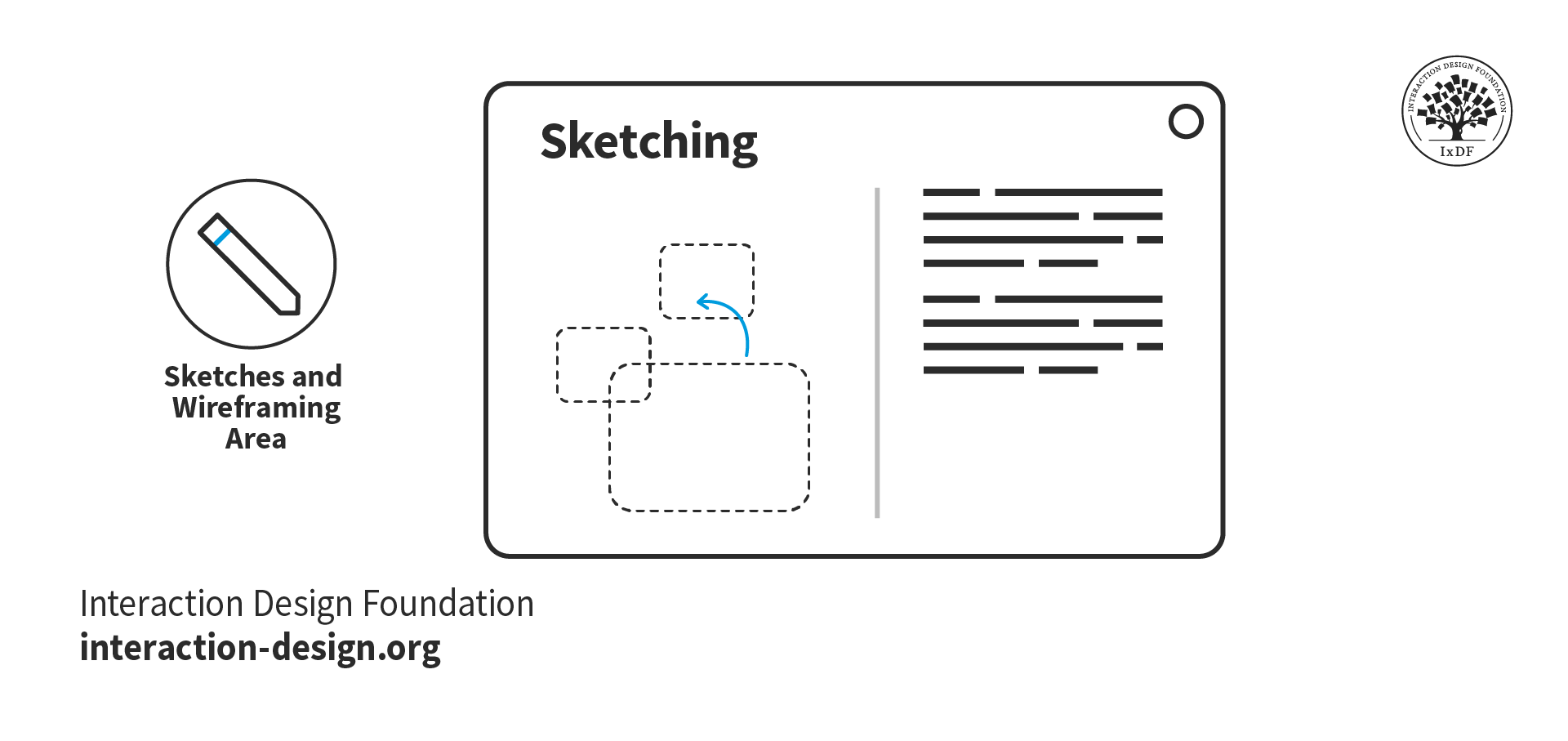
  3. Sketches and wireframing

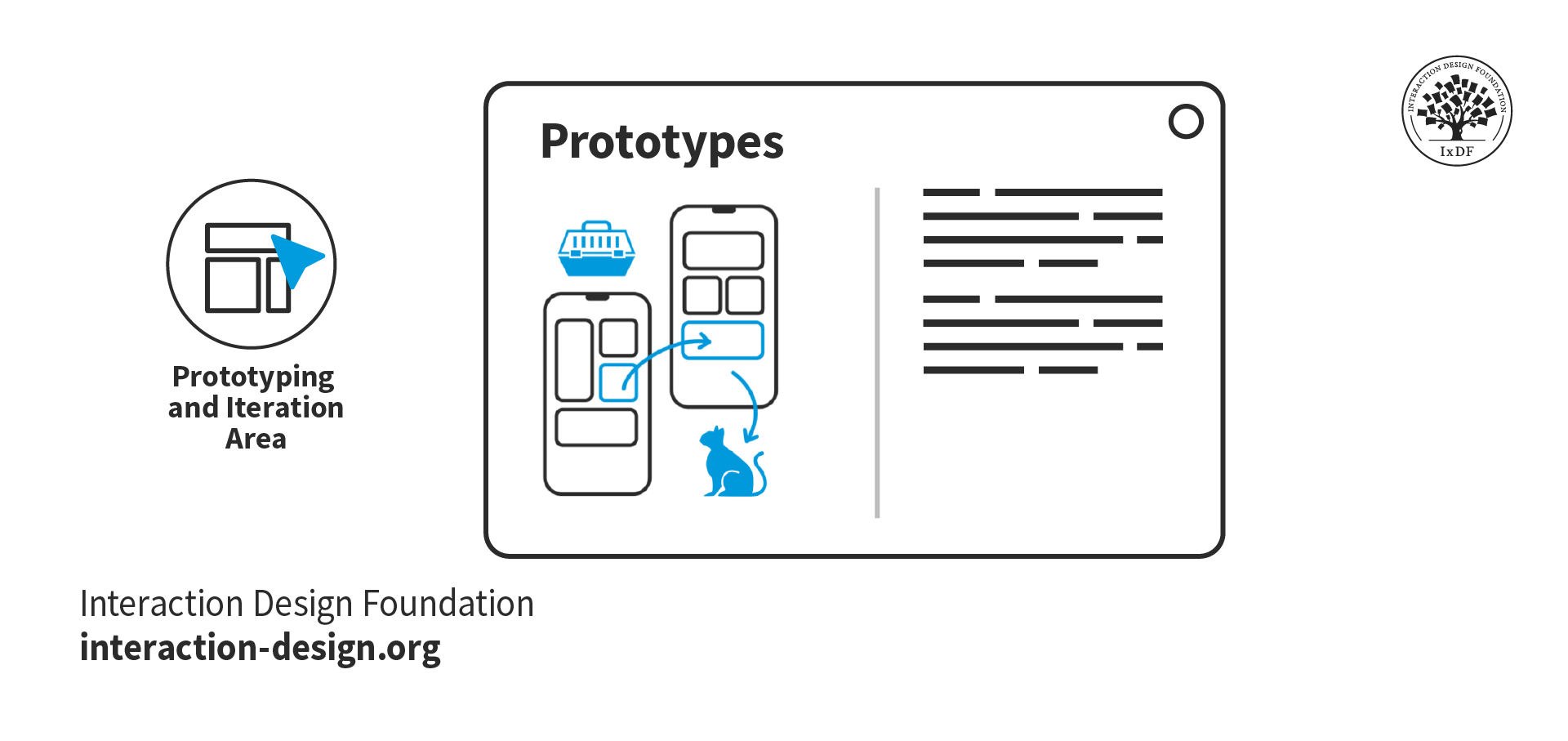
  4. Prototyping and iteration

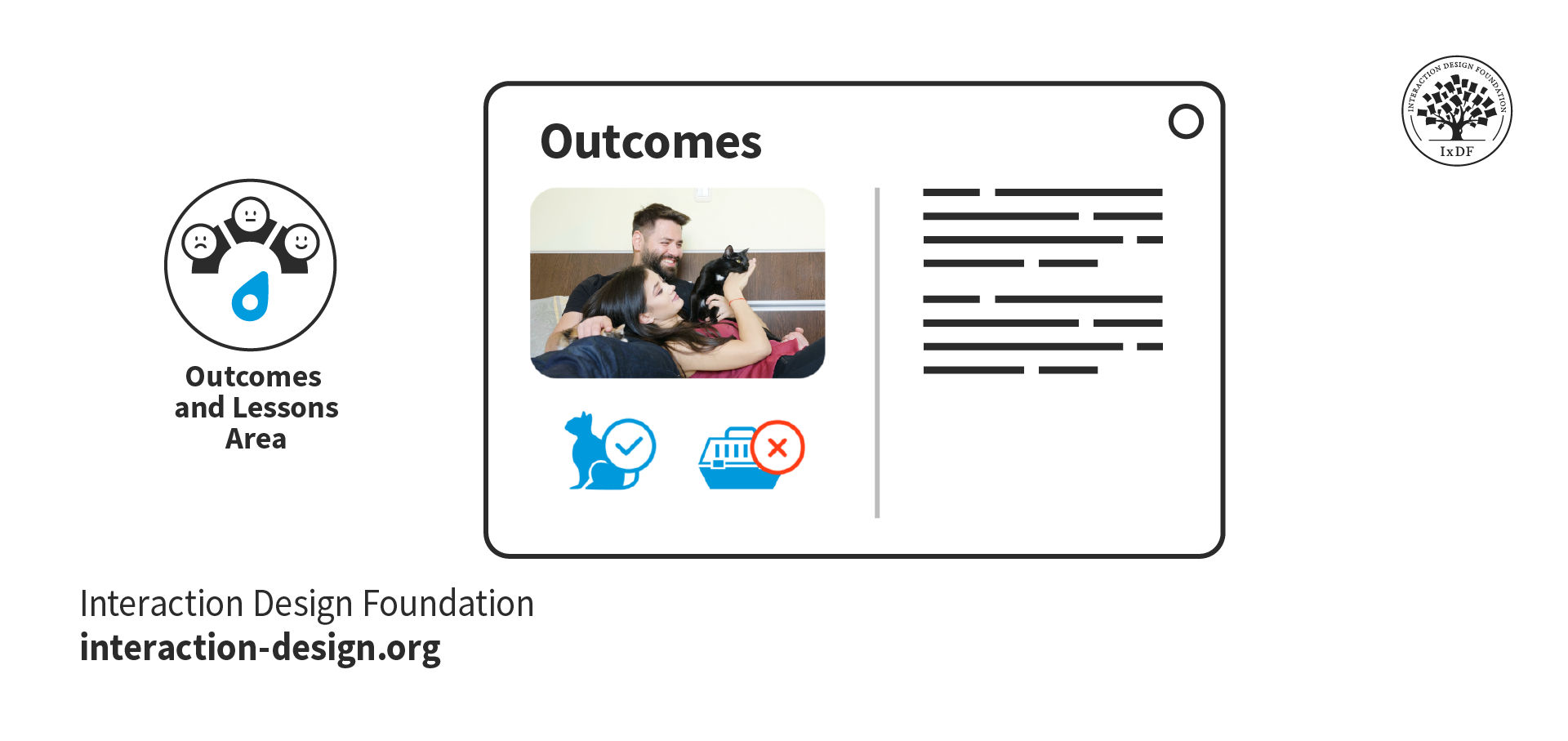
  5. Outcomes and lessons learned

Each section should include a combination of text and media (images, video, interactive elements, etc.). A good benchmark is 60%-80% text and 20%-40% media.

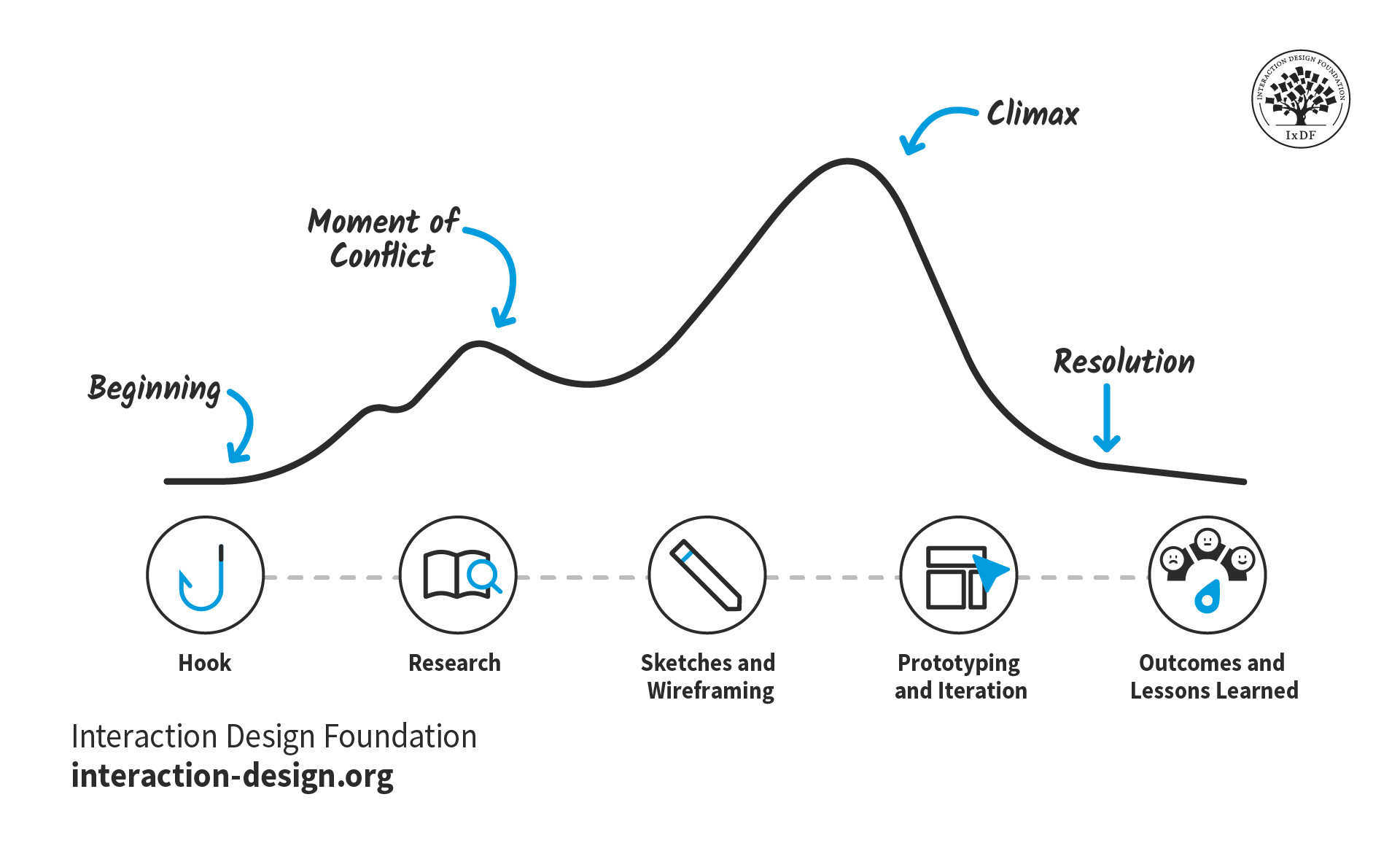
The stages of your design process serve as an ideal structure for your case study. They’re universal and relatable, so busy hiring managers can immediately understand what they’re reading. Your narrative can then flow through this structure as you set up your story with exposition, introduce and resolve conflicts, and reach the climax.

© Interaction Design Foundation, CC BY-SA 4.0

Depending on the message you want to convey in your case study, you might focus on one area in particular. For example, if you want to show off your UI (user interface) design skills, you might only include the prototyping and iteration section. For another project where you’re proud of the research you did, you could make this the primary section.

However, regardless of your project, you should always include two sections: the hook and the outcomes and lessons learned.

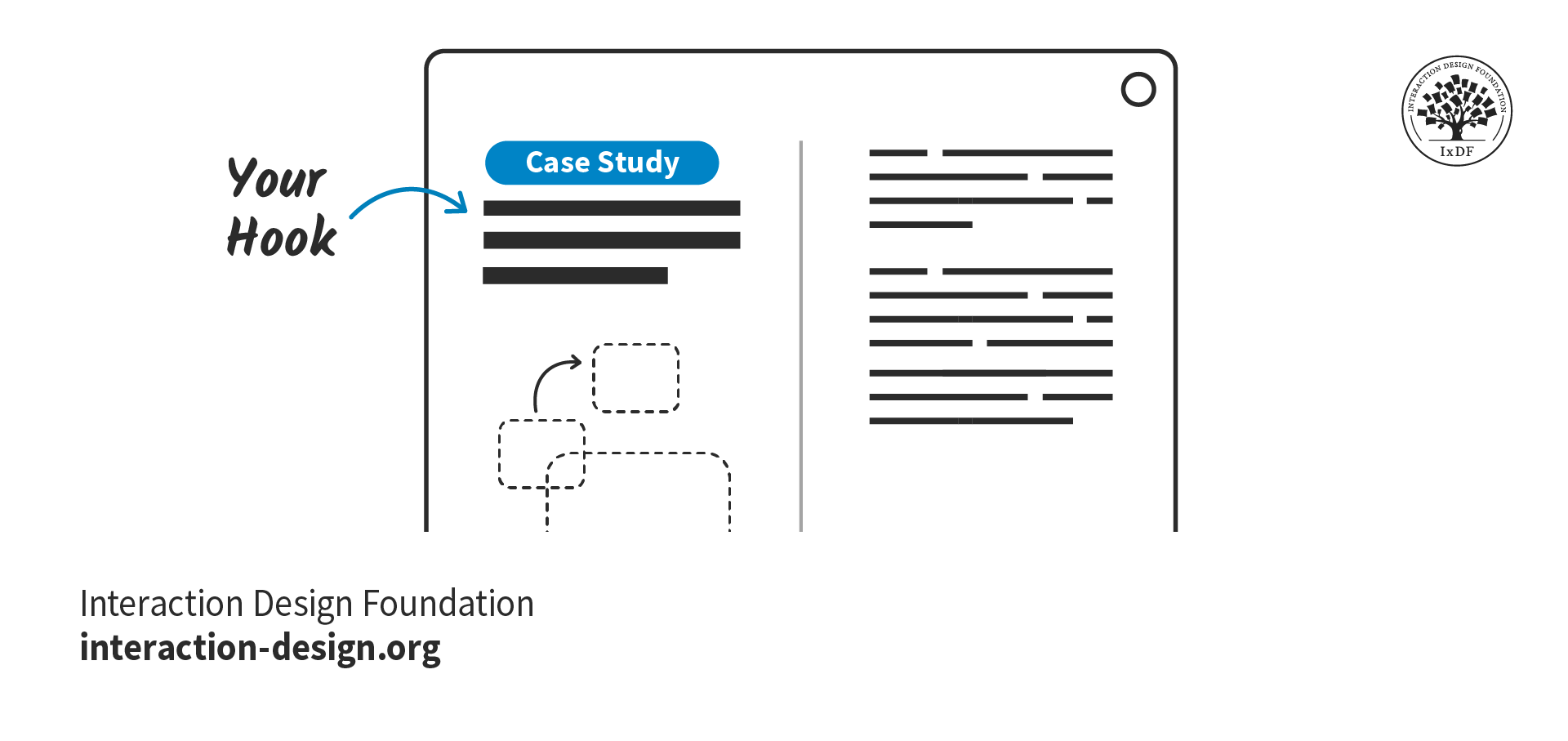
The Hook Area

The purpose of the hook is to immediately grab attention and entice the reader to read on. Your hook should convince hiring managers they’ve made the right choice by opening your case study.

© Interaction Design Foundation, CC BY-SA 4.0

To craft a hook that potential employers can’t say no to, make sure you include these elements:

  • The key characteristics of your project:

    • The type of project, e.g., a school project, client project, hypothetical project.

    • Your role, g., UX Designer, Product Designer, User Researcher, UX Writer

    • Your contribution, e.g., checkout flow, search optimization, information architecture

  • Whether you worked solo or in a group, and how you collaborated with others.

  • The design approach and methodologies you used to solve challenges and why they were effective. For example, design thinking, agile, lean UX, etc.

  • A preview of the work, such as screens, videos, or prototypes, to capture attention early on.

  • An introduction, or “exposition,” that sets the scene for the rest of the case study (more on this later on).

Where your case study differs from a typical story is that you should include the results of the project before the full case study begins. Why? Hiring managers are busy people and may only have allocated five minutes to review your whole portfolio. If you show them the results first, they will be more inclined to run over their time limit and find out how you got there. Even if the project did not reach its goals, include the positive outcomes, for example, the lessons you learned or the skills you gained.

“This might sound a bit counterintuitive … but as a hiring manager, I'd rather see the results first before diving into the case study and committing 7 to 10 minutes of my life reading it. If the preview is not available, I usually just scroll down to see it and back up to start reading.”

- Morgane Peng, Managing Director and Head of Design at Societe Generale CIB

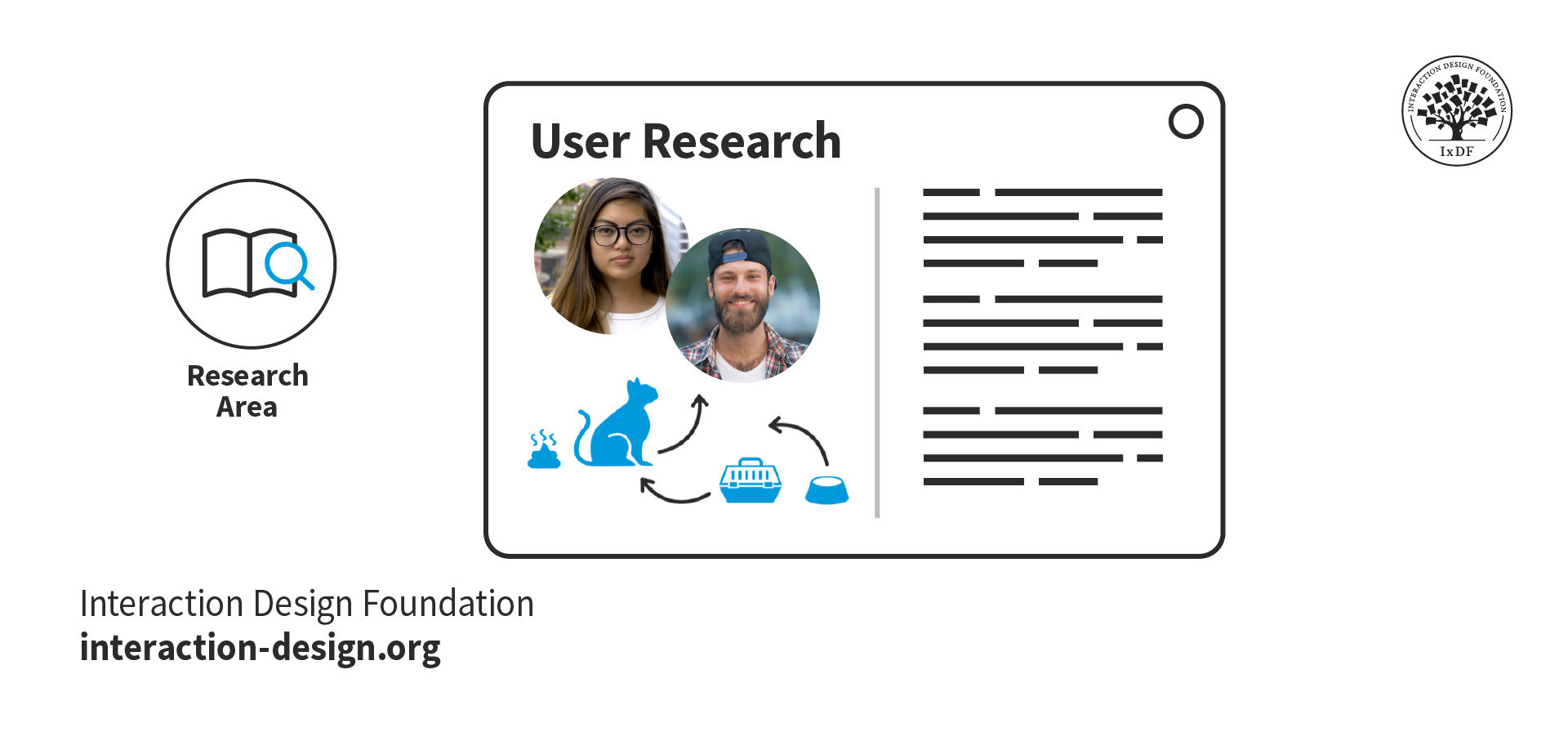
Research Area

If your case study project followed a typical design process like design thinking, then the next part of your story will likely be user research.

© Interaction Design Foundation, CC BY-SA 4.0

When you present your research and outcomes in your case study, you show that you care about research-driven, user-centered solutions. Follow these top tips when you write about your research:

  • Provide context, constraints, and clear research goals.

  • Insights are more valuable than screenshots of interview scripts or the tools you used. However, you should still include deliverables such as empathy maps, personas, and affinity diagrams to show your processes.

  • Organically link your research findings and explain how they informed your problem statement and design process.

  • Explain the reasoning behind your research methodologies and what you learned from them. Otherwise, it may seem you just ticked off research as part of a checklist.

Sketching and Wireframing Area

Sketches and wireframes demonstrate your understanding of layout concepts, UI elements, and information hierarchy. They also show your thought processes and the journey from ideas and research insights to final prototypes.

© Interaction Design Foundation, CC BY-SA 4.0

This section is your opportunity to demonstrate the core of your design process:

  • Armed with research insights, how do you approach solutions for your users’ problems?

  • How do you collaborate in a team to generate and develop ideas?

  • When you face a roadblock, how do you get past it?

As for the sketches themselves, you may have created them rapidly while brainstorming, and unless you’re an excellent illustrator, they could be a little messy! Given this, it’s good practice to redraw your sketches for your portfolio. You want to make sure hiring managers can easily understand them and that your handwriting is clear.

Similarly, your hand-drawn wireframes should be well-presented. Even if you understand them, unaligned UI elements may appear as bad design. Redrawn sketches and wireframes also give you the opportunity to annotate and explain your design decisions. In this video, Mike Rohde, Illustrator, Teacher, and Designer, explains how to use sketches in your portfolio.

Prototyping and Iteration Area

The prototype and iterations section is the penultimate section of your case study, where you showcase your final design. You’ll also tell hiring managers about the road your designs took, from sketches to high-fidelity prototypes.

© Interaction Design Foundation, CC BY-SA 4.0

The time has come to show off your final designs! Use this opportunity to showcase how your design process paid off. These are some tips to get the most out of this section:

  • Include both mobile and desktop prototypes in context if your design is multi-device. For example, show the mobile version to scale within a phone mockup.

  • Link to your prototype files to allow hiring managers to explore the design in detail.

  • Highlight any usability testing and the design changes you implemented based on the insights you found. This approach shows how you improve designs through iteration.

Outcomes and Lessons Learned

The outcomes and lessons from your project are arguably the most important part of your case study. Hiring managers want to see how you reflect on and grow from your experiences.

© Interaction Design Foundation, CC BY-SA 4.0

Finish your case studies with a conclusion. Did the project achieve its goals? If not, why? If yes, how? While the result is important, how you reflect on the project tells recruiters the most about you as a designer. Make sure you include the following as you write:

  • Include self-reflection and what you have learned to show growth and adaptability. Hiring managers want to see what you learned and how you’ve grown from a project, even if the project was not a business success.

  • Acknowledge your mistakes and the lessons learned from them, such as adapting complex interfaces for advanced users. Employers will trust you more when you admit your mistakes and show your ability to evolve and self-improve.

Take the Fast Lane with Our Case Study Template

You can get started on the structure of your case study right now with our free downloadable template. For each section, the template shows you what to include and presents a simple example:

Advance Your Career With This Free Template for “Craft Case Studies That Get You Invited To Your Dream Interview”
Craft Case Studies That Get You Invited To Your Dream Interview
We respect your privacy
Get 1 powerful email each week: Design a life you love!

The Narrative: Your Design Story

“Tell me the facts, and I’ll learn. Tell me the truth, and I’ll believe. But tell me a story, and it will live in my heart forever.”

—Native American proverb

Now that you have your structure, you can begin to thread your narrative through it. Consider the following as you write your case study stories.

Exposition

Exposition is where you set the scene of your story—it should be short, sweet, and fit into your hook. In your exposition, you should include:

  • The project background: Provide only as much background as necessary to understand the project's context. Introduce the client or company, the product, and anything else relevant. If it doesn’t add to the story, remove it!

  • The “inciting incident”: The earliest event in the story that sets it in motion. Instead of “My company tasked me with the project,” aim for “My company wanted to increase conversions to improve year-on-year sales figures, and identified our product pages as an opportunity for this.”

  • Your motivation: This is the most important part of the exposition. What motivated you to take on the project tells hiring managers a lot about you. For example, “I was eager to develop my user rapport skills, and this project required a lot of qualitative research.” This example shows you’re committed to growth and up for challenges.

  • The project goal(s): Where possible, use measurable goals so it is clear in your conclusion whether you met them or not. For example, “The project goal was to increase conversions by 1.5% and monthly revenue by 3%.”

If you are transitioning to UX/UI design from a different industry, you may need to provide a little more exposition. This additional information will help recruiters understand how your experiences relate to design. Find out more from Morgane Peng, Managing Director and Head of Design at Societe Generale CIB, on how to use your non-design experience in your design portfolio:

Transcript

Emotion

Emotion helps readers relate to the story and imagine themselves in your shoes. An emotional account will always provide a better reading experience than a dry, factual account ever could.

However, emotion doesn’t mean melodramatic. Keep your writing professional, and don’t exaggerate the emotion. You want to engage recruiters—not perform a soap opera.

Look at the following two examples; which one is more engaging?

Factual:

The main finding was that the assumption that users shopped based on their weekly nutritional needs was invalid.

Emotional:

Our finding threw a giant wrench in the works. We realized our assumption—that users shopped based on their weekly nutritional needs—was completely wrong.

Emotion is a tremendous factor in decision making, as Susan Weinschenk, Chief Behavioral Scientist and CEO, The Team W, Inc., explains in this video:

Transcript

Moments of Conflict

Conflict introduces problems that require a resolution. Conflict drives the story forward, creates emotional engagement, and shows character development.

Think about the challenges you faced in your project. How did you resolve them? Some examples of conflict could be:

  • A lack of accessibility that resulted in user complaints.

  • Conflicting stakeholder expectations that slowed a project down.

  • Differing opinions within the design team on how to move forward with a design.

  • Technical limitations of the product or platform that required design compromises.

The Climax

The climax can happen anywhere from about two-thirds of the way through a story and should be the most pivotal event. It could happen in any section of your case study; however, make sure to allow sufficient time to build up to it. If the climax happens too soon, everything after it will feel flat.

In a UX/UI design case study, you have a lot of freedom in what the climax can be. It can be a turning point, a victory, or, in some cases, a failure. However, it is important that the climax makes sense in the context of the rest of the narrative. It is followed by the “falling action,” which is where the story winds down and all conflicts are resolved.

 Some examples of the climax of a UX design case study are:

  • The positive results of a usability test for a risky, unconventional design.

  • The agreement of stakeholders to implement a design after much discussion and convincing.

  • The discovery of a user research insight that explains a previously misunderstood low user completion rate.

  • The creation of an ingenious design element that solves a complex problem.

The Take Away

The best way to write a case study is to tell a story. Design stories are vessels through which recruiters can imagine a future working with you.

  • Structure creates familiarity and facilitates navigation. Use your design process as chapter headings and include a good balance of text and media. Include the sections that are most relevant to you or that you wish to focus on.

  • Storytelling helps hiring managers experience and understand exactly how you solve a design problem. Use exposition, emotion, conflict, and the climax to engage readers and make your case studies memorable.

If you enjoy the process of writing your design stories, recruiters will enjoy reading them, too. Inject color and passion into a framework that is easy to understand, and you’ll soon be getting invited to interviews!

References and Where to Learn More

Want to create a portfolio that gets you hired? Take our course, Build a Standout UX/UI Portfolio: Land Your Dream Job, and learn how to showcase your skills, tell compelling project stories, and impress employers.

Learn more on how to Turn Your Non-Design Experience into Design Portfolio Gold.

Find out how to Keep Your Case Studies Confidential and Showcase Your NDA-Protected Design Work.

Incorporate Freytag’s Pyramid and Craft Compelling UX/UI Design Case Studies the Easy Way.

Discover How Aristotle’s 6 Elements of Drama Will Transform Your UX/UI Design Case Studies into Page-Turners.

Justinmind reveals case study tips from the industry in their article, How to Impress in a UX Job Interview: Recruiters & UX Managers Reveal Their Top Tips.

Images

Hero image: © Interaction Design Foundation, CC BY-SA 4.0

Feel Stuck?
Want Better Job Options?

AI is replacing jobs everywhere, yet design jobs are booming with a projected 45% job growth. With design skills, you can create products and services people love. More love means more impact and greater salary potential.

At IxDF, we help you from your first course to your next job, all in one place.

See How Design Skills Turn Into Job Options
Privacy Settings
By using this site, you accept our Cookie Policy and Terms of Use.
Customize
Accept all

Be the One Who Inspires

People remember who shares great ideas.

Share on:

Academic Credibility — On Autopilot

Don't waste time googling citation formats. Just copy, paste and look legit in seconds.