Discoverability refers to how easily users can find features, information, or functionalities within a product, service, or system. In the context of user interface (UI) and user experience (UX) design, it's about making all necessary options and tools visible or easily retrievable for users when needed.
Good discoverability ensures users don't feel lost, frustrated, or confused when navigating a digital product or physical space.
In this video, Netflix Product Design Lead Niwal Sheikh talks about how to define discoverability.
Why Is Discoverability Important?
Discoverability is a fundamental aspect of user experience design that affects how efficiently and effectively users navigate and use a product or system.
In this video, Niwal Sheikh compares the consequences of high and low discoverability.
When designers prioritize discoverability, they ensure that important features and information are easily accessible. This enhances user satisfaction and engagement and contributes to a product's overall success and adoption.
There are several reasons why discoverability is paramount:
User Efficiency: It allows users to complete tasks more quickly by minimizing the time spent searching for functions or information.
User Satisfaction: Easy-to-find features and information lead to a more satisfying user experience.
Reduction in Learning Curve: Good discoverability means new users can get up to speed and become productive with minimal effort.
Increased Engagement: When users find what they need, they're more likely to explore additional features and content, leading to deeper engagement.
How to Design for Discoverability
Designers should leverage user research and information architecture (IA) to enhance the discoverability of a product.
How User Research Improves Discoverability
User Needs and Behaviors: User research reveals what users need, how they think, and their goals. Designers must understand these aspects to design a product that aligns with user expectations for finding and interacting with content and features.
Design Decisions: User research insights should guide content and functionality prioritization to ensure the most essential elements are the most discoverable.
Mental Models: Designers need to understand how users categorize information in their minds to align the product's structure to user expectations and make discovery more intuitive.
Reduce Assumptions: Direct feedback and observations from users reduce reliance on guesswork, which leads to a design that accommodates real user behaviors and preferences, enhancing discoverability.
How Information Architecture Improves Discoverability
Organize Content: Effective information architecture organizes content logically and predictably, which makes it easier for users to find information or features.
Straightforward Navigation: IA informs navigation design, ensuring menus, categories, and links are user-friendly and intuitive. Well-structured navigation significantly improves discoverability.
Support Scalability: Robust IA accommodates additional content or features without clutter or confusion, maintaining discoverability as the product evolves.
Consistency: Consistent labeling, categorization, and organization across the product make it easier for users to learn and remember where to find things, enhancing discoverability.
User-Centric Terminology: IA employs language and terms familiar to the users, not just technical or industry-specific jargon. This ensures users can easily find what they seek.
Together, user research and information architecture provide a solid foundation for a design that is intuitive and easy to navigate. Designers need to implement insights from user research and structure content and features effectively through information architecture to significantly enhance the discoverability of their products.
Discoverability Challenges and How to Overcome Them
Designers confront several challenges when they aim to enhance discoverability. Key challenges include:
Information Overload: The increasing content volume can overwhelm users, leading to the paradox of choice, where the abundance of options hinders decision-making.
Poor Navigation and Search Functions: Ineffective navigation or search capabilities significantly hinder users from locating the content or products of interest.
Lack of Personalization: Generic content recommendations or search results lead to irrelevant options for users and make the discovery process tedious and less effective.
Content Quality and Relevance: Ensuring discoverable content is of high quality and relevant to users poses a significant challenge.
Changing User Expectations: As technology evolves, so do user expectations. Keeping pace with these changing preferences and the preferred content discovery methods is challenging.
Designers can address discoverability challenges using key strategies. For example, designers can apply psychology principles, such as Hick's Law—which indicates an increase in the number of choices logarithmically increases decision time—to simplify and curate choices and reduce decision time. They must ensure intuitive navigation, clear labeling, and robust search features. Personalization is crucial with data analytics and machine learning to tailor experiences. Designers should also conduct continuous user tests for feedback to refine discoverability features and ensure accessibility.
Discoverability: UI Patterns and Best Practices
Here are the best practices for enhancing discoverability in design:
Clear Navigation
Implement a clear, logical, and consistent navigation structure that aligns with users' expectations. This includes a well-organized menu, intuitive categorization, and a visible search bar.
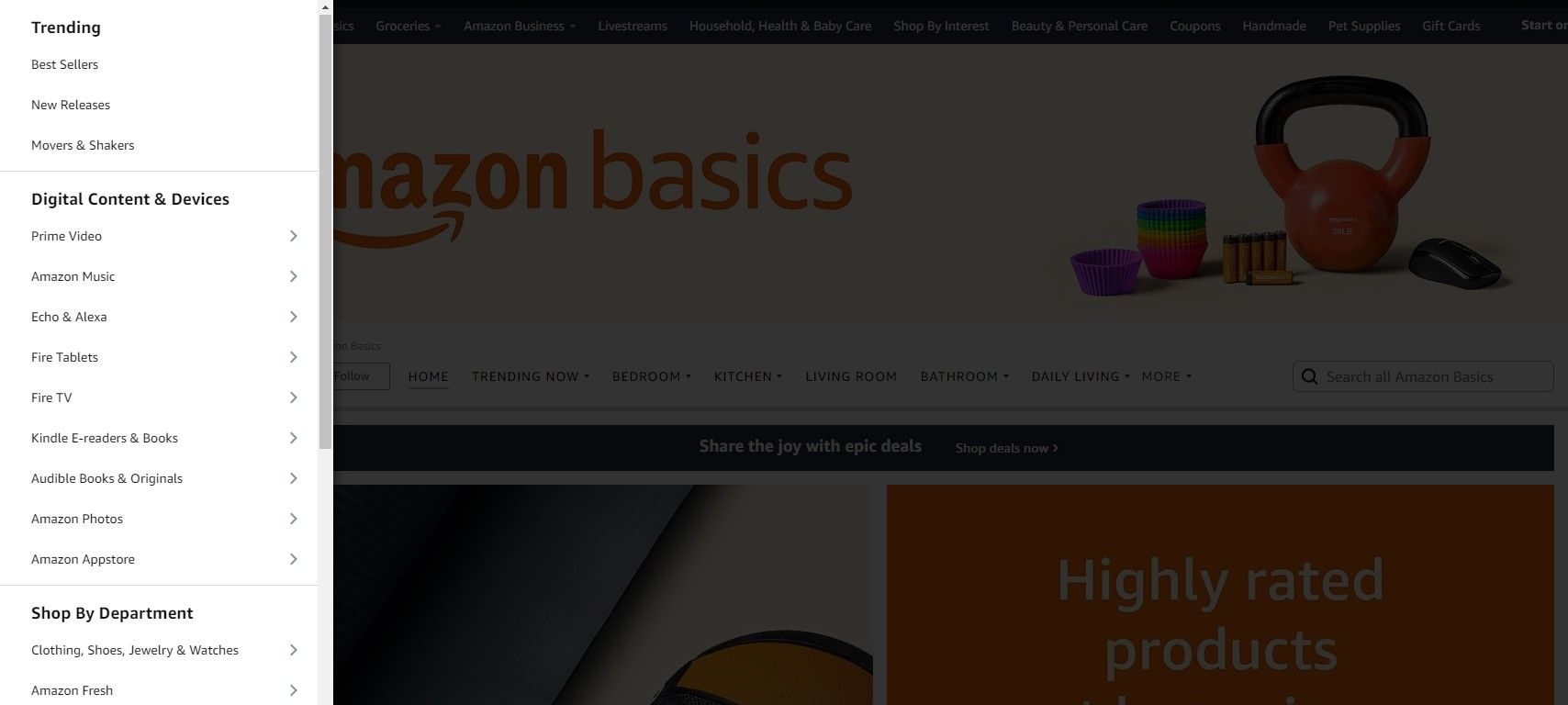
Amazon uses a mega-menu with clear categories and subcategories, which helps users navigate to the exact item or section they're looking for.
© Amazon, Fair Use
Effective Search Functionality
Offer robust search features, including filters, auto-complete suggestions, and relevant search results. Ensure the search is quick and returns accurate results.
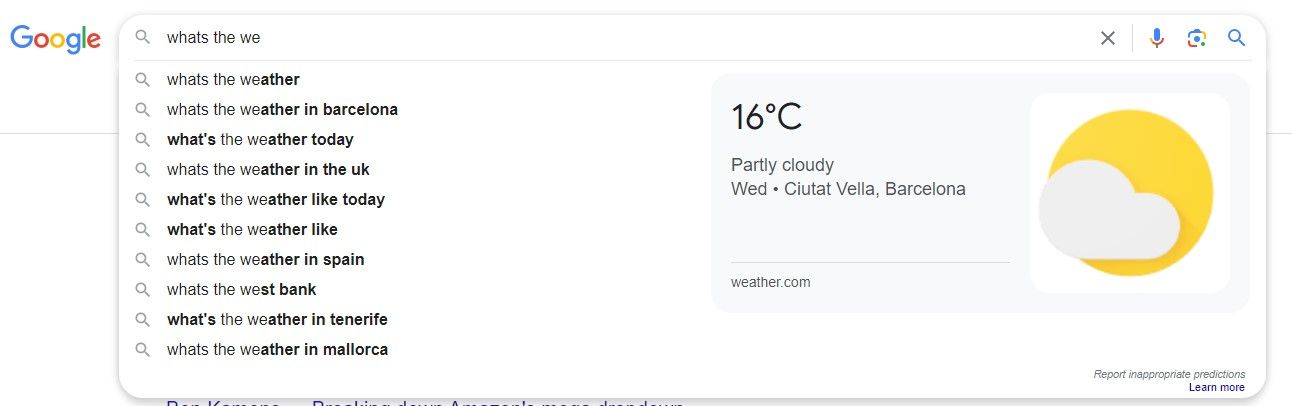
Google's search engine is the epitome of effective search, offering auto-complete, corrections for misspellings, and varied search filters.
© Google, Fair Use
Visual Hierarchy
Use size, color, and layout to guide users' attention to the most important elements. A strong visual hierarchy helps users identify where to find the information or features they need.
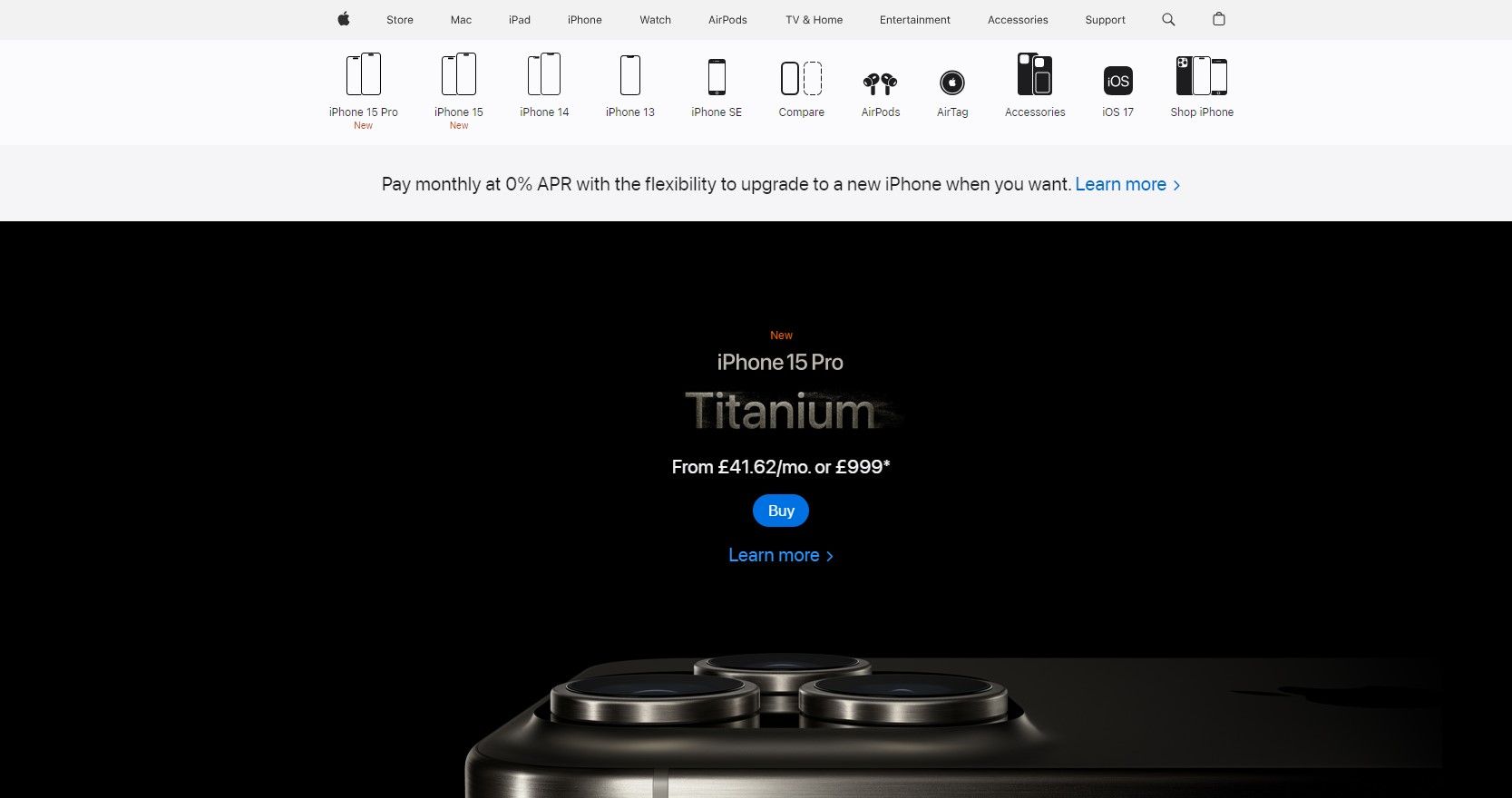
Apple's website uses size, contrast, and imagery to draw attention to the latest products and important calls to action, guiding users effectively through the content.
© Apple, Fair Use
Consistent and Familiar Design Elements
Use familiar icons and labels. Consistency in design elements across different parts of the product helps users quickly learn and find what they need.
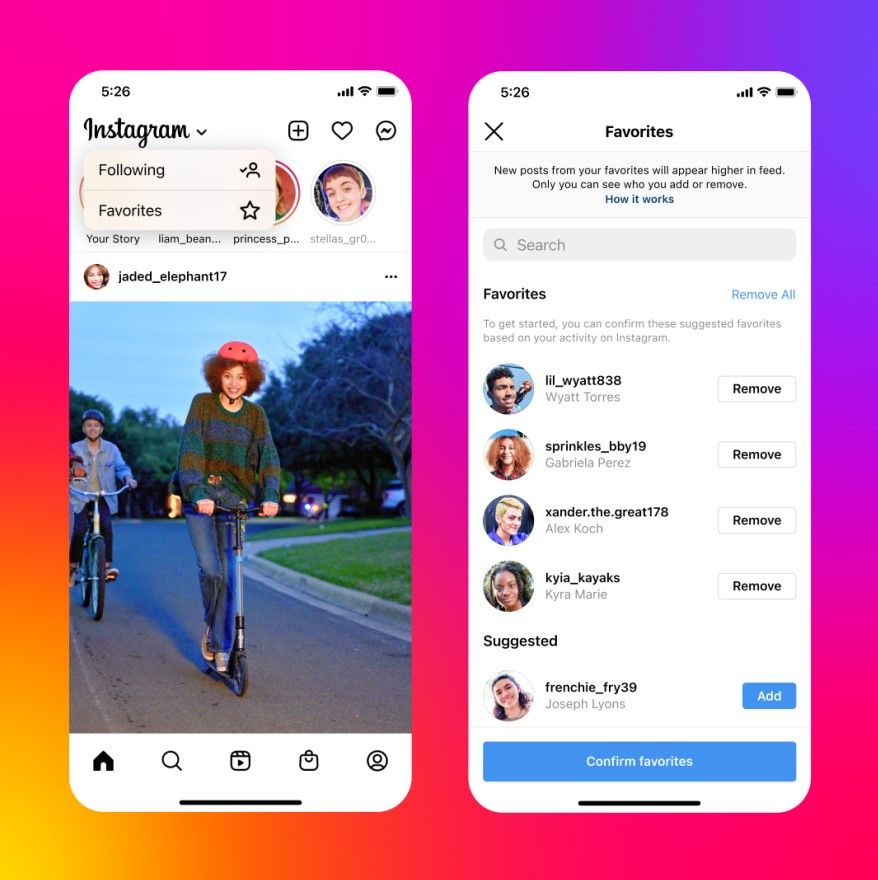
Most social media platforms, like Facebook and Instagram, use a consistent placement for elements like the home button, search, and settings across the app, making it easy for users to find what they need.
© Meta, Fair Use
Breadcrumbs
Implement breadcrumbs in complex applications or websites. They help users understand their current location and easily navigate back to previous sections.
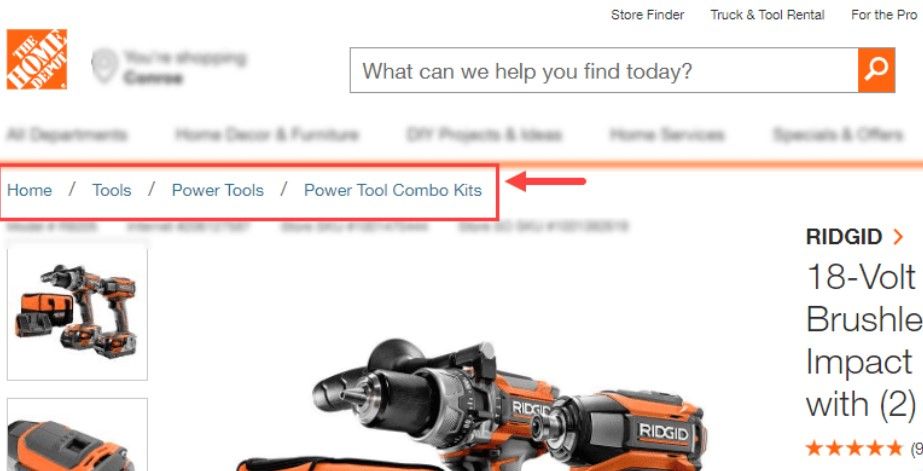
Websites like Home Depot use breadcrumbs in their product navigation, allowing users to track their path from home to the current page and easily return to a previous section.
© Home Depot, Fair Use
Highlight New Features
When introducing new features, use tooltips, guided tours, or highlight changes to ensure users notice and can take advantage of them.

LinkedIn often introduces new features with pop-up guides or highlight notes directly on the UI, making users aware of new functionalities.
© LinkedIn, Fair Use
Feedback Systems
Provide immediate and clear feedback. For example, when users search, show the number of results found and highlight terms in the results.

E-commerce sites like Etsy provide immediate feedback when users add items to their cart, including a visual indication of the cart's contents and the number of items.
© Etsy, Fair Use
User Testing
Regularly test the design with real users to identify and fix discoverability issues. This includes usability testing, A/B testing, and analytics review.
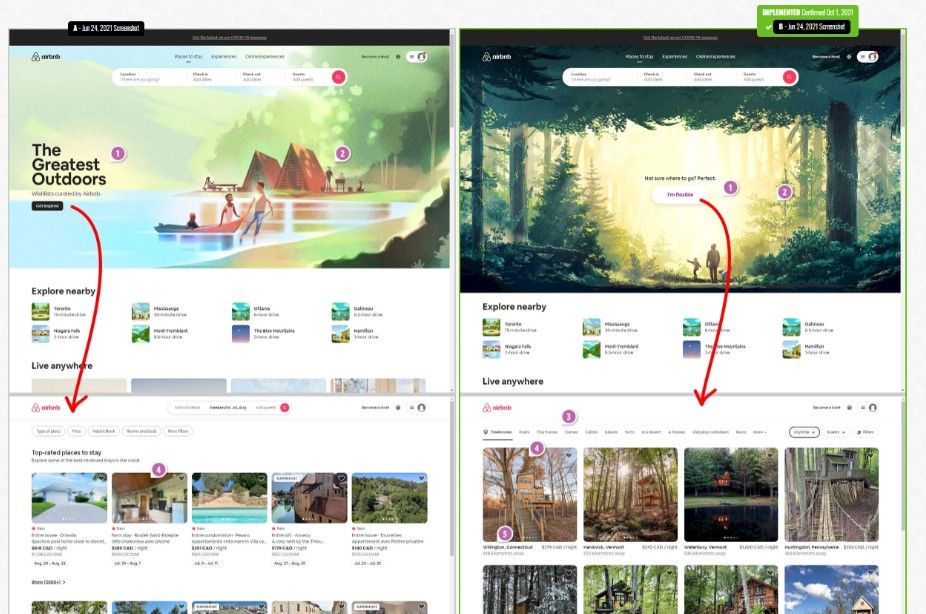
Companies like Airbnb continually test and iterate their design, using real user feedback to improve discoverability and overall user experience.
© Airbnb and GoodUI.org, Fair Use
Accessibility
Ensure the design is accessible to all users, including those with disabilities. This includes using alt text for images, ensuring keyboard navigability, and designing for screen readers.
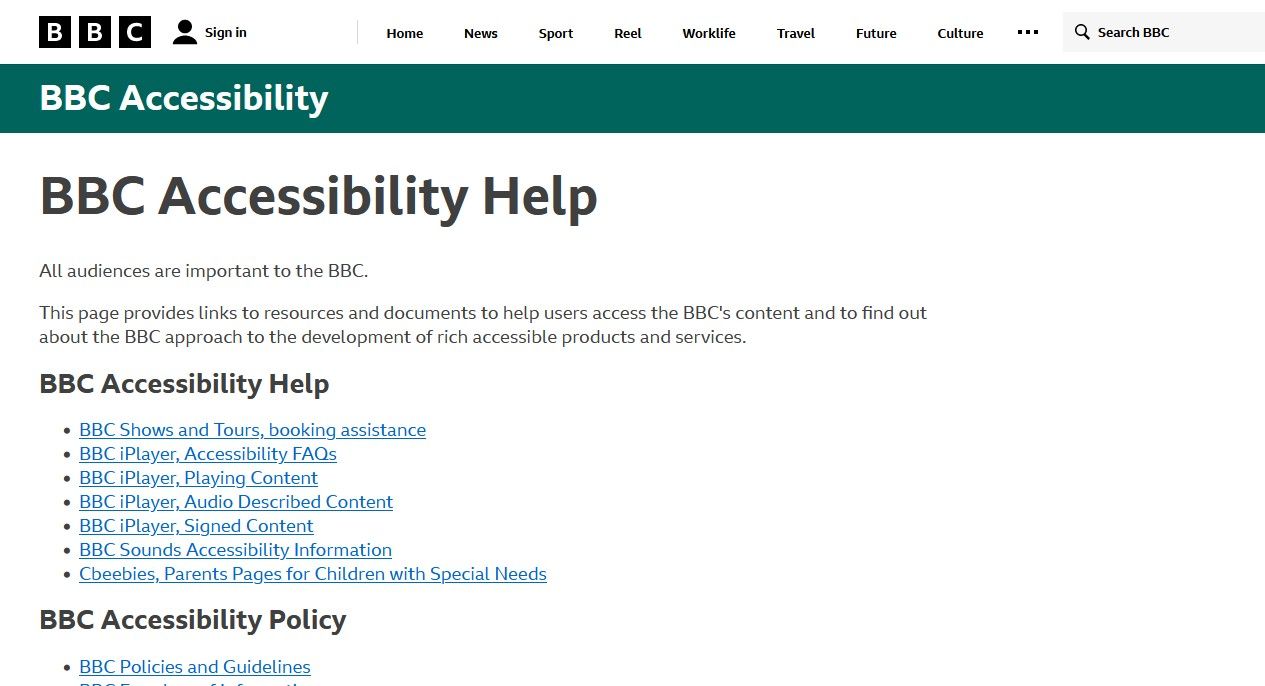
The BBC's website is known for its accessibility features, including options for different contrast modes and screen reader capabilities, ensuring content is discoverable for all users.
© BBC, Fair Use
Minimalism
Avoid clutter. A clean and focused design helps users not get overwhelmed and easily find what they want.

Google's homepage is famously minimalist, focusing user attention on the search bar, the primary feature, ensuring a quick and distraction-free experience.
© Google, Fair Use
To see these principles in action, designers should consider how popular platforms like Amazon or Google implement precise categorization, predictive search, and visual cues to guide users.
How to Optimize Visual Design for Discoverability
Designers should always consider discoverability when working on all aspects of product design, including visual design. Here are key strategies designers can apply:
Prioritize Content and Features: Designers must understand and prioritize the most important content or features for their users. They should use data and user feedback to inform these decisions and highlight these elements visually, positioning them prominently in the layout.
Use Clear Signifiers: Designers should employ visual cues such as icons, labels, and affordances that indicate how users should interact with UI elements. For instance, underlining text to show a link or using a magnifying glass icon for a search ensures that users recognize possible actions.
Establish Visual Hierarchy: Designers must create a visual hierarchy that guides users to the most critical information or features. They should use size, color, and typography to draw attention and make navigation intuitive.
Implement Progressive Disclosure: Designers should show only the necessary information at each point in the journey to reduce cognitive load. As users delve deeper, they reveal more detailed information or additional features. This technique keeps interfaces simple and guides users to discover more as they proceed.
Feedback and Affordance: Providing immediate feedback when users interact with elements is essential. For instance, changing the color of a button when hovered over or clicked reassures users and encourages further interaction and discovery.
Test and Iterate: Designers must continuously test their designs with real users, observe how they interact with the product, and identify areas of struggle. They should use these insights to improve discoverability in their designs iteratively.
The goal is to make the user's journey through the product as smooth and intuitive as possible.
Discoverability: Use Cases
Good discoverability is essential in many real-life scenarios across various industries and applications. For example:
E-Commerce Websites: Effective discoverability means users can quickly find the products they want on online shopping platforms like Amazon or eBay. Good category organization, effective search mechanisms, and personalized recommendations contribute to a smooth shopping experience.
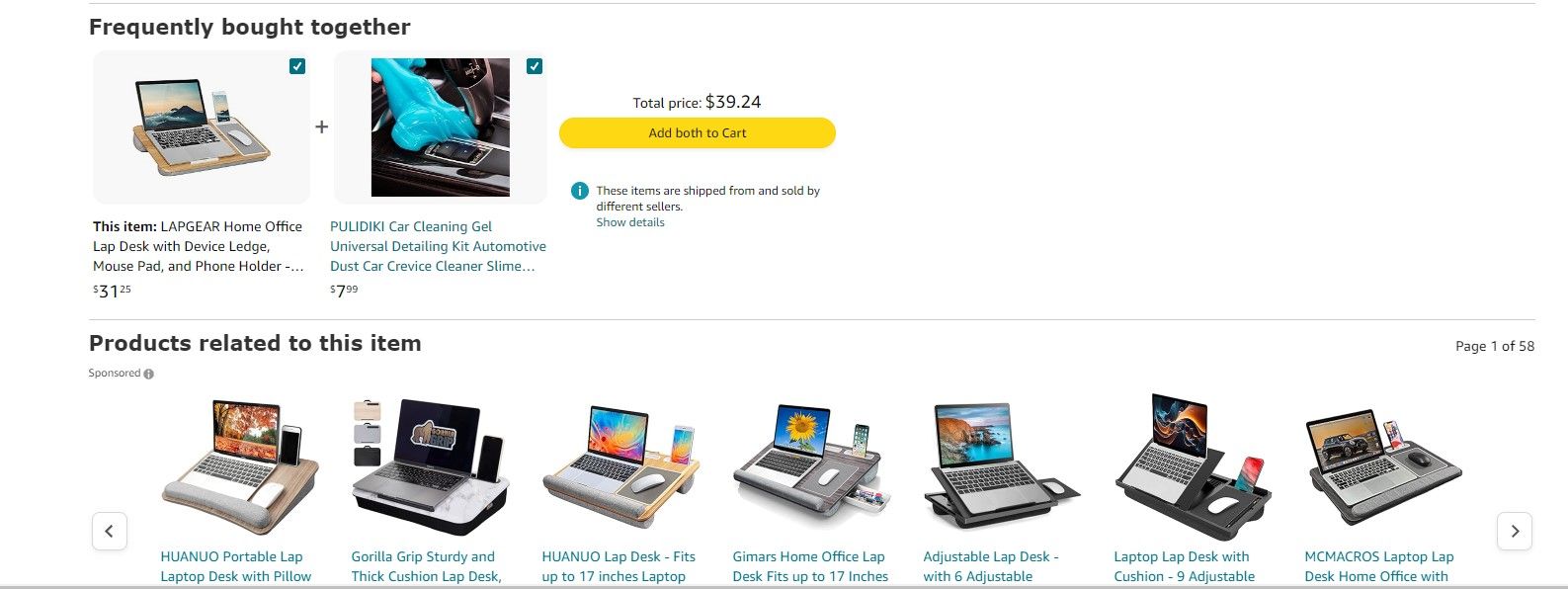
Amazon uses sophisticated algorithms to recommend products, provides a robust search engine, and categorizes items into detailed departments, making it easier for users to find what they want.
© Amazon, Fair Use
Library Databases: Libraries use cataloging systems so that patrons can find books, academic papers, or media efficiently. Good discoverability in these databases involves accurate metadata, clear categorization, and robust search functionalities.
The Library of Congress has an extensive cataloging system, with precise classifications and subject headings, which allows users to discover books and resources across a vast collection efficiently.
© Library of Congress, Fair Use
Mobile Applications: For apps, whether a social media platform, a productivity tool, or a game, users should be able to navigate and find features effortlessly. Good discoverability means intuitive interfaces, a minimal learning curve, and quick access to core functionalities.
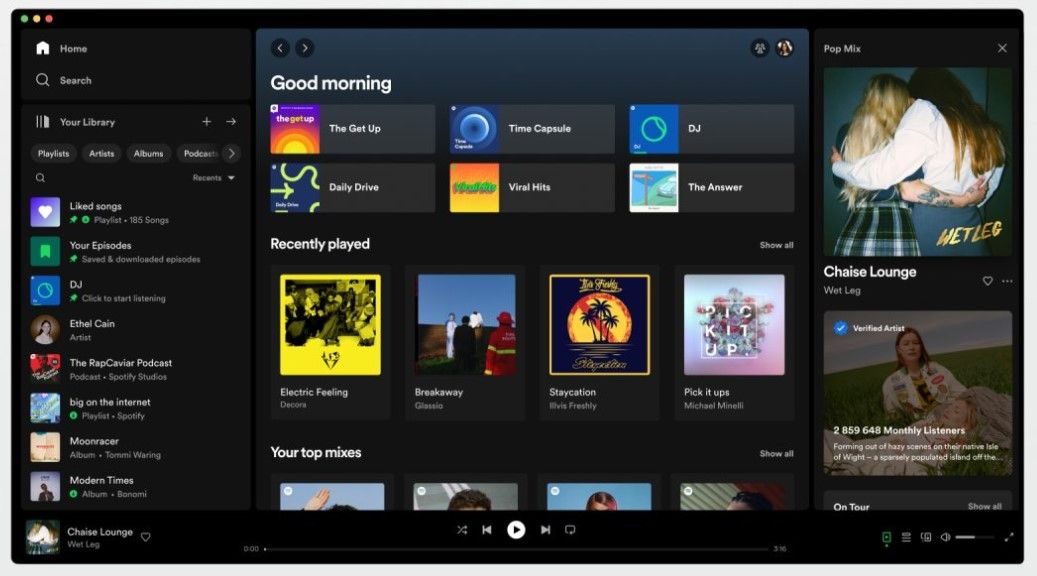
Spotify provides easy access to millions of songs and podcasts. It features an intuitive interface, personalized playlists, and powerful search capabilities, which allow users to discover new and favorite music effortlessly.
© Spotify, Fair Use
Travel and Booking Sites: Sites like Airbnb or Booking.com rely on good discoverability so users can find the perfect accommodation or travel option. Filters, search capabilities, and clear listings are crucial.
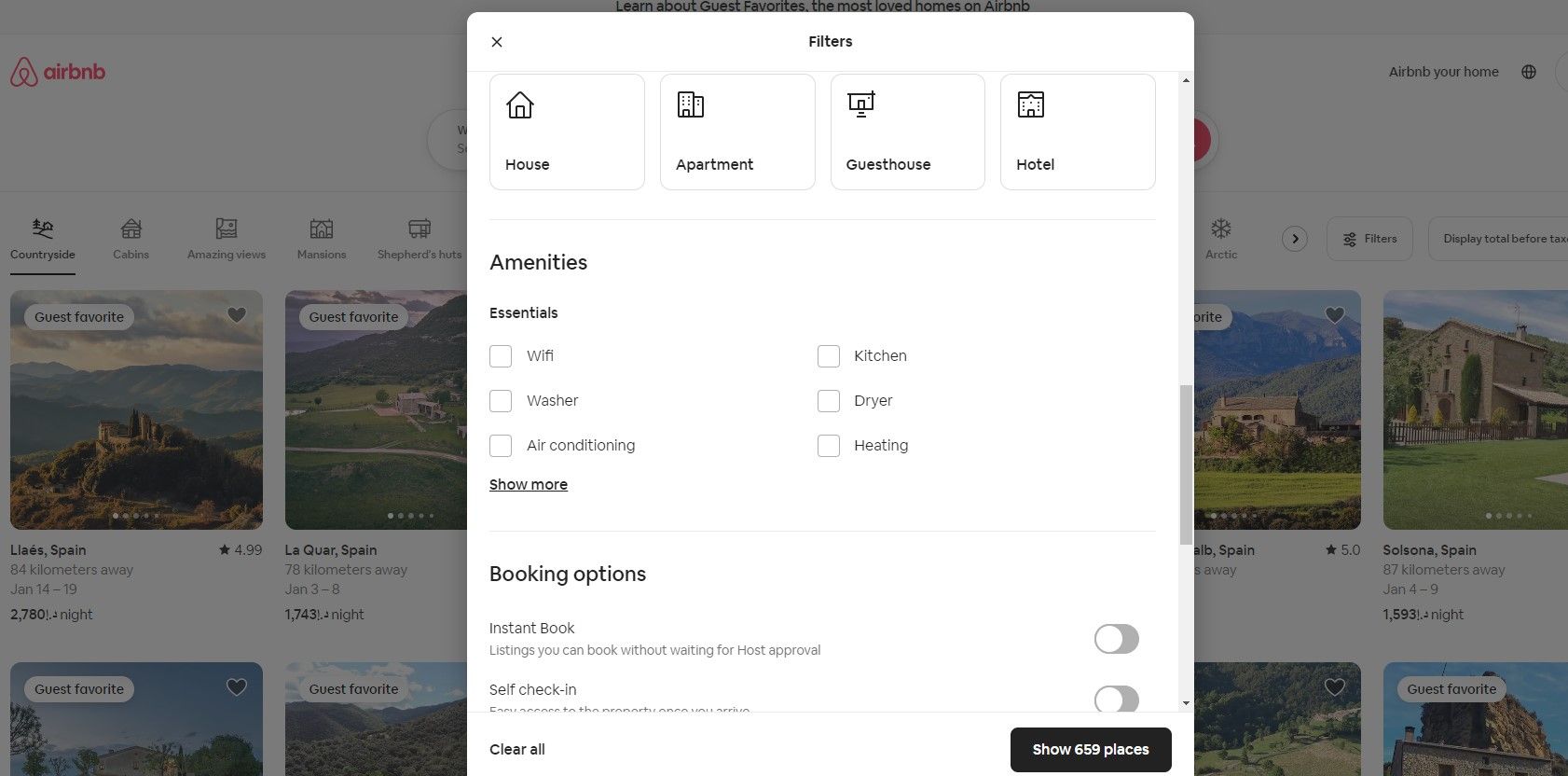
Airbnb allows users to filter search results by date, price, room type, amenities, and more. Its clear and visual listings and user reviews make finding the perfect place to stay much more straightforward.
© Airbnb, Fair Use
Content Platforms: For content-heavy platforms like YouTube or Medium, users must find relevant and interesting content easily. Algorithms for recommendations, effective tagging, and search functionalities are essential for good discoverability.
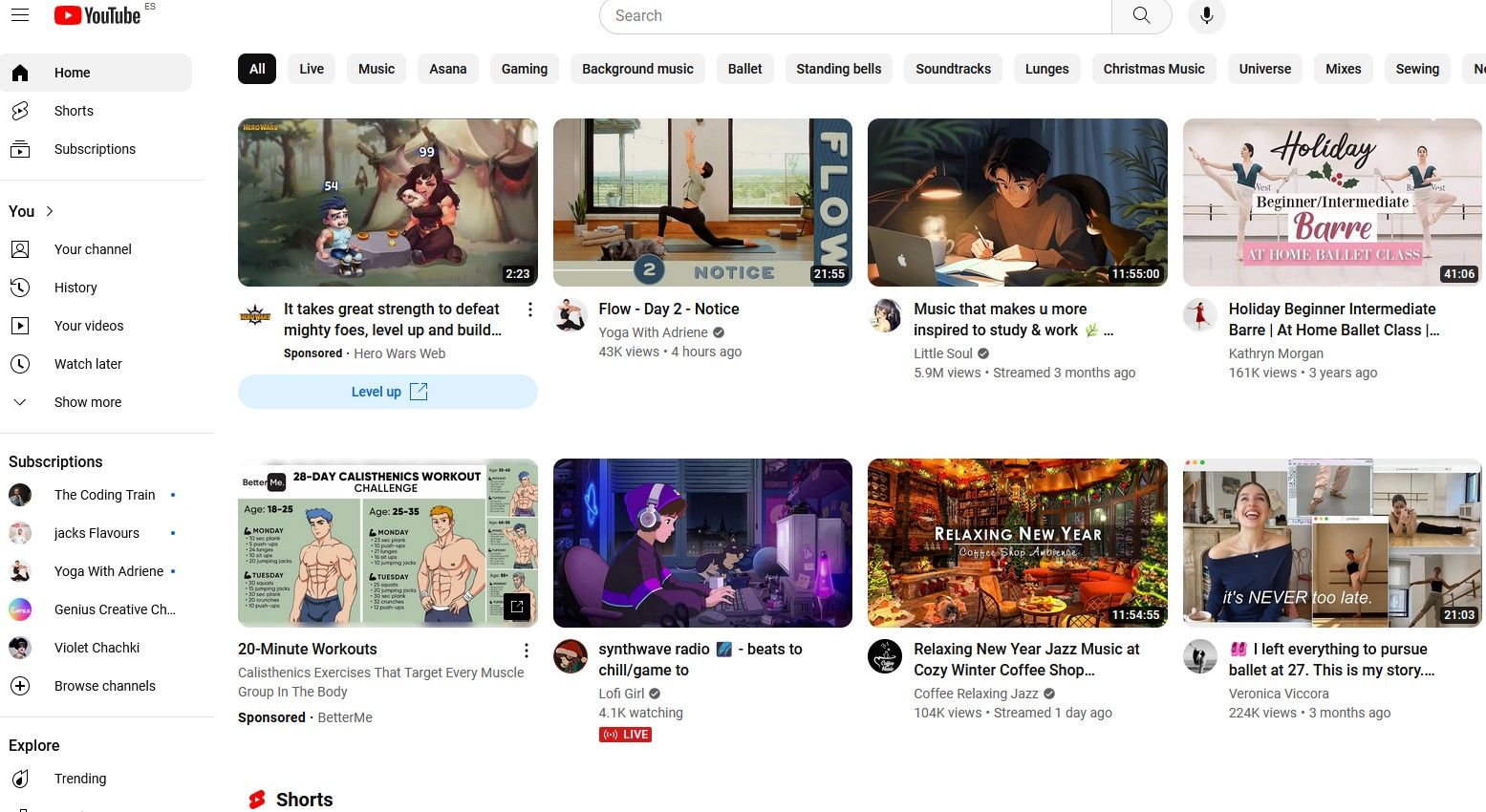
YouTube uses an algorithm to suggest videos, categorizes content into channels and playlists, and offers a robust search function. Users can discover videos tailored to their interests or search for specific content.
© YouTube, Fair Use
In all these cases, the ultimate goal of good discoverability is to enhance user satisfaction and efficiency by minimizing the time and effort needed to find something. This leads to better user retention, satisfaction, and overall success for the service or product.
How Does AI Impact Discoverability
Artificial Intelligence (AI) substantially enhances discoverability across various sectors and revolutionizes how people access and find information. AI refines search algorithms, personalizes content, and develops more intuitive user interfaces. For instance, AI-driven search engines better understand user intent and context, which leads to more accurate and relevant search results. This breakthrough significantly streamlines information access, optimizes time, and elevates user experience.
For example, Spotify's music recommendation system uses AI to analyze your listening habits, considering factors like the genres, artists, and specific songs you prefer. Then, it suggests new songs or artists that match your taste. This level of personalized content discovery was unattainable before AI.
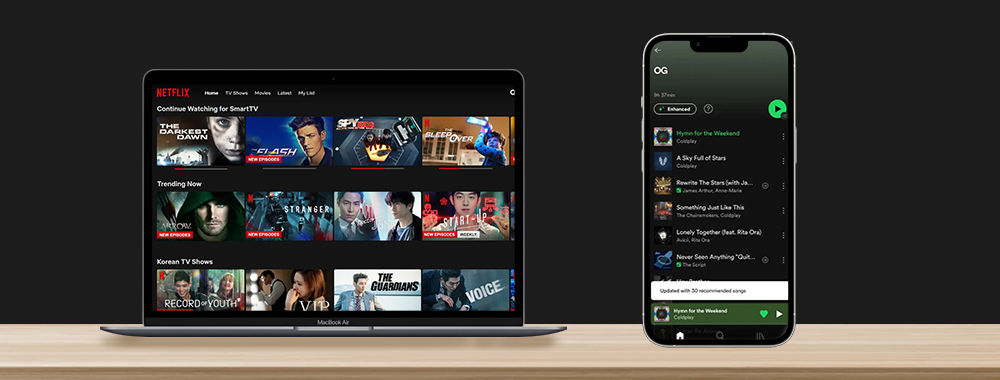
Netflix and Spotify use AI-based recommendation systems.
© Netflix and Spotify, Fair Use
Moreover, AI categorizes and organizes data effectively, learning from user behavior to suggest relevant content and predict user needs. This dynamic discoverability means users continually receive tailored content, which leads to a more engaging and efficient experience. However, it also necessitates robust data protection strategies and careful consideration of potential filter bubbles.
AI-assisted dynamic discoverability helps product designers create designs that evolve according to user preferences and behaviors, which makes the discovery of new features or content feel natural and intuitive.
Discoverability and the Paradox of Choice
The paradox of choice and discoverability have an intricate link, especially in digital environments where users often encounter a vast array of options. The paradox of choice, a term popularized by psychologist Barry Schwartz, refers to the phenomenon where an abundance of choices can lead to negative outcomes, including decision paralysis, anxiety, and dissatisfaction with the chosen option.
Learning to choose is hard. Learning to choose well is harder. And learning to choose well in a world of unlimited possibilities is harder still, perhaps too hard.
— Barry Schwartz, The Paradox of Choice
As the number of choices increases, the ease of decision decreases, along with the satisfaction from the decision.
In this video, Niwal Sheikh talks about how the paradox of choice can prevent discoverability.
While the improvement of discoverability generally benefits users by helping them find more options and information, it can inadvertently contribute to the paradox of choice if not well managed. Suppose a system designed to enhance discoverability presents users with too many options or poorly organized information. In that case, it can overwhelm them and lead to the negative effects described by the paradox of choice.
Designers should aim to help users navigate through the wealth of available options efficiently and with satisfaction and harness the positive aspects of discoverability without triggering the decision-making difficulties associated with the paradox of choice.
How Netflix Deals with the Paradox of Choice
The Netflix Paradox refers to a situation where the abundance of choices provided by Netflix's vast library leads to a paradox of choice, making it difficult for users to decide what to watch. This paradox arises because while the platform offers a wide range of options to suit every taste and preference, the sheer volume can overwhelm users, leading to indecision and dissatisfaction. Instead of feeling liberated by the numerous options, users might feel burdened by the need to sift through them all to find something that appeals to them.
In this video, Niwal Sheikh talks about the analysis paralysis users can feel when they use Netflix.
While Netflix uses sophisticated AI algorithms to personalize recommendations and make content discoverability more efficient, the overwhelming choice can paradoxically make it harder for users to discover content they enjoy. The challenge isn't about the lack of content but rather about finding the right content amidst the abundance.
To address this, Netflix invests heavily in its recommendation system, employing machine learning and predictive analytics to understand user preferences and viewing habits. The goal is to present a curated selection of content that the user is more likely to enjoy, thereby improving discoverability. The effectiveness of these recommendations plays a critical role in user satisfaction and retention, as a well-tuned recommendation system can help users navigate the paradox of choice and discover content they love with minimal effort.
In this video, Niwal Sheikh explains some of how Netflix enhances discoverability.
However, even with advanced AI, the Netflix Paradox highlights the inherent challenge in content discoverability: balancing the desire for choice with the need for curation and relevance.
As designers and developers continue to innovate, the evolution of recommendation systems and user interfaces aims to resolve this paradox and enhance the discoverability of content in an increasingly crowded digital landscape.