Visual alignment is the strategic placement of elements like images, text, and user interface (UI) icons so their edges, axes, or centers line up consistently and help users enjoy better user experiences. When you visually align elements in interfaces and presentation materials, you improve readability, group related items, guide the eye, and build trust through layouts that feel structured, coherent, and easy to scan.
Explore how to empower screens and pages with effective visual alignment that users and viewers notice, in this video with Alan Dix: Author of the bestselling book “Human-Computer Interaction” and Director of the Computational Foundry at Swansea University.
Alignment is more than a design detail; it’s a credibility signal. When your visuals are aligned, people instantly see order, professionalism, and authority. When they’re not, even your best ideas can look sloppy or rushed.
Use Alignment to Build Instant Trust
Think about how you feel whenever you first see a webpage, presentation slide, or any other page or screen that contains information. Whether you need to know something quickly or have a little time to spend digesting what you find, if the screen is laid out well with strong alignment, you’ll quickly notice what’s important.
When users access a digital product or some part like a website’s home page, they judge what they find there in a few seconds. Designers understand the need for strong alignment. It’s one of the most fundamental layout principles in UX (user experience) design, as it directly influences how users perceive order, relationships, and professionalism on a screen or page. Do visual alignment well, and it reduces friction; however, when it’s not there, the lack of order fuzzes the clarity of the message and undermines trust.
Visual alignment isn’t just a design principle, though; it’s a communication superpower you can master, no matter if you’re creating a product interface, a pitch deck, or a single slide for a meeting. Alignment shapes how people see you and your ideas. When someone sees what you have to show them, your design, a webpage, a slide, or even a quick (but well-presented) sketch, represents you as if you’re a brand in your own right and it’s your “product.” Effective, consistent alignment signals order, professionalism, and trustworthiness, and you’ll look professional, credible, and easy to follow, whatever you’re presenting a target audience with.
Discover top tips on how to win your audience’s attention and trust, in this video with Morgane Peng, Managing Director, Global Head of Product Design and AI Transformation.
Alignment: The Fastest Way to Look Credible on Stage
Think of alignment as part of your stage presence. Your voice and non-verbal communication, such as your body language and impression of confidence, shape how people perceive you. Similarly, alignment shapes how they perceive your content such as your slides or other screen materials. They’re two sides of a potentially “golden coin.” And in much the same way as designers lay out content strategically on webpages and app screens, the content you present audiences with should complement you as you present and help to:
Boost Readability and Scanability
Clean edges guide the eye naturally, so your audience follows your story without effort.
Reinforce Hierarchy
Alignment groups related ideas and separates unrelated ones, which makes your logic easier to grasp and keeps audience members on board with both what you’re saying and what they’re seeing.
Reduce Cognitive Load
Effective visual alignment makes information easier to process, which frees your audience up to focus on your message. This is essential because if they have to pause to decipher clutter for even a moment, it breaks the flow of your presentation for them and they might lose the meaning of important points, and why they should care.
Appear Professional
What you show can make you glow, so think of mastering alignment as being more than serving up good layouts. It’s a major factor of how you present like a professional, too. How you frame, explain, and deliver your aligned visuals can make the difference in how your audience connects with them, trusts you, and acts on your message. Well-aligned layouts tell your audience you care. And when you explain them with clarity and confidence, you project credibility: they’ll see, hear, and know that you know your stuff.

One of the most important aspects of visual sense-making is alignment. Elements that are aligned vertically or horizontally tend to be seen as related.
© Interaction Design Foundation, CC BY-SA 4.0
How to Apply Alignment Like a Pro, Step by Step
Good visual alignment in design can help achieve powerful results in any case, but effective alignment in presentations can help define a presenter’s career. Try these steps:
1. Start with a Grid
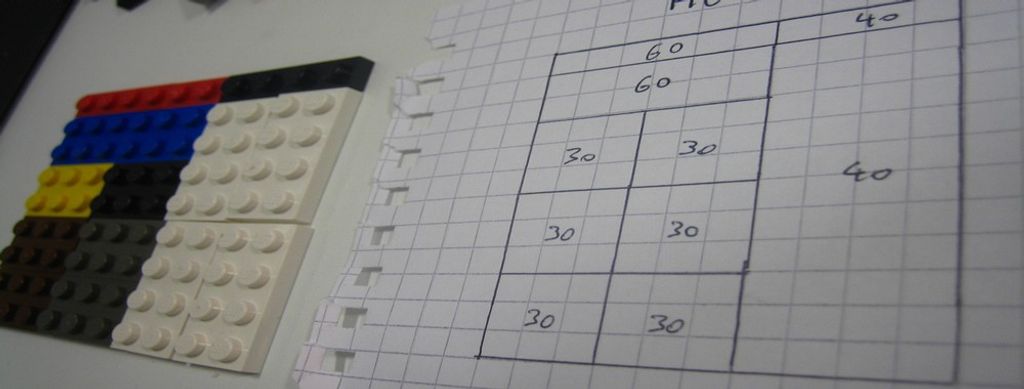
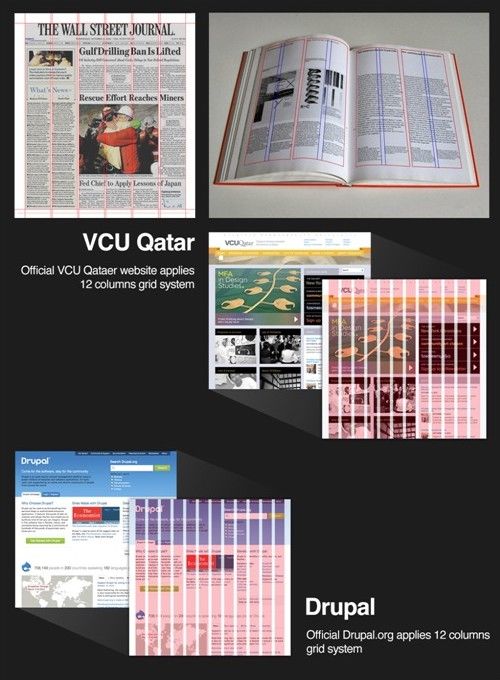
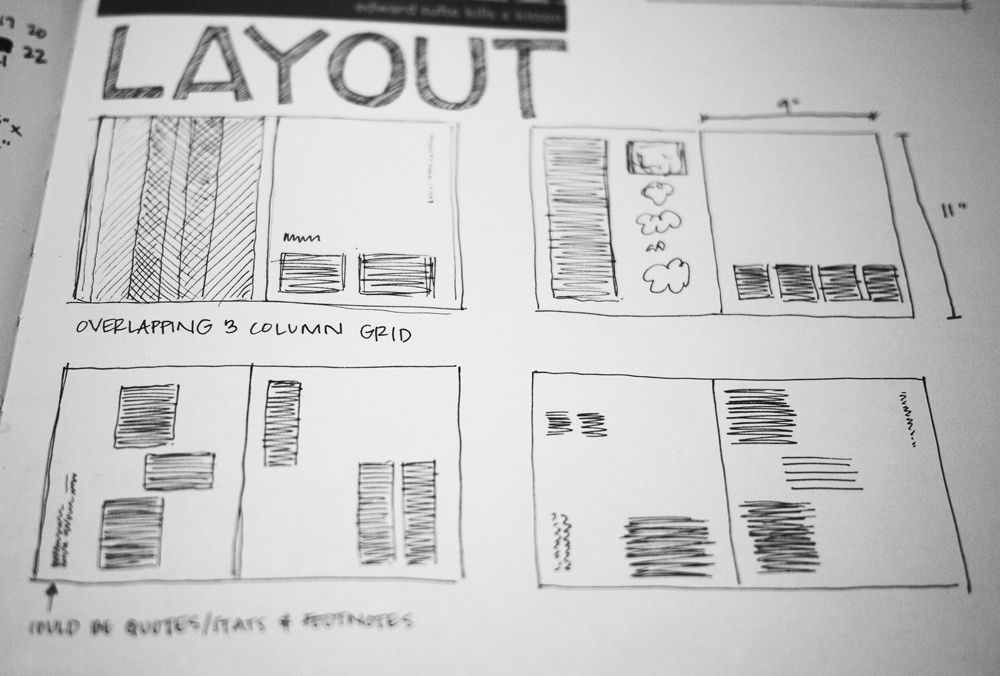
A grid gives structure, and grids feature in designs of all types for no small reason. When you align elements consistently, your slides look coherent. It shows your strategic thinking and that you’ve mindfully constructed a most effective presentation. For example, in a project update slide, you might use a simple three-column grid to align “Problem, Solution, Outcome” so your audience instantly sees the flow.
2. Anchor Key Elements
Place headlines, navigation, or calls-to-action on strong axes where they get noticed. For example, you might put your slide titles along the same left edge, and the sharp alignment will help you stay on point as you proceed through your presentation.
3. Group Related Items
Aligned groupings signal relationships and prove a good presentation mindset. For example, if you’re giving a presentation using a Demonstrator approach and taking your audience members through a revised website, you can refer to vertically aligned form fields and then explain: “By lining up these inputs, users instantly know they belong together.” Alignment plus clear narration doubles the impact on your audience.
4. Maintain Baseline Rhythm
Whether it’s a user on a new website or an audience at your presentation, consistent line spacing improves readability. However, you’ve got a golden opportunity to do more than just rely on visuals: use your voice to create rhythm, too. Slow down at key points (think of it like a drumroll to introduce them), pause to make gaps (sometimes great to let important sections sink in before moving on), and let alignment and delivery work their magic together.
5. Use Optical Adjustments
People, being organic beings with human visual perception, find that sometimes strict mathematics looks “off.” It’s that phenomenon when you center an object perfectly in terms of its pixel position, but somehow it doesn’t sit right with the eye. So, learn to adjust visually, and then, such as in a presentation where you’re demonstrating a digital product, explain why: “I nudged this icon slightly, because what feels centered to the eye matters more than the numbers.” That blend of design instinct and clear articulation builds trust; it shows you empathize with users as people and care about their user needs while the competent professional in you knows exactly what to show them.
6. Reinforce with White Space
In the same way as the “blank” sections in a canvas help make a superb painting and silence and quieter sections punctuate a beautiful piece of music, so too does white space, or negative space, help alignment. As alignment’s best ally, white space can create a great deal of positive “magic”; it separates groups, reduces noise, and highlights what matters.
In your delivery, you’ll want to use silence the same way and maximize the impact so your ideas arrive, and stay, in your audience members’ minds; so, pause to let your point land and set up a memory. For example, add generous spacing around a key chart, then pause after verbally introducing it to give the data room to “breathe”.
7. Test Across Devices
Alignment can shift on mobile versus desktop, an essential fact that speaks to the need for responsible and responsive design. Prepare to show both, and tailor your explanation to the context. For example, if you’re demonstrating a design, you might show your audience both views and explain: “Here’s how the same screen looks on mobile. Notice how the alignment still guides the eye, even in a tighter space.” And when you show you’re aware of what you’re showing and what audience members should notice, you prove strong audience awareness. This art of giving just the right level of detail is a large part of what makes you engaging.
Discover how to sharpen your audience engagement skills and adjust if you need to using active listening, in this video with Morgane Peng.
Pick from Alignment Types to Fine-Tune Your Best Visual Presentations
Whether you’re designing user interfaces or slides for presentations, seize on these core alignment considerations to help guide the best decisions for how you place and show content.
Layout Alignment
Layout alignment refers to the overall shape of a page or screen. For most purposes, layouts have fixed margins at the top and left (for left-to-right languages), while the right and bottom margins vary with the actual content. Other arrangements are possible, but when designing digital products and screens, you need to be careful that the overall approach is responsive for smaller devices, particularly smartphones and tablets. Content alignment needs to support visual hierarchy and help users find what’s important fast.
Discover other aspects about how to land powerful user experiences whoever the audience may be, in this video on visual hierarchy.
Grid-Based Alignment
You use column and row grids to anchor placement, and it’s a standard in responsive design systems that “flow” to show content consistently across screen sizes.
Get a greater grasp of how to use responsive design as a main ingredient for successful screens and products, in this video with Frank Spillers: Service Designer, Founder and CEO of Experience Dynamics.
Edge Alignment
You align tops, bottoms, or sides of elements to a common edge, which creates a neat “frame” for eyes to feed from.
Center Alignment on Axis
You align elements around a shared vertical or horizontal axis, which can neatly draw the eye to a “line of influence” where you can engage viewers’ attention well. It’s excellent for object alignment, and when objects vary noticeably in size, then central alignment is aesthetically more appealing.
Optical Alignment
You adjust elements for visual perception, such as nudging icons so they appear centered despite uneven shapes.
Baseline Alignment
You ensure text lines across columns or containers rest on the same baseline. You can find special alignment tips about text in the sub-section below.
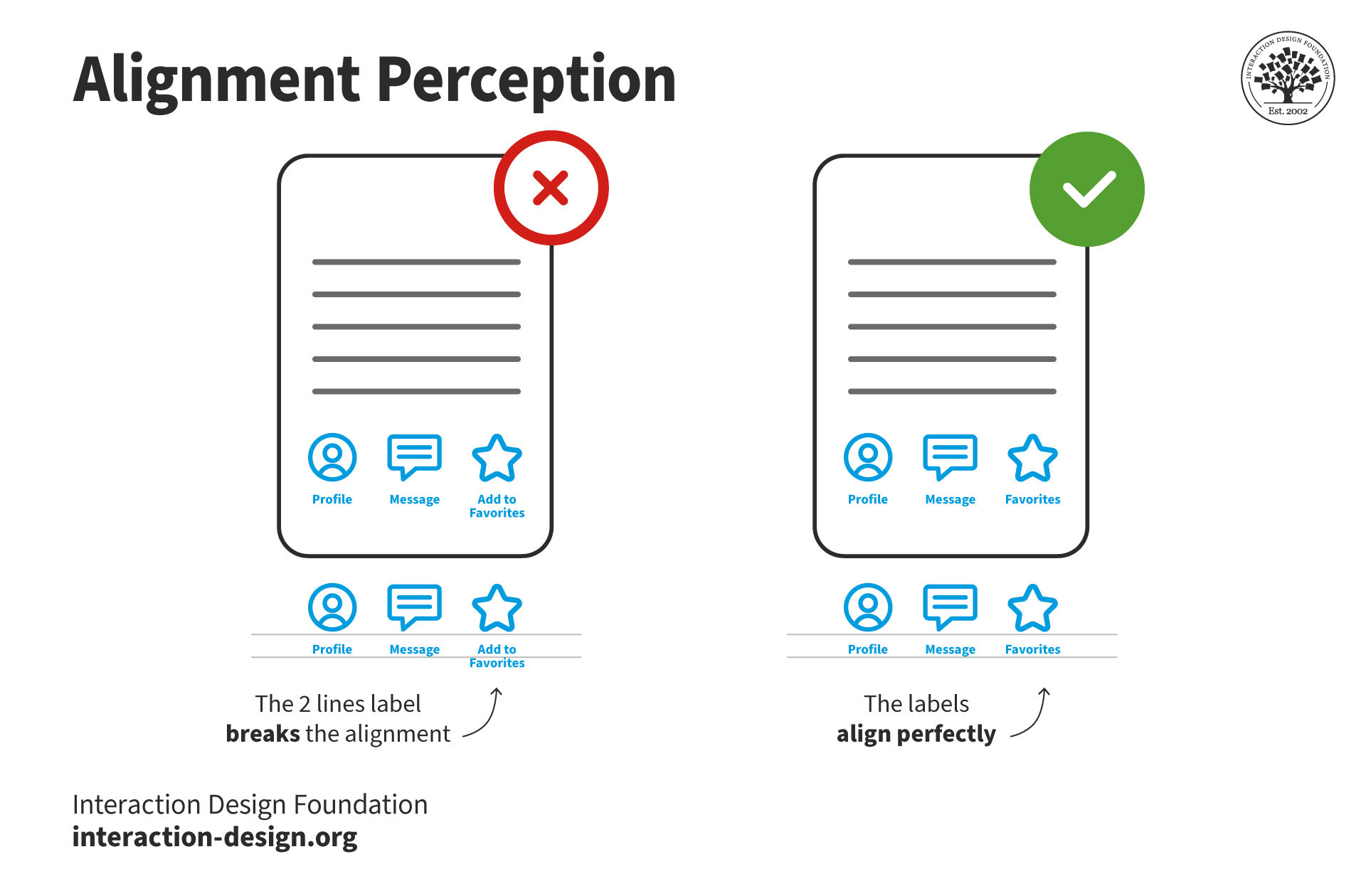
Visual alignment turns up in the subtlest ways, but is essential to get right.
© Interaction Design Foundation, CC BY-SA 4.0
Choose from Alignment Types to Engage Audiences: Text
For text, you’ve got four primary alignment strategies for digital products and presentation pieces:
Left Alignment
As the most common choice in Western interfaces, left alignment matches natural reading patterns for most audiences. Left-aligned content works best for body text, lists, forms, and long passages, as it improves readability through the clean vertical lines on the left edge it creates.
Center Alignment
Center-aligned content draws attention and creates symmetry. Its strength there also serves as a reminder to use it sparingly. It’s best for short text elements like titles, invitations, or standalone phrases. Overusing center alignment for long blocks makes scanning difficult. With both edges “jagged,” a viewer’s eyes must hunt for where new lines start.
Right Alignment
Right-aligned layouts are uncommon in Western cultures, as the right-to-left reading pattern is more common for languages such as Arabic. However, it’s still valuable in specific contexts for Western audiences, such as when you want to align numbers in tables. In English interfaces, right alignment can provide visual balance when you pair it with left-aligned content.
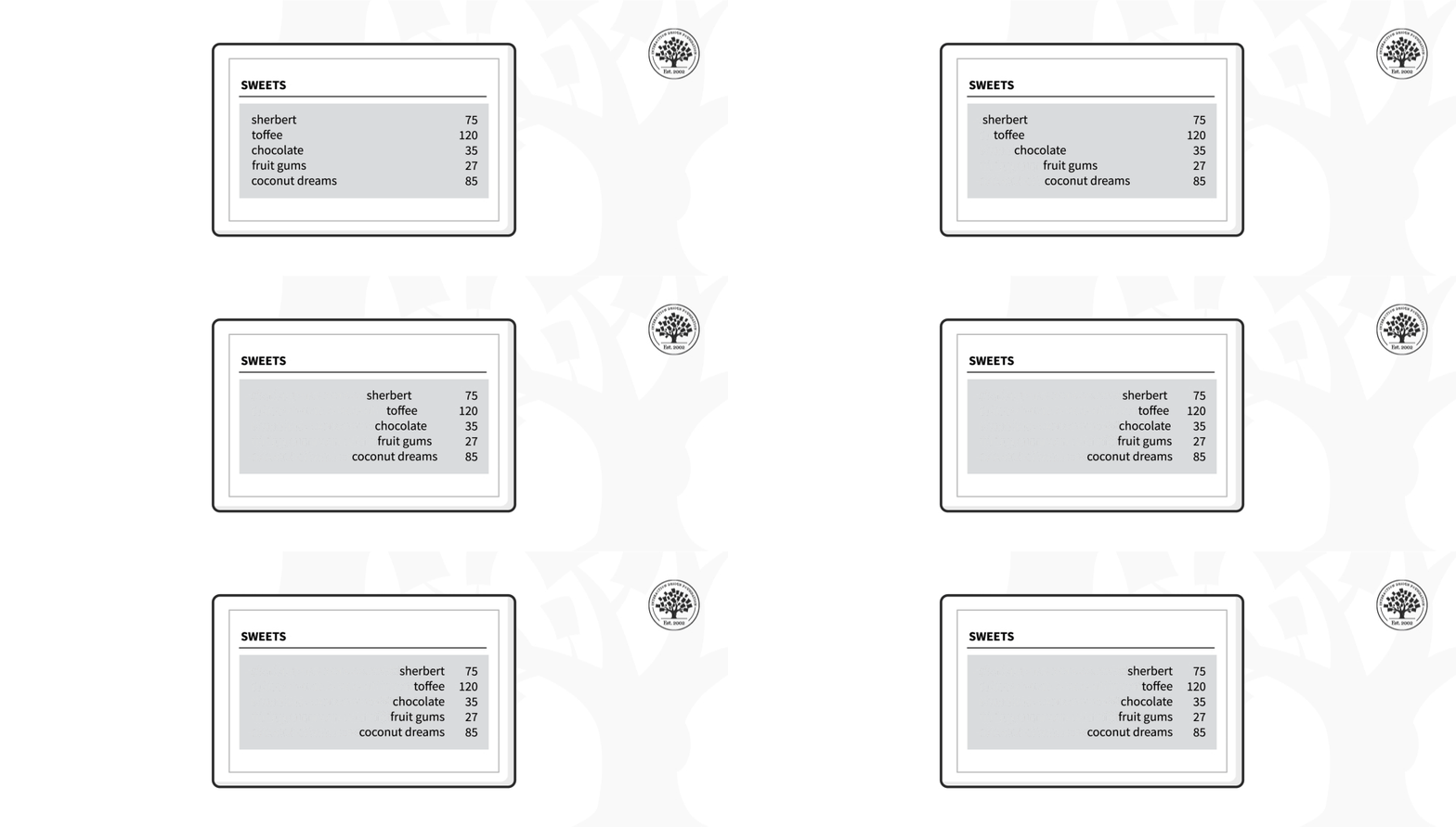
While left alignment of text tends to be the rule in left-to-right languages, there are situations where other alignments are preferable. In this example, the right-aligned text reduces the gap between columns.
© Interaction Design Foundation, CC BY-SA 4.0
Justified Alignment
Justified text aligns both left and right edges and creates neat vertical margins to give a straight edge to each side. It’s visually clean, but it can cause uneven word spacing and “rivers of white space,” which makes longer passages harder to read. So, use justified alignment sparingly and only with careful typographic control.
.png)
Notice how this title slide guides the eye in a timelessly effective way.
© Interaction Design Foundation, CC BY-SA 4.0
.png)
Note the alignment in the top slide: crisp, clean, and even, helping guide the viewer’s eye to what’s important right away, confident that they’re encountering clear and professional slides. Remember to load your screens to just the right level. Your visual presentation content should complement your speech, and good alignment helps prove you know what to show and why it’s important.
© Interaction Design Foundation, CC BY-SA 4.0
Overall, good visual alignment can make a great deal of difference to help you win trust and results whether your design is a slide, a prototype, or a finished product like a website. It’s like both a guiding rule and a “sea wall” to keep chaos from washing in and messing up what you show others, so words like “sloppy,” “careless,” or “unconvincing” don’t get associated with you, while “professional,” “competent,” “caring,” and “trustworthy” do.
Remember the bigger picture of visual alignment, too; it isn’t just about clean layouts but also about clarity, trust, and influence. When you align your visuals and present them with confidence, you don’t just look professional; you prove you are professional. Every well-chosen, aligned element becomes part of your carefully crafted message in building trust in presentations and beyond. Every confident explanation you deliver with your best presentation body language and compelling content builds your credibility. And every well-delivered presentation can help accelerate your career.
So, the next time you prepare a page, screen, or slide, remember: alignment is far more than part of presentation design principles or effective communication in design; it’s a core part of communication above that. And when you show up with professional presentation skills to mirror excellent content, you’ll not only make your work look better; you’ll make yourself unforgettable in the process.