Color in UX Design

Your constantly-updated definition of Color in UX Design and collection of videos and articles.
Be a conversation starter: Share this page and inspire others!

691 Shares

What is Color in UX Design?

Color is a visual perception the eye experiences when different wavelengths of light interact with it, specifically the retina’s cone cells, sensitive to light ranges. UX (user experience) designers use color strategically to shape how users perceive, navigate, and interact with digital products and enhance usability and engagement.

Enjoy some surprising insights as you grasp a firm hold of the power of color and what it can do for your designs, in this video with Arielle Eckstut: Author, Agent-at-large at the Levine Greenberg Rostan Literary Agency, and Co-Founder of The Book Doctors and LittleMissMatched.

Transcript

How Color Fits into UX Design

With the “rise of the screen” in the Information Age or Digital Age, color in UX design translates to a different level from its place in printed materials such as advertising media. It functions as a sophisticated design language that communicates information, guides behavior, and creates meaningful user experiences through UIs (user interfaces). While traditional art theory views color primarily through artistic expression, UX design treats color as a functional element. With it—or, rather, through itdesigners serve user needs, support accessibility requirements, and achieve specific interaction goals.

At its core, color UX design is about the strategic application of color theory. UX and UI designers in particular must understand the theory of color—including the color wheel—to be able to design effectively. They must also appreciate and accommodate the limitations of the human eye, including how they accommodate users with disabilities. Designers learn how to leverage color theory in UX design to apply hues, saturation, brightness, and contrast to create interfaces that are visually appealing, intuitive, and accessible. This approach recognizes the fact that color perception varies significantly among users; factors including cultural background, visual abilities, and personal preferences influence UX design colors significantly.
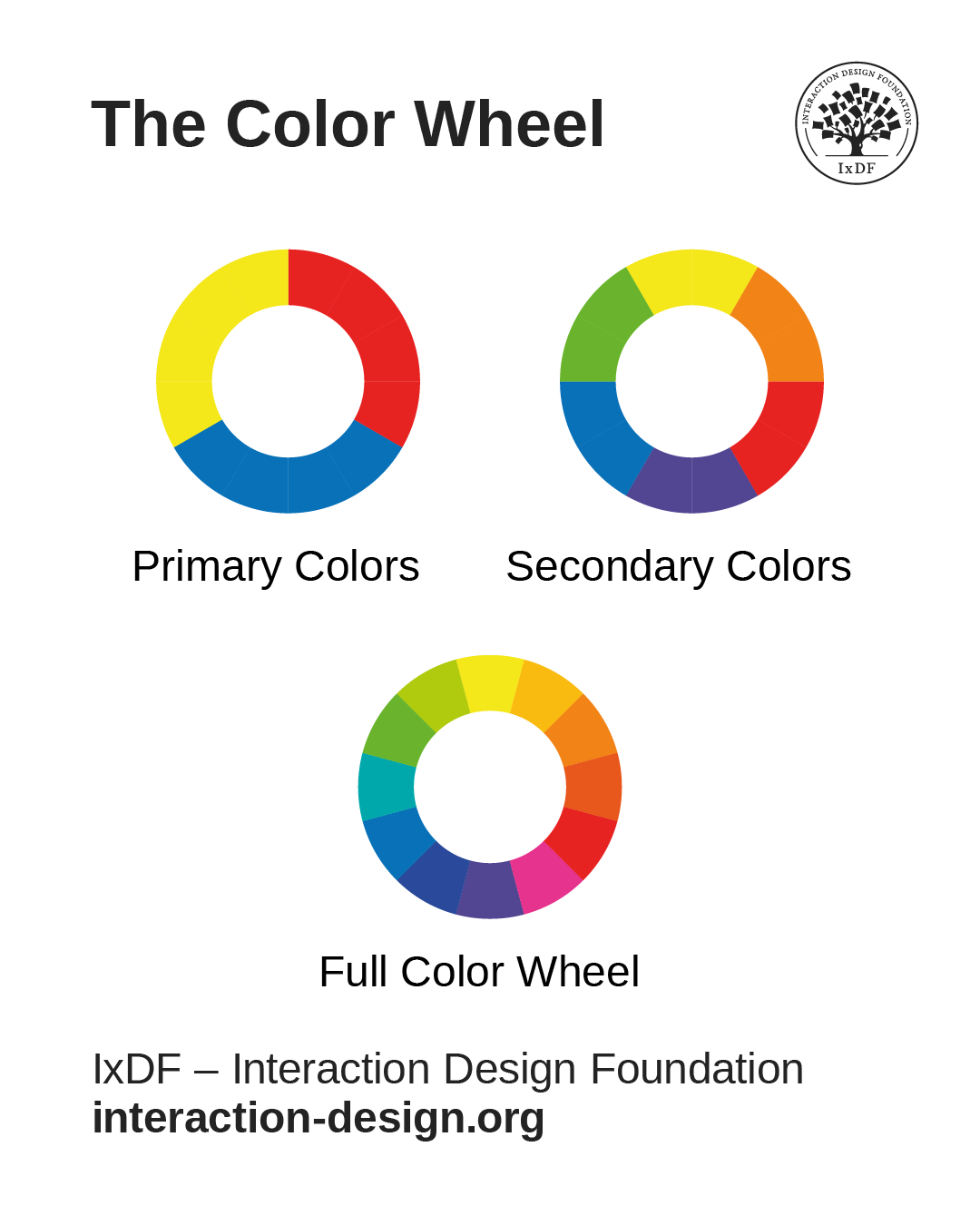
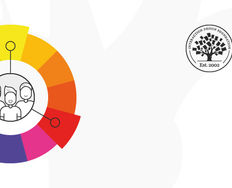
An image showing the color wheel split into three, with the primary colors first, then the secondary colors, and then the full color wheel with the full range of colors in it.

The primary colors are blue, red, and yellow; the secondary colors include orange, green, and purple; and the full color wheel, with 12 colors, includes finer “variations” such as red-orange and yellow-orange.

© Interaction Design Foundation, CC BY-SA 4.0

Color Psychology in UX Design: The Science of Light

More specifically, color psychology in UI/UX design captures how crucial a role colors play in UX and UI design decisions. Research suggests that colors trigger specific emotional and physiological responses that can influence user behavior. For example, in the West, red typically signals urgency or error states, blue conveys trust and reliability, green indicates success or positive actions, and yellow draws attention or suggests caution. However, experienced UX designers understand that color psychology provides general guidelines rather than universal rules about UI/UX design colors, as cultural contexts and personal associations can override traditional color meanings.

Modern UX design for color also incorporates a scientific understanding of human visual perception. The human eye processes colors through complex interactions between light wavelengths and specialized photoreceptors. It’s a biological foundation that explains why certain color combinations create visual tension while others feel harmonious—and why some users experience difficulty distinguishing between specific color pairs.

Explore how to use the psychology of color as a powerful driver in your design decisions, in this video with Arielle Eckstut and Joann Eckstut: Color Consultant, Founder of The Roomworks, and 1 of the 12 designers chosen by the Color Association of the USA to create the yearly forecast used by industries to keep up with color trends.

Transcript

How Designers Use Colors to Their Designs’ and Users’ Benefit

Color serves multiple critical functions in user experience design, a fact that makes it an indispensable tool for creating effective digital products that stand out for the right reasons. Designers who understand these functions can leverage color strategically rather than decoratively, especially in the following areas.

Information Architecture and Navigation

Color helps establish visual hierarchies that guide users through complex information structures. Users find information faster on websites that effectively use color contrasts. Primary navigation elements often use distinct colors to differentiate them from secondary content, while breadcrumb trails and section dividers employ subtle color variations to maintain orientation without making the interface overwhelming for users.

Effective color UX design helps users understand their current location within a system and identify available pathways forward. E-commerce sites frequently use color coding to distinguish product categories. Meanwhile, software applications employ color-coded tabs and buttons to organize complex feature sets into manageable visual groups—in both cases offering users great convenience, at a glance.
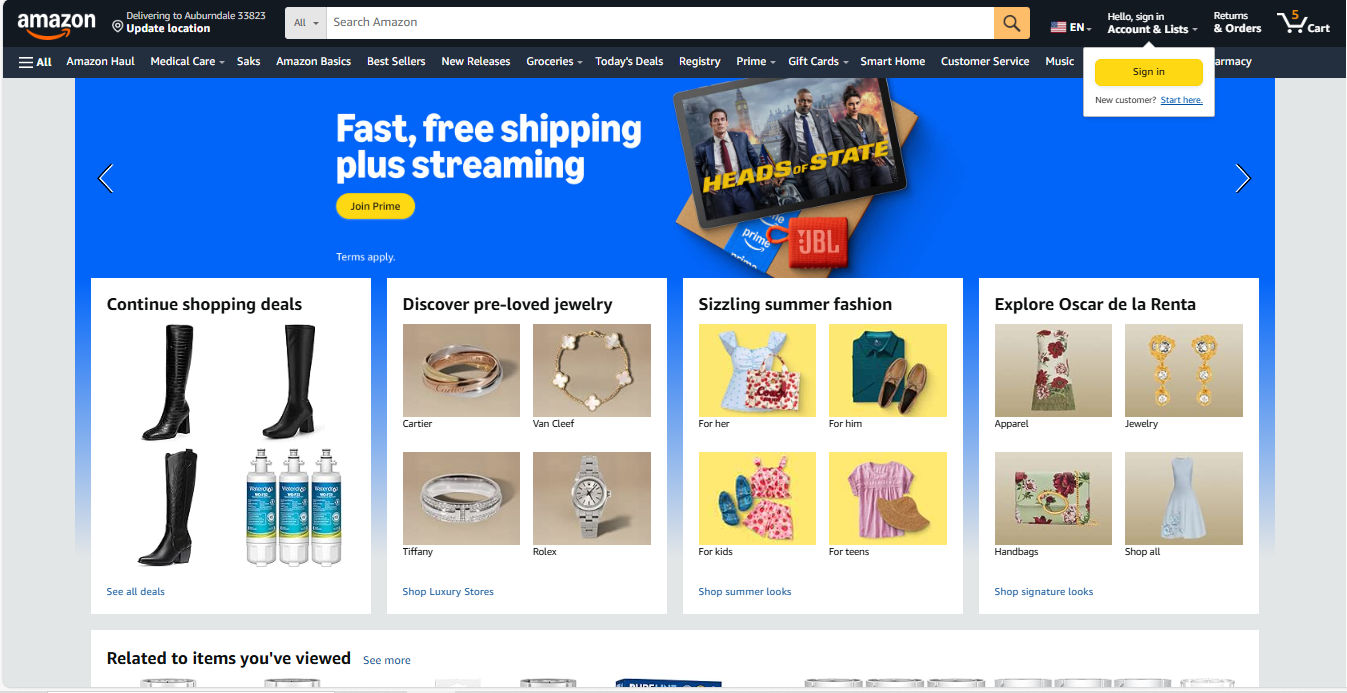
A screenshot of an Amazon homepage featuring fashion boots, jewelry, and more, with helpful color choices guiding the UX.

Amazon’s colors offer helpful guidance with, for example, its golden Call-to-action buttons such as “Sign In” and “Join Prime.”

© Amazon, Fair use

Feedback and System Status

Color provides immediate feedback about system states and user actions. For example, form validation relies heavily on color coding:

  • Red borders indicate errors.

  • Green checkmarks confirm successful entries.

  • Yellow highlights draw attention to warnings.

Imagine users filling out a form—especially a longer, governmental-type one—where they couldn’t proceed to the next screen because of some (mysterious) error. How long would it take them to find where they might have made a mistake or omitted a field without color to guide them? Loading states, progress indicators, and completion confirmations all depend on color to communicate status in tandem with other means such as well-considered micro-copy.

Interactive elements use color changes to provide real-time feedback—green for success and red for failure. Hover states, active selections, and disabled buttons all communicate their current status through color variations, such as a greyed-out field when users don’t need to fill it out. This visual feedback creates responsive interfaces that feel alive and reactive to user input.

Brand Recognition and Emotional Connection

Color establishes brand identity and creates emotional associations that influence user trust and engagement. Consistent color application across touchpoints builds recognition and reinforces brand values in users’ minds. For example, Netflix’s distinctive red creates excitement and entertainment associations, while LinkedIn’s professional blue conveys career-focused networking. UX and UI designers need to know there’s a “time and place” for certain colors—as in, which colors suit which industries as a general guideline. To help users while staying true to their brands, they must follow brand guidelines to balance these considerations while maintaining consistency with brand identity and design system requirements.

A screenshot from Netflix homepage showcasing use of colors.

Netflix’s signature red buttons and logo underline the excitement of a brand delivering entertainment to countless viewers around the world.

© Netflix, Fair use

For color psychology, UX designers understand its value for guiding user interactions and showcasing their brands at their best, but how important is color to users? Color can, in many contexts, play a major role in how users quickly judge credibility, quality, and relevance. Designers therefore need to ensure color choices align with intended brand perceptions and user expectations every time and everywhere users encounter their brand.

Accessibility and Inclusion

It’s impossible to overstate how color has significant impacts on accessibility—the practice of accommodating users with disabilities. Designers must make digital products usable for people with diverse visual abilities, and it’s a common issue for designers to accommodate properly. Approximately 8% of men and 0.5% of women experience some form of color vision deficiency, while other users may have reduced contrast sensitivity or complete lack of vision. When designers create digital products with color accessibility in mind (and check for visual accessibility issues with, for example, a contrast checker) they can ensure broader usability and often improve the experience for all users.

Discover how to accommodate users with visual disabilities—and all users in the process—in our video about color blindness.

Transcript

Cognitive Load Reduction

Strategic color use reduces cognitive load since designers apply visual patterns that users can quickly recognize and process. Color-coded categories, status indicators, and functional elements allow users to scan interfaces efficiently without reading every text label. This efficiency becomes particularly important when designers need to create data-heavy applications and mobile interfaces where screen space is limited—the colors quickly “tell” the user what’s going on and what they need to do.
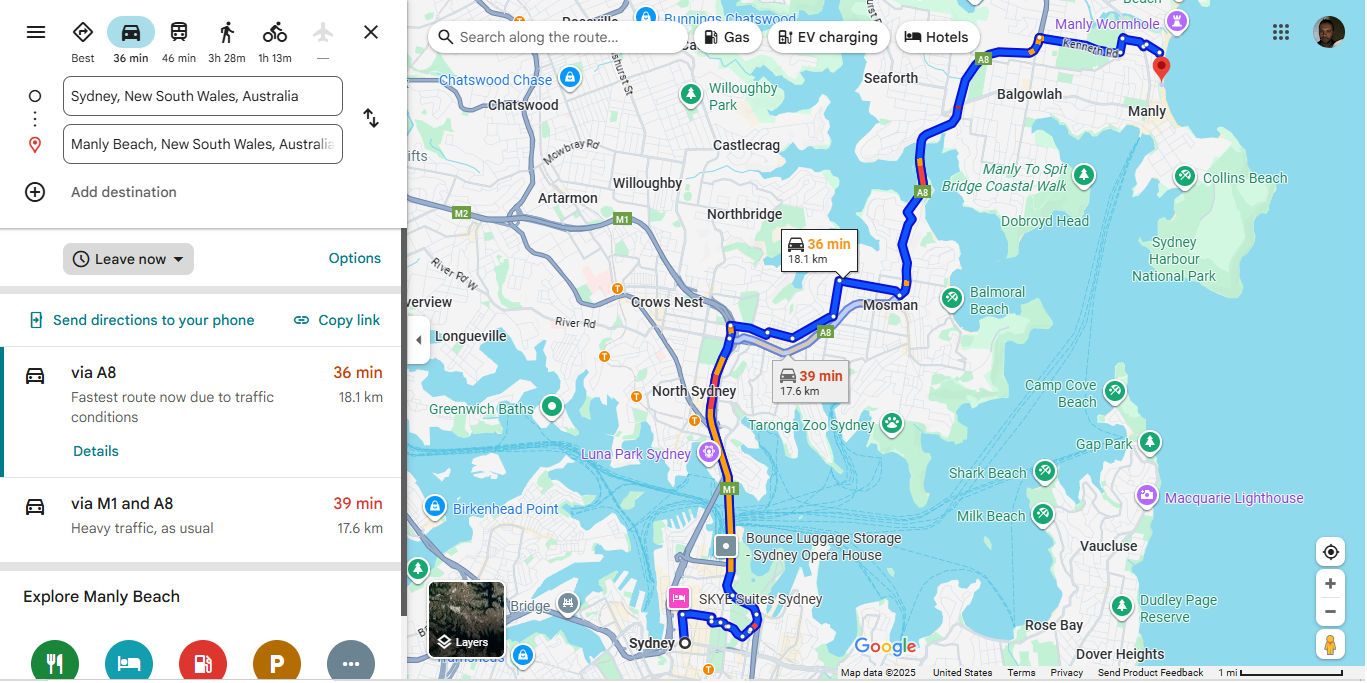
A screenshot from a Google Maps route plan from Sydney to Manly Beach in Australia.

Google Maps considers cognitive load with appropriate colors that show where roads are more and less congested and many other handy features.

© Google, Fair use

How to Design with Color in Mind

To practice effective color UX design particularly well, take a systematic approach that balances aesthetic goals—including your brand guidelines—with functional requirements. The following strategies can help you create and apply color schemes that serve user needs while supporting business objectives.

1. Start with User Research and Context

Before selecting colors or applying brand ones, understand your target users’ needs, preferences, and constraints. Conduct user research thoroughly so you can uncover cultural color associations, accessibility requirements, and environmental factors that influence color perception. For example, B2B software users may prefer subdued, professional color palettes, while gaming applications might benefit from vibrant, high-energy schemes. Match your palette to the purpose.

Explore how to lay the best foundation for your design choices on effective user research, in this video with William Hudson: User Experience Strategist and Founder of Syntagm Ltd.

Transcript

Conduct context analysis to examine how and where users will interact with the product. Remember the point about how accessible designs can help everyone? Mobile apps used outdoors require higher contrast ratios to maintain readability in bright sunlight. Meanwhile, desktop applications used in office environments can employ more subtle color distinctions.

Discover how, when you know in what contexts users encounter and use your design solution, you can tailor it to exactly what they need—and want—in this video with Alan Dix: Author of the bestselling book “Human-Computer Interaction” and Director of the Computational Foundry at Swansea University.

Transcript

2. Establish a Color System or Refer to Brand Guidelines

Professional UX design relies on systematic color approaches rather than ad-hoc selections. Unless you’re in a startup that has just “begun,” chances are you will have brand guidelines regarding how to present the organization consistently, including the colors you pick from a dedicated UX color palette.

A well-designed color system includes primary colors for key actions and brand elements, secondary colors for supporting information, neutral colors for backgrounds and text, and semantic colors for status messages and feedback.

Visual consistency is the primary contributor to a polished look, as you can see in successful applications like Spotify. Color systems serve as vital foundations—they ensure consistency across different screens, states, and team members while providing flexibility for future expansion.

A screenshot from Spotify showing selections from the artist Vangelis and color use on the page.

Spotify leverages neat consistency and color choices that inspire confidence, such as a trustworthy gradient for the “Sign up free” section, among other effective UI design elements.

© Spotify, Fair use

3. Apply Color Theory Principles

Color harmony creates sets of colors that work well together, and common approaches include:

  • Analogous colors (adjacent on the color wheel) for subtle variations.

  • Complementary colors (opposite on the color wheel) for high contrast.

  • Triadic colors for vibrant yet balanced schemes.
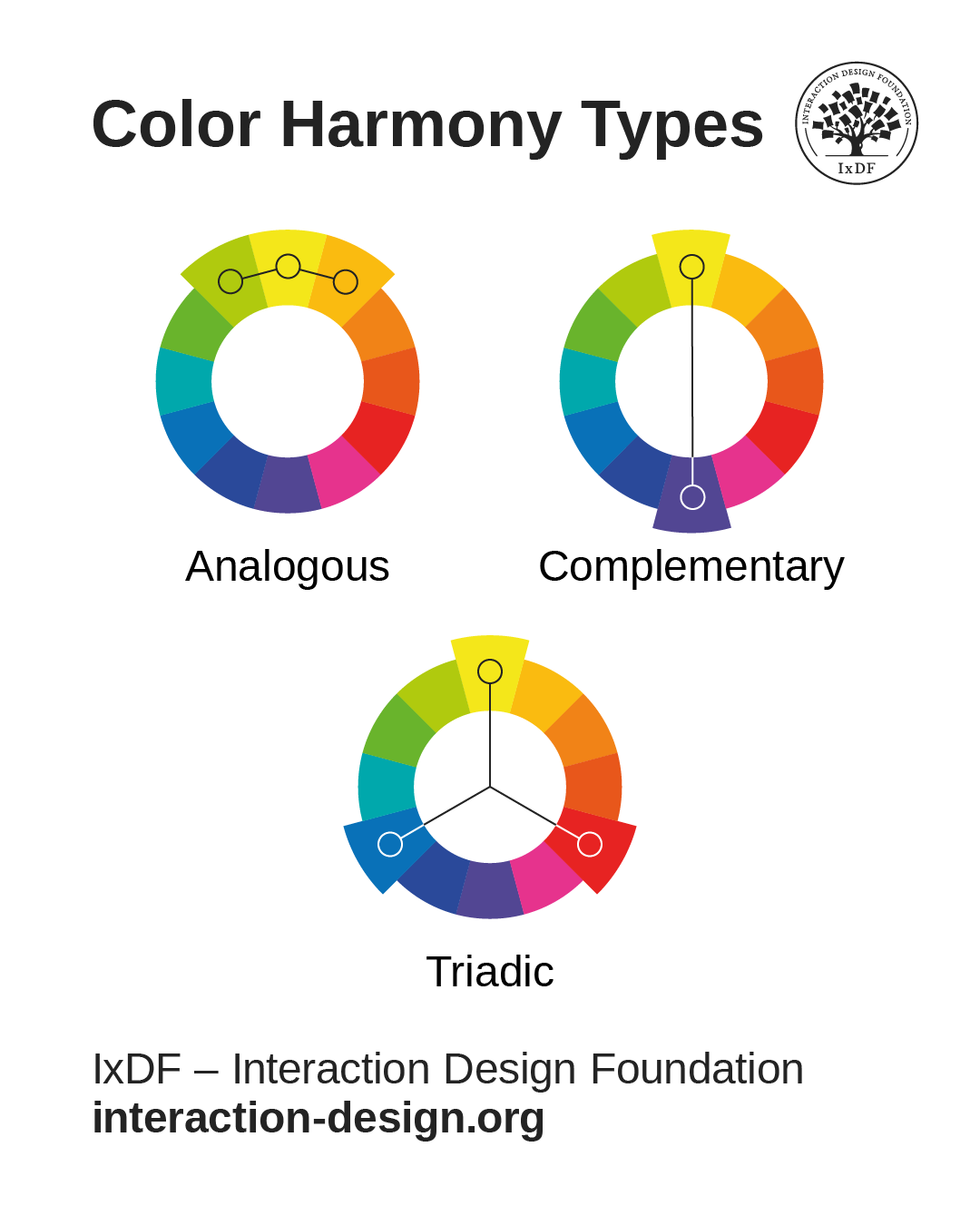
© Interaction Design Foundation, CC BY-SA 4.0

Designers must adapt traditional color theory to digital contexts, as screen-based colors behave differently from ones used for printed materials. Another major reason is that user interface requirements often override pure aesthetic considerations. It’s design, not art—the goal is to create functional harmony that supports user tasks rather than merely give users pleasing compositions to look at.

4. Prioritize Accessibility from the Start

Check the current accessibility conventions—such as WCAG (Web Content Accessibility Guidelines). For example, level AA requires a contrast ratio of at least 4.5:1 for normal text and 3:1 for large text, but it’s important to stay current with the guidelines and what your industry calls for. When your designs meet these standards, you ensure readability for users with visual disabilities while improving clarity for all users, such as those outside on a sunny day.
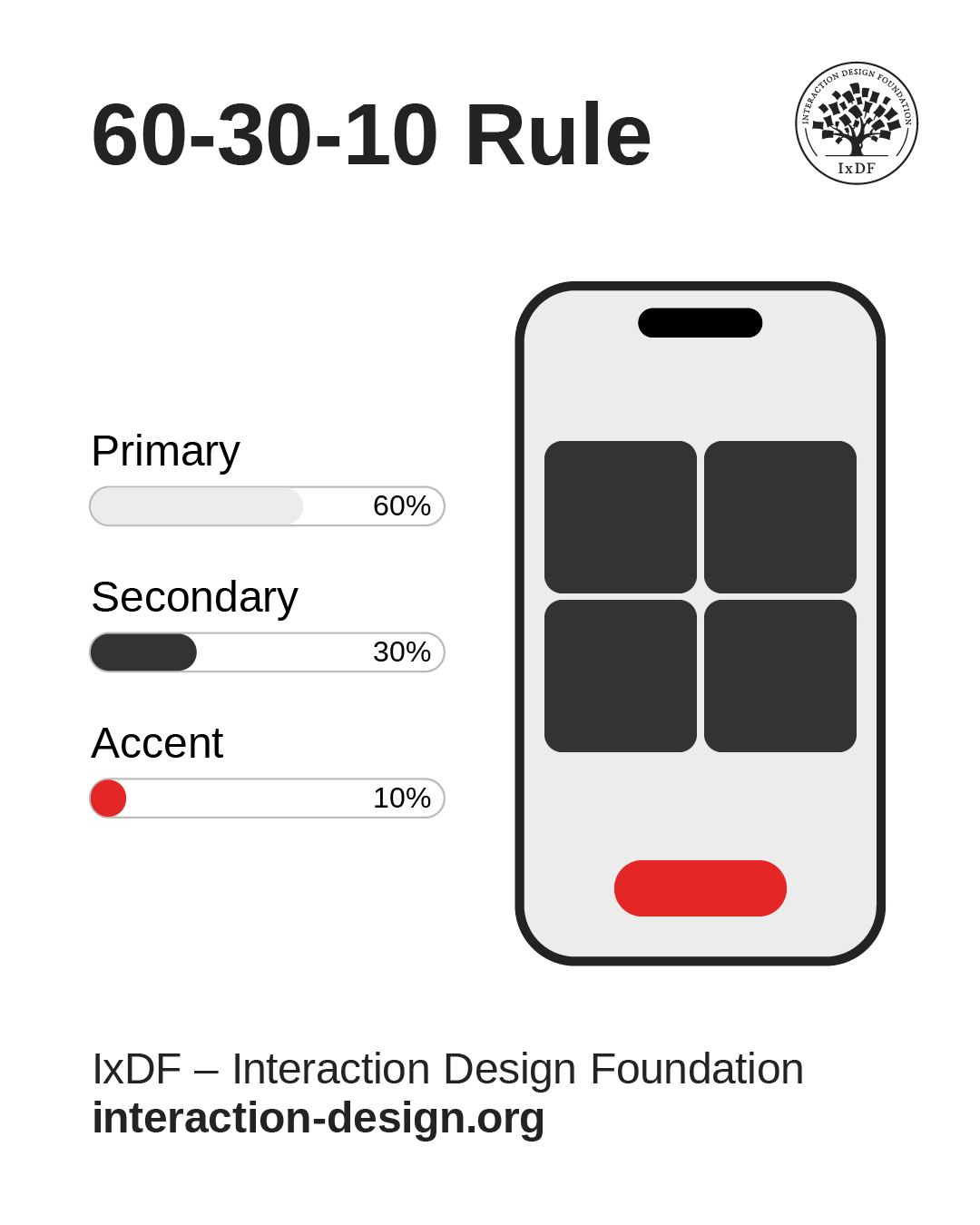
A diagram showing the 60-30-10 rule of primary, secondary, and accent color use on a smartphone screen.

Another ratio is the 60-30-10 rule. It’s a helpful guide, where 60% of a given screen is in the primary color, 30% in the secondary, and 10% in an accent color. This ratio helps elements stand out to users’ eyes with color choices and color spaces that work well for them.

© Interaction Design Foundation, CC BY-SA 4.0

Color accessibility extends beyond contrast ratios. Don’t use color as the only visual means of conveying information, action, or the like. For essential information to remain accessible, you’ll want to convey it through additional visual cues like icons, patterns, or typography variations.

Color Tools and Resources for UX Designers

  • Contrast Checking Tools

Contrast checkers help designers verify that color combinations meet WCAG accessibility standards—something to integrate into the design workflow rather than use as an afterthought.

  • Color Palette Generators

Tools like accessible color palette generators help designers create cohesive color schemes that meet accessibility requirements from the start. These tools often provide multiple variations and automatically calculate contrast ratios, helping save designers from having to undo mistakes later.

  • Color Blindness Simulators

Simulators help designers understand how their color choices appear to users with different types of color vision deficiency—the most common being red-green color blindness. Regular testing with these tools prevents accessibility issues and often reveals opportunities for improved clarity that can help all users.

5. Test with Real Users and Devices

Color appearance can—and will—vary significantly across devices, lighting conditions, and individual perception. Conduct regular testing with target users to reveal issues that automated tools might miss. Usability testing should include participants with various visual abilities and different device types to ensure broad accessibility—specialist agencies can help to test designs with users with disabilities and those who may use assistive technology.

Let Arielle and Joann Eckstut help you find excellent color choices, in this video.

Transcript

Best Practices for Color in UX Design

Maintain Consistency Across Touchpoints

Color consistency builds user confidence and reduces learning curves, so—if the brand guidelines don’t already state them—establish clear rules for when and how to use each color in your palette. For example, primary buttons should always use the same color family, error messages should follow consistent color coding, and navigation elements should maintain visual coherence across different sections.

Use Color to Support, Not Replace, Other Design Elements

While color is powerful, it should enhance rather than substitute for clear information architecture, intuitive navigation, and readable typography. Well-designed interfaces remain functional when users view them in grayscale—color is supposed to add an additional layer of clarity and polish.

Consider Cultural and Contextual Meanings

Remember, color symbolism varies significantly across cultures and contexts. Red signals danger—and, indeed, passion—in many Western contexts but represents luck and prosperity in Chinese culture, for example. Healthcare applications might avoid red due to its association with medical emergencies, while financial applications might embrace green for its connection to money and growth.

Discover how to design with culture in mind, in this video with Alan Dix.

Copyright
Transcript

Optimize for Different Devices and Environments

Mobile devices, desktop monitors, and large displays all render colors differently. High-end smartphones might display vibrant, saturated colors beautifully, but what about older devices or budget models (which many users might rely on)? The latter screen types might show significant color shifts, so be sure to design or apply color palettes that remain functional across this spectrum of display capabilities.

Create Scalable Color Systems

Successful products evolve over time, and call for color systems that can accommodate new features, platforms, and use cases. Build color palettes with sufficient variations to handle expanded functionality while maintaining visual coherence. Many design systems include 5-10 shades of each primary color to provide flexibility for different contexts and emphasis levels. Check your brand guidelines to see what the official word is on color systems so you can do right by your users and your brand.

Remember: A Colorful History Since Early Humans

First and foremost, color depends on the beholder—the cones in a person’s retina decide how they perceive red, blue, yellow, green, and so on. The colors perceived from an object result from the wavelengths of light that the object’s surface reflects (or sometimes emits), or that are distorted by some medium between it and the human observer.

A fundamental tool in art and design since humans first put paint to rock millennia ago, color has served as both a visual element and a communication medium, often for aesthetic purposes. With the advent of graphic design in the early twentieth century, color began to signal more purpose than aesthetics—hence the difference between art and design. On billboards, posters, and other printed media, graphic designers applied color alongside other design principles to establish visual hierarchy, convey meaning, guide user attention, and create emotional connections in advertisements, safety announcements, and more.

Given its properties, color can exist in a strange kind of twilight area between what humans think it is as it seems to emanate from countless objects surrounding them every day, and what it truly is as more of a phenomenon of perception. The emotional links people have formed with colors and the ways they respond to what colors appear to them mirror the intricacies of the natural world—many facets of human life are inextricably bound to the wavelengths of light, or those subtle differences in hues, shades, and tints, that reach billions of eyeballs in countless moments every day.

Discover some fascinating properties of color to appreciate how to use it more effectively in design solutions, in this video with Joann Eckstut.

Transcript

Other Special Considerations for Color in UX

In addition to color-blindness and cultural accommodations, here are key areas to watch out for when choosing and implementing colors in UX design.

Emotional and Psychological Impact

Colors trigger emotional responses that can significantly impact user behavior and product perception. While these effects are ones you can leverage positively, they can also create unintended negative associations. Overuse of red might create anxiety—you might think of being in a red room with red furniture for an extended period, for example—while excessive bright colors can cause eye strain during extended use.

Technical Limitations and Performance

Complex color implementations can have impacts on loading times and performance, particularly on mobile devices or slower internet connections. On very low-end or older devices, gradients and shadows may increase rendering complexity slightly, but most modern platforms handle them efficiently. So, if you can “get away with” simpler, cleaner looks, why not do it?

Brand and Legal Considerations

Color choices must align with existing brand guidelines while avoiding trademark conflicts with competitors, so be sure to research if that unique shade of red and that unique tint of yellow, for example, aren’t “taken” by someone else. Some industries have established color conventions that users expect—medical applications often use blues and whites, while financial applications frequently employ blues and greens.

Overall, color in UX design can often seem oversimplified as a matter of taste, aesthetics, and putting unique variations on conventions, but it represents a sophisticated discipline that balances aesthetic appeal with functional requirements, accessibility needs, and user psychology. Successful color UX design demands systematic approaches, user-centered thinking, and continuous testing to create interfaces that are both beautiful and usable.

As digital products become increasingly sophisticated—if not more complex—and user expectations continue rising, mastery of color principles remains a critical consideration for designers. The most effective approaches combine a scientific understanding of perception and accessibility with creative problem-solving and user empathy—and, of course, a good eye for visual design.

The “trick” with color use in UX design is to treat it as a powerful communication tool rather than just decorative “icing on the cake.” Visual designers—including UI and UX designers—create digital experiences that are visually compelling, indeed, but they also need to be inclusive, intuitive, and engaging for diverse user communities. The investment in thoughtful color design pays massive dividends through improved usability, stronger brand recognition, and more successful products that truly serve their intended users. And a good-looking digital product that holds up under extensive testing and proves how its accessibility and usability match its surface desirability is worth its weight in gold—or, in keeping with how light and colors behave, at least will be on the same wavelength as what its users deem valuable.


Questions About Color?
We've Got Answers!

How do I choose the right colors for a user interface?

Begin by identifying your product's purpose, brand personality, and target audience. Use color psychology to align with users' expectations—blue builds trust, green signals growth, and red draws attention. Use good tools to explore palettes—and always test your choices on real interfaces to assess readability, contrast, and emotional tone.

Actionable insight: Depending on your brand guidelines, consider choosing a primary color for dominant actions, a secondary for highlights, and neutrals for backgrounds. Make sure the colors you pick and apply support clarity and consistency across all screens.

Get right into the groove of UX/UI color use in our article UI Color Palette 2025: Best Practices, Tips, and Tricks for Designers.

How does color affect user behavior and emotions?

Color influences how users feel and act—in a big way. Red tends to trigger urgency, which works for alerts or sales. Blue calms and builds trust—ideal for financial or healthcare products. Yellow adds energy (think of the Sun), while green often signals success or eco-friendliness.

For no small reason, colors boost brand recognition. Always use emotion-driven color choices for calls to action and feedback messages. And be sure to align color with your brand's tone, user intent (to guide behavior naturally), and—vitally important, too—your users' culture.

Explore our article's points about how to Use Color to Prevent Confusion and Help Your Users.

How many colors should I use in a digital product?

Limit your UX/UI design color palette to 3–5 core colors to keep the UI clean and intuitive. Include a primary color for key actions, a secondary for highlights, and a range of neutrals for structure. Additional accent colors can support notifications or data visualizations.

Actionable insight: Stick to a functional role for each color to keep users from getting confused—too many colors dilute your visual hierarchy and increase cognitive load, so do right by your users and stick to effective and considerate visual design.

For example, Airbnb uses a limited palette—mainly coral, white, and gray—with clear, consistent meanings assigned to each, guiding users pleasantly to where they want to go.

Venture into visual design and pick up valuable points about how to help boost what your product's users feel when they see your website or app.

How do I combine colors without hurting the user experience?

Use contrast and harmony as your guides—pick colors that stand out from each other but also feel cohesive. Rely on the 60-30-10 rule: 60% dominant, 30% secondary, 10% accent. Test combinations for contrast using current WCAG standards to ensure good legibility for your users.

Actionable insight: Use tools like Contrast Checker to test legibility (how well users can detect the elements and lettering you use). Avoid placing two high-saturation colors side-by-side unless it's necessary for alerts.

Discover additional valuable points about how to reach users' eyes best in our article The Key Elements & Principles of Visual Design.

How does color hierarchy help users navigate an interface?

Color hierarchy directs attention by visually prioritizing elements; so, use bold colors for primary actions, muted ones for secondary, and neutrals for background or less critical parts of the UI (user interface). This will guide users through tasks without any need for textual or verbal instructions.

Actionable insight: Apply color consistently—users should always recognize what the primary button looks like. And don't use too many “attention-grabbing” colors at once—users won't know where to look with all that going on, let alone easily determine what actions to take.

For example, Dropbox uses a clear color hierarchy: blue for primary actions, gray for secondary ones, and white space to neatly reduce clutter.

Explore how to make better designs that have the most effective visual hierarchy.

What are best practices for color accessibility in UX?

Ensure sufficient contrast between text and background—aim for at least 4.5:1 for body text. Never rely on color alone to convey meaning; always combine with icons, labels, or patterns. Test your designs with tools like contrast checkers and color-blind simulations.

Actionable insight: Use accessible color palettes from good tools and label color-coded charts to help make things clear to users.

For example, Trello combines color labels with text so color-blind users can still understand task categories.

Know your users better by knowing more about how their eyes work, in our article Vision and Visual Perception Challenges.

How do I use brand colors without hurting usability?

Use brand colors for accents, highlights, or secondary UI—not backgrounds or body text. Ensure they pass accessibility contrast checks—and in case your brand color lacks sufficient contrast, pair it with darker or lighter tones strategically.

Refer to your brand guidelines or create a style guide that maps each brand color to functional UI roles—calls to action, alerts, or navigation. It's also helpful to understand color modes so you can be absolutely sure how the colors you pick translate on the format users see them. When you combine effective brand colors with considerate UX colors for usability, you can help maximize experiences for all users.

Discover how to make more effective color design choices when you know more about color modes.

How does culture affect color choices in UX?

Colors carry different meanings across cultures, making color choices all the more important. Red symbolizes luck in China but typically danger in the West, for example. White implies purity in Western countries but mourning in some Eastern ones. These cultural perceptions affect trust, emotion, and usability—stemming from a visceral level.

Always research your target market before finalizing colors. Sometimes, “innocent” color choices can turn up surprising results, so test color interpretations during usability testing with diverse users or localized researchers to make sure you get the hues right.

Explore how to reach users better whatever part of the world they are in—or come from—in our article Understand Color Symbolism.

How do dark UI themes affect UX?

Dark themes may reduce eye strain in low-light settings for some users and can extend battery life on OLED screens, though user preference and visual comfort can vary.

Actionable insight: Use light text on dark backgrounds with sufficient contrast. Avoid pure black and white. Always offer a light mode as default unless your users prefer dark environments.

For example, YouTube defaults to dark mode on TVs for comfort and immersive viewing, but lets users switch to light on mobile or web if they want to.

Delve deeper into dark mode to find out how to apply it best in UI design.

What are common mistakes designers make with color?

Designers often end up using too many colors, ignoring contrast standards, or relying solely on color to convey meaning. Another frequent mistake is not testing color choices on different devices or under varying lighting conditions.

Actionable insight: Keep your palette tight, test with real users, and always design for colorblind accessibility (which will help non-colorblind users on bright, sunny days outside, too). Avoid flashy or overly saturated colors that distract from core tasks.

For an example of what not to do: Overly vibrant dashboards with red, blue, green, and yellow can overwhelm users and reduce usability—so, be sure to use clear hierarchies and spacing.

What are some recent or highly cited articles about color?

Fialkowski, B., & Schofield, D. (2024). Considering color: Applying psychology to improve the use of color in digital interfaces. Art and Design Review, 12(4), 306–329.

This open-access journal article explores how principles of color psychology can improve the usability of digital interfaces. Through experiments involving 50 participants, the authors assess user preferences, error rates, and session durations across different color schemes. Results show that contrast-optimized designs improved readability and visual comfort by up to 40%, with dark-mode interfaces using yellow-blue tones increasing session duration. The paper provides practical design guidance for choosing color palettes that enhance usability and accessibility without sacrificing aesthetic coherence. UX designers will find actionable takeaways for crafting color strategies that support readability, task performance, and inclusive design principles.

Zhang, Y., Chen, S., Fan, L., Chen, C., & Li, X. (2023). Automated and context-aware repair of color-related accessibility issues for Android apps. In Proceedings of the 31st ACM Joint European Software Engineering Conference and Symposium on the Foundations of Software Engineering (ESEC/FSE 2023) (pp. 1255–1267). ACM.

This conference paper presents Iris, a tool that automatically fixes color-related accessibility issues in Android apps while maintaining design coherence. The authors evaluated Iris on 80 real-world apps and found it successfully corrected 91.38% of accessibility violations, with most developer pull-requests being accepted. A user study also confirmed improved usability and satisfaction. For UX designers, Iris exemplifies how machine learning and context-awareness can improve accessibility at scale. The system provides real-time, design-conscious color repairs, helping designers ensure visual inclusivity without compromising aesthetics. This work bridges engineering automation and UX sensitivity, offering tools that support responsible, equitable interface design.

Eckstut, J., & Eckstut, A. (2020). What Is Color?: 50 Questions and Answers on the Science of Color. Abrams, Inc.

In What Is Color?, Joann and Arielle Eckstut answer 50 fundamental questions across domains—including physics, biology, technology, and psychology—to explore how humans experience and apply color. Designed to be visually rich and accessible, the book offers concise explanations paired with informative infographics, making complex concepts—like color constancy, additive vs. subtractive mixing, and cultural perception—understandable. For UI and UX designers, it provides essential scientific and psychological context that informs deliberate choices around palette, contrast, and emotional tone. By grounding design decisions in human perception science, the book helps interface designers craft more intuitive, accessible, and resonant user experiences.

Rhyne, T.‑M. (2024). Applying Color Theory to Digital Media and Visualization (2nd ed.). CRC Press.

In this edition, Rhyne adapts foundational color theory into practical workflows tailored for user interfaces and visualization design. She systematically covers color harmony, visual perception, and accessibility—including adaptive palettes for color deficiencies—and introduces modern constraints like sRGB rendering and variable lighting. Rhyne frames this advice using a five‑stage selection and evaluation process, illustrated via case studies and real tools for digital and mobile applications. UX/UI designers will find structured strategies for constructing palettes that reinforce hierarchy, readability, and emotional tone. The second edition also incorporates emerging practices—such as generative AI tools for color scheme generation—making it current and interface‑centric.

Earn a Gift Earn a Gift, Answer a Short Quiz!

1
2
3
4
1
2
3
4
Question 1
Question 2
Question 3
Get Your Gift
Interaction Design Foundation logo

Question 1

Why do designers use warm colors like red and orange in digital products?

1 point towards your gift

  • To make interfaces look more professional and corporate
  • To create a calm and quiet atmosphere
  • To increase energy and draw user attention
Interaction Design Foundation logo

Question 2

How can designers make color choices more accessible for users with color blindness?

1 point towards your gift

  • Use only bright colors to increase visibility
  • Combine color with text labels or patterns
  • Avoid using contrasting colors in the layout
Interaction Design Foundation logo

Question 3

What does a complementary color scheme help designers achieve?

1 point towards your gift

  • Create high contrast and visual interest
  • Make the interface look neutral and flat
  • Use only one dominant color throughout the layout

Learn More About Color in UX Design

Make learning as easy as watching Netflix: Learn more about Color by taking the online IxDF Course Visual Design: The Ultimate Guide.

Why? Because design skills make you valuable. In any job. Any industry.

In This Course, You'll

  • Get excited when you use visual design principles to create impressive visuals people love! Great visual design makes the message clear, memorable, and persuasive—whether it's an app, a logo, or a presentation slide. You'll learn what makes a design excellent and how science and culture influence what works and what doesn't. You'll create designs that truly connect with people. Visual design isn't just about beauty—it's about shaping ideas that inspire action, build trust, and give meaning to your work. As AI makes visual production faster and cheaper, you stay in demand when you can turn rough or AI-generated visuals into successful designs that get approved, adopted, and used. If you want to stand out with timeless human-centered design skills, this course is for you.

  • Make yourself invaluable with practical design skills that amplify your impact in any industry! Did you know that you only have 50 milliseconds to make a good first impression? Great visual design ensures you pass the test every time. You'll learn to use visual elements to guide emotions, influence purchasing decisions, and optimize User Experience (UX) and User Interface (UI) design. You'll master color theory, typography, and grid systems to improve usability, build credibility, and create designs that stop the scroll.

  • Gain confidence and credibility as you fast-track results with step-by-step exercises and downloadable templates! Complete optional tasks to walk away with portfolio-ready case studies that will help you land your dream job and advance your career. You'll get hands-on and design a low-fidelity wireframe, apply a monochromatic, complementary, or triadic color scheme, choose typefaces, and select a grid system. It's easier than you think! No matter your background, you can master Visual Design. With clear guidance and real-world examples, you'll apply your skills right away. This course will give you the visual design skills you need to solve design challenges, collaborate smarter, and make it easy for decision-makers to say yes to your vision.

It's Easy to Fast-Track Your Career with the World's Best Experts

Master complex skills effortlessly with proven best practices and toolkits directly from the world's top design experts. Meet your experts for this course:

  • Mia Cinelli: Associate Professor of Art Studio and Digital Design at the University of Kentucky.

  • Joann Eckstut: Color Consultant, Founder of The Roomworks, and one of the 12 designers chosen by the Color Association of the USA to create the yearly forecast used by industries to keep up with color trends.

  • Arielle Eckstut: Author, Agent-at-large at the Levine Greenberg Rostan Literary Agency, and Co-Founder of The Book Doctors and LittleMissMatched.

Get an Industry-Recognized IxDF Course Certificate

Increase your credibility, salary potential and job opportunities by showing credible evidence of your skills.

IxDF Course Certificates set the industry gold standard. Add them to your LinkedIn profile, resumé, and job applications.

Course Certificate Example

Be in distinguished company, alongside industry leaders who train their teams with the IxDF and trust IxDF Course Certificates.

Our clients: IBM, HP, Adobe, GE, Accenture, Allianz, Phillips, Deezer, Capgemin, Mcafee, SAP, Telenor, Cigna, British Parliament, State of New York

All Free IxDF Articles on Color in UX Design

Read full article
Use Color to Prevent Confusion and Help Your Users - Article hero image
Interaction Design Foundation logo

Use Color to Prevent Confusion and Help Your Users

As designers, we can use color to guide our users in the right direction to accomplish a task effectively and efficiently. But some designers who focus more on their company’s needs than their users’ can twist things so that colors turn into a bewildering nightmare, hiding buttons and information us

Social shares
722
Published
Read Article
Read full article
Understand Color Symbolism - Article hero image
Interaction Design Foundation logo

Understand Color Symbolism

Color is powerful. It has the power to persuade, evoke, express and communicate. It can also be an effective tool to communicate with your users. However, color is subjective and must be used in the right context. The context of our relationship with color is a complex one, rooted in biological, cul

Social shares
742
Published
Read Article
Read full article
The Top 4 Things You Can Learn from IxDF’s New Visual Design Course - Article hero image
Interaction Design Foundation logo

The Top 4 Things You Can Learn from IxDF’s New Visual Design Course

Users’ first impressions typically form in 50 milliseconds, and visual design plays a substantial role in whether users get a good or a bad one. Good first impressions are essential to engage new users and ensure the success of a product or experience. Studies show that visual appeal—what we see—is

Social shares
611
Published
Read Article
Read full article
UI Color Palette 2026: Best Practices, Tips, and Tricks for Designers - Article hero image
Interaction Design Foundation logo

UI Color Palette 2026: Best Practices, Tips, and Tricks for Designers

Color is vital in UI (User Interface) design because not only does it enhance the aesthetics on screens, but it shapes the UX (User Experience), stirs emotions, and influences the decision-making of users who arrive on those screens. Color creates an impactful dialog between what you design for your

Social shares
1.2k
Published
Read Article
Read full article
The 10 Most Inspirational UI Examples in 2026 - Article hero image
Interaction Design Foundation logo

The 10 Most Inspirational UI Examples in 2026

Users typically take just 50 milliseconds to assess the visual appeal of a website. The UI of your website has a massive impact on whether they choose to stay or depart, and it acts as the bridge between users and technology. Beyond visual appeal, its design and functionality often determine a platf

Social shares
1.1k
Published
Read Article
Read full article
Everything You Need To Know About Triadic Colors - Article hero image
Interaction Design Foundation logo

Everything You Need To Know About Triadic Colors

Here’s a handy statistic that’s worth remembering: over 60% of people accept or reject new products based on color, and that’s a figure you can think about when you consider the link between colors and products—like, for instance, whenever you think of Coca-Cola, you’ll likely think of red, or McDon

Social shares
1.1k
Published
Read Article

Understand Color Symbolism

Understand Color Symbolism

Color is powerful. It has the power to persuade, evoke, express and communicate. It can also be an effective tool to communicate with your users. However, color is subjective and must be used in the right context. The context of our relationship with color is a complex one, rooted in biological, cultural and personal associations. So, as powerful as color is, can it affect your mood?

“If one says ‘Red’ – the name of color – and there are fifty people listening, it can be expected that there will be fifty reds in their minds. And one can be sure that all these reds will be very different.”
— Josef Albers

Can Color Affect Your Mood?

The answer is yes and no. Unfortunately, there is very little research on how the brain actually responds to color. Most color psychology “facts” are not grounded in science.

As mentioned earlier, we respond to color in three different ways. The first is our biological response. We do know a bit about how we respond biologically to red objects; They can inspire fear and sexual desire. We also know some things about how we respond biologically to blue light; it can help with everything from seasonal affective disorder (SAD), to issues with our internal clocks, to problems with concentration. 

The second is our cultural response. For example, in the West, blue is far and away the favorite color and yellow the least-favorite color, whereas if you go to the East, yellow climbs to the top of the charts. These differences have to do with the cultural associations with various colors. 

The third is our personal associations with color. Did you go to prison and have to live in a pink cell? Then pink may be a real turnoff to you. Did you grow up with a pink bedroom in a loving, supportive household? Then you may gravitate towards pink.

Image depicting a pink jail cell

© Jeff Haynes and Getty, Fair-use

Image depicting a pink nursery

© Kathryn Hawkes and House of Hawkes, Fair-use

Don’t be fooled by the claims that peach whets the appetite, or pink is calming, or yellow uplifts. Maybe these are true for some people whose personal, cultural and biological responses line up to support these claims, but test a different group of people across the globe (or even within the same family) and you may find completely different results. Color surely can affect mood — put a group of people in a room with fluorescent yellow walls, floor and ceiling… and they're certain to feel something — but whether everyone in the room feels the same thing for the same reasons is at this point very hard to prove.

Now that you understand how colors can affect your mood, let’s get into specific colors. Please remember, context is the key. Our relationship with color is a complex one, rooted in biological, cultural and personal associations. Do your research, be sensitive to your user and take an interest in cultural values to create good design. And never assume that the color you like will also be liked by someone else.

“Color helps us navigate quickly, easily, and often with joy.”
— Arielle Eckstut

In this lesson, you’ll learn about Color Symbolism from Arielle and Joann Eckstut, co-authors of “Secret Language of Color: Science, Nature, History, Culture, Beauty of Red, Orange, Yellow, Green, Blue, & Violet.'' We’ll explore the meaning of color and learn about the importance of context.

Red

Illustration depicting key words symbolized by the color red

© Daniel Skrok and Interaction Design Foundation, CC BY-SA 3.0

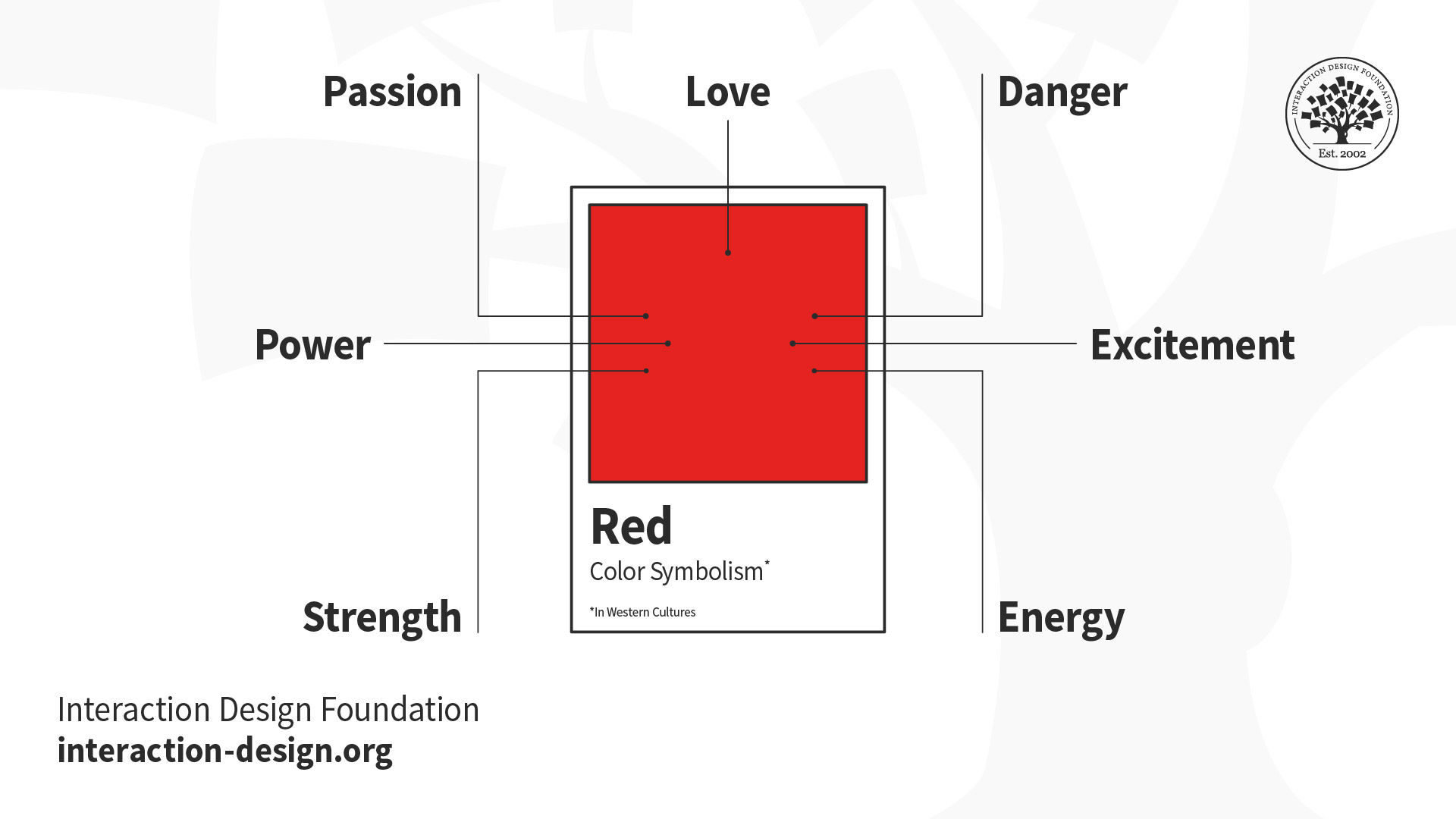
The flashiest and sultriest of hues, red is a color that has fanned the flames of revolutions. It’s a color that groups as diverse as Satanists, Communists and American conservatives have all claimed as their own. Red can be used equally to express love or hate and may signal sin, fertility, courage, guilt or good luck, depending on your longitude and latitude. Whether you “see red” symbolically, in its angrier turn of phrase, or follow its practical injunctions as a law-abiding citizen, it will stop you in your tracks. Just be careful not to get lured into the red-light district by a red herring and emerge red-faced, branded with a scarlet letter.

Red, particularly in Western Cultures, can symbolize any of these:

  • Love

  • Passion

  • Strength

  • Power

  • Danger

  • Excitement

  • Energy

Practical Tip: In the East, red is regarded as the color of happiness, wellbeing and good fortune, so always consider the context.

Orange

Illustration depicting key words symbolized by the color orange

© Daniel Skrok and Interaction Design Foundation, CC BY-SA 3.0

For millennia, orange was a color without an identity. In many languages, it’s one of the very last, if not the last, color named in the rainbow. Many native cultures still see no need to give orange its own label. Of course, orange has always existed and been plentiful, be it in the form of blooms, fruits, vegetables, animals, or the sky as the sun sets. Through pigments like saffron, it has long colored clothes and canvases. It has been used to symbolize nationhood, religious identity and athletic applications. Yet it doesn’t come close to its neighbor, red, in terms of its place in the world. This may have to do with the nature of orange as a visible hue: When pale, it is usually identified as yellow. When dark, it is usually identified as brown. There is a narrow band in which orange can show off its true self, but in that narrow band it shines.

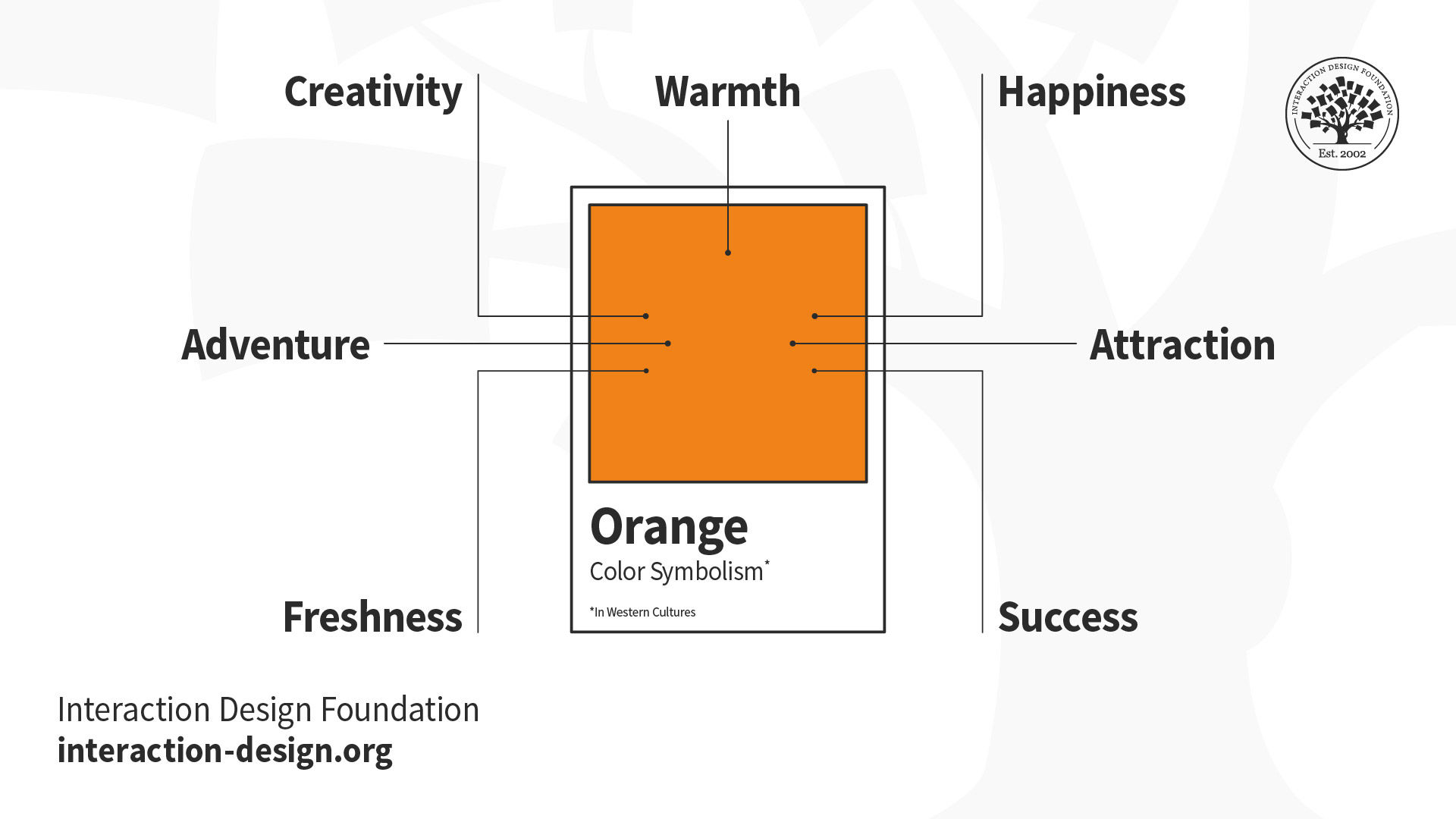
Orange, particularly in Western Cultures, can symbolize any of these:

  • Warmth

  • Creativity

  • Adventure

  • Freshness

  • Happiness

  • Attraction

  • Success

Practical Tip: Because orange is associated with happiness and creativity it is well suited to youthful, energetic brands and best avoided for luxury, traditional or serious products.

Yellow

Illustration depicting key words symbolized by the color yellow

© Daniel Skrok and Interaction Design Foundation, CC BY-SA 3.0

You spot a taxi a few blocks away. You hail it and get in. The cabbie speeds off before you’ve even closed the door. He’s going way too fast, but he slows down as he sees a road sign indicating a dangerous curve ahead. He brakes again for a forklift in front of him. As he continues to navigate, you pull out a contract with a Post-it note tagging the page that requires your signature. You flip to that page, and a highlighter shows you exactly where to sign. Each of these items that catches your and the cabbie’s eye is yellow. Yellow’s luminescence has also dazzled emperors, painted millions of pencils and cautioned us to slow down, and gotten our attention.

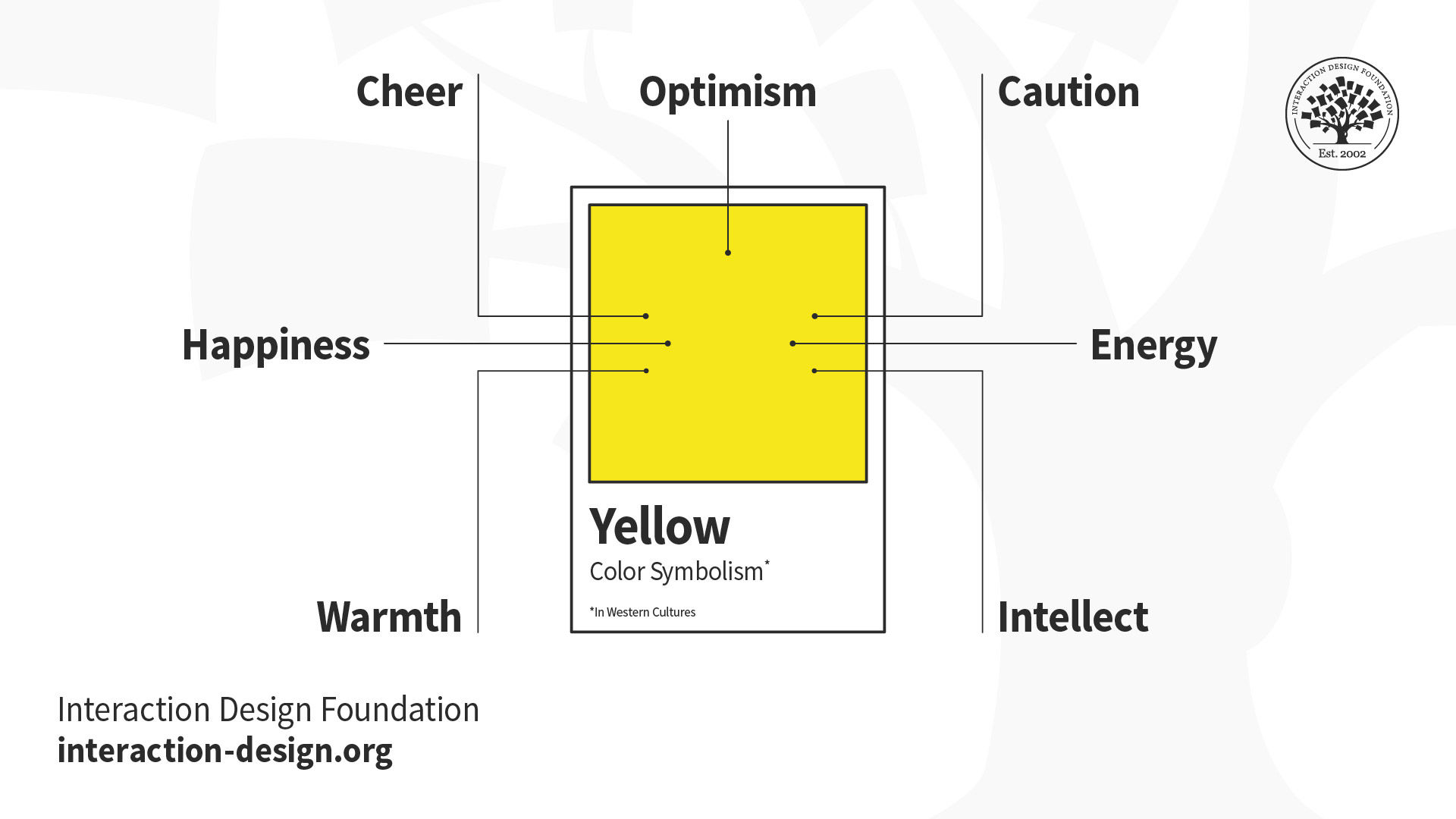
Yellow, particularly in Western cultures, can symbolize any of these:

  • Optimism

  • Cheer

  • Happiness

  • Warmth

  • Caution

  • Energy

  • Intellect

Practical Tip: Some shades of yellow can look cheap — although this may suit your product image. So, yellow is a great example of when to research consumer reaction to color appropriateness and make sure it is the right color for your product.

Green

Illustration depicting key words symbolized by the color green

© Daniel Skrok and Interaction Design Foundation, CC BY-SA 3.0

Money. Inexperience. Paradise. Jealousy. A penchant for recycling. A knack for gardening. All of these identify with the color green. And yet, green is so much more fundamental. From the Amazon jungle, to the concrete jungle, it’s nature's greenery that supplies us with the ability to live and breathe. Chlorophyll is the pigment responsible for greenery that surrounds us; although the term sounds scientific, it is simply derived from the Greek words for “green” and “leaf.” And it’s this chlorophyll that produces the oxygen that we need to survive. Green is the essence of life.

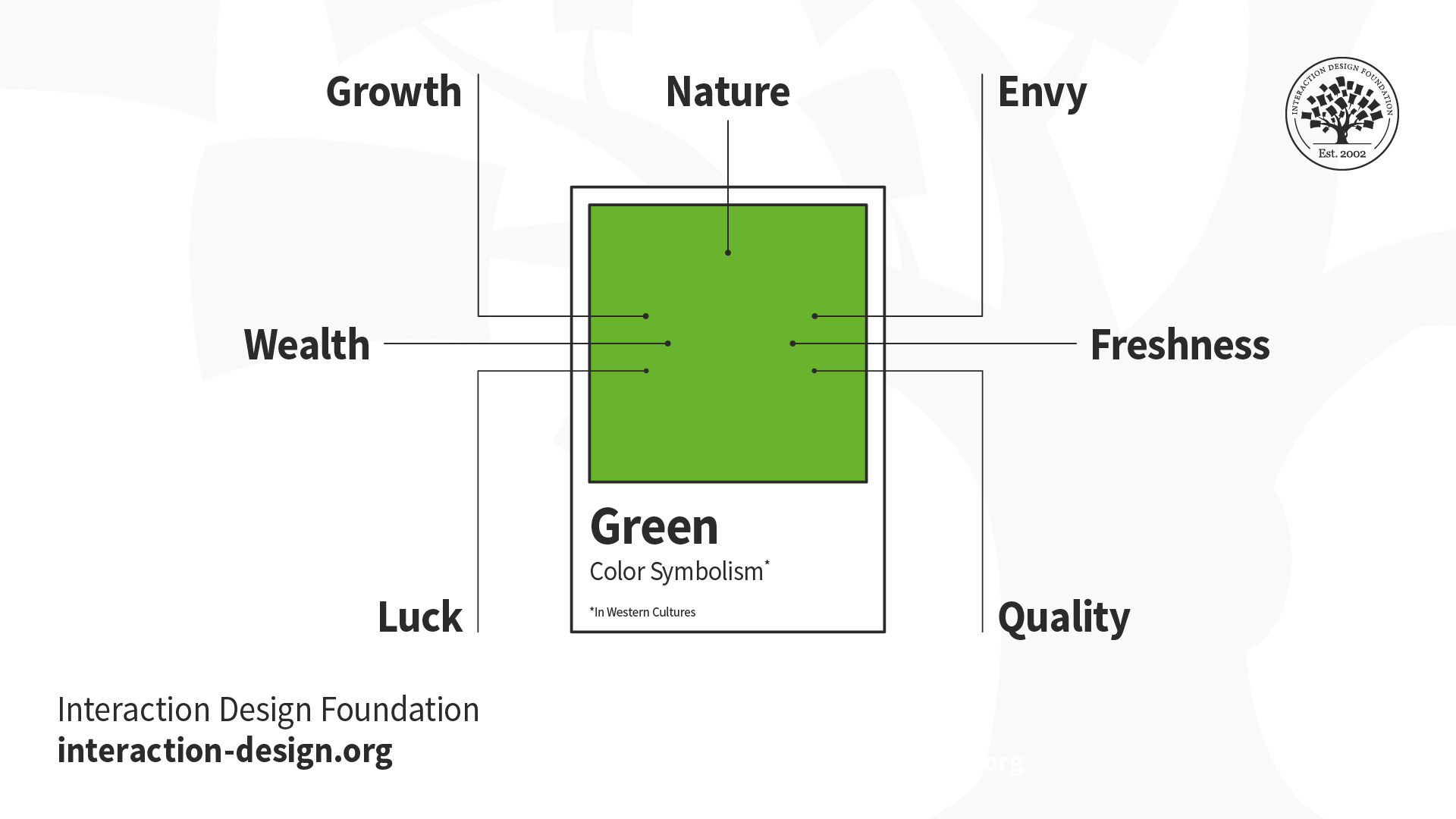
Green, particularly in Western cultures, can symbolize any of these:

  • Nature

  • Growth

  • Wealth

  • Luck

  • Envy

  • Freshness

  • Quality

Practical Tip: Pick your shade of green carefully as brighter, lighter greens indicate growth, vitality and renewal; while darker, richer greens represent prestige, wealth and abundance.

Blue

Illustration depicting key words symbolized by the color blue

© Daniel Skrok and Interaction Design Foundation, CC BY-SA 3.0

From the nighttime sky to a deep blue sea, the color blue expands our horizons and blankets our dreams. We trust blue (bestowing its authority on our men and women in uniform), depend on blue (granting blue chip stocks their fiscal reliability), see blue as a masculine thing (building up our baby boys and decorating their nurseries), and perceive it as both calming and cooling. On the other hand, we all get the blues at one time or another, and blue can be the moody underside to our otherwise rosy dispositions.

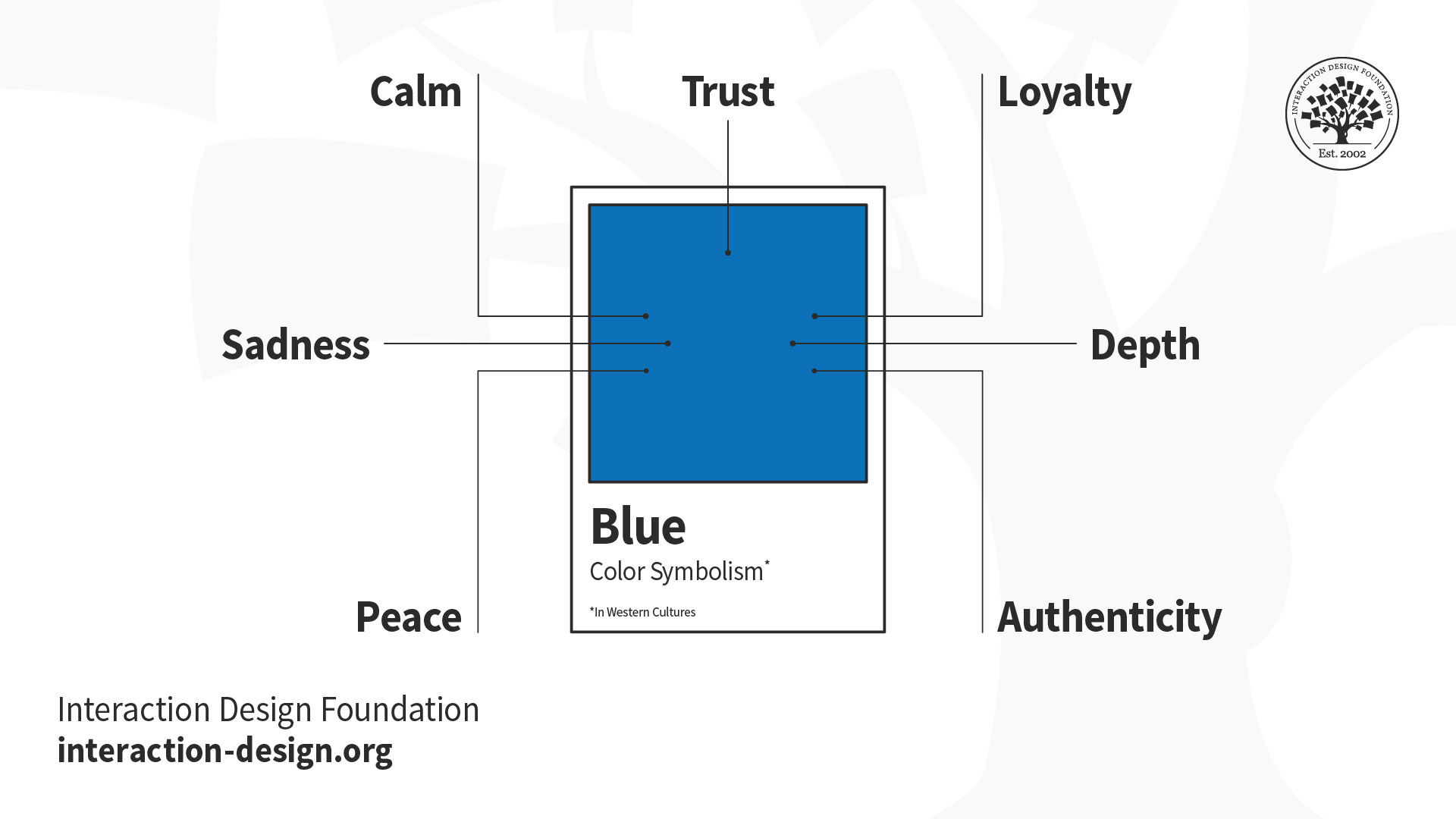
Blue, particularly in Western cultures, can symbolize:

  • Trust

  • Calm

  • Sadness

  • Peace

  • Loyalty

  • Depth

  • Authenticity

Practical Tip: Blue runs the gamut from corporate and dependable, to calming and tranquil, to feeling down in the dumps. So, choose your shade wisely.

Purple

Illustration depicting key words symbolized by the color purple

© Daniel Skrok and Interaction Design Foundation, CC BY-SA 3.0

Is there any color more extraordinary, exquisite, exalted, delicious, delectable, desirable, more je ne sais quoi? The color that just seems to fit that so very majestically is, of course, purple.

Purple speaks of high places; it's been associated with royalty for centuries — and for good reason. Nature did not provide an easy means of dying fabric purple. Historically, the production of the dye was one of the most noxious, laborious, time-consuming, and expensive processes around. Only the rich could afford it, and aside from kings’ robes and priests’ stoles, the hue was hard to attain. Those who wore it certainly did so with pomp and circumstance. No shrinking violets in the courts.

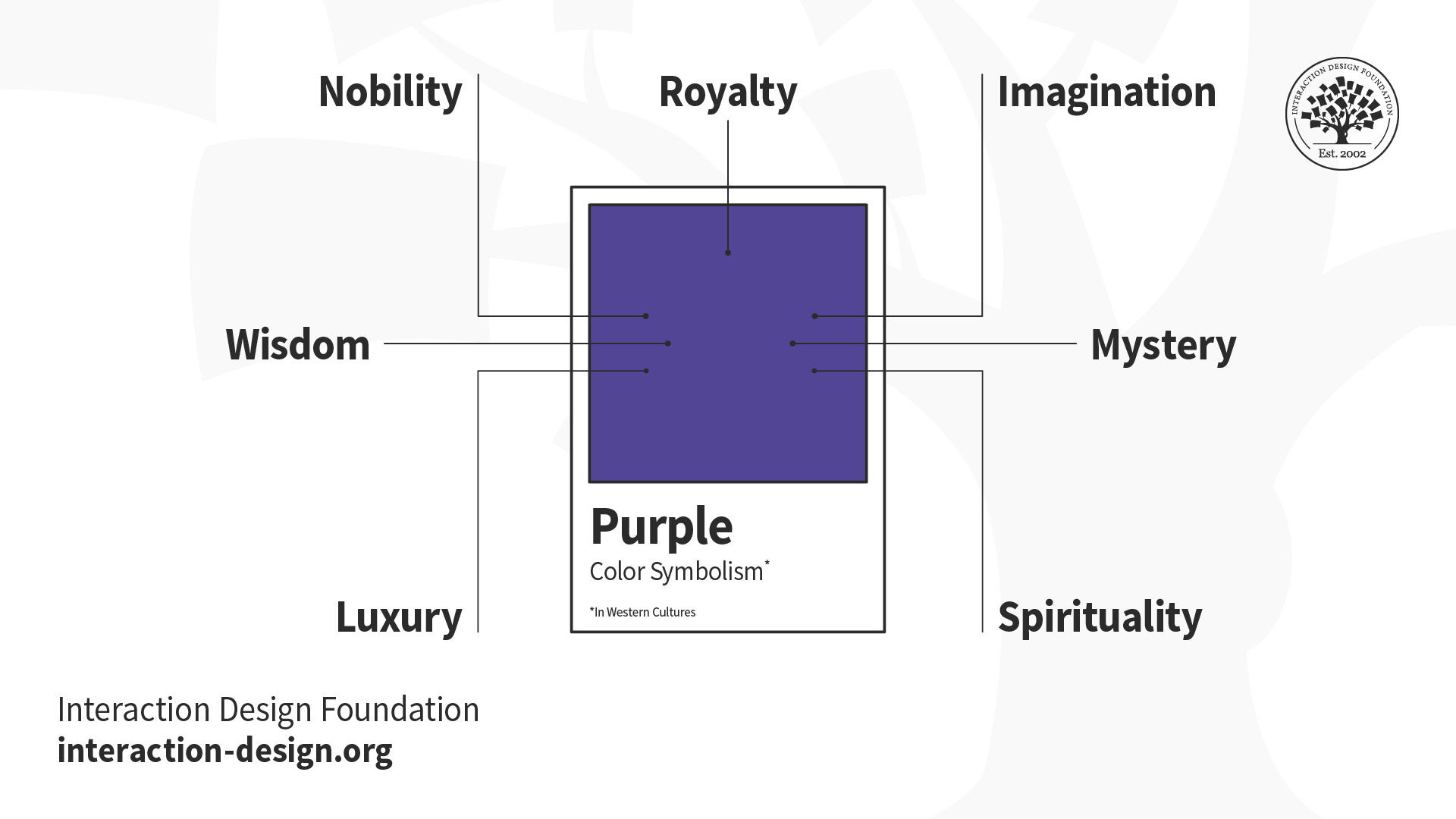
Purple, particularly in Western cultures, can symbolize:

  • Royalty

  • Nobility

  • Wisdom

  • Luxury

  • Imagination

  • Mystery

  • Spirituality

Practical Tip: Purple is best used for targeting a female audience as research suggests women list purple as a top-tier color while it doesn’t even rank for men. Overall, purple is not a common color for branding and, in fact, Cadbury is the only purple brand in the Forbes list of the 100 most valuable brands from 2014.

White

Illustration depicting key words symbolized by the color white

© Daniel Skrok and Interaction Design Foundation, CC BY-SA 3.0

White, an inherently positive color, is associated with purity, simplicity and innocence. It’s the color of snow, the symbol of defeat, and the presence of all colors. You can white knuckle the steering wheel, on your drive home, during a whiteout in winter. In the West, it’s the traditional color worn by brides; in the East, however, it’s worn at funerals. You can surround your home with a white picket fence, but never wear it after Labor Day.

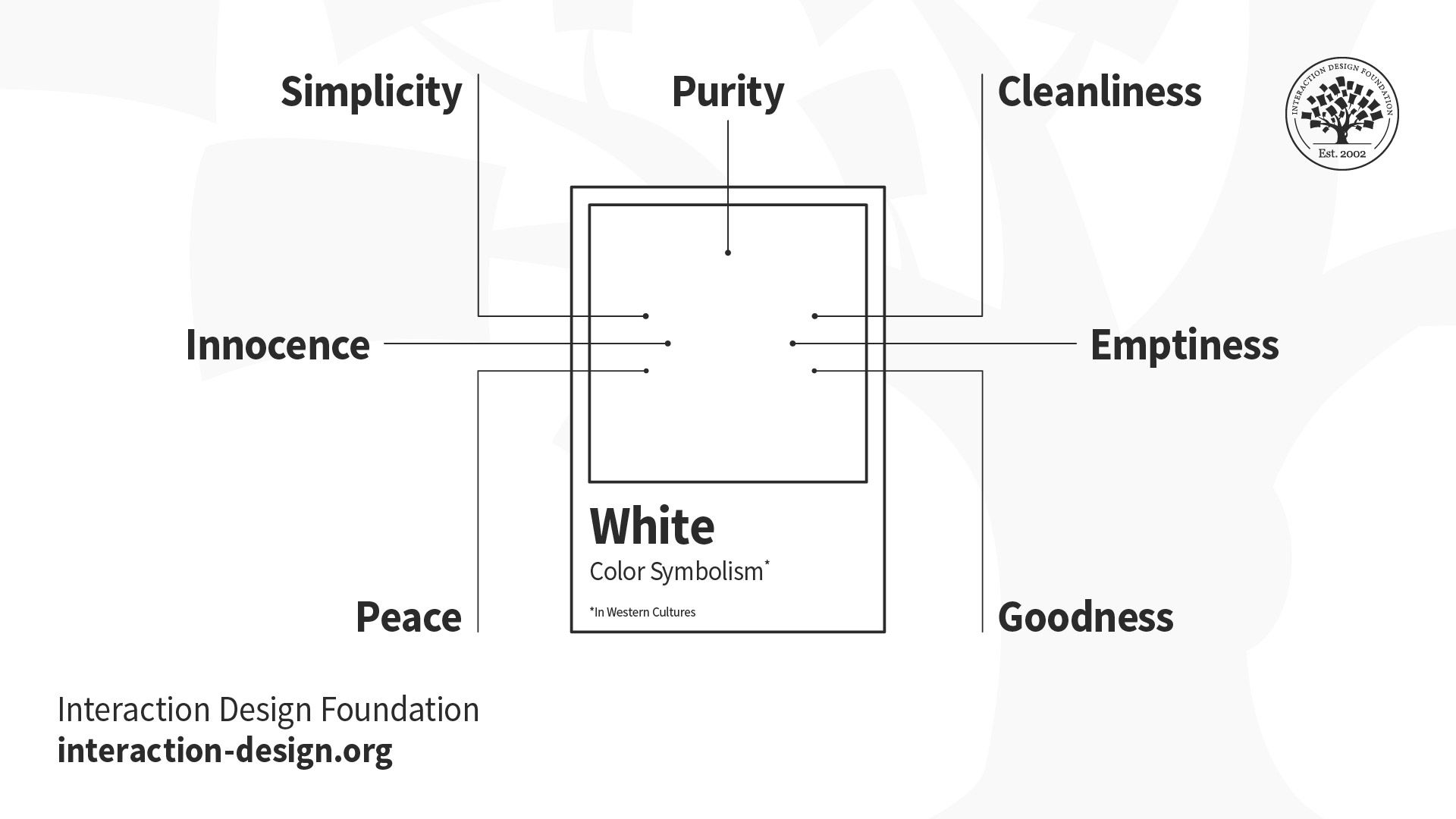
White, particularly in Western cultures, can symbolize any of these:

  • Purity

  • Simplicity

  • Innocence

  • Peace

  • Cleanliness

  • Emptiness

  • Goodness

Practical Tip: It’s difficult to inject personality into your brand when using white, so make sure your brand is about simplicity, purity and transparency.

Black

Illustration depicting key words symbolized by the color black

© Daniel Skrok and Interaction Design Foundation, CC BY-SA 3.0

Black, an inherently negative color, is associated with sophistication, sorrow and mystery. This is the color of the night sky, the symbol of death, and the absence of all color. You can get a black eye, or even blackout, while practicing for your black belt in Karate. In the West, it’s the color of mourning and the symbol of grief, but also a slimming color to wear at an elegant black tie event. Your company can celebrate its success of being in the black, but be sure to pay your taxes, or expect a visit from the men in black.

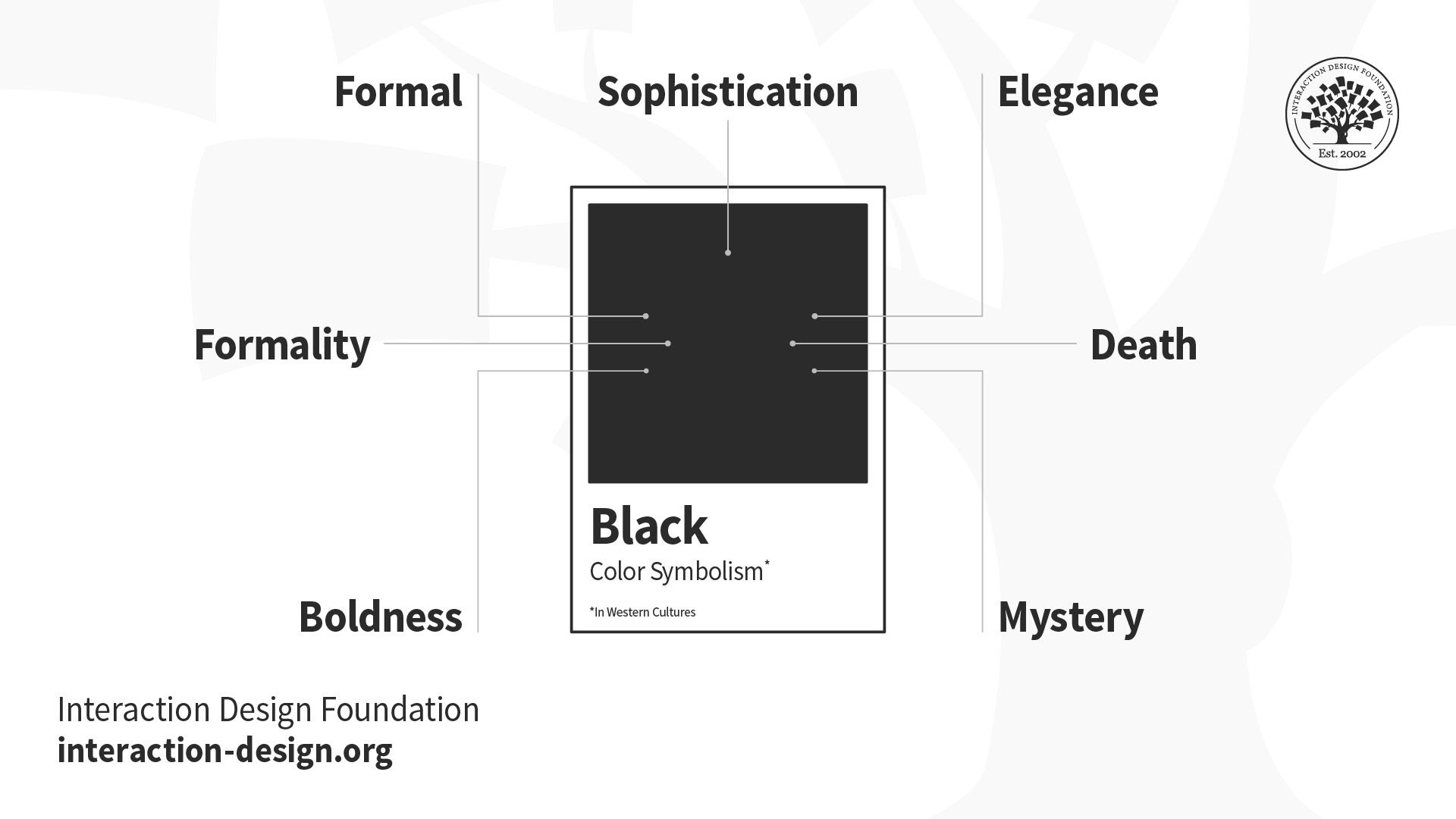
Black, particularly in Western cultures, can symbolize:

  • Sophistication

  • Formality

  • Sorrow

  • Boldness

  • Elegance

  • Death

  • Mystery

Practical Tip: Contrast a bright color against black; use gold foil for a touch of luxe, or combine it with white for a bold and simple statement. Think about texture and how matte or glossy black might change the message of your brand.

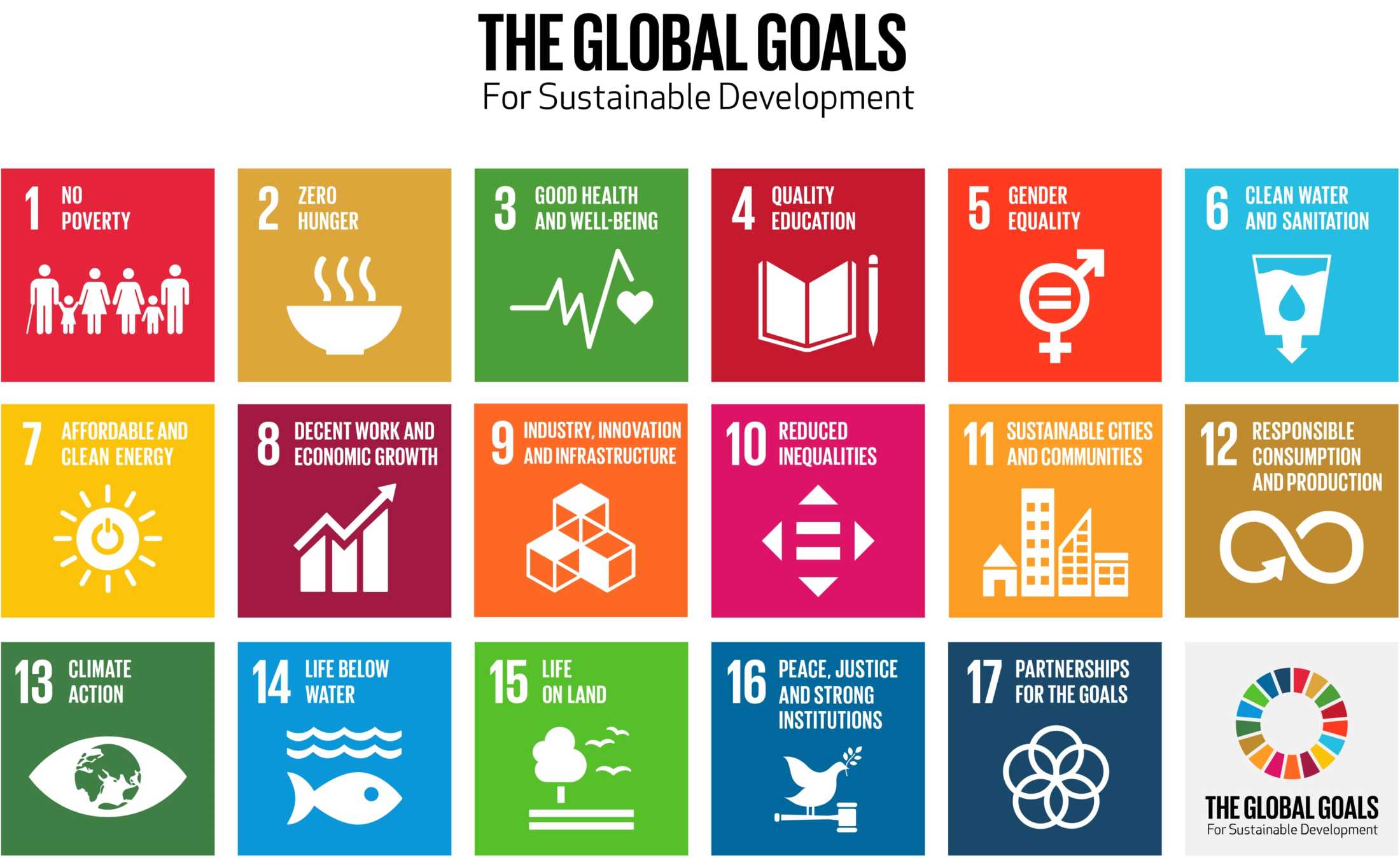
Now that you’ve learned that our relationship with color is a complex one, rooted in biological, cultural, and personal associations — imagine if you had to create a color palette, consisting of 17 colors, that is universally accepted around the world? Take that in for a moment. Let that digest. That challenge is exactly what designer Jakob Trollbäck, founder of Trollbäck + Company and The New Division, created for the Global Goals. Let’s find out how.

Color for Cause: The Global Goals

The story of The Global Goals began in the fall of 2014 with Richard Curtis, film director and founder of Project Everyone, meeting with Jakob Trollbäck, founder of creative studio Trollbäck + Company in New York, to discuss how to best make the agenda famous. Jakob took on the task and transformed the somewhat cumbersome “Sustainable Development Goals” to what they are known as today: “The Global Goals.” Invaluable insights from UN ambassadors and NGOs along the journey pushed Jakob and his team to develop icons that could be universally understood.

© Jakob Trollbäck and Design Forum Finland, Fair-use (Link)

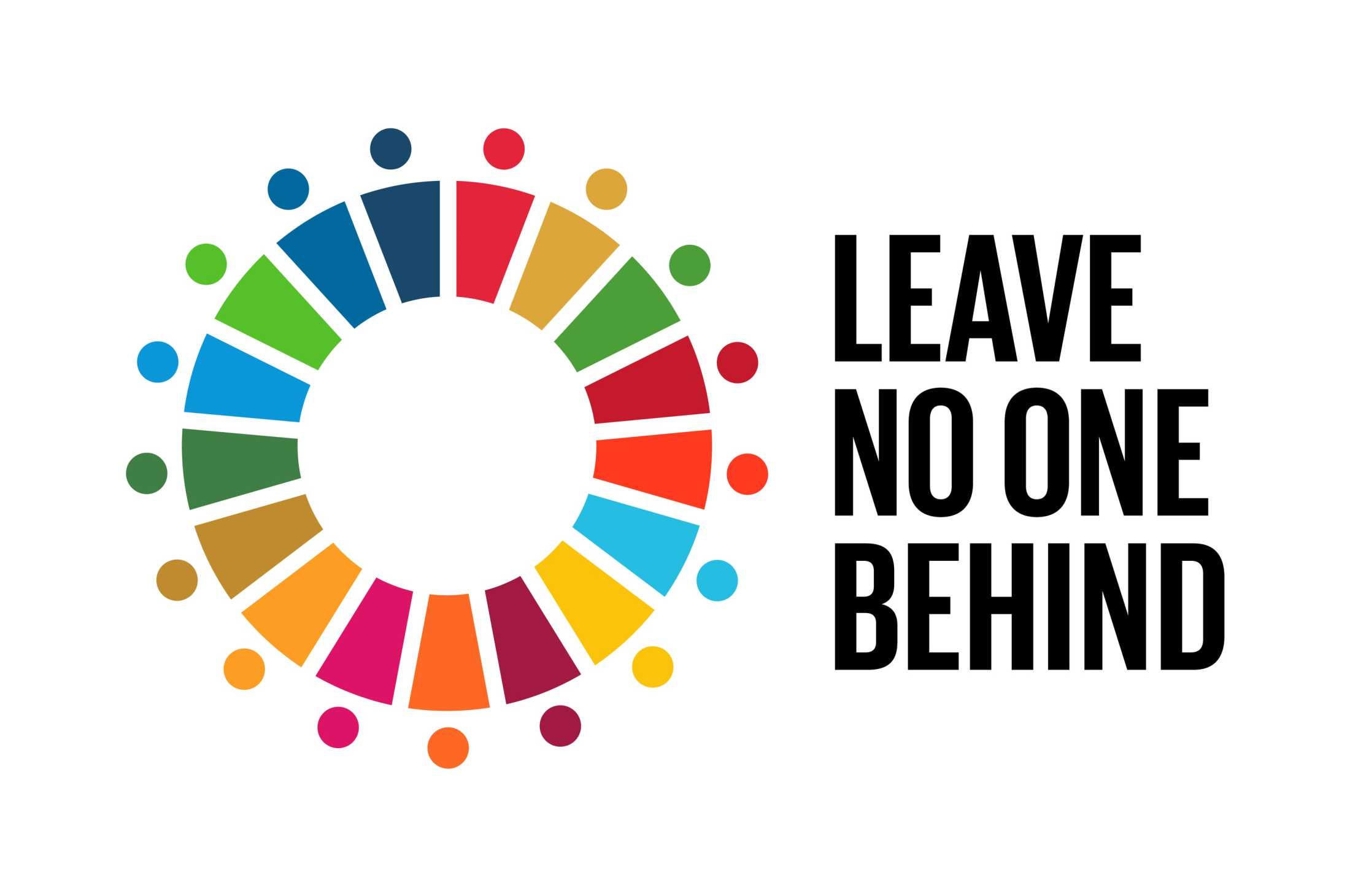
The designs and palette carefully consider cross-cultural relevance and symbolism. The circular logotype for the master brand is an expression of unity and uses the full palette from the icon system. The result is a communication system, signed-off by all 193 member nations. Today, it is universally adopted and used as a hopeful language of change to inspire everyone, everywhere to act.

Image depicting The Global Goals Leave No One Behind logo

© Jakob Trollbäck and The Global Goals, Fair-use

It was a creative challenge to find 17 colors that looked good together and to make sure similar colors weren’t next to each other. It was also important to keep certain color associations — for example, making the two goals for Life Below Water and Clean Water and Sanitation blue and the Affordable and Clean Energy goal yellow like the sun. Jakob himself said “…in the end it was like a big color-puzzle” referring to the complexity of the design.

Image depicting The 17 Global Goals for sustainable development

© Jakob Trollbäck and The Global Goals, Fair-use

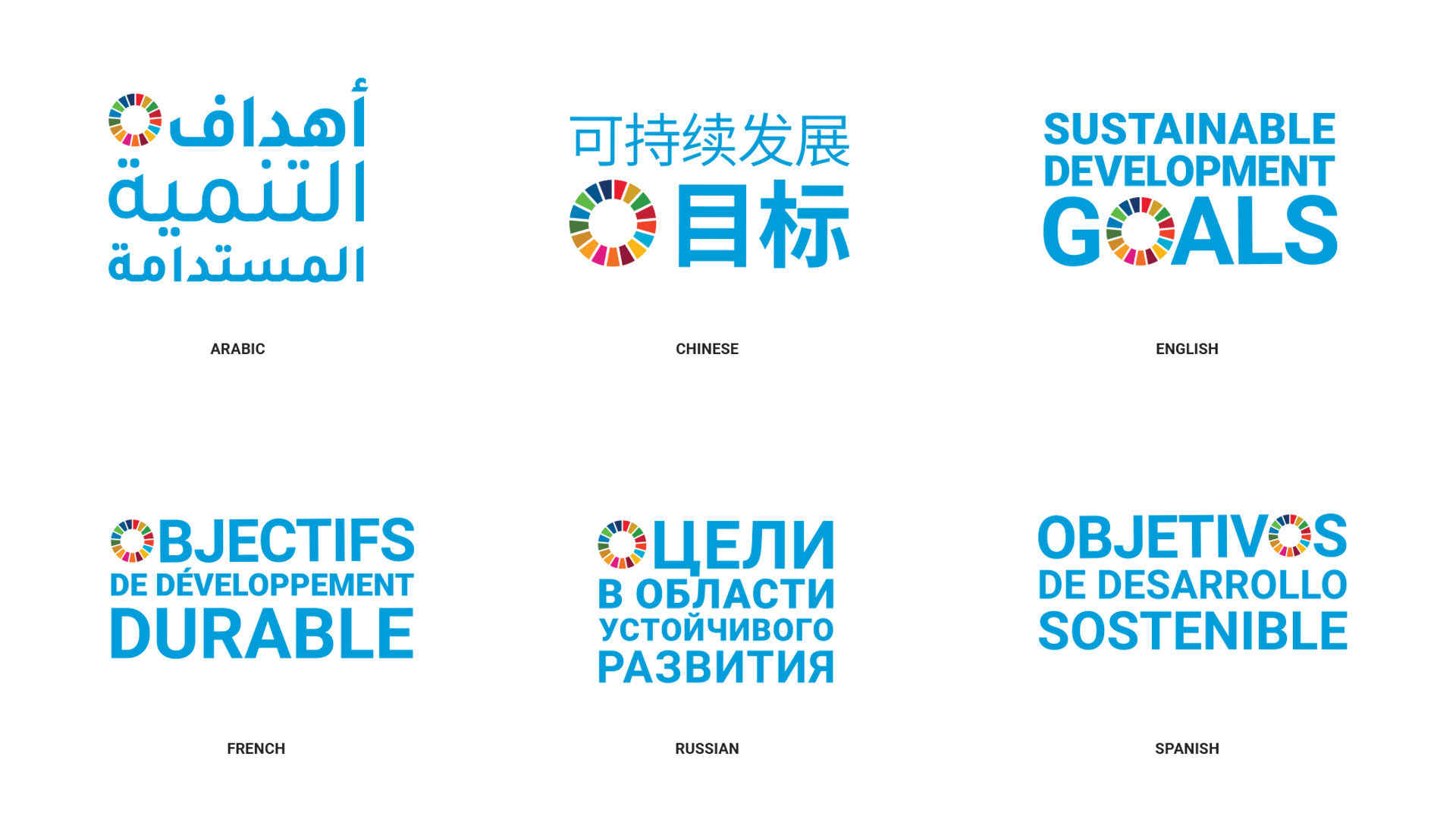
Jakob started the design process by giving the SDGs a more compelling name, transforming the somewhat cumbersome “Sustainable Development Goals” into “The Global Goals.” Below is an exploration of how the logo would read in multiple languages. This exploration shows the careful attention to localization, an important principle in design.

Image depicting The Sustainable Development Goals logo in multiple languages

© Jakob Trollbäck and The Global Goals, Fair-use

After renaming the logo, Jakob then gave each of the 17 goals a concise name that makes them easy to talk about and remember. Every goal has its own colorful icon with bold typography and bright colors to express the determination and optimism of the effort. He then designed an official logo for the initiative — a bright circle made up of the colors of the 17 individual goals to remind us that they all have to be solved together.

Image depicting The Global Goals logo

© Jakob Trollbäck and The Global Goals, Fair-use

“Good design is surprising and inevitable.”
— Jakob Trollbäck

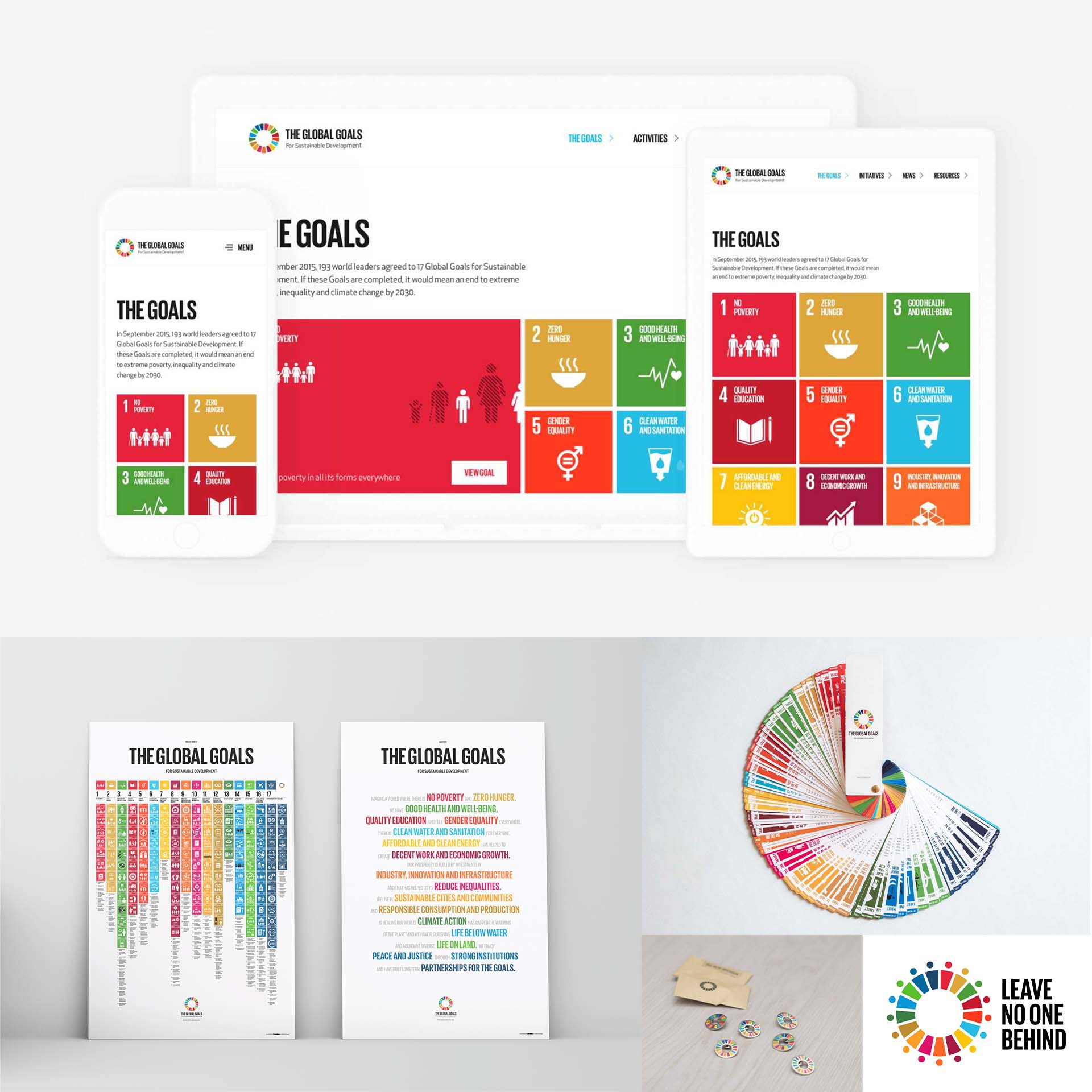
According to Jakob, design is very purpose driven and the magic comes when you find a new way to present to users and allow them to find a different way to think. With that concept in mind, Jakob translated the Global Goals into a comprehensive campaign including a website, poster, swatch book and pins.

Image collage depicting The Global Goals website, poster, swatch book, pins, and logo

© Jakob Trollbäck and The Global Goals, Fair-use

The Take Away

Color is powerful. It has the power to persuade, evoke, express and communicate. It can also be an effective tool to communicate with your users. However, color is subjective and must be used in the right context.

In this lesson, we learned that the context of our relationship with color is a complex one, rooted in biological, cultural and personal associations. We also learned the difference between warm and cool colors and the cultural symbolism of specific colors in Western cultures.

  • Red = Love, Passion, Strength, Power, Danger, Excitement, Energy

  • Orange = Warmth, Creativity, Adventure, Freshness, Happiness, Attraction, Success 

  • Yellow = Optimism, Cheer, Happiness, Warmth, Caution, Energy, Intellect

  • Green = Nature, Growth, Wealth, Luck, Envy, Freshness, Quality

  • Blue = Trust, Calm, Sadness, Peace, Loyalty, Depth, Authenticity

  • Purple = Royalty, Nobility, Wisdom, Luxury, Imagination, Mystery, Spirituality

  • White = Purity, Simplicity, Innocence, Peace, Cleanliness, Emptiness, Goodness

  • Black = Sophistication, Formality, Sorrow, Boldness, Elegance, Death, Mystery

Lastly, we learned about The Global Goals and the particular challenges Jakob Trollbäck and his team solved through research, localization and cultural symbolism. Remember, design is very purpose driven and the magic comes when you find a new way to present to users and allow them to find a different way to think.

References and Where to Learn More

Read Joann and Arielle Eckstut’s book “Secret Language of Color: Science, Nature, History, Culture, Beauty of Red, Orange, Yellow, Green, Blue, & Violet to learn more about Color Symbolism.

Read the insightful book What Is Color? 50 Questions and Answers on the Science of Color, by Arielle Eckstut and Joann Eckstut, to learn more about Color.

Watch Design Forum Finland: Communicating Change to hear more from Jakob Trollbäck about his design process.

Learn more about The Global Goals.

Image

© Interaction Design Foundation, CC BY-SA 3.0

Feel Stuck?
Want Better Job Options?

AI is replacing jobs everywhere, yet design jobs are booming with a projected 45% job growth. With design skills, you can create products and services people love. More love means more impact and greater salary potential.

At IxDF, we help you from your first course to your next job, all in one place.

See How Design Skills Turn Into Job Options
Privacy Settings
By using this site, you accept our Cookie Policy and Terms of Use.
Customize
Accept all

Be the One Who Inspires

People remember who shares great ideas.

Share on:

Academic Credibility — On Autopilot

Don't waste time googling citation formats. Just copy, paste and look legit in seconds.