Your constantly-updated definition of Interactive Design Portfolios and collection of videos and articles. Be a conversation starter: Share this page and inspire others!
Design portfolios are crucial in successfully landing a variety of roles, but what form should they take? Interactive portfolios are a great way to show off your design skills while engaging with your audience in ways that just aren’t possible with static media. And for interaction design, they allow you to showcase the same skills you’ll be using on the job.
In this clip, Morgane Peng, Design Director at Societe Generale CIB, explains the important role of a portfolio.
Transcript
Transcript loading ...
Autoscroll
What a Design Portfolio Should Include
It’s important not to focus solely on finished designs. Your portfolio will be more persuasive and informative if it tells the stories of design from problems to solutions. If you also do user research, be sure to include examples of that too, showing how research results affected design decisions. For a user experience portfolio, consider including
The complete list sounds daunting, but bear in mind that you are only giving highlights at each step of the story.
You should focus on three to four projects that showcase the range of your work.
Multiple Mediums for Flexible Presentation
Websites offer the greatest scope for demonstrating design skills, but it is often necessary to have a backup. This is especially true if a mobile rendering of a site does not show it in the best light.
Some website platforms support the ability to export your CV as a PDF. Alternatively, sites such as behance.net allow users to create interactive PDFs. These mostly rely on simple scrolling for navigation, but other interactive elements are present, such as drop-down lists and popups.
Where to Start
Building a UX design portfolio, as described below.
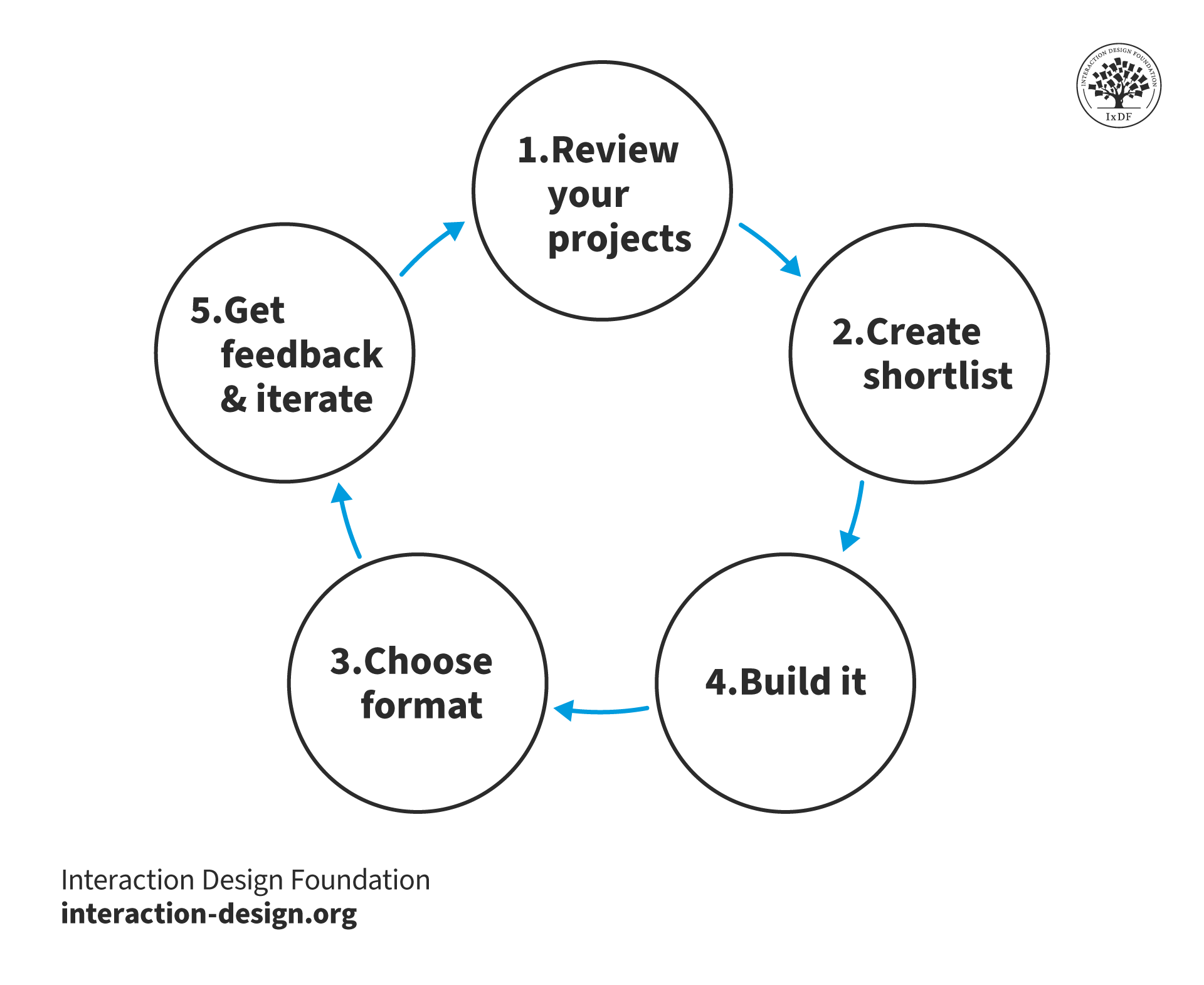
In a step-by-step article on how to build a UX design portfolio, Rachel Krause at NNG (see Where to Learn More) suggests:
Review your projects. What makes them good, bad or different from others? What is likely to attract the attention of hiring managers?
Whittle your list down to a handful and consider the story behind each. If you have many to choose from, consider those that might make an interesting conversation when someone asks what you do for a living. Talk about the problems you were solving, how you worked with others and how successful the solutions were.
Choose the format of presentation. As discussed above, websites are great for interactivity. However, they may not always be the easiest to present. Interactive PDFs are a little more linear.
Build it. If you are a confident website designer, starting from scratch can wow your prospective employers or customers. If you would rather focus on telling the stories behind your projects, consider template-rich environments like Wix, Squarespace, Behance and WordPress.
Share your portfolio and get feedback. You can start with online communities but focus on those you already contribute to. Crashing into a community just to ask for feedback may be counterproductive. As you talk to hiring managers and recruiters, take note of what works for them and what doesn’t.
Sample Portfolios
Be sure to have a look at what others are doing. The great thing about interactive portfolios is that they can often be open to view. Naturally, sensitive or detailed information may be stashed behind a password-protected link, but your main goal is to generate enough interest to carry your portfolio past the initial filtering stages.
Here are some collections of good portfolio examples:
Questions About Interactive Design Portfolios? We've Got Answers!
What tools can I use to create an interactive design portfolio?
Popular tools include Adobe XD, Figma, Webflow, and Behance. These platforms offer flexibility for designing and prototyping interactive elements, allowing designers to craft customized, engaging portfolios.
How often should I update my interactive design portfolio?
Updating your portfolio every 3-6 months or after completing significant projects is ideal. Regular updates show growth, new skills, and current interests, helping you stay relevant in the fast-evolving design industry.
What are some best practices for creating an interactive design portfolio?
Some best practices include keeping navigation intuitive, ensuring responsiveness on different devices, focusing on readability, and avoiding overly complex animations that can distract from the content. It’s also important to regularly update the portfolio with recent projects to reflect current skills and styles.
How can interactive elements enhance a design portfolio?
Interactive elements like animations, transitions, clickable prototypes, and hover effects can help to guide viewers’ attention and make the portfolio experience memorable. When used thoughtfully, these elements reflect the designer’s skill in creating engaging and functional user experiences.
What should an interactive design portfolio include?
When possible, an interactive portfolio should include case studies, project descriptions, images, prototypes, and links to live projects. Key sections typically cover the designer's process, challenges faced, solutions provided, and measurable results. It's also useful to include a brief introduction and contact information.
Why is an interactive design portfolio important for UX/UI designers?
An interactive portfolio helps UX/UI designers demonstrate their design thinking, technical abilities, and creativity more effectively. It gives potential employers and clients a hands-on experience of the designer's style and approach, making it easier to stand out in a competitive field.
What is an interactive design portfolio?
An interactive design portfolio is a digital collection showcasing a designer’s work and skills, often presented in a dynamic and engaging format. It typically includes interactive elements, animations, and responsive layouts to highlight a designer’s approach to user experience (UX) and user interface (UI) design.
Earn a Gift! Answer a Short Quiz at the End of This Page
Earn a Gift, Answer a Short Quiz!
1
2
3
4
1
2
3
4
Question 1
Question 2
Question 3
Get Your Gift
2
3
4
2
3
4
Question 1
Question 2
Question 3
Get Your Gift
3
4
3
4
Question 1
Question 2
Question 3
Get Your Gift
4
4
Question 1
Question 2
Question 3
Get Your Gift
Try Again! IxDF Cheers for You!
0 out of 3 questions answered correctly
Remember, the more you learn about design, the more you make yourself valuable.
Why? Because design skills make you valuable. In any job. Any industry.
In This Course, You'll
Get excited to build a design portfolio that helps you land your first UX role, advance to your next one,or step into a senior or leadership position. Whether you're switching into design from another field, or you've been a designerfor years and want to update your portfolio to reflect where you are now, this course is for you. You'll develop skills in content strategy, visual storytelling, case study writing, and portfolio presentation, all grounded in what hiring managers look for. Research from design companies consistently points to the same conclusion: In UX/UI design and product design, your portfolio matters more than your resume, your degree, or your years of experience. Your portfolio is in many ways your most important design project. The time you invest in it willwork for you every time you apply for a role.
Make yourself invaluable when you master howto communicate the thinking, value, and impact behind your design work. A polished final screen tells a hiring manager very little. What gets you an interview is a well-structured portfolio that helps a recruiter understand how you think, work, and make design decisions. That's how you show them why you're the right fit for their team. You'll learn to reframenon-design experience as a strategic advantage, navigate NDA-protected projects, and quantify the impact of your work. These are the skillsrecruiters look for but rarely find in portfolios.
Gain confidence and credibility as you communicate the impact of your work in your case studies. Forrester's research on the ROI of UX shows hiring teams look for designers who can connect their work to business impact, and that's what this course will help you do. You'll be able to make informed decisions about format, visual design, navigation, and landing page structure with templates you can use straight away. You'll also prepare tailored presentations for different interview lengths and audiences.
Craft your personal portfolio with optional hands-on activities you can apply to your new or existing case studies.At the end of this course, you'll leave with a portfolio you’re proudof. It'll stand out in the stack of portfolios hiring managers review and give you a serious chance at the interview you want.
Learn From Industry Leaders
Master complex skills with proven best practices and toolkits directly from industry leaders. Meet your expert for this course:
Morgane Peng: Designer, speaker, mentor, and writer who serves as Director and Head of Design at Societe Generale CIB.
Earn Industry-Recognized Certificates
Industry giants trust our courses to train their teams, and prestigious universities integrate our content into their curricula. Add your certificates to your LinkedIn profile, résumé, and job applications.
All Free IxDF Articles on Interactive Design Portfolios
How to Write UX/UI Design Case Studies That Boost Your Portfolio and Get You Hired
The term “case study” sounds a little boring, doesn’t it? What if, instead, it were called a “design story”? Well, that’s exactly how you should think of it! Approach your UX/UI design case studies like stories, not just a list of tasks you completed. You will not only make your portfolio easier and
8 Essential Writing Tips for a Clear and Confident UX/UI Design Portfolio
Have you ever read and re-read something over and over and still didn’t understand it? Unless it was a book on advanced nanoengineering, it probably wasn’t your fault. Much of the writing you will read in your life will be unnecessarily complex or vague. Surprisingly, however, it’s easy to write eff
Your UX design portfolio is your shop window as a professional, so you’ll want to shine for potential clients and employers. But how do you begin creating this crucial self-promotion piece, which could be the most important design you’ll ever put your name on? Let’s explore some readymade solutions
Stop the Generic Portfolio Trap! Design a Stand-Out Portfolio for Your UX/UI Niche: User Research
User research is indispensable—and without it, well... UX design is guesswork. When you’re a user researcher, you know this well—but it can be hard to communicate your work in a way that grabs the viewer and holds their attention. And that’s what a portfolio is all about—grabbing the attention of yo
Social shares
436
Published
Read Article
How to Write UX/UI Design Case Studies That Boost Your Portfolio and Get You Hired
The term “case study” sounds a little boring, doesn’t it? What if, instead, it were called a “design story”? Well, that’s exactly how you should think of it! Approach your UX/UI design case studies like stories, not just a list of tasks you completed. You will not only make your portfolio easier and more enjoyable to create, but you will engage the reader and leave them wanting more. Give hiring managers structure, intrigue, and emotion as you tell your design successes. You’ll find yourself preparing to interview for your dream job in no time.
UX (user experience) design projects can be messy. Deadlines change, project goals shift, and new findings can fundamentally alter design specifications. Stories will give your past experiences form and organize your case studies. In this video, Stephen Gay, UX Design Lead for Google One, explains why you should include narrative in your UX/UI design portfolio:
Transcript
Transcript loading ...
Autoscroll
When you arrange your experience into a meaningful sequence of events, recruiters will understand the path you took to the final product. The path is the juicy part of your case study—it shows how you make decisions, problem-solve, and work with others. Combine structure with storytelling elements like emotion and conflict, and your design stories will come to life.
The UX/UI Design Story Blueprint: How to Structure Your Case Studies
Before you begin weaving tales, it’s important to create a structure for your case studies that keeps you on track as you write.
Your case study structure has three main goals:
To showcase your design process and your solutions.
To keep the reader engaged as you guide them through your design projects.
To make it as easy as possible for busy hiring managers to navigate your case study.
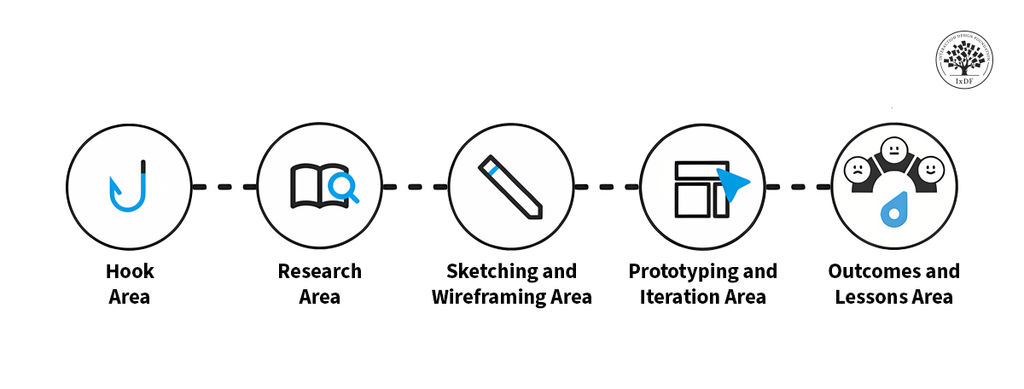
Therefore, your goal is a logical, well-organized, and easy-to-navigate structure. The best way to achieve this is to follow the design process or methodology you used, such as design thinking, plus a hook and conclusion. Morgane Peng, Managing Director and Head of Design at Societe Generale CIB, explains what to include in your case study in this video:
Each section should include a combination of text and media (images, video, interactive elements, etc.). A good benchmark is 60%-80% text and 20%-40% media.
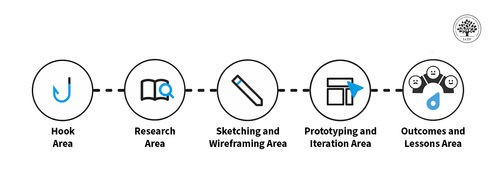
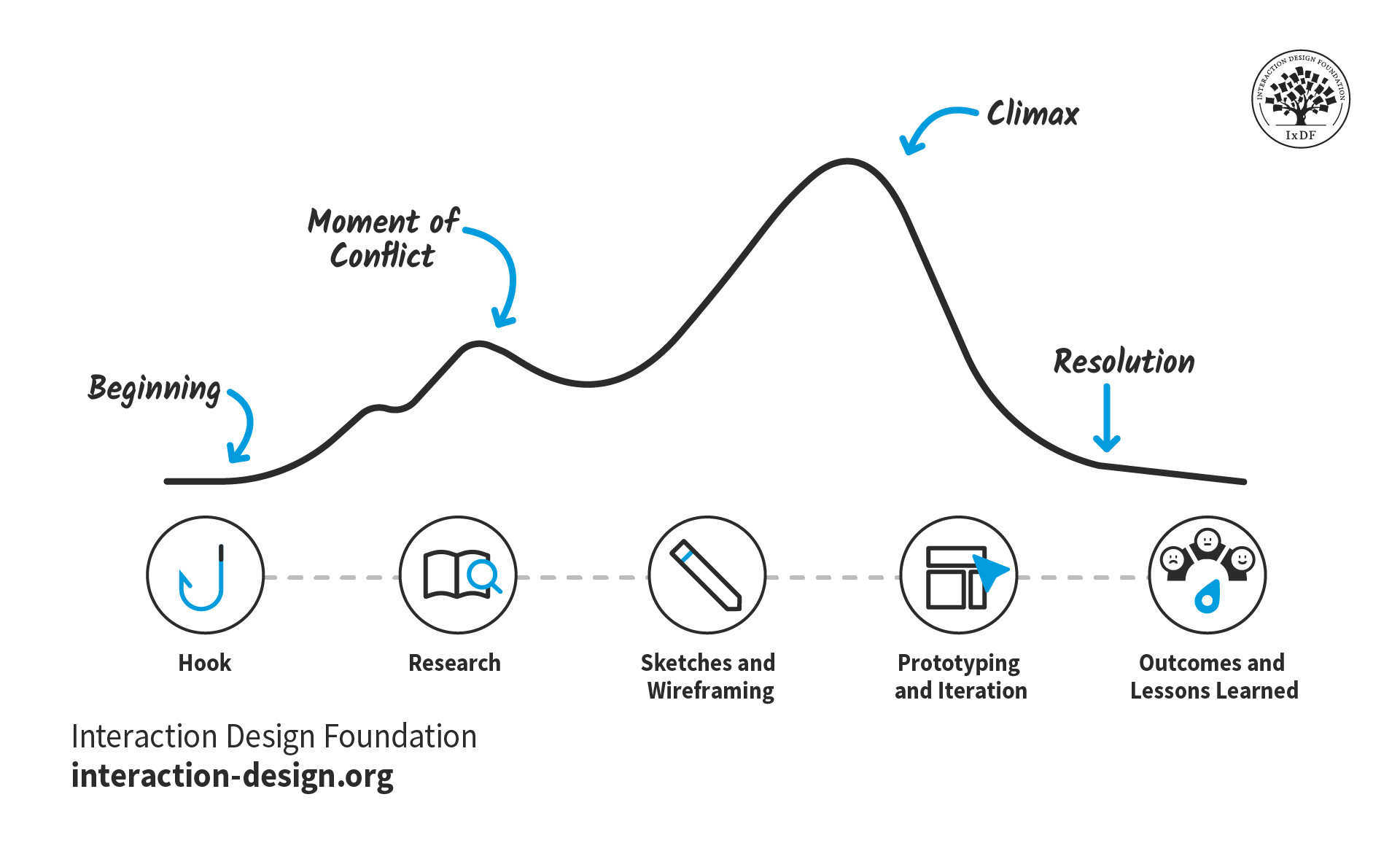
The stages of your design process serve as an ideal structure for your case study. They’re universal and relatable, so busy hiring managers can immediately understand what they’re reading. Your narrative can then flow through this structure as you set up your story with exposition, introduce and resolve conflicts, and reach the climax.
Depending on the message you want to convey in your case study, you might focus on one area in particular. For example, if you want to show off your UI (user interface) design skills, you might only include the prototyping and iteration section. For another project where you’re proud of the research you did, you could make this the primary section.
However, regardless of your project, you should always include two sections: the hook and the outcomes and lessons learned.
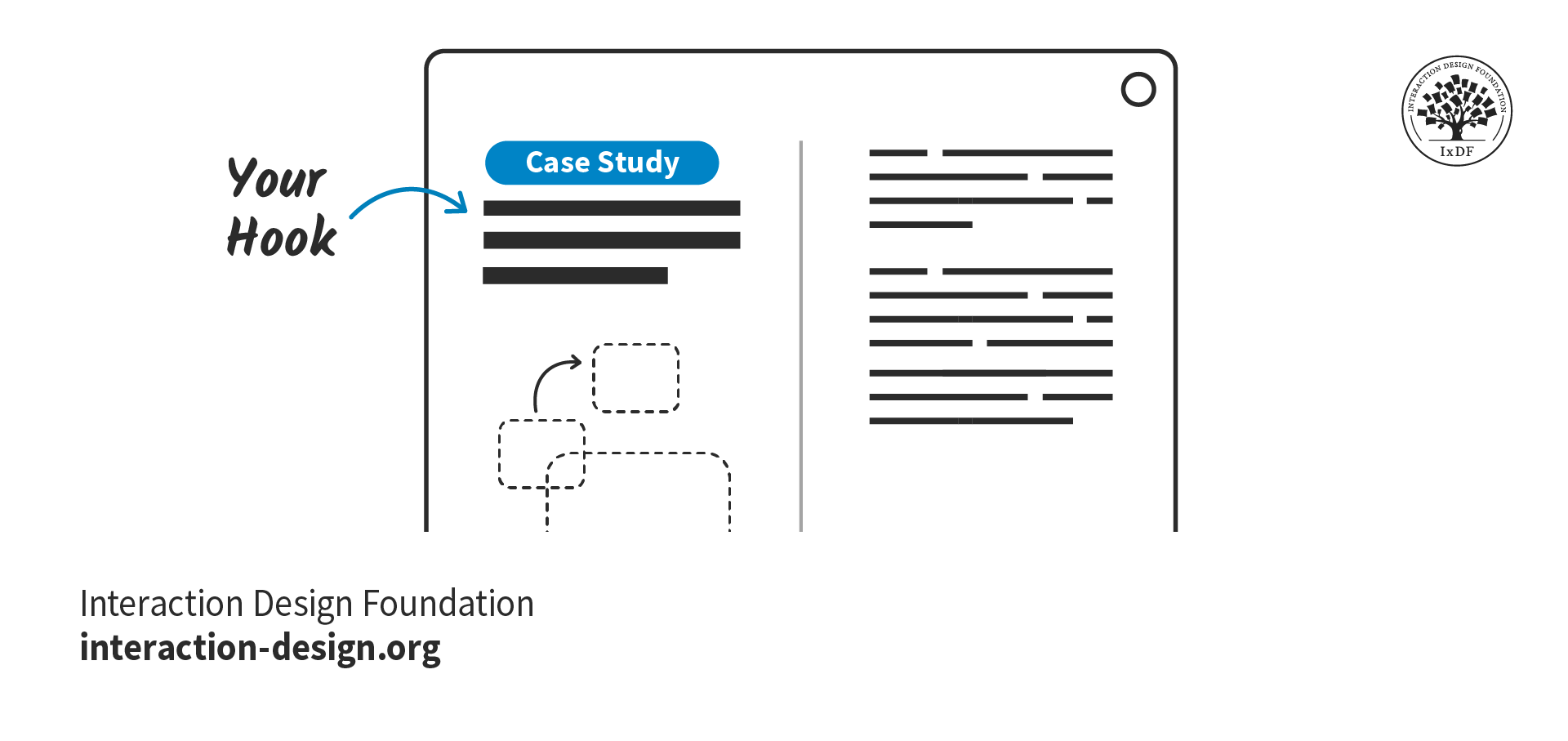
The Hook Area
The purpose of the hook is to immediately grab attention and entice the reader to read on. Your hook should convince hiring managers they’ve made the right choice by opening your case study.
To craft a hook that potential employers can’t say no to, make sure you include these elements:
The key characteristics of your project:
The type of project, e.g., a school project, client project, hypothetical project.
Your role, g., UX Designer, Product Designer, User Researcher, UX Writer
Your contribution, e.g., checkout flow, search optimization, information architecture
Whether you worked solo or in a group, and how you collaborated with others.
The design approach and methodologies you used to solve challenges and why they were effective. For example, design thinking, agile, lean UX, etc.
A preview of the work, such as screens, videos, or prototypes, to capture attention early on.
An introduction, or “exposition,” that sets the scene for the rest of the case study (more on this later on).
Where your case study differs from a typical story is that you should include the results of the project before the full case study begins. Why? Hiring managers are busy people and may only have allocated five minutes to review your whole portfolio. If you show them the results first, they will be more inclined to run over their time limit and find out how you got there. Even if the project did not reach its goals, include the positive outcomes, for example, the lessons you learned or the skills you gained.
“This might sound a bit counterintuitive … but as a hiring manager, I'd rather see the results first before diving into the case study and committing 7 to 10 minutes of my life reading it. If the preview is not available, I usually just scroll down to see it and back up to start reading.”
- Morgane Peng, Managing Director and Head of Design at Societe Generale CIB
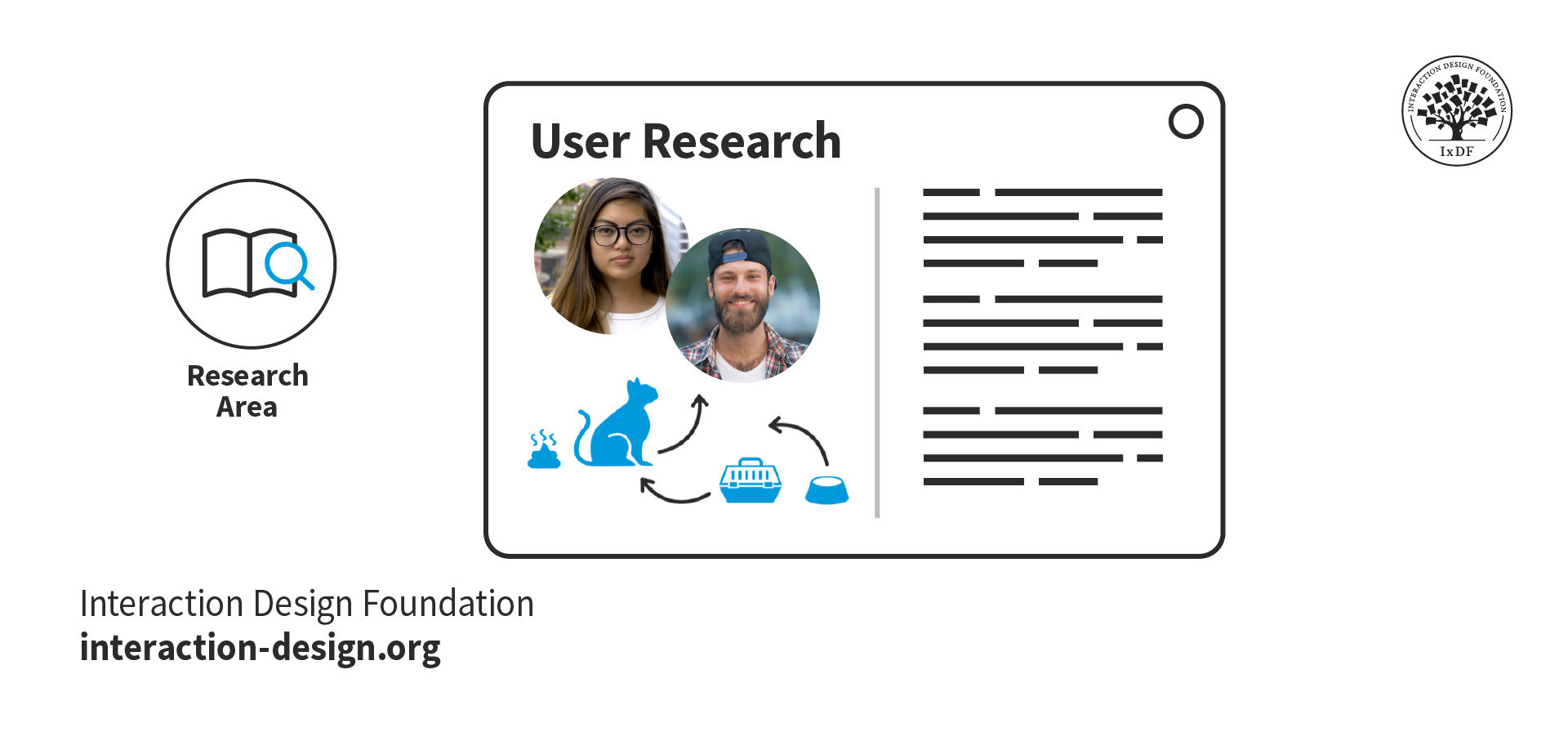
Research Area
If your case study project followed a typical design process like design thinking, then the next part of your story will likely be user research.
When you present your research and outcomes in your case study, you show that you care about research-driven, user-centered solutions. Follow these top tips when you write about your research:
Provide context, constraints, and clear research goals.
Insights are more valuable than screenshots of interview scripts or the tools you used. However, you should still include deliverables such as empathy maps, personas, and affinity diagrams to show your processes.
Organically link your research findings and explain how they informed your problem statement and design process.
Explain the reasoning behind your research methodologies and what you learned from them. Otherwise, it may seem you just ticked off research as part of a checklist.
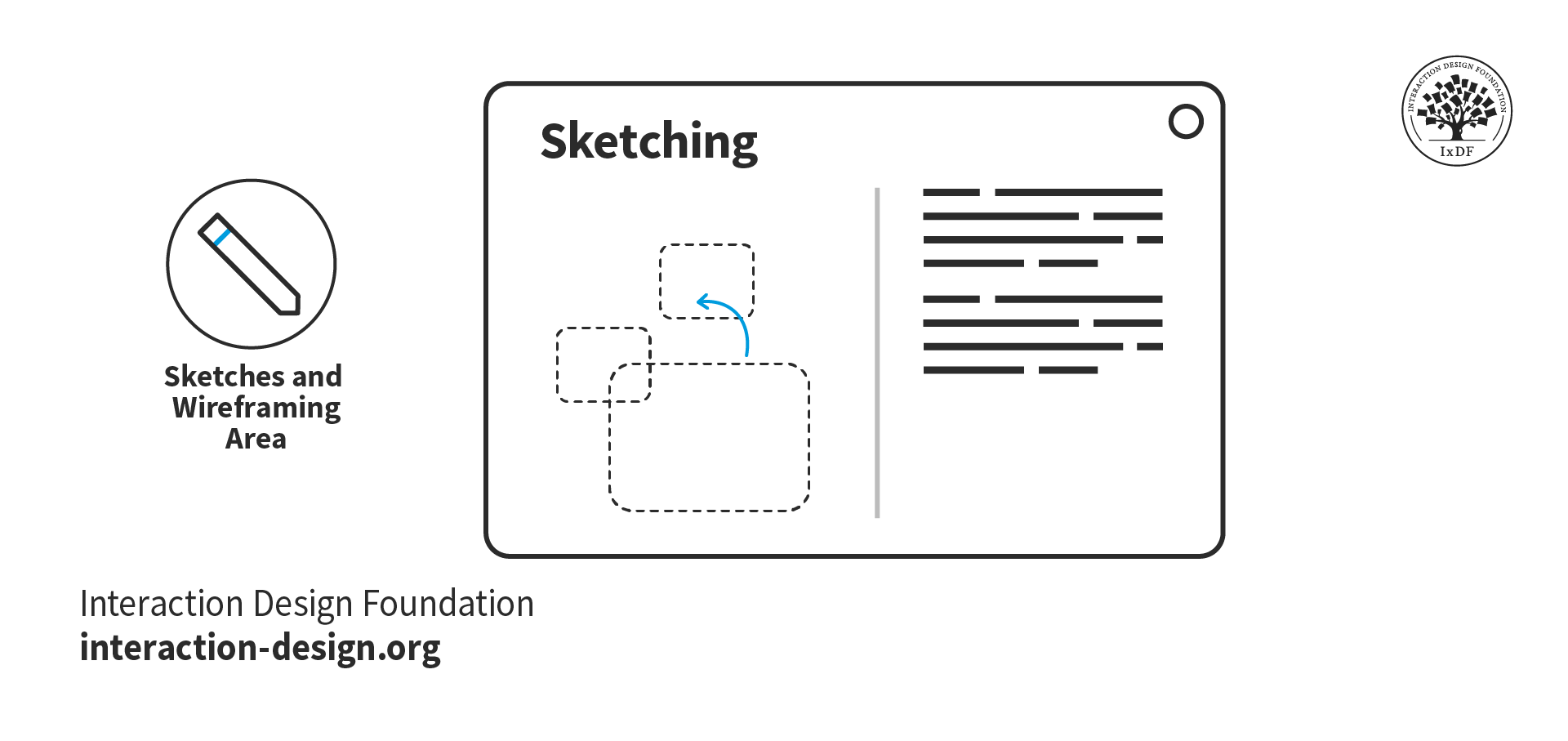
Sketching and Wireframing Area
Sketches and wireframes demonstrate your understanding of layout concepts, UI elements, and information hierarchy. They also show your thought processes and the journey from ideas and research insights to final prototypes.
This section is your opportunity to demonstrate the core of your design process:
Armed with research insights, how do you approach solutions for your users’ problems?
How do you collaborate in a team to generate and develop ideas?
When you face a roadblock, how do you get past it?
As for the sketches themselves, you may have created them rapidly while brainstorming, and unless you’re an excellent illustrator, they could be a little messy! Given this, it’s good practice to redraw your sketches for your portfolio. You want to make sure hiring managers can easily understand them and that your handwriting is clear.
Similarly, your hand-drawn wireframes should be well-presented. Even if you understand them, unaligned UI elements may appear as bad design. Redrawn sketches and wireframes also give you the opportunity to annotate and explain your design decisions. In this video, Mike Rohde, Illustrator, Teacher, and Designer, explains how to use sketches in your portfolio.
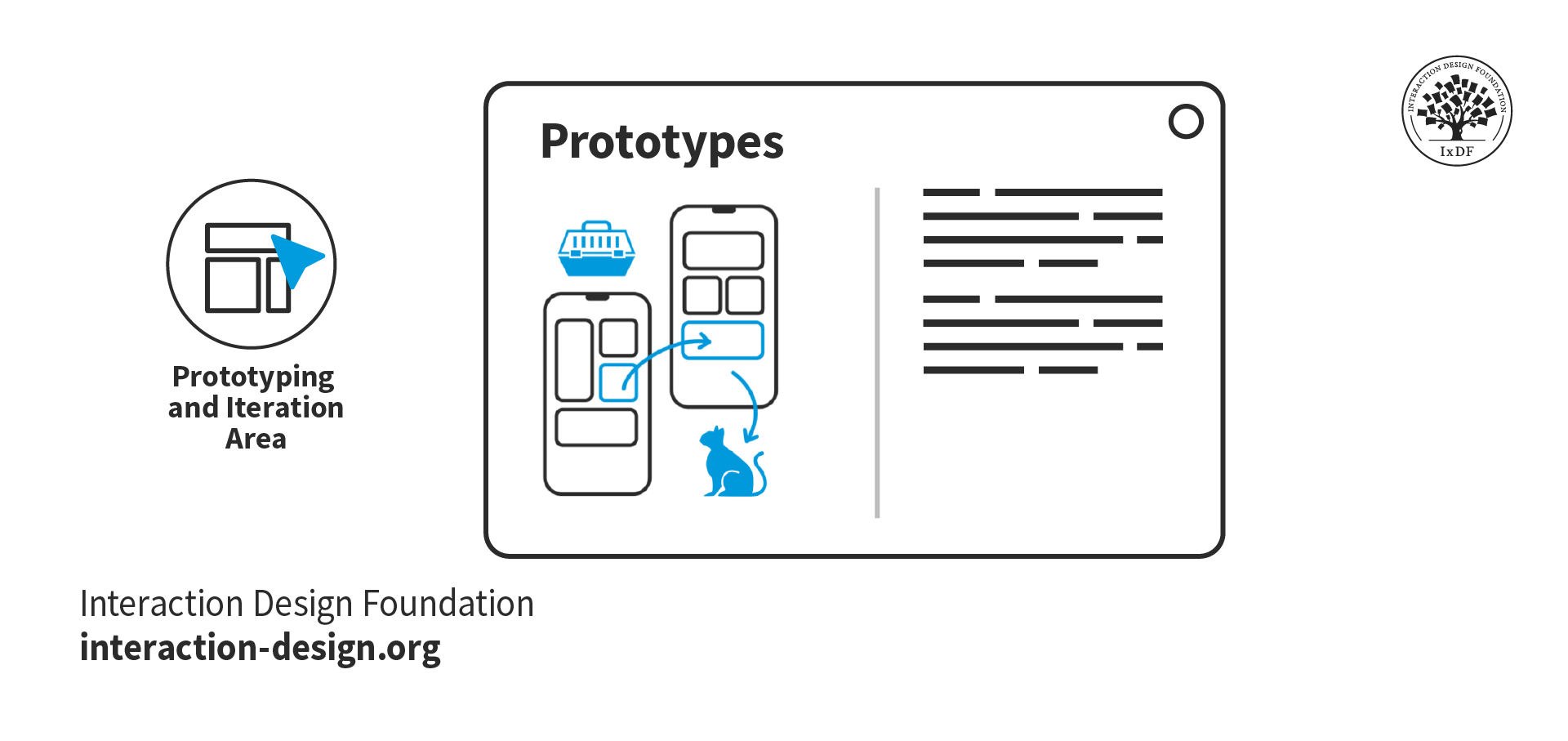
Prototyping and Iteration Area
The prototype and iterations section is the penultimate section of your case study, where you showcase your final design. You’ll also tell hiring managers about the road your designs took, from sketches to high-fidelity prototypes.
The time has come to show off your final designs! Use this opportunity to showcase how your design process paid off. These are some tips to get the most out of this section:
Include both mobile and desktop prototypes in context if your design is multi-device. For example, show the mobile version to scale within a phone mockup.
Link to your prototype files to allow hiring managers to explore the design in detail.
Highlight any usability testing and the design changes you implemented based on the insights you found. This approach shows how you improve designs through iteration.
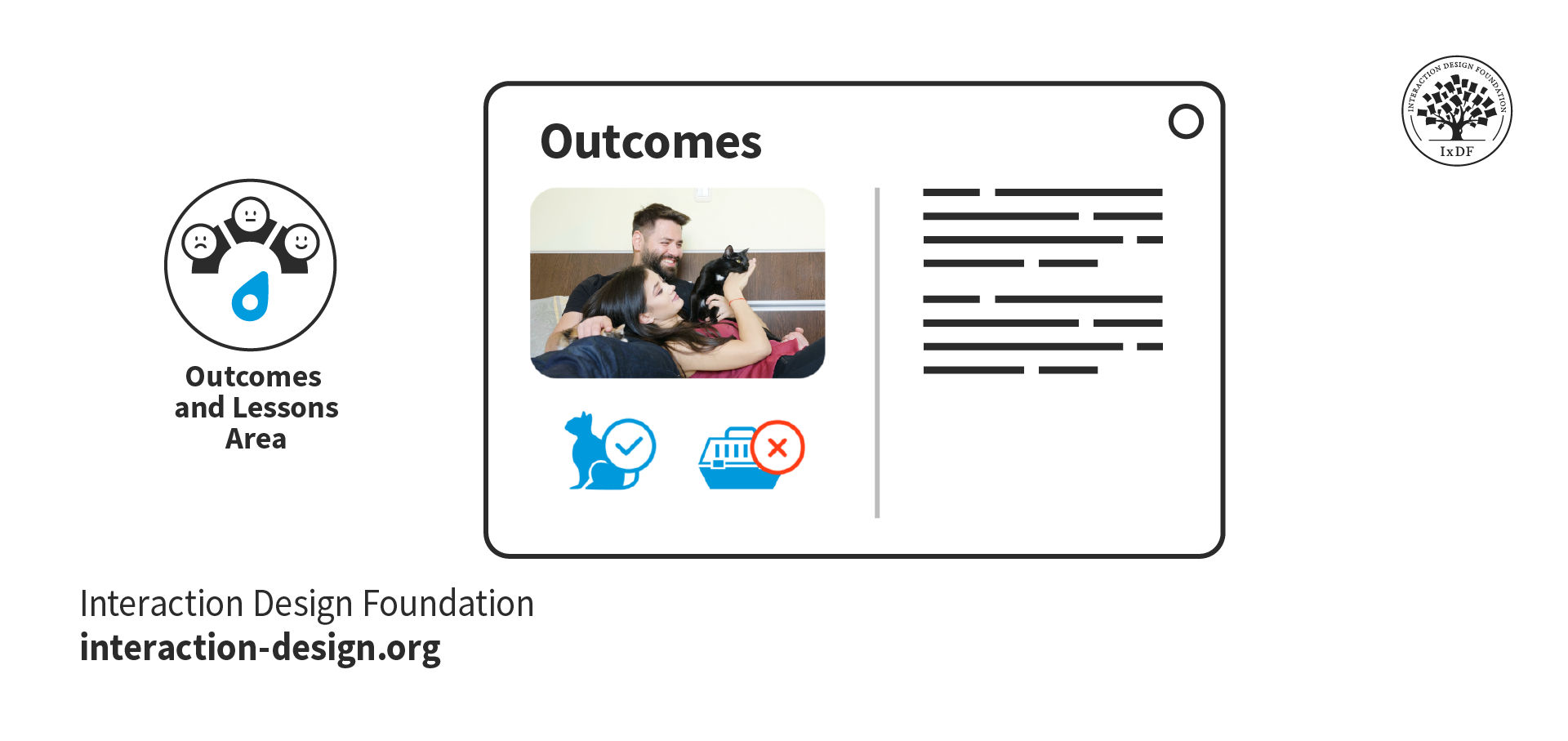
Outcomes and Lessons Learned
The outcomes and lessons from your project are arguably the most important part of your case study. Hiring managers want to see how you reflect on and grow from your experiences.
Finish your case studies with a conclusion. Did the project achieve its goals? If not, why? If yes, how? While the result is important, how you reflect on the project tells recruiters the most about you as a designer. Make sure you include the following as you write:
Include self-reflection and what you have learned to show growth and adaptability. Hiring managers want to see what you learned and how you’ve grown from a project, even if the project was not a business success.
Acknowledge your mistakes and the lessons learned from them, such as adapting complex interfaces for advanced users. Employers will trust you more when you admit your mistakes and show your ability to evolve and self-improve.
Take the Fast Lane with Our Case Study Template
You can get started on the structure of your case study right now with our free downloadable template. For each section, the template shows you what to include and presents a simple example:
Advance Your Career With This Free Template
for “Craft Case Studies That Get You Invited To Your Dream Interview”
The Narrative: Your Design Story
“Tell me the facts, and I’ll learn. Tell me the truth, and I’ll believe. But tell me a story, and it will live in my heart forever.”
—Native American proverb
Now that you have your structure, you can begin to thread your narrative through it. Consider the following as you write your case study stories.
Exposition
Exposition is where you set the scene of your story—it should be short, sweet, and fit into your hook. In your exposition, you should include:
The project background: Provide only as much background as necessary to understand the project's context. Introduce the client or company, the product, and anything else relevant. If it doesn’t add to the story, remove it!
The “inciting incident”: The earliest event in the story that sets it in motion. Instead of “My company tasked me with the project,” aim for “My company wanted to increase conversions to improve year-on-year sales figures, and identified our product pages as an opportunity for this.”
Your motivation: This is the most important part of the exposition. What motivated you to take on the project tells hiring managers a lot about you. For example, “I was eager to develop my user rapport skills, and this project required a lot of qualitative research.” This example shows you’re committed to growth and up for challenges.
The project goal(s): Where possible, use measurable goals so it is clear in your conclusion whether you met them or not. For example, “The project goal was to increase conversions by 1.5% and monthly revenue by 3%.”
If you are transitioning to UX/UI design from a different industry, you may need to provide a little more exposition. This additional information will help recruiters understand how your experiences relate to design. Find out more from Morgane Peng, Managing Director and Head of Design at Societe Generale CIB, on how to use your non-design experience in your design portfolio:
Transcript
Transcript loading ...
Autoscroll
Emotion
Emotion helps readers relate to the story and imagine themselves in your shoes. An emotional account will always provide a better reading experience than a dry, factual account ever could.
However, emotion doesn’t mean melodramatic. Keep your writing professional, and don’t exaggerate the emotion. You want to engage recruiters—not perform a soap opera.
Look at the following two examples; which one is more engaging?
Factual:
The main finding was that the assumption that users shopped based on their weekly nutritional needs was invalid.
Emotional:
Our finding threw a giant wrench in the works. We realized our assumption—that users shopped based on their weekly nutritional needs—was completely wrong.
Emotion is a tremendous factor in decision making, as Susan Weinschenk, Chief Behavioral Scientist and CEO, The Team W, Inc., explains in this video:
Transcript
Transcript loading ...
Autoscroll
Moments of Conflict
Conflict introduces problems that require a resolution. Conflict drives the story forward, creates emotional engagement, and shows character development.
Think about the challenges you faced in your project. How did you resolve them? Some examples of conflict could be:
A lack of accessibility that resulted in user complaints.
Conflicting stakeholder expectations that slowed a project down.
Differing opinions within the design team on how to move forward with a design.
Technical limitations of the product or platform that required design compromises.
The Climax
The climax can happen anywhere from about two-thirds of the way through a story and should be the most pivotal event. It could happen in any section of your case study; however, make sure to allow sufficient time to build up to it. If the climax happens too soon, everything after it will feel flat.
In a UX/UI design case study, you have a lot of freedom in what the climax can be. It can be a turning point, a victory, or, in some cases, a failure. However, it is important that the climax makes sense in the context of the rest of the narrative. It is followed by the “falling action,” which is where the story winds down and all conflicts are resolved.
The positive results of a usability test for a risky, unconventional design.
The agreement of stakeholders to implement a design after much discussion and convincing.
The discovery of a user research insight that explains a previously misunderstood low user completion rate.
The creation of an ingenious design element that solves a complex problem.
The Take Away
The best way to write a case study is to tell a story. Design stories are vessels through which recruiters can imagine a future working with you.
Structure creates familiarity and facilitates navigation. Use your design process as chapter headings and include a good balance of text and media. Include the sections that are most relevant to you or that you wish to focus on.
Storytelling helps hiring managers experience and understand exactly how you solve a design problem. Use exposition, emotion, conflict, and the climax to engage readers and make your case studies memorable.
If you enjoy the process of writing your design stories, recruiters will enjoy reading them, too. Inject color and passion into a framework that is easy to understand, and you’ll soon be getting invited to interviews!
References and Where to Learn More
Want to create a portfolio that gets you hired? Take our course, Build a Standout UX/UI Portfolio: Land Your Dream Job, and learn how to showcase your skills, tell compelling project stories, and impress employers.