If you want to be a UX designer, you’ll need to create a UX design portfolio containing 2 to 3 UX case studies. But if you’re new to UX design, it can be difficult to create those first UX case studies—after all, you’re still building up your UX knowledge. What if there’s a way for you to learn UX design, and at the same time build up a solid UX case study? Well, that’s exactly what you’ll get when you take our courses with Build Your Portfolio projects! We’ve crafted these courses so you can immediately apply what you’ve learnt to a UX project, which you can then use to create your UX case study for your portfolio. Let’s go through how you can take advantage of these Interaction Design Foundation courses to create solid UX case studies—and reinforce your learning at the same time!
How “Build Your Portfolio Projects” Help You
Build Your Portfolio projects are practical and comprehensive projects that we’ve built into our most popular courses. These optional projects provide a clear structure and sequence of tasks for you to carry out to build your UX case study. They’re especially helpful if you’re new to UX and want to build your first case studies. For instance, the Build Your Portfolio project in our Design Thinking course will help you carry out a design thinking project that you can use to write a UX case study.
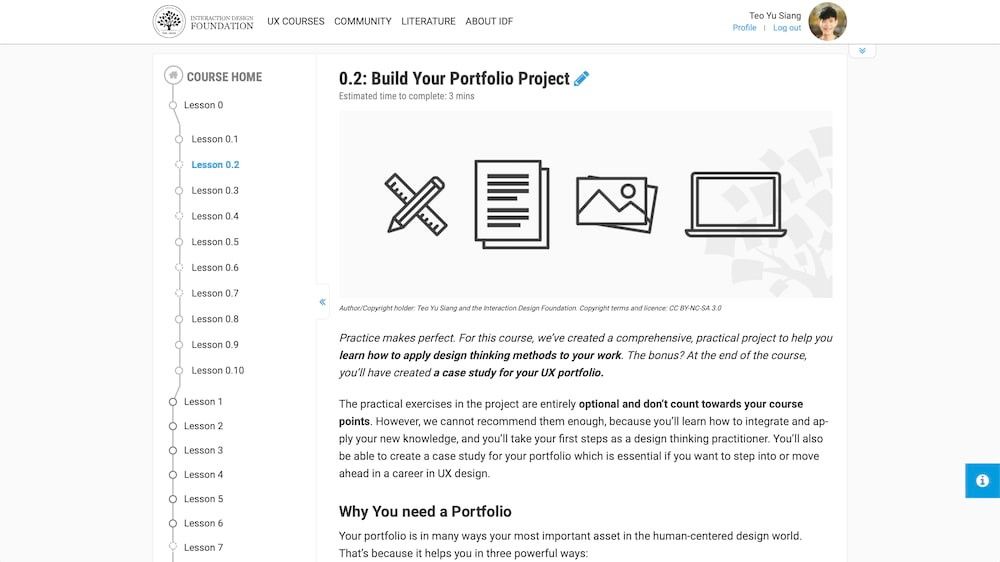
The Build Your Portfolio project for our Design Thinking course guides you through to create an entire design thinking project. Author/copyright holder: The Interaction Design Foundation. Copyright terms and license: CC BY-NC-SA 3.0.
Why are Build Your Portfolio exercises so effective? Well, that’s because we’ve crafted them based on what you’ve learnt in each lesson. So, when you follow the exercises, you not only reinforce your learning, and thus remember vital points better, but also apply it to something valuable—i.e., your UX design portfolio, which means that you’re one step closer to your dream job.
Through each exercise, you’ll create common UX deliverables which build towards your final design. This is similar to what happens “in real life” at work, where UX designers carry out activities such as user interviews, create deliverables such as research reports and use those reports to help design the final product.
How to Take Full Advantage of Our Build Your Portfolio Projects
Let’s go through a step-by-step illustration of how to take advantage of our Build Your Portfolio projects to create a great UX design portfolio.
Take Our Courses to Learn UX Design and Work on Portfolio-Building Exercises
First, you’ll need to enroll in our courses that contain Build Your Portfolio projects. They are:
- Design Thinking: The Ultimate Guide
- User Research – Methods and Best Practices
- Conducting Usability Testing
You’ll find Build Your Portfolio exercises at the end of key lessons. From here on, we’ll use the example of our Design Thinking Build Your Portfolio project, but the following applies to all our portfolio projects.
Build Your Portfolio projects start with a project brief. This is a design challenge that you’ll solve with your newfound UX skills. For our Design Thinking project, you’re tasked to create a fitness smartphone app.
As you progress through the course, you’ll carry out various Build Your Portfolio exercises. For instance, in lesson 3 of our Design Thinking course, you’ll empathize with users through user interviews and probes. Each deliverable you create will move you towards your solution. Remember to photograph and document your design process—this will make it a lot easier to create your UX case study!
Create a UX Case Study on Behance
Once you reach the end of your course, you’ll also have concluded your Build Your Portfolio project. Congratulations! At this point, we recommend that you create a case study on an online portfolio platform such as Behance. Behance lets you easily create a UX case study and gain an online presence.
Create a Title for Your Project
Behance has a user-friendly editor for you to create your UX case study. Start by typing your UX project’s title. For our example, we’ve created the title “Fitness Smartphone App to Encourage People to Exercise” in line with the Design Thinking Portfolio project.
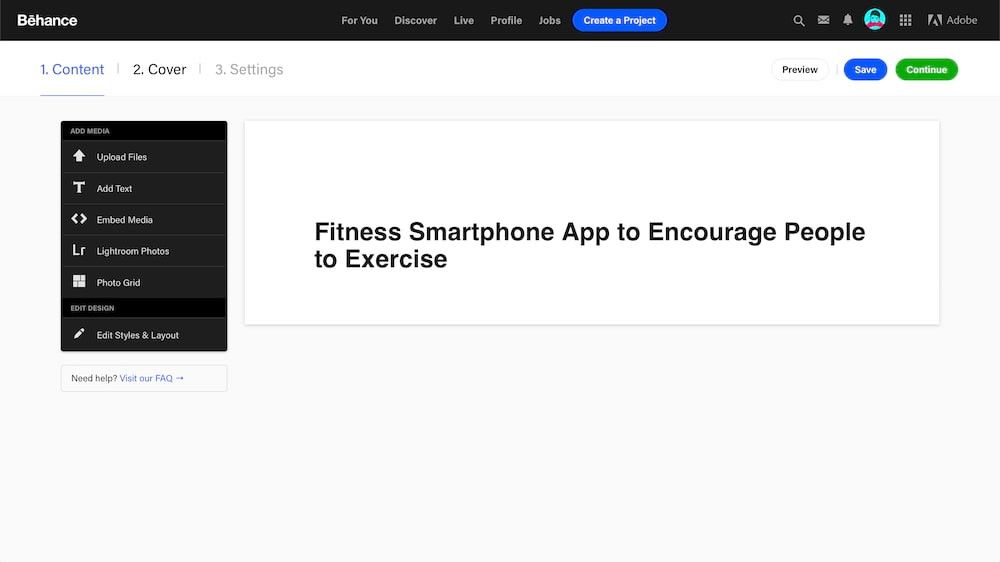
Behance’s easy-to-use project editor allows you to insert text, images and even photo grids. For the example of our Design Thinking Build Your Portfolio project, we’ve created a project with the title “Fitness Smartphone App to Encourage People to Exercise”. Author/copyright holder: Behance. Copyright terms and license: Fair use.
Write Your UX Case Study
Present the story of your UX design project and write your UX case study.
Our Build Your Portfolio projects are arranged so that they already create the ideal outline of your UX case study. For example, our Design Thinking Build Your Portfolio project has the following exercises:
- Empathize with your users through user interviews and probes for context mapping.
- Define your problem statement with affinity diagrams, empathy maps, point of view and “how might we” questions.
- Ideate solutions with methods such as “worst possible idea” and “challenge assumptions”.
- Prototype your solution via storyboards and paper prototypes.
- Test your storyboards and paper prototypes and analyze the feedback you’ve gathered.
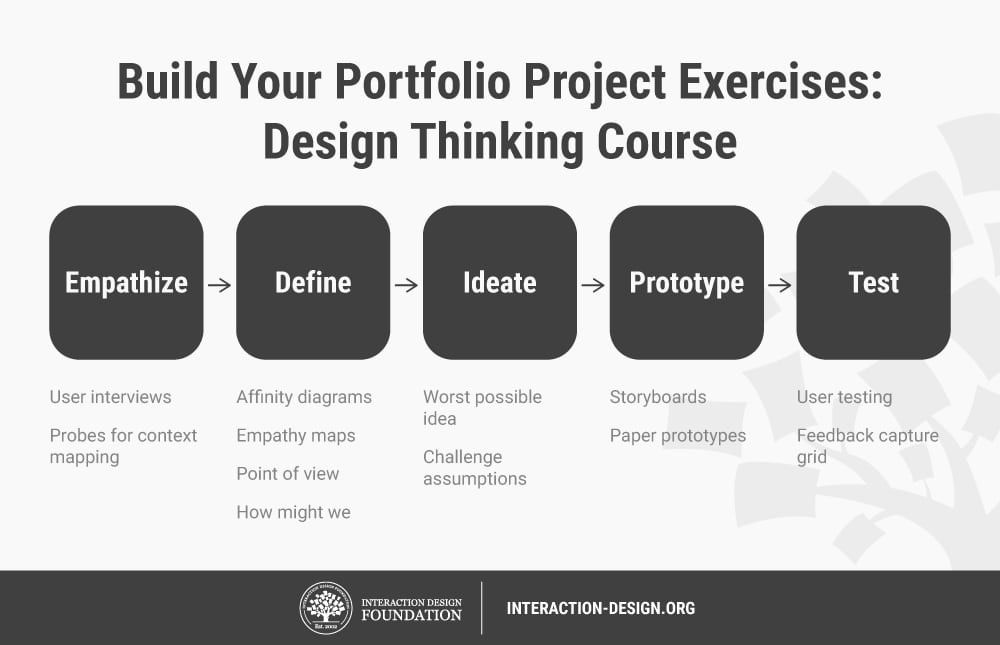
Our Build Your Portfolio exercises for our Design Thinking course contain a range of comprehensive and practical activities that cover all the stages of the design thinking process. Author/copyright holder: The Interaction Design Foundation. Copyright terms and license: CC BY-NC-SA 3.0.
As you can see, if you follow the structure of our Build Your Portfolio projects, you’ll already have an incredibly solid and engaging storyline to write your UX case study! As part of the Build Your Portfolio projects, you’d have created a lot of UX deliverables. Show them in your case study to help illustrate your design process.
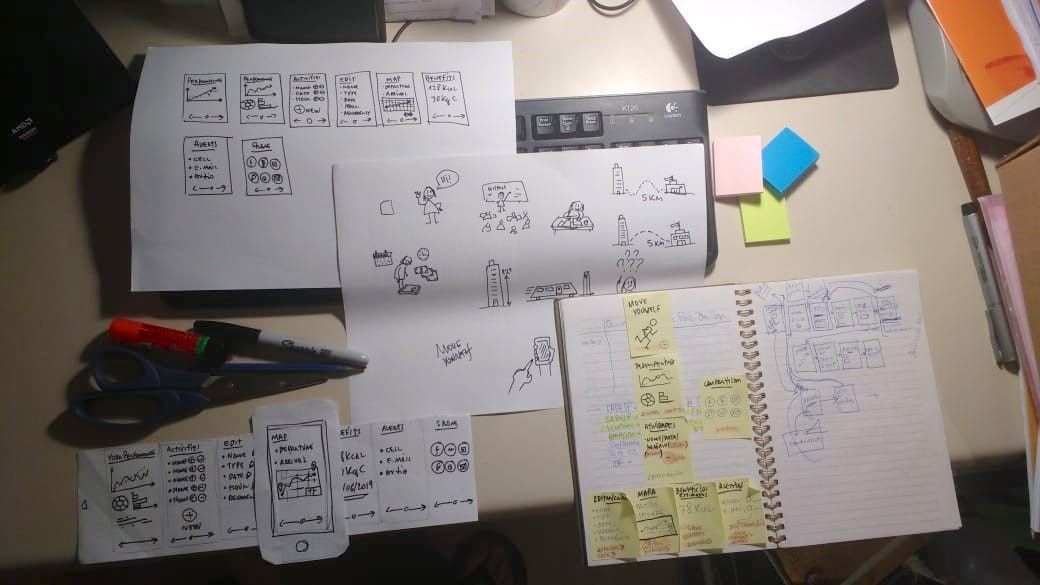
The UX deliverables you create through our Build Your Portfolio exercises—such as these created by Gian Zelada from Brazil—will serve to demonstrate your design process when you write your UX case study. Gian Zelada created these sketches for his portfolio as he took our Design Thinking course. Author/copyright holder: Gian Zelada. Copyright terms and license: CC BY-NC-SA 3.0.
Showcase the Final Results of Your Project
End your Behance case study with your final design. For the Design Thinking Build Your Portfolio project, that’s a paper prototype showcasing key interactions of your fitness smartphone app.
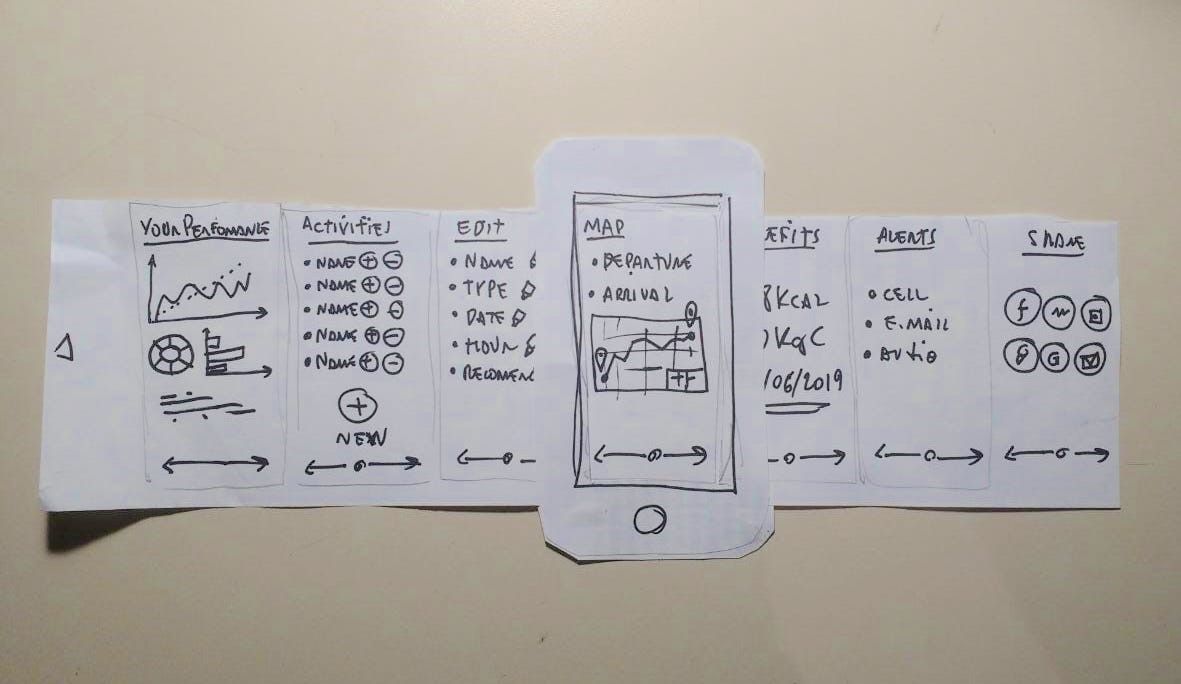
At the end of the Build Your Portfolio project in the Design Thinking course, Gian Zelada created a paper prototype of his app concept which will also work amazingly in his portfolio. Author/copyright holder: Gian Zelada. Copyright terms and license: CC BY-NC-SA 3.0.
Final Settings in Your Behance Project
Before you publish your Behance project, you should set up the information which relates to your project.
Under the “Basic Info” tab, we recommend that you select the creative field “UI/UX” as well as any 2 other fields that are relevant to your project.
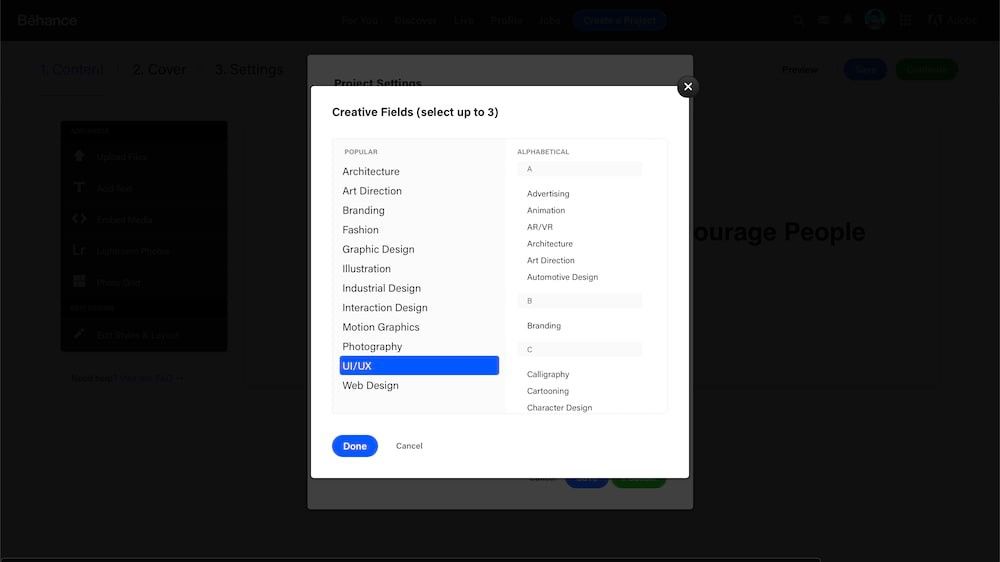
Select the “UI/UX” creative field to ensure your Behance project appears in the right category. Author/copyright holder: Behance. Copyright terms and license: Fair Use.
Under “Discoverability”, add the Interaction Design Foundation under “Companies, Brands, and Schools”.
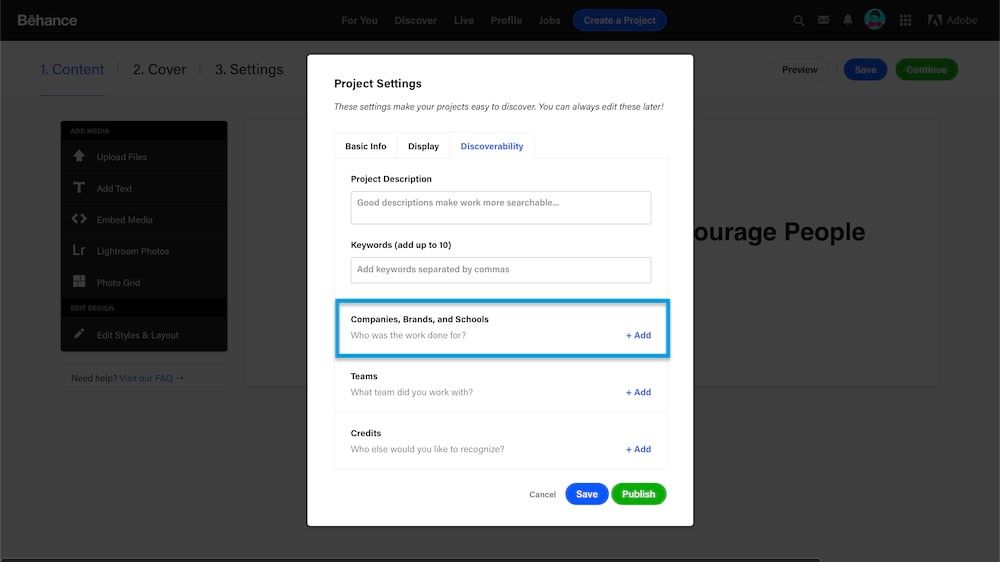
Add the Interaction Design Foundation under “Companies, Brands, and Schools” to show that you’ve done your project under our course. Author/copyright holder: Behance. Copyright terms and license: Fair Use.
To do so, click the “+ Add” button and type “Interaction Design Foundation” and select the “School” category.
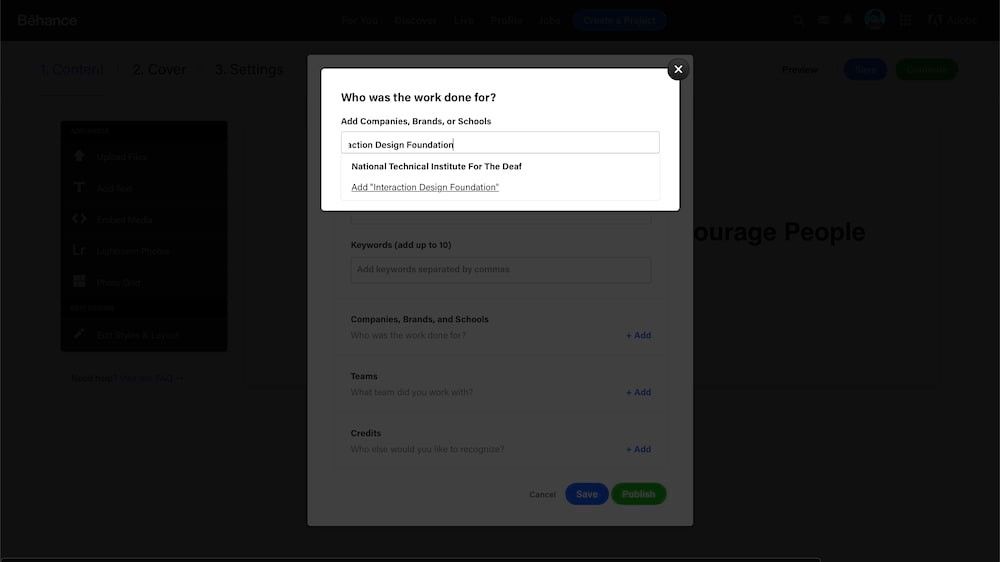
Type “Interaction Design Foundation” to add us as a school for which you’ve created the project. Author/copyright holder: Behance. Copyright terms and license: Fair Use.
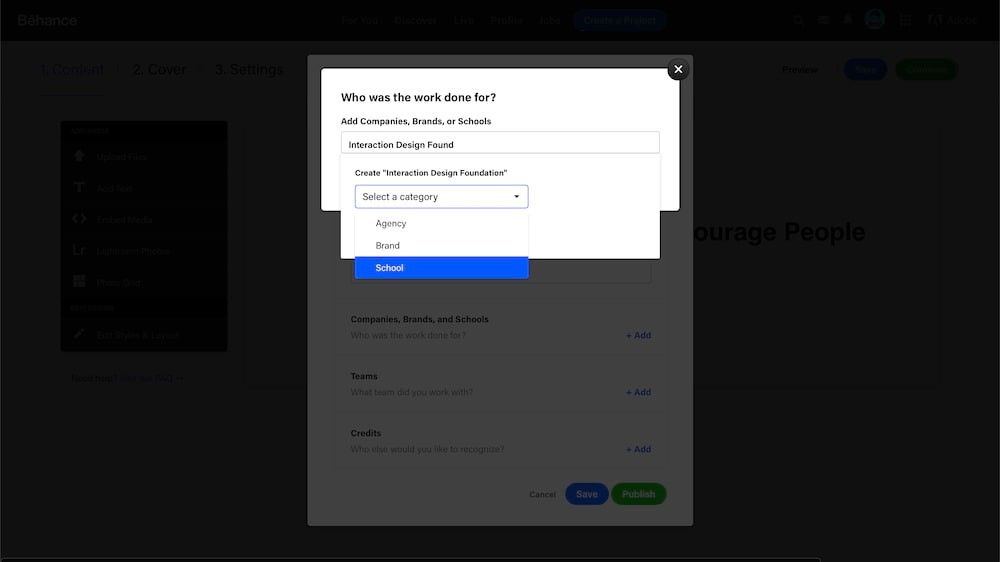
Select the “School” category so your recruiters know the project is part of the coursework for our course. Author/copyright holder: Behance. Copyright terms and license: Fair Use.
Display Your Course Certificate as Proof of Your Skills
For each Interaction Design Foundation course you complete, you’ll get an industry-recognized Course Certificate to prove your achievements. Whether you create your UX case study on Behance or through other means, show your Course Certificate that you’ve gained after you’ve completed the Interaction Design Foundation course. It’s essential that you include the individual link you get for each course you’ve completed so recruiters can verify each of them.

You’ll reinforce your abilities as a UX designer and prove that you’ve gained new skills which you’ve then applied towards the project. Plus, we think it looks really nice and you should be proud of your achievement, too!
Interaction Design Foundation Course Certificates are trusted by industry leaders such as Adobe, Accenture, Philips and IBM who’ve taken up company memberships with us.
For example, we’ve added the following text to our Behance case study:
I worked on this project as part of my coursework in the Design Thinking course offered by the Interaction Design Foundation. At the end of my course, I earned the Course Certificate below and also gained the “best in class” distinction!
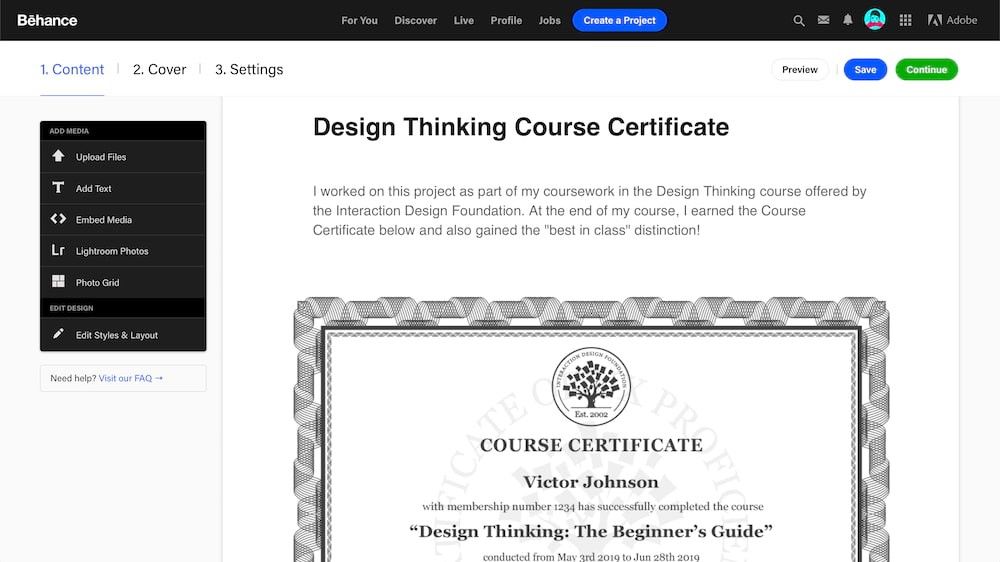
Showcase your Course Certificate at the end of your UX case study to emphasize the skills that you possess as a UX designer. Author/copyright holder: Behance. Copyright terms and license: Fair Use.
You should also highlight and link to each Course Certificate on your resume, CV, LinkedIn profile or your website where you display your portfolio. This way, you’ll stand out from the crowd as a candidate with solid UX know-how because you’ll back up your case studies and portfolio with Course Certificate(s) that are verifiable and trusted by industry leaders.
Learn UX Design and Create Your UX Case Studies Now
As you can see, we’ve created Build Your Portfolio projects and our Course Certificates to be extremely effective at helping you create your first UX case studies. If you want to learn UX design and turbo-charge your first UX design portfolio, look no further and start our Build Your Portfolio projects now!
The Take Away
If you’re new to UX and want to build your UX design portfolio to get your first UX job, we highly recommend our courses which have Build Your Portfolio projects. Through these projects, you’ll apply your newly learnt skills towards solving a practical and realistic design problem. At the end of your course, you’ll have also completed a design project that is ready for you to write into a UX case study. Make use of our Build Your Portfolio projects to create Behance case studies, where you can also showcase your industry-trusted Course Certificate and list the Interaction Design Foundation as a school connected to your project.
References and Where to Learn More
These popular courses contain Build Your Portfolio projects:
- Design Thinking: The Ultimate Guide
- User Research – Methods and Best Practices
- Conducting Usability Testing
Hero image: Author / Copyright holder: Brooke Cagle. Edited by Teo Yu Siang. Copyright terms and license: Unsplash License.