Woman presenting next to a meme of a man in a suit pointing, with text repeating “POWER POINT. POWER POINT. POWER POINT.” highlighting overuse of PowerPoint in presentations.

Avoid Death by PowerPoint: Structure Your Slides for Maximum Impact

• 14 min read

365 Shares

Your message is ready, your delivery honed. Now, how do you put that brilliance on slides? Discover how to structure your slide deck strategically so that it supports your message, whether you present live or share it for independent review.

Whether you're pitching to stakeholders, leading a team meeting, or sending your deck to decision-makers, the way you structure your slides determines whether your message lands—or gets lost. Messy decks get ignored. Strategic ones make people listen, take action, and remember you.

In the next video, Morgane Peng, Head of Product Design & AI Transformation at Societe Generale, explains how to structure your slides in a way that does more than just look good—they speak clearly, build trust, and help you stand out.

Transcript

Once you’ve researched your audience, defined messages, and planned your structure, it’s time to turn strategy into visuals. Here's how to make your deck do its job.

Visual Consistency Equals Instant Credibility

Remember the last time you saw a slide deck that was all over the place? That makes us lose trust instantly the same way users lose trust in your designs if they are not visually consistent. Visual inconsistency creates subtle disorganization, which the brain reads as a red flag. We naturally look for patterns to decide what’s safe and reliable—so when something breaks the pattern, it feels careless. That hint of carelessness implies unreliability, which then erodes credibility and makes it harder for your audience to trust your message.
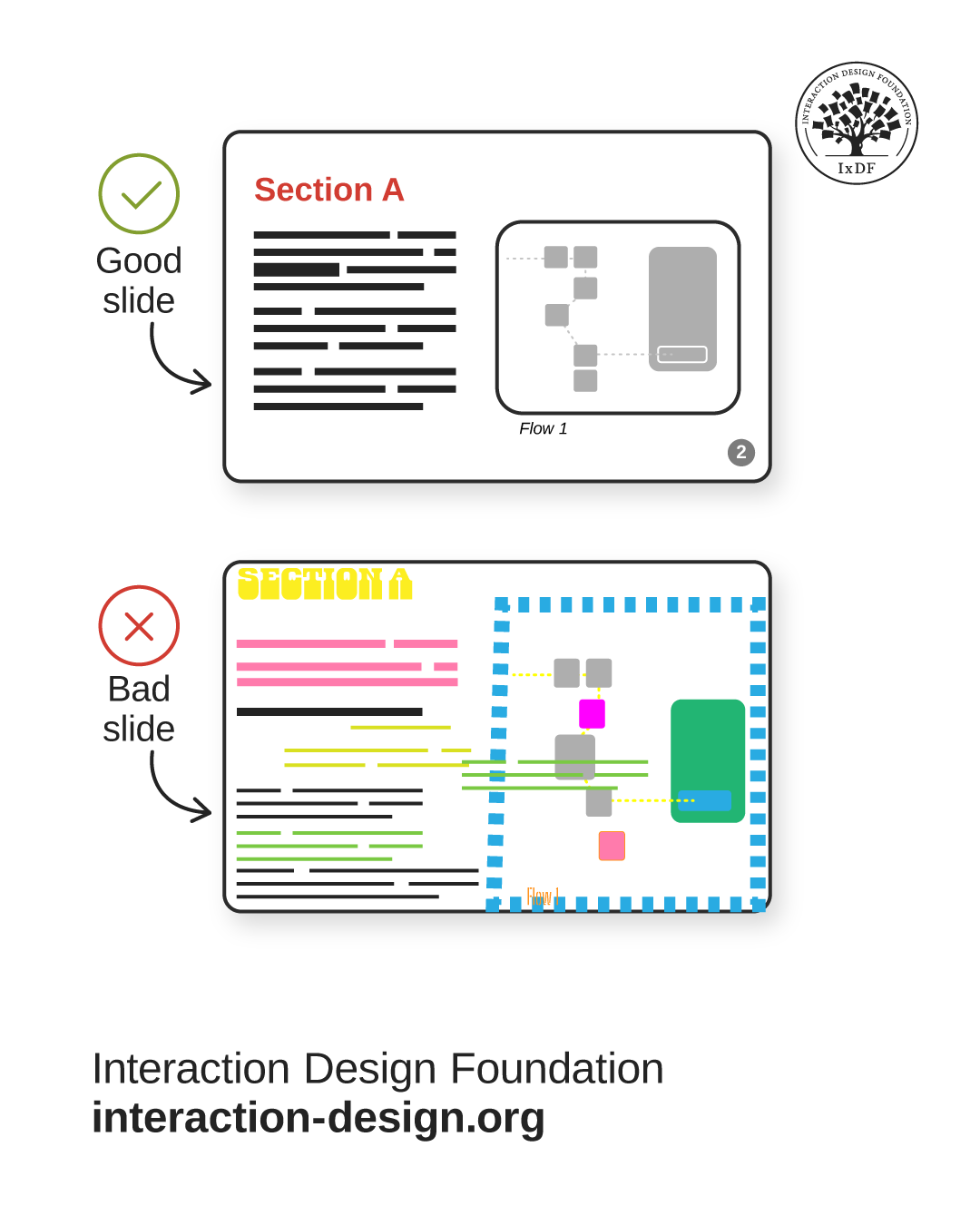
Illustration of a good slide and a bad slide side-by-side. The good slide has a minimalist design with a simple color palette. The bad slide has many colors, elements, and shapes arranged haphazardly.

© Interaction Design Foundation, CC BY-SA 4.0

All slide decks should be visually consistent and coherent. Your design expertise comes in handy here:

  • Visuals: Use consistent fonts, color systems, and consider contrast ratios and accessibility.

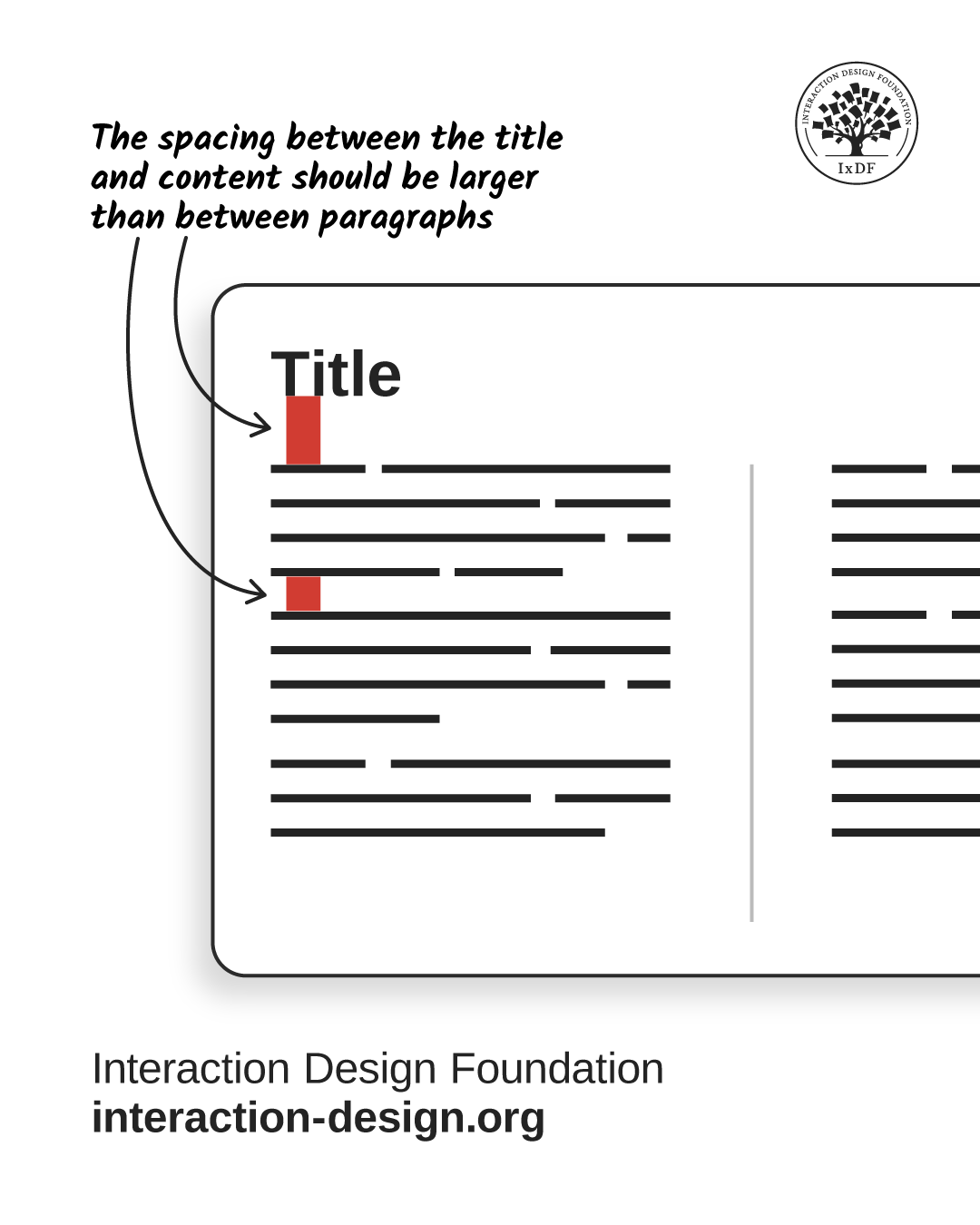
  • Layout: Follow Gestalt laws for spacing and information grouping. For example, make spacing between title and content larger than between paragraphs. Make it scannable, intuitive, and easy on the eyes. For example, on your slides, the spacing between the title and content should be larger than between paragraphs:
© Interaction Design Foundation, CC BY-SA 4.0

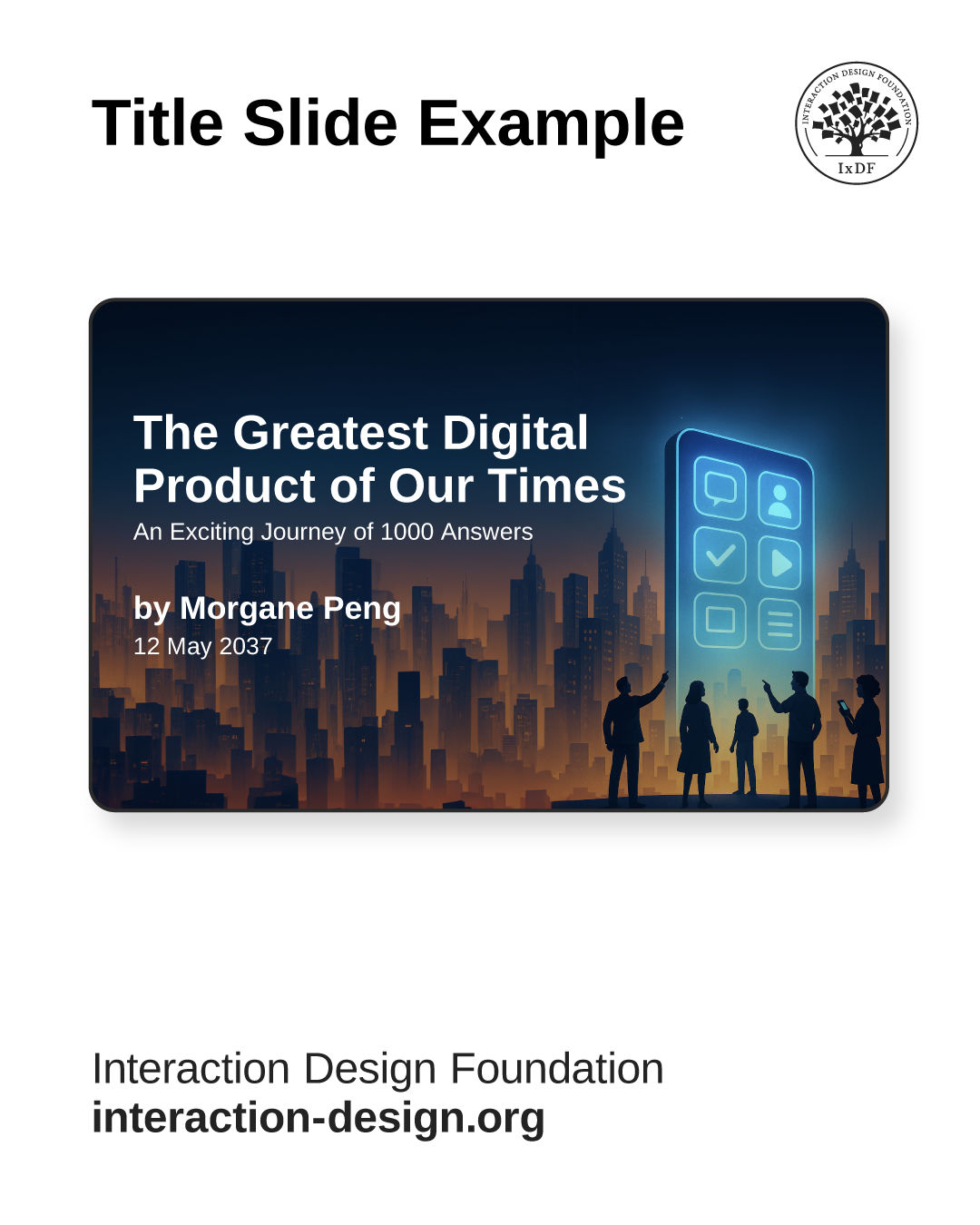
  • Cover page: Include a title, optional subtitle, date, and presenter name.
© Interaction Design Foundation, CC BY-SA 4.0

A clear and credible slide deck has a title, optional subtitle, date, and the presenter’s name.

Choose the Right Slide Deck Type
© Interaction Design Foundation, CC BY-SA 4.0

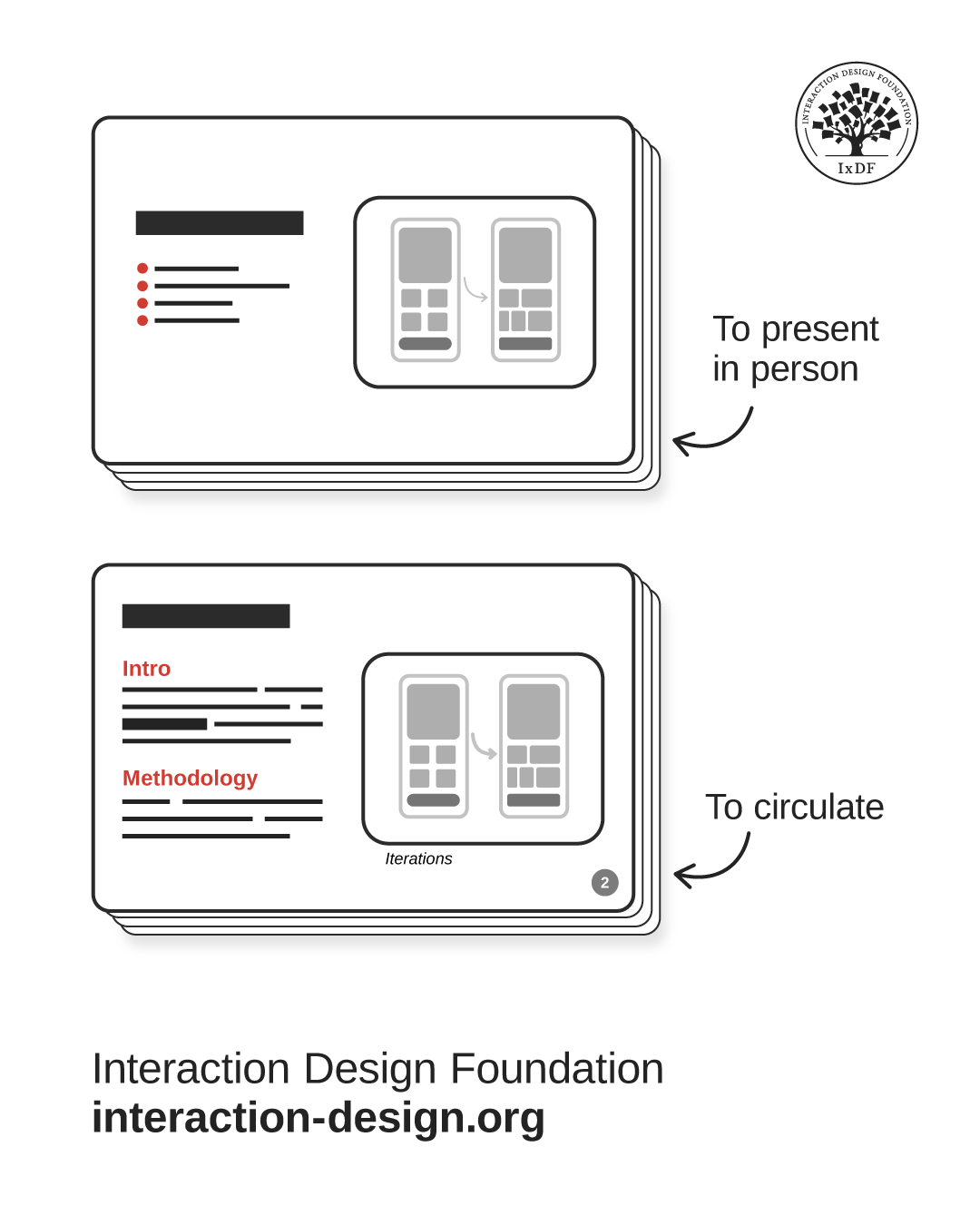
Your project context will usually dictate the format—oral or written. It’s useful to prepare two decks—one written for circulation, one oral for presentation. For example, you’d send a written portfolio to recruiters, then use a lighter oral version for interviews.

Create Slides That Support, Don’t Distract for Oral Presentations

When you present live, your slides are your sidekick—not the main act. Oral presentations should have these specific traits:

  • Simplicity: Use minimal text to support you, not compete for attention.

  • Progressive disclosure: Reveal content gradually with animations to match your speaking pace.

  • Live interactivity: Incorporate questions, polls, or reactions as you control the flow. Engage your audience, don’t lecture them.

Let Slides Speak for You in Written Presentations

If you’re not in the room, your slides need to do all the talking. Make sure that your slides are self-sufficient:

  • Self-support: Use full sentences and paragraphs, not just bullet points. Bold key information.

  • Structure and pages: Require clear sections and pagination for easy navigation.

  • Meaningful headlines: Convey key facts immediately, e.g., "56% of users feel lost..." instead of "Key findings...".

  • Asynchronous links: Embed links within or to external resources.

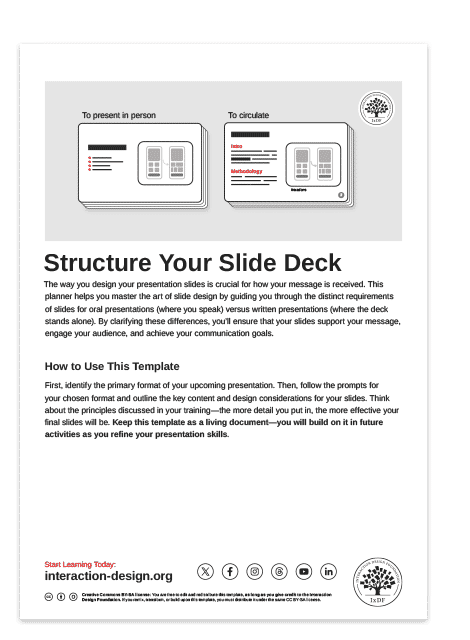
To help you apply these principles and strategically structure your slides, use the template below. This practical tool guides you to design slides that elevate your message and command your audience's attention.
Advance Your Career With This Free Template for “Structure Your Slide Deck”
Structure Your Slide Deck
We respect your privacy
Get 1 powerful email each week: Design a life you love!

The Take Away

A sharp deck makes your message clear and makes you look sharp, too. All your slide decks should be visually consistent through fonts, colors, and design principles like Gestalt laws.

Your project context guides your choice of slide deck type, and often, preparing two versions (one written, one oral) proves most useful. For oral presentations, prioritize simplicity and minimal text to support your talk, not compete. Reveal content progressively with animations and use live interactivity. In contrast, written presentations must be self-supporting—use full sentences, clear layouts with pagination, and meaningful headlines to convey information instantly. Include asynchronous links for added resources.

When you build decks with clear structure, you remove friction. Your message becomes easier to digest, your audience stays engaged, and you come across as prepared and credible—which is ultimately what gets people to believe you and act on what you share.

References and Where to Learn More

Watch the Master Class, Win Clients, Pitches and Approval: Present Your Designs Effectively presented by Author, Speaker and Leadership Coach, Todd Zaki Warfel.

Check out MIT’s Comm Lab’s article, Structuring a Slide Presentation.

Read Pitch’s Presentation best practices.

Hero Image: © Interaction Design Foundation, CC BY-SA 4.0

Learn More in This Course:

Gestalt Psychology and Web Design: The Ultimate Guide

1
16
8
18
94 % booked
View Course

What You Should Read Next

  • Read full article
    What Should a UX Design Portfolio Contain? - Article hero image
    Interaction Design Foundation logo

    What Should a UX Design Portfolio Contain?

    Your UX design portfolio is the key that gets you a job interview, and it is therefore vital that you include everything necessary in it. After all, a recruiter spends only a few minutes to form an opinion of you through your portfolio. If you’re new to UX, however, you might not know what exactly n

    Social shares
    826
    Published
    Read Article
  • Read full article
    8 Talks by Women to Inspire UX Designers - Article hero image
    Interaction Design Foundation logo

    8 Talks by Women to Inspire UX Designers

    User Experience design, like so many other disciplines, has a lower representation of women as compared to men. Things are changing now, though. Slowly, but surely. From strategy to tactics and from ideas to actionable tips, here is a curated playlist of talks by, and stories of just some of the mos

    Social shares
    655
    Published
    Read Article
  • Read full article
    UX Storyboards: Ultimate Guide - Article hero image
    Interaction Design Foundation logo

    UX Storyboards: Ultimate Guide

    In user experience design, we use techniques like workshops and interviews to understand users. We turn our research into user stories and process flows. We use personas and wireframes to share our ideas with our teams.But it’s important to remember the real people we design for. We need to know wha

    Social shares
    778
    Published
    Read Article
  • Read full article
    Top 6 Tips to Make Your UX Portfolio Stand Out - Article hero image
    Interaction Design Foundation logo

    Top 6 Tips to Make Your UX Portfolio Stand Out

    Whether you’re a UX designer looking for your first UX job or a seasoned designer looking to further your career, your UX portfolio is arguably one of the most important projects you’ll work on. Your portfolio is the first touchpoint you have with the recruiters; it’s your chance to make an impactfu

    Social shares
    705
    Published
    Read Article
  • Read full article
    Stop the Generic Portfolio Trap! Design a Stand-Out Portfolio for Your UX/UI Niche: UX Writing - Article hero image
    Interaction Design Foundation logo

    Stop the Generic Portfolio Trap! Design a Stand-Out Portfolio for Your UX/UI Niche: UX Writing

    A picture may be worth a thousand words, but in UX design the right words are priceless. UX writing guides users, simplifies complex concepts, encourages desired actions, and creates a sense of delight. But how do you demonstrate you can do all of these things? How do you get noticed by hiring manag

    Social shares
    416
    Published
    Read Article
  • Read full article
    Creating Emotional Connections - Article hero image
    Interaction Design Foundation logo

    Creating Emotional Connections

    People form emotional connections and associations with the things they use and come across throughout their lives. These connections and associations help guide our behavior and determine how we perceive the world. Designers must grasp how to encourage emotional connections between users and their

    Social shares
    862
    Published
    Read Article
  • Read full article
    Mobile Breadcrumbs: 8 Best Practices in UX - Article hero image
    Interaction Design Foundation logo

    Mobile Breadcrumbs: 8 Best Practices in UX

    Breadcrumbs act as navigation aids—ones that simplify user journeys on websites. They highlight the path taken within a site to boost user experience, especially on mobile devices with limited screen space. Explore more about mobile breadcrumbs and understand the common design mistakes and best prac

    Social shares
    806
    Published
    Read Article
  • Read full article
    How Designers Can Help Companies Design for the Circular Economy - Article hero image
    Interaction Design Foundation logo

    How Designers Can Help Companies Design for the Circular Economy

    The circular economy sounds like a simple idea to resolve the crisis we face as a species. A circular economy generates zero waste. Once a component enters the cycle, it continues to be used for a long time. And once it is unusable, it can degrade naturally. However, as UX pioneer Don Norman explain

    Social shares
    528
    Published
    Read Article
  • Read full article
    TAPT: Teasing Apart, Piecing Together - Article hero image
    Interaction Design Foundation logo

    TAPT: Teasing Apart, Piecing Together

    [[video:96]]Many experiences share the same core elements but differ in context. Photo sharing on Facebook has similar experience elements to sharing physical photos, but the actions involved and the context of the two experiences differ vastly. In creative processes, it’s valuable to analyze relate

    Social shares
    420
    Published
    Read Article
  • Read full article
    The Use of Story and Emotions in Gamification - Article hero image
    Interaction Design Foundation logo

    The Use of Story and Emotions in Gamification

    Gamification projects can benefit from storytelling features; these features can help arouse emotional connections with players. They can enhance the player experience and improve the longevity and fun factor of the gamified features. Let’s take a closer look at how that might work, even if you don’

    Social shares
    683
    Published
    Read Article

Top Articles

Top Topic Definitions

Feel Stuck?
Want Better Job Options?

AI is replacing jobs everywhere, yet design jobs are booming with a projected 45% job growth. With design skills, you can create products and services people love. More love means more impact and greater salary potential.

At IxDF, we help you from your first course to your next job, all in one place.

See How Design Skills Turn Into Job Options
Privacy Settings
By using this site, you accept our Cookie Policy and Terms of Use.
Customize
Accept all

Be the One Who Inspires

People remember who shares great ideas.

Share on:

Academic Credibility — On Autopilot

Don't waste time googling citation formats. Just copy, paste and look legit in seconds.

Feel stuck? Want Freedom?

Get one powerful email each week, like 324,316 others.

Learn to design a life you love.

Next email in:
7
days
4
hrs
8
mins
19
secs