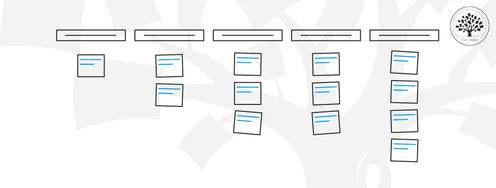
In this video, William Hudson, UX Strategist and Founder of Syntagm Ltd, introduces card sorting: what it is, where it comes from, and the broad range of problems it can help solve.
Card sorting is a research technique in which participants organize a set of items into groups that make sense to them, and usually give each group a name. Items are typically words on physical cards or displayed on screen, though photos and physical objects can also be used. The technique has been used in psychology for over a hundred years; its application to information architecture and navigation design dates from the early days of the web.
The core idea is straightforward: rather than relying on the design team's assumptions about how content should be organized, you ask the people who will actually use the product. Card sorting is not limited to website navigation. The same approach has been used to lay out car dashboards, design supermarket floor plans, and organize intranet content for large global organizations.
What Card Sorting Can and Cannot Do
Card sorting is well-suited to understanding how users think about a problem domain, which terminology feels natural to them, and which items they expect to find grouped together. It is cost-effective and scalable: online card sorts can reach hundreds of participants at once, something usability testing cannot realistically match.
However, card sorting does not produce a finished navigation structure. The results require careful interpretation. There are many reasons why participants might group the same items together, and those reasons are not always obvious. Card sorting also does not replace usability testing: a navigation structure that looks sound on paper may still cause problems when real users try to find things in a working interface.
Where AI Fits
It is worth being clear about where AI fits, because this is where the temptation to skip research is strongest. AI can generate a plausible-looking content structure or set of categories in moments, and under deadline pressure that can feel like a substitute for a card sort. It is not. AI draws on existing sites and the way you framed the prompt, so it tends to reproduce common conventions and your own assumptions rather than reveal how your particular users think. Card sorting exists precisely to surface that user perspective. A sensible workflow is to let AI help draft a candidate structure, then run a card sort to test whether real users actually agree with it.
Scale and Participant Numbers
Card sorting works both as a qualitative tool (small numbers of participants, face-to-face, with conversation) and as a quantitative one (larger numbers, online, with statistical analysis). Online sorting can handle 60-70 items before participant fatigue degrades the results. The recommended minimum for a quantitative sort is around 15 to 20 participants, though much larger studies are common.
In the second part of this video, William covers the practical pitfalls that can affect card-sort quality, including superficial matching, participants' unfamiliarity with the domain, low-effort sorting, and differences between individual and group mental models.
Participant Pitfalls
Several common problems can affect the quality of card sorting results.
Superficial matching: Participants naturally group items that look or sound similar, even when those items belong in different categories. If the word “manage” appears in multiple item names on an HR intranet, participants will tend to lump those items together regardless of their actual meaning. Removing or replacing repeated words before the sort prevents this.
Confusion about the task: Participants who are unfamiliar with the content domain may not understand enough to sort meaningfully. This is a sign of a recruitment problem, not a participant failing.
Low-effort sorting: Participants recruited through panels and offered incentives may rush through the sort. These results tend to be obvious in the data: very few groups, or groups with unhelpful names. Telling participants upfront that only usable results qualify for any reward can help.
Individual versus group thinking: Card sorting aims to understand how a population of users thinks, not one individual. Briefing participants to sort from the perspective of their role or typical activity, rather than their personal preferences, helps keep the results representative.
The Take Away
Card sorting asks participants to group items and name those groups, revealing how they naturally think about a problem domain.
It is cost-effective and scalable, but does not replace usability testing.
Limit online sorts to around 60 to 70 items to avoid participant fatigue.
Superficial matching is the most common source of misleading results; control it by removing repeated words from item names before the sort.
Participant recruitment quality matters: poorly motivated or domain-unfamiliar participants produce results that may need to be excluded.
References and Further Reading
Read more about card sorting in The Encyclopedia of Human-Computer Interaction (IxDF).
Donna Spencer's book, Card Sorting: Designing Usable Categories, covers the basic principles.
Explore William's card sorting resources by searching for William Hudson SynCaps. There are also YouTube videos that can be found with the same search phrase.