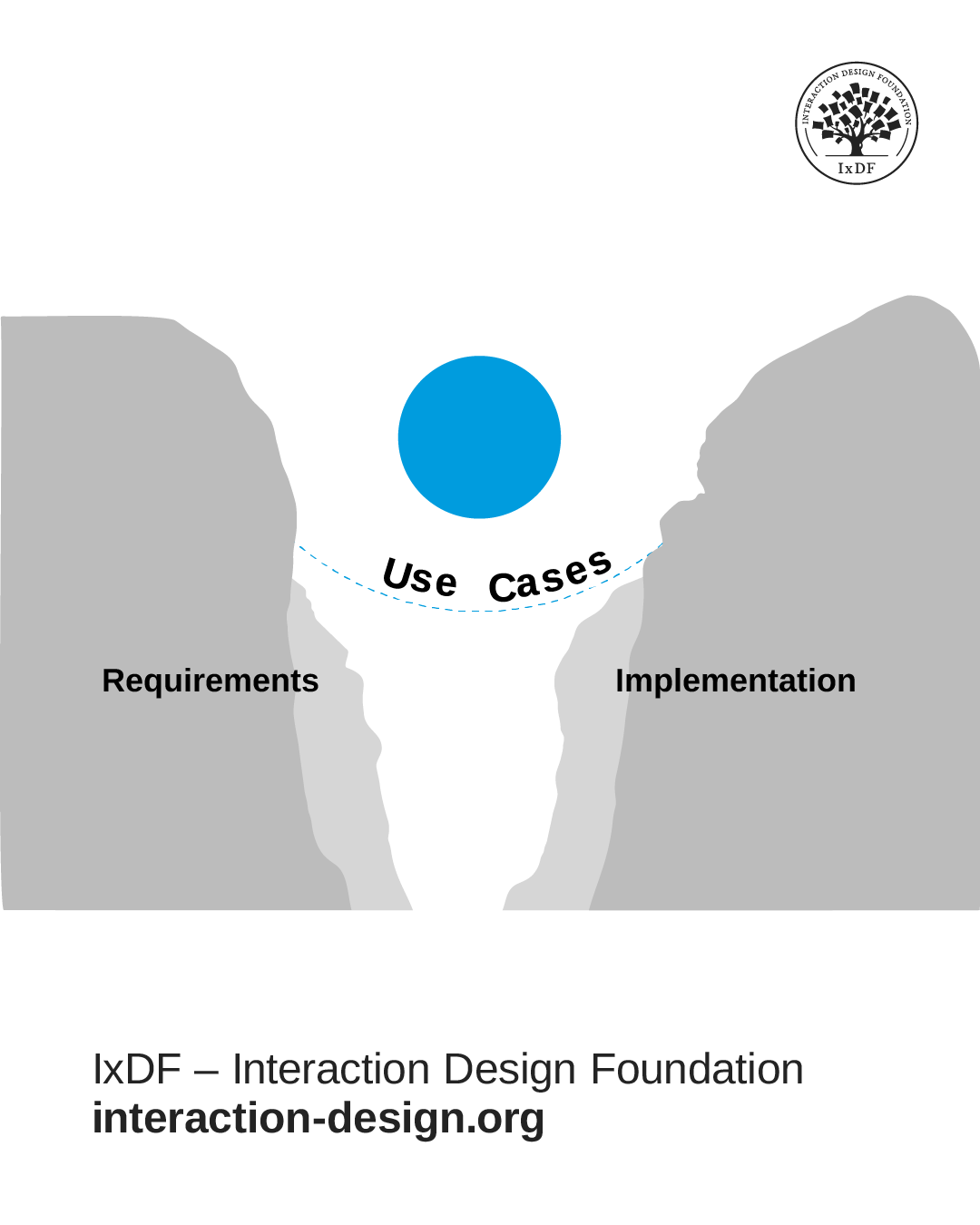
A use case documents how someone achieves their goal through interaction with your product. Use cases convert generic requirements into concrete scenarios, which means you make design decisions based on documented interactions rather than abstract feature lists.
Use cases began in software development, where they focus on system functionality with generic actors like "User" or "Administrator." In UX design, you inform your use cases with user research by studying the real behaviors, motivations, and contextual factors that shape how people interact with products.
An ideal approach builds use cases around research-backed personas. This solves a core problem: teams often build features that seem logical from technical or business perspectives but fail to serve actual user needs. When you ground use cases in user research, you stay focused on real people accomplishing real goals under real-world constraints, rather than relying on assumptions or what sounds impressive.
In this video, William Hudson, User Experience Strategist and Founder of Syntagm Ltd, explains how use cases bridge the requirements-to-design gap by documenting all interactions between a system and the outside world.
How Use Cases Give You a Bigger Picture of Your Users and Their Needs
Use cases reveal user interactions through a two-part structure: diagrams and narratives. These components serve different purposes at different stages of your design process. This ensures you never lose sight of the big picture while you work through detailed requirements.
Use Case Diagrams Show All Major Interactions at a Glance
Use case diagrams show an overview of actors and the goals they can accomplish through your system. A basic diagram contains three core components:
Actors appear as stick figures outside your system boundary. Actors aren't limited to humans; they can be any external entity that interacts with your system, including other systems, devices, or external events. The key is that actors exist outside the system boundary.
Your system appears as a box that contains all the use cases. Ovals inside the box represent each use case.
Lines connect actors to the use cases they participate in, with arrows that show the direction of communication: Inward arrows represent input from the actor to your system (the stimulus), and outward arrows represent output from your system to the actor (the response).
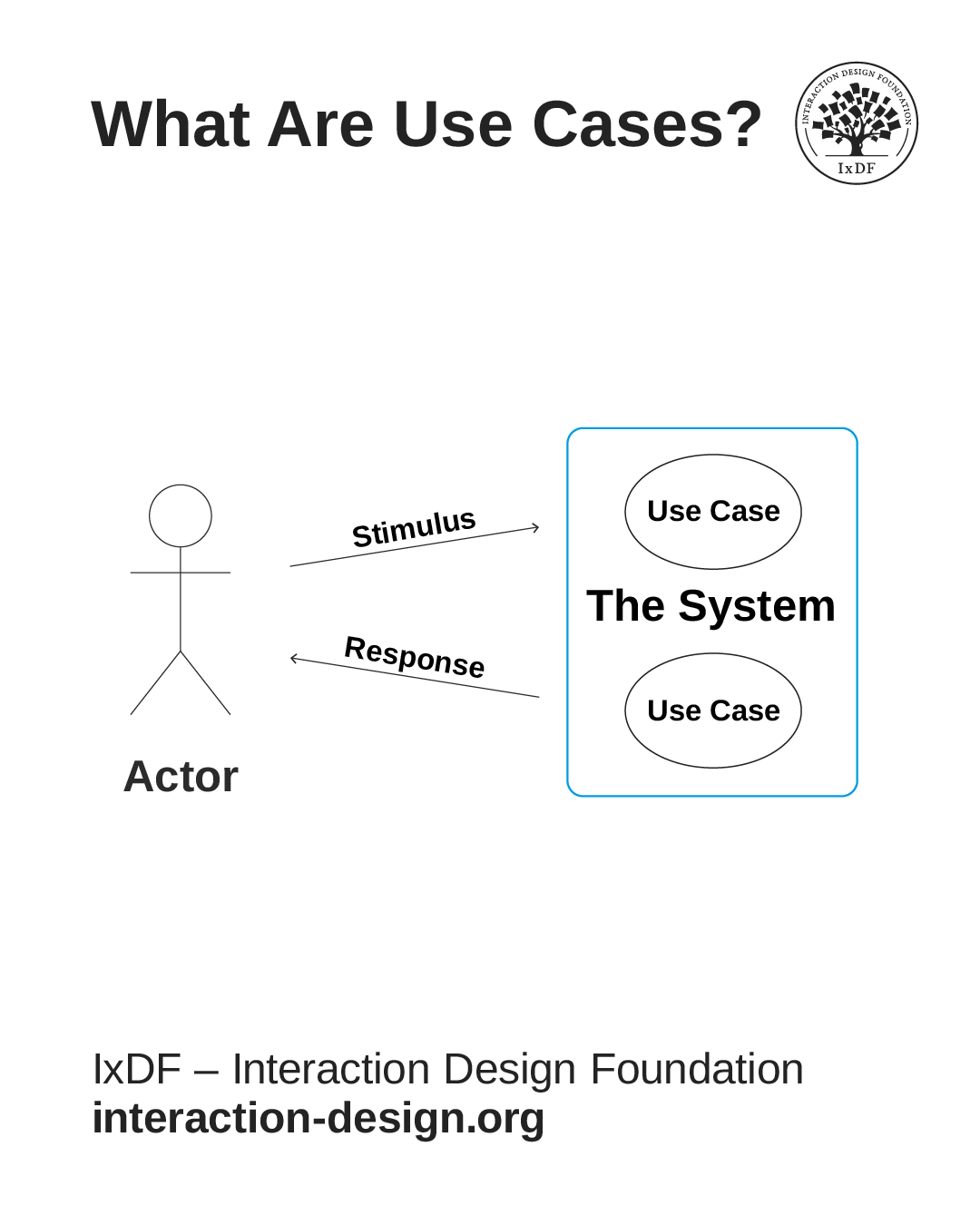
The basic components of a use case: The actor (who uses the system), the system boundary (what you're building), the use cases inside (goals the actor can achieve), and arrows that show communication between actor and system.
© Interaction Design Foundation, CC BY-SA 4.0
Diagrams help you see all major interactions at a glance. You identify which users interact with which parts of your system, spot gaps where functionality might be absent, and communicate scope to stakeholders who need the big picture without detailed specifications. They help you map the breadth of what you build before you explore how each interaction works.
Use Case Narratives Provide the Step-by-Step Details
Use case narratives describe in detail how each interaction unfolds. While diagrams show what's possible, narratives explain how it happens from the user’s perspective.
Narratives follow a structured format. This includes:
The user’s goal and why it matters.
Conditions that must be true before the interaction starts.
The sequence of actions and system responses (called the basic flow).
Variations that handle exceptions (called alternative flows).
Outcomes that confirm success.
For example, a narrative for "Reserve Seat Online" would document that Sandra (a business traveler) wants to select an aisle seat near the front for quick exits. It describes how Sandra logs in, views available seats, selects her preference, and receives confirmation. It also covers what happens if her selected seat becomes unavailable. Perhaps she receives an alert within 30 seconds and can select an alternative seat without re-entering her information.
This structure reveals design requirements that diagrams cannot show. You discover what information users need to make decisions, where they encounter friction, what happens when things go wrong, and which steps matter most to achieve their goals. This detail guides your interface design, helps developers understand what to build, and gives QA testers clear scenarios to verify.
Why You Need Both Formats to Design Effectively
Diagrams and narratives give you the complete picture.
Diagrams ensure you don't lose track of how pieces fit together as you work through details.
Narratives ensure you don't make decisions based on vague requirements that leave critical questions unanswered.
You need both: diagrams for planning and stakeholder alignment, narratives for detailed design and implementation. This two-part structure lets you zoom in and out between big picture and details and maintain context at either level.
Why Use Cases Matter in Your Design Process
Use cases ground your design decisions in user behavior rather than guesses. When you work from concrete scenarios, you catch problems before they reach users.
© Interaction Design Foundation, CC BY-SA 4.0
Create Shared Understanding and Uncover Hidden Requirements
Different team members like product managers, designers, developers, and QA testers often have different mental models of how a feature should work. A detailed use case gives everyone the same reference point. When someone asks, "What happens if the user's session expires mid-flow?", point to the documented alternative flow instead of debating hypotheticals.
Use cases also force you to address edge cases early: What happens when they have no payment method on file? What happens when they try to submit a form with blank fields? You need design solutions for these scenarios.
A significant problem for usability is how systems behave when things go wrong. Use cases help you plan for these scenarios instead of leaving error handling to chance.
Prevent Feature Bloat and Validate Designs Before You Build
When someone suggests a new feature, ask: "Which use case requires this?" If the answer is none, you probably don't need it. This keeps interfaces lean and learnable.
Use cases reveal whether your designs work. Walk through use cases with prototypes, check that every step has interface support, and verify that users can complete their goals without confusion or dead ends. These gaps hide in design reviews but become obvious when you validate against documented use cases.
Document Details Developers and QA Need
Developers need to know exactly what happens at each step, what data moves between systems, and how you should handle errors. Use cases provide this detail in a format developers can reference while they code. QA testers use the same use cases to create test scenarios, which ensures the team validates the same requirements designers documented.
When to Create Use Cases for Maximum Results
Create use case diagrams early but write detailed narratives just before implementation.
Which Projects Need Use Cases
Use cases work best for new features that involve multi-step interactions. A simple button might not need one, but a checkout flow, onboarding sequence, or data import process does.
Apply use cases when you:
Redesign existing features where users struggle. Map the current interaction first, identify pain points, then write use cases for the improved version. This before-and-after comparison helps you demonstrate the value of your design changes.
Build complex systems with many integration points. If your interface connects to payment processors, inventory systems, CRM tools, or other services, use cases document these dependencies.
Serve multiple roles that interact differently with the same feature. An expense approval system, for example, works differently for employees, managers, and finance teams. Separate use cases prevent you from designing for one group while you break the experience for others.
When to Create Them in Your Timeline
Create diagrams during early planning to map the scope of your system. Diagrams show which actors you serve, which goals you support, and what the boundaries of your system are.
These diagrams help you:
Scope the project and get stakeholder alignment.
Identify integration points with other systems.
Estimate effort across major feature areas.
Create detailed narratives just before implementation for each feature. When your team picks up a feature for the next sprint, write the detailed use case that week with current information about user needs, technical constraints, and research findings. This just-in-time approach prevents wasted effort on documentation that becomes outdated: Requirements change, technical constraints shift, and user research reveals new insights.
Match your detail level to your design stage. In early stages, narratives shouldn't include specific interface components. Write "Sandra provides her departure date" rather than "Sandra taps the calendar icon to open a modal dialog, scrolls through a month-view calendar to March, and taps the 15th." The first version leaves room to explore different approaches. The second version commits you to a solution before you validate whether it's the best approach.
As you validate approaches through prototypes and user tests, add implementation details right before development starts. This timing keeps use cases relevant without premature commitment to solutions you haven't validated.
The Secret to Effective Use Cases? Replace Generic Roles with Research-Based Personas
Traditional use cases use generic roles like "Customer" or "User" that tell you almost nothing about needs and behaviors. You can't make good design decisions with this limited information. Should the interface be simple or feature-rich? Fast or comprehensive? Generic roles give you no basis to answer these questions.
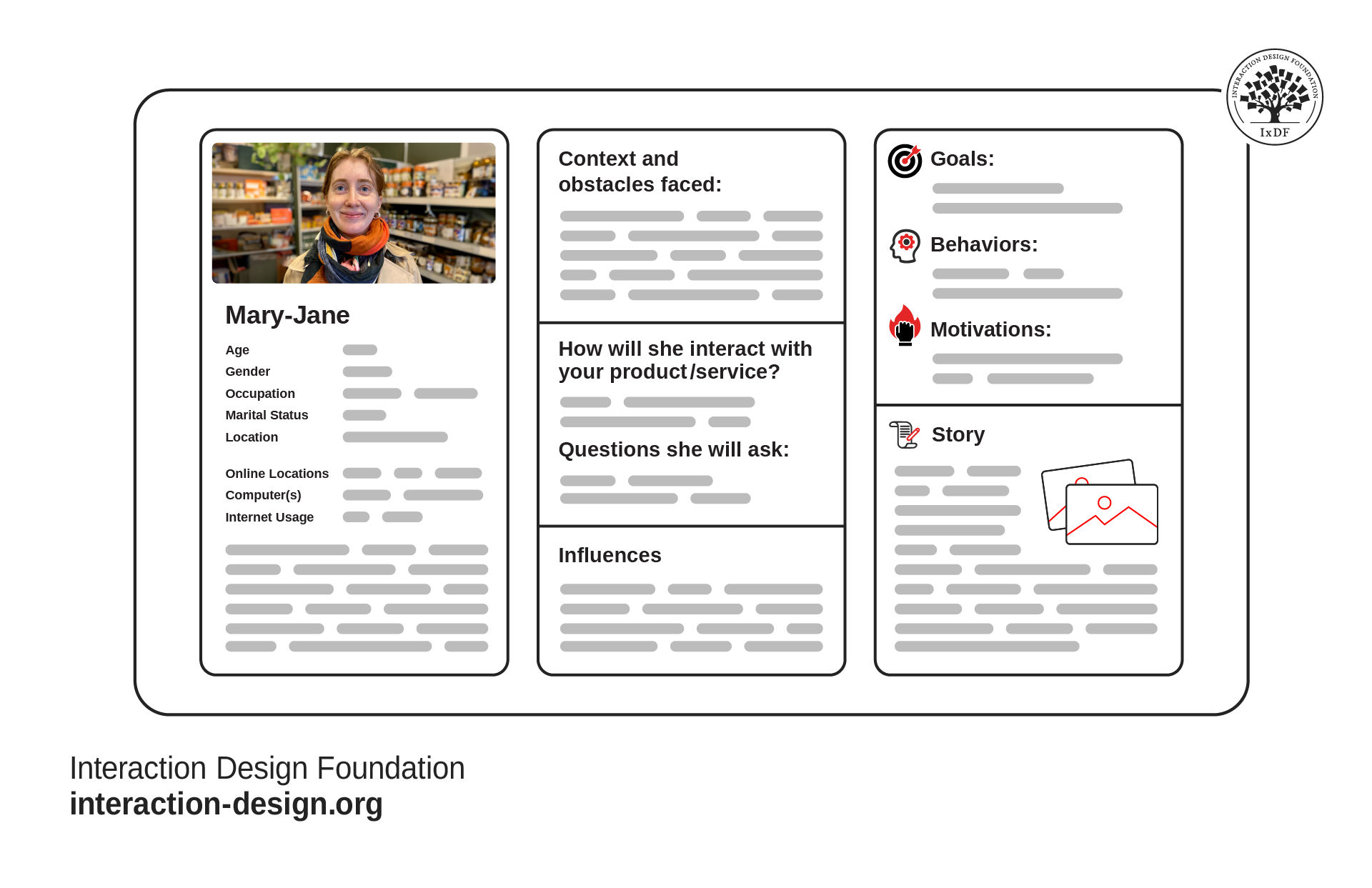
Effective personas capture user goals, behaviors, and pain points in a single view so your team can make design decisions based on real people, not guesswork.
© Interaction Design Foundation, CC BY-SA 4.0
Research-based personas solve this problem. "Alan, a mobile-first traveler who books last-minute business trips from his phone during commutes and values speed over options" tells you exactly what to prioritize: mobile optimization, fast load times, simplified choices, and the ability to complete bookings in just a few taps.
In this video, William Hudson explains how persona stories, another type of story of use, transform abstract user data into design decisions that serve real people.
Replace generic roles with personas entirely when the role adds no meaningful information. In most consumer-facing products, teams label actors as "User," "Customer," or "Visitor.” Use personas instead: "Elena, a budget-conscious parent who compares prices across five sites before she buys and shops primarily on mobile" provides clear design direction that "Customer" cannot.
In this video, William Hudson explains how designing for specific individuals rather than generic user groups transforms team decision-making and why persona-centered use cases create stronger empathy and better design outcomes than abstract roles ever could.
Append roles to persona names with formats like "Sarah::Content Manager" only when the role affects permissions, responsibilities, or workflows. "Sarah::Content Manager" needs approval workflows and schedule capabilities that "Sarah::Content Viewer" doesn't require.
Use role specifications when one person might act in multiple distinct roles at different times, or when different people perform the roles with different needs.
Common Mistakes That Undermine Use Cases
Several pitfalls can decrease the value of use cases. Avoid these to keep your use cases useful.
Avoid Generic Roles Instead of Personas
"User completes checkout" provides almost no design direction. "Judy, a mobile shopper who abandons carts when checkout requires too many form fields, completes purchase" reveals requirements around form length and mobile optimization. The difference affects dozens of design decisions.
Don't Create Detailed Narratives Too Early
Big Design Up Front wastes effort. Documentation becomes outdated quickly. Write diagrams early but save detailed narratives until just before implementation. You'll make better decisions with current information than with predictions from three months ago.
Keep Early Narratives Focused on What Happens and Why
Premature implementation details limit your options. Add these details later after you validate your approach through prototypes and tests.
Document Alternative Flows for Realistic Scenarios
Real users don't always follow the happy path. They make mistakes, change their minds, and encounter problems. Skip alternative flows and you miss where many usability problems hide. Alternative flows ensure you design for these scenarios.
Base Personas on Research, Not Assumptions
Personas must represent real user research, not assumptions or stereotypes. Without interviews, workflow observations, or behavior analysis, your personas provide no more value than generic roles and may mislead you with false confidence.
Reference Use Cases Regularly
Use cases work best when you integrate them into team conversations. Reference them in sprint planning, design reviews, and retrospectives. When use cases sit in a folder nobody opens, they provide no value.
Design For Real-world Constraints
Real users work under constraints, face interruptions, and deal with imperfect conditions. Design for these contexts and challenges, not just perfect circumstances where everything works smoothly.
Use Cases Bridge Research to Implementation
Use cases serve as bridges between user research and implementation. When you ground them in research and develop them with appropriate timing, they keep your entire team focused on user needs throughout the development process.
The combination of research-anchored diagrams for high-level planning and just-in-time narratives for implementation details provides a robust framework for human-centered design in iterative environments. This approach avoids the waste of premature documentation and maintains the clarity and direction teams need to build products that serve user needs.
Use cases don't exist in isolation. They complement other UX research methods and design tools. Your personas can inform the use cases. Use cases inform your user flows, wireframes, and prototypes. Usability tests validate whether your implementation serves the persona's goals as documented in the use cases. This feedback loop continuously improves your understanding of user needs and your ability to meet them.
When research, use cases, design, and tests work together, you build products that truly solve the problems your users face and improve their lives.