Feedback Loops

Your constantly-updated definition of Feedback Loops and collection of videos and articles.
Be a conversation starter: Share this page and inspire others!

197 Shares

What are Feedback Loops?

Feedback loops are processes where designers use a system’s outputs as inputs to find cause-and-effect relationships within it. Some systems (e.g., the environment) have many feedback loops, and the effects of human actions can take decades to show. In complex systems, feedback loops can hide causal links and problems.

“The human mind is not designed to understand the complexities of all these systems.”

— Don Norman: Father of User Experience design, author of the legendary book The Design of Everyday Things, co-founder of the Nielsen Norman Group, and former VP of the Advanced Technology Group at Apple.

See why it takes careful insight to work with feedback loops.


Transcript

The Long, Winding Webs of Feedback Loops

Cognitive science and usability engineering expert Don Norman identifies 21st century design as the way to address the many complex problems that people face across the world. But the human brain has problems understanding the sheer complexity of many systems. We’re surrounded by interconnected systems that feed back and forth between one another extensively and often imperceptibly. And we’re used to looking for simple answers to understand why certain events happen, preferring nice, direct case-and-effect chains because they make sense. For example, if you click “Buy it now”, you get your desired item.

However, nothing happens in a vacuum. Our planet itself is a giant, extremely complex system that contains many, many subsystems, and human activities impact these, ourselves and other things often in hard-to-see, indirect ways. The feedback we want to find to address the right problem isn’t always clear, since the environment where the many factors are interacting—for example, to cause climate change—is a system of entangled, “moving” parts that touch, and are touched by, many other factors elsewhere. As designers, we approach what Norman terms complex socio-technical systems, which, like wicked problems, are:

  • Difficult to define.

  • Complex systems.

  • Difficult to know how to approach.

  • Difficult to know whether a solution has worked.

  What compounds the challenge is that:

  • Many systems have several feedback loops. When you take an action, result A might not appear but instead impact something else you can’t see (result B) and then affect other things. The first result you notice (e.g., result P) might appear only after a threshold is crossed. Meanwhile, the outputs/effects in between these might have impacted other parts of other systems and produce results that only appear much later elsewhere, or eventually return and influence other things in the system you’re concerned with. Or one might appear once another tipping point has been reached and your system shows a new symptom.

    The human brain isn’t designed to follow such non-linear cause-and-effect relationships. A system can have multiple, circular inputs and outputs, and we can’t always appreciate which factors affect which other factors or how. Many remain invisible.

  • There could be a long delay between the feedback loop’s inputs and outputs. Many years might pass before the effects (or outputs) of a feedback loop manifest, whether the input (cause) is large or small. For example, one new factory causes smog that year, but combined with other polluting agents in the region, its emissions will raise temperatures via the greenhouse effect to affect rainfall, farming, marine life, etc., 20 years later. Meanwhile, the issue also might well have become politicized as powerful lobby groups constantly block remedial measures.

A person taking out medicinal tablets from a bottle.

© Michelle Leman, CC0   

How to Work with Feedback Loops

Use humanity-centered design to get the best vantage point to understand the outputs and inputs of a system’s feedback loop. Specifically, leverage the approach’s four principles and:

  • Use people-centered design to understand the world through your target population’s eyes, what they understand the cause-effect relationships are, etc.

  • Solve the right problem, after deep analysis and (e.g.) using the 5 Whys approach to work your way back from as many effects to causes as possible. Note: sometimes the feeding back will actually be feeding forward, since systems work in complex ways. So, if you isolate one apparent “root cause”, you may uncover another series of causes and effects behind it.

  • See everything as a system, and use systems thinking. “Societal” and “technical” are terms to always consider. Remember that effects can be far-reaching in the most unpredictable directions.

  • Take small and simple steps towards sustainable solutions. Specifically, use incrementalism:

    • Big problems demand big solutions; big solutions are too expensive, disruptive and failure-prone, though. Be pragmatic; “go small".

    • Once you understand the people you want to help, their situation’s realities and what their environment lets them do, wait for an opportunity to do something small but positive. If it works well, you can repeat/duplicate or improve it. If it fails, it’s still a positive experience as you’ll have learned something

    • Small steps will also be more likely to win the community’s support.

    • Success breeds success. If a small step leads to more victories, you’ll win even more community support.

    • Small steps taken at the right time can lead to the “best solution possible” at any future point—in contrast to a “big fix” taking (e.g.) 10 years, when the whole situation, including the nature of the problem will have changed.

Remember, everything depends on something else happening somewhere else.
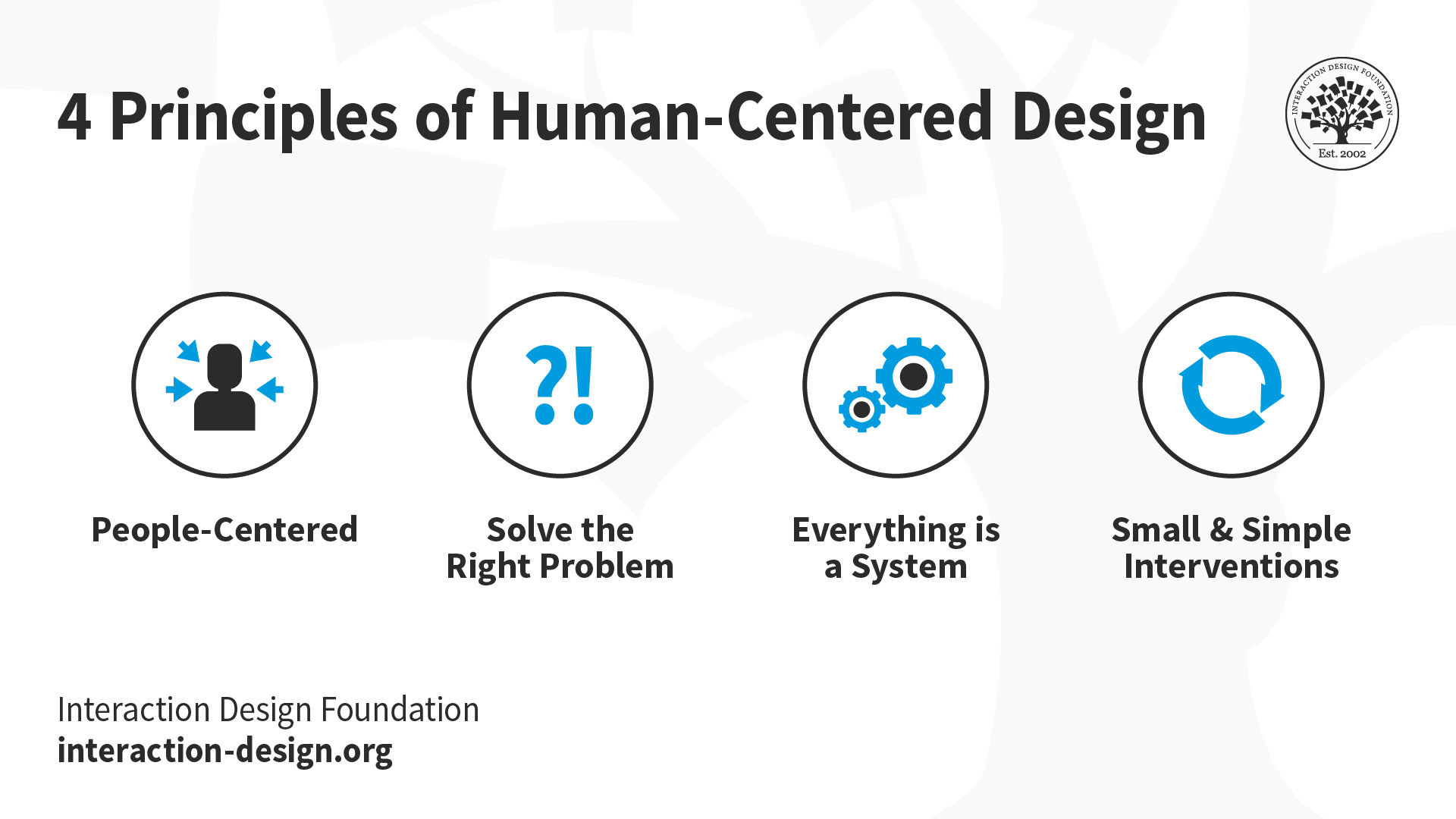
The four principles of Human-Centered Design are People-Centered, Solve the Right Problem, Everything is a System, and Small & Simple Interventions.

The four principles of Human-Centered Design are People-Centered, Solve the Right Problem, Everything is a System, and Small & Simple Interventions.

© Interaction Design Foundation, CC BY-SA 4.0

Questions About Feedback Loops?
We've Got Answers!

What are feedback loops in UX design?

Feedback loops in UX design are ongoing cycles where user actions generate responses from a system, which then guide user behavior or decision-making. They create a sense of interaction and learning between user and interface—crucial for usability, engagement, and trust.

Positive feedback loops reinforce user behavior, like showing rewards after task completion. Negative loops highlight errors and suggest corrections, helping users recover. For example, progress indicators, confirmation messages, or error alerts are all types of feedback that shape the user experience.

Effective feedback loops also drive product improvement. UX teams gather real user data, analyze patterns, and refine designs continuously. This loop—from interaction to insight to iteration—is a foundation of user-centered design.

Get a higher view of feedback loops in this video with Don Norman: Father of User Experience design, author of the legendary book “The Design of Everyday Things”, and co-founder of the Nielsen Norman Group.

Transcript

Why are feedback loops essential for solving complex or “wicked” problems in design?

Feedback loops are essential for solving complex or “wicked” problems because they allow designers to learn, adapt, and iterate based on real-world input. Wicked problems—like sustainability, healthcare, or education—have no single solution and constantly evolve. Feedback loops offer a way to test ideas, observe effects, and refine approaches over time.

For instance, if a public health app tries to influence healthier habits, designers can’t predict all user responses upfront. Instead, feedback loops, such as usage data, success messages, or reminders, help steer behavior and reveal what works.

These loops turn static designs into responsive systems. They reduce risk, surface unintended consequences, and align user needs with system goals. Without feedback, designers would operate in the dark. With it, they can co-create evolving solutions in the face of uncertainty.

Uncover the nature of wicked problems to understand how to approach them.

How do feedback loops align with humanity-centered design principles?

Feedback loops align closely with humanity-centered design by supporting transparency, adaptability, and long-term well-being. Humanity-centered design focuses on broader impacts—designing for people, society, and future generations. Feedback loops create the dialogue needed to meet those evolving, collective needs.

When users interact with a system and receive clear, meaningful responses, they feel respected and empowered. This fosters trust, which is a core humanity-centered principle. For example, sustainability dashboards in smart homes give real-time energy use feedback. This loop helps users reduce consumption and contribute to environmental goals.

Designers also use feedback loops to adjust systems based on diverse, real-world input. This ensures designs remain fair, inclusive, and ethically responsive over time.

Discover how to apply humanity-centered design to make a broader impact.

How can feedback loops help designers see unintended consequences of their solutions?

Feedback loops help designers spot unintended consequences by revealing how users interact with a system over time. Rather than rely on assumptions, designers use feedback to track real-world behavior and detect issues that weren’t predicted during development.

For example, a productivity app might aim to boost focus with reminders, but feedback data could show that users feel overwhelmed or anxious. This loop highlights emotional impacts that metrics alone might miss. Similarly, interface analytics or support tickets can uncover confusing flows or ethical concerns that surface only in daily use.

These insights let designers refine their solutions, preventing harm and improving outcomes. Feedback loops create a continuous check on design assumptions, helping teams respond quickly and responsibly. By listening to actual usage, designers build better, safer, and more human-centered systems.

Get a greater grasp of human-centered design, a good place to start.

How can I map feedback loops when designing a service or system?

To map feedback loops in service or system design, start by identifying key user actions and the system responses they trigger. Look at the full journey—before, during, and after interactions. Ask: “What happens when the user acts?” and “How does the system respond to that action?”

Use tools like journey maps, system maps, or behavior diagrams to visualize these loops. Highlight inputs (user actions), outputs (system feedback), and follow-up behaviors. For example, in a subscription service, map how cancellation prompts trigger retention offers or surveys; then trace how user feedback feeds into product updates.

Include both immediate and delayed feedback, and consider emotional responses too. A good loop reinforces desired behavior or helps correct undesired ones. Mapping feedback loops makes systems more transparent, adaptive, and user-centered—especially in complex or evolving environments.

Enjoy our Master Class User Journey Mapping for Better UX with Kelly Jura, Vice-President, Brand & User Experience at ScreenPal.

How can ignoring feedback loops lead to bad design outcomes?

Ignoring feedback loops can lead to failed or harmful design outcomes because designers lose touch with real-world user behavior. Without feedback, they can’t see how products function after launch—or how users adapt, struggle, or misuse them.

This disconnect often causes systems to overlook accessibility needs, trigger unintended behaviors, or cause harm. For instance, an app that tracks mental health without proper feedback channels might overlook signs of distress, putting users at risk. Similarly, ignoring error reports or usability complaints can cause small issues to escalate into major failures.

Feedback loops reveal what designers can’t predict. They help systems evolve, correct mistakes, and meet actual—not imagined—needs. When teams ignore them, they design in isolation, leaving people behind. That risk can be immense, so brands need to be mindful of how strong feedback loops can prevent harm, guide iteration, and ensure design serves users ethically and effectively. The users must come first, always.

Discover why accessibility is one factor brands can’t afford to overlook and designers need to cater to, in this video.

Transcript

How can designers use feedback loops to influence behavior responsibly?

Designers use feedback loops to influence behavior responsibly by providing clear, timely responses that support user goals without manipulation. These loops guide decisions through reinforcement, correction, or motivation and help users stay informed, not coerced or puppeteered.

For example, apps that track health or energy use can offer positive feedback when users meet targets. This encourages beneficial habits while respecting autonomy. Ethical use of feedback also means showing consequences clearly, like surfacing spending patterns in budgeting apps to promote conscious decisions.

Responsible designers avoid “dark patterns” and instead design feedback that empowers. They test loops for unintended effects and ensure the system adapts based on diverse user input. Used well, feedback loops help users grow, not just comply. They build trust, support learning, and align design influence with fairness and transparency.

Explore The Dark Side of UX and come back with a clear view of what to watch out for in design.

How can I shift from thinking about UI-level feedback to system-level feedback?

To shift from UI-level to system-level feedback, move beyond individual screens and think about how the entire product ecosystem responds to user behavior. UI-level feedback includes elements like tooltips, error messages, and button animations—useful, but limited to immediate interactions.

System-level feedback, however, considers the long-term relationship between user and service. For example, an e-learning platform might track user progress and adjust future content based on performance. That’s a system giving meaningful, adaptive feedback.

To make the shift, map feedback over time, not just per screen. Ask: “How does the system acknowledge and respond to user goals, habits, and needs over days, weeks, or months?” Use data, user journeys, and service blueprints to visualize broader patterns.

Secure a strong understanding of systems thinking to know more about how to design for systems.

What ethical risks come from poorly designed feedback systems?

Poorly designed feedback systems pose serious ethical risks, including manipulation, exclusion, and misinformation. When feedback misleads users—by exaggerating success, hiding consequences, or using dark patterns—it erodes trust and distorts decision-making, with potentially disastrous consequences.

For example, a fitness app that gamifies progress with misleading badges might pressure users into unhealthy habits. Or, if feedback only reflects data from certain user groups, it can marginalize others and perpetuate systemic bias. In platforms driven by algorithms, such as social media, feedback loops that prioritize clicks over well-being can amplify harmful content.

These risks grow when designers ignore how feedback shapes user behavior and social outcomes. Ethical feedback design requires transparency, user consent, and continuous testing to catch unintended harm. By prioritizing honesty and fairness, UX teams can design feedback systems that empower rather than exploit.

Enjoy our Master Class Behavioral Design: Create Engaging Products with Behavioral Science with Susan Weinschenk— “The Brain Lady,” Author, Chief Behavioral Scientist and CEO, The Team W, Inc.—and Guthrie Weinschenk, Behavioral Economist & COO, The Team W, Inc., Podcast Host and Author. 

What are some helpful resources about feedback loops?

Pretorius, L. (2024, October 2). How to use feedback loops in UX design. Bird Marketing. https://bird.marketing/blog/digital-marketing/guide/ux-design-principles/use-feedback-loops-ux-design

Louis Pretorius's article offers a comprehensive guide to implementing feedback loops in UX design. It delineates positive and negative feedback loops, illustrating how each influences user behavior. The piece categorizes feedback into visual, auditory, haptic, and text-based forms, providing practical examples such as button state changes, error messages, and confirmation notifications. By emphasizing the importance of timely and clear feedback, the article underscores how these mechanisms enhance usability, reduce errors, and boost user confidence. This resource is invaluable for UX professionals seeking to create intuitive and responsive user interfaces.

Saha, M. (n.d.). How to improve UX with feedback loops. PixelFreeStudio. https://blog.pixelfreestudio.com/how-to-improve-ux-with-feedback-loops/

In this comprehensive guide, Manav Saha explores the pivotal role of feedback loops in enhancing user experience (UX) design. The article outlines a systematic approach to collecting and analyzing user feedback through various methods, including surveys, user interviews, analytics, and social media listening. Saha emphasizes the importance of setting clear objectives, choosing appropriate tools, and engaging users effectively. By categorizing feedback, identifying patterns, and conducting both quantitative and qualitative analyses, designers can make informed decisions to improve product usability and satisfaction. The piece serves as a practical resource for UX professionals aiming to implement continuous improvement processes in their design workflows.

Baxter, L. (2013, February 15). How to design outstanding feedback loops. Smashing Magazine. https://www.smashingmagazine.com/2013/02/designing-great-feedback-loops/

In this article, Loren Baxter delves into the significance of feedback loops in user experience design. He outlines the fundamental components of feedback loops: user actions, resulting effects, and the presentation of these effects back to the user. By examining real-world examples from social media platforms and applications like Yelp and Zynga games, Baxter illustrates how well-crafted feedback loops can influence user behavior, enhance engagement, and drive business value. He emphasizes the importance of making feedback loops fast, meaningful, quantified, and contextual. This piece serves as a practical guide for designers aiming to create more responsive and user-centric interfaces.

Kuakua. (n.d.). Feedback loop in UX design. https://kuakua.app/en/docs/product-psychology/the-psychology-of-design/information/feedback-loop

This article from Kuakua explores the role of feedback loops in user experience (UX) design. It defines feedback loops as mechanisms that provide users with information about their actions, enabling them to adjust their behavior accordingly. The piece outlines the components of a feedback loop—action, feedback, and response—and distinguishes between positive and negative loops. Practical applications in UX design are discussed, including visual feedback (e.g., button color changes), progress indicators, error messages with corrective suggestions, and positive reinforcement through congratulatory messages. The article emphasizes the importance of timely, clear, and actionable feedback in enhancing user engagement and satisfaction.

Earn a Gift Earn a Gift, Answer a Short Quiz!

1
2
3
4
1
2
3
4
Question 1
Question 2
Question 3
Get Your Gift
Interaction Design Foundation logo

Question 1

What is the purpose of feedback loops in UX design?

1 point towards your gift

  • To continuously improve the design based on user interactions
  • To delay user feedback
  • To finalize the design without further changes
Interaction Design Foundation logo

Question 2

Which type of feedback loop involves immediate user responses?

1 point towards your gift

  • Delayed feedback loops
  • Real-time feedback loops
  • Static feedback loops
Interaction Design Foundation logo

Question 3

Why are feedback loops important in complex systems?

1 point towards your gift

  • They help identify cause-and-effect relationships over time.
  • They lower the need for further research.
  • They simplify the system.

Learn More About Feedback Loops

Make learning as easy as watching Netflix: Learn more about Feedback Loops by taking the online IxDF Course Design for the 21st Century with Don Norman.

Why? Because design skills make you valuable. In any job. Any industry.

In This Course, You'll

  • Get excited as you learn to design a better world. Whether you want to help families save money while reducing their carbon footprint, redesign how cities manage waste, or improve public health systems, this course will show you how. You don't need to be a designer. You just need the desire to make things better. Led by world-renowned designer Don Norman, you'll learn the powerful tools of human-centered design, systems thinking, and design thinking to tackle real-world challenges like climate change, inequality, public health, and more.

  • Make yourself invaluable when you build timeless human-centered design skills that are essential to make AI your superpower, so speed never comes at the cost of people's wellbeing. This course builds on and expands your deeply human skills like empathy, problem framing, and root-cause thinking that guide AI toward better, more responsible outcomes. You'll learn to apply these skills to drive innovation at work, lead meaningful projects, communicate your ideas clearly, and capture people's attention. This course helps you grow your impact, salary potential, and confidence—and feel deeply fulfilled. Did you know that design-driven companies are twice as likely to outperform their industry peers in revenue growth? The key is to go beyond traditional approaches and solve the real problems behind surface-level symptoms while integrating solutions seamlessly into real people's lives. You'll get the ability to design lasting change and learn how to work effectively with stakeholders to make it happen. You'll also discover how to move up in your company and take on bigger challenges.

  • Gain confidence and credibility as you apply your new skills from day one with ready-to-use templates such as the 5 Whys method. Create an optional case study aligned with the UN Sustainable Development Goals. By the end of this course, you'll have the skills and mindset to make a difference, whether that's in your job, your community, or the world. Let's co-create a better future starting now.

It's Easy to Fast-Track Your Career with the World's Best Experts

Master complex skills effortlessly with proven best practices and toolkits directly from the world's top design experts. Meet your expert for this course:

  • Don Norman: Father of User Experience (UX) Design, author of the legendary book “The Design of Everyday Things,” co-founder of the Nielsen Norman Group, and former VP of the Advanced Technology Group of Apple.

Get an Industry-Recognized IxDF Course Certificate

Increase your credibility, salary potential and job opportunities by showing credible evidence of your skills.

IxDF Course Certificates set the industry gold standard. Add them to your LinkedIn profile, resumé, and job applications.

Course Certificate Example

Be in distinguished company, alongside industry leaders who train their teams with the IxDF and trust IxDF Course Certificates.

Our clients: IBM, HP, Adobe, GE, Accenture, Allianz, Phillips, Deezer, Capgemin, Mcafee, SAP, Telenor, Cigna, British Parliament, State of New York

All Free IxDF Articles on Feedback Loops

Read full article
How You as a Lone Designer Can Change the World - Article hero image
Interaction Design Foundation logo

How You as a Lone Designer Can Change the World

Has Don Norman convinced you to work on important societal issues? As a lone designer, what can you do? If you are a new designer who has just graduated from design school, an experienced designer, or a designer who would like to shift your company’s path toward helping the world, there are ways to

Social shares
557
Published
Read Article
Read full article
95% of Design Schools Are Training You for Jobs That Won’t Exist - Article hero image
Interaction Design Foundation logo

95% of Design Schools Are Training You for Jobs That Won’t Exist

The role of designers is changing. We continue to design products and services, but we also design more in the way of complex socio-technical systems and systemic challenges such as climate change, poverty and inequality. In this video, Don Norman makes the case that the way designers learn must als

Social shares
475
Published
Read Article

Feel Stuck?
Want Better Job Options?

AI is replacing jobs everywhere, yet design jobs are booming with a projected 45% job growth. With design skills, you can create products and services people love. More love means more impact and greater salary potential.

At IxDF, we help you from your first course to your next job, all in one place.

See How Design Skills Turn Into Job Options
Privacy Settings
By using this site, you accept our Cookie Policy and Terms of Use.
Customize
Accept all

Be the One Who Inspires

People remember who shares great ideas.

Share on:

Academic Credibility — On Autopilot

Don't waste time googling citation formats. Just copy, paste and look legit in seconds.