Requirements are a set of guidelines that outline the necessary functionalities, capabilities, and characteristics of a solution to ensure that it meets the users' needs and the business's objectives. They form a roadmap guiding the design and development process, ensuring the end product is user-friendly, accessible, and valuable.
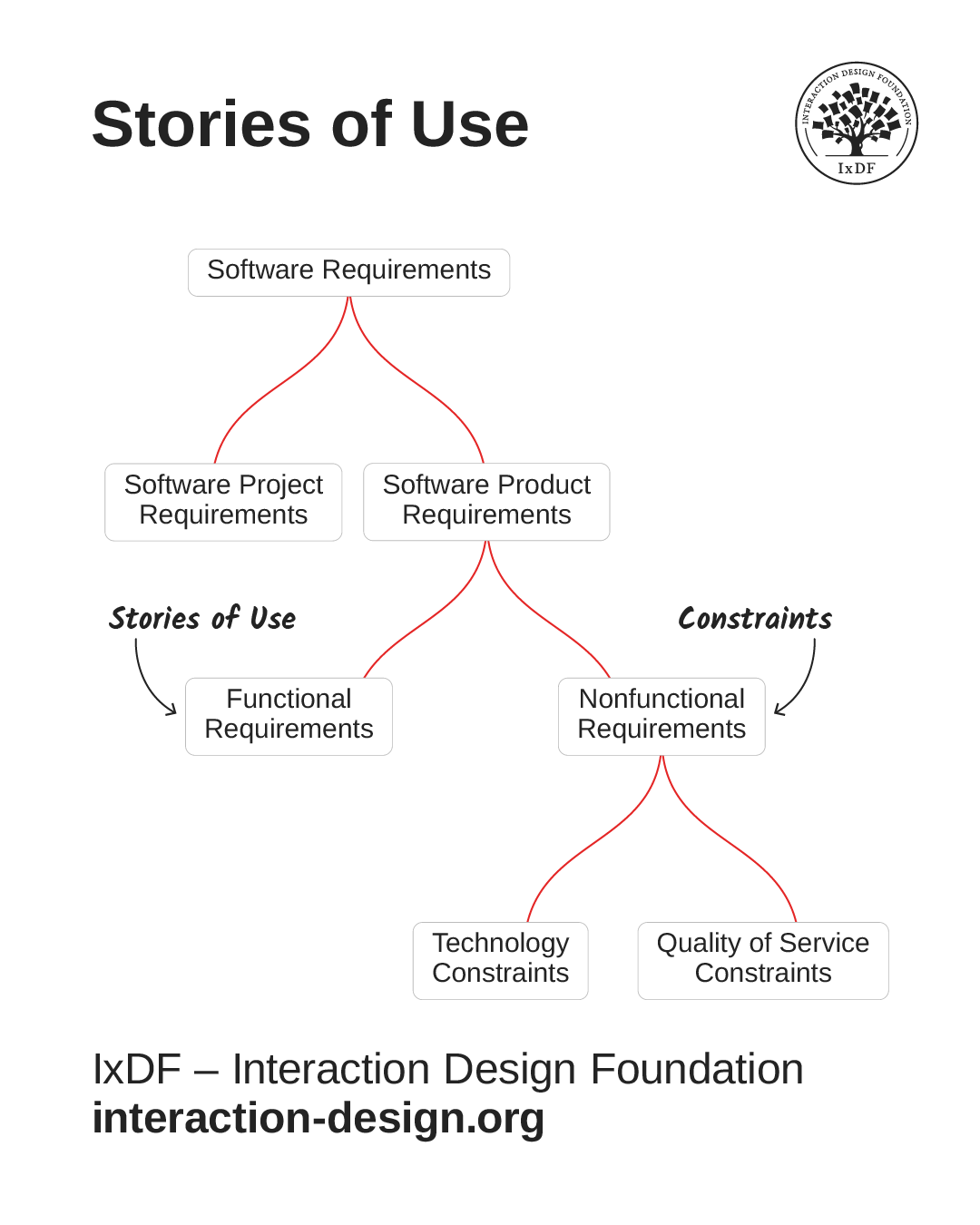
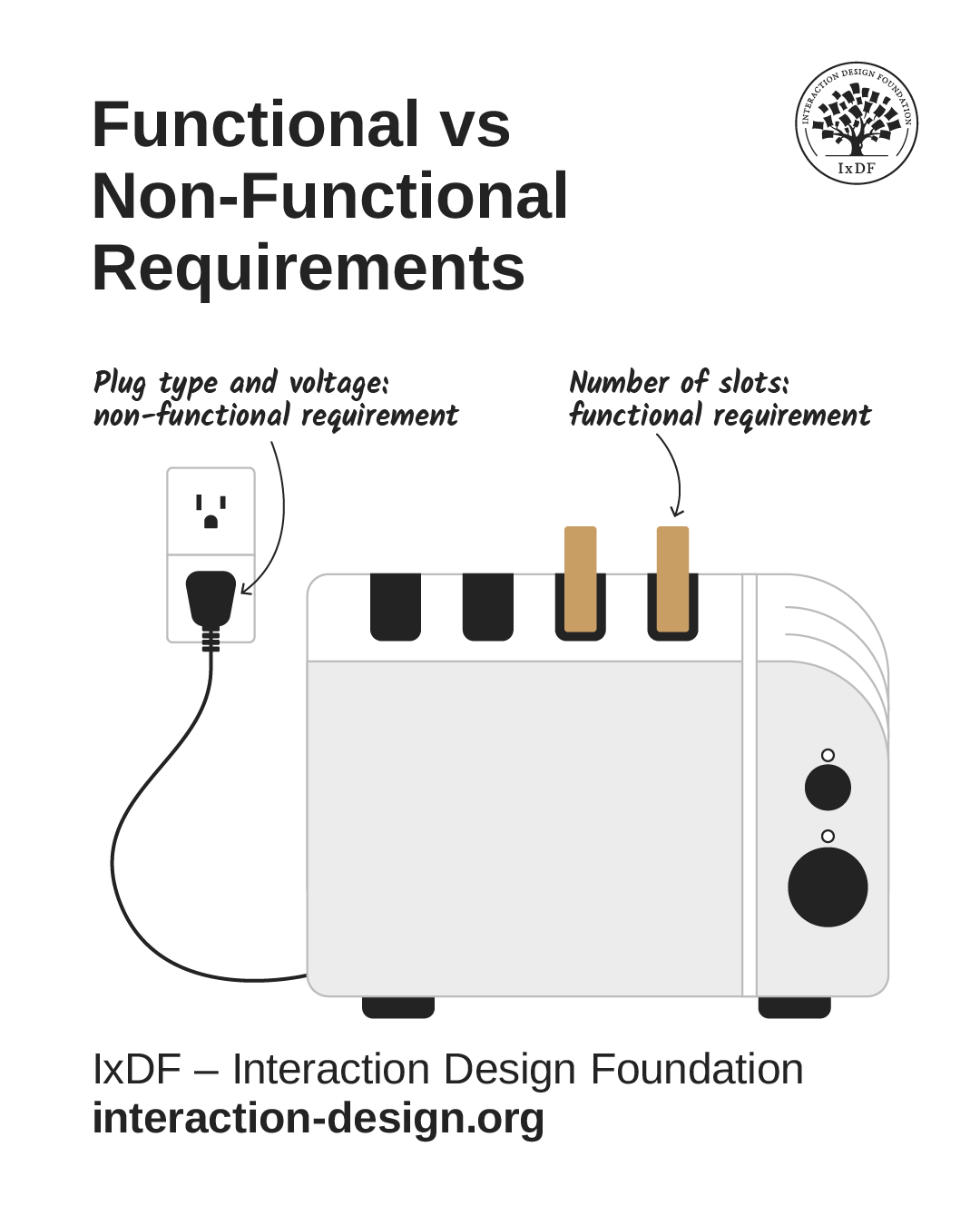
Functional requirements describe functionalities and capabilities and are discussed here. Characteristics are specified as non-functional requirements, also called constraints.
Why are Requirements Important?
Requirements for user experience (UX) designers, product managers and other stakeholders are vital for various reasons. Most prominently, they are the compass for your team’s design process. For any product or service to at least satisfy—but ideally delight—its target audience in the real world, it’s vital for you and other design team members to discover, define, meet, and test the requirements early on. You may subscribe to design thinking or another design or product development process.
Both functional and non-functional requirements help ensure that every decision your team makes aligns with the needs of your users and business goals.
In this video, William Hudson, User Experience Strategist and Founder of Syntagm Ltd, explains how constraints function as non-functional requirements that your team must identify early so you can design and build solutions that meet essential standards and expectations.
Finding and delivering on requirements saves money and effort, too. When you define them upfront about a product idea or service, you can avoid costly redesigns and rework later. It’s critical to establish empathy for your users from the initial steps. When you prioritize these needs, it helps identify the key features to include in your service or product design, the interactions you need to facilitate, and the problems the product—or service—needs to solve.
Moreover, when you discover and prioritize the right requirements, you help create something usable and enjoyable. Provided you isolate and work to meet the correct requirements, you can ensure that your design is intuitive, easy to navigate, and provides value to a wide range of users. That goes a long way to enhancing the overall user experience.
Last but not least, requirements are a way to communicate with your stakeholders and ensure your team aligns with the business objectives at a high level and further down the line. They provide a clear vision of what the product or project should accomplish, enabling all stakeholders, including project managers, to work towards a common goal that will delight your potential customers.
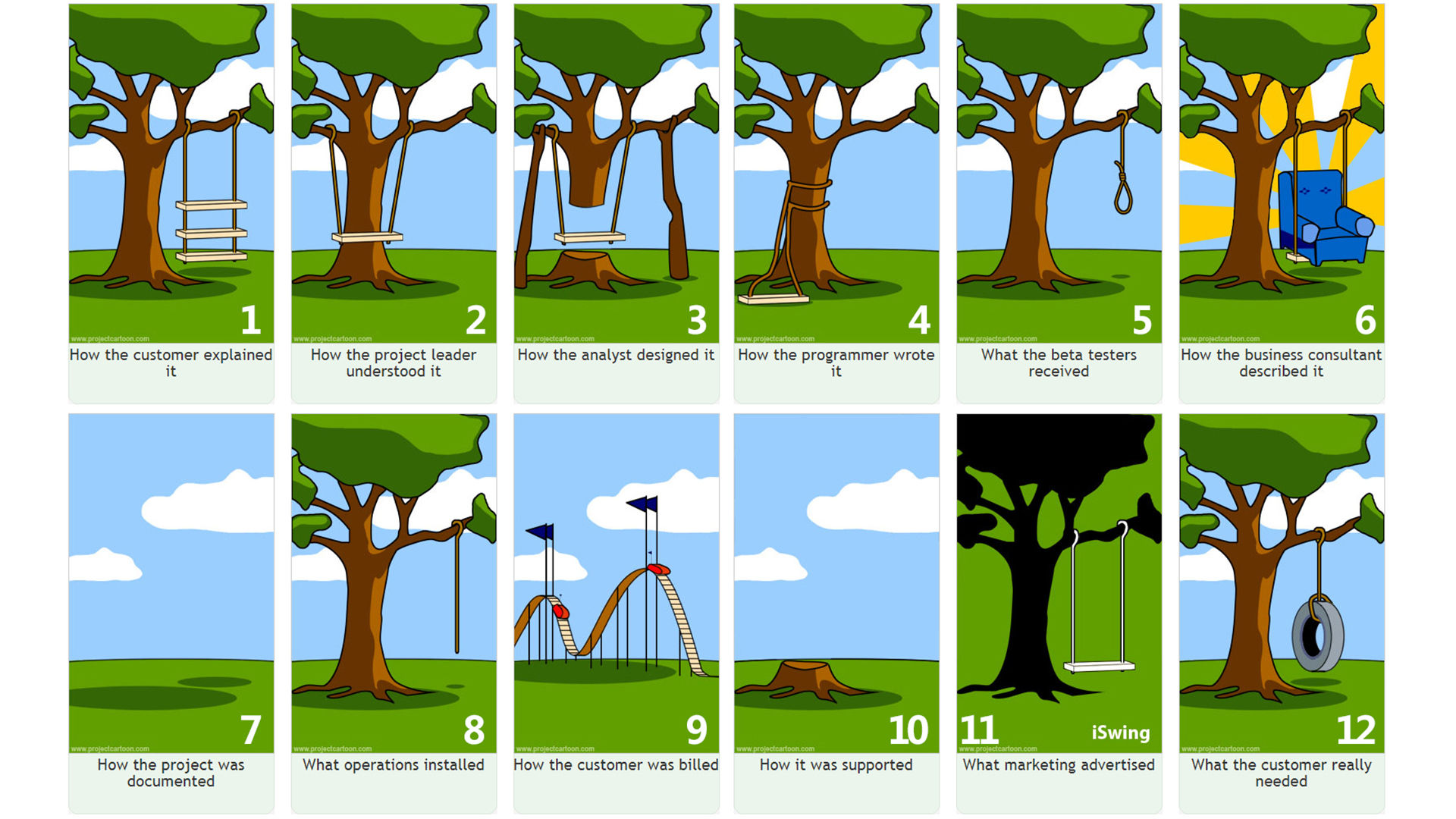
This well-known cartoon entitled “Project Cartoon” captures the unfortunate reality behind improper requirements gathering.
© ProjectCartoon, Fair use
How to Discover Requirements that Best Meet Users' Needs
To identify the requirements that best meet your users' needs, it’s essential to adopt a user-centric approach. This means that you build a deep understanding of the users – their needs, goals, preferences, and pain points. Here are some methods that can help you discover these requirements:
Do User Research: Conduct interviews, surveys, questionnaires, and focus groups to gain insights into the users' needs and motivations. This will help you understand the users' behaviors, preferences, and pain points. It can also provide you with rich, qualitative data as well as quantitative data.
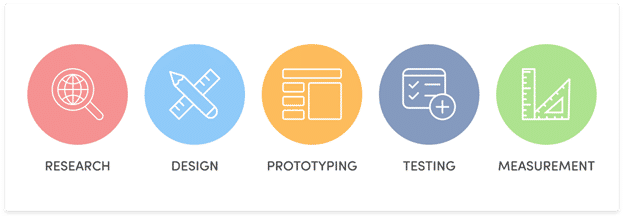
Research is the wellspring of information about requirements.
© Qualaroo, Fair use
Conduct Market Research: Study market trends, competitor products, and industry standards. This will help you identify the opportunities and gaps in the market that your design can address. If you aim to give an existing product a new lease of life, you can also explore the market realities that will help give it the competitive advantages it needs for a re-release or rebranding.
Use Personas: These fictional characters represent the product's ideal users. They help understand the users' needs, goals, and behavior, enabling user experience designers to design a product that satisfies them.
Do User Journey Mapping: Create a journey map, a visual representation of the users' interactions with the product or service design. It helps you identify the pain points in the user journey and the opportunities for improvement.
Adopting these methods allows you, as a UX designer, to ensure that requirements align with user needs, creating something user-centric and valuable.
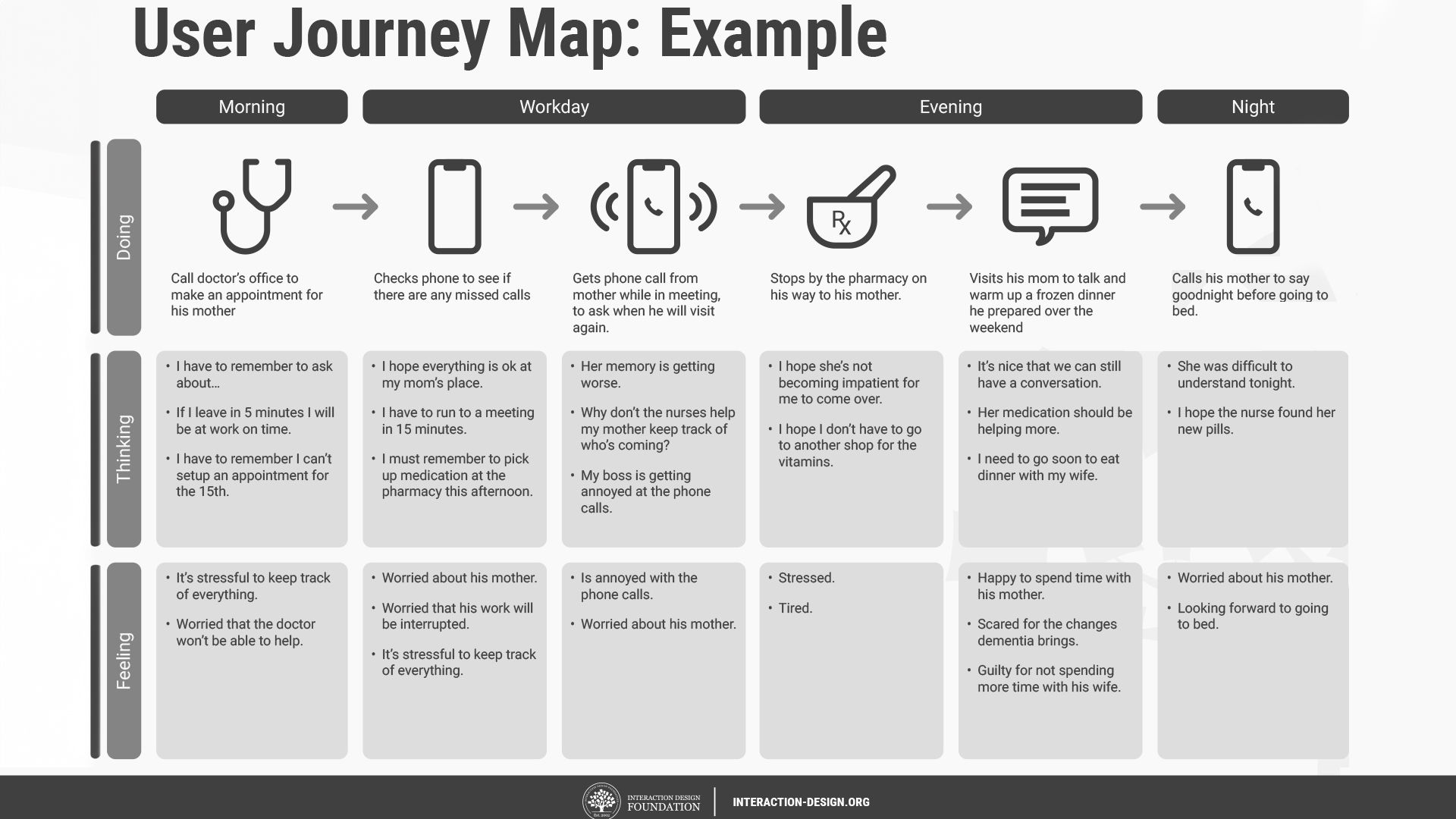
A user journey map can clearly show the way to meeting vital requirements.
© Interaction Design Foundation, CC BY-SA 4.0
Which Best Practices Help You Meet Requirements?
It will take a strategic approach to meet UX requirements efficiently. Here are some best practices that can guide:
Prioritize Requirements Based on User Needs: Not all requirements are created equal. Some are critical to the user experience, while others are nice-to-haves. Prioritize the requirements based on the users' needs and the impact on the user experience. A deep understanding of your user base can greatly enhance your UX design. Conduct surveys, interviews, and usability testing to gain sharp and revealing insights into user behaviors, needs, and motivations.
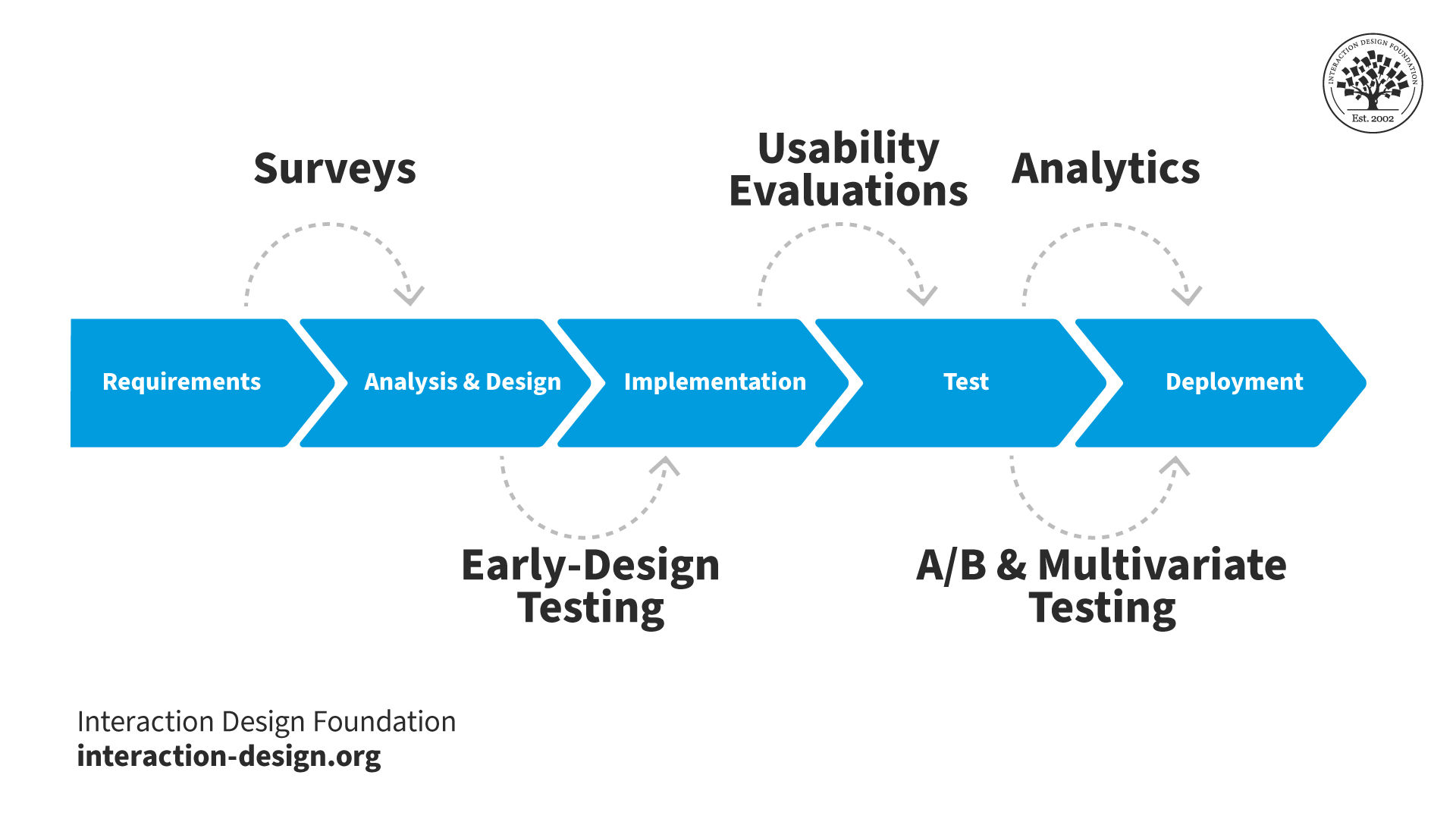
Quantitative research methods fit into the project lifecycle at different stages of the process.
© Interaction Design Foundation, CC BY-SA 4.0
Collaborate with Stakeholders: Collaboration with stakeholders is crucial for defining and meeting requirements. Engage with stakeholders, including product managers, developers, and business leaders, to ensure the requirements align with the business objectives and technical feasibility.
Determining the requirements for a service can be especially challenging due to the number of channels involved. Clear and effective communication will help ensure everyone is on the same page and that you can effectively meet the users’ needs.
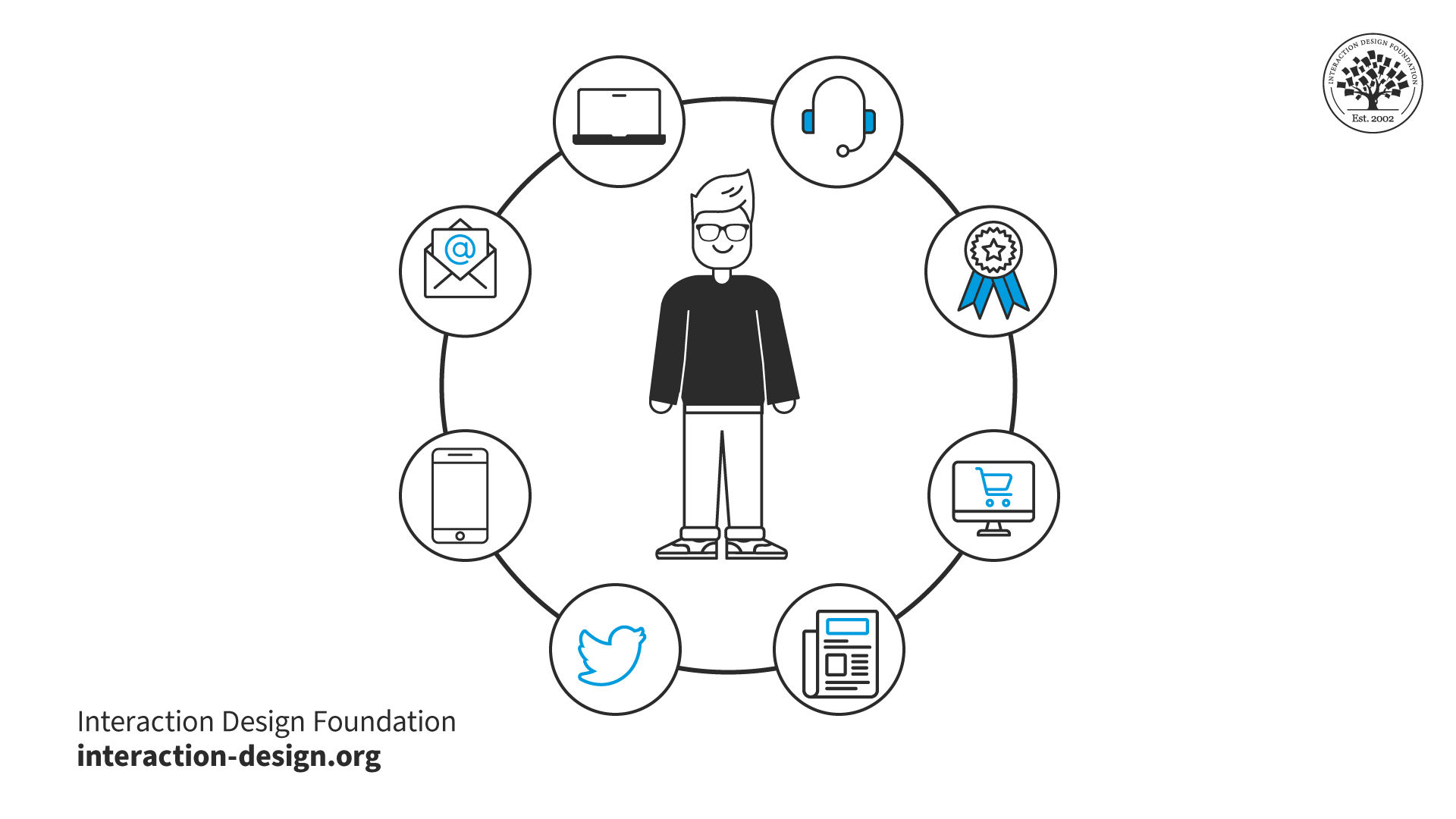
A service design experience often involves multiple channels, contexts and products.
© Interaction Design Foundation, CC BY-SA 4.0
Apply Consistency: Consistent design elements and flows reduce users' learning curves and enhance the experience. Consistency in colors, fonts, button styles, and navigation helps users understand the application quickly. A seamless UX is essential. The moment users have to pause to think about your design is a sign you need to improve it.
Prioritize Simplicity: User interfaces (UIs) should be simple and intuitive. Avoid unnecessary elements that do not serve a purpose. Users should be able to use the interface without any instructions or guides.
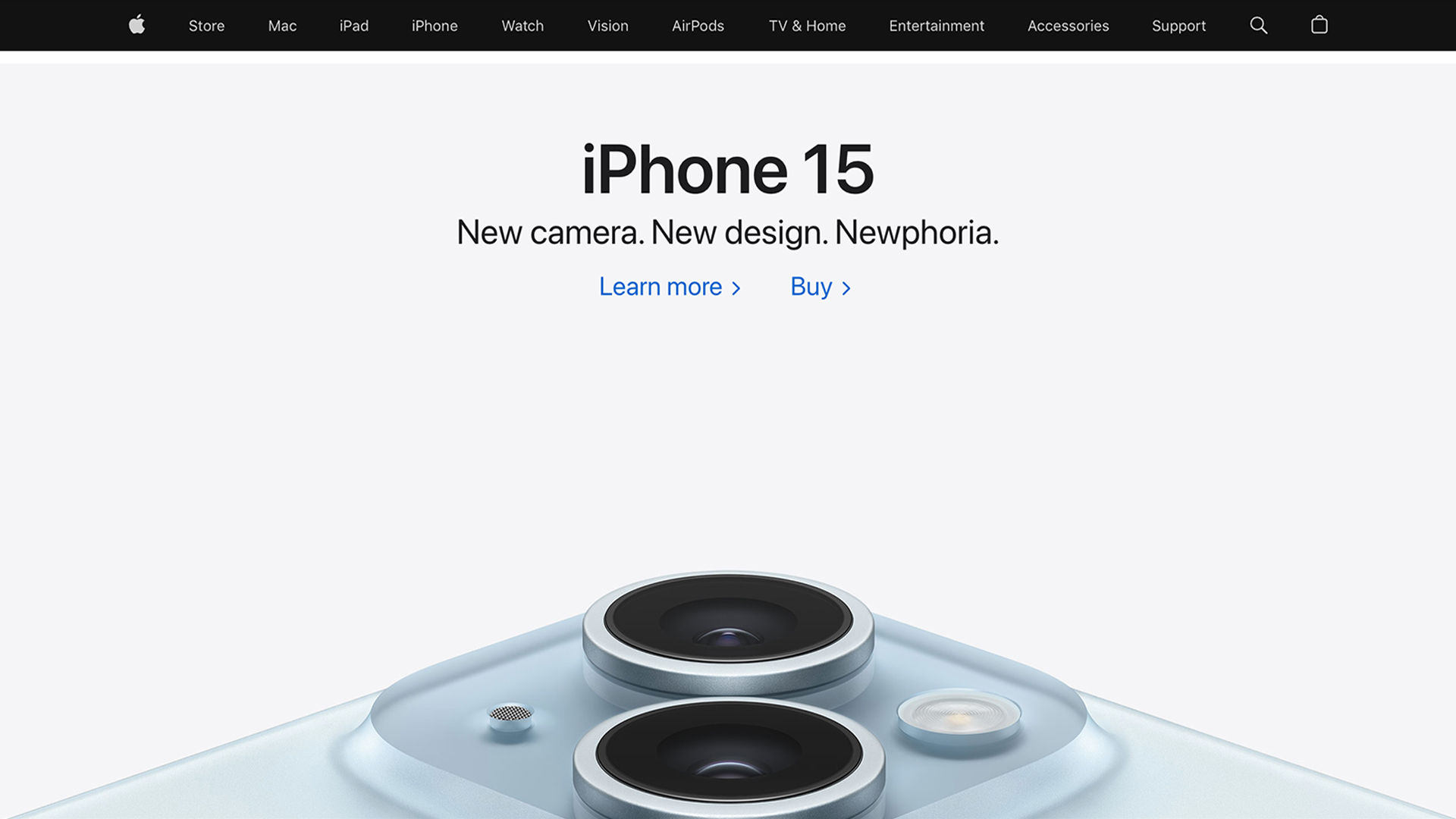
Apple is synonymous with consistency and simplicity – qualities that have helped catapult the brand to top of mind in the popular psyche when it comes to thinking about a highly intuitive interface.
© Apple, Fair use
Consider and Ensure Accessibility: Make sure your design is inclusive. Make it accessible to people with various abilities. Use high contrast for text, provide alt text for images, and ensure your app is navigable with a keyboard.
Use Prototyping and User Testing: Before jumping into development, build a prototype of your design and test it with users. Take feedback and iterate your design to make it better. This will save time and resources in the long run. Prototyping and user testing are powerful tools for you to validate your requirements. They allow you to test the design concepts with real users, gather feedback, and iterate on the design before the development begins.
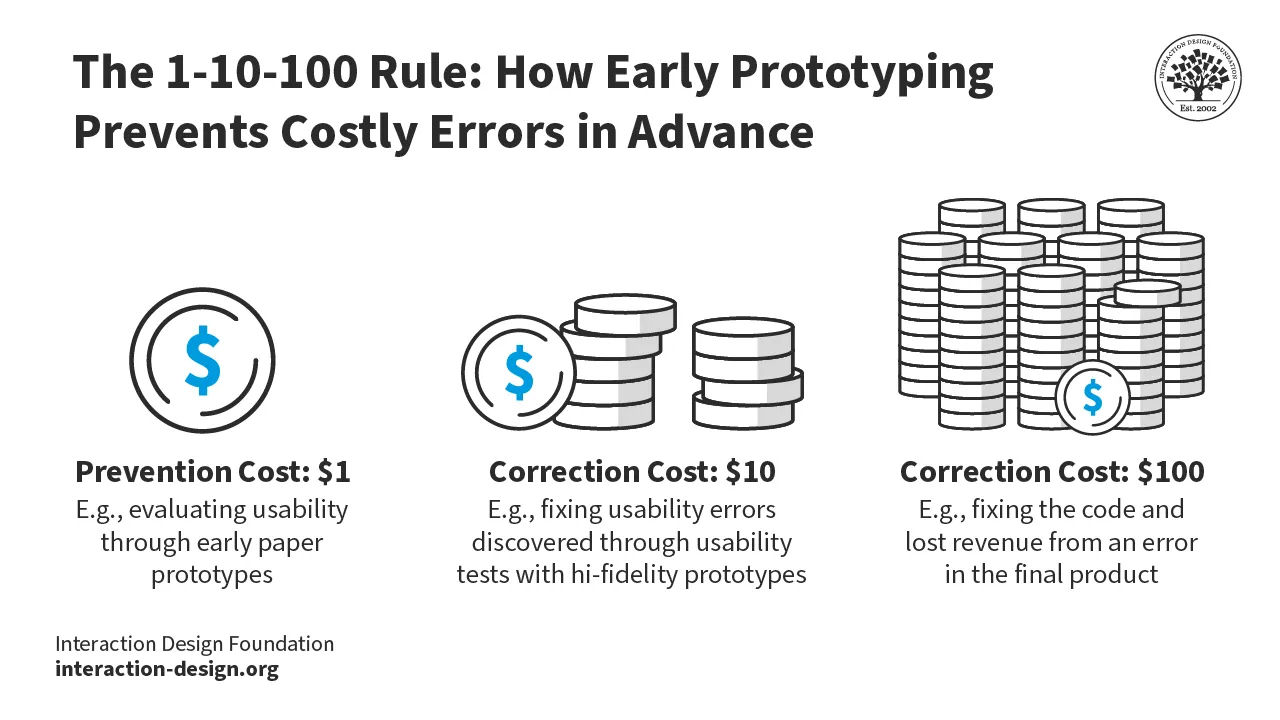
Prototyping can help your find and fix potentially expensive errors long before they might cost huge sums or do other damage to your brand.
© Interaction Design Foundation, CC BY-SA 4.0
Keep Track of Changes: Design is an iterative process, and requirements may change along the way. Keep track of these changes and update the requirements as needed to ensure that the design stays aligned with the users' needs and business objectives.
Balance Business Goals and User Needs: While it's important to meet the users' needs, it's equally important to align with the business goals. Strive for a balance between the two to create a product that is valuable for the users and profitable for the business.
Stay Updated with Trends: UX design trends change frequently. Stay updated with the latest trends and technologies in the field to ensure your design is relevant, modern and relatable to users with ever-changing needs.
What are the Risks of Missing or Mismatching Requirements?
If you or your team neglect or mismatch requirements, it can lead to many problems. For one, it can result in a product that fails to meet the users' needs, leading to a poor user experience. Low user satisfaction and decreased user engagement are symptoms of what can ultimately lead to product failure or a service that nose-dives into oblivion.
Moreover, if you miss or mismatch requirements, it can lead to costly redesigns and rework, increase development time and cost, and suddenly, the overall project timeline and budget stretch and balloon. That’s why it’s important to accurately define the requirements early on, meet them and prototype something you can test to ensure that your good idea doesn’t get derailed by wrong assumptions about your users.
It’s essential to stay on point with your requirements. So, assets like quantitative research are especially important to tap into early on in the design process, and the findings you reveal can prevent costly mismatches.
What are Examples of Well-Implemented Requirements?
Many brands have effectively implemented UX requirements to deliver exceptional user experiences, including:
Uber: Uber's UX requirements are simplicity, speed, and convenience. They have designed their app to be intuitive and easy to use, allowing users to book a ride with just a few taps. The design also includes real-time tracking, estimated arrival time, and fare estimates, meeting the users' need for transparency and control.
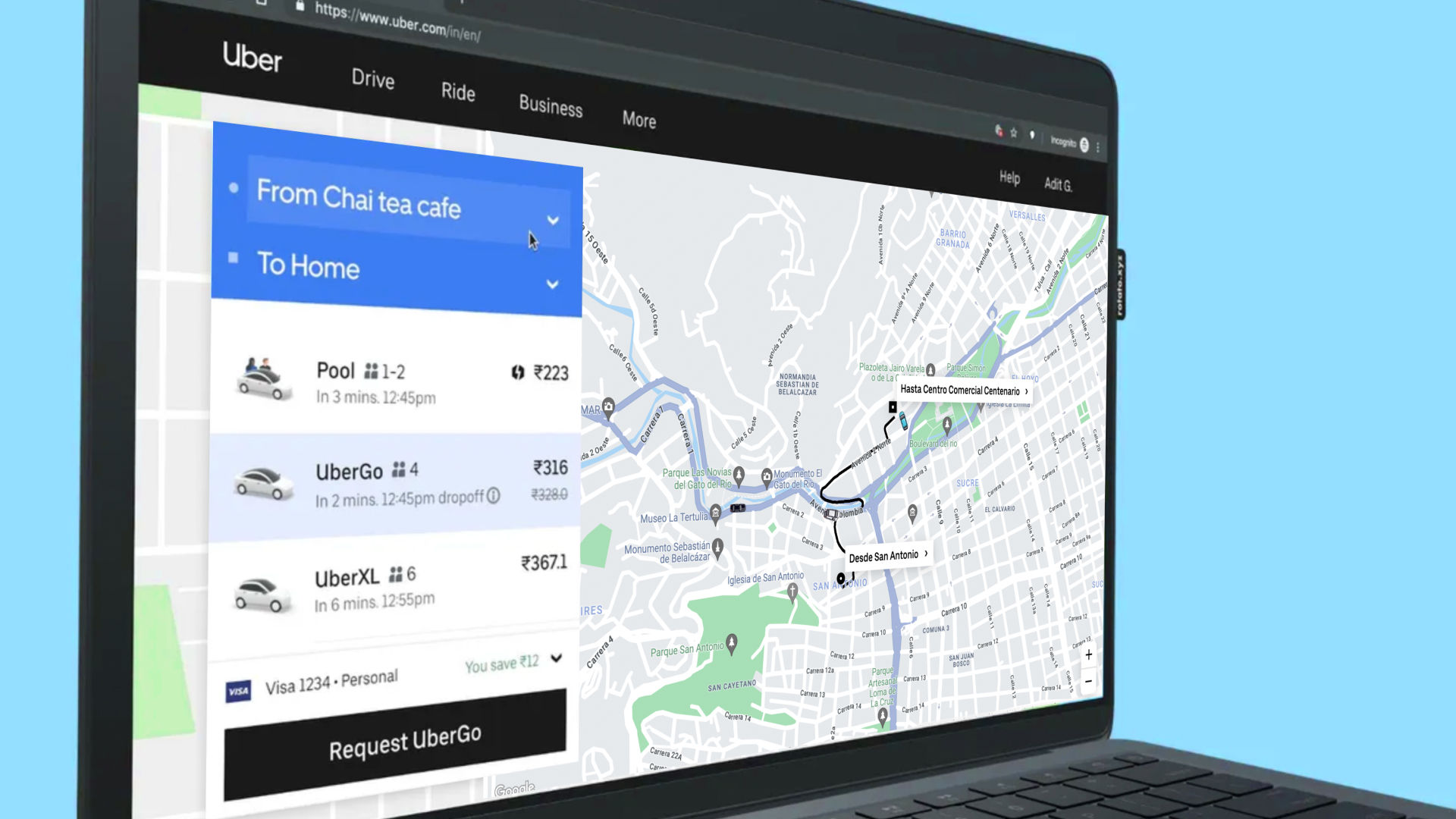
Uber’s approach is highly intuitive, showcasing how they met their requirements.
© Uber, Fair use
Airbnb: Airbnb designed its app to make finding and booking accommodations easy and enjoyable. The app features high-quality images, clear and concise descriptions, and an intuitive booking process. It also includes features like saved lists, personalized recommendations, and in-app messaging, enhancing the overall user experience.

Airbnb’s site exhibits how they tailored their requirements to match users’ expectations for fast and enjoyable ways to find and book accommodation.
© Airbnb, Fair use
Google Maps: Google Maps has successfully met the requirements of accuracy, speed, and ease of use. The app provides accurate and up-to-date maps, real-time traffic updates, and detailed directions. It also features an intuitive interface and smooth navigation, making it easy for users to find their way wherever possible.
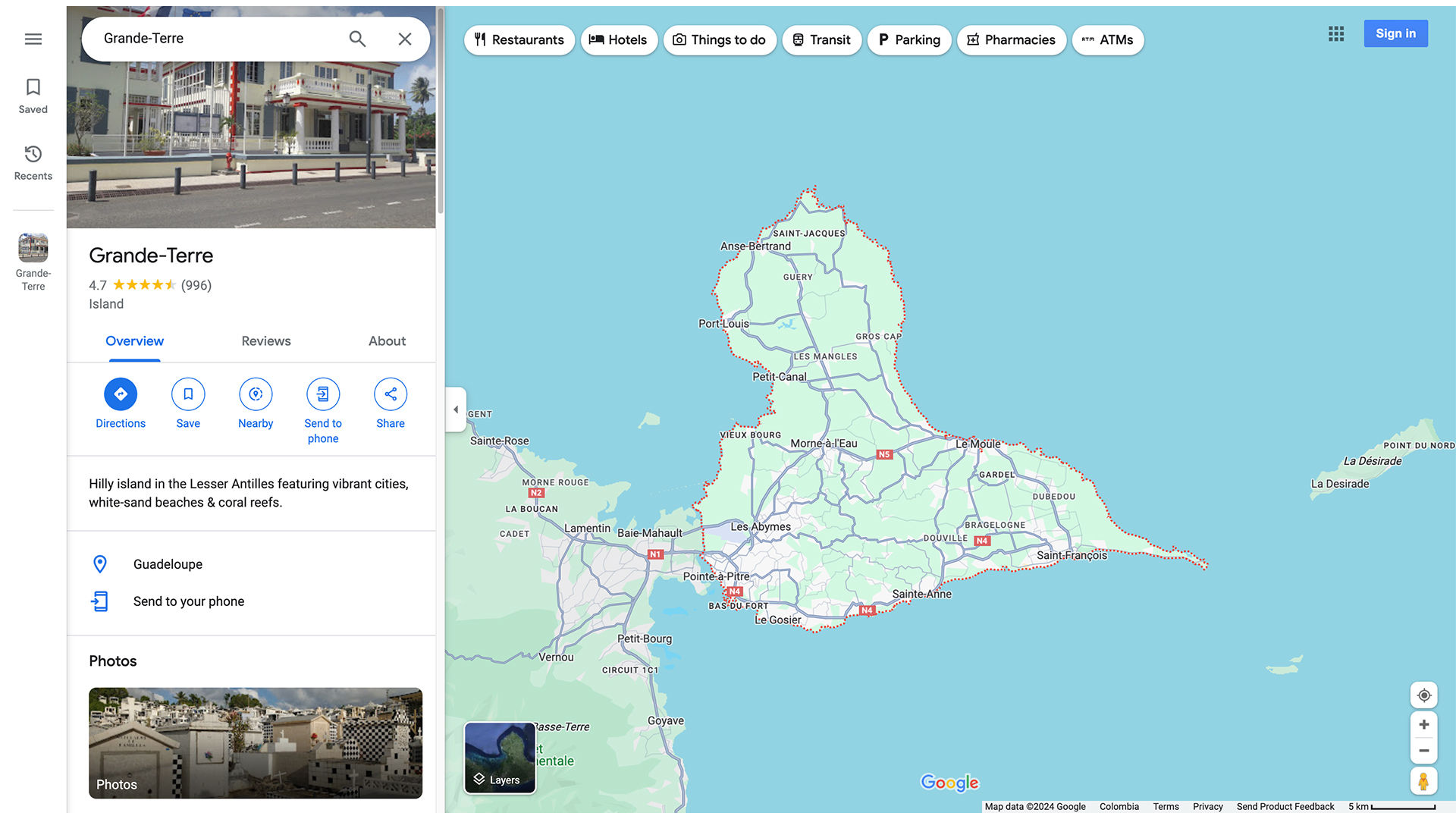
Google Maps translates the needs of their users and requirements via this ultra easy-to-use application.
© Google Maps, Fair use
Spotify: Spotify's design approach focuses on personalization and ease of use. The platform offers tailored playlists based on the user's listening habits, intuitive navigation, and easy-to-use controls. This meets the user's need for a personalized and effortless music streaming experience.
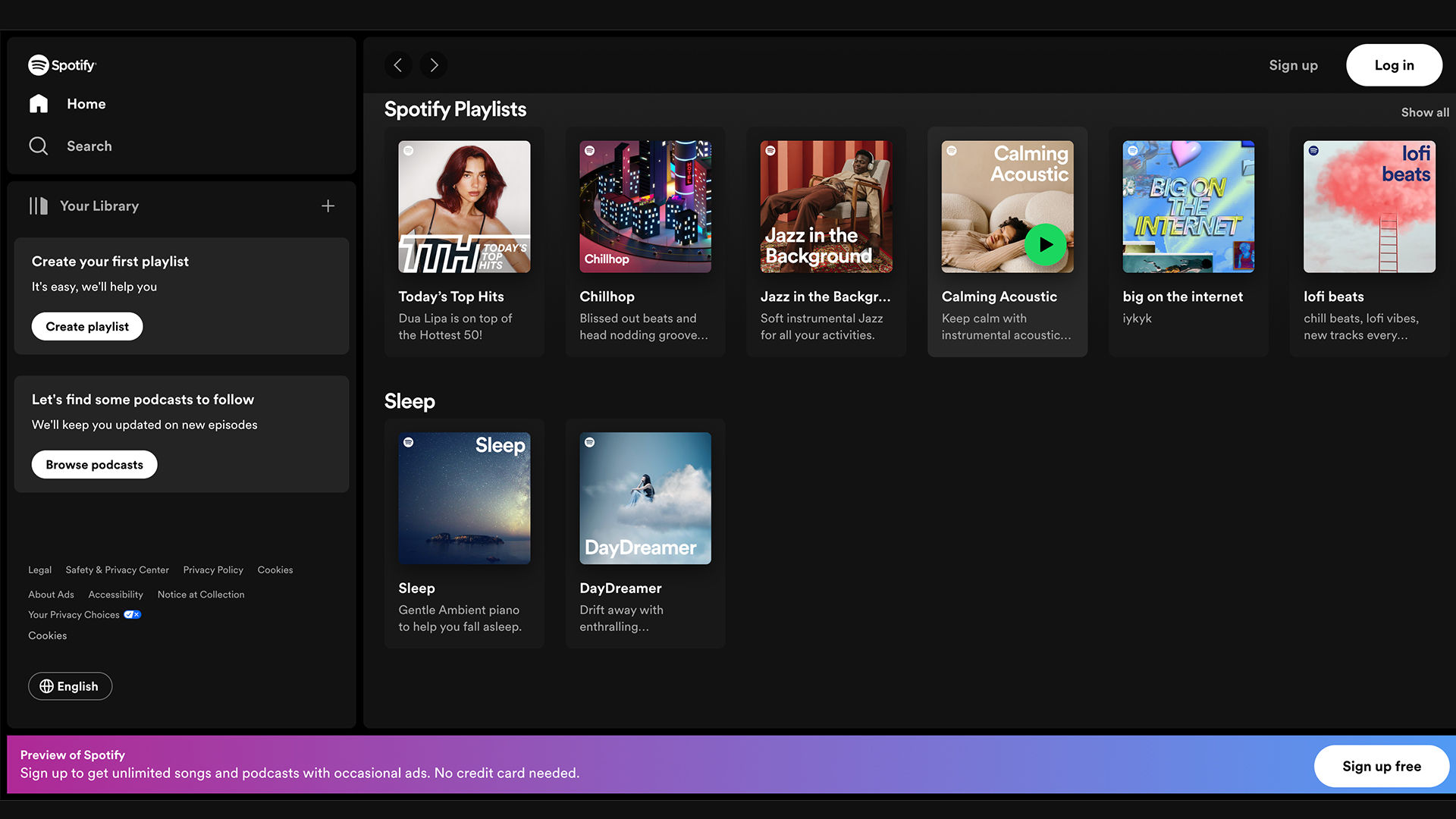
Spotify’s homepage showcases the grasp of requirements to satisfy users and their needs for music.
© Spotify, Fair use
Amazon: Amazon's platform is designed to emphasize user convenience and efficiency. It provides product recommendations based on browsing history, easy access to reviews and product details, and a seamless checkout process. This meets the user’s requirements for a hassle-free online shopping experience.
Slack: Slack's design caters to the needs of teams looking for effective communication and collaboration tools. It offers an organized interface, easy file sharing, and integration with other tools, meeting teams' requirements for seamless collaboration.
Duolingo: Duolingo's app is designed to make learning languages fun and easy. It features gamified lessons, progress tracking, and personalized learning paths, meeting the user's need for an enjoyable and effective language learning experience.
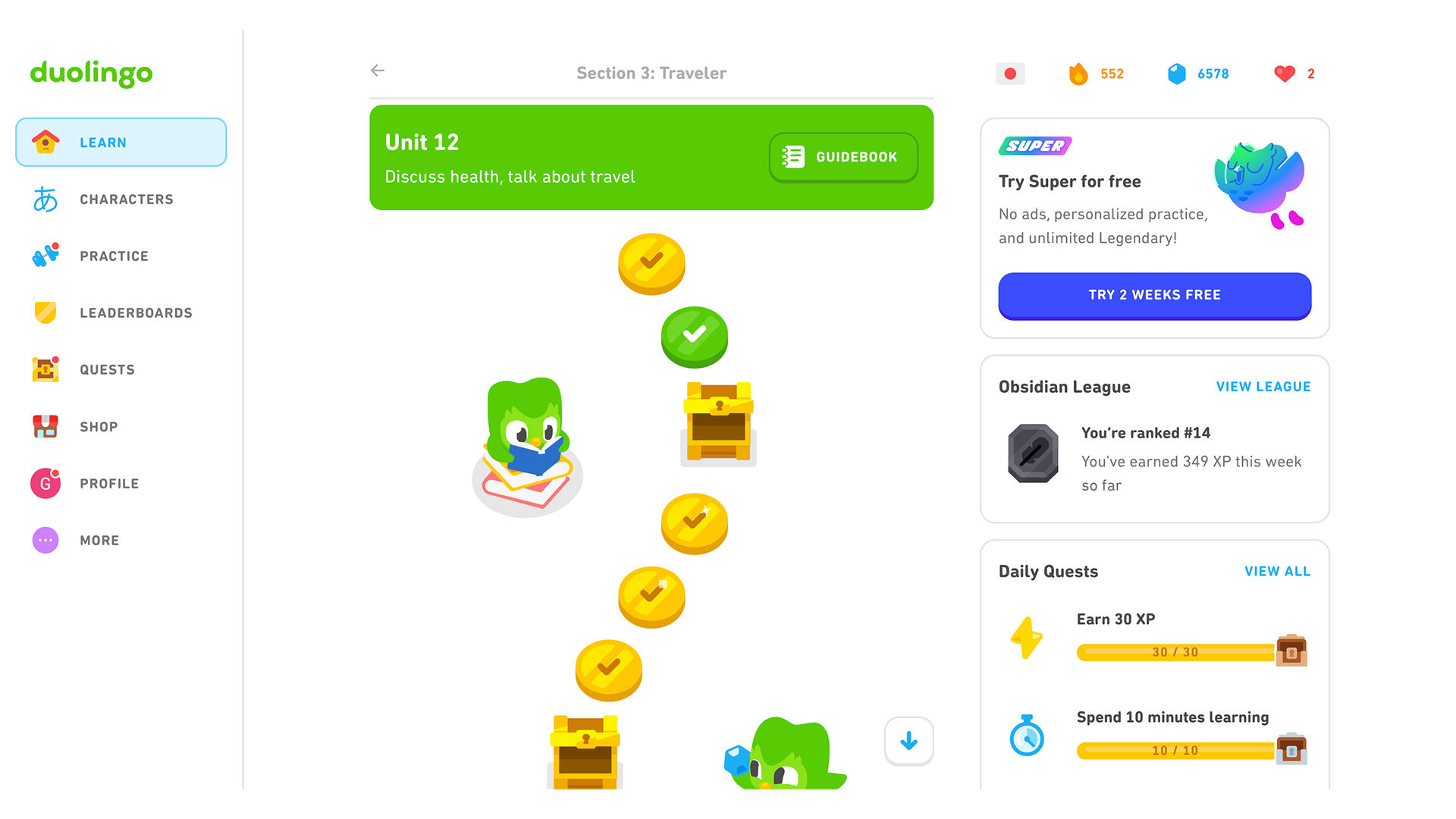
Duolingo’s translation of requirements takes the form of a highly intuitive app that helps users find their feet and progress well in new languages.
© Duolingo, Fair use