Illustration of a responsive web design.

Responsive Design: Best Practices

• 9 min read

1,100 Shares

Responsive Design allows people to access content across multiple device resolutions. As more people interact with websites through mobile devices, users now expect websites to be responsive. Here we’ll look at the main principles of responsive design and how it supports accessibility and device-switching.

"Responsive Design" was first coined by the web designer and developer Ethan Marcotte in his book, Responsive Web Design. It is the default to support device-switching. Users may start interacting with your product or service on a desktop, switch to a phone or a tablet and then switch back. It’s essential to bear this in mind for mobile user experience (UX) design Let's look closely at the key elements of responsive design. Moreover, The Web Content Accessibility Guidelines (WCAG) lay down web responsiveness (called Reflow) as one of the success criteria for accessible content. A responsive site also ranks better in search results and is crucial for Search Engine Optimization (SEO).

What is Responsive Design?

Responsive Web Design (a.k.a. "Responsive" or "Responsive Design") is an approach to design web content that appears regardless of the resolution governed by the device. It’s typically accomplished with viewport breakpoints (resolution cut-offs for when content scales to that view). The viewports should adjust logically on tablets, phones, and desktops of any resolution.
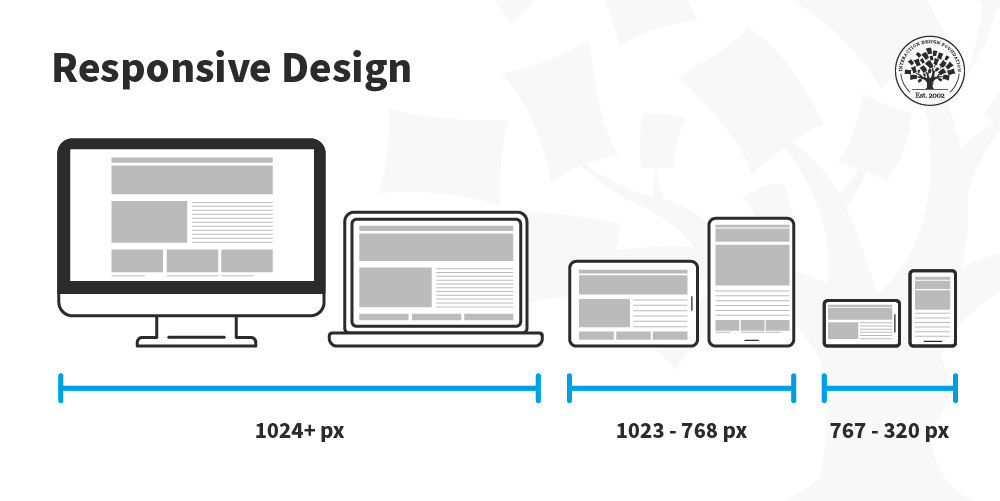
Illustration of different screen sizes and how the layout rearranges itself depending on the size.

In responsive design, you can define rules for how the content flows and how the layout changes based on the size range of the screen.

© Interaction Design Foundation, CC BY-SA 4.0

Responsive designs respond to changes in browser width by adjusting the placement of design elements to fit in the available space. If you open a responsive site on the desktop and change the browser window's size, the content will dynamically rearrange itself to fit the browser window. On mobile phones, the site checks for the available space and then presents itself in the ideal arrangement.
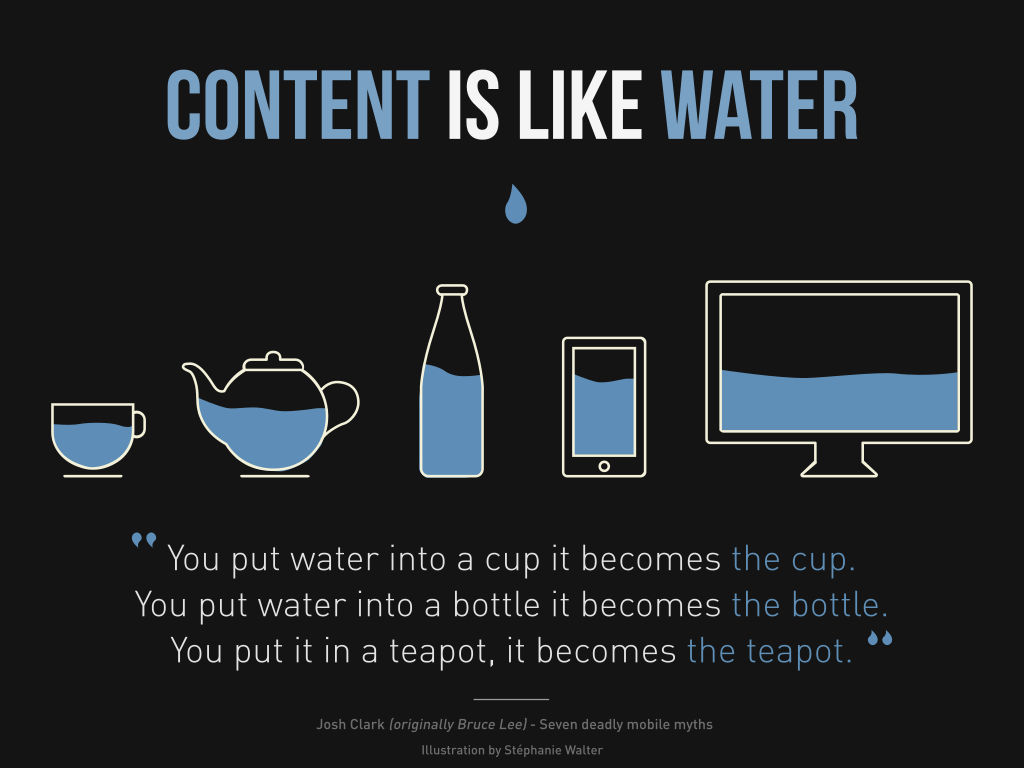
Illustration of water taking the shape of each container: a mug, a teapot, a bottle, a phone and a desktop.

© Stéphanie Walter, CC BY-SA 3.0

The 3 Major Principles of Responsive Design

Three main principles drive responsive design. Other principles may come into play for certain designs, but these three bind all responsive sites:

Fluid Grid System

In print, publishers determine the size of what is displayed (and where) in absolute measures. When the internet arrived, this trend continued, and designers defined websites in pixel sizes.
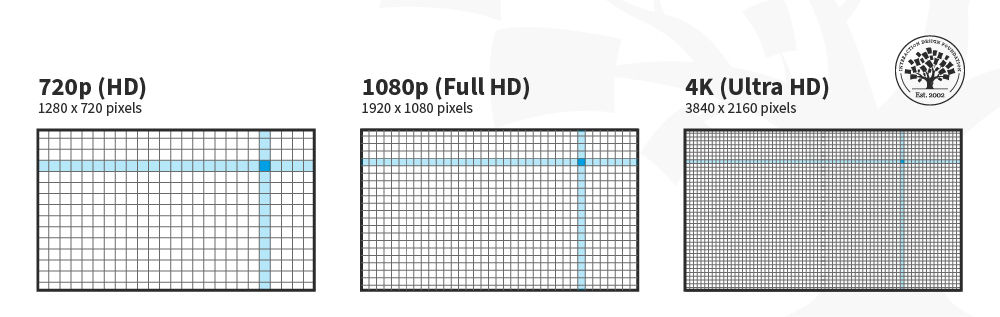
Illustration of different resolution screens: 720p, 1080p and 4K.

The "p" in “720p” and “1080p” stands for “progressive scan,” and the number refers to the height dimensions of the image in pixels.

© Interaction Design Foundation, CC BY-SA 4.0

For responsive design, the absolute size method doesn't work because devices vary in size. Therefore, responsive design uses relative sizes.
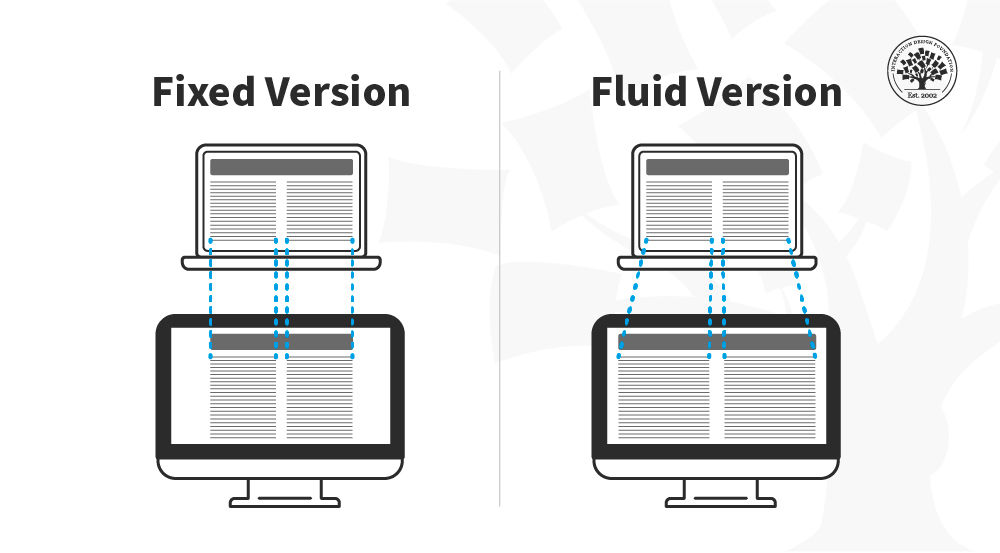
 

Two illustrations side by side, one represents the fixed version of the content has the same width regardless of the device whereas in the other one represents  fluid version the content fills the available space depending on the device size.

In this image, you can see that the fixed version of the content has the same width regardless of the device, whereas in the fluid version, the content fills the available screen space of the device.

© Interaction Design Foundation, CC BY-SA 4.0

Fluid Images

When you use fluid grids to define a layout using relative values (such as percentages), nothing on a layout will have a constant size across all devices. This means that images in your layout will need to be resized for each screen real estate. That's where fluid images enter the picture! Much like water, fluid images take on the size of their container. So, you can create a single image and instruct the browser to scale the image according to the size of the container.
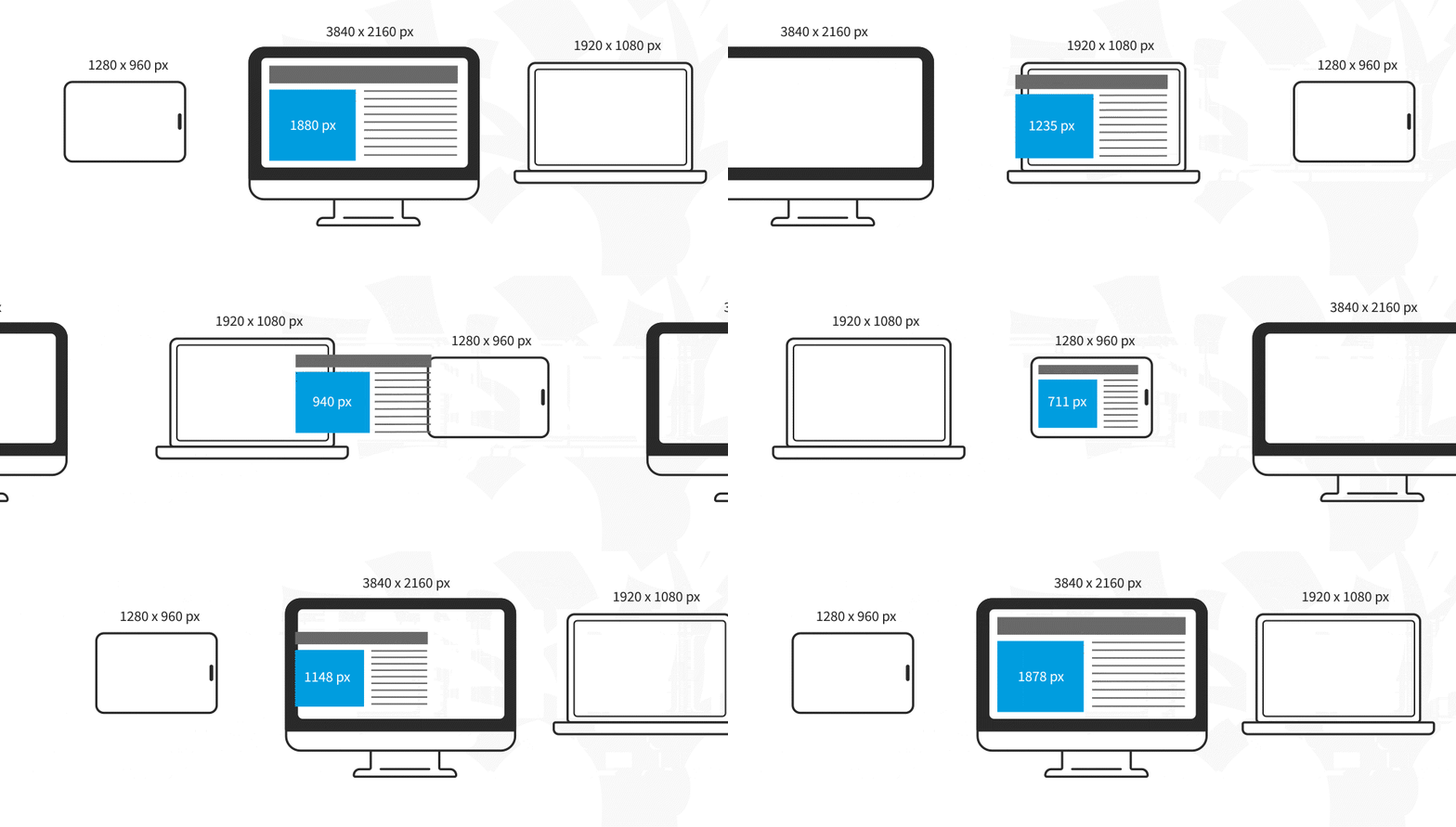
Animation that shows the resizing of an image in different devices.

© Interaction Design Foundation, CC BY-SA 4.0

For non-photographic images, such as icons, you can use SVG files. These file formats are lightweight, and you can scale them to any resolution without quality loss.

Media Queries

Media queries are instructions to alter the site's layout based on certain conditions. For example, a two-column approach might not be practical in the screen real estate of a smartphone.

You can use a media query to instruct the browser to rearrange the screen real estate if the screen size is smaller than a particular size. This specific size at which the layout breaks is called a “breakpoint.”
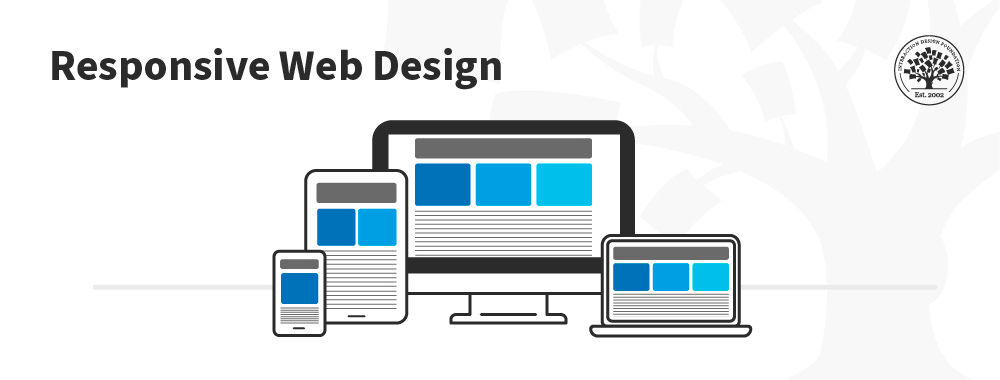
In this image, you can see how the placement of the columns is rearranged depending on the screen real estate available. The content is displayed in one column on the smartphone, two on the tablet and three on the desktop.

© Interaction Design Foundation, CC BY-SA 4.0

Media queries work best with a "mobile first" approach where you define what you want on mobile and then scale up from there. You’ll need to test content to see where breakpoints occur and plan them. Eventually, you may find you can predict breakpoints based on a device's screen resolution.

Best Practices and Considerations for Responsive Design

With responsive design, you design for flexibility in every aspect—images, text and layouts. So, you should:

  • Take the mobile-first approach—start the product design process for mobile devices first instead of desktop devices.

  • Create fluid grids and images.

  • Prioritize the use of Scalable Vector Graphics (SVGs). These are an XML-based file format for 2D graphics, which supports interactivity and animations.

  • Include three or more breakpoints (layouts for three or more devices).

  • Prioritize and hide content to suit users’ contexts of use. Check your visual hierarchy and use progressive disclosure and navigation drawers to give users needed items first. Keep nonessential items (nice-to-haves) secondary.

  • Aim for minimalism.

  • Apply design patterns to maximize ease of use for users in their contexts and quicken their familiarity: e.g., the column drop pattern fits content to many screen types.

  • Aim for accessibility.

The Take Away

Responsive design is the default approach in web design. It is crucial for accessible and search-engine-optimized experiences. To create responsive designs, UX designers work with fluid grids and images. You must work closely with developers to specify breakpoints and test if they render correctly. 

Best practices for responsive design include the use of a mobile-first approach, with three or more breakpoints, prioritizing or hiding content, minimalism, accessibility and the use of design patterns to enhance the ease of use. 

References and Where to Learn More

To learn more about why responsive web design is important for accessibility, read the WCAG’s success criterion guideline.
Learn more about the mobile-first approach proposed by Luke Wroblewski.

Hero image: © Interaction Design Foundation, CC BY-SA 4.0

Learn More in This Course:

Mobile UX Design: The Beginner's Guide

5 days
63 % booked
View Course

What You Should Read Next

  • Read full article
    The Key Elements & Principles of Visual Design - Article hero image
    Interaction Design Foundation logo

    The Key Elements & Principles of Visual Design

    Visual design is about creating and making the general aesthetics of a product consistent. To create the aesthetic style of a website or app, we work with fundamental elements of visual design, arranging them according to principles of design. These elements and principles together form the building

    Social shares
    1.4k
    Published
    Read Article
  • Read full article
    The Principles of Service Design Thinking - Building Better Services - Article hero image
    Interaction Design Foundation logo

    The Principles of Service Design Thinking - Building Better Services

    Service design is all about taking a service and making it meet the user’s and customer’s needs for that service. It can be used to improve an existing service or to create a new service from scratch. In order to adapt to service design, a UX designer will need to understand the basic principles of

    Social shares
    1.4k
    Published
    Read Article
  • Read full article
    Principle of Consistency and Standards in User Interface Design - Article hero image
    Interaction Design Foundation logo

    Principle of Consistency and Standards in User Interface Design

    Learn to design with consistency and standards in mind and understand the reasons why they’re important to incorporate them into your work. Derived from Jakob Nielsen and Rolf Molich’s Ten User Interface (UI) Guidelines, ‘Consistency and Standards’ are evident in many of the widely-used produc

    Social shares
    1.3k
    Published
    Read Article
  • Read full article
    KISS (Keep it Simple, Stupid) - A Design Principle - Article hero image
    Interaction Design Foundation logo

    KISS (Keep it Simple, Stupid) - A Design Principle

    It was Albert Einstein who said; “If you can’t explain it, you don’t understand it well enough.” Though it is often mis-reported as being; “If you can’t explain it to a six year old, you don’t understand it well enough.” What Einstein was driving at was a particular application of “keep it simple, s

    Social shares
    1.3k
    Published
    Read Article
  • Read full article
    Hick’s Law: Making the choice easier for users - Article hero image
    Interaction Design Foundation logo

    Hick’s Law: Making the choice easier for users

    Now let’s see a topic about keeping our users’ lives easy. “Isn’t that the theme of most articles here?” you may ask. Well, this one is especially geared towards users. Understanding Hick’s law means you can design so that more users will visit and stay on your website.Delivering a good user experie

    Social shares
    1.3k
    Published
    Read Article
  • Read full article
    Visual Hierarchy: Organizing content to follow natural eye movement patterns - Article hero image
    Interaction Design Foundation logo

    Visual Hierarchy: Organizing content to follow natural eye movement patterns

    Let’s look at a topic that deals with, oddly enough, how we look at designs. Once you understand how the human eye processes these, you’ll find yourself better able to arrange your elements more effectively.Content in any digital page layout will follow a specific hierarchy. Headers appear above bod

    Social shares
    1.3k
    Published
    Read Article
  • Read full article
    Native, Web or Hybrid App: Which One is Better? - Article hero image
    Interaction Design Foundation logo

    Native, Web or Hybrid App: Which One is Better?

    Hybrid apps offer versatility across different operating systems, and web apps boast simplicity in development. However, certain users tend to have a better experience on native mobile apps. Since every type of app has different use cases, we will discuss the critical aspects of choosing between nat

    Social shares
    1.1k
    Published
    Read Article
  • Read full article
    10 of Our Favorite Login Screen Examples - Article hero image
    Interaction Design Foundation logo

    10 of Our Favorite Login Screen Examples

    Login screens are the first point of contact between a user and an app or website—and they’re vital gateways to brands, whatever their products or services. That’s why it’s so important to create a better login screen—it, quite simply, sets the tone for the user's experience. An engaging, user-frien

    Social shares
    1.1k
    Published
    Read Article
  • Read full article
    Symmetry vs. Asymmetry - Recalling basic design principles - Article hero image
    Interaction Design Foundation logo

    Symmetry vs. Asymmetry - Recalling basic design principles

    Now we’re going to look at two powerful design principles that may, at first glance, seem too simple and second nature to us to warrant too much thought. However, we would be wise not to underestimate their capabilities and the benefits of their effects. Always keeping a firm appreciation for symmet

    Social shares
    1.1k
    Published
    Read Article
  • Read full article
    An Introduction to Usability - Article hero image
    Interaction Design Foundation logo

    An Introduction to Usability

    Usability and user experience (UX) are not the same thing: the usability of a product is a crucial part that shapes its UX, and hence falls under the umbrella of UX. While many might think that usability is solely about the “ease of use” of a product, it actually involves a great deal more than that

    Social shares
    1.1k
    Published
    Read Article

Top Articles

Top Topic Definitions

Feel Stuck?
Want Better Job Options?

AI is replacing jobs everywhere, yet design jobs are booming with a projected 45% job growth. With design skills, you can create products and services people love. More love means more impact and greater salary potential.

At IxDF, we help you from your first course to your next job, all in one place.

See How Design Skills Turn Into Job Options
Privacy Settings
By using this site, you accept our Cookie Policy and Terms of Use.
Customize
Accept all

Be the One Who Inspires

People remember who shares great ideas.

Share on:

Academic Credibility — On Autopilot

Don't waste time googling citation formats. Just copy, paste and look legit in seconds.

Feel Stuck? Want Freedom?

Join 326,020+ designers who get one powerful email each week. Learn to design a life you love.

Next email in
1
day
16
hrs
32
mins
23
secs

Free forever. No spam. Unsubscribe anytime.