Game UX transcends 2D screens and draws players into unique and fascinating adventures. As a game UX designer, your work goes beyond visually-arresting worlds and spectacular visual effects. Your expertise directly impacts how players experience and interact with a game’s mechanics, story, and environment. But how can you capture the unique, immersive nature of Game UX and its impact on players in a portfolio? Let’s look at strategies to create a Game UX portfolio that showcases your skills in a way to convey the excitement and innovation that drives the gaming industry and catches hiring managers’ attention.
Game UX is About the Experience, Not Just the Looks
In Game UX, your design skills shape not only how the game looks but how it feels as well. A successful portfolio must show more than final screens and polished UI elements—it should tell the story of how you’ve crafted fluid player journeys, addressed user needs, and refined game mechanics for the best possible experience. Here’s how to ensure your portfolio communicates your expertise to hiring managers, clients, game developers, and studios.
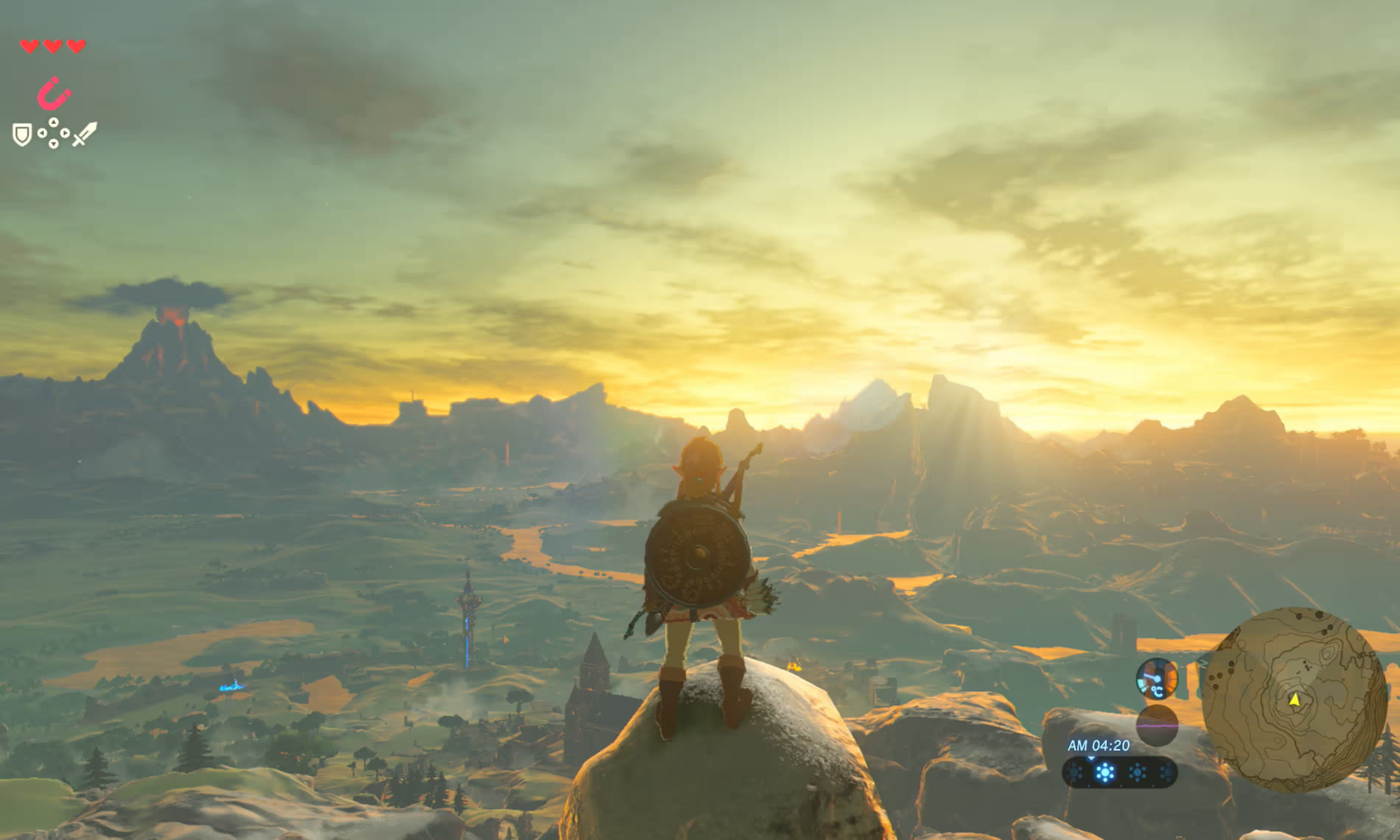
The Legend of Zelda: Breath of the Wild sets a high standard for game UX—it combines breathtaking visuals with an intuitive, exploration-driven experience that empowers players to discover game mechanics naturally.
© Nintendo, Fair Use
Craft Case Studies that Illustrate a Player-Centric Problem-Solving Mindset
Game UX design solves unique player needs, from navigation through complex game worlds to onboarding players into novel game mechanics. Make sure your portfolio’s case studies show how you addressed specific design challenges within a game context. Each case study should guide the reader through these key elements:
The problem: Begin by defining the initial challenge. Did the game face high player drop-off rates, issues with navigation, or difficulty in understanding complex gameplay mechanics? Clearly lay out the problem to provide context and help readers grasp the stakes of your work.
Your role: Detail your specific contribution. Did you lead UX research, design wireframes for the HUD (heads-up display), or collaborate with game designers to refine player flows? Highlight your individual impact within the project.
The solution: Describe how you addressed the problem. Walk through your design process, including any research methods, prototypes, or iterative adjustments you made. Be specific about the design decisions that improved the gameplay experience, whether you simplified controls, improved HUD readability, or enhanced accessibility for diverse players.
Outcome or results: Share the tangible impact of your work. Did your improvements lead to longer play sessions, reduced drop-off rates, or positive feedback from players? Whenever possible, include both qualitative and quantitative results to show the success of your design decisions.
Case Study Example: Reduced Play Drop-Off by 40% with Improved Onboarding for Sci-Fi RPG Game
The problem: In a new sci-fi role-playing game (RPG), high player drop-off rates occurred within the first 15 minutes of gameplay. User feedback and analytics revealed that players struggled with the onboarding process, finding it complex and confusing due to the intricate mechanics and layered storyline. The challenge was to simplify the onboarding experience to retain more players and help them feel comfortable navigating the game’s controls and core mechanics.
My role: As the lead Game UX designer, I conducted user testing to identify pain points in the onboarding flow, worked closely with game designers to prioritize tutorial elements, and designed wireframes for the HUD and tutorial pop-ups. My role was central in balancing UX principles with game design needs to make the onboarding experience more accessible without compromising the sci-fi theme.
The solution: I redesigned the onboarding flow into a series of guided, interactive steps rather than a single, information-heavy tutorial. By introducing gameplay elements progressively—such as movement, combat, and inventory management—I ensured players learned key mechanics one at a time. To enhance accessibility, I incorporated color-coded icons in the HUD to clarify important actions, improved control prompts, and added optional tooltips for more advanced gameplay tips. A final test run of the prototype with new players allowed us to refine the pacing of each tutorial segment.
Outcome or results: The redesign led to a 40% reduction in player drop-off rates during the first 15 minutes, and user surveys indicated that 85% of new players found the onboarding intuitive and helpful. The simplified tutorial also received positive feedback from the game’s online community, where players expressed greater enjoyment of the game’s early stages. The changes were ultimately successful in retaining players and boosting engagement, leading to a stronger, more satisfying start for the player experience.
Level Up: Showcase Your Insights into Game Mechanics and Player Psychology
Game UX requires deep knowledge of player psychology and gameplay mechanics. Demonstrate how you applied these principles—explain your design choices and how they enhanced player immersion, engagement, and satisfaction.
Onboarding and tutorials: Show how you made the tutorial process seamless and fun, ensuring that players quickly grasped game mechanics without feeling overwhelmed.
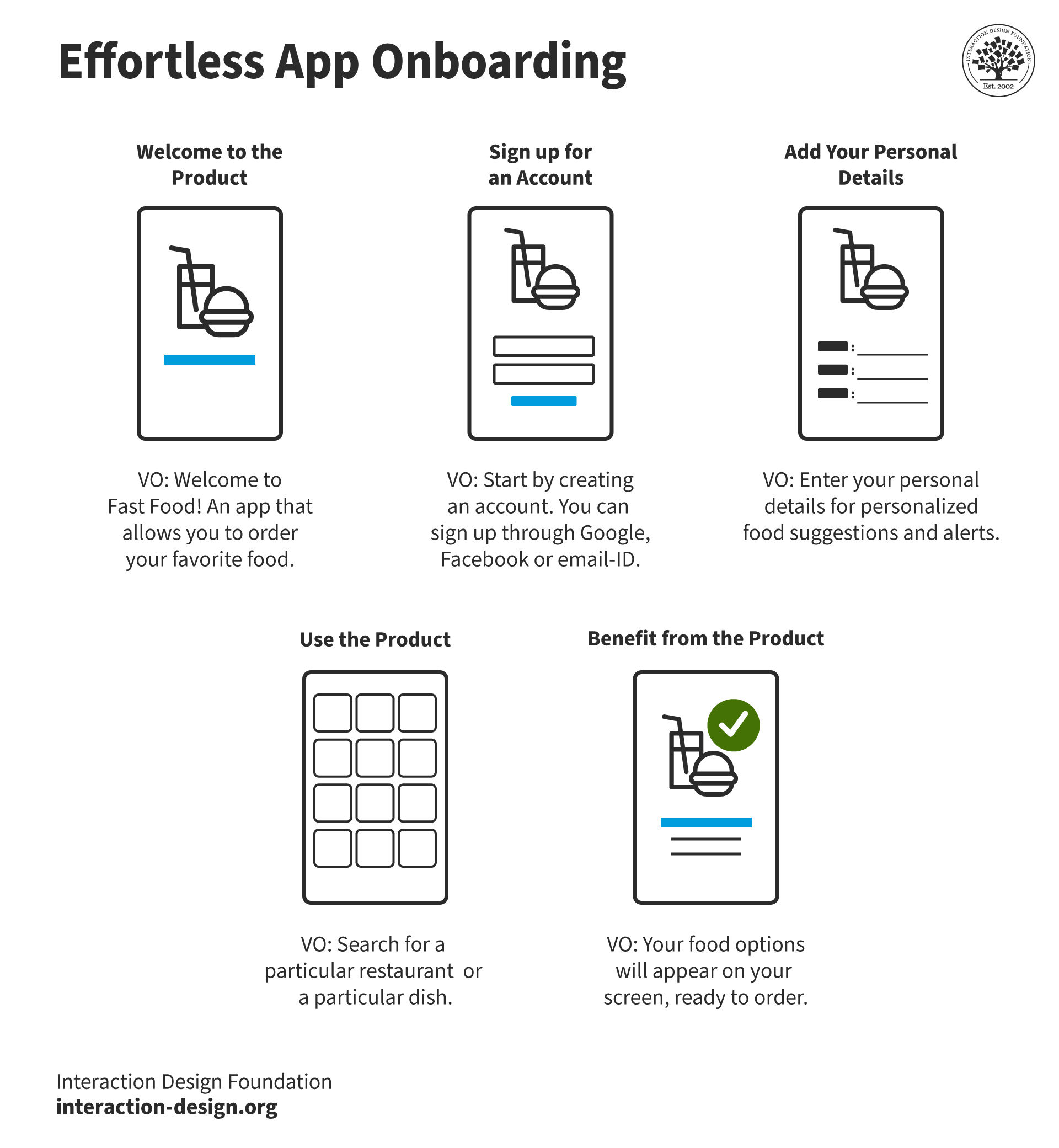
In games, a streamlined tutorial guides players through key game mechanics with intuitive prompts, making gameplay easy to pick up and enjoy from the start.
© Interaction Design Foundation, CC BY-SA 4.0
Feedback and rewards systems: Illustrate how you designed intuitive feedback loops, such as HUD indicators, notifications, and reward visuals that guide players without interrupting gameplay.
Accessibility and inclusive design: Highlight any work you’ve done to make your game accessible, such as designing for colorblind players, enabling customizable controls, or creating UX options that accommodate diverse player needs.
Bring Your Design Stories to Life with Visuals
In Game UX, visuals are crucial. Use annotated images, journey maps, or interactive prototypes to illustrate the player's journey from onboarding to expert. Show how your designs guide players through the game’s flow, to make each interaction feel natural and intuitive.
Key Visuals to Include
Journey maps: Detail the player’s journey from starting the game to completing objectives, highlighting pain points you resolved.
Annotated screenshots: Use screenshots with annotations to show how you simplified UI elements or refined HUD layouts.
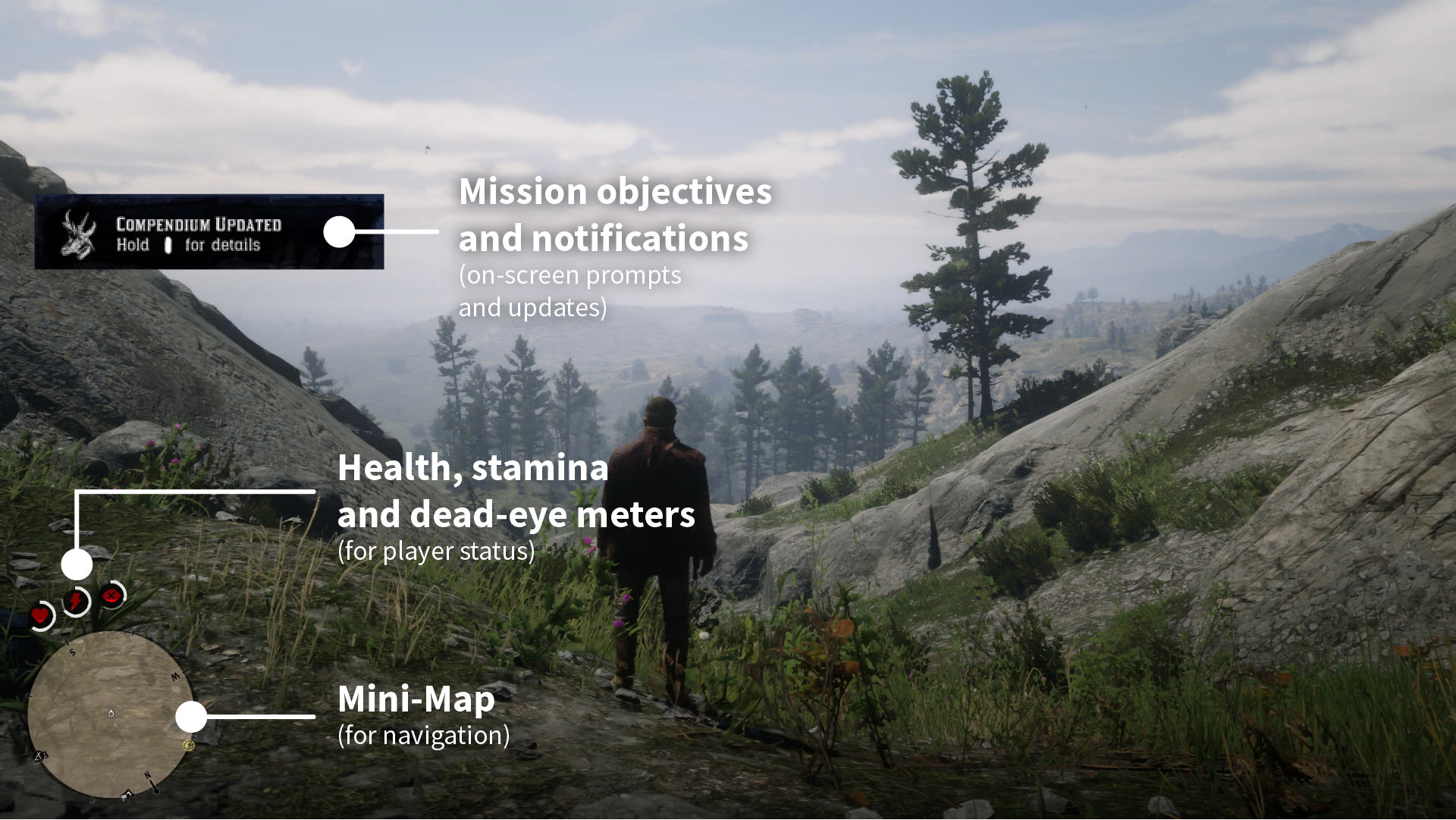
© Rockstar Games, Fair Use and Interaction Design Foundation, CC BY-SA 4.0
Interactive prototypes: If possible, include interactive prototypes that let reviewers experience key parts of the game flow. These prototypes can demonstrate how players move through menus, navigate game worlds, or receive feedback during gameplay.
Power-Up with Diverse UX Skills and Methodologies
An exceptional Game UX portfolio shows versatility. Highlight the different UX methodologies and techniques you’ve used across various projects. This demonstrates your ability to adapt your approach based on the game’s genre, audience, or design requirements.
Player research: Show examples of how you conducted player research—such as surveys, playtests, or focus groups—to gather insights that informed your design decisions.
Usability testing and iteration: Illustrate how you iteratively refined your designs based on usability testing results. Did you adjust button placements, refine menu structures, or enhance UI clarity based on player feedback?
Collaborative work: Game development is a highly collaborative process. Highlight moments where you worked closely with game designers, artists, and developers to create a cohesive and enjoyable player experience.
If you apply for a role with specific skills, tailor your portfolio to highlight relevant experience. For player research roles, emphasize case studies on testing and survey design; for UI refinement, showcase projects that improve menu structures and in-game interactions. This targeted approach ensures your portfolio aligns with the job’s core needs.
Quest for Impact: Make Findings Memorable with Storytelling
Games are often narrative-driven, so storytelling is essential in Game UX portfolios. Engage hiring managers by turning case studies into stories that reveal your thought process, creativity, and dedication to player satisfaction.
For instance, narrate how you addressed a particular UX challenge—like reducing player frustration during complex level navigation—and illustrate the solution you designed. Use player feedback, quotes, or visuals from playtesting to make the impact of your work memorable.
Case Study Example: Enhancing Navigation in a Complex Adventure Game Level
The problem: Players frequently dropped out mid-level in a large, maze-like forest area of the game, citing frustration over confusing paths and unclear objectives. The level’s complex layout was intended to create a sense of exploration, but instead, players reported feeling lost, which led to disengagement and increased drop-off rates. This impacted both player satisfaction and overall completion rates for the game.
My role: As the UX Designer for the project, I led user research to identify pain points in player navigation. I collaborated closely with level designers to analyze user feedback, uncover where players were getting stuck, and propose design enhancements that would maintain the level’s challenging aspect while improving navigability.
The solution: After conducting playtests and analyzing player feedback, I identified key frustration points where players consistently lost their way. To address these issues, I introduced subtle environmental cues within the level: faintly glowing pathways, distinct landmarks (like large rocks or statues), and mini-map icons that became active if players failed to progress within a set time frame. I iterated on these adjustments, testing various cues with players to ensure they balanced immersion with ease of navigation.
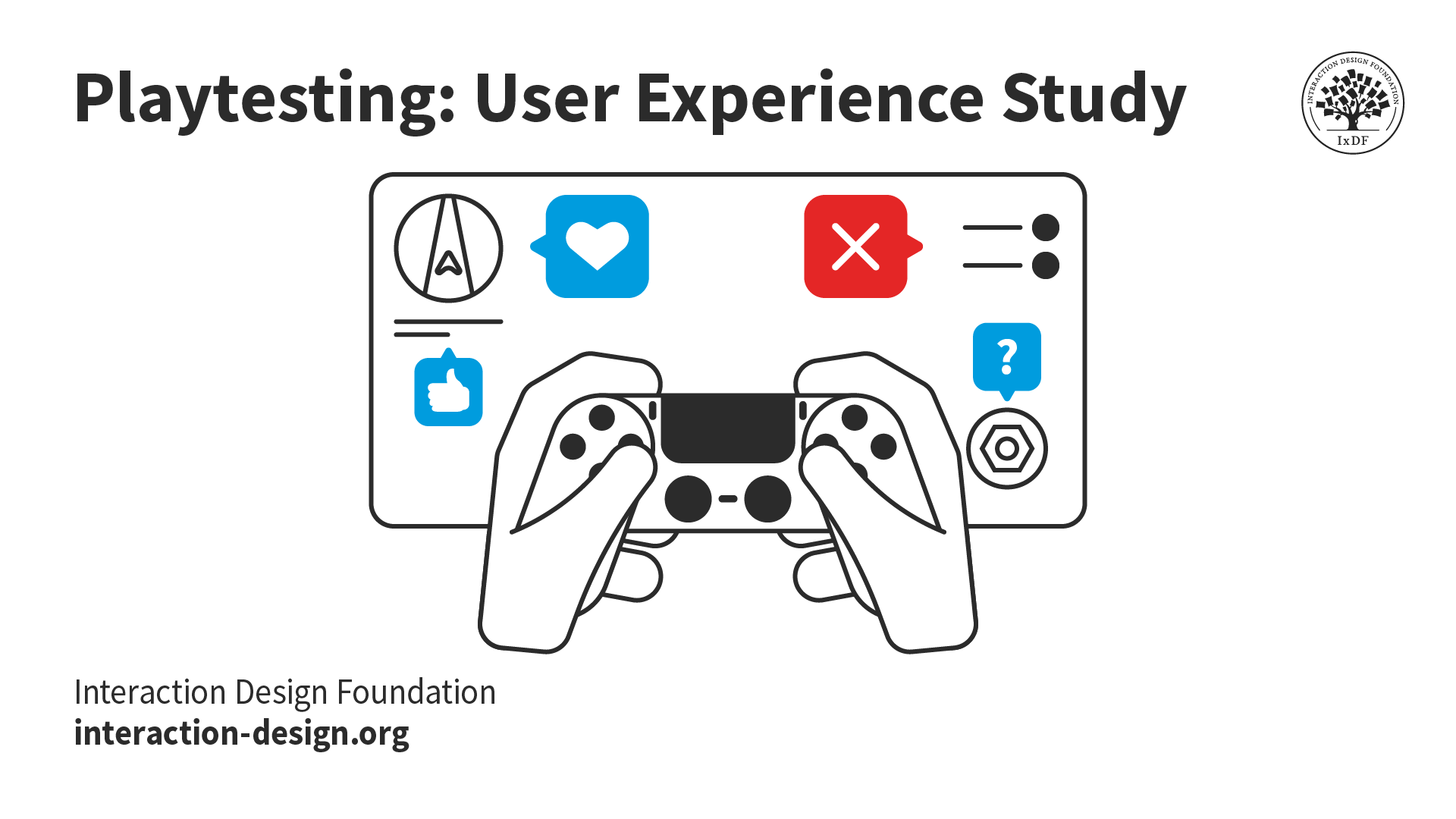
Capture real-time insights—playtesting provides invaluable player feedback that shapes engaging, user-centered game design.
© Interaction Design Foundation, CC BY-SA 4.0
Outcome or results: The redesigned level saw a 35% decrease in player drop-off rates and a significant improvement in completion rates. Player feedback highlighted increased satisfaction, with one user saying, “I loved the sense of exploration without feeling completely lost!” Playtesters reported feeling more engaged, and session times increased by 25% for this level. Overall, the changes helped retain the level’s immersive feel while enhancing the player experience.
Highlight Your Game-Changing Design: Show Real-World Impact
Your portfolio should communicate the real-world impact of your designs to truly stand out. Share metrics or anecdotal evidence that shows how your UX work contributed to the game’s success. Perhaps your design helped increase player retention, generated positive reviews, or reduced support requests due to a clearer UI.
Engagement metrics: Mention data like increased playtime, lower drop-off rates, or improved level completion rates.
Qualitative feedback: Include feedback from players, team members, or playtesters on the effectiveness of your design.
Stay in the Game: Keep Recruiters Hooked
Treat your portfolio itself as a UX design project—make it user-friendly, immersive, and reflective of your style. For Game UX portfolios, visual clarity and intuitive navigation are essential.
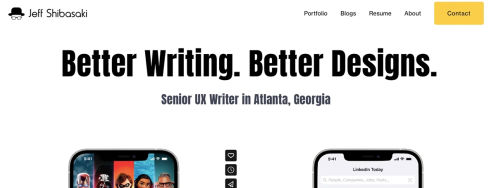
Organized layout: Structure your portfolio with clear sections for case studies, skills, and about/contact information. Use descriptive headings like “Player-Centric Design,” “Usability Testing,” and “Prototyping.”
Consistent visual style: Blend professionalism with a creative edge—use a style that aligns with your style but shows a connection to the gaming industry too.
Strong CTA: End with a call-to-action that invites hiring managers or potential collaborators to connect with you—like this one: “Looking for a Game UX designer who understands player needs? Let’s connect and bring your game’s vision to life!”
The Take Away
A standout Game UX portfolio showcases your unique ability to enhance player experience through thoughtful design and user-centered insights. Your portfolio should not only present polished visuals but also reveal the story behind your work—show hiring managers, recruiters, and clients how your design decisions address real gameplay challenges, improve navigation, and increase player satisfaction. Structure your case studies in a way that illustrates your problem-solving process, methodology, and tangible outcomes. This helps hiring managers grasp the depth of your expertise and the real impact of your contributions.
Ultimately, a compelling Game UX portfolio goes beyond mere visuals. Storytelling engages viewers, tailored case studies help you apply to specific roles, and by integrating feedback and metrics, your portfolio becomes a powerful tool that captures the immersive, player-focused nature of Game UX. This approach demonstrates not only your skills but your commitment to meaningful, enjoyable gaming experiences too, which ensures your portfolio makes a mark on any hiring manager or studio looking for a game-changing UX designer.
References and Where to Learn More
Want to create a portfolio that gets you hired? Take our course, Build a Standout UX/UI Portfolio: Land Your Dream Job, and learn how to showcase your skills, tell compelling project stories, and impress employers.
Watch UX Design Leader Om Tandon’s Master Classes:
Read the article, Land That Job: What Top Design Leaders Really Look for in a Portfolio.
Watch Game UX Strategist Celia Hodent’s Master Class, How to Design Engaging Products: Insights from Fortnite's UX.
Read the article, Design with Intent: Craft Your Portfolio with Visual Storytelling Tools.
Read the article, Freytag’s Pyramid: Craft Compelling UX/UI Design Case Studies the Easy Way