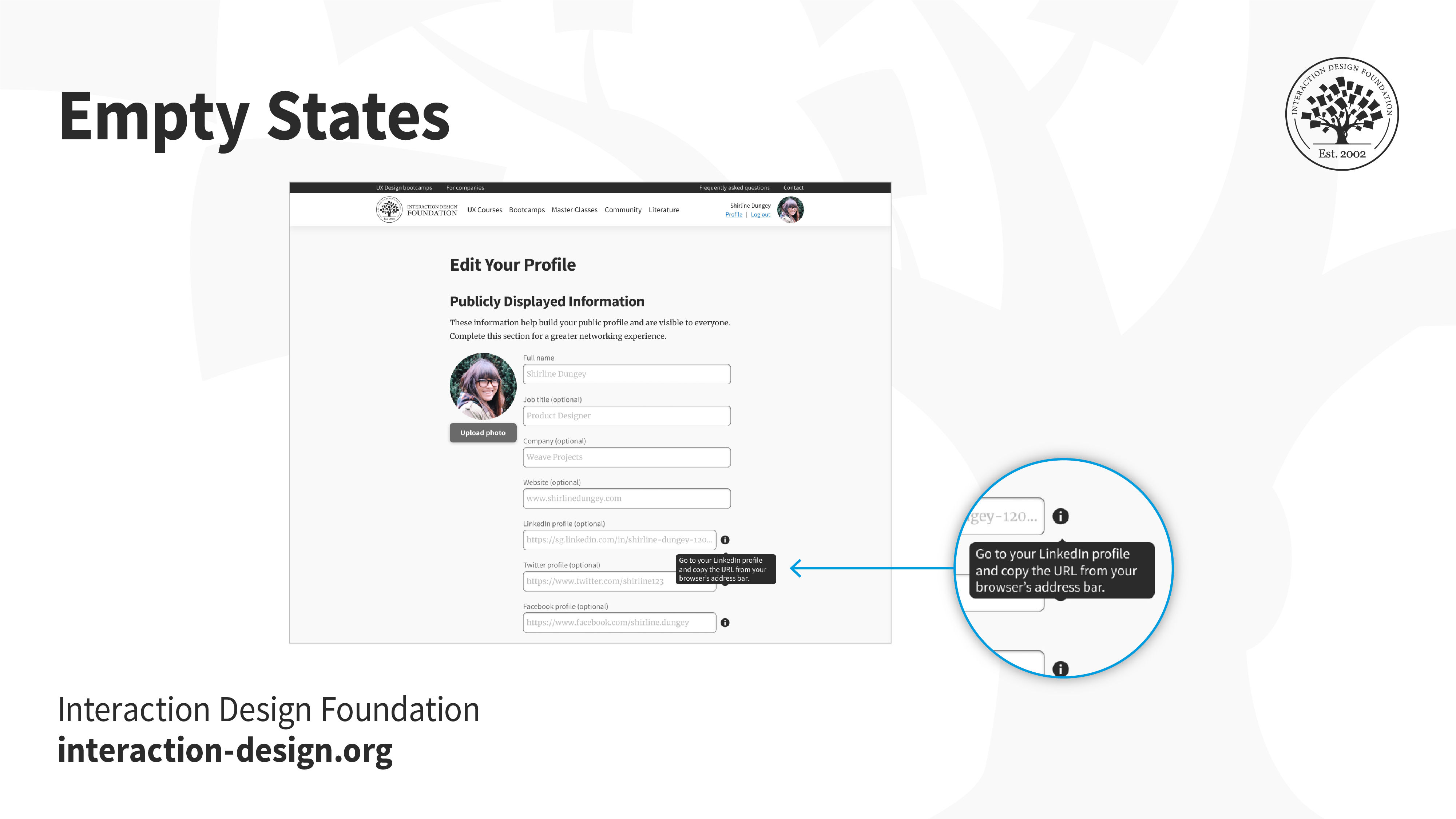
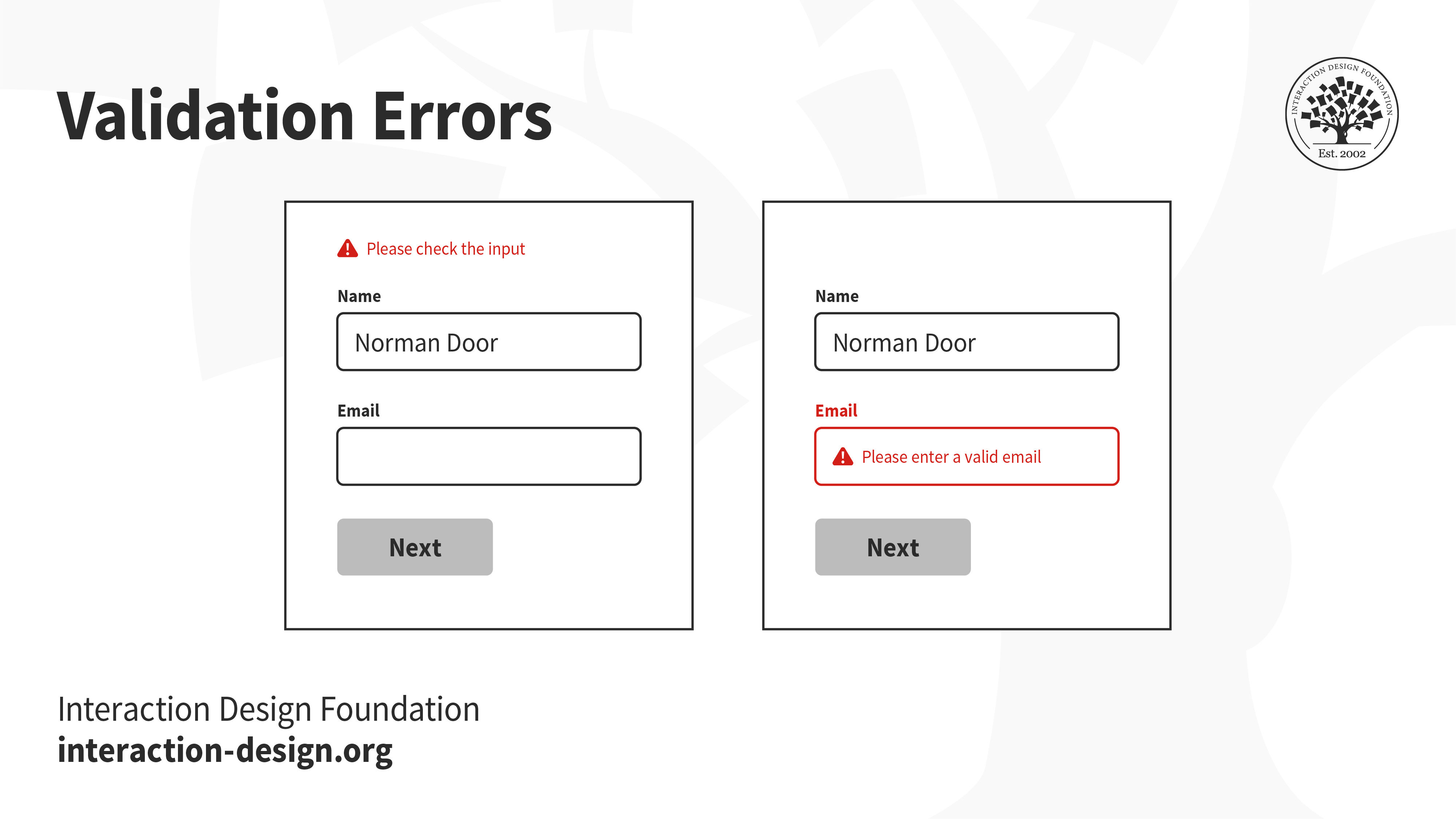
UX writing is the practice of creating the text in a user experience. It aims to improve user experience by informing and engaging the user. Examples of UX writing include notifications, titles, buttons, instructions, labels, descriptions, controls and warnings.
In this video, UX writer and author Torrey Podmajersky explains what UX content is (UX writing being a main component of it), the different forms it takes and where it fits in the cycle that engages the user.
UX writing is essential for seamless and intuitive user experiences and helps eliminate pain points. When done well, it can help users navigate a product more easily, understand its features, and accomplish their goals more efficiently. On the other hand, poorly written copy can lead to confusion, frustration, and ultimately, a negative user experience.
Microcopy is small pieces of text within a user interface that help users understand how to use a product or service, like button labels, form field instructions, error messages, and other short snippets of text that guide the user through the user experience. Accordingly, microcopy falls under the umbrella of UX writing.
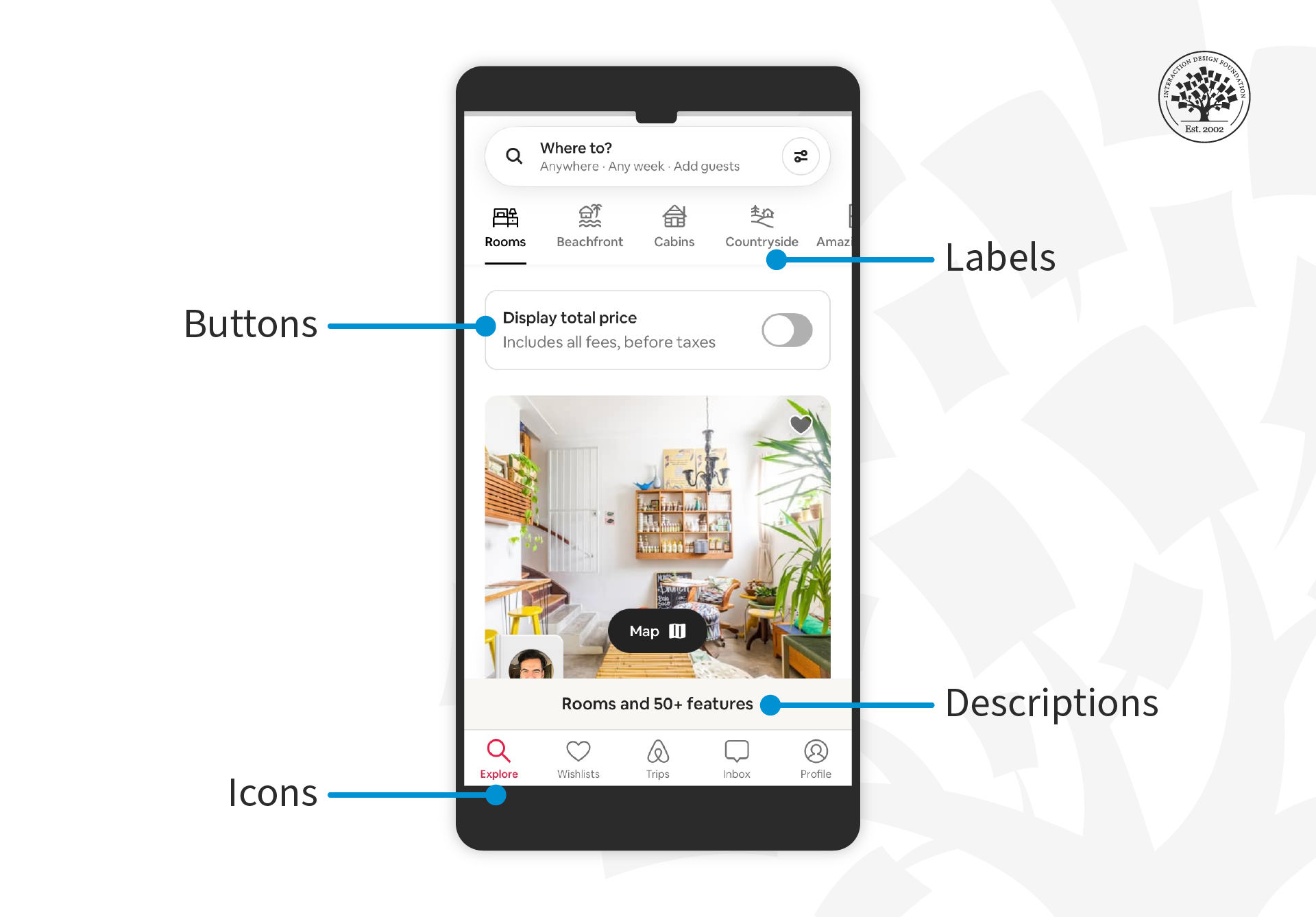
Examples of microcopy on Airbnb’s mobile app.
© Interaction Design Foundation, CC BY-SA 4.0 and Airbnb, Fair Use
The Evolution of UX Writing
Language and text have always been part of digital products and user experiences, but previously they needed manuals, generally written by technical writers. The product's usability depended on the manual's quality, in other words, how clear and concise the manual was. These manuals eventually developed into online help and other forms of “user assistance”.
With the rise of user-centered design, intuitive experiences and increasingly complex digital products, so came the need for UX writing. Now we can navigate user experiences without a manual.
In the 2000s and especially the 2010s, UX writing became its own discipline and position within design.
Here are some key factors that have contributed to the growth of UX writing as a distinct field:
The growth of mobile and web-based applications: The proliferation of mobile apps and web-based applications has resulted in the exponential growth of UX writing.
The rise of user-centered design: As digital products and services have become more user-centric, the need for clear and compelling language in interfaces has become increasingly important. UX writing has emerged as a way to ensure that the language in a digital product is clear and effective and consistent with the brand's voice and tone.
The increasing importance of brand voice: It is more crucial than ever to have a consistent brand voice across all channels, including digital products. That means that UX writing has become an important part of brand strategy. UX writers work closely with brand managers and marketers to ensure that the language in a digital product is consistent with the brand's overall messaging.
The recognition of the value of good UX writing: As companies have recognized the impact that good UX writing can have on user engagement and satisfaction, the demand for UX writers has grown. Many companies now have dedicated UX writing teams or hire freelance writers to work on their digital products.
The Importance of UX Writing
Effective UX writing is a crucial element of a positive user experience for digital products and services. Here are a few reasons why UX writing is so important:
Clarity and understanding: Good UX writing ensures that users understand what they see on their screen and how to interact with it. Clear and concise language helps users to navigate a digital product or service with ease, which reduces frustration and increases engagement.
Consistency: Consistent language and terminology throughout a digital product or service can reinforce the user's understanding of the product's functionality and build trust. If you use one word to describe a particular term, ensure that the same word is used throughout the experience. Additionally, a consistent brand voice also helps to strengthen the user's relationship with the brand.
Accessibility: UX writing can make a digital product more accessible to users with disabilities and by extension, better for all users. For example, there should be text for all elements (icons, buttons and other affordances) so that screen readers and other assistive technologies can pick them up.
Tone and personality: A well-crafted tone and personality in the language of a digital product can create an emotional connection with users, which builds brand loyalty and increases user engagement.
Localization: Good UX writing recognizes the nuances of language and culture in different regions of the world—digital products should have different versions depending on the user’s location and language.
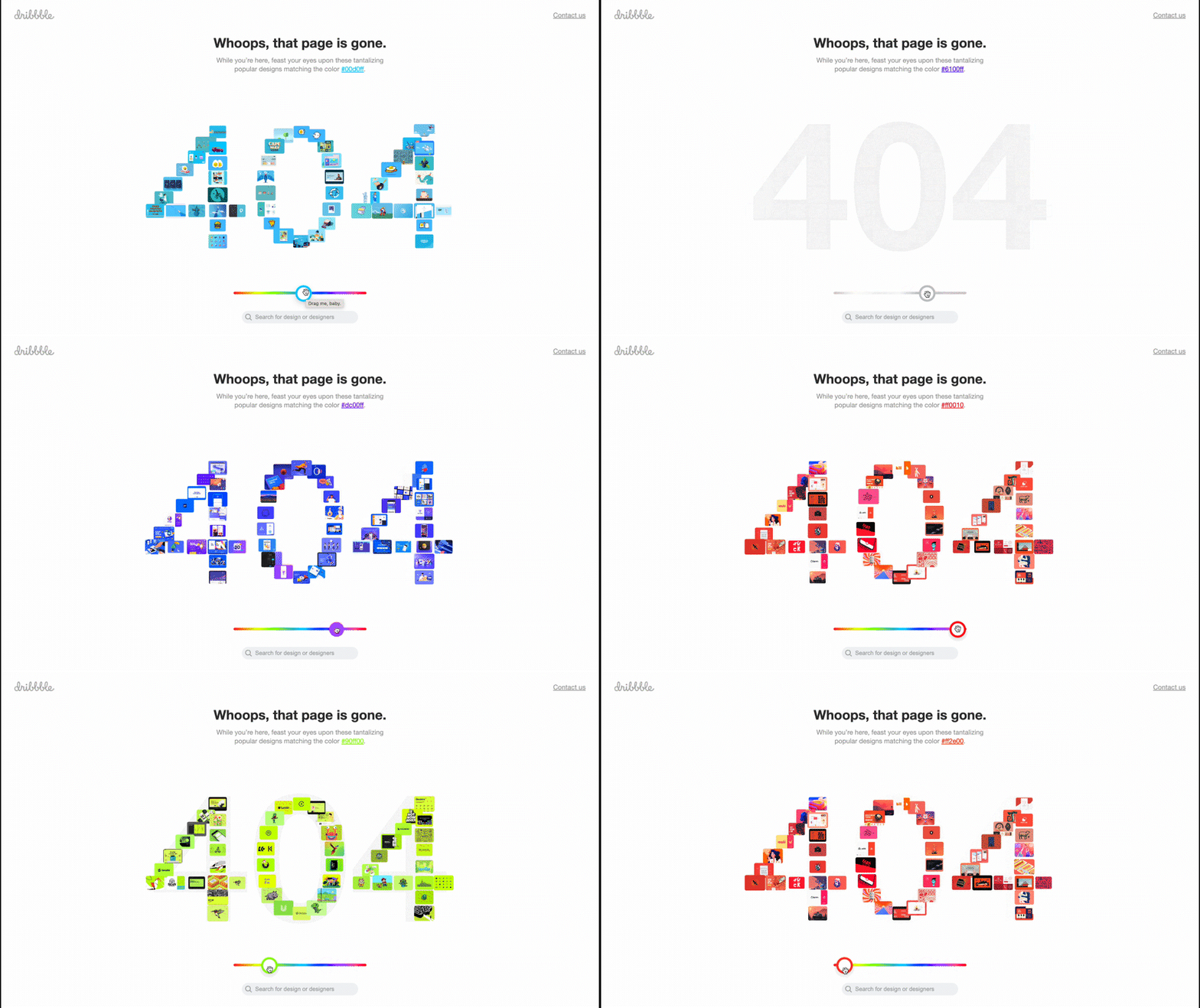
Dribbble’s 404 page is colorful and playful. The numbers, 404, are made up of a collage of different designs of the same color. It has a slider just below it which lets you change the designs and the color of the numbers! The copy, interactive element and usability of the page are all consistent with Dribbble’s brand. It’s playful and has personality, while still highlighting the creators.
© Dribbble, Fair Use
UX Writing in the Design Process
UX writing is an integral part of a product and as such, UX writers or content designers should be involved in every step of the UX design process.
The approach will vary depending on the team, organization, budget and other factors, but ideally, UX writers will collaborate with designers, researchers, and other stakeholders early in the design process to understand user needs and business goals. This collaboration helps to ensure that the language in the product is consistent with the overall design and aligns with the user's expectations.
As the design process progresses, UX writers work closely with designers to ensure that the language used in the interface is clear, concise and useful. The team will test their language choices to ensure that users can easily understand and interact with the product.
UX writing is more than simply writing text; it should also create a harmonious brand voice and tone throughout the product. This involves collaborating with brand managers and marketers to ensure that the language in the product aligns with the brand's overall messaging and tone.
UX writers will also work with developers and product managers to ensure that the language and UX content is implemented correctly in the final product. This collaboration helps to ensure that the language in the product is not only clear and effective but also practical.
User experiences need to be intuitive and easy to use if they’re going to succeed. UX writing plays a significant role in a digital product's usability, so good UX writing is essential for an overall positive user experience. With consistent, clear and accessible language, UX writers can help to increase user engagement, build trust and strengthen brand loyalty.