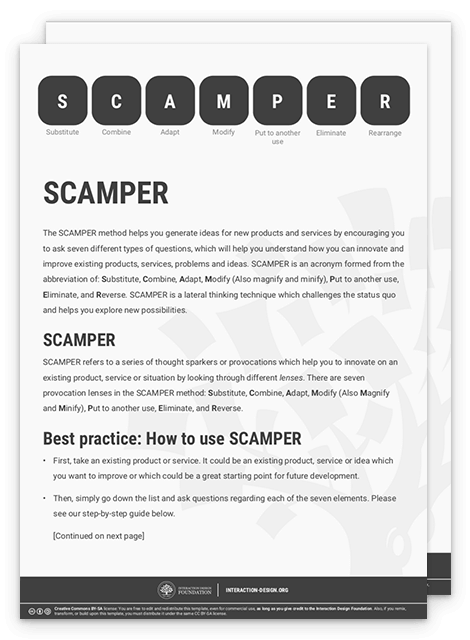
SCAMPER is a creative brainstorming technique. It helps design teams explore challenges and generate ideas from different perspectives. It is an acronym that stands for Substitute, Combine, Adapt, Modify, Put to another use, Eliminate and Rearrange. Each letter represents a different approach to examine a problem and develop innovative solutions.
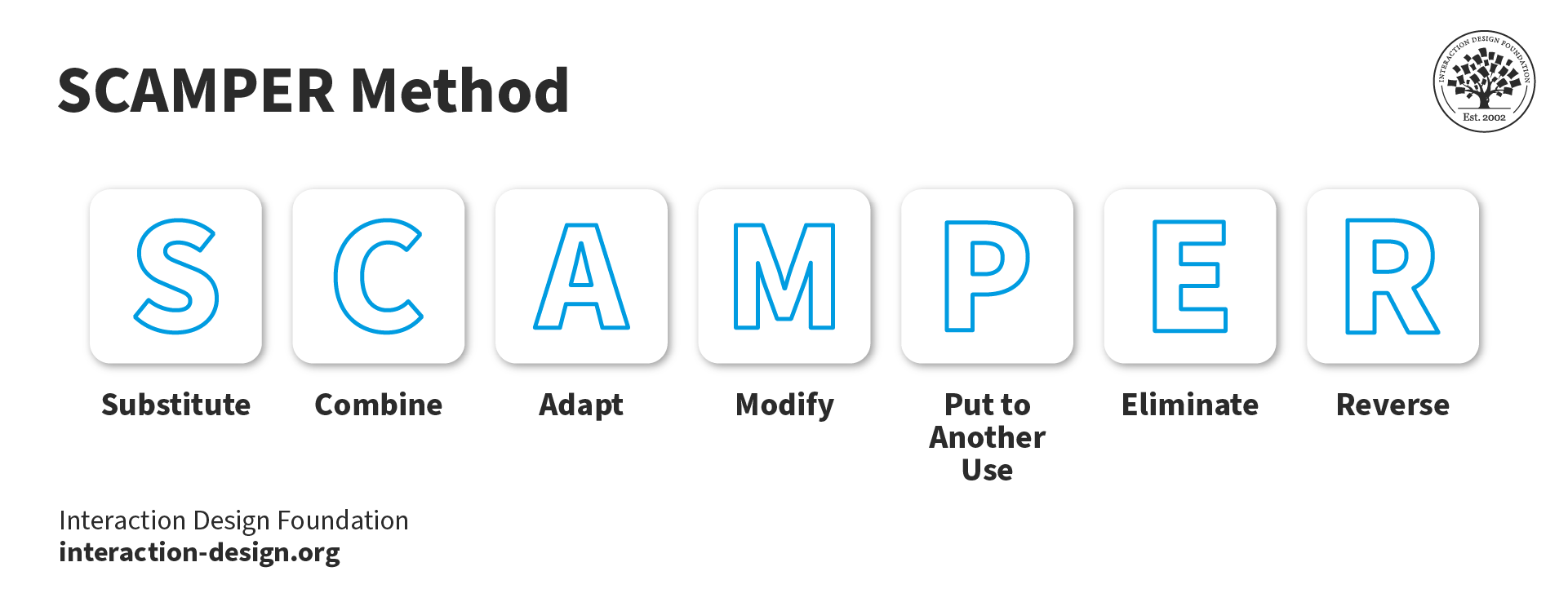
SCAMPER—one of UX design's most useful acronyms.
© Interaction Design Foundation, CC BY-SA 4.0
Why is SCAMPER Important in UX Design?
Creativity and innovation are vital parts of how designers craft exceptional user experiences in digital products. Designers constantly strive to generate fresh and original ideas—ones that will solve problems well and delight users. Still, it's common for designers to run into creative blocks or struggle to come up with innovative solutions for design projects such as websites or apps. The SCAMPER method offers a way to tackle these blocks and arrive at fresh insights—ones that can power the design process with innovative fuel.
Long before SCAMPER featured in interaction design and digital design, Alex Osborn—the co-founder of the international advertising agency BBDO—had introduced the method with many of the questions, in 1953. In 1971, education administrator and author Bob Eberle developed it further. Eberle posed the questions as a mnemonic to develop young people’s imaginations. Perhaps unsurprisingly, SCAMPER would find fertile soil in the world of user experience (UX) design, where imagination, innovation and iteration are watchwords.
SCAMPER provides a structured approach to ideation. It prompts UX designers to ask questions that are specifically related to each letter in the acronym. Each question challenges them to think differently about the problem they’re trying to solve and what a design involves. SCAMPER encourages them to push out and explore a wide range of new possibilities and perspectives—and so makes their designer’s job easier.
As a design tool, SCAMPER is important in UX design and design thinking for several reasons, as it:
Promotes creativity: SCAMPER provides a structured framework for designers where they can think creatively and generate ideas that are innovative. It prompts them to consider alternative approaches, too. When designers systematically explore different dimensions of the problem, they can break free from traditional thinking patterns and uncover fresh perspectives as they think out of the box. The different lenses that SCAMPER provides let designers come at a problem or challenge from various angles. This sparks fresh insights in them—such as from the customer’s experience. From here, it can help them uncover powerful and innovative solutions.
Encourages iteration and improvement: SCAMPER encourages designers to continuously iterate and improve their designs. It does this as they consider different ways to substitute, combine, adapt, modify, put to another use, eliminate and rearrange elements. This iterative process is something that helps them refine and enhance the user experience in mobile apps, web design and more.
Enhances user-centric design: SCAMPER prompts designers to think about the needs and preferences of the users when they go through the various steps. This user-centric approach helps make sure that the final design meets—or exceeds—the users' expectations and solves their problems in a way that’s effective.
Facilitates efficient problem-solving: SCAMPER lays out a structured approach to problem-solving. This makes it easier for designers to navigate complex design challenges. And when designers break down the problem into smaller components and systematically explore each aspect, they can find solutions that are efficient and effective.
Encourages collaborative design: SCAMPER works as a collaborative tool—one that brings designers, stakeholders and users together so they can collectively explore different ideas and perspectives. This collaborative approach really nurtures teamwork and encourages diverse and out-of-the-box thinking. It leads to more comprehensive and innovative solutions, too.
Author and Human-Computer Interaction Expert, Professor Alan Dix explains how designers can think outside of the box:
How Do UX Designers Use SCAMPER?
Here are some steps to leverage SCAMPER and push the boundaries to delight users through design solutions that are truly innovative:
Step 1: Define the problem or challenge
Before designers start to implement SCAMPER, it's first crucial for them to clearly define the problem or challenge. This will provide a focused context for them to brainstorm ideas and explore potential solutions for real-life users of—for example—a designer’s website, including all the web pages. For example, designers can fine-tune a concrete problem statement for the target audience.
Step 2: Substitute
Now it’s time to consider what elements of the design or problem designers can substitute or replace. They consider materials, components, processes or even user behaviors that are substitutable to improve the design or address the challenge at hand. It can also mean to change technologies or even the entire concept.
© Interaction Design Foundation, CC BY-SA 4.0
For example, for an e-commerce website, designers might consider substituting traditional checkout forms with a payment method that’s more streamlined and user-friendly. This could be one-click purchasing.
Step 3: Combine
Next, designers explore the possibilities if they combine different features, ideas or components to make a solution that’s more holistic and innovative. Here, designers think about how if they merge different elements, they can boost the user experience or solve the problem more effectively.
For instance, for a food delivery app, designers might combine real-time tracking with personalized recommendations to provide users with a unique and tailored experience.
© Interaction Design Foundation, CC BY-SA 4.0
Step 4: Adapt
In this step, designers focus on how they can adapt or adjust existing solutions or elements to suit the specific problem or challenge better. Designers work to conceive how they can modify the design, functionality or user flow to make the overall experience better.
For example, for a mobile banking app, designers might adapt the authentication process to include biometric features. These could be fingerprint or facial recognition—for added convenience and security for customers’ bank accounts.
© Interaction Design Foundation, CC BY-SA 4.0
Step 5: Modify
Here, designers think about how they can modify or alter various aspects of the design to make a more impactful user experience. In the modify step, designers can change the visual design, adjust the interaction flow or refine the information architecture to make it more effective or appealing. This could mean to change colors, shapes, sizes or even the overall structure of the design for a product or service.
For instance, in a fitness tracking app, designers might modify the visual representation of progress if they work gamification elements into the user interface (UI) design. These could be badges or rewards—to motivate and engage users.
© Interaction Design Foundation, CC BY-SA 4.0
Step 6: Put to another use
Here, designers explore alternative uses or applications of the design or solution. They think about how they can repurpose the design or use it in different contexts—or even industries. This could be a powerful way to take an existing design and target new user segments—or enter different markets with it.
For example, a virtual reality headset for gaming might well have another use in the healthcare industry. Designers could transform its place so it could feature in immersive therapy sessions or medical training.
© Interaction Design Foundation, CC BY-SA 4.0
Step 7: Eliminate
Here, designers spot and eliminate any elements that are unnecessary or redundant—ones that detract from the user experience or that don’t add value. They want to streamline the interface design by taking out the clutter. That way, they can improve the usability and focus on what truly matters. What’s more, they can reduce cognitive load for their users.
For instance, for a productivity app, designers might take out unneeded features or complex settings that overwhelm users and make a simpler and more intuitive interface.
© Interaction Design Foundation, CC BY-SA 4.0
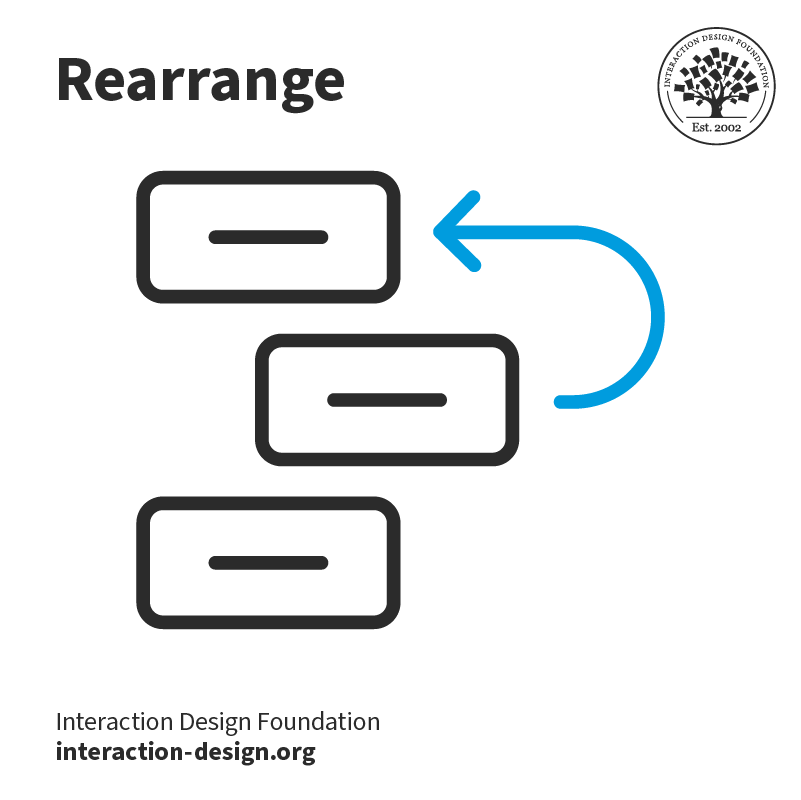
Step 8: Rearrange (sometimes called Reverse)
Here, designers think about how they can rearrange or reorganize the components or steps of the design so they create a fresh perspective and uncover new opportunities. They might rearrange the user flow or information hierarchy. That can lead to more intuitive and engaging experiences for user interactions.
For example, for a recipe app, designers might rearrange the steps and ingredients to give a more user-friendly and seamless cooking experience.
© Interaction Design Foundation, CC BY-SA 4.0
Step 9: Evaluate and iterate
Finally, it’s time to evaluate the ideas that the designers generated through the SCAMPER process—and find the most promising solutions. Designers should prototype and test these ideas with real users. Once they’ve done that, they can iterate on the design based on the users’ feedback.
Tips to Use SCAMPER in UX Design
To make the most of the SCAMPER method in UX design, try these tips:
Embrace divergent thinking: The essence of SCAMPER is all about exploring different possibilities. So, to think beyond the obvious solutions, approach the SCAMPER process with an open and curious mindset, and explore unconventional ideas and possibilities.
Collaborate with a diverse team: Work with a diverse team—of designers, researchers, web developers and other stakeholders—to tap different perspectives and expertise in the SCAMPER process. This can lead to solutions that are richer and more innovative.
Combine SCAMPER with other ideation techniques: SCAMPER is useful when it’s working alongside other brainstorming techniques. Such techniques could be mind mapping, storyboarding or user journey mapping—to make the most of the ideation process and generate a broader range of ideas.
Involve users early and often: Test with users—and work with that user feedback and insights throughout the SCAMPER process. User-centered design is an essential way to create experiences that are meaningful and impactful for users.
Use visual aids: Designers get their ideas and solutions visualized through sketches, wireframes or prototypes. Visual aids can help get concepts across more effectively during the SCAMPER process.
Document and organize ideas: It’s a good idea to keep track of all the ideas that come up during the SCAMPER process. So, designers should document these in a centralized repository—or use tools like digital whiteboards or collaborative platforms to organize and share ideas with team members.
Iterate and refine: Designers should remember that the SCAMPER process is an iterative one. So, it’s vital to continuously iterate, refine and build upon the ideas they generate. That’s a key part of how to create more robust and user-centered designs.
Don't be afraid to take risks: SCAMPER encourages designers to think outside the box and go and explore unconventional solutions. So, don't be afraid of taking risks and challenging the status quo.
Embrace constraints: Constraints can actually be catalysts for creativity—so, designers can really embrace a project’s constraints and use them as chances to come up with really innovative solutions.

An example of a brand where one can see elements of SCAMPER is McDonald's. Founder Ray Kroc leveraged “put to other uses” through selling restaurants instead of just hamburgers, “eliminate” through allowing customers to serve themselves, rather than rely on waiters, and “rearrange”—customers pay before they eat.
© Author/Copyright holder: rob_rob2001 . Copyright terms and licence: CC BY-SA 2.0
Tools for SCAMPER in UX Design
SCAMPER is primarily a technique that relies on creative thinking. Even so, several tools and software can work well with it. Here are some that can support the ideation process and help UX designers get SCAMPER to work well for them:
Mind mapping tools like Miro can help designers visually organize their ideas and explore different dimensions of the problem. They let designers create interconnected diagrams that stimulate creativity and facilitate brainstorming.
Design thinking workshops give a structured environment for designers to get SCAMPER and other ideation techniques on board. The workshops often involve hands-on activities, group discussions and collaborative exercises—to nurture creativity and innovation.
Digital whiteboards and collaboration platforms like Mural or Miro enable remote teams to brainstorm and collaborate in real-time. These tools provide a virtual space for ideation. They let team members contribute ideas, add sticky notes and visually organize their thoughts.
Prototyping tools like Figma, Adobe XD or Sketch enable designers to quickly create interactive prototypes so they can test their ideas with real users. These tools make the iterative process of applying SCAMPER easier. They let designers get feedback together and refine their designs well.
User research and testing tools like UserTesting or Optimal Workshop can help UX designers collect user feedback and insights throughout the SCAMPER process. These tools provide a platform to do usability tests and conduct user interviews and surveys so designers can validate and iterate on design ideas.
While these tools can enhance the SCAMPER process, it’s important to remember that the technique itself is independent of any specific software or tool. What’s key is to foster a mindset of creativity, curiosity and exploration—no matter the tools a designer uses.
Overall, it’s important to remember to approach SCAMPER with an open mindset, collaborate with a diverse team—and really iterate on ideas. The clarity and novelty where designers have fresh angles on problems, customer touchpoints and so much more is something that can be immense. What’s more, it can deliver powerful insights—ones that mightn’t come from other brainstorming sessions.










 Author/Copyright holder: rob_rob2001 . Copyright terms and licence: CC BY-SA 2.0
 Author/Copyright holder: Teo Yu Siang and
  Author/Copyright holder: Teo Yu Siang and Interaction Design Foundation. Copyright terms and licence: CC BY-NC-SA 3.0
 Author/Copyright holder: Teo Yu Siang and Interaction Design Foundation. Copyright terms and licence: CC BY-NC-SA 3.0
 Author/Copyright holder: Teo Yu Siang and Interaction Design Foundation. Copyright terms and licence: CC BY-NC-SA 3.0
 Author/Copyright holder: Teo Yu Siang and Interaction Design Foundation. Copyright terms and licence: CC BY-NC-SA 3.0
 Author/Copyright holder: Teo Yu Siang and Interaction Design Foundation. Copyright terms and licence: CC BY-NC-SA 3.0
 Author/Copyright holder: Teo Yu Siang and Interaction Design Foundation. Copyright terms and licence: CC BY-NC-SA 3.0