Before you have a single real user in a testing session, you can already find a significant proportion of the usability problems in a design. Expert evaluation, also known as heuristic evaluation, is one of the most cost-effective methods available to UX practitioners. It requires no recruitment, facilities, or scheduling. What it does require is expertise, judgment, and a structured set of guidelines to work from.
Here we show how expert evaluation works, walk through Nielsen’s widely used set of 10 heuristics, and explain how the same principles can be extended to benchmarking: a more formal process of scoring designs against detailed criteria and comparing performance across sites or over time.
In this video, William Hudson, User Experience Strategist and Founder of Syntagm Ltd, describes the principles behind expert and heuristic evaluations.
What Is Expert Evaluation?
Expert evaluation (also called heuristic evaluation) is an assessment carried out by one or more people with knowledge of interaction design and usability. The evaluator reviews a design, working through a set of guidelines or heuristics, and notes where the design conforms to those guidelines, where it falls short, and how seriously.
The guidelines themselves are not self-explanatory. Applying them well requires understanding what good design looks like in context. As interfaces and technology evolve, what counts as a good solution to a given heuristic also changes, and evaluators need to keep their knowledge current.
Expert evaluation can be applied at almost any stage of the design process, from rough sketches to finished products. It is relatively inexpensive compared to recruiting and running formal usability tests, though it is less effective at uncovering the full range of issues that real users encounter. The two approaches are complementary rather than interchangeable.
Using AI for Expert Evaluation
It is increasingly common to ask an AI model to run a heuristic evaluation, and it can be a quick way to generate a first list of candidate issues. Treat the output with care. As this section notes, applying heuristics well depends on understanding what good design looks like in context, and an AI working from a description or a screenshot cannot perceive a live interface the way an evaluator can. In practice, AI critiques tend to be generic, can miss the most serious problems, and sometimes describe issues that are not actually present. They are a starting point for an expert to verify and build on, not a replacement for the expertise the method depends on.
Nielsen’s 10 Heuristics
Jakob Nielsen published his set of ten usability heuristics in the early 1990s, and they have remained a useful foundation for evaluation work ever since. They are intentionally general: they describe goals rather than specific solutions, which makes them applicable across different types of interfaces and technologies.
1. Visibility of system status. Users should always know what is happening. A shopping basket showing its current contents, a progress indicator in a multi-step checkout, or a spinner during a slow network request are all examples of system status being made visible.
2. Match between the system and the real world. Interfaces should use language, concepts, and conventions that reflect users’ own mental models. This includes physical conventions: increasing a quantity feels natural when moving a slider upward or to the right, which is an example of what Don Norman calls natural mapping in The Design of Everyday Things.
3. User control and freedom. Users make mistakes. They need clear ways to undo actions, go back, and correct errors without penalty. This is especially important in multi-step flows like financial applications, where users need to review and edit what they have entered.
4. Consistency and standards. Users should not have to wonder whether different words, situations, or actions mean the same thing. Inconsistency across departments on an intranet, for example, forces users to relearn conventions each time they move between sections.
5. Error prevention. Preventing errors is more effective than handling them after the fact. Accepting phone numbers and credit card numbers in whatever format the user types, then normalizing the format in code, is a practical application of this principle.
6. Recognition rather than recall. Users should not need to remember information from one part of the interface to use another. Graphical user interfaces, which present options visually rather than requiring users to remember command syntax, embody this principle.
7. Flexibility and efficiency of use. Interfaces need to serve both novice and experienced users. Features that help experts work faster (such as keyboard shortcuts) often make things harder to learn. The design challenge is to balance ease of learning against efficiency for frequent use.
8. Aesthetic and minimalist design. Presenting too much information at once competes for attention and increases cognitive load. Visual design also plays a role in perceived trust: users form opinions about a site’s credibility partly through its appearance.
9. Help users recognize, diagnose, and recover from errors. Error messages should explain what went wrong in plain language and, where possible, suggest a remedy. This heuristic is closely related to the broader topic of error handling and human error in interaction design.
10. Help and documentation. Ideally, an interface should not need documentation. But for complex systems, help content is still essential. Unfortunately, the quality and accessibility of built-in help have declined in many modern applications, making it harder for users to find answers when they need them.
What Is Benchmarking?
Benchmarking is a form of heuristic evaluation, but can be based on much more detailed heuristics. In this video, William Hudson, UX Strategist and Founder of Syntagm Ltd, walks through a working set of benchmark metrics, covering content, visual design, navigation, and engagement, and shows how scoring a site against its sector average reveals where it leads and where it lags.
Benchmarking extends expert evaluation into a formal, repeatable scoring process. Rather than simply noting problems, benchmarking assigns scores to a design across a structured set of criteria, producing results that can be compared across multiple sites, tracked over time, or used to demonstrate improvement to stakeholders.
Benchmark metrics are typically goal-oriented rather than feature-specific. For example, “provide adequate navigational feedback” is a good heuristic because it describes what the design needs to achieve without specifying how. Breadcrumb navigation is one way to achieve it, but not the only one. Tying heuristics to specific solutions would make them brittle and technology dependent.
Consistency across evaluators is critical. When multiple people apply the same benchmarks, they need to share a common understanding of what each criterion means and what constitutes a good or poor result. Calibration sessions and worked examples help reduce variation.
Benchmark Categories in Practice
A benchmarking framework for an e-commerce site or intranet typically covers a range of categories. Content metrics might assess structure, clarity, accuracy, and pricing information. Visual design metrics include layout, legibility, color use, and imagery. Navigation metrics examine findability, feedback, and labeling. Engagement metrics look at interactive features, reviews, community elements, and whether the site empowers users to help themselves.
The results can be presented as scores within a single site, or relative to a sector average, making it easy to see where a design is strong and where it lags behind competitors. This kind of comparative view is particularly useful for making the case for design investment to stakeholders who may be skeptical about spending on UX improvements.
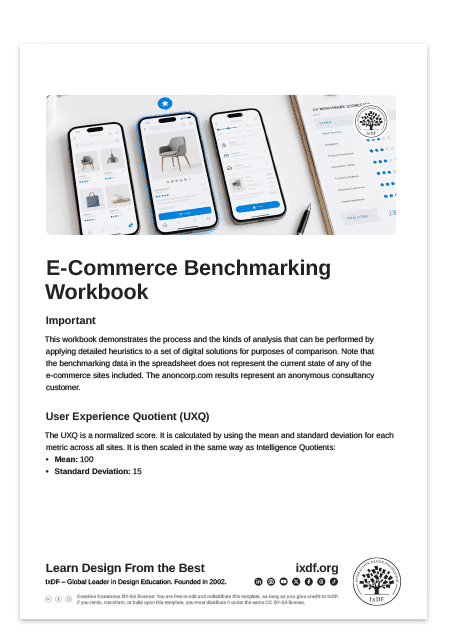
Benchmarking Spreadsheet Download
We've assembled some sample benchmarking examples for you to download as an Excel spreadsheet. You can open it in Microsoft Excel or Google Sheets. Both are free to use (the online version of Excel is free; you need a subscription for the desktop versions).
You can use the spreadsheet to understand how more elaborate benchmarking works. It also shows how organizations can compare their website with others in the same market segment.
The Take Away
Expert and heuristic evaluation lets you identify usability problems cost-effectively, without recruiting users, by applying structured guidelines that reflect decades of accumulated design knowledge.
Nielsen’s 10 heuristics are goal-oriented principles rather than prescriptive rules. They cover system feedback, real-world conventions, user control, consistency, error prevention, recognition over recall, flexibility, minimalism, error recovery, and help and documentation.
Benchmarking extends expert evaluation into a repeatable, quantified process. It produces scores that can be tracked over time and compared across competitors, making it a powerful tool for demonstrating the business value of UX improvements.
Metrics should describe goals, not solutions. “Provide adequate navigational feedback” is a better heuristic than “provide breadcrumb navigation,” because it remains valid as design patterns evolve.
Expert evaluation is not a substitute for user testing, but it is a valuable complement, particularly early in the design process when recruiting users would be premature or too costly.
Hero image: © Interaction Design Foundation, CC BY-SA 4.0