The game Overcooked is a nightmare of cognitive overload. Orders pile up, timers run down, your teammate just threw a plate at you, and the kitchen is on fire. Every traditional usability standard would flag it as broken. But the cognitive overload is deliberate: the chaos is the game and the stress is the fun.
Distinguishing intentional friction from accidental confusion is one of the most valuable skills you can develop as a game UX designer, and it starts with seven usability principles adapted specifically for games.
In this video, Celia Hodent, PhD, Game UX Strategist and Author of the best-selling book The Gamer's Brain, introduces the game-specific usability principles she uses with game development teams, and explains why defining your intended player experience always comes before applying any of them.
Nielsen's heuristics give UX professionals a precise diagnostic vocabulary for traditional usability issues. They're still useful in games, but they don't cover everything that makes a game experience work. Celia's approach to game-specific usability principles covers two areas: usability, whether players can play the game, and engageability, whether the game is fun and engaging.
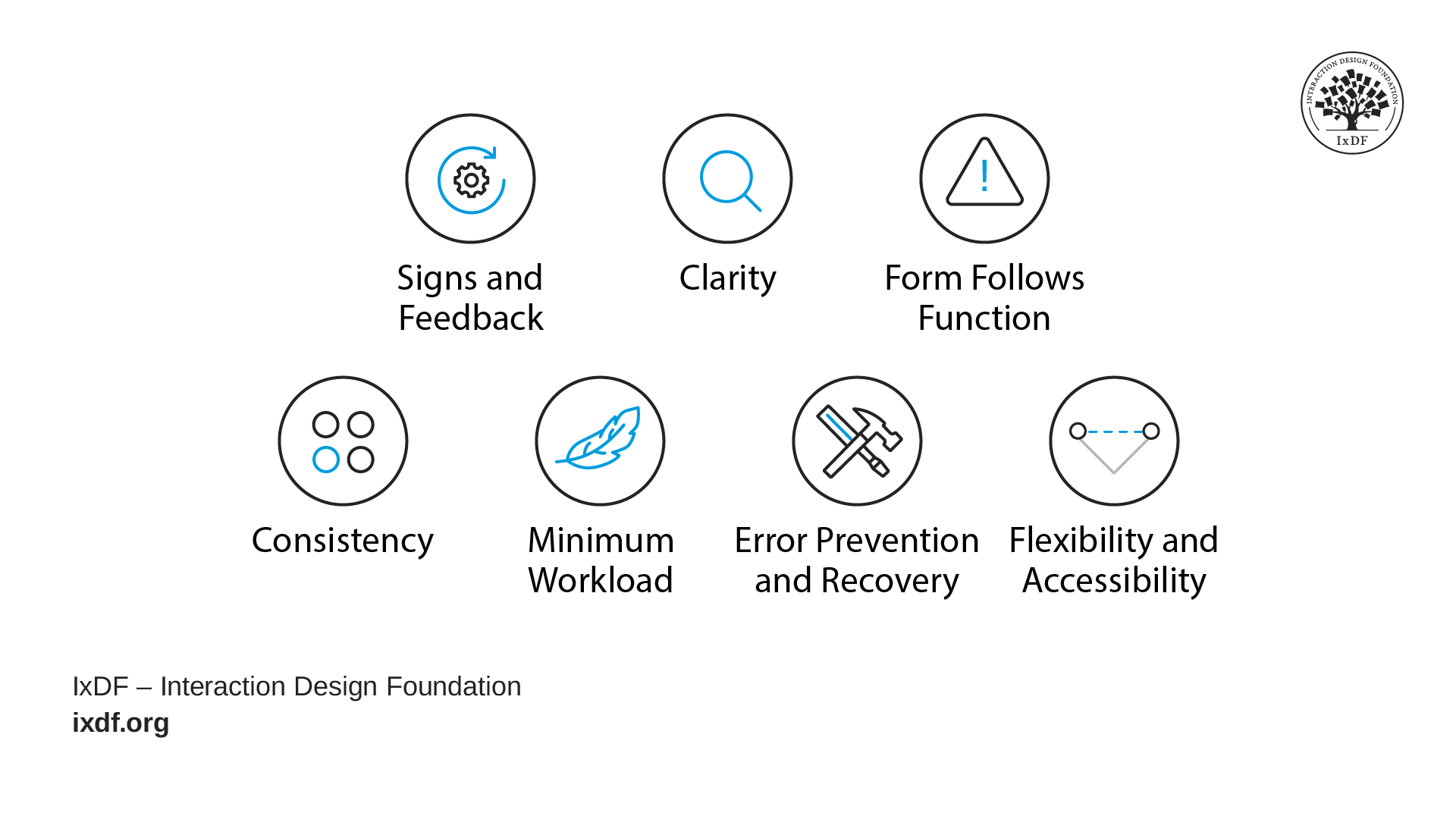
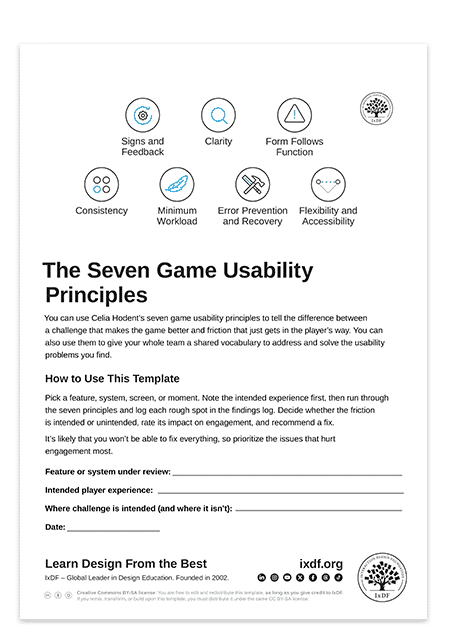
The following principles are the usability half of her framework. Apply them wherever you don't want to challenge players:
© Interaction Design Foundation, CC BY-SA 4.0
Signs and feedback: does the game communicate what players can do and what happens when they interact with the system?
Clarity: are signs and feedback clearly perceived?
Form follows function: can players grasp the functionality of a system just by observing it?
Consistency: are signs and feedback consistent across the game and the genre?
Minimum workload: does the system minimize cognitive, memory, and physical load where challenge isn't intended?
Error prevention and recovery: are errors prevented, or can players recover from them easily?
Flexibility and accessibility: can players tailor the experience, and is the game accessible to players with disabilities?
These principles aren't a universal pass over your entire game. Apply them only where friction is accidental, and where confusion, fatigue, or error serve no design purpose. Use the template below to apply them to your design.
Take a souls-like game as an example. Death is frequent, deliberate, and central to the experience. Error prevention doesn't apply to the combat loop; getting hit, getting killed, and losing progress is the game. But error prevention absolutely applies to your save system, your menu navigation, and your control remapping screen. Players should never lose a character build because they accidentally confirmed the wrong prompt.
The Take Away
These seven principles give your entire team a precise shared language for problems that usually get discussed in vague terms. When everyone can point to a specific principle and say "this is what's broken and why," critique becomes actionable. That shift alone can change the culture of a studio.
The most important skill here is identifying when a principle doesn't apply. Every game makes a promise to players about where the difficulty lives. Your job is to honor that promise: protect intentional friction and eliminate everything else. When you can make that distinction confidently and defend it to your team, your design reviews become effective, your playtest reports become more actionable, and your work moves the project forward.
References and Where to Learn More
Want more? If you haven't already, sign up for Game UX Design: The Ultimate Guide to learn directly from Celia Hodent, PhD, former Fortnite UX Director, and author of the best-seller The Gamer's Brain.
Read The Gamer's Brain by Celia Hodent.
Explore Heather Desurvire, Martin Caplan, and Jozsef A. Toth's CHI paper Using heuristics to evaluate the playability of games to see the original HEP (Heuristic Evaluation for Playability) framework that adapts usability heuristics to gameplay, story, mechanics, and usability. doi.org/10.1145/985921.986102
Watch the How to Design for the Human Mind: Cognitive Science for UX Master Class by Celia Hodent.
Watch the How to Become a Games User Researcher Master Class by Steve Bromley, Games Researcher and Author.
Watch the AI for Game UX: Speed Up Research, Ideas, and Prototypes Master Class by Om Tandon, UX Design Leader at Nordeus (Zynga/Take-Two).
Watch the Level Up Your Career: How to Land a Job in the Game Industry Master Class with Om Tandon, UX Design Leader at Nordeus (Zynga/Take-Two).
Watch the UI Design for Games: Starter Edition Master Class with Stéfano Girardelli, Senior Visual Designer at Wildlife Studios.
Hero image: © Interaction Design Foundation, CC BY-SA 4.0