Playtesting is the practice of observing real players interact with your game to identify usability problems, engagement issues, and unexpected behaviors. Consider a game that feels perfectly balanced to its developers, with tight controls, a satisfying difficulty curve, and levels that flow naturally. Then real players sit down with it, and something unexpected happens: they miss the jump everyone assumed was obvious, they skip the mechanic the team spent weeks on, and they quit at the wrong moment.
Playtesting catches what internal testing can't. It shows you where players get confused, where they disengage, and where the experience breaks down in ways internal testing never could. That insight is what lets you iterate before those problems reach your audience.
In this video, Celia Hodent, PhD, Game UX Strategist and Author of the best-selling book The Gamer's Brain, explains how playtesting reveals the gap between your design intentions and player reality.
You can model how players will think, predict where they'll struggle, and reason through your own design for hours, but none of that replaces what you learn by watching a real person play your game for 20 minutes. What feels obvious to you after months of development is invisible to someone who’s never touched it. Players bring different mental models, different expectations, and different ways of reading your visual language and mechanics. Perception is subjective, and you can never guarantee that what you intend to offer is what players actually experience unless you test.
Playtesting replaces assumptions with evidence, and every stage of development surfaces something different. Early prototypes catch fundamental problems while they're still cheap to fix. Later tests surface the subtler issues that only emerge once the game feels real. But across all stages, playtesting consistently reveals three categories of insight that no other method can reach.
Identify Usability Problems Before They Cost Players
When someone gets lost, can't find the jump button, or misunderstands what a power-up does, the fix belongs to the design, not the player. Every one of those moments is a chance to guide, clarify, and remove the friction standing between the player and your game.
© Interaction Design Foundation, CC BY-SA 4.0
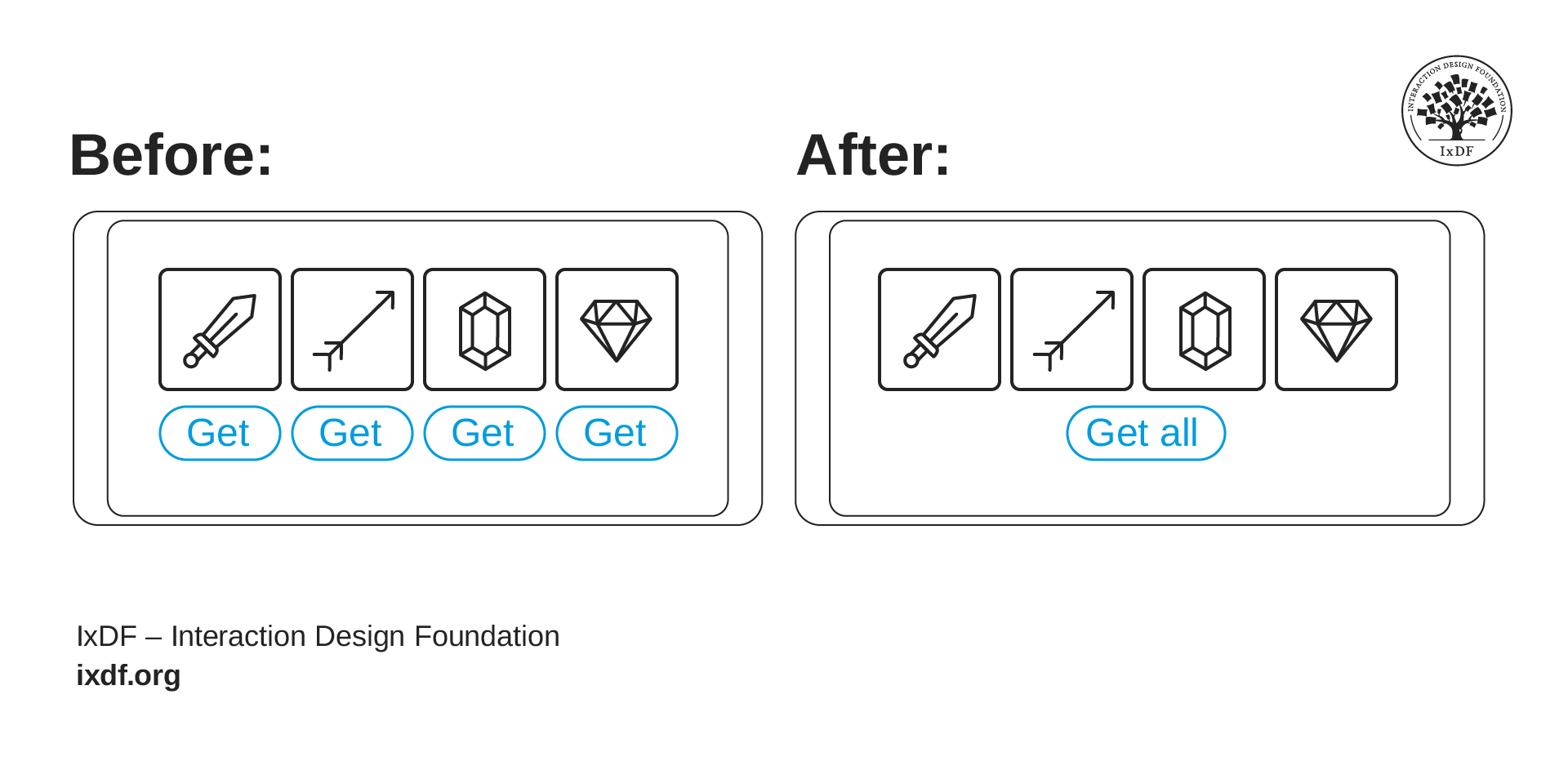
A single "Get All" button removes friction players shouldn't have to feel in the first place. Small friction points like this are exactly what playtesting is designed to catch.
Players who feel challenged come back, but players who feel confused quit. The difference often comes down to small things, like a reward screen that makes you tap 30 times to claim 30 items instead of offering a single "get all" button, a menu that doesn't confirm whether your settings actually saved, or a tutorial that explains the wrong thing at the wrong moment. None of these feel like big design decisions, but to a player they add up fast. That line between "hard but fair" and "needlessly frustrating" is a communication problem, and the only way to know which side of that line your design sits on is to watch someone who isn't you try to play it.
Catch Engagement Issues That Silently Erode Retention
It’s very possible that players understand a game, but still not want to keep playing. Usability and engagement are different sides of the same coin, and a game that solves one without the other loses players just as surely. A tutorial might be perfectly clear but dull. A core loop might work smoothly but feel pointless after 20 minutes.
© Supergiant Games. Fair use. Modified by Interaction Design Foundation.
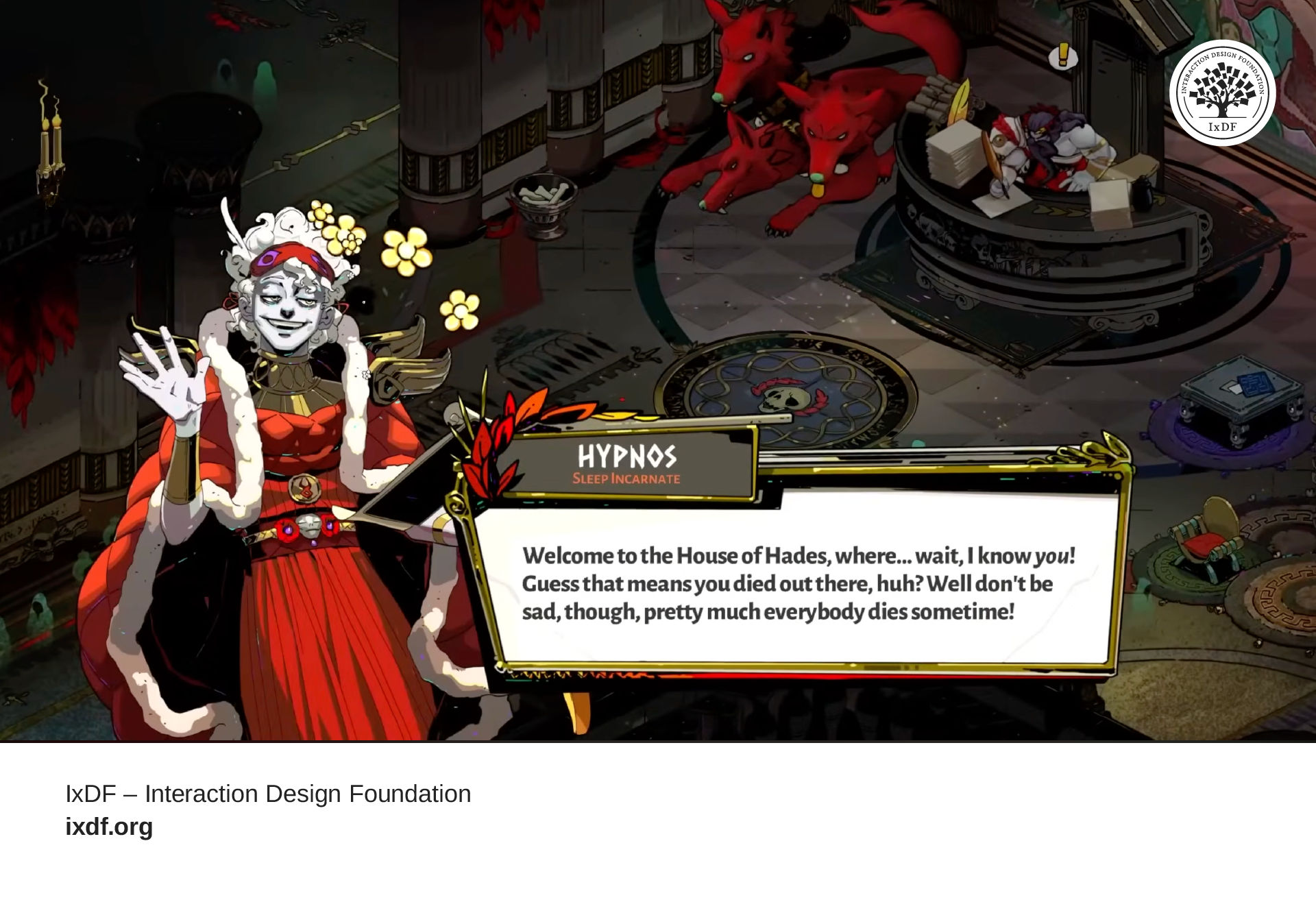
Unlike most games where death causes a reset, death in Hades is the point of game. Whether players actually understand that difference is something only a playtest can confirm.
In Hades, when you die, you return to the same room, with the same characters, and a world that remembers what just happened. The emotional impact comes from repeating the same loop and seeing the world respond to your progress. But the game team couldn’t know in advance which moments would actually land, which characters players would connect with, or where the pacing would start to drag. They only discovered that when they watched real players go through the loop again and again to see where the experience felt meaningful, and where it fell flat.
Discover What Makes a Game Special
Sometimes players engage with a game in ways you never anticipated, finding strategies, exploits, and solutions you couldn't have scripted.
CC BY El Blargho. Modified by Interaction Design Foundation.
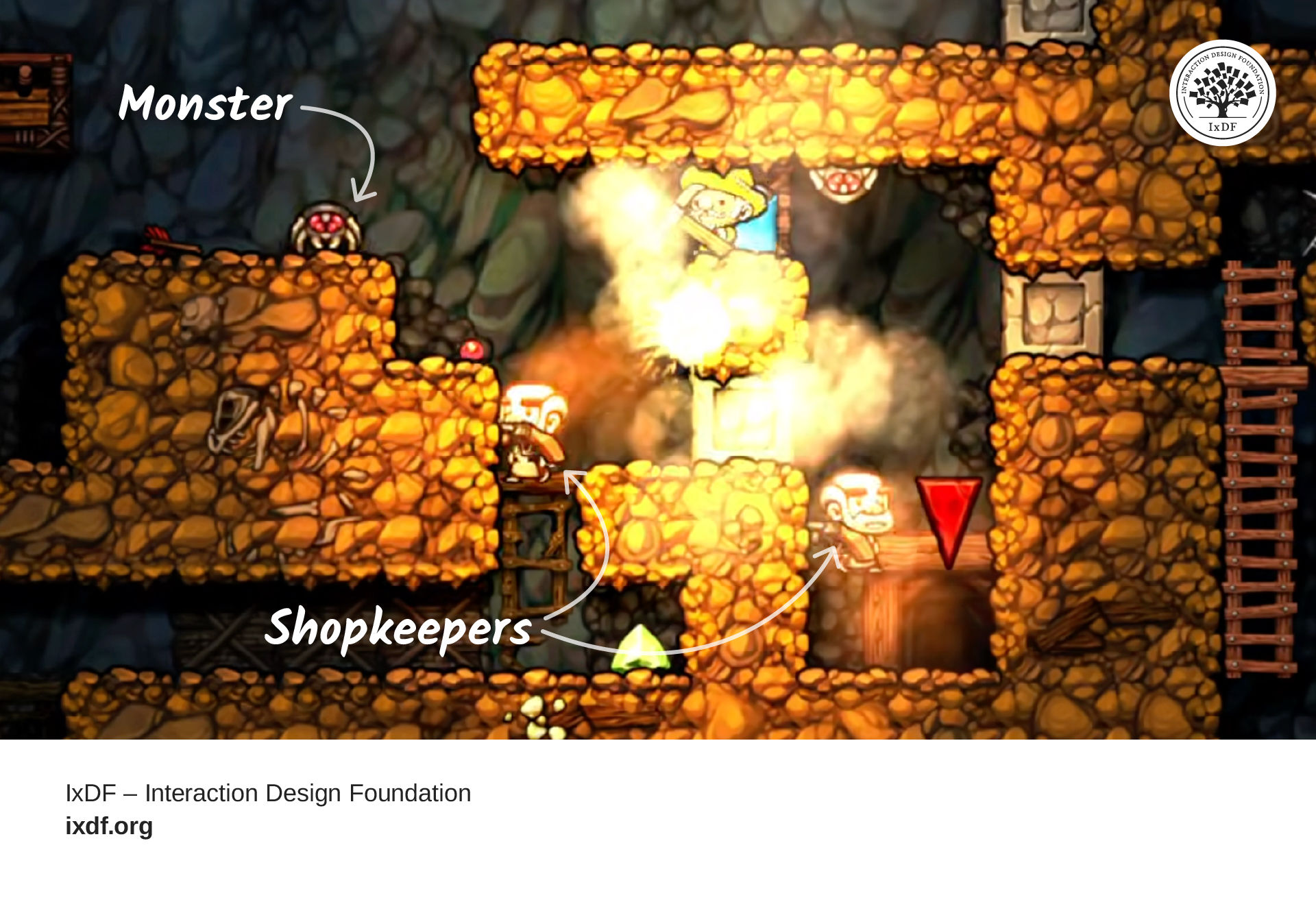
In Spelunky HD, the shopkeeper was designed to be dangerous. What players discovered they could do with that danger was never in the plan, but it became something worth keeping.
The shopkeeper in Spelunky HD hunts you with a shotgun for the rest of the run the moment you provoke it, but players found that its indiscriminate fire could wipe out enemies, trigger chain reactions, and turn a catastrophic mistake into an accidental survival story. That discovery didn't come from the design plan. It came from people actually playing the game, and it pointed directly to the systems worth building on.
How to Run a Playtest That Uncovers Real Insights
When you get playtesting right, every session becomes a window into how your game is actually experienced.
Your playtesters should match your intended audience, not whoever's nearby, and you need both ends of the experience spectrum:
New players surface onboarding problems.
Experienced players surface depth problems.
The first time you watch someone play something you built, it can feel uncomfortable. You'll want to help. You'll want to point at the screen and say "no, tap that button" or "the health bar is right there." That instinct is natural, and resisting it is one of the most important things you can do.
Stay silent during sessions and let players lead. Your game won't have you sitting beside every player when they play at home, so what you need to see is the unfiltered experience: how someone navigates your design with nothing but what the game itself provides. That unfiltered view is where all the value lives.
Pay attention to where players look when a new screen appears. Notice when they hesitate, because that pause is a signal that your visual language left room for doubt. Watch what they try before they find the right answer, because those early attempts reveal the mental model your design taught them, and it might not be the one you intended. Every one of these moments is your design talking back to you through someone else's eyes.
When the session ends, ask questions that invite stories rather than confirm what you already believe. "Tell me about that encounter with the three enemies" will surface richer insight than any rating scale. And when a player says "I want a map," hear what's underneath: they felt lost. Your job is to figure out what each reaction reveals about your design, not to collect a list of feature requests. Players are excellent at showing you where something broke. The right solution is yours to find.
From Observations to Decisions: What Comes After Playtesting
The single most important thing you can do with playtest data is separate symptoms from causes. Players might say your game is too hard, but your observation notes show they never used the shield mechanic because your tutorial skipped it. The problem isn't difficulty. It's onboarding. Surface feedback almost always points somewhere else, and the designer who traces it back to the root cause fixes things once rather than chasing the same problem in different forms.
Beyond root causes, look for patterns rather than individual opinions. One player who bounces off your tutorial might just have different tastes. Five players who struggle at the same moment? That's a UX design problem. Prioritize by impact and frequency: a tutorial that blocks 80% of players from reaching your core loop needs immediate attention before you optimize for edge cases.
Playtesting is a cycle, not a one-time event. Make your changes, test again, and keep refining. Each pass brings your game closer to something that works without you in the room.
References and Where to Learn More
Want more? If you haven't already, sign up for Game UX Design: The Ultimate Guide to learn directly from Celia Hodent, PhD, former Fortnite UX Director, and author of the best-seller The Gamer's Brain.
Read The Gamer's Brain by Celia Hodent.
Watch the How to Design for the Human Mind: Cognitive Science for UX Master Class by Celia Hodent.
Watch the How to Become a Games User Researcher Master Class by Steve Bromley, Games Researcher and Author.
Watch the AI for Game UX: Speed Up Research, Ideas, and Prototypes Master Class by Om Tandon, UX Design Leader at Nordeus (Zynga/Take-Two).
Watch the Level Up Your Career: How to Land a Job in the Game Industry Master Class with Om Tandon, UX Design Leader at Nordeus (Zynga/Take-Two).
Need a systematic approach to gathering player feedback? Take our course, Personas and User Research: Design Products and Services People Need and Want, where you'll learn to research, validate, and apply user insights that transform assumptions into evidence-based design decisions.