Universal Design

Your constantly-updated definition of Universal Design and collection of videos and articles.
Be a conversation starter: Share this page and inspire others!

197 Shares

What is Universal Design?

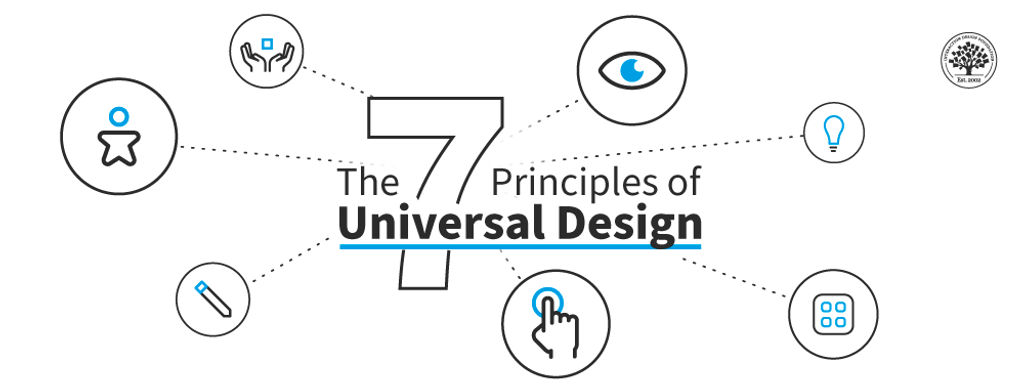
Universal design is an approach for designers to make products and services accessible and usable for the largest possible audience without needing adaptation or specialized design. Designers use its seven principles to create a solution catering to as many users as possible.

UX content strategist, architect and consultant Katrin Suetterlin explains the philosophy behind universal design in this video.

Transcript

Why Does Universal Design Matter?

Universal UX design is rooted in 1970s’ architecture. Ron Mace, who coined the term “universal design,” advocated for the design of environments that all individuals can access, regardless of their abilities. A group at The Center for Universal Design at North Carolina State University developed the concept further in 1997.

Universal design is closely related to accessibility. The belief that accessibility and usability go hand in hand is the foundation of universal design. Flexibility, adaptability, and simplicity are vital parts of it. As a designer, you can stretch these to the greatest extent in products or services everyone should be able to access and use. The question of the users’ ability and background shouldn’t matter.

Architectural design of steps with zig-zag ramp built in to represent universal design.

An example of Universal Design in architecture. Note how the diagonally-cut gradient of the ramp affords a gentle slope for wheelchair users and anyone else who may need it, such as someone with a suitcase on wheels.

© Spire Digital, Fair Use

Universal Design, Inclusive Design, and Design for All: What’s the Difference?

Universal design, inclusive design, and design for all share common ground. Universal design and inclusive design are often confused. In universal design, you create a single solution to accommodate a wide range of users, including many factors to satisfy the most users possible. Additionally, you incorporate insights about the users’ physical and cognitive abilities, age, gender, race, and ethnicity into the design of one experience. This will be a product or service that they all can access, use and enjoy.

In design for all, you build accessible features into your design from early in the design process. It’s an approach that considers the needs of all users and allows for variations of one design so as to reach them all. By including users with disabilities early on, you ensure you consider their needs and cater to them in full, rather than revisit them later with adjustments to your initial release.

On the other hand, inclusive design goes further. In inclusive design, you go the extra mile to target the needs and experiences of groups that “mainstream” design often marginalizes or excludes. When you set out to create an inclusive design, you especially account for the diverse perspectives and backgrounds of your users. In your design process, you include users from different ethnicities, genders, and/or with cultural differences, varying language abilities and preferences, and more. Inclusive design results in products and services that all users find accessible, usable, culturally sensitive, and welcoming. However, you may provide multiple design solutionsnot just one—per project to cater to different user groups. 

The 7 Principles of Universal Design and How to Apply Them
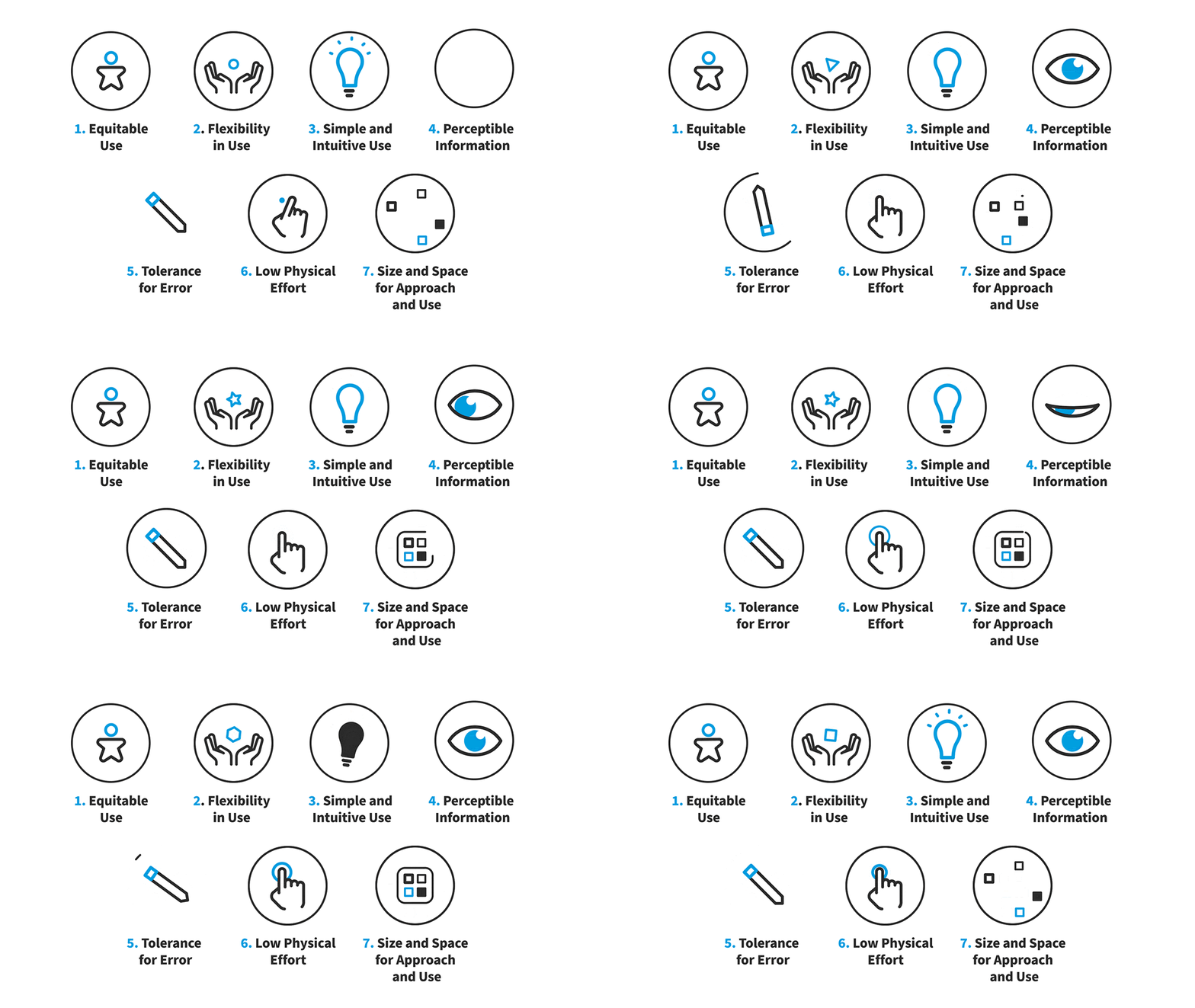
The seven principles of Universal Design.

© Interaction Design Foundation, CC BY-SA 4.0

  1. Equitable Use: Design products and services that people of all ages, sizes, and abilities can use.
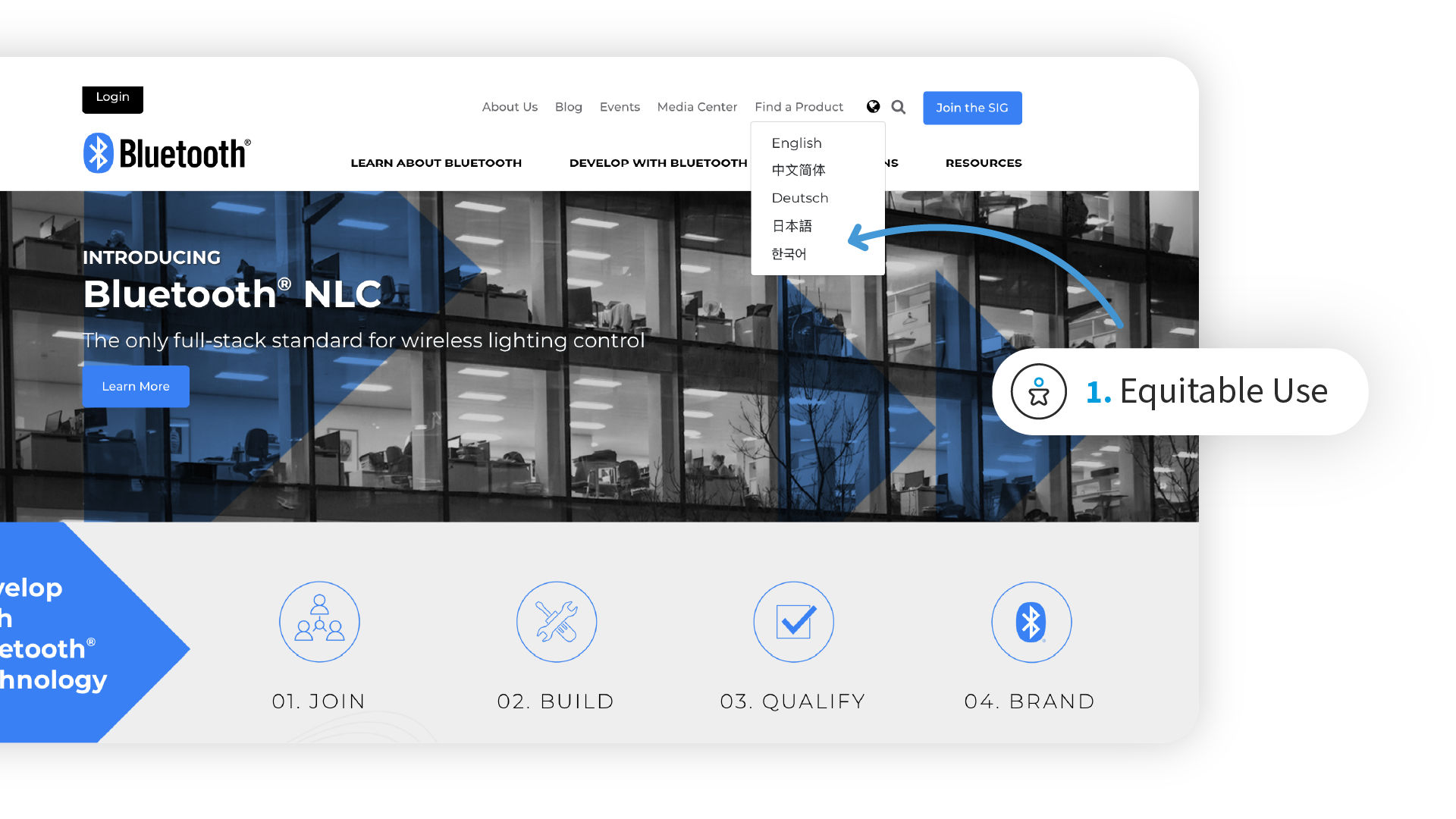
Screenshot of Bluetooth.com's homepage.

Bluetooth’s homepage has an option to select the language (world icon, top right). The equitable use is that users can enjoy the experience on the site even if they do not speak English.

© Bluetooth, Fair Use

  1. Flexibility in Use: Design products and services that users can use in multiple ways to accommodate different user preferences and abilities.

Screenshot of Evernote's pricing page.

Evernote’s homepage offers flexibility in use via options to select. Users can approach Evernote in different contexts, for personal projects or for professional, team-based ones.

© Evernote, Fair Use

  1. Simple and Intuitive Use: Design products and services with an intuitive interface that users find easy to understand and use.
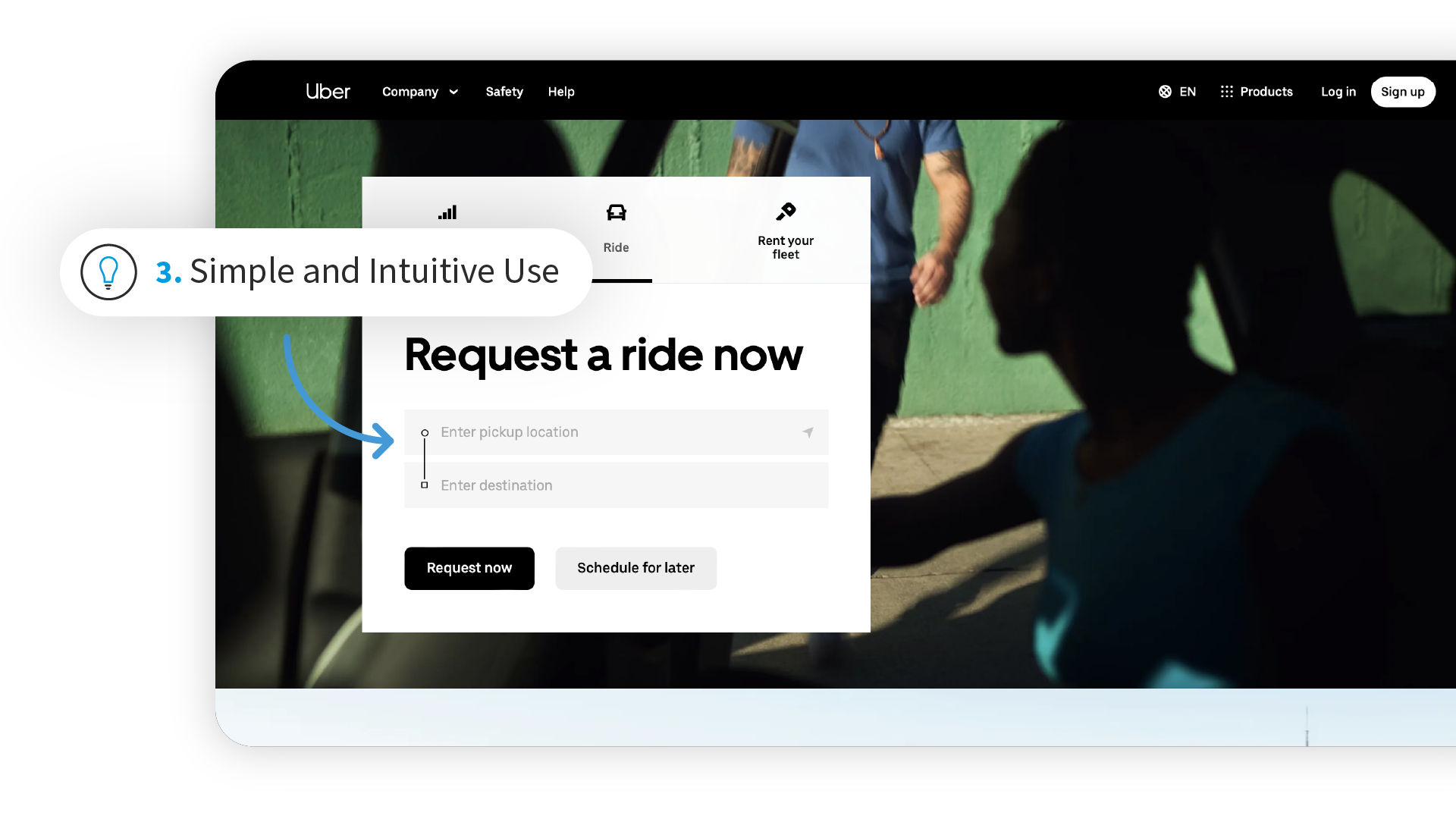
Screenshot of Uber.com's Request a ride now page.

Uber’s ultra-easy Ride section offers users the quick convenience of pickup location and destination.

© Uber, Fair Use

  1. Perceptible Information: Design products and services with clear communication to ensure users have the information they need to use the product successfully.
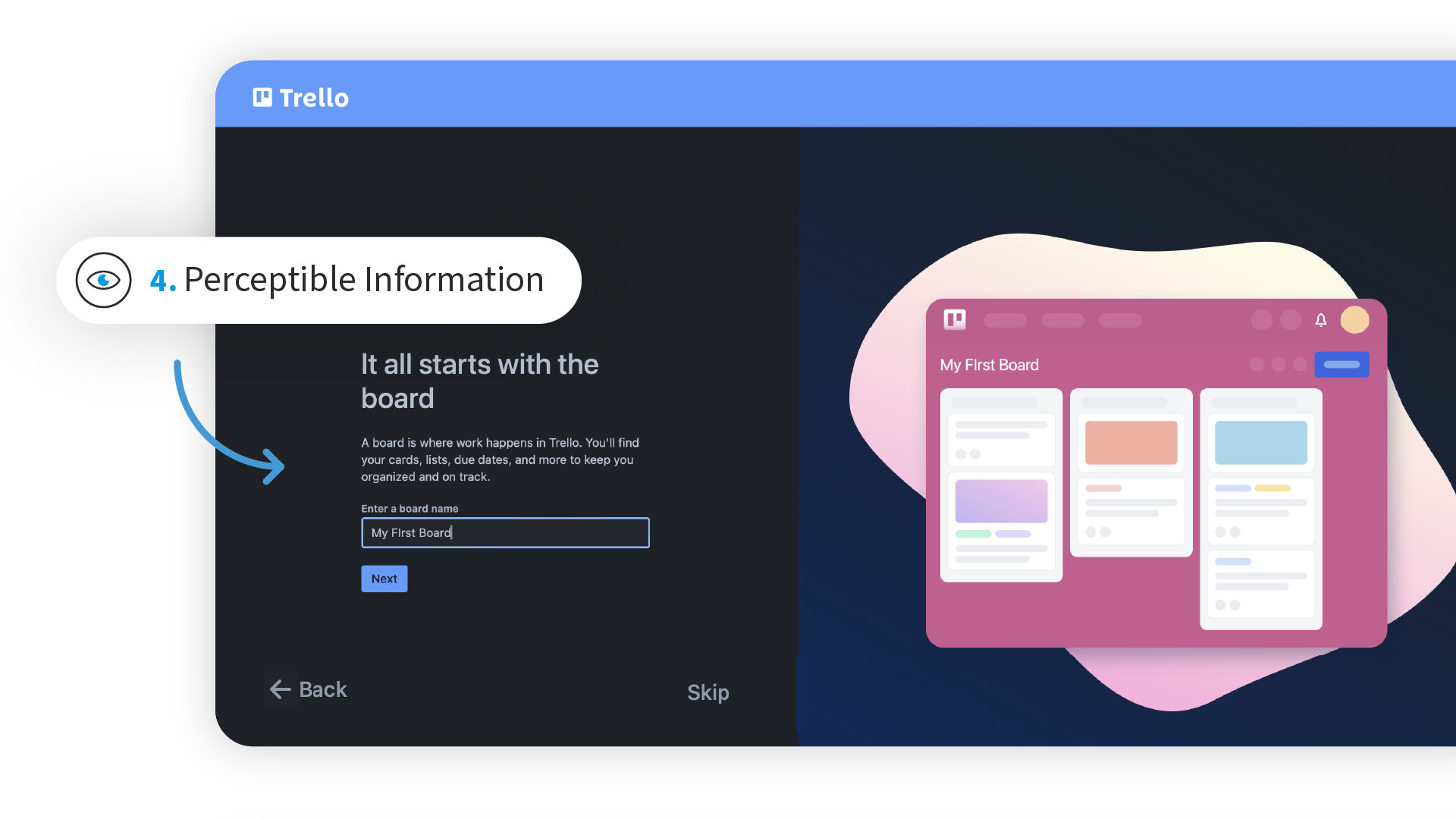
Screenshot of Trello webpage.

Trello clearly informs users what to do to get started.

© Trello, Fair Use

5. Tolerance for Error: Design products and services with built-in safeguards. Help prevent users from making mistakes or encountering unexpected results.
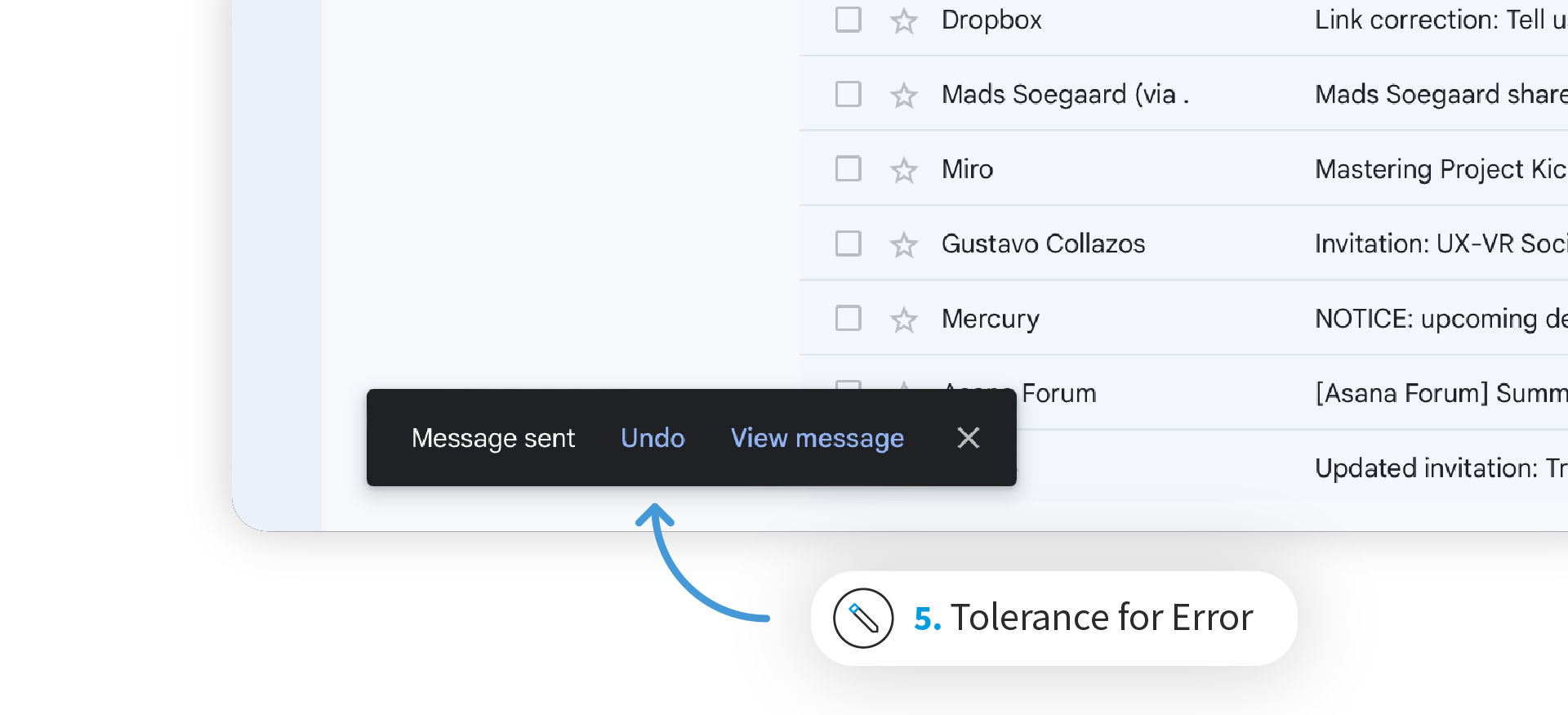
Screenshot of Google’s Gmail feature that offers an Undo option.

Google’s Gmail offers an Undo feature; for a few seconds, users can recall messages.

© Google, Fair Use

In this video, Senior UX consultant Vitaly Friedman shares tips on how to minimize errors by maximizing clarity.

Transcript

  1. Low Physical Effort: Design products and services that demand minimal physical effort to use.
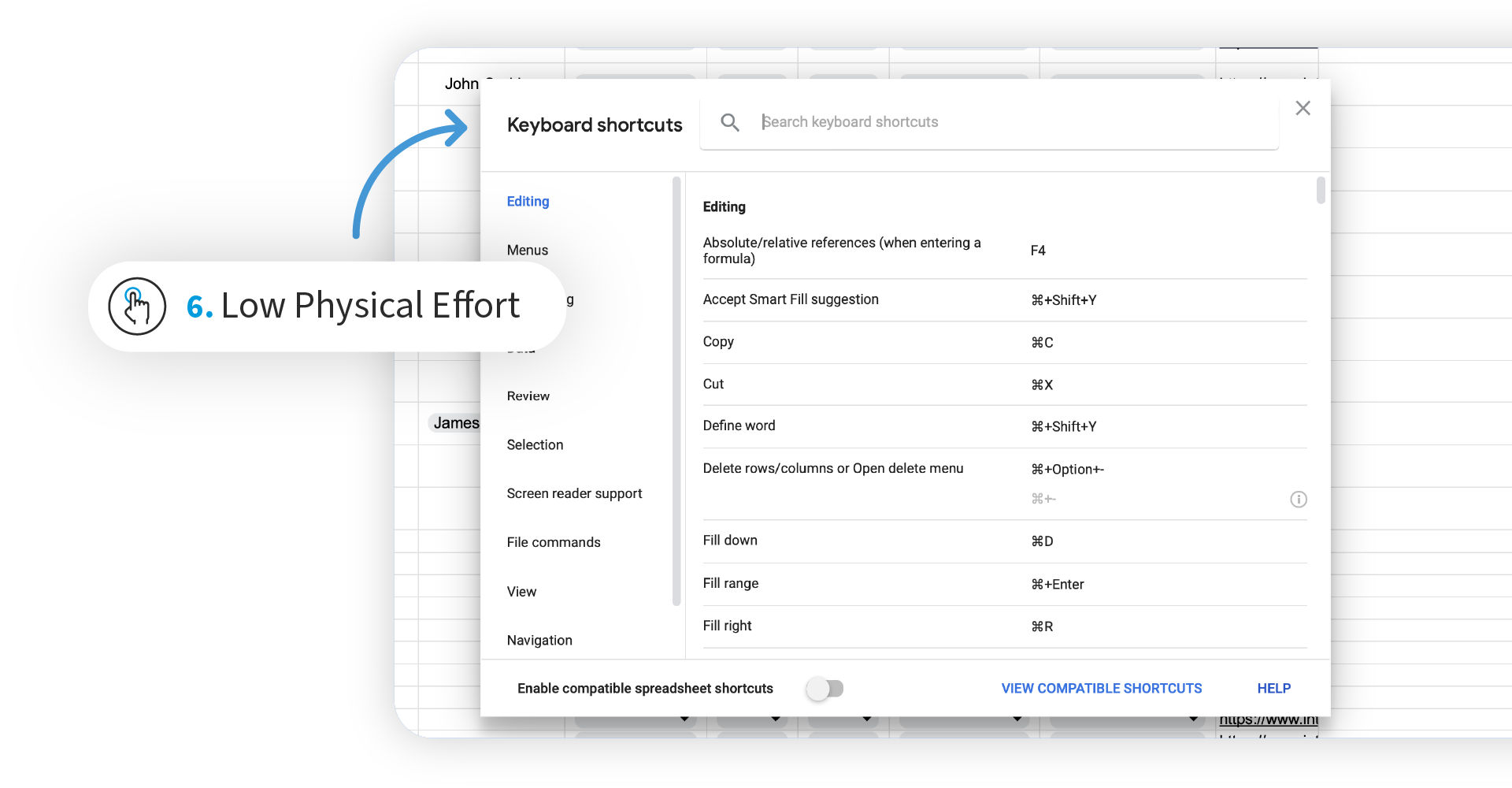
Screenshot of Google Sheets option page, showing some Computer PC shortcuts for common actions.

Google Docs offers Keyboard shortcuts for users to work with Google Sheets more efficiently.

© Google, Fair Use

  1. Size and Space for Approach and Use: Design products and services with enough size, space, reach range, or manipulation area for a variety of user needs and abilities.
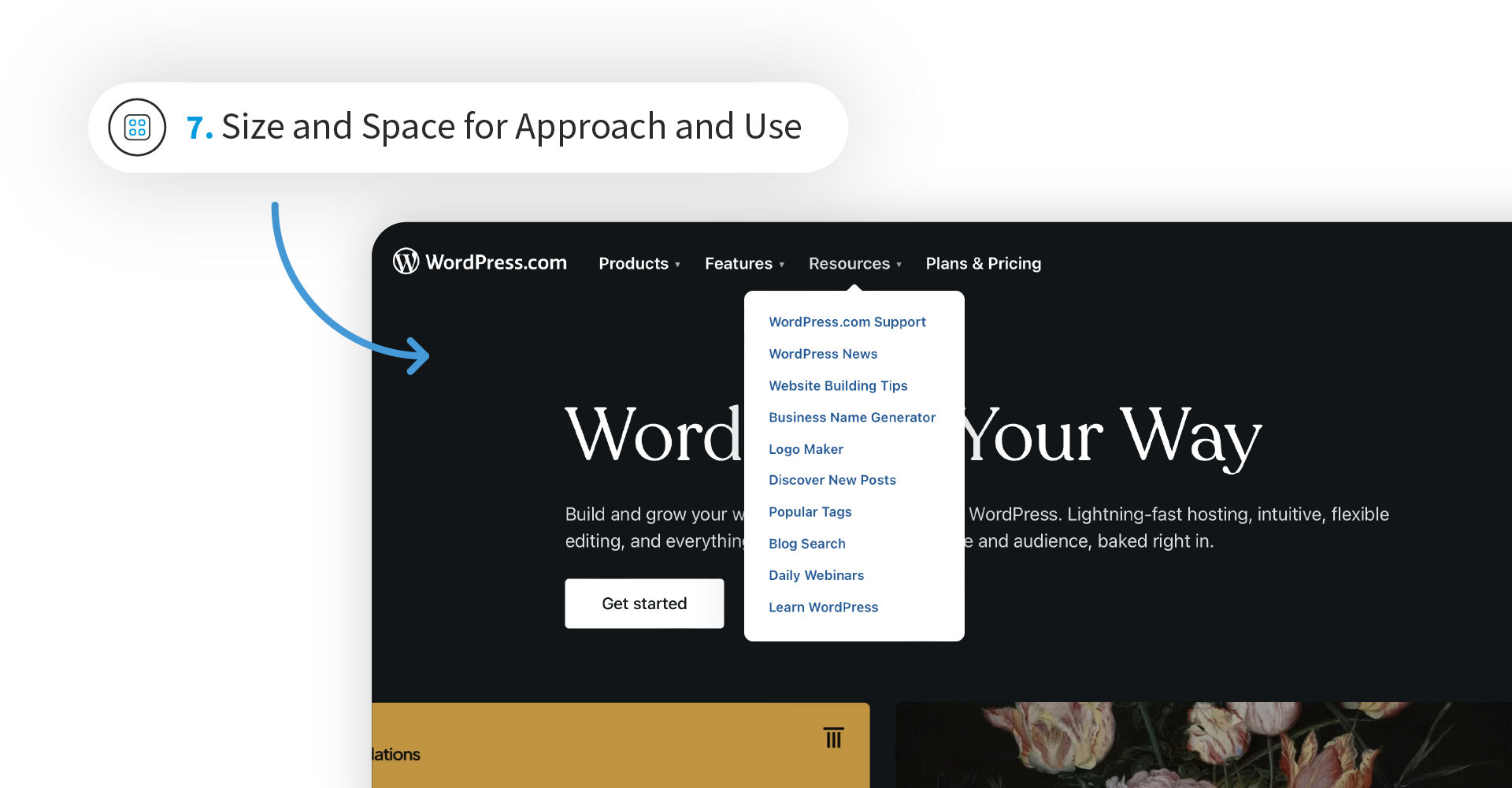
Screenshot of WordPress.com's homepage.

WordPress’s homepage offers users generous amounts of space to access desired dropdowns (at the top of the webpage).

© WordPress, Fair Use

Pros and Cons of Universal Design

Like any design approach, universal design has its pros and cons:

Advantages of Universal Design

  • Increased Accessibility: Products and services become accessible to an extremely wide range of users. These include people with disabilities, but also others who can enjoy your design’s benefits—for example, video subtitles help hard-of-hearing users as well as viewers whose first language isn’t English or users in noisy environments.

  • Broader User Base: Universal design can expand the potential user base and reach a larger audience. That’s because it considers such diverse user needs.

  • Improved User Experience: Universal design principles promote usability, simplicity, and flexibility. The result is a better overall user experience for all users.

  • Legal Compliance: As universal design follows accessibility standards and guidelines, your design can comply with legal requirements.

  • Future-Proofing: You design with flexibility and adaptability in mind. So, your design will be able to meet evolving user needs and technological advancements.
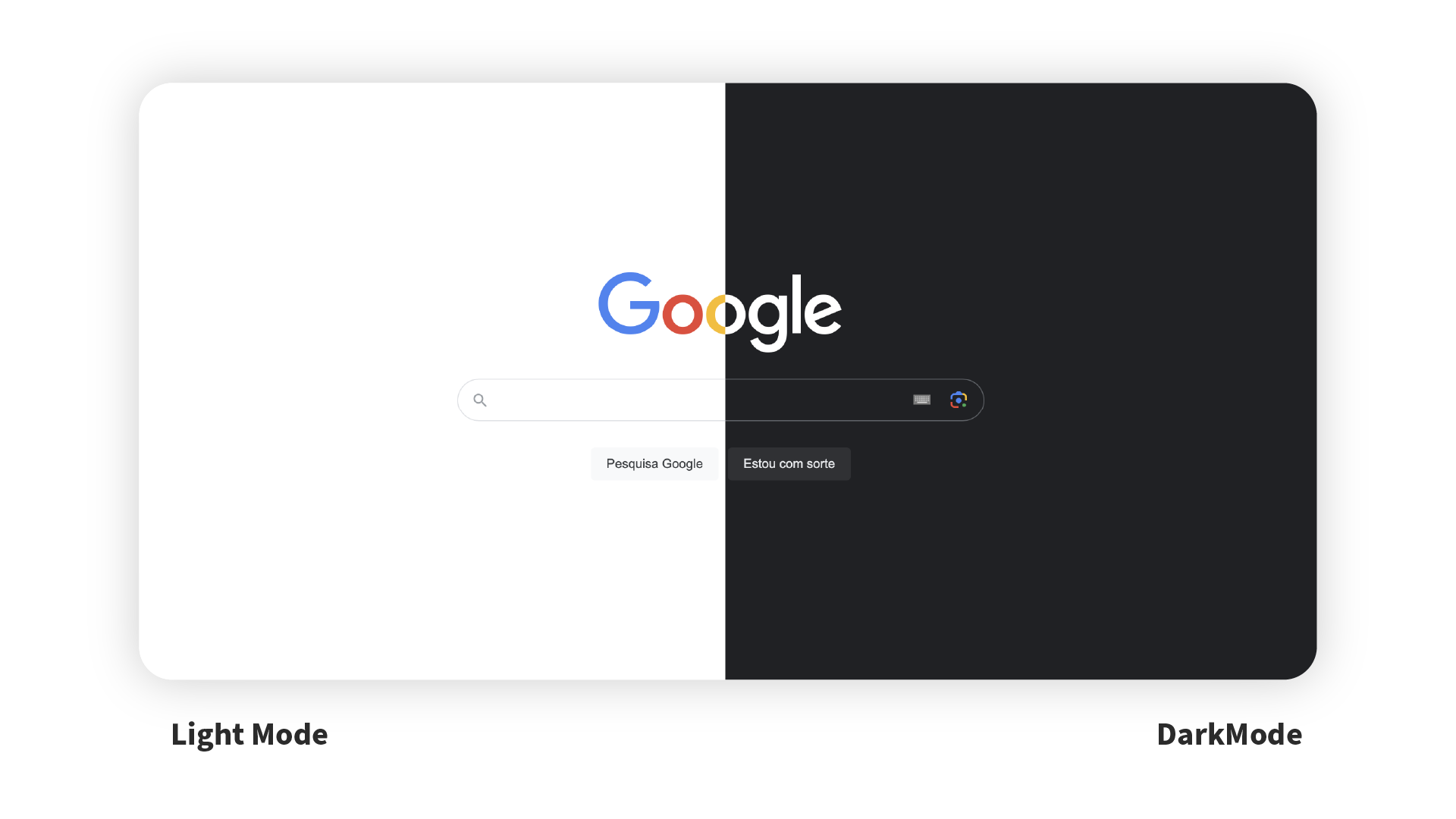
Screenshots of Google in Dark Mode, featuring the setting of it on the left inset screen and the homepage in Dark Mode on the right.

Google’s iconic website is an example of universal functionality that accommodates an extremely wide user base with such customizable options as Dark Mode. It can suit users who prefer it because it may be easier on the eye for them, or “just because” (it’s more to their taste).

© Google, Fair Use

Challenges of Universal Design

  • Design Complexity: It can be hard to design for a broad range of users in a single design. It also may call for more effort and resources to maintain it.

  • Balancing Trade-Offs: Universal design often involves trade-offs between catering to different user needs. That can be a delicate balance to achieve. One risk can be a one-size-fits-all product that may be difficult to market to people.

  • Education and Awareness: You need to teach designers and stakeholders about the principles and benefits of universal design.

  • Testing and Validation: You may need to do extensive user testing. This may be more than the usual to identify potential usability issues and validate a truly universal design.

How to Start with Universal Design
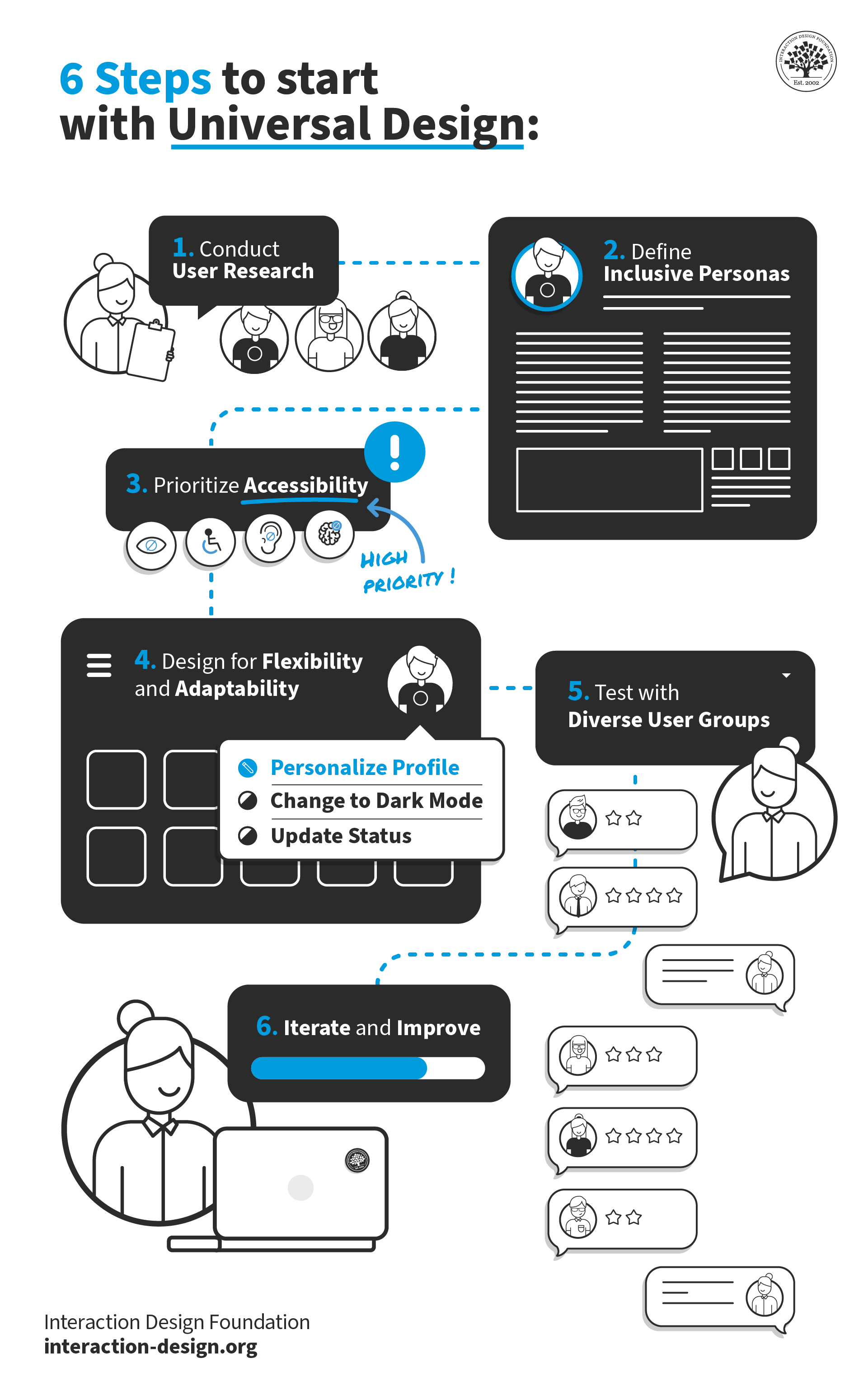
6 steps to start with Universal Design

© Interaction Design Foundation, CC BY-SA 4.0

Here are steps you can follow to build the Universal Design principles into your designs:

  1. Conduct User Research

Include semi-structured interviews and usability testing in your in-depth UX research. Be sure to involve individuals from different backgrounds, abilities, and cultures. That way, you’ll gain deep insights into their diverse needs and experiences. With a comprehensive understanding of these user needs, you can start to build towards your design. You’ll be able to accommodate a broad range of experience, knowledge, language, and skills.

  1. Define Inclusive Personas

Create personas that represent as diverse a range of users as possible. Consider factors such as age, ability, gender, race, ethnicity, and language preferences. Make sure your personas reflect an extremely wide user base. You should be able to empathize with different user perspectives and design accordingly with them.

  1. Prioritize Accessibility

Follow the Web Content Accessibility Guidelines (WCAG) to make sure your design is up to standard. For example:

  • Provide alt text for multimedia content.

  • Ensure assistive technologies can use your design.

  • Ensure proper color contrast.

  • Use clear and concise language to communicate necessary information.

  • Design for keyboard accessibility.

Accessibility is also about the contexts of use. Users of all ability levels will face challenges in certain environments. These could be busy, highly distracting, or even potentially dangerous situations. For example, consider a car navigation app. How much information should you include in your interface? It should be appropriate to communicate effectively, and safely. So, keep in mind your users’ concentration level, fatigue, and other factors.

  1. Design for Flexibility and Adaptability

Flexibility and adaptability are fundamental universal design principles. So, aim to create an interface that accommodates different user preferences and abilities. These can include features such as adjustable font sizes, customizable color themes, and multiple navigation options. This is where those UX design principles and design patterns come in. So, create handy features, nice-to-haves, and redundant ways of achieving goals. Make sure you do it effectively to the users, though, so that these are obvious. When you provide flexibility and high discoverability, you empower your users. They’ll be able to personalize their experiences based on their unique needs.

  1. Test with Diverse User Groups

Test your design with individuals with different abilities, cultural backgrounds, and perspectives. That way, you can gather valuable feedback and identify potential usability issues. For example, does your design communicate necessary information effectively? Does it prevent accidental or unintended actions? What skills or current concentration do users need? Do users who find your design difficult share common characteristics? (For example, do they not speak English as a first language?) Does your design account for potential hazards and adverse conditions, which some users may find themselves in? Can they achieve their goals with a minimum of fatigue? Does your design minimize hazards? You can then use this feedback to refine and improve things until the design is easy to use for everyone.

  1. Iterate and Improve

Universal design is an iterative process. So, continuously gather feedback, evaluate your design’s effectiveness, and make improvements based on user insights. Keep a user-centered approach and be open to feedback. That way, you can create more inclusive and user-friendly experiences over time.

Tips and Best Practices to Implement Universal Design

  1. Prioritize Clear and Concise Communication

Use plain and concise language. Information needs to be easily understandable for all users. Avoid jargon, complex terminology, and ambiguous instructions. Provide clear and concise labels, headings, and instructions to guide users through the interface.

  1. Collaborate with Accessibility Experts

Work closely with accessibility experts and consultants. They can ensure that your designs meet accessibility standards and guidelines. They can also provide valuable insights and guidance throughout the design process.

  1. Educate and Advocate for Universal Design

Promote the importance of universal design within your organization and industry. Teach stakeholders, colleagues, and clients about the benefits and principles of universal design. You can drive positive change and create a more inclusive design culture with universal design.

Remember, you’ll need continuous iteration, user feedback, collaboration and more to make a truly effective universal design. But it’s worth it. As technology continues to evolve, the need for universal design will only grow. What’s more, the continued rise of voice interfaces, augmented reality, and virtual reality presents new opportunities—and challenges—for creating universally appealing experiences.

Questions About Universal Design?
We've Got Answers!

What is universal design in simple terms?

Universal design means creating products, services, and experiences that work well for everyone, regardless of age, ability, or background. It’s about designing from the start to include everyone—so people don’t need special versions or workarounds to use something.

In UX (user experience) design, that might mean clear navigation for screen reader users, readable fonts for people with low vision, or simple language for non-native speakers. It also includes designing for different devices, tech skills, or attention spans.

Think of it like curb cuts in sidewalks. Originally made for wheelchairs, they help everyone—from parents with strollers to travelers with suitcases. Universal design works the same way: when you design for inclusion, everyone benefits. It’s about broad usability.

Enjoy our Master Class How to Design for Neurodiversity: Inclusive Content and UX with UX Content Strategist, Architect and Consultant Katrin Suetterlin.

Watch as Katrin Suetterlin explains the difference between universal design and inclusive design:

Transcript

How is universal design different from accessibility or inclusive design?

Universal design, accessibility, and inclusive design have a common aim—to create better, fairer experiences—but they approach it in different ways.

Universal design means designing something that works well for everyone. It’s proactive and broad, like using simple layouts, readable text, or intuitive controls that suit all users. The intention behind universal designs is to suit everyone, regardless of their background or ability.

Accessibility focuses on removing barriers for people with disabilities. It’s often about meeting specific standards—like adding alt text, keyboard navigation, or screen reader support—so everyone can access and use a product. Users with disabilities are the focus, but all users benefit from the implementation of accessible design. For example, captions help users who have no discernable hearing disabilities hear in loud environments.

Inclusive design centers on diversity. It recognizes that users have different needs and actively involves underrepresented groups in the design process. The goal is to include more voices and avoid bias from the start of the design process.

A helpful analogy might be that universal design sets the foundation, accessibility ensures no one is left out, and inclusive design makes sure everyone feels considered.

Enjoy our Master Class How to Design for Neurodiversity: Inclusive Content and UX with UX Content Strategist, Architect and Consultant Katrin Suetterlin.

Watch as Katrin Suetterlin explains the difference between universal design and inclusive design:

Transcript

What are the 7 principles of universal design?

The 7 principles of universal design guide designers in making products, environments, and experiences usable for as many people as possible—regardless of ability, age, or background. They are:

1. Equitable use: The design is useful to people with diverse abilities—no one feels excluded.

2. Flexibility in use: It accommodates a wide range of preferences and abilities, like offering multiple ways to interact.

3. Simple and intuitive: The design is easy to understand, no matter a user’s experience or knowledge.

4. Perceptible information: It communicates clearly through different modes—visual, auditory, or tactile.

5. Tolerance for error: The design minimizes risks and consequences of mistakes.

6. Low physical effort: Users can use it comfortably and efficiently with minimal fatigue.

7. Size and space for approach and use: People of all shapes, sizes, and mobility levels can reach, enter, and use it.

These principles help designers build systems that include everyone from the start.

Enjoy our Master Class How to Design for Neurodiversity: Inclusive Content and UX with UX Content Strategist, Architect and Consultant Katrin Suetterlin.

Watch as Katrin Suetterlin explains the difference between universal design and inclusive design:

Transcript

How do I design interfaces that work for all users?

To design interfaces using universal design, focus on creating one experience that’s usable by the widest range of people, without the need for adaptation. Start with simple layouts, consistent navigation, and clear, easy-to-understand interactions. Use high-contrast colors, scalable text, and flexible input methods (like mouse, keyboard, or touch).

Avoid features that rely on a single sense (like sound only). Instead, offer multiple ways to access content—visual, auditory, and tactile. Also, make sure the design stretches to accommodate people with different levels of strength, mobility, or cognitive ability, without requiring customization.

For example, some of Apple’s universal design strengths are in built-in zoom settings, voiceover, and switch control.

Enjoy our Master Class How to Design for Neurodiversity: Inclusive Content and UX with UX Content Strategist, Architect and Consultant Katrin Suetterlin.

Watch as Katrin Suetterlin explains the difference between universal design and inclusive design:

Transcript

What role does user research play in universal design?

User research plays a foundational role in universal design; it helps designers understand the full range of human diversity before they build anything. Universal design aims to create one solution that works for the widest group possible. So, designers need real insights into how different people think, move, see, hear, and interact if they are to accommodate the most users.

Research reveals barriers that standard assumptions often miss. By including people of different ages, abilities, and contexts, designers can identify design choices that are universally effective—not just “average user” friendly. For example, user research might show that voice input benefits both people with mobility impairments and users in hands-busy situations.

This isn’t about tailoring for one group—it’s about removing friction for everyone. That’s why universal design starts with understanding people, not just checking boxes.

Enjoy our Master Class How to Design for Neurodiversity: Inclusive Content and UX with UX Content Strategist, Architect and Consultant Katrin Suetterlin.

Watch as Katrin Suetterlin explains the difference between universal design and inclusive design:

Transcript

How does universal design help users with disabilities?

Universal design helps users with disabilities by designing from the beginning to work for as many people as possible—without the need for adapting a product or making special versions of it.

For example, creating touch targets large enough for everyone, avoiding reliance on color alone to convey information, or offering intuitive layouts benefits all users—including those with visual, motor, or cognitive differences. However, the goal isn’t to adapt for one group—it’s to avoid exclusion altogether.

That sets universal design apart: it doesn’t single out disability. It assumes variability is normal and that good design should accommodate it as a matter of course. So, users with disabilities benefit not because they’re treated differently—but because they’re treated as part of the design from the start.

Enjoy our Master Class How to Design for Neurodiversity: Inclusive Content and UX with UX Content Strategist, Architect and Consultant Katrin Suetterlin.

Watch as Katrin Suetterlin explains the difference between universal design and inclusive design:

Transcript

Does universal design slow down the design process?

No, universal design doesn’t slow down the process—it shifts effort to the start to save time and cost later. By aiming to create one solution that works for the widest range of users, universal design reduces the need for retrofits, alternate versions, or post-launch fixes.

Instead of treating accessibility or adaptation as add-ons in the design process, universal design integrates usability for all from the beginning. This approach prevents last-minute changes that often delay projects and increase costs. In fact, products that design teams build on universal principles tend to be more intuitive, consistent, and scalable.

Think of it like laying a solid foundation: it might take a little more time up front, but it supports a stronger, more sustainable product in the long run.

Enjoy our Master Class How to Design for Neurodiversity: Inclusive Content and UX with UX Content Strategist, Architect and Consultant Katrin Suetterlin.

Watch as Katrin Suetterlin explains the difference between universal design and inclusive design:

Transcript

What’s the best way to test universal design with real users?

The best way to test universal design with real users is to involve a diverse range of participants early and often—not just users with disabilities, but people of different ages and abilities, with different cultural backgrounds and tech experience, and in different contexts. Universal design aims to work for everyone, so your testing pool should reflect that breadth.

Instead of segmenting users into “edge cases,” treat human diversity as a design constant. Use real-world scenarios to see how different people naturally interact with your product. Look for points where users hesitate, backtrack, or adapt the experience to make it work for them—those are signs the design isn’t truly universal yet.

Also, focus on observational testing. Let users complete tasks without guidance, and watch how well the design supports them without customization or adjustment. That’s the true test of universal usability.

Enjoy our Master Class How to Design for Neurodiversity: Inclusive Content and UX with UX Content Strategist, Architect and Consultant Katrin Suetterlin.

Watch as Katrin Suetterlin explains the difference between universal design and inclusive design:

Transcript

What are some recent or highly cited scientific articles about universal design?

Persson, H., Åhman, H., Yngling, A. A., & Gulliksen, J. (2015). Universal design, inclusive design, accessible design, design for all: Different concepts—one goal? On the concept of accessibility—historical, methodological and philosophical aspects. Universal Access in the Information Society, 14(4), 505–526.

This article critically examines four overlapping design approaches—universal design, inclusive design, accessible design, and design for all—highlighting their historical, methodological, and philosophical foundations. The authors argue that despite different terminologies and practices, all these frameworks share the common goal of making systems more accessible to a wide range of users. However, they point out the lack of consensus in definitions and standards, especially in global contexts, which can hinder effective implementation. The paper is influential for synthesizing diverse perspectives into a cohesive discourse and advocating for clearer, more unified terminology in accessibility efforts. It provides a foundational understanding for anyone engaged in UX or accessibility design.

Herriott, R. (2023). The relation of design tools to universal design theory. Journal of Accessibility and Design for All, 13(2), Article 461.

In this article, Richard Herriott explores how tools used in design research relate to the theoretical framework of universal design (UD). Analyzing 256 papers from the Cambridge Workshop of Universal Access and Assistive Technology (2002–2020), the study finds that only a minority explicitly link tools to UD theory. Herriott classifies these papers into four groups, highlighting a gap between practice and theory in the design field. The article calls for clearer articulation of the theoretical foundations underlying tool selection and usage. It is significant for researchers and practitioners in UX and accessibility, promoting greater rigor and transparency in applying UD principles through design methodologies.

Ferreira, A. (2017). Universal UX Design: Building Multicultural User Experience. Morgan Kaufmann.

Alberto Ferreira’s Universal UX Design provides a foundational framework for integrating multicultural considerations into user experience design. This book emphasizes the need to go beyond traditional UX concerns by incorporating socio-cultural and neurocognitive factors into digital product strategies. Ferreira outlines practical methods for predicting user behavior, optimizing design elements, and applying persuasive design across culturally diverse audiences. By addressing the psychological and sociopolitical dimensions of culture, the book enables UX professionals to design more inclusive and globally relevant products. Its value lies in bridging cultural theory with hands-on design practice, making it essential for designers working in international and multicultural contexts.

Earn a Gift Earn a Gift, Answer a Short Quiz!

1
2
3
4
1
2
3
4
Question 1
Question 2
Question 3
Get Your Gift
Interaction Design Foundation logo

Question 1

What does the principle of "Equitable Use" in Universal Design emphasize?

1 point towards your gift

  • Products must be accessible and usable by people of all abilities.
  • Products should require minimal physical effort from users.
  • The aesthetics of products should appeal to all users.
Interaction Design Foundation logo

Question 2

What is the primary goal of Universal Design?

1 point towards your gift

  • To increase the luxury appeal of products
  • To make products accessible and usable by as many people as possible
  • To reduce the cost of product development
Interaction Design Foundation logo

Question 3

How does Universal Design differ from Inclusive Design?

1 point towards your gift

  • Inclusive Design does not consider physical disabilities.
  • Universal Design aims for one solution that works for everyone.
  • Universal Design focuses exclusively on technological products.

Learn More About Universal Design

Make learning as easy as watching Netflix: Learn more about Universal Design by taking the online IxDF Course Accessibility: How to Design for All.

Why? Because design skills make you valuable. In any job. Any industry.

In This Course, You'll

  • Get excited about creating accessible products people love! Prioritizing accessibility naturally improves everyone's experience. For example, video captions don't just help people with hearing impairments. They also help anyone who watches videos in a noisy space, with sound off, or in a non-native language. With over 1 billion people living with disabilities, your design decisions will open (or close) the door to millions. If you want to tap into a massive, underserved market and build your reputation as an inclusive, impactful designer, this course is for you. 

  • Make yourself invaluable by mastering how accessibility can accelerate product success and, in addition, protect your brand from legal risks. Accessibility isn't just good for people with disabilities—it's great for business. Happier users lead to greater impact, loyalty, and the kind of salary that reflects your value. You'll learn how to demonstrate the return on investment (ROI) of accessibility and easily build a compelling business case. You'll confidently design for a wide range of disabilities and easily create smooth experiences everyone loves.

  • Gain confidence and credibility as you implement Web Content Accessibility Guidelines (WCAG) and the ready-to-use Accessibility Screener template. With expert guidance and step-by-step templates, it's simpler than you think! You'll immediately be able to apply these insights across all roles and industries. AI-powered features have the potential to make products more accessible at scale, but you stay in demand when you know how to apply them well. Timeless human-centered accessibility skills help you make clear choices that ensure new features, automated systems, and design decisions actually work for people with different abilities. You don't need a specific background. You'll get a deep understanding of how design impacts usability for everyone through interviews with an accessibility specialist with visual impairment. Even without any prior experience, you'll effortlessly optimize code with practical techniques like Accessible Rich Internet Applications (ARIA) markup and alt text for images. This course gives you the skills to master compliance standards and create products with improved usability for everyone.

It's Easy to Fast-Track Your Career with the World's Best Experts

Master complex skills effortlessly with proven best practices and toolkits directly from the world's top design experts. Meet your expert for this course:

  • Frank Spillers: Service Designer and Founder and CEO of Experience Dynamics.

Get an Industry-Recognized IxDF Course Certificate

Increase your credibility, salary potential and job opportunities by showing credible evidence of your skills.

IxDF Course Certificates set the industry gold standard. Add them to your LinkedIn profile, resumé, and job applications.

Course Certificate Example

Be in distinguished company, alongside industry leaders who train their teams with the IxDF and trust IxDF Course Certificates.

Our clients: IBM, HP, Adobe, GE, Accenture, Allianz, Phillips, Deezer, Capgemin, Mcafee, SAP, Telenor, Cigna, British Parliament, State of New York

All Free IxDF Articles on Universal Design

Read full article
Learn to Create Accessible Websites with the Principles of Universal Design - Article hero image
Interaction Design Foundation logo

Learn to Create Accessible Websites with the Principles of Universal Design

“Productivity is never an accident. It is always the result of a commitment to excellence, intelligent planning and focused effort.”— Paul J. Meyer, premier international authority on goal setting, motivation, time management, and personal and professional development Accessibility is not t

Social shares
1k
Published
Read Article
Read full article
3 Reasons Why Accessible Design Is Good for All - Article hero image
Interaction Design Foundation logo

3 Reasons Why Accessible Design Is Good for All

Most designers probably agree that accessibility matters: We want to create designs and interfaces that don’t exclude users with disabilities. There are plenty of obvious moral reasons that accessibility matters, but, unfortunately, accessibility considerations are often one of the first things to g

Social shares
764
Published
Read Article

The Seven Principles of Universal Design

The Seven Principles of Universal Design

It can be easy to forget that users don’t come in a standard format when designing products. We’re getting better at catering for different personas or demographics but the industry still lags a long way behind design that is accessible to as many disabled people as possible.

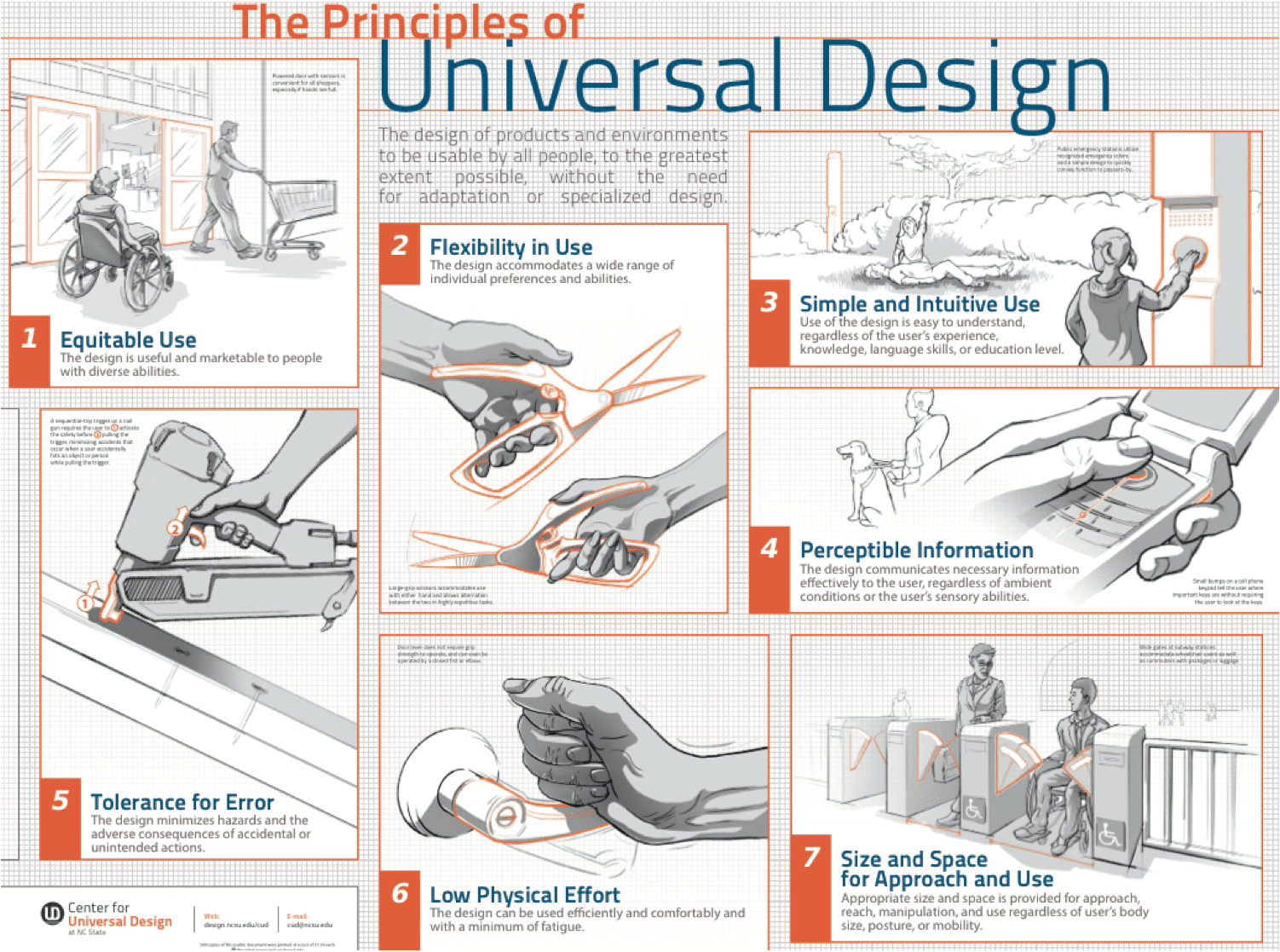
The principle of “Design for All” is one that begins with the Seven Principles of Universal Design. These were founded at North Carolina State University back in 1997 by a team of design specialists across multiple disciplines which was headed by Ronald Mace. The Seven Principles help designers evaluate the effectiveness of their designs to be used by as many people as possible.

7 principles of universal design

© Center for Universal Design, NC State, All rights reserved

Equitable Use

Is your design going to be useful to a wide range of people; including those with different physical and mental capacities from your test users? Can it be marketed to those people with different capacities?

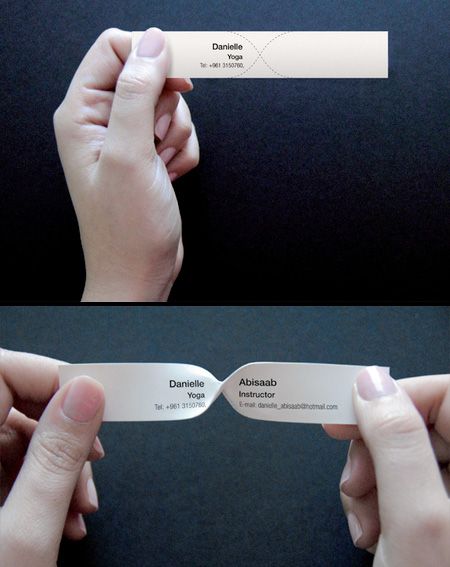
Flexible Use

When your design is put into use; can it be used in many different ways? Will adapt to the way one person wants to use it or has to use it because of differing abilities?

© Toxel.com, All rights reserved.

Simple and Intuitive Use

How easy is your design for someone to pick up and start using immediately without instruction? The easier it is for someone to use irrespective of their previous skills, experiences or learning and irrespective of their ability to concentrate for long periods of time; the easier it will be for a wide-range of user to use it.

Perceptible Information

Does your design give the user enough information to make the most efficient use of your product? Is this true in all conditions?

© Norges Blindeforbund, CC BY-NC-ND 2.0

Error Tolerances

Have you tried to make your design “foolproof”? In that, no matter how it is used, there are minimal errors and minimal consequences for those errors? This is vital for those with differing abilities; they may make mistakes compared to other users but they should not be unduly inconvenience for those mistakes either.

Minimal Physical Effort

Has your design tried to minimize the physical effort needed to get the best use from your product? Have you tried to keep motions that may cause fatigue in the user to a minimum?

Size and Space in Both Approach and Usage

Finally, have you considered the environment that the product will be used in? Does your design allow for the right amounts of space for a user to approach and manipulate the product? Is this true for a wheelchair user or someone on crutches?

Want to Make Fairer, Better Products?

If you want to build products that are most accessible to a wide-range of users; you need to understand the Design for All principles and how to put them into practice. See the Design for All chapter by Constantine Stephanidis in The Encyclopedia of Human-Computer Interaction.

Constantine Stephanidis is a Professor of Computer Science at The University of Crete and the Director of the Institute of Computer Science Foundation for Research and Technology – Hellas.

Hero Image: © Interaction Design Foundation, CC BY-SA 4.0

Feel Stuck?
Want Better Job Options?

AI is replacing jobs everywhere, yet design jobs are booming with a projected 45% job growth. With design skills, you can create products and services people love. More love means more impact and greater salary potential.

At IxDF, we help you from your first course to your next job, all in one place.

See How Design Skills Turn Into Job Options
Privacy Settings
By using this site, you accept our Cookie Policy and Terms of Use.
Customize
Accept all

Be the One Who Inspires

People remember who shares great ideas.

Share on:

Academic Credibility — On Autopilot

Don't waste time googling citation formats. Just copy, paste and look legit in seconds.