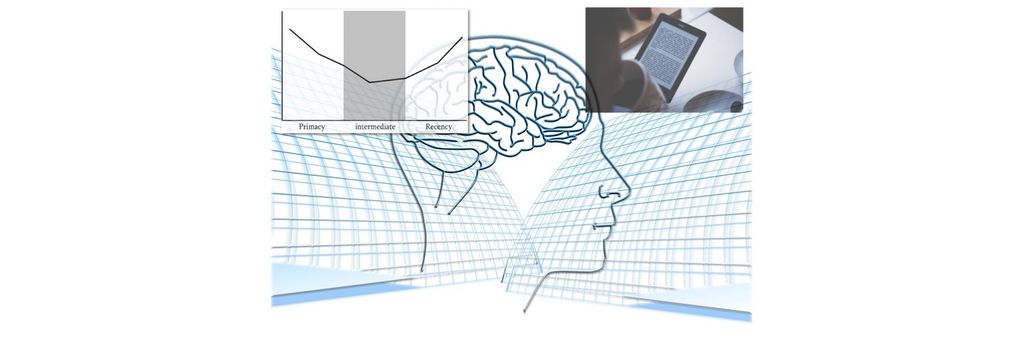
The recency effect is the tendency people have to recall and remember data that comes at the end of a sequence or list more easily than data in the middle. The most recent items or experiences tend to have a stronger impact on people’s memory. Designers leverage this quality of users’ memory recall and strategically place important information at the end of a sequence.
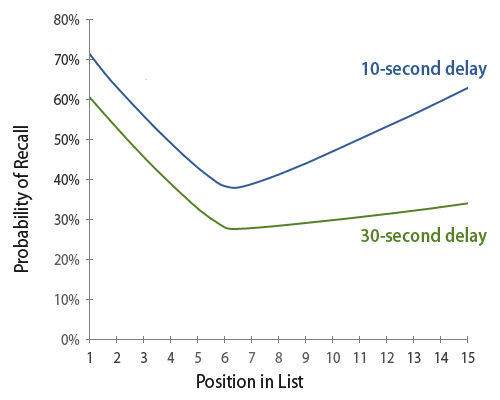
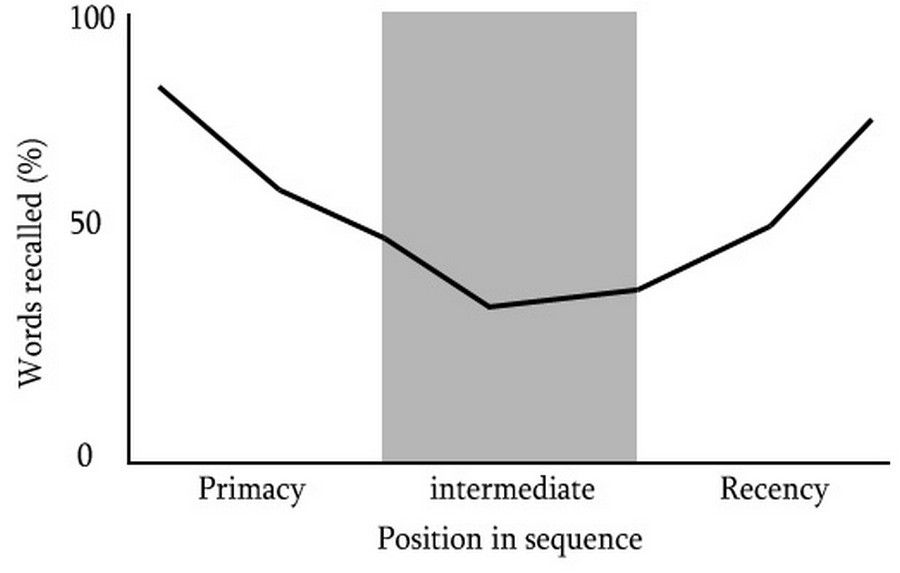
This graphs shows how the serial position effect works. Viewers store the first items in a list in their long-term memory. The last items are in their working memory and they are almost equally likely to remember those at first, but only for a short period of 10-30 seconds.
Source: Universal Principals of Design, Lidwell et al., 2003 Rockport.
What is the Psychology behind the Recency Effect?
For anyone who wants to fully grasp the recency effect, they need to understand what its relation is to the serial position effect. German psychologist Hermann Ebbinghaus coined it as a term—this effect explains how the position of an item in a list or sequence has an influence on memory and recall. This effect features two main concepts—the primacy and recency effects. It also explains how—given a long list of items—people will typically forget those that appear in the middle:
1. The Primacy effect: Describes the human tendency to remember items presented at the beginning of a sequence more accurately than those in the middle. This is because the initial items receive more attention and cognitive processing.
2. The Recency effect: Focuses on how able someone is to recall items that show up at the end of a sequence or long list more easily. They’re still fresh in that person's working memory—so, the person can get to them with just a minimum of effort. Why the recency effect happens is because of working memory deficits in the human brain.
What’s more—it's vital to examine the psychology behind the recency effect as a cognitive bias as it relates to different types of memory. One key aspect is the role of working memory—as opposed to long-term memory—and how it’s connected to the recency effect.
Working Memory and the Recency Effect
Working memory—or, often, short-term memory—is the cognitive system that temporarily stores and manipulates information. It’s something that plays a vital role in decision-making, problem-solving and learning. The recency effect capitalizes on how accessible information is in a user’s working memory’s capacity.
Whenever users find themselves engaging with a digital interface, they rely on their working memory to process and keep hold of information. And when UX designers put important information or call-to-action elements at a sequence’s end, they can make the recency effect work. More precisely, they can take advantage of how the recency effect has an influence on memory recall.
Attention and Primacy vs. Recency
Another psychological aspect to consider is attention. Attention plays quite an important role in memory formation and recall. The primacy effect is an effect because people do tend to pay more attention to the initial items in a sequence. Meanwhile, the immediate and recent attention that users give to the last items they come across are what influence the recency effect.
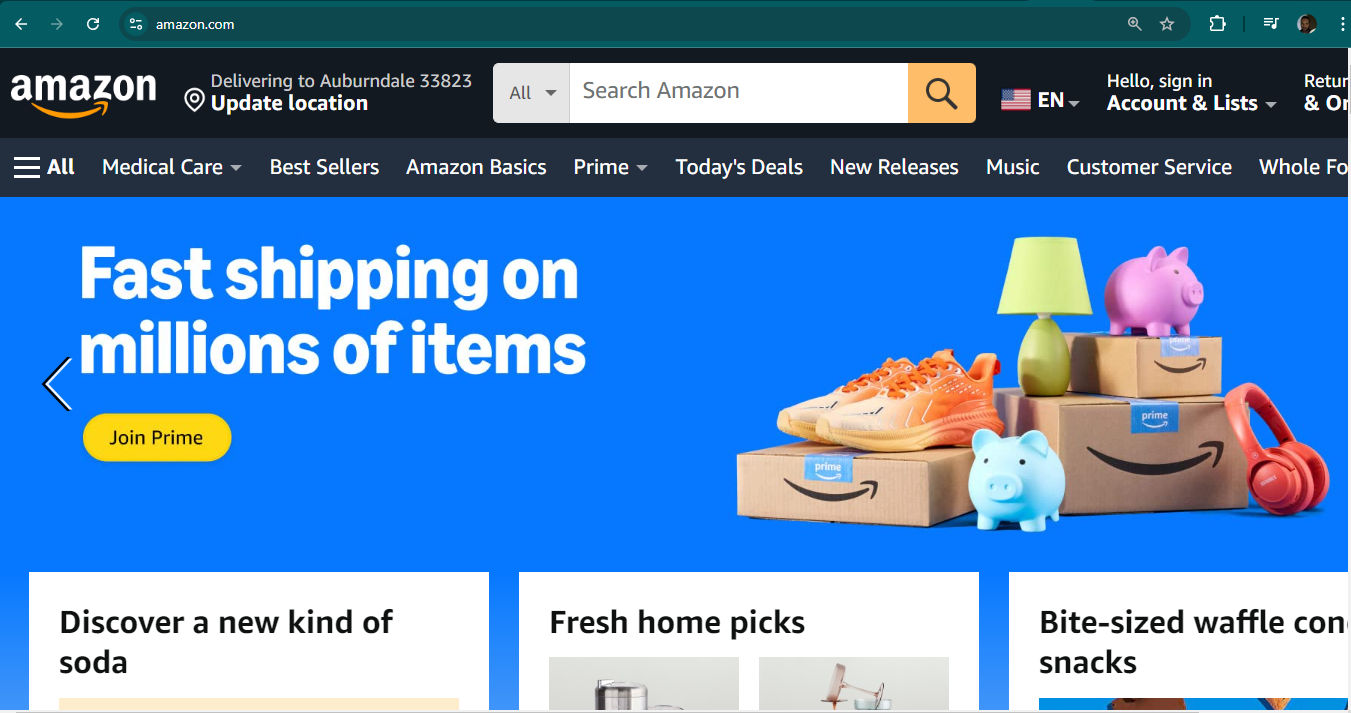
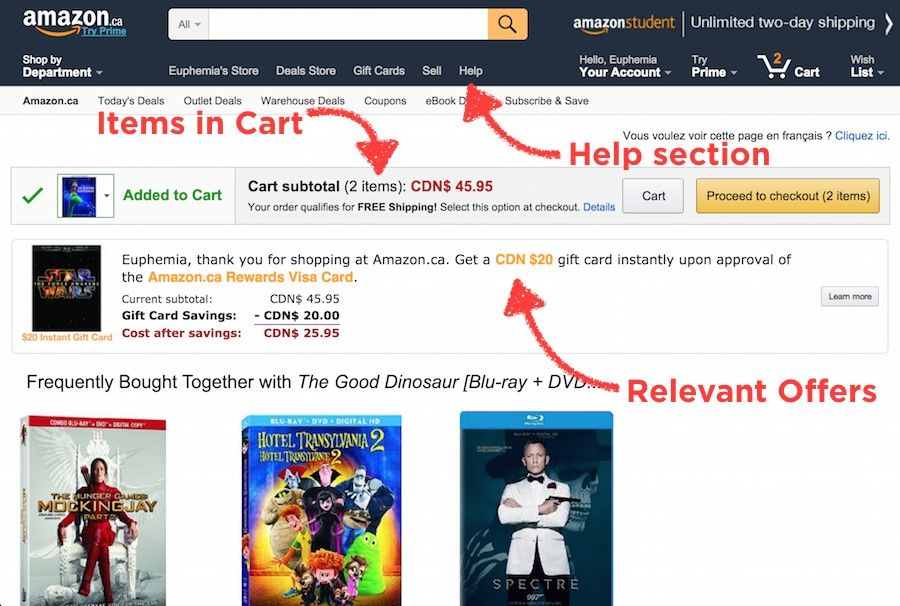
Amazon leverages the recency effect in the appearance of Alexa’s Top 10 picks as well as the Sign In button.
© Amazon, Fair Use
How Does The Recency Effect Work in UX Design?
The recency effect is an important thing to consider in user experience (UX) design and user interface (UI) design. That’s because it influences the way users perceive and remember information they come across on a website or app. UX designers make use of the recency effect to boost the user experience and help users keep hold of information more easily. Designers strategically place important elements or content at the end of a sequence—and so can increase the chances that users will remember and engage with that information. Designers can achieve this through various design techniques, including these:
1. Visual Cues
Designers can get visual cues—such as color, size or animation working—to draw attention to key elements or actions towards the end of a user flow. And if designers make these elements visually distinct, then users will be more likely to remember them—and take the desired actions.
2. Progressive Disclosure
Designers use this tactic to reveal information gradually, and they put more critical or actionable details towards the end. When designers break down complex information and present it in digestible chunks like this, users can focus on those most important aspects. That will improve their levels of comprehension and recall.
3. Call-to-Action Placement
When designers put a compelling call-to-action (CTA) towards the end of a user journey, they tap into the recency effect. Users are more likely to engage with a CTA when it’s fresh in their memory. It will raise the chances of conversion. When designers order the most important content mindfully—and in line with customer journeys within their product designs—they can prompt users to act.
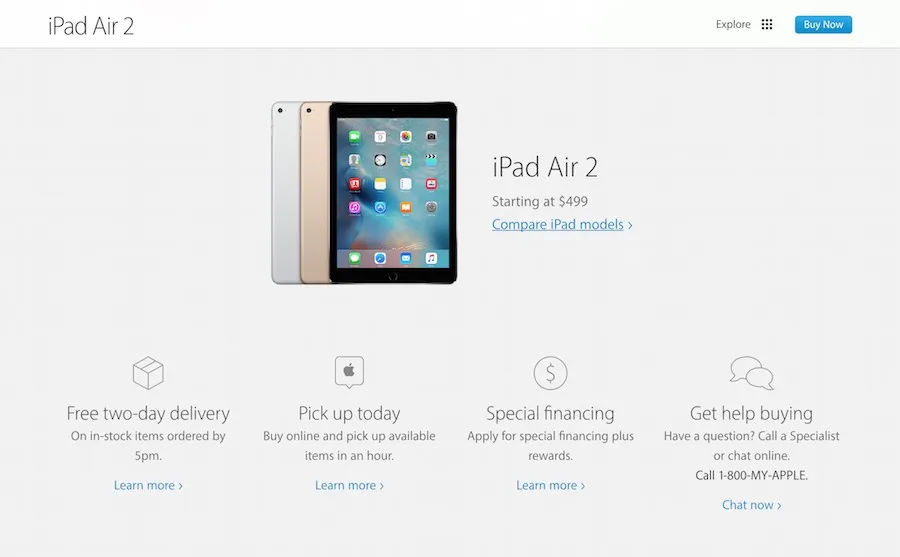
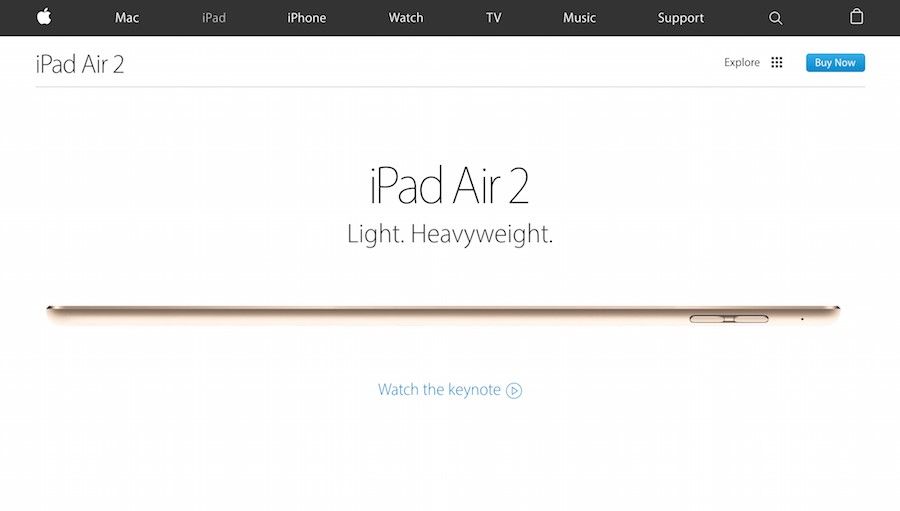
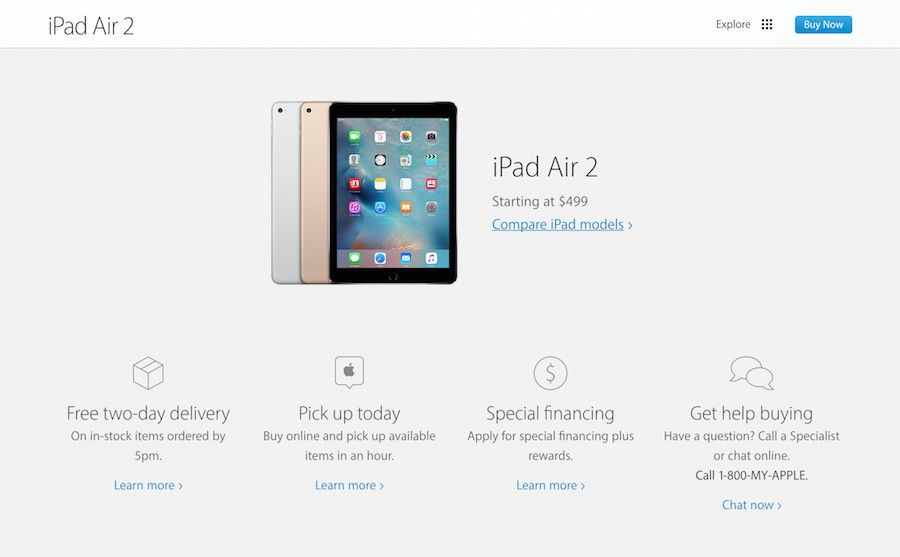
The last section of iPad Air 2’s landing page gives the call-to-action activities a user would expect to find at the end of a sales pitch.
© Apple Inc., Fair Use
4. Confirmation and Feedback
When designers provide immediate confirmation or feedback at the end of a user interaction, they reinforce the recency effect. Users are more likely to remember the outcome of their actions when it ties closely to the completion of a task or the end of a process. This includes error messages—and users will be more likely to notice, remember and address any issues they encounter if they find these messages at the end of a sequence. That can help with their pain points and give the overall user experience a boost.
5. Personalization and Intuitive Experience
Another thing designers can do to enhance the recency effect is they can incorporate personalization and intuitive features into their user interfaces. So, designers will tailor content and actions based on user preferences and behavior; that way, they can create more personalized and intuitive product experiences for their users, and many types of users. This can mean they recommend relevant content or suggest actions using the users’ recent interactions as a basis. That’s something that can make it more likely for users to engage and feel satisfied.

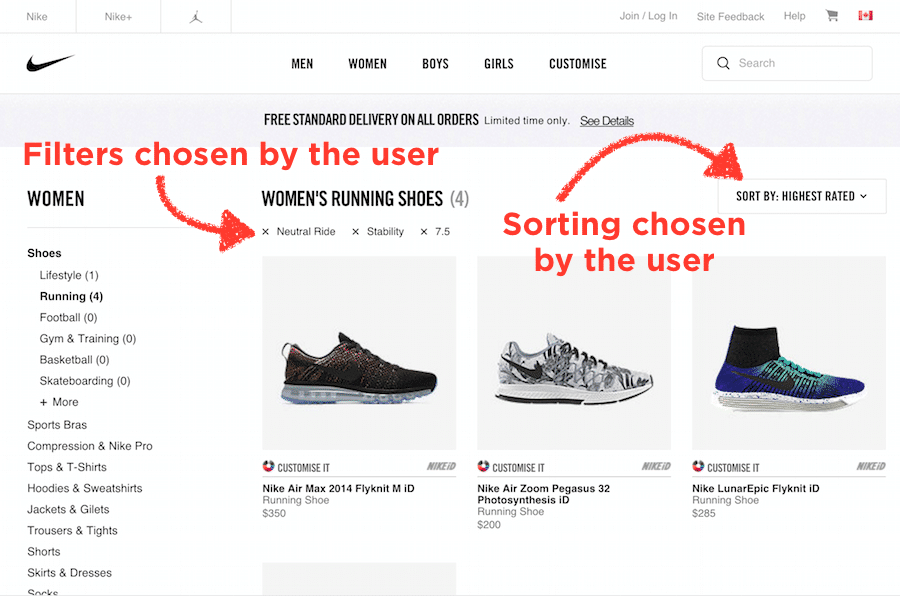
Nike's online shopping experience includes a “You Might Also Like” series of products at the end of a web page. From the showcasing of these products towards the end—the recency effect—users can explore items they might be more likely to purchase.
© Nike, Fair Use
6. Recaps and Summaries
In onboarding processes or tutorials, the recency effect’s a handy way to give key concepts or actions some reinforcement. Designers present a summary or recap of what the user has learned or accomplished at the end of a tutorial—users, then, are more likely to retain the information and feel a sense of accomplishment from it. This way is a good idea to introduce users to brands, products, services—and more.
Best Practices and Tips to Apply the Recency Effect in UX Design
To effectively utilize the recency effect in UX design, think about the following best practices and tips:
1. Understand User Flows
Get a really deep understanding of the user journey within the interface. Do user research—thoroughly—and get behind the users’ needs, pain points and other essential information about their experiences. Find the key actions or information that users need to remember and make those a priority towards the end of the flow.
2. Prioritize Essential Information
Find out what the most critical information or actions are and make sure they show up at the end of the user flow. Such information could be product features or benefits—for example. Make this information visually distinct, and put clear calls-to-action (CTAs) in at the end of a user flow or key page to encourage users to engage. This can help create truly intuitive experiences—since designers guide users through a journey without any need for too much cognitive effort from users. This is something that helps make sure that users will be more likely to remember—and recall—key elements at the end of a user flow. That will make their overall experience more memorable for them.
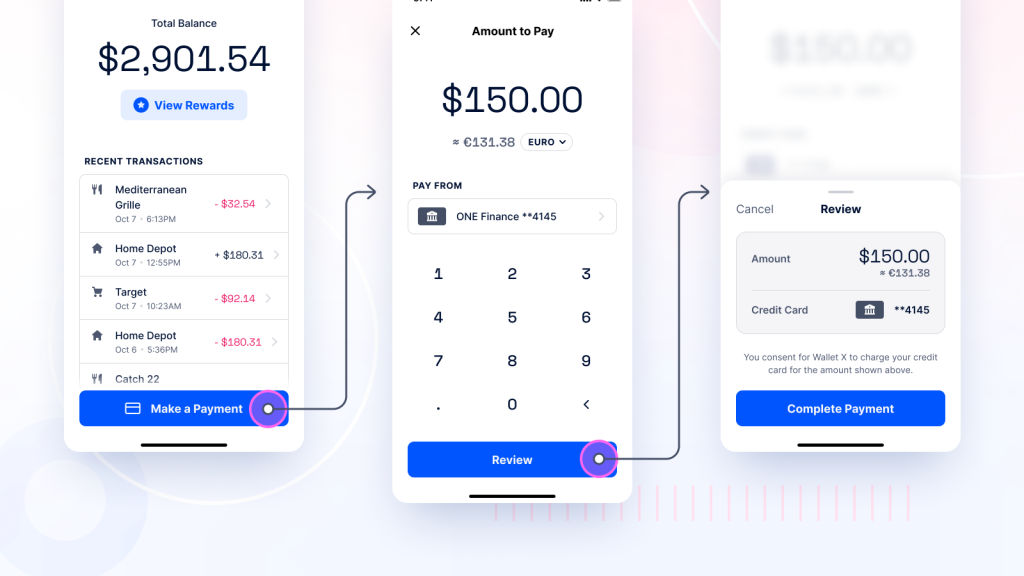
The position of essential CTAs—e.g., “Sign Up” or “Buy Now”—come at the close of a user flow, and can clearly get users’ attention.
© Craig Barber, Fair Use
3. Test and Iterate
Designers should continuously do usability testing and then iterate on their designs to make sure the recency effect works well. User feedback and analytics can shed invaluable insights into what the impact of the recency effect on user behavior is like. That feedback from user testing will end up being valuable foundations—solid ground on which to build design optimizations.
4. Balance with Primacy Effect
As designers think about getting the recency effect to work for them, it's crucial for them to reflect on the primacy effect, too. So, find the right balance between presenting important information at the beginning and the end of a sequence. That’s a key part of how to create a holistic and really memorable user experience.
5. Personalize Recommendations
Take personalization to the next level—don’t just consider recent user preferences; incorporate individual user data such as demographics, location and past interactions, too. This level of personalization can make for a more tailored and engaging user experience.
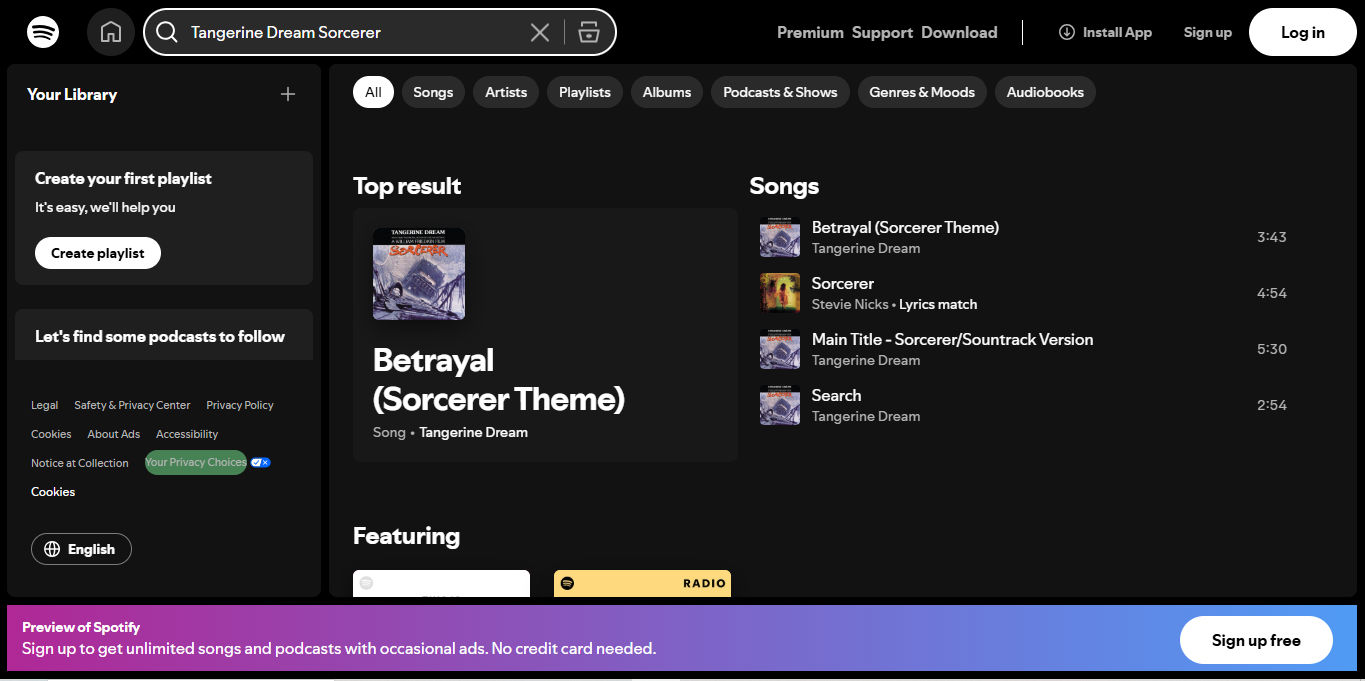
Spotify works with the recency effect—tailoring personalized playlists and recommendations based on users’ recent preferences. This approach makes sure users come across music that’s in line with their current interests and increases the chances they’ll discover new songs or artists.
© Spotify, Fair Use
6. Utilize Visual Cues
Work visual cues—such as highlighting, transitions or animations—into the design, to draw attention to recently viewed or interacted-with content. This can help users quickly notice and then engage with relevant information—and reinforce the recency effect further. When designers incorporate these tactics into the user experience, they can draw users' attention towards key elements at the end of a journey. That way, they’ll raise the likelihood that users remember important information or features.
7. Use Microinteractions
These refer to small, subtle interactions within a user interface—ones that provide feedback or give the user experience a boost. When designers feature microinteractions towards the end of a user flow, they can create a sense of accomplishment or reward—something that will leave users with a positive and memorable impression.
8. Provide Control and Flexibility
When designers get the recency effect working for them, it's vital for them to give users control over their experience. So, let users easily dismiss or take off recently viewed items if they don’t find them relevant any longer. This empowers users—and gives them more of a sense of control over the interface.
9. Use Progressive Disclosure
Progressive disclosure is a useful design technique—one that involves revealing information or features gradually to users. From using the recency effect, designers can prioritize important information and put it towards the end of the disclosure process. This will make it far more likely—or it will be a kind of insurance—for users to remember and comprehend the critical details.
10. Reinforce Brand Messages
A brand's message is a crucial thing to use to create a lasting impression in users and nurture their recall of that brand. When designers work the recency effect into their designs, they can strategically position brand messages, slogans or taglines, too. Place them at the end of user interactions—to reinforce the brand's identity; plus, it will raise the chances that users will remember and associate positive experiences with the brand.
Risks and Considerations for the Recency Effect in UX Design
The recency effect can be a powerful tool in UX design, but it's still essential to think about potential risks and limitations that come with it:
1. Overemphasis on Recent Information
An overreliance on the recency effect may make it so that designers overlook how important other information that comes earlier in the user flow is. So, it's crucial to strike a balance. Designers need to distribute important information in a way that’s appropriate throughout the interface.
2. Contextual Relevance
It’s good to apply the recency effect in a way so it keeps the context relevant. If designers present irrelevant or out-of-context information at the end of a user flow, they may confuse users—or frustrate them.
3. User Preferences and Expectations
Different users may have different expectations and preferences as far as the presentation of information goes. It's vital to do user research and get feedback collected. Then—when they’ve done all this—designers can understand how the recency effect aligns with the target audience's needs and preferences.
4. Cognitive Load
Don’t overwhelm users with excessive information towards the end of a sequence. Go for simplicity and clarity so users don’t have to deal with cognitive overload. Users need to be able to retain information and move forward with clear decision-making.
Overall, the recency effect is a powerful psychological principle for designers to get working for their brands. If they do it mindfully—and well—it can help give the user experience of digital products a real boost. Still, one vital thing to do is to strike a balance between the recency effect and other design considerations. Important content doesn’t just need to appear at the right time and place. It has to show up in a contextually relevant and user-friendly way, too. When designers do their user research well—and bear out the proof of their knowledge in their design work—they can create memorable and effective user experiences that really resonate with their target audience.






 Author/Copyright holder: Need for Speed Most Wanted 2005. Copyright terms and licence: Fair Use.
 Author/Copyright holder: Nike, Inc. Copyright terms and licence: Fair Use.
 Author/Copyright holder: Amazon.com Copyright terms and licence: Fair Use.
 Author/Copyright holder: Apple Inc. Copyright terms and licence: Fair Use.
 Author/Copyright holder: Apple Inc. Copyright terms and licence: Fair Use.
 Author/Copyright holder: Apple Inc. Copyright terms and licence: Fair Use.