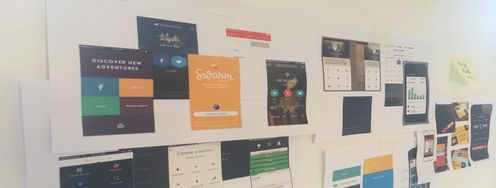
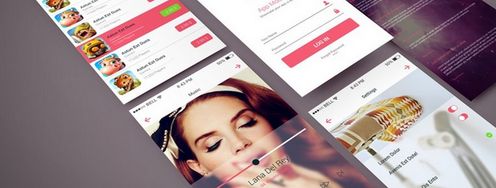
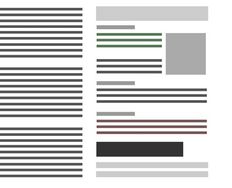
Illustration of a badly design pop up window with misaligned text vs a well designed pop up window.

4 UI Design Tips Every Designer Needs to Know

by Laia Tremosa • 39 min read

626 Shares

User interface (UI) design can make or break any digital product. A user often won’t even notice when they interact with a great UI. They feel the visual appeal and simply trust it. On the contrary, a bad UI design can prevent the user from interacting with a product intuitively or at all and lead to a lack of trust.

As a designer, you must master certain principles to create enticing and user-friendly UI designs. This piece gives you an overview of the fundamentals you need to learn to take the quality and success of your UI designs to the next level.  

Why is UI Design Important?

Research estimates that 80-85% of our perception, learning, and cognition are mediated through vision. Therefore, it’s no wonder that aesthetics and visual design play such an important role in our lives. Imagine you were going to the dentist. You enter the dental clinic and see papers everywhere, disorganized instruments, clashing furniture, and your dentist wearing gym clothes. This scenario would probably affect your trust, especially if it’s your first time at that dentist. We all know that this visual scenario has nothing to do with the abilities of the dentist, but we’re thrown off by it on a subconscious level. What if, instead, when you enter the clinic, you see everything immaculate, organized and taken care of? This environment would probably make you feel comfortable and that you’re in the right hands. At least until the dentist tells you that you need braces!

The same phenomenon applies to the digital world. When you first interact with a software product and it’s visually appealing and intuitive, you’re much more likely to give it a chance. In fact, studies show that users are more tolerant of minor usability issues when they find an interface visually appealing. This is known as the Aesthetic Usability Effect. 

In this video, Alan Dix, Author of the bestselling book Human-Computer Interaction and Director of the Computational Foundry at Swansea University, explains the difference between sensation and perception, showing how our brains interpret raw sensory input to create meaning—and how this process shapes what we see, including visual design.

Transcript

UI design has the power to generate emotional responses in your users, both good and bad. By harnessing the power of the different elements that are part of interfaces, such as buttons, typography, color and layout, you can design products that meet your users’ needs and generate positive emotions.

1. Design Effective Buttons

Buttons are one of the most important elements of UI design. Buttons are where the action happens. Imagine you design a beautiful interface for an ecommerce website. Users love the interface; the engagement is through the roof. They browse through the app looking for new clothes and spend hours on it. However, when they want to purchase a specific item, the action to “buy”—the button—is not clear, and after spending some time trying to make the purchase, they leave the website feeling frustrated. Eventually, this online clothing shop will fail because sales are down—not because of the items, but because of a badly designed button.

2. Limit Your Typography Choices

Typography is one of the cornerstones of visual design. There are a vast number of different typefaces to choose from, and thus, choosing a typeface for your designs can be overwhelming. However, for UI design, you can limit your choices to fonts that you know work best in most displays.

In this video, Mia Cinelli, Associate Professor of Art Studio and Digital Design, University of Kentucky, explains how Gestalt principles apply to typography, showing how alignment and flow affect readability.

Transcript

3. Simplify Your Color Palette

Color is a powerful tool in visual design because it generates emotional responses. The psychology of color is a deeply studied phenomenon and can be difficult to master. Therefore, if you are starting your career as a UI designer, you must choose your color palette thoughtfully. In addition, color—especially color contrast—is a crucial element to ensure the accessibility of your design. One common mistake of junior designers is to add too many colors in a user interface.

In this video, Joann and Arielle Eckstut, leading color consultants and authors, give six tips to help designers choose colors.

Transcript

4. Design a Consistent Layout

To a certain extent, design is about moving shapes around and arranging them in a way that makes sense visually. Most elements can be thought of as simple geometric shapes, in most cases either a rectangle or a circle. How well you position these elements in space will be one of the main differences between a good and a bad design. To help you build a good and consistent layout, you have to master the use of grids. Grids are essential for good design, but many designers underestimate their value.

In this video, explore how the golden ratio can help you create balanced, visually harmonious layouts, showing how this timeless principle guides proportions and spacing to make designs feel natural and consistent.

Transcript

The Take Away

UI design is essential to build a good UX. Any good user experience needs a visual interface that generates trust and positive emotions in the users. As a UI designer, you can build enticing and user-friendly interfaces by mastering the use of typography, color and grids, and following best practices to design buttons.

Knowing the fundamentals of UI design can help you level-up the quality of your designs, contribute to improving the overall user experience and build successful digital products. 

Where To Learn More

Learn more about the relationship between aesthetics and usability in the Aesthetic Usability Effect article by the Nielsen Norman Group.

Learn more about UI design and its trends by reading the Top 10 UI Trends Every Designer Should Know piece.

Learn more about visual design in the IxDF Visual Design: The Ultimate Guide course.

Image

© Interaction Design Foundation, CC BY-SA 3.0

Topics in This Article

Learn More in This Course:

UI Design Patterns for Successful Software

6 days
54 % booked
View Course

What You Should Read Next

  • Read full article
    10 Great Sites for UI Design Patterns - Article hero image
    Interaction Design Foundation logo

    10 Great Sites for UI Design Patterns

    You don’t want to spend your whole life redesigning the wheel, do you? No, neither do we. If you are looking for a design that solves a problem that has been solved with a different application before, then the template for your wheel is probably already out there. This lets you save time and make a

    Social shares
    1.4k
    Published
    Read Article
  • Read full article
    Shneiderman’s Eight Golden Rules Will Help You Design Better Interfaces - Article hero image
    Interaction Design Foundation logo

    Shneiderman’s Eight Golden Rules Will Help You Design Better Interfaces

    Follow Ben Shneiderman’s 'Eight Golden Rules of Interface Design' if you want to design great, productive and frustration-free user interfaces. Apple, Google and Microsoft are among some of the highly successful companies whose well-designed products reflect Shneiderman’s rules. The characteristics

    Social shares
    1.4k
    Published
    Read Article
  • Read full article
    User Interface Design Guidelines: 10 Rules of Thumb - Article hero image
    Interaction Design Foundation logo

    User Interface Design Guidelines: 10 Rules of Thumb

    Learn to design with your user’s needs and expectations in mind by applying Jakob Nielsen and Rolf Molich’s Ten User Interface Guidelines. These heuristics have been reflected in many of the products designed by some of the most successful companies in the world such as Apple, Google, and Adobe. Fur

    Social shares
    1.4k
    Published
    Read Article
  • Read full article
    Repetition, Pattern, and Rhythm - Article hero image
    Interaction Design Foundation logo

    Repetition, Pattern, and Rhythm

    Let’s look at three subjects that, at first glance, may strike you as being incredibly basic and self-explanatory. However, although they may seem like they should need no introduction, we should study them. By understanding these concepts, you’ll be able to apply them more effectively to captivate

    Social shares
    1.4k
    Published
    Read Article
  • Read full article
    The Grid System: Building a Solid Design Layout - Article hero image
    Interaction Design Foundation logo

    The Grid System: Building a Solid Design Layout

    Now that we’ve seen some grids at work in the Rule of Thirds article, let’s examine them a little more deeply. As a concept that deals so fundamentally with the fabric and background of our work as designers, it’s easy to overlook the power of grids and think more about the elements we want to creat

    Social shares
    1.4k
    Published
    Read Article
  • Read full article
    The Golden Ratio - Principles of form and layout - Article hero image
    Interaction Design Foundation logo

    The Golden Ratio - Principles of form and layout

    Now, we’re going to look at a subject that comes directly from mathematics and that we can also find all around us – the golden ratio. Don’t worry; we’re not going back into the classroom for long. We will examine what this concept is and exactly how much it is a fundamental part of making designs p

    Social shares
    1.3k
    Published
    Read Article
  • Read full article
    10 Free-to-Use Wireframing Tools for UX Designers in 2026 - Article hero image
    Interaction Design Foundation logo

    10 Free-to-Use Wireframing Tools for UX Designers in 2026

    Wireframes help you quickly ideate and test your ideas. While paper wireframes are the fastest to create, digital wireframes look more polished and presentable. If you are looking for a pocket-friendly wireframing tool, look no further.Whether you prefer browser-based apps or offline desktop tools,

    Social shares
    1.3k
    Published
    Read Article
  • Read full article
    Principle of Consistency and Standards in User Interface Design - Article hero image
    Interaction Design Foundation logo

    Principle of Consistency and Standards in User Interface Design

    Learn to design with consistency and standards in mind and understand the reasons why they’re important to incorporate them into your work. Derived from Jakob Nielsen and Rolf Molich’s Ten User Interface (UI) Guidelines, ‘Consistency and Standards’ are evident in many of the widely-used produc

    Social shares
    1.3k
    Published
    Read Article
  • Read full article
    Adaptive vs. Responsive Design - Article hero image
    Interaction Design Foundation logo

    Adaptive vs. Responsive Design

    The differences between responsive and adaptive design approaches spotlight important options for us as web and app designers. Choosing with insight can empower you to plan and execute your designs with better aim, purpose and results.With the pervasiveness and diversity of mobile devices, as design

    Social shares
    1.3k
    Published
    Read Article
  • Read full article
    Visual Hierarchy: Organizing content to follow natural eye movement patterns - Article hero image
    Interaction Design Foundation logo

    Visual Hierarchy: Organizing content to follow natural eye movement patterns

    Let’s look at a topic that deals with, oddly enough, how we look at designs. Once you understand how the human eye processes these, you’ll find yourself better able to arrange your elements more effectively.Content in any digital page layout will follow a specific hierarchy. Headers appear above bod

    Social shares
    1.3k
    Published
    Read Article

Top Articles

Top Topic Definitions

Feel Stuck?
Want Better Job Options?

AI is replacing jobs everywhere, yet design jobs are booming with a projected 45% job growth. With design skills, you can create products and services people love. More love means more impact and greater salary potential.

At IxDF, we help you from your first course to your next job, all in one place.

See How Design Skills Turn Into Job Options
Privacy Settings
By using this site, you accept our Cookie Policy and Terms of Use.
Customize
Accept all

Be the One Who Inspires

People remember who shares great ideas.

Share on:

Academic Credibility — On Autopilot

Don't waste time googling citation formats. Just copy, paste and look legit in seconds.

Feel Stuck? Want Freedom?

Join 326,077+ designers who get one powerful email each week. Learn to design a life you love.

Next email in
0
days
17
hrs
27
mins
40
secs

Free forever. No spam. Unsubscribe anytime.