Your constantly-updated definition of Cognitive Friction and collection of videos and articles. Be a conversation starter: Share this page and inspire others!
Cognitive friction occurs when a user is confronted with an interface or affordance that appears to be intuitive but delivers unexpected results. This mismatch between the outcome of an action and the expected result causes user frustration and will impair the user experience if not jeopardize it. User research can help uncover such problems and generate friction-free design.
Imagine a mouse-operated graphical user interface (GUI) where selecting a folder icon requires two left clicks and opening it requires a right click. This isn’t necessarily a bad way to control the GUI—however, it’s completely counter-intuitive, as our experience with GUIs for decades leads us to expect that a single left click selects an icon and a double left click opens it. The conflict between our expectation and the way the interface works is called cognitive friction. As users will not be comfortable with the prospect of unlearning a conventional way of completing an action, they will reject such a design.
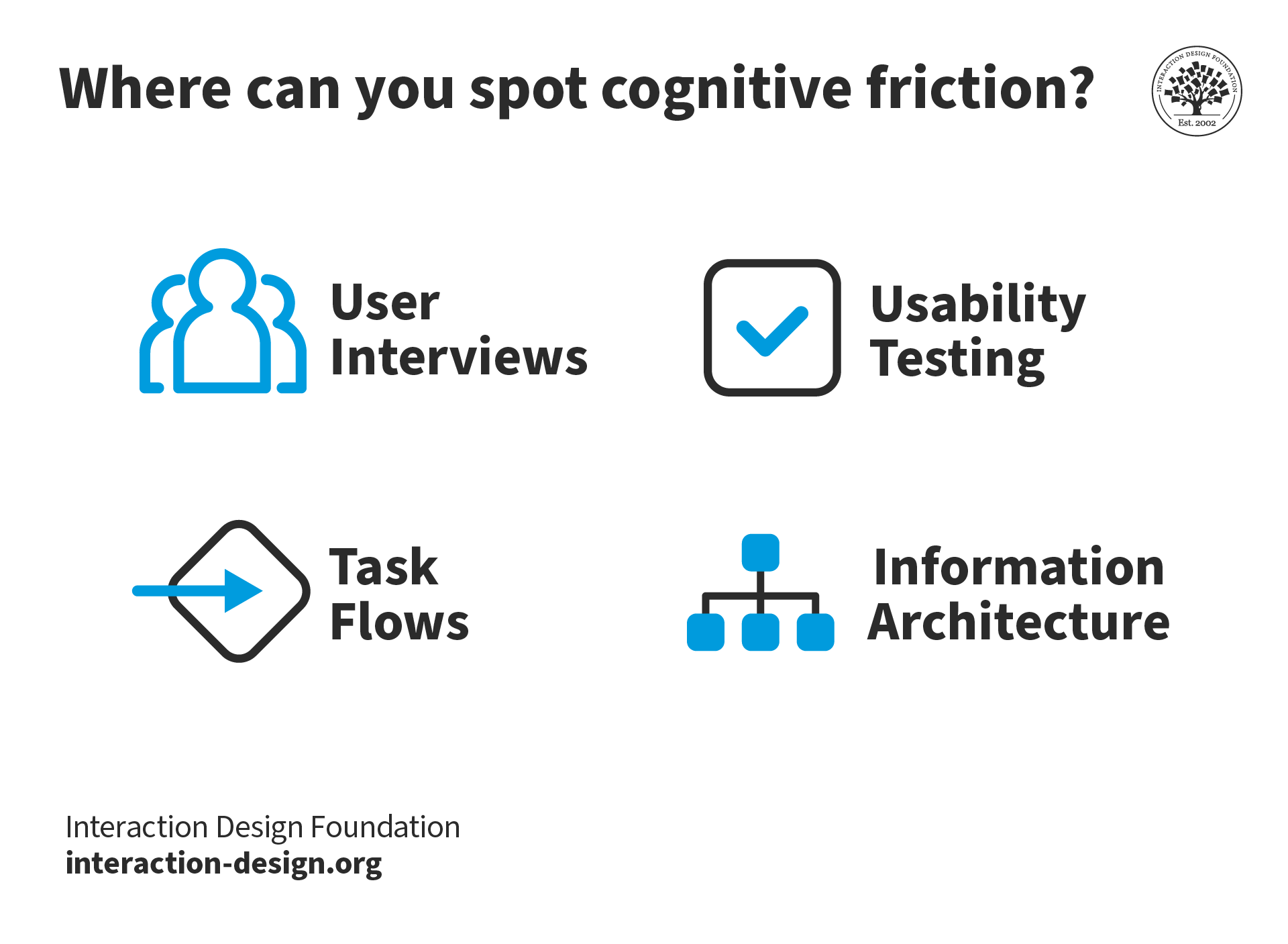
User interfaces that suffer from cognitive friction can negatively affect the user experience, leading to frustration and possibly the abandonment of a product. Avoiding cognitive friction is the job of the user experience design team, in conjunction with the UI and interaction design teams. To identify places where cognitive friction might occur, the team might engage in user interviews, create task flows, and design easy-to-use information architectures ahead of development. Expert evaluations and usability testing with users during the development of a product can highlight problems and point to solutions for them. Remembering that cognitive friction can arise across a range of conventions is vital. While areas such as mouse and keyboard design (including the entrenched nature of the QWERTY keyboard) appear obvious, designers should remain aware of potential pitfalls, established norms, and the need for eliminating user frustration.
Learn More About Cognitive Friction
Make learning as easy as watching Netflix: Learn more about Cognitive Friction by taking the
online IxDF Course Mobile UI Design.
Why? Because design skills make you valuable. In any job. Any industry.
In This Course, You'll
Get excited to create mobile app interfaces that people love to use. According to AppsFlyer, nearly half of all apps are uninstalled within 30 days of download, and research consistently points to a confusing first user experience as the cause. In this course, you'll learn to design user interfaces (UI) for limited screen space that reduce cognitive friction and feel effortless from the first tap by aligning them with your users' mental models. Because mobile users are often distracted and on the move, you'll explore how to use signifiers to guide them through your interfaceand apply the One Thumb, One Eyeball test to ensure your app works, whether they're on a bus or in the doctor's waiting room. According to Statista mobile devices generate over 62% of all web traffic worldwide. Companies in nearly every industry now build for mobile first: for SEO, performance, and the design choices that limited screen space forces. If you're thinking about switching into design or you're a seasoned designer who wants to strengthen your core design skills, this course will teach you how to design interfaces that earn their place on your users' phones.
Make yourself invaluable when you learn the best practices and practical mobile UI design skills that companies need to succeed in a crowded marketplace. With real-world examples from Apple, Google, and other apps you already use,you'll learn to size touch targets correctly and build navigation, search, form, and notification patterns based on what users are already familiar with. You'll see why Apple’s Activity rings motivate users to complete them, and how to apply the same principles to your features to keep people coming back. Throughout this course, you'll learn the principles to design layout and hierarchy that work on small screens, and apply typography, color, grids, and animation in a way that earns your user's trust.
Gain confidence and credibility when you can evaluate a mobile interface and explain what's not working and how to make it better. As AI supports new mobile UI components and faster production, these timeless, human-centered design skills give you a strategic approach that keeps humans at the center of everything you do. With the help of ready-to-use templates, you'll master how to run heuristic evaluations with Nielsen's 10 principles and use Labrie and Cheng’s augmented reality heuristics to evaluate AR mobile experiences. Also, you’ll learn to identify deceptive patterns, explain why they undermine trust, and redesign them.
Craft a personal portfolio with optional hands-on activities and downloadable templates such as the UX Scorecard. You'll select a real app feature, sketch and annotate a redesign, then complete the visual design layer using the included UI checklist as your guide. You'll then design an AR experience, prototype it, and evaluate it using the frameworks you've mastered in the course. By the end, you'll have two complete case studies that show recruiters your full design process for a mobile feature redesign and an AR mobile experience.
Learn From Industry Leaders
Master complex skills with proven best practices and toolkits directly from industry leaders. Meet your experts for this course:
Frank Spillers: Service Designer and Founder and CEO of Experience Dynamics.
Mia Cinelli: Associate Professor of Art Studio and Digital Design at the University of Kentucky.
Joann Eckstut: Color Consultant, Founder of The Roomworks, and one of the 12 designers chosen by the Color Association of the USA to create the yearly forecast used by industries to keep up with color trends.
Arielle Eckstut: Author, Agent-at-large at the Levine Greenberg Rostan Literary Agency, and Co-Founder of The Book Doctors and LittleMissMatched.
Ellen Lupton: Award-winning Author, Designer, and Senior Curator of Contemporary Design at Cooper Hewitt, Smithsonian Design Museum, as well as Professor at the Maryland Institute College of Art (MICA).
Earn Industry-Recognized Certificates
Industry giants trust our courses to train their teams, and prestigious universities integrate our content into their curricula. Add your certificates to your LinkedIn profile, résumé, and job applications.
How to Transform Mental Models into Conceptual Models for Mobile UX
Conceptual models are used in HCI and interaction design as a way for designers to communicate how they interpret users' mental models to stakeholders, team members, and developers. They help ensure that everyone involved in the design process understands how users interact with the product or servi
There’s nothing more annoying than when things don’t function the way we expect them to. When users interact with a UI, they make sense of its elements in relation to the “real world”—think of the trash can icon or a button: in essence, they look like their physical world counterparts. Cognitive fri
Cognitive maps in UX show how users think about a product or service. Designers use these visual representations so they can understand the user's mental model—something that helps them make intuitive designs that match the user's expectations and improve their overall experience.Think about the las
Social shares
586
Published
Read Article
How to Reduce Cognitive Friction in Mobile
There’s nothing more annoying than when things don’t function the way we expect them to. When users interact with a UI, they make sense of its elements in relation to the “real world”—think of the trash can icon or a button: in essence, they look like their physical world counterparts. Cognitive friction occurs when the cues don’t match our users’ expectations. Here you’ll learn how to avoid cognitive friction in UI design to make the UX of your products even better.
What is Cognitive Friction?
Alan Cooper, the father of Visual Basic and UX consultant, wrote about cognitive friction in his book The Inmates are Running the Asylum. Cognitive friction occurs when a user interacts with an interface or affordance that appears intuitive but delivers unexpected results.
Imagine if you visited a mobile site and saw a button on that site that said: “Sign Up” but when you pushed the button, it took you to another website. That would be an example of cognitive friction in a digital product. You expect to go to a signup screen and not elsewhere on the internet.
The more times that cognitive friction occurs when a user interacts with a product, the more jarring the user experience is. If it occurs often enough, there is a reasonable likelihood that the user will seek an alternative means to carry out their task, resulting in so-called user churn.
Cognitive friction matters because it can damage the user experience and reduce revenue both in the short and long term.
How to Avoid Cognitive Friction
The user experience design team works in conjunction with the interaction and UI design teams to avoid cognitive friction.
Before Development
Identify where cognitive friction is likely to take place and proactively avoid it:
Conduct user interviews: Learn how your users expect to undertake the task with the product. Ask questions specifically related to the interface during prototyping and sketching.
Create task flows: If you can create the simplest possible task flow with the greatest degree of automation (where the computer, not the user, does the work), you are likely to minimize cognitive friction.
Create easy-to-use information architecture (IA): The simpler the IA, the less often a user will get lost or confused with the product. Use methods such as first-click and tree testing and get feedback directly from users.
Remove irrelevant or broken touchpoints: Touchpoints are areas where users and organizations interact to exchange value, such as a customer service conversation or important information in a mobile flow.
Mobile user experience (UX) design provides additional challenges when it comes to cognitive friction. You can use the same techniques to identify, avoid and test for cognitive friction for mobile design. However, mobile offers far more ways to interact with a device than the traditional mouse/keyboard combination. There are gesture controls, eye movement controls, motion controls, touch screens, camera inputs, etc.
This means that it’s vital for the UX designer to examine these interactions closely; in many cases, there are no “standards” (like the floppy disk, save button or the paper file, folder combination) for these interactions. It takes great care and thought to create intuitive interactions that avoid cognitive friction.
During Development Iteration
Test for cognitive friction during the development lifecycle at each iteration of the product:
Conduct expert evaluations: Cognitive walkthroughs and heuristic evaluations can help you detect cognitive friction, even the one that isn’t immediately obvious to users.
Run usability tests on wireframes and prototypes: Nothing beats direct interaction with the product to test interaction design and examine how users will react to that design. The more user input you get, the more cognitive friction you can identify and thus you can focus on how to eliminate it in the next iteration.
What is Inclusion Friction?
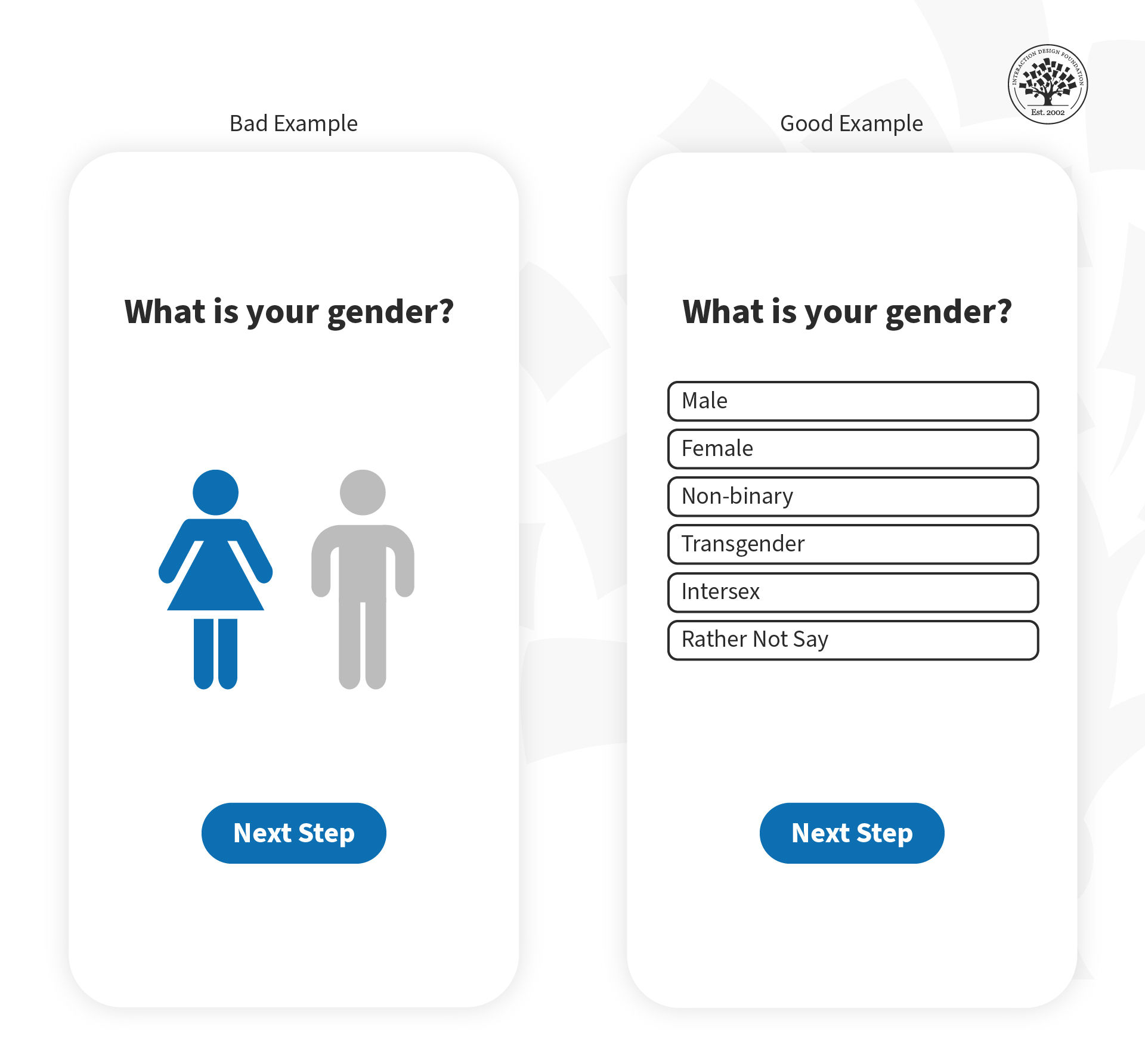
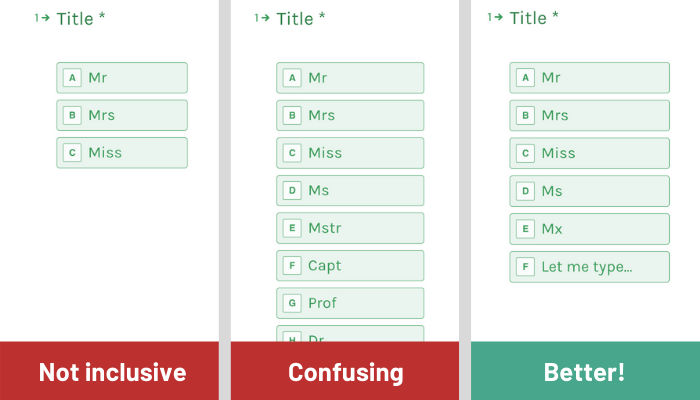
You can cause friction in your experiences by not being inclusive. Ensure that you consider the diversity within your target audience, including members of any minority groups. For example, if you offer only two gender options to your users, you can cause inclusion friction because you leave out many other genders.
In this image, you can see how you can avoid inclusion friction (example on the right side) when asking for gender information.
Always consider inclusivity in your user experiences and research current best practices to make the best decision for your products and thus avoid friction.
You should also consider people with physical or intellectual disabilities within your target audience. Remember that when you design for accessibility, you design for all of us. As a result, you’ll deliver much better experiences.
The Take Away
Cognitive friction occurs when something in a product doesn’t behave as we expect it to because it resembles a real-world object. It’s a source of user frustration and can potentially mar the user experience enough to create user churn. You can avoid it through user research and user testing.