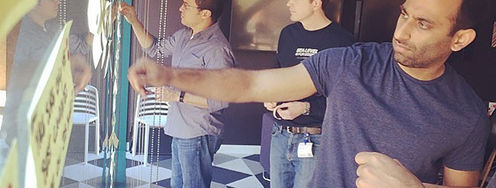
Gamestorming is a set of practices where designers use games to stimulate creative thinking and innovation. In an atmosphere of collaboration and free exchange of ideas, designers think out of the box, explore novel ideas and produce creative solutions to complex problems.
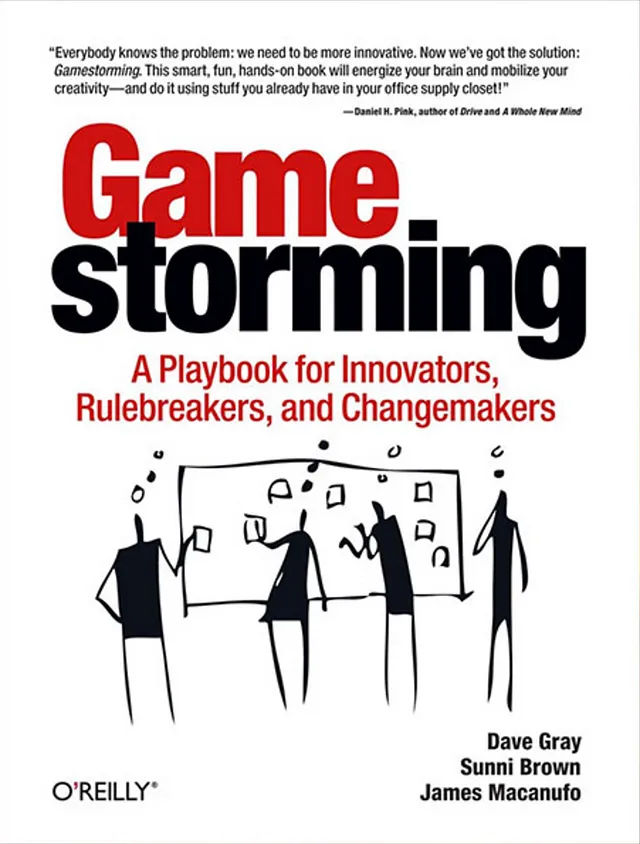
This is the playbook; it features a valuable fund of games, tips and more.
© Gamestorming.com, Fair Use
Gamestorming and UX Design: A Perfect Match
UX design is a multifaceted domain, and it’s one that calls for designers and other members of design teams to get a really deep understanding of the users’ needs, preferences and behavior. That empathy is key. Designers have got to develop a seamless, intuitive and engaging user interface that optimizes the users’ interaction with a digital product or service. So, gamestorming can be a valuable tool in the UX designer's arsenal. By gamestorming, designers can improve visual elements, information architecture or more extensive approaches to their design work.
See why empathy for users is vital for designers to establish early on as a way to power design decisions:
Gamestorming activities provide an engaging and interactive platform for UX designers to gain insights into users' behavior, preferences and pain points. As designers leverage gamestorming to transform complex design challenges into playful and interactive games, they can do many things more easily. For example, they can step into their users' shoes, see problems from different perspectives and come up with user-centric solutions that are truly novel.
One important consideration with gamestorming is the impact it’s got on engagement and creativity. As they work game elements into the design process, team members are more likely to get actively involved and motivated to contribute their ideas. And that raised level of engagement is something that can lead to their generating truly innovative solutions for UX problems. So, it can translate well to the final product of a design project.
What’s more, gamestorming is something that promotes collaboration and fosters a sense of teamwork among team members. A collaborative environment is a vital part of better-designed user experiences. When design teams gamestorm, different perspectives and expertise come together and gel. That doesn’t just enhance team cohesion and boost the morale—it leads to more innovative and effective design solutions, too.
Another powerful benefit of gamestorming is how it can generate a wide range of ideas. As they leverage various gamestorming techniques, designers can stretch to think outside the box and explore unconventional approaches to UX challenges. And that diversity of ideas allows for a more comprehensive exploration of potential solutions for them. Plus, it makes sure that everyone in the group can think about different perspectives.
Author and Human-Computer Interaction Expert, Professor Alan Dix explains how to think outside the box:
What’s more, gamestorming is something that can help maintain a user-centric approach. That’s because team members become involved in understanding and empathizing with their end users—centering designers well around the human dimensions of the problem at hand. When they actively engage with the users' needs and preferences, product designers—as well as service designers—can come up with design concepts that have a high level of originality. They can then start to meet the needs of their target audience in the most effective ways in innovative design prototypes. From there, designers can use design principles and tools such as user personas to make more intuitive and user-friendly experiences in app or web design.
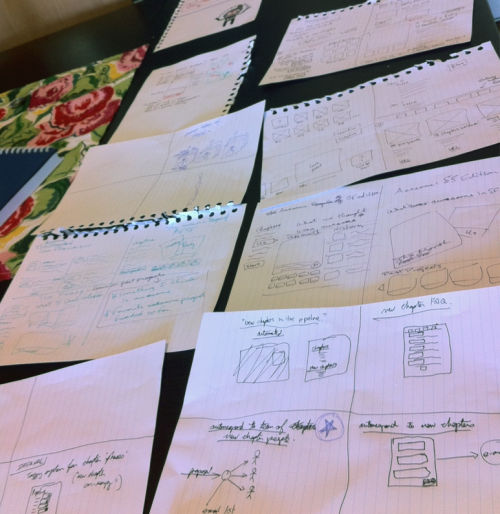
6-8-5 is an example of a game that’s highly conducive to idea generation among design teams.
© Dave Gray, Fair Use
The Mechanics of Gamestorming in UX Design
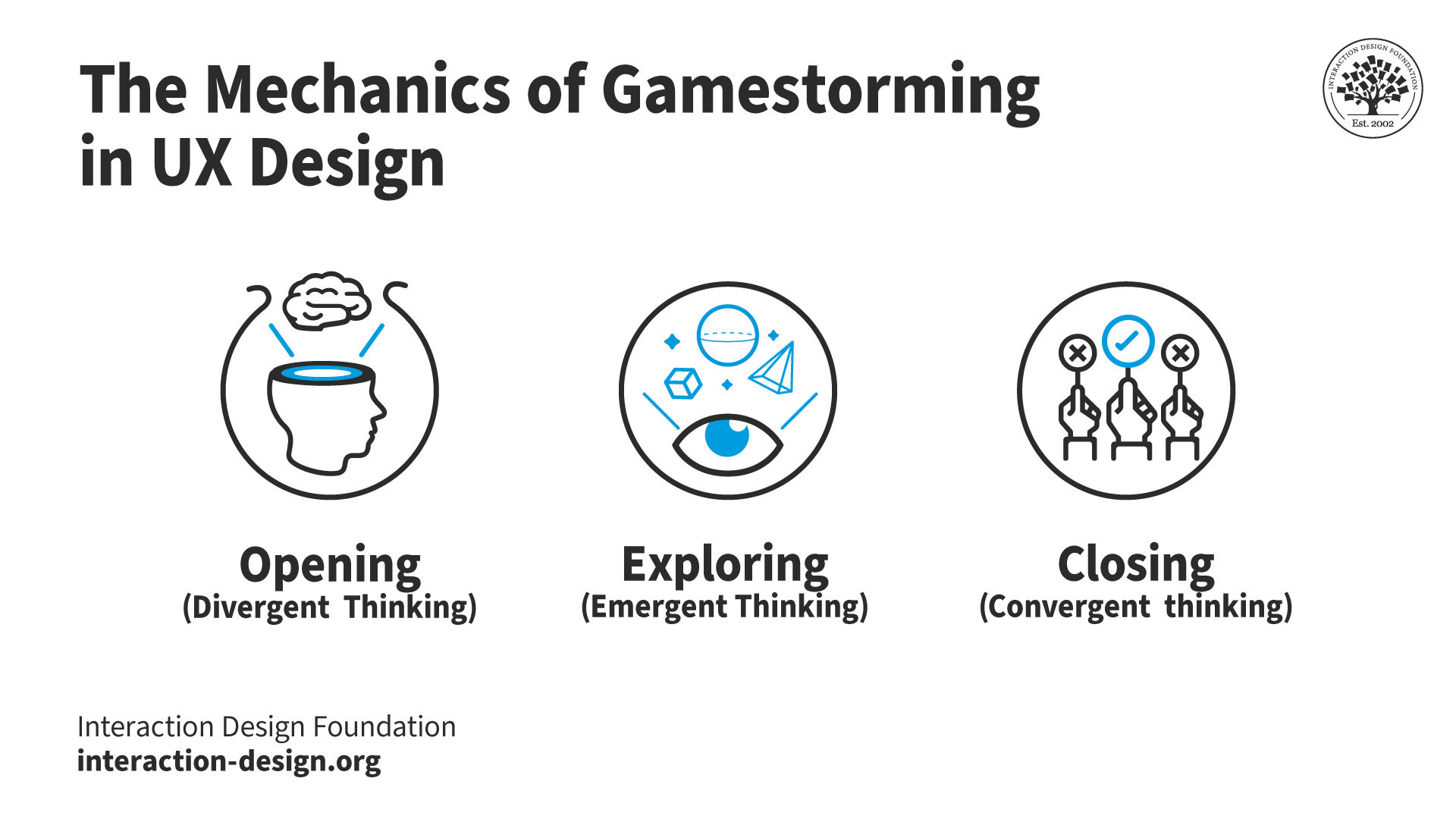
A typical gamestorming session in UX design has several stages to it. In each, the idea is to stimulate creative thinking and facilitate problem-solving among participants. These stages include:
© Interaction Design Foundation, CC BY-SA 4.0
1. Opening (divergent thinking): In this stage, the facilitator initiates the process. It’s important here to set the context and define the problem. It's about opening up the minds of the participants—and encouraging them to explore diverse ideas and perspectives in the problem space as well.
2. Exploring (emergent thinking): Now, the participants delve deeper into the problem space. They explore various facets of the problem—and work to generate a whole multitude of potential solutions. This stage consists of free-flowing ideas, vigorous discussions and creative experimentation.
3. Closing (convergent thinking): It’s the final stage. The participants evaluate the generated ideas, refine them and converge on the most promising solutions. It involves critical analysis, decision-making and consensus-building.
Author and Human-Computer Interaction Design Expert, Professor Alan Dix explains convergent and divergent thinking:
Designers can participate in any number of a variety of games—especially those mentioned in Gamestorming: A Playbook for Innovators, Rulebreakers, and Changemakers—to spark their imaginations and generate some workable ideas.
The Origins and Essence of Gamestorming
Gamestorming began as a brainchild of Dave Gray, Sunni Brown and James Macanufo. They sought to challenge the status quo of business meetings by introducing game-like elements into the environment. After much research and experimentation, they published a book on gamestorming in 2010.
Gamestorming: A Playbook for Innovators, Rulebreakers, and Changemakers has since become the go-to guide for user experience (UX) designers around the world. The authors’ innovative approach to problem solving has proved popular in a variety of industries. Many organizations that have sought to improve their creative output and employee engagement have adopted and used gamestorming to their advantage.
Gamestorming is a revolutionary approach for groups to foster innovation and creativity in the business sphere. It pivots around the concept where participants use games as an instrument to facilitate brainstorming and problem solving. The games themselves can take many forms. They include 6-8-5, Prune the Future and Friend or Foe, among a host of others.
When design teams innovate through these games, it promotes a vibrant, engaging and productive work environment. In gamestorming, a facilitator guides a group towards a specific objective through a structured activity or a game in an environment that’s conducive for free thinking. It nurtures an atmosphere of playful engagement while everyone who’s participating can keep a real focus on the end goal.
An important trait is how gamestorming features a playfully designed structure and clear rules for interaction. It—therefore—leverages the inherent human love for games to drive productivity and innovation. In gamestorming, participants use physical artifacts such as sticky notes, poster paper, markers and even random pictures from magazines.
As a highly creative “variant” of brainstorming, gamestorming leverages elements from games, improvisational theater and design thinking. It’s a powerful and dynamic way to break down traditional meeting structures and encourage active participation, idea generation and problem solving. The approach has gained traction in various industries as a way to foster creativity, improve communication and drive innovation within teams and organizations. Gamestorming’s versatility and fine-tunability help make it a handy asset to use in anything from market research to graphic design and visual design—to name just a few industrial applications.
What are Examples of Games in Gamestorming?
A powerful game is Todd Zaki Warfel’s 6-8-5, for which participants do the following:
1. The facilitator brings sheets of paper with 2x2 or 2x3 grids with enough white space or room for participants to sketch their ideas in. However, each box is still small enough to carry just one idea. Everyone should have enough paper to enter 10 boxes in a round.
2. The facilitator distributes several sheets to each participant (alternatively, they can draw these grids in their notebooks).
3. The facilitator introduces the game and tells the participants the objective: to generate from six to eight ideas relevant to the meeting objective in five minutes.
4. The facilitator sets a timer for five minutes.
5. The participants sketch out as many ideas as possible in the next five minutes, ideally from six to eight ideas. These ideas should be very rough.
6. After five minutes is up, every participant shares their sketches with the rest of the group. Everyone can ask each participant questions, but it isn’t the time for a large brainstorming session. Everybody should present, and no one should be left out.
7. If time permits, the participants may have another few rounds of the game. Everyone can develop ideas the group presented as a whole. Alternatively, they can keep working on separate ideas or start working on the same one. Importantly, this five-minute sprint should always occur silently with everyone working independently.
6-8-5 is especially useful in the early stages of ideation as a process for any product, service or other concept, particularly in UX or interaction design. If a diverse group is involved—that is, stakeholders from a variety of departments—it can produce especially effective results. At the end, participants can have a debrief and synthesis session to sort through the most fruitful ideas in view of the team’s overall goals for the business, product or user.
Another game is Prune the Future, where the visual metaphor of a tree represents traditional roadmaps of the brand’s offering. The tree also represents the evolutionary growth of that offering. It could be a product or service, or a product and service. The “branches” stand for broad product capabilities or service areas. Meanwhile, leaves might represent, for example, specific product features. Participants seek to “prune” those unneeded features in the game as they proceed via growth areas that represent “sooner” and “later.”
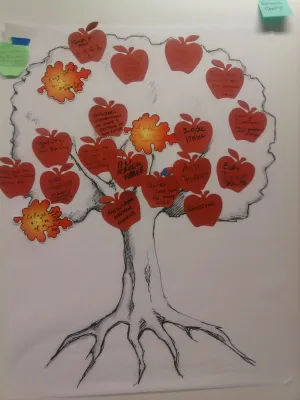
Prune the Future, or Prune the Product Tree, reflects the growth teams seek to nurture in design.
© Dave Gray, Fair Use
Particular benefits of Prune the Future include the point that participants can work their way to find which areas appear to be more “fruitful” than others. They can also spot connections between branches.
Another game is the Anti-problem. Here, participants “flip” the problem to the polar opposite of the real problem that the design team faces. So, in the gamestorming session, everyone focuses on that one problem they would face if the situation were reversed. The idea is that they can access insights that they would not have had had they aimed at the original problem itself. Meanwhile, the ideas they come up with are still relevant to the problem space. When participants generate ideas in the Anti-problem game, they can re-flip these around and bring the insights to bear on the original real problem.
Real-life Examples of Gamestorming
Numerous well-known brands have employed gamestorming to drive innovation and enhance their UX design process.
For instance, Hubspot and Wordstream are two prominent brands that have leveraged gamestorming to nurture a culture of innovation and creativity in their UX design teams. They’ve used gamestorming techniques like “Poster Session,” “Make a World” and “Show Me the Money” to stimulate creative thinking, encourage collaboration and drive user-centric innovation.
Tips for Effective Gamestorming
To extract the maximum benefit from gamestorming, try some tips:
1. Define clear objectives: Before the start of a gamestorming session, it’s really important to define the objectives and clearly so. What problem is the group trying to solve? What’s the end goal? When the group has clear objectives, it gives the session direction and focus.
2. Nurture a safe and open environment: The facilitator should encourage participants to express their ideas freely—and without fear of judgment or criticism. It’s vital to foster a good atmosphere here—one of openness, respect and mutual support.
3. Encourage participation: Make sure everybody participates. Encourage quiet members to speak up and put their ideas out there—it’s how UX designers work, and it’s what innovations require. So, it’s vital for everyone involved to appreciate contributions and respect differing viewpoints—at all times. So, the facilitator has got to guide the process, stimulate discussion and make sure that everyone hears everyone else's voice. Nobody should dominate the discussion or impose their ideas.
UX Strategist and Consultant William Hudson explains the needed ingredients for brainstorming:
4. Be flexible: Be open to changes and adaptations. If a game’s not working as expected, be ready to tweak it or switch to a different game. Among other traits, the nature of designers’ jobs means they’ve got to stay fluid, overcome bias and observe pain points—mindfully.
5. Keep it fun and engaging: Keep the energy levels high and maintain a playful atmosphere. Remember, the essence of gamestorming is to make problem-solving fun and engaging—and that’s part of its magic. It’s a unique form of brainstorming session. So, use interesting games, incorporate humor and make sure a lively and energetic atmosphere is all around.
6. Iterate and reflect: After each gamestorming session, reflect on what worked—and what didn't. Iterate on your gamestorming process based on these reflections. The iterative process is a vital ingredient, since it helps design teams work their way towards truly human-centered design. That will translate to more positive results when designers engage in user testing.
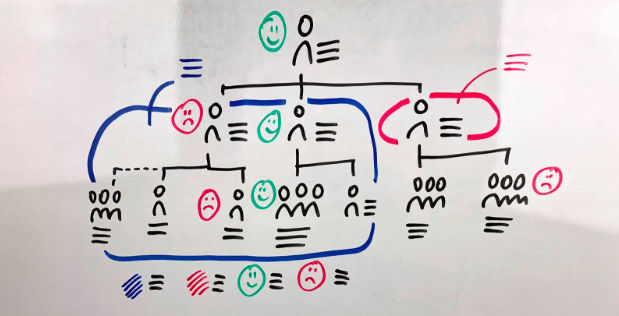
Friend or Foe is another helpful game in the gamestorming arsenal.
© David Mastronardi, Fair Use