Cognitive tracing is a cognitive activity, that often goes hand-in-hand with annotation—or note-taking, whereby we rearrange or reprioritize items, tasks, or even our thoughts and actions into different orders or structures. We apply it when we adapt to changing circumstances, we want to optimize our current situation, or to support other types of cognitive processes like externalizing memory load, computational offloading, and annotating.
The primary goal of cognitive tracing is to minimize cognitive load. For example, cognitive tracing includes the simple action of crossing off a specific item from your weekly To-Do list after you’ve completed it, whether on paper, your smartphone, or your calendar. As you wrap up each task one by one, you keep track by crossing them out and reprioritizing the next one on the list. It’s a cognitive process dependent on ever-changing conditions.
In this video, Professor Alan Dix talks about the benefits of To-Do and Done lists and how they can help declutter the mind. He states, “...Very often you've sent an email to somebody and you're waiting for a reply… it's something… in your mind that needs to be done… Now, if there's a deadline, you need to probably at some point remind them… But before that point, there's nothing you can do about it, and yet it's still eating up your mental energy. Write it down—well, on paper… let the paper worry; let the computer system worry… But get it out. Don't let it clutter your head.” Important words to live by, and a perfect example of how cognitive tracing can be applied in your work life and beyond.
Cognitive Tracing in User Experience Design
Since User Experience (UX) design is an iterative process, a designer should consistently trace and refine their designs based on changing circumstances. For example, we can use cognitive tracing to improve the user experience after:
User feedback and research.
Changing requirements from a client.
Updated priorities or deadlines for the product or service launch.
For example, imagine you’re a UX designer assigned to improve the user experience of a web page’s navigation system. You could apply cognitive tracing to the process of designing an intuitive website navigation system in the following ways:
You map out the initial navigation structure for the landing page, including the main menu and submenus. You consider the logic of the presented information and the expected user flow.
UX researchers gather user feedback and conduct usability testing—annotation, another cognitive process closely related to cognitive tracing, plays an important role in this step. Based on their user research, they identify areas where users get confused or struggle to find information.
In response to user feedback, you engage in cognitive tracing by reordering menu items and navigation links or grouping related content under different categories for a more intuitive experience.
You may need to go a few steps further with A/B testing, to ensure responsive design for all screen types, and to improve accessibility overall.
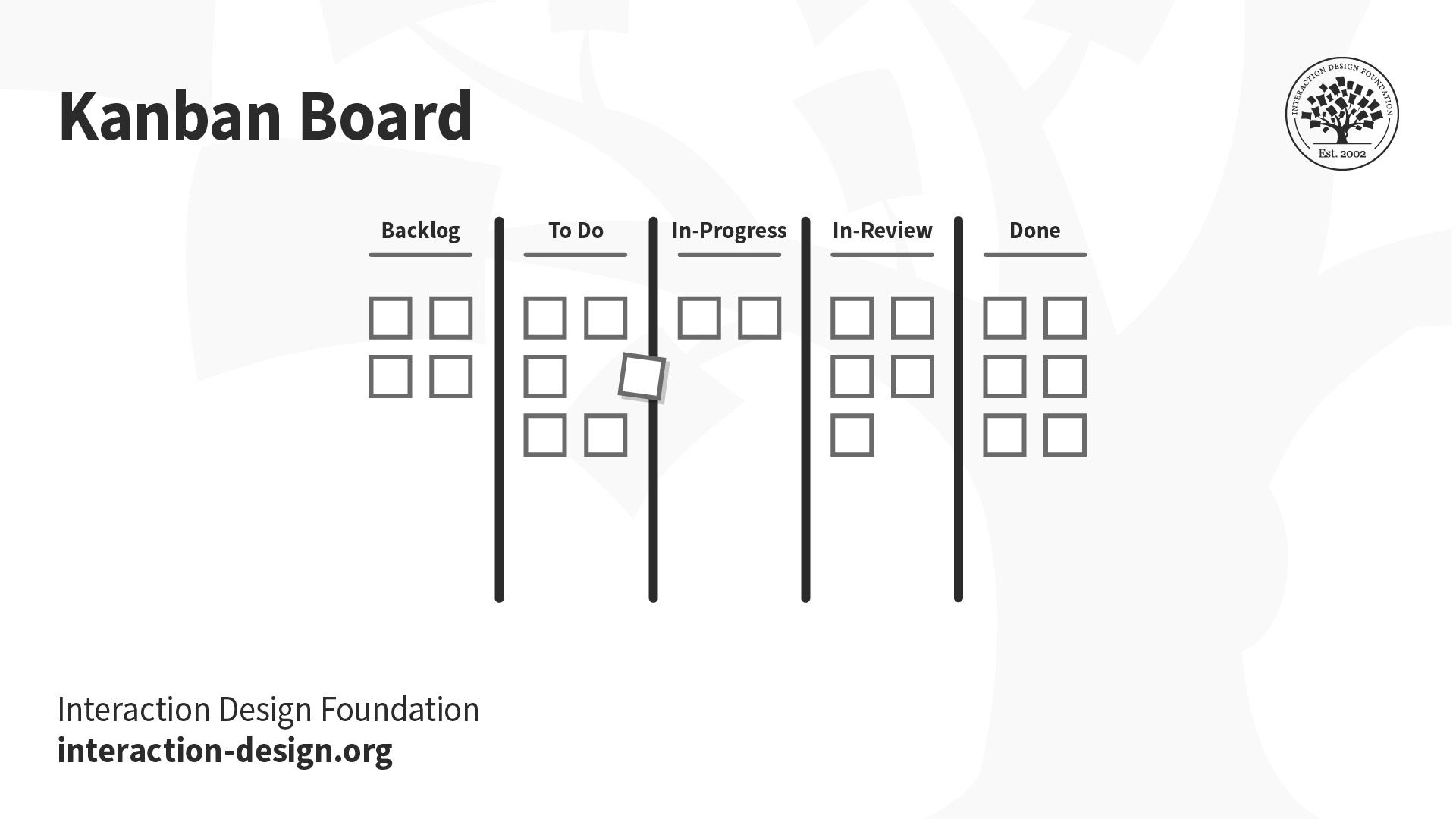
A Kanban Board is a perfect example of a tool UX designers use to support cognitive tracing. In the image, you see the post-it note move from the To-Do section to the In-Progress section signifying a change in priority as the imaginary project progresses. The action of moving this task based on changing project goals or expectations is cognitive tracing.
© Interaction Design Foundation, CC BY-SA 4.0
In this instance, you used cognitive tracing to adapt and rearrange the website's navigation. You took the target audience’s needs and behaviors into account to improve your design. It's a process of continuous fine-tuning and enhancement to create the most user-friendly experience possible.
Real-World Examples and Benefits
More broadly, cognitive tracing involves adapting to changing conditions or priorities. It helps people make informed decisions and stay organized in their day-to-day activities and beyond. It might seem like second nature, but there are some surprising instances where we use cognitive tracing.
The most common examples of cognitive tracing include:
Reordering cards in a card game based on suits, ascending order, color, etc., to make strategic decisions as a game progresses and tactics change. For instance, holding onto a wild, draw-4 card in Uno is cognitive tracing.
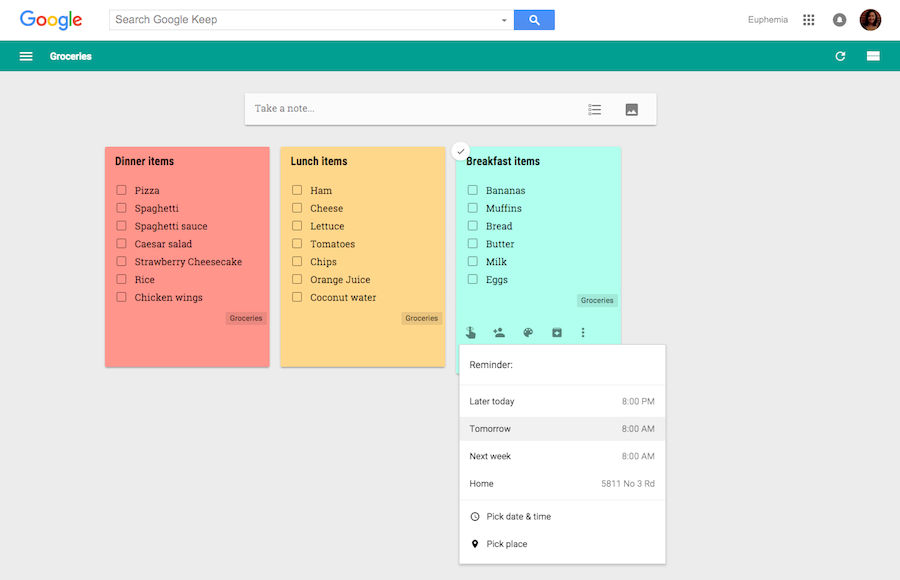
As is crossing off items from a grocery list that have already been added to the cart.
Shuffling your Q and Z tiles around on a Scrabble tray to try to play the highest-scoring word is another example.
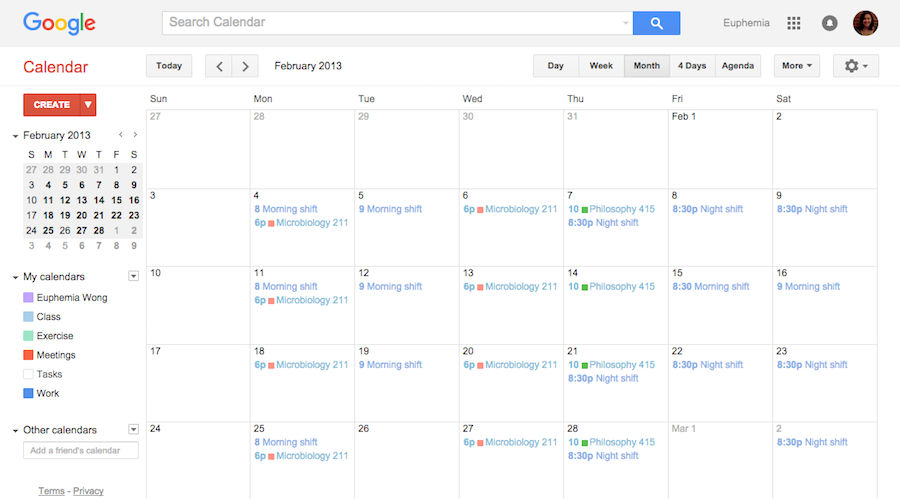
Scheduling tasks based on changing priorities or time constraints to effectively plan your next activities—canceling an appointment with your personal trainer because you have to pick the kids up early from school is also cognitive tracing.
Using a Gantt chart in a project management tool to ensure you complete a work project on time, shifting tasks as new challenges arise.

In a game of Scrabble, you unconsciously put cognitive tracing to good use when you reorganize your letter tiles and prioritize letters that earn more points, like Q and Z, in an effort to create higher-scoring words to win the game. You do this to optimize your situation in the game which changes with every round and new letter you draw.
Image from @Pixabay via Pexels. Fair Use.
What are the benefits of cognitive tracing?
Beyond the obvious benefits of reducing cognitive load and improving memory and learning, let’s explore some of the other advantages cognitive tracing offers to better individual performance and well-being:
Improved Task Management: Cognitive tracing tools such as To-Do lists, project management software, and calendars help you organize and prioritize tasks. This leads to better task management, increased productivity, and a greater sense of accomplishment.
Reduced Stress and Anxiety: Rearranging tasks based on priority decreases the stress associated with remembering everything. This can lead to reduced anxiety, especially in high-pressure or time-sensitive situations.
Time Savings: Your time is valuable and every second counts. Cognitive tracing can save you time by allowing you to quickly retrieve information, instructions, or resources. This efficiency can leave you more time for other tasks and leisure.
Task Accountability: Externalizing responsibilities through various tools creates a sense of accountability. You can track progress, deadlines, and completed tasks, leading to a more organized and productive approach.
Flexibility and Adaptability: When you restructure your schedule, duties, or tasks for optimization, you allow for greater flexibility and can more easily adapt to changing circumstances.
These are just a few of the benefits, but undoubtedly, there are no cons to implementing cognitive tracing in your everyday life. It can only help you, and we highly encourage you to give it a try.
In this video, Alan Dix describes how humans interact with computers from perception to action. “We don’t just act as an output; we act in order to live our lives,” he says. Like a computer needs to process information, so do humans. What comes after perception or before action? Cognition—it fits into this input/output cycle and helps us accomplish the tasks we want to complete. And if you dig deeper, you’ll find cognition includes processes such as externalizing memory load, annotation, and cognitive tracing which directly support achieving those tasks.
External Cognition in Daily Life
Cognitive tracing is an important example of a human external cognitive activity often mentioned alongside the following:
Externalizing Memory Load: When you offload or store information outside your mind with tools or external aids like notes, calendars, or digital devices to help you remember and manage information, reducing the cognitive effort needed to remember everything. E.g., when you set phone reminders to keep track of tasks instead of relying solely on your memory.
Computational Offloading: When you transfer complex computer tasks to another device or system to make them easier and improve performance. E.g., when you work together with an assistant to complete tasks faster and better.
Annotation: When you add notes or highlights to a text or document to explain, mark, or remember important parts. E.g., when you jot down thoughts in the margins of a school book.
Concepts not only applied in UX design but in various aspects of our daily lives, these cognitive activities present an invaluable strategy to unburden ourselves from excessive cognitive load while simultaneously improving our thinking skills. Like a computer needs space to store important files, people also have to make room in their minds for important and urgent tasks.
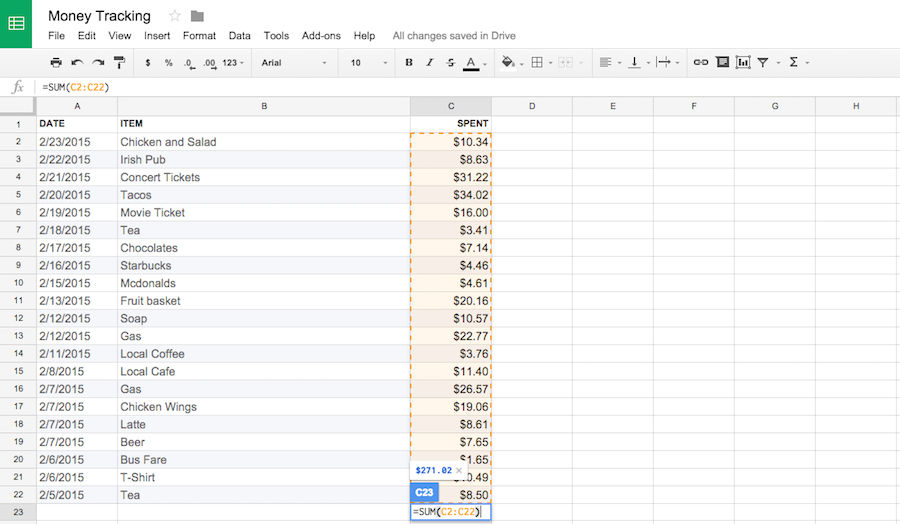
Using various tools like calculators, pencils, Kanban or Scrum boards, To-Do lists, calendars, etc., we are able to apply these external cognitive activities in our daily lives. It empowers people to externalize certain aspects of cognition to make our thought processes more efficient and effective. Cognitive tracing is one way we maintain and strengthen our cognitive functions.
Organizing our day-to-day and sorting the most to least important tasks in real-time is a part of cognitive tracing. As our circumstances inevitably change we have to adapt our thoughts and actions to optimize our present situation. Often, it’s unconsciously done, but it’s a strategy which reduces our mental load.
© Interaction Design Foundation, CC BY-SA 4.0
If you reorder or restructure important ideas, tasks, items, etc., you free up mental resources that can then be directed toward more intricate and creative problem-solving, critical thinking, and decision-making. Whether it's the need to reschedule a work meeting, strategize in a game of Scrabble against a logophile, or simply stay on top of daily responsibilities, we are continually engaging in the brain's built-in organizational process known as cognitive tracing.
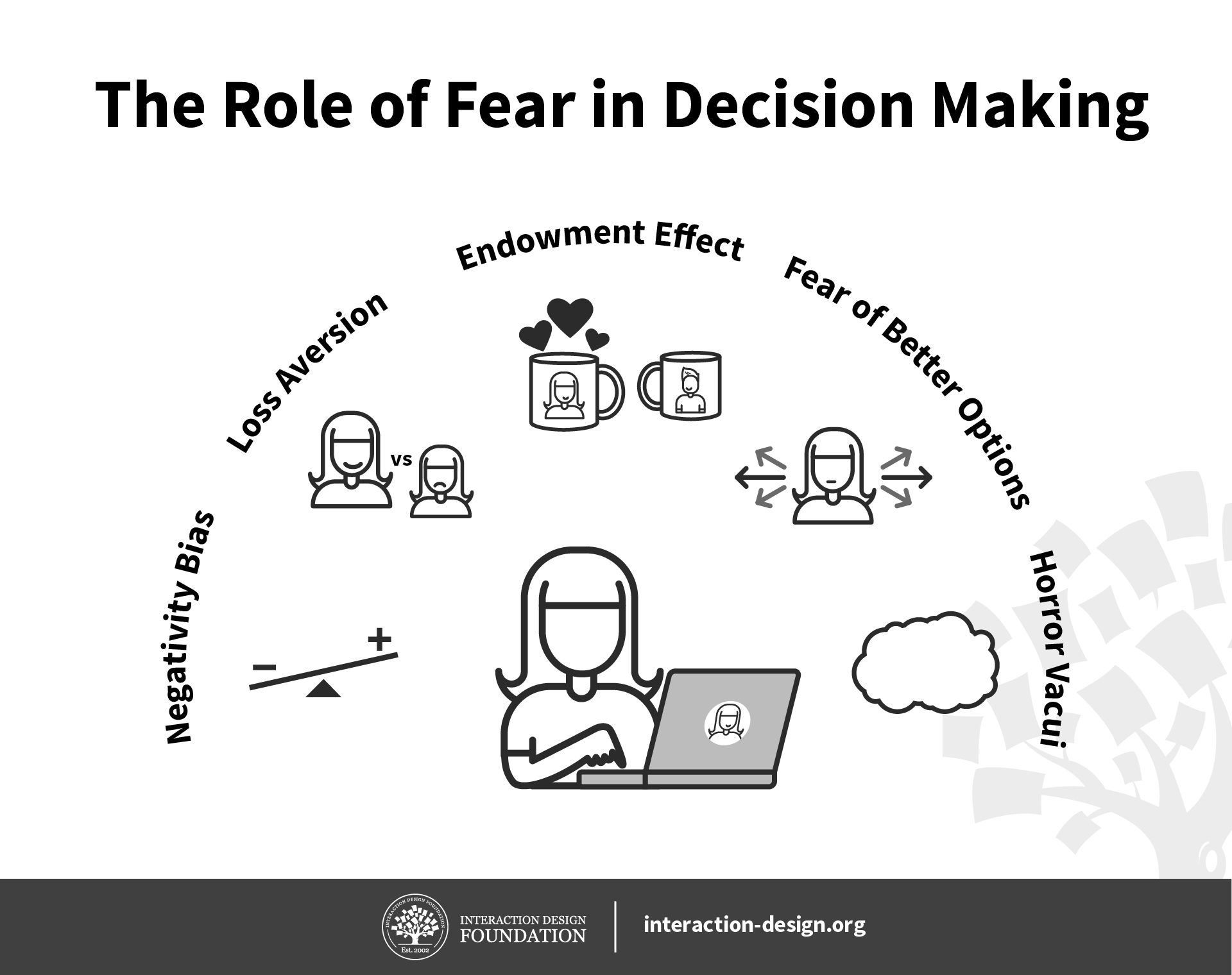 Fear is the brain’s warning system about forthcoming unpleasant experiences. We are hardwired to pick up negative signals and attach more weight to them than we would for gains we might enjoy. We’re afraid of missing out while also fearing better options. We’re afraid of losing our possessions and feel intimidated by emptiness. Indeed, some people may say they’re scared of “nothing”; “nothing” in this sense, though, can be mighty terrifying.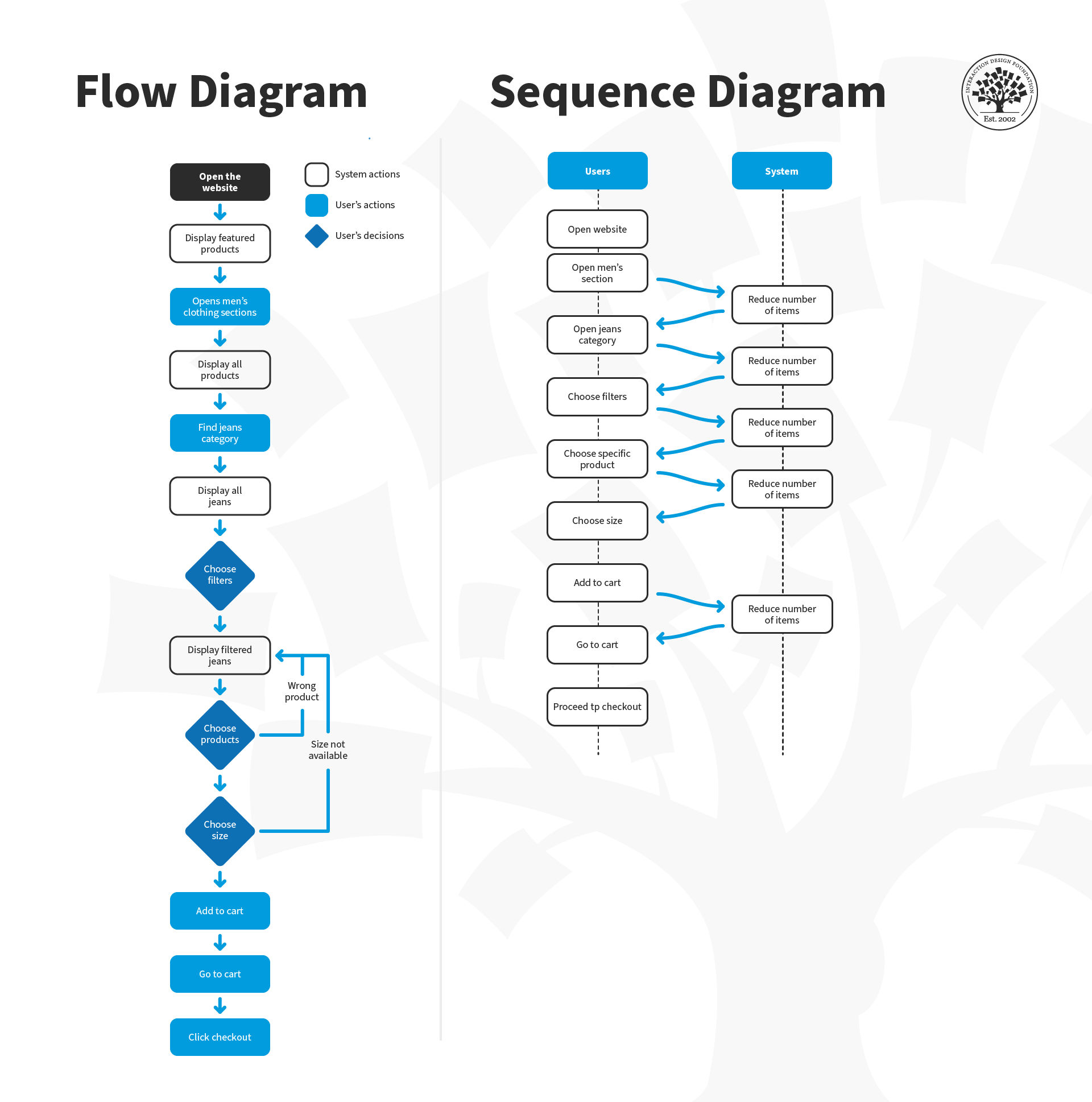
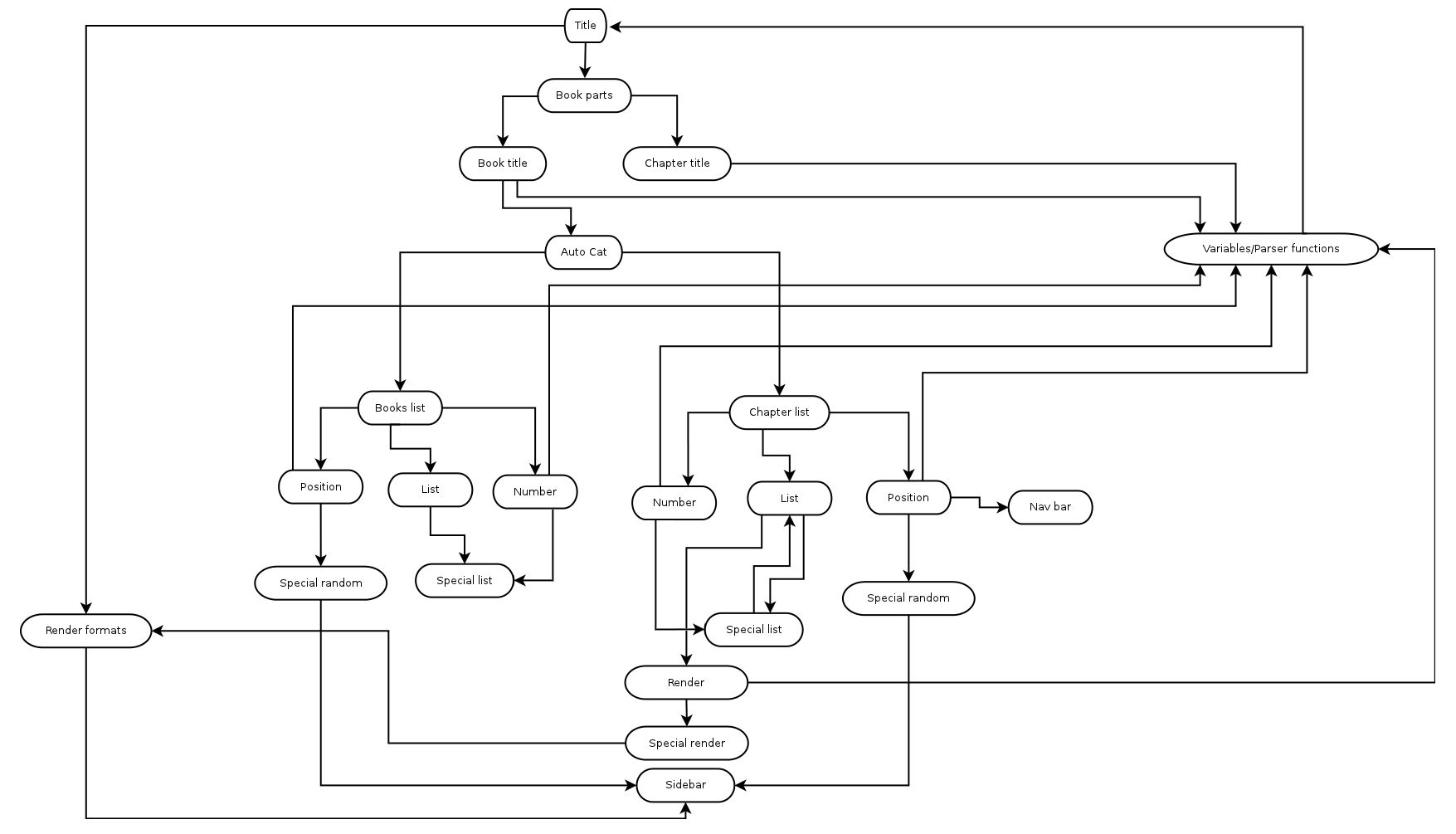 If the task is too complex to write in a list format – a diagram can be used instead.








 Author/Copyright holder: StockSnap.io. Copyright terms and licence: CC0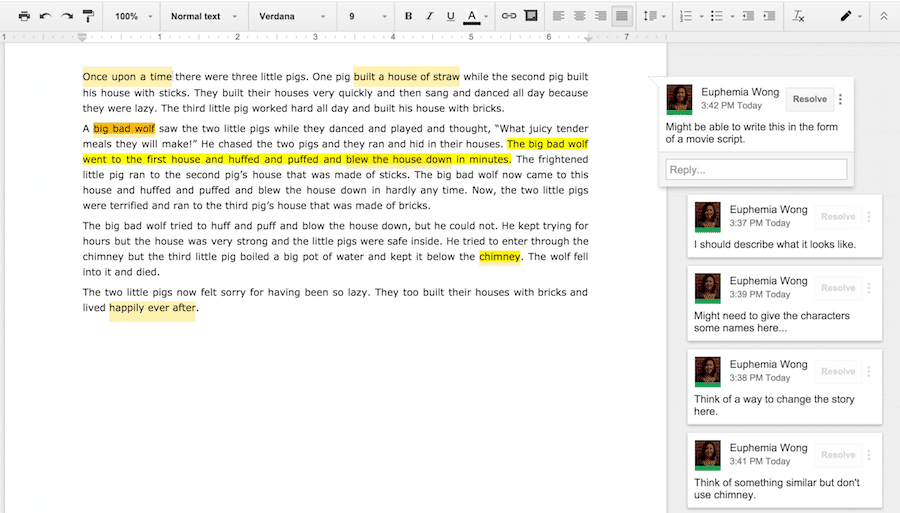
 Author/Copyright holder: Pixabay. Copyright terms and licence: CC0
 Author/Copyright holder: Google Inc. Copyright terms and licence: Fair Use
 Author/Copyright holder: Ludwig Gatzke. Copyright terms and licence: CC BY-NC-SA 2.0
 Author/Copyright holder: Google Inc. Copyright terms and licence: Fair Use