The Rumble in the Board Room – Mobile Splash Screens What Clients Want and What They Should Get

• 7 min read

487 Shares

First impressions count. So how do you make a good impression on the first time user of a mobile application? Through a mobile splash screen. Unfortunately, there are often conflicts between a client’s wants for the splash screen and best practices. If you can learn to manage these conflicts – you can create better mobile user experiences for end users.

It can be tough being a user experience designer at times. Your role is to represent the user and deliver the best possible end product but there are times when the stakeholders (and particularly clients) want you to do something entirely different. One key area of conflict in the current mobile environment is the mobile splash screen.

What is a Mobile Splash Screen?

Author/Copyright holder: Roland Tanglao. Copyright terms and licence: CC BY 2.0

The splash screen is the very first screen that a user sees when they open up your app on their smartphone or tablet. It’s your chance to make a good impression on your user and set the tone for what’s coming with your application.

The splash screen dates back to the days when Flash first became common on the web. It takes time for actual content to load and execute – so to reassure the user that something was going on –the splash screen was used to catch their attention and show them that they weren’t just waiting for nothing.

What’s Controversial About That?

You’d think something so simple would be an easy task to agree the way forward on wouldn’t you? Unfortunately, it’s not quite that easy in many instances.

What the App Stores Recommend

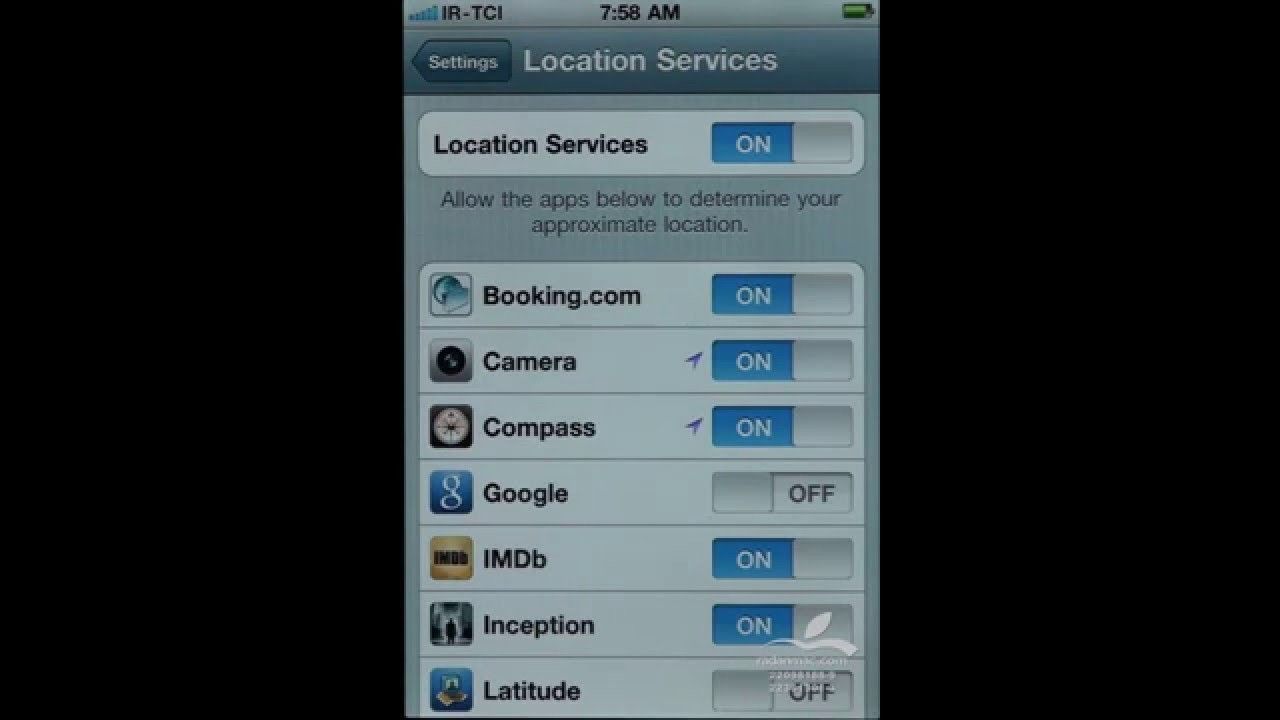
Both Google and Apple have developed guidelines for mobile apps and both of them say that there’s a specific use for splash screens in mobile apps. That is to give the user the impression that their app has loaded faster than it actually has.
Author/Copyright holder: Amir. Copyright terms and licence: Fair Use.

The idea is to design a launch image that appears identical to the first screen of the app when it is loaded. Text on the image is static and thus can’t be localized (except for Windows 8.1 or above). It’s also important to try and be consistent with the UI so that nothing changes between the splash screen and the first real screen of the app. In addition, you ought to indicate that this is a loading screen to ensure the user doesn’t become frustrated pushing buttons on the splash screen.

What Clients Want

Clients, on the other hand, often don’t want this. They’ve become used to seeing splash screens in games and major desktop applications. Those splash screens are all about branding and marketing. They reflect the heavier workload of apps and games, etc. that aren’t optimized for mobile.


Author/Copyright holder: Angry Coop. Copyright terms and licence: CC BY-SA

The trouble is that a designer who applies the same technique to the mobile splash screen is, in essence, telling the user that they’re going to be waiting a long time for the app to load. That’s a bad idea as many app users are about as patient as website users i.e. if it takes too long to load, they’re leaving and not coming back.

How Do You Handle This Conflict?

The only way to handle this conflict between best practice and client demands is to draw your client’s attention to the best practice guidelines. You need to make the case for the user experience and explain how using branding and marketing approaches to the splash screen could damage the success of the client’s app.

UX designers have to be consultants for their clients (even when the client is an employer, not an external agency) and their role is to provide options and recommendations to the stakeholders in the project.

If the client chooses to pursue a marketing and branding approach after you’ve given your recommendation – they’re free to do so. It’s their money when it comes down to it. As long as you’ve provided the right information to the client and made the right recommendation – you’ve fulfilled your responsibilities.

The Take Away

The mobile splash screen is the first screen a user will see when they access a mobile app. Best practice says that it should be a screen which introduces the user to the first screen of the app and indicates that progress is being made while the app is loading. Clients may wish to pursue a branding and marketing strategy for the splash screen but this can be damaging to the UX of the mobile app. As a designer you should be aware of this conflict and be prepared to educate your clients as to the right way to approach the problem.

References

iOS Launch Files (Splash Screen) Guidance can be Found here.

Android Splash Screen Guidance can be found here.

A great collection of mobile splash screens can seen here if you’re looking for inspiration.

Hero Image: Author/Copyright holder: Aniol. Copyright terms and licence: CC BY-SA 3.0

Learn More in This Course:

AI for Designers

7 days
32 % booked
View Course

What You Should Read Next

  • Read full article
    Adaptive vs. Responsive Design - Article hero image
    Interaction Design Foundation logo

    Adaptive vs. Responsive Design

    The differences between responsive and adaptive design approaches spotlight important options for us as web and app designers. Choosing with insight can empower you to plan and execute your designs with better aim, purpose and results.With the pervasiveness and diversity of mobile devices, as design

    Social shares
    1.3k
    Published
    Read Article
  • Read full article
    Don’t Build It, Fake It First – Prototyping for Mobile Apps - Article hero image
    Interaction Design Foundation logo

    Don’t Build It, Fake It First – Prototyping for Mobile Apps

    The design phase for mobile applications should include a prototyping stage. It is at this point that users can “play” with your ideas and concepts and give you valuable feedback that shapes the final designs before you begin development. This can save time and money in development and create produc

    Social shares
    1.1k
    Published
    Read Article
  • Read full article
    Simple Guidelines When You Design for Mobile - Article hero image
    Interaction Design Foundation logo

    Simple Guidelines When You Design for Mobile

    In mobile user experience (UX) design, it’s important that we respect a user’s task and mindset, as well as the device’s limitations. Here you’ll learn about the general principles that can help you get started with your design.Josh Clark, the author of Tapworthy: Designing Great iPhone Apps, descri

    Social shares
    979
    Published
    Read Article
  • Read full article
    The Anatomy of a Smartphone – Things for Designers to Consider for Mobile Development - Article hero image
    Interaction Design Foundation logo

    The Anatomy of a Smartphone – Things for Designers to Consider for Mobile Development

    If you’re going to design for mobile, then it’s a good idea to have a grasp of what makes up the modern smartphone in terms of hardware and software. You can then start to think about the possibilities these offer when creating user experiences. The better you know the device, the more you can explo

    Social shares
    922
    Published
    Read Article
  • Read full article
    5 Steps for Human-Centered Mobile Design - Article hero image
    Interaction Design Foundation logo

    5 Steps for Human-Centered Mobile Design

    Many businesses start with the end-point in mind; “We need a mobile app or a mobile website!” They do not consider why their users would want it. Having a mobile website or app isn’t the key to success—you must provide value to your users. When you take a user- and task-centered approach to mobile (

    Social shares
    900
    Published
    Read Article
  • Read full article
    Understand the User’s Perspective through Research for Mobile UX - Article hero image
    Interaction Design Foundation logo

    Understand the User’s Perspective through Research for Mobile UX

    User research is crucial to design great user experiences for mobile apps. While any UX research technique can be adapted for mobile, some have proven more effective than others. Let’s look at how becoming proficient in these techniques will help you to develop mobile apps and sites that better meet

    Social shares
    877
    Published
    Read Article
  • Read full article
    Probes for Context Mapping – How to Design and Use Them - Article hero image
    Interaction Design Foundation logo

    Probes for Context Mapping – How to Design and Use Them

    Whether you are designing a mobile app, a professional online platform or an interactive museum exhibition, it is essential to understand users and the context in which they will use your design. Traditional methods such as interviews and observations will help you to touch the surface of their live

    Social shares
    863
    Published
    Read Article
  • Read full article
    Tell Me About Me – User Profiles for Mobile Applications - Article hero image
    Interaction Design Foundation logo

    Tell Me About Me – User Profiles for Mobile Applications

    With the move away from websites to applications on mobile devices; there’s a need for many apps to create, maintain and manage user profiles so that users can effectively interact with the app and so that the app’s creators can collect and analyse data useful to their businesses. There is no “one s

    Social shares
    826
    Published
    Read Article
  • Read full article
    How to Transform Mental Models into Conceptual Models for Mobile UX - Article hero image
    Interaction Design Foundation logo

    How to Transform Mental Models into Conceptual Models for Mobile UX

    Conceptual models are used in HCI and interaction design as a way for designers to communicate how they interpret users' mental models to stakeholders, team members, and developers. They help ensure that everyone involved in the design process understands how users interact with the product or servi

    Social shares
    824
    Published
    Read Article
  • Read full article
    Best Practices and UI Design Patterns for Help in Mobile - Article hero image
    Interaction Design Foundation logo

    Best Practices and UI Design Patterns for Help in Mobile

    When users start to get to grips with your mobile app, they will need a little help from time to time. The good news is that standard design patterns can reduce design time for help in mobile apps. Here are some practical guidelines that you can use to improve the UX of help in general.You should no

    Social shares
    814
    Published
    Read Article

Top Articles

Top Topic Definitions

Feel Stuck?
Want Better Job Options?

AI is replacing jobs everywhere, yet design jobs are booming with a projected 45% job growth. With design skills, you can create products and services people love. More love means more impact and greater salary potential.

At IxDF, we help you from your first course to your next job, all in one place.

See How Design Skills Turn Into Job Options
Privacy Settings
By using this site, you accept our Cookie Policy and Terms of Use.
Customize
Accept all

Be the One Who Inspires

People remember who shares great ideas.

Share on:

Academic Credibility — On Autopilot

Don't waste time googling citation formats. Just copy, paste and look legit in seconds.

Feel stuck? Want Freedom?

Get one powerful email each week, like 325,639 others.

Learn to design a life you love.

Next email in:
3
days
19
hrs
43
mins
58
secs