Color Modes

Your constantly-updated definition of Color Modes and collection of videos and articles.
Be a conversation starter: Share this page and inspire others!

197 Shares

What are Color Modes?

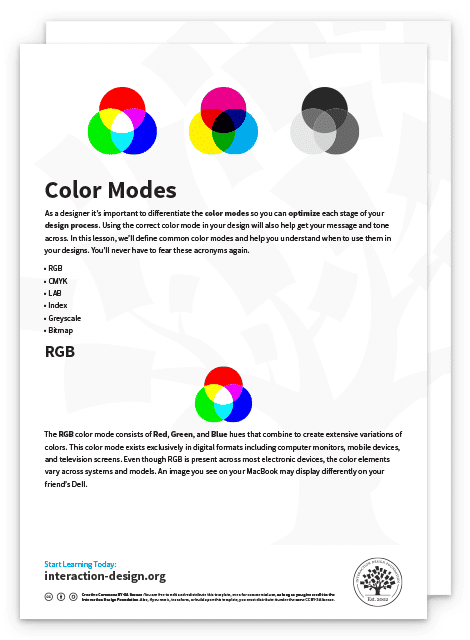
Color modes are the settings designers use to show colors consistently across devices and materials. Commonly used modes are LAB, RGB, CMYK, index, grayscale and bitmap, which differ in quality and file size. Designers pick modes to optimize images and ensure these appear identically across media for brand consistency.

“The main function of color should be to serve expression.”

— Henri Matisse

Learn about the intricate properties of color here.

Transcript

How to Achieve Color Consistency and More in Screen and Print
© Interaction Design Foundation, CC BY-SA 4.0

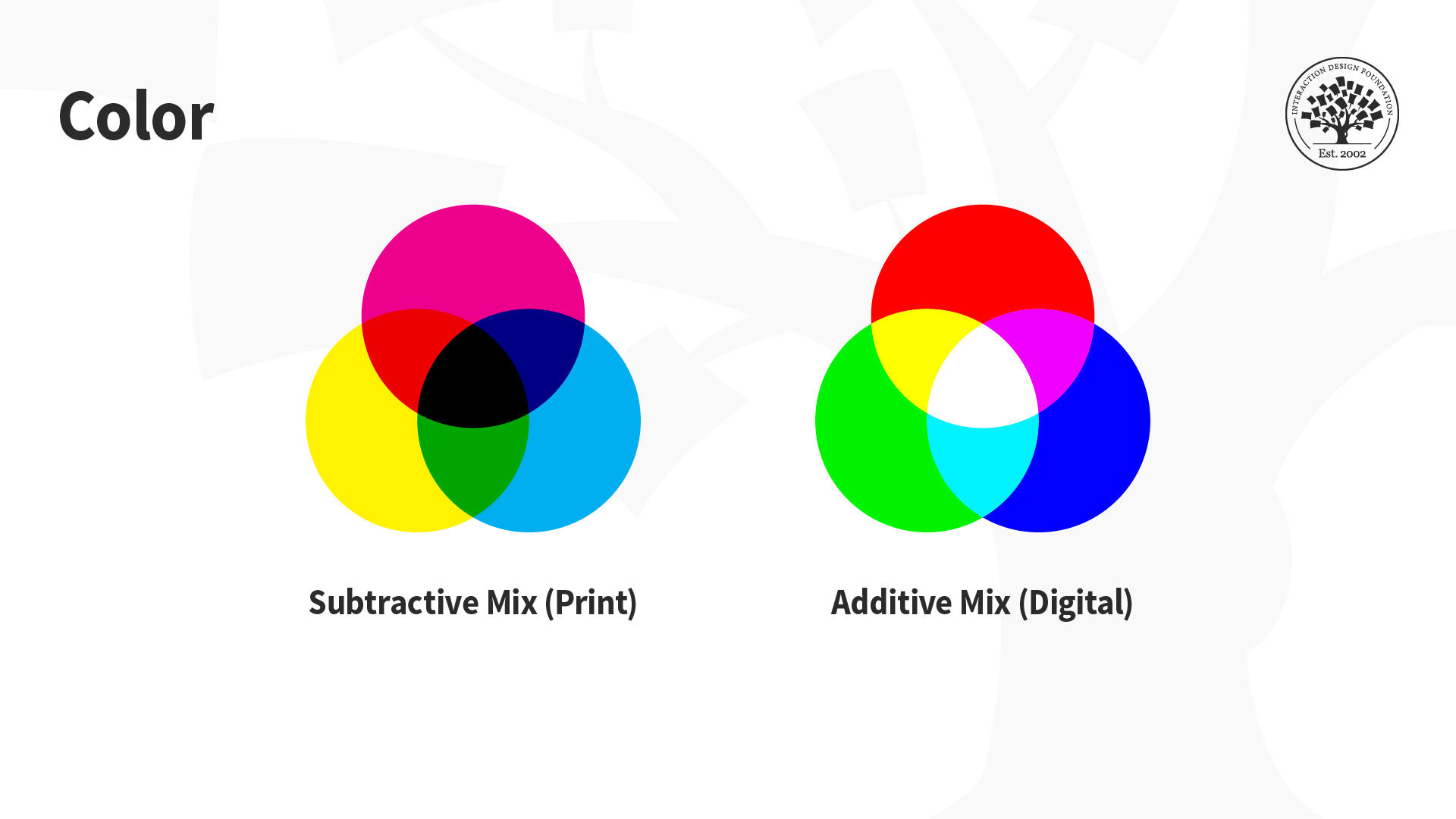
The designs we create appear on many devices and materials, and how we manipulate color greatly depends on the medium we use. This is due to differences in color spaces (i.e., the specific organization of colors), and the two processes for producing color, namely:

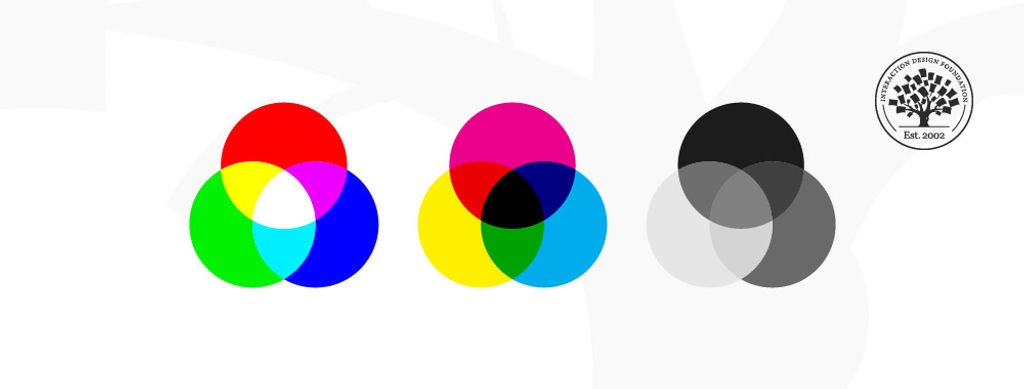
  • Additive: Involves the blending of light. We “create” white by mixing all the colors at full intensity; black is the total absence of color.

  • Subtractive: Involves mixing physical substances (e.g., ink, paint). Each dot/splotch covers the medium (e.g., paper). A classic example of mixing all paint colors is that curious dark grey-brown hue.

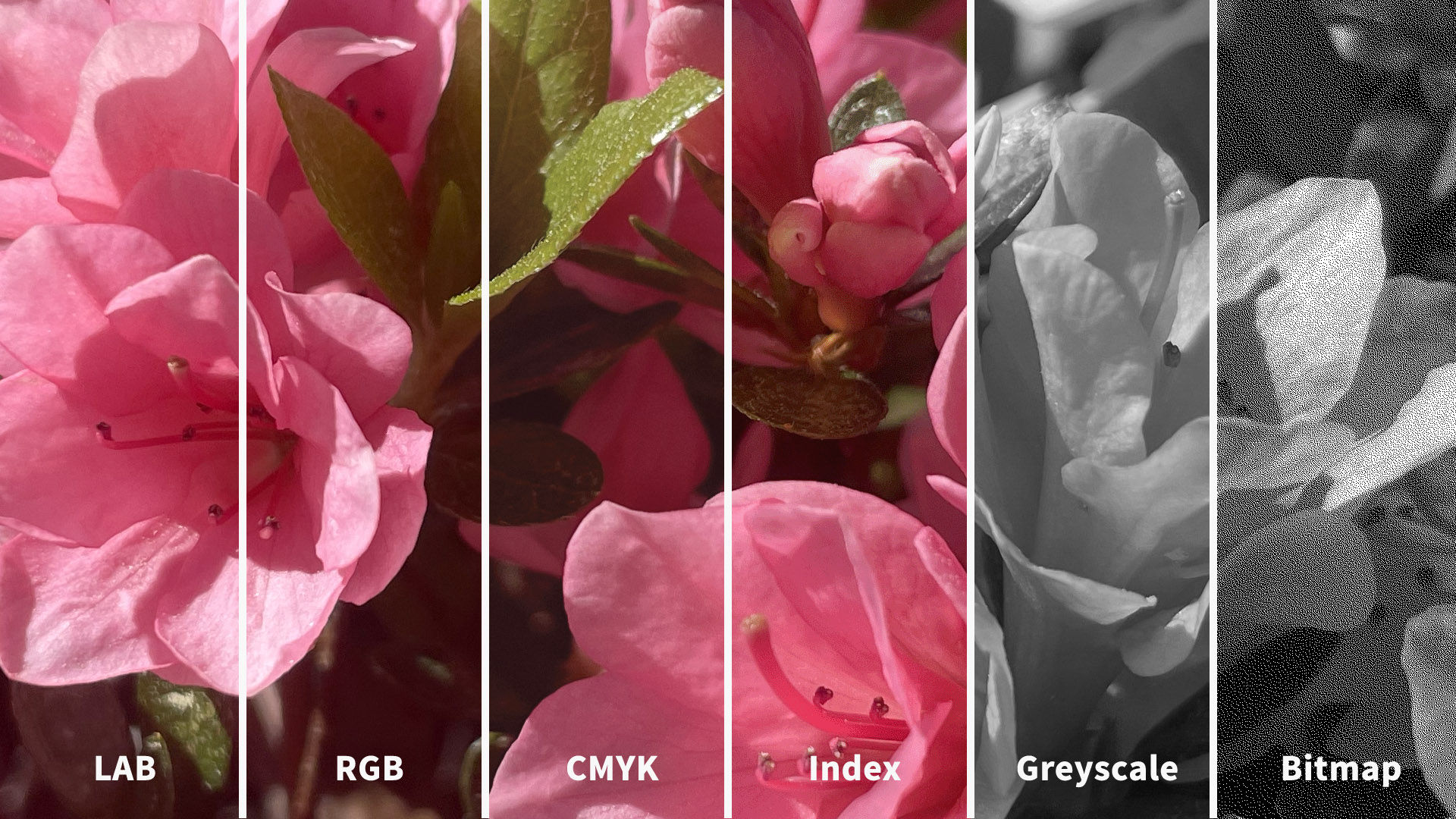
You may have seen how printed-out colors can look different from those on-screen. This phenomenon happens because the printer’s colors (using the subtractive process) didn’t replicate the screen’s (using the additive). Such inconsistencies can be easy to correct if you choose the suitable color mode. The illustration below depicts the difference between LAB, RGB, CMYK, Index, Greyscale and Bitmap color modes. You’ll notice how the quality from left (LAB) to right (Bitmap) decreases as the amount of color decreases.
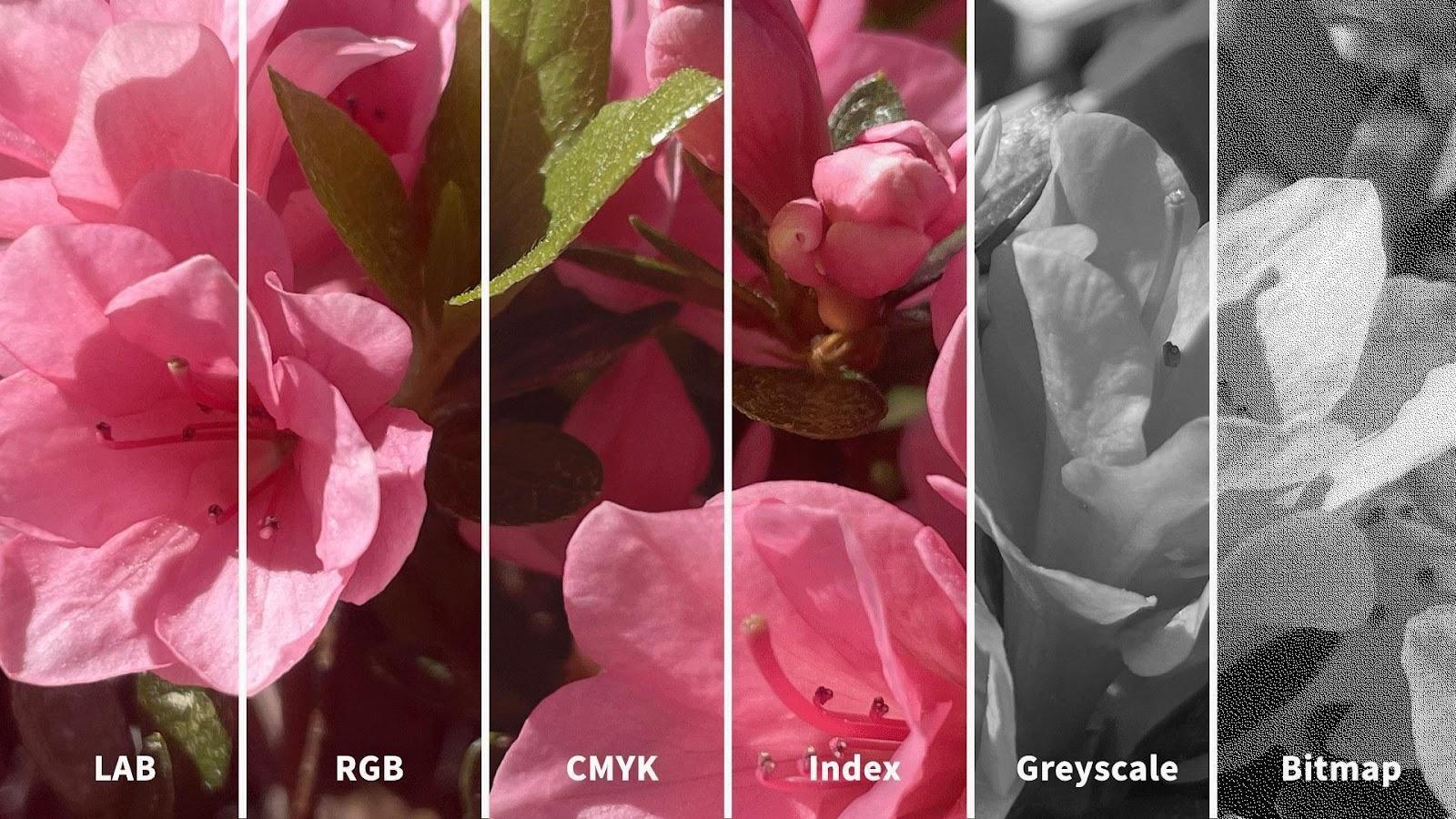
Image comparing lab, rgb, cmyk, index, greyscale and bitmap color modes

© Daniel Skrok and Interaction Design Foundation, CC BY-SA 3.0

How to Pick the Right Mode for the Context

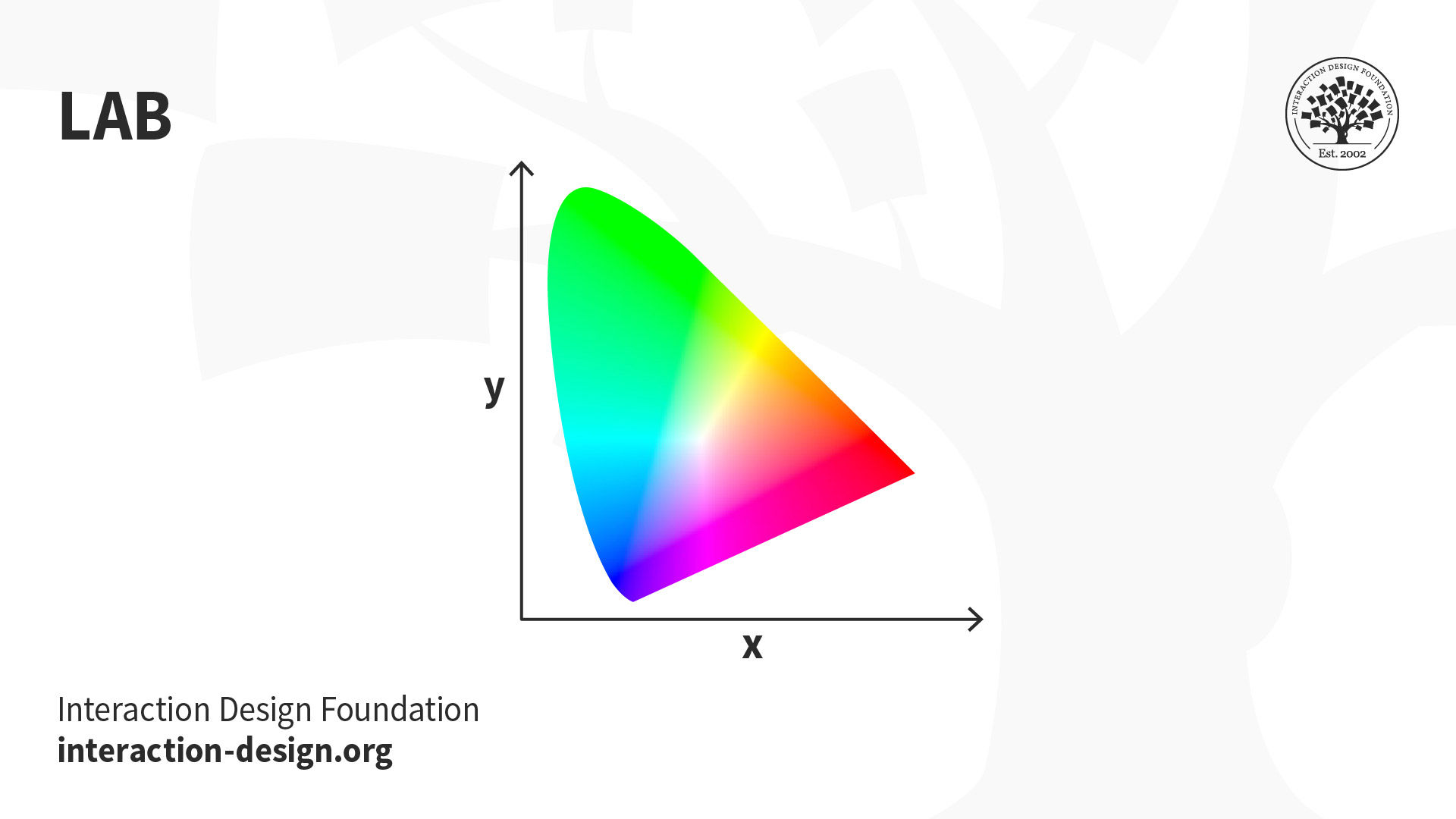
LAB: Also called CIELab, LAB is based on how humans perceive color. It comprises one channel for lightness (L, ranging from the values 0–100) and two for color (A—the Green-Red Axis channel—and B, the Blue-Yellow Axis channel, ranging from +127 to -128).
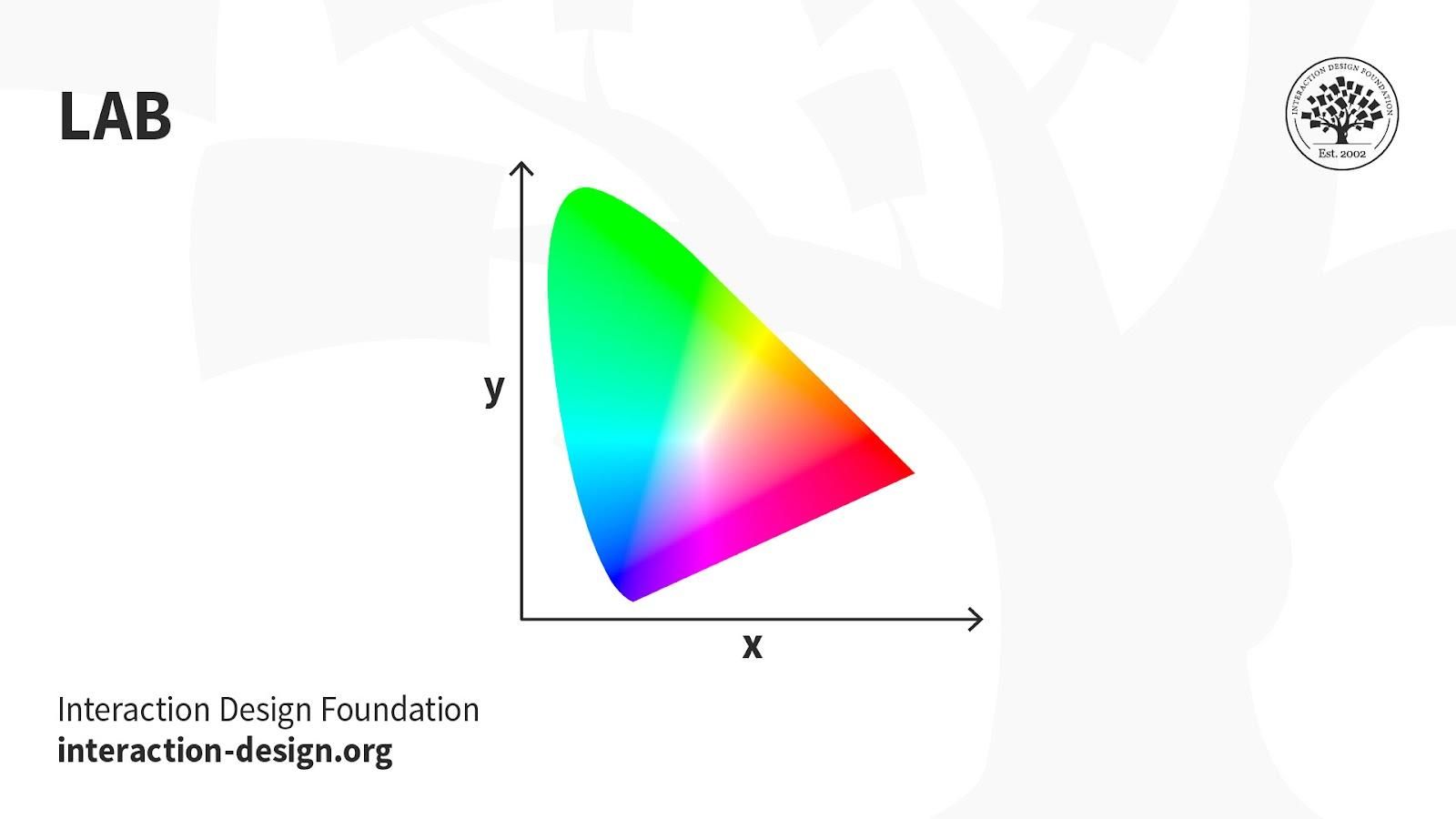
Illustration depicting the lab color mode

© Daniel Skrok and Interaction Design Foundation, CC BY-SA 3.0

LAB color is device-independent, making it easy to achieve precisely the same color across different types of media so your (e.g.) digital logo appears identically on a mug, banner, etc. However, LAB’s large file sizes can delay load times. 

Uses:

  • Branded Products (e.g., T-shirts, banners).

  • Color Reference.

  • Photography.

  • Improving images with a natural and vibrant look.

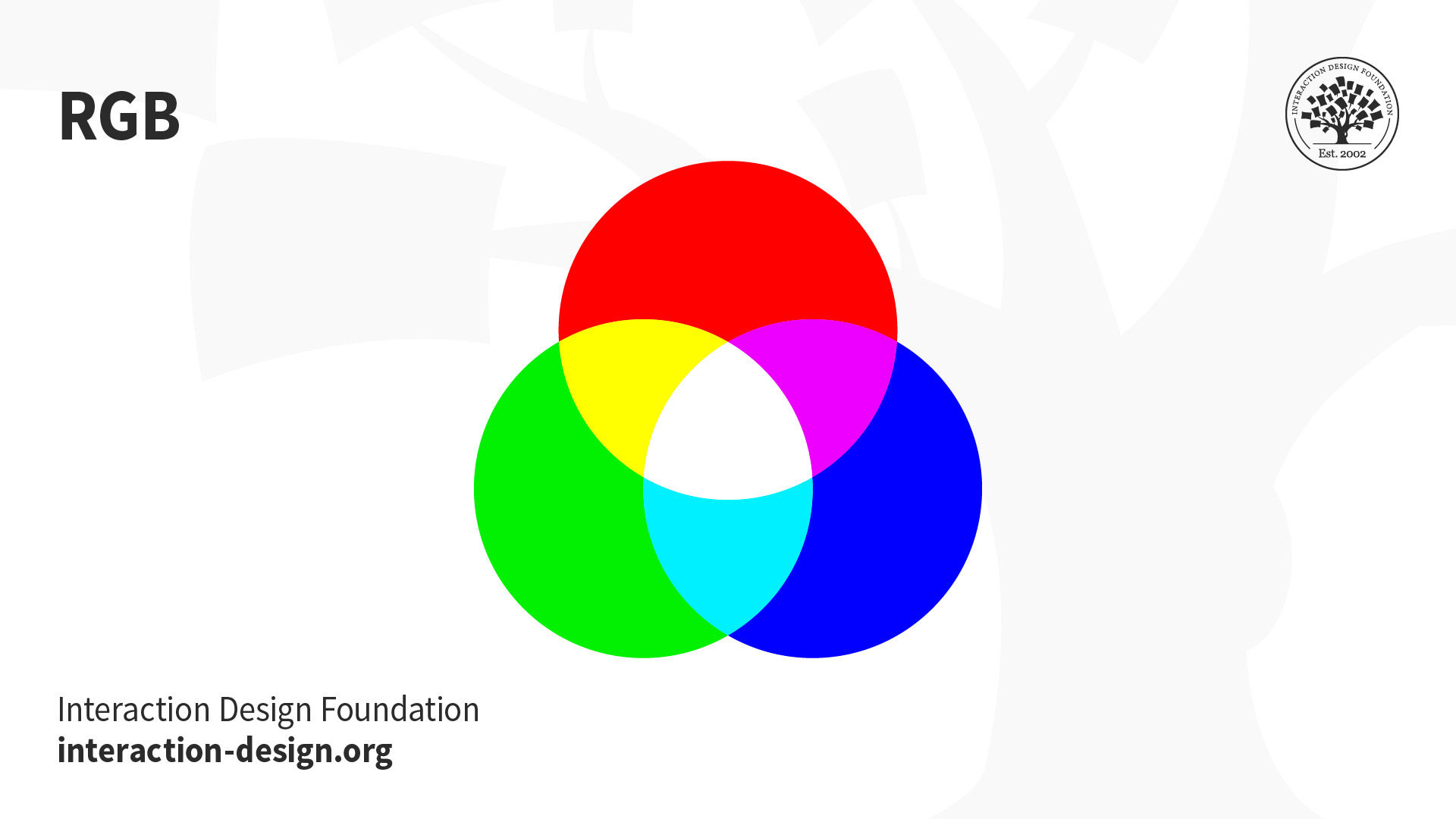
RGB: This color mode uses the additive process. It comprises Red, Green and Blue hues that combine to create extensive color variations.
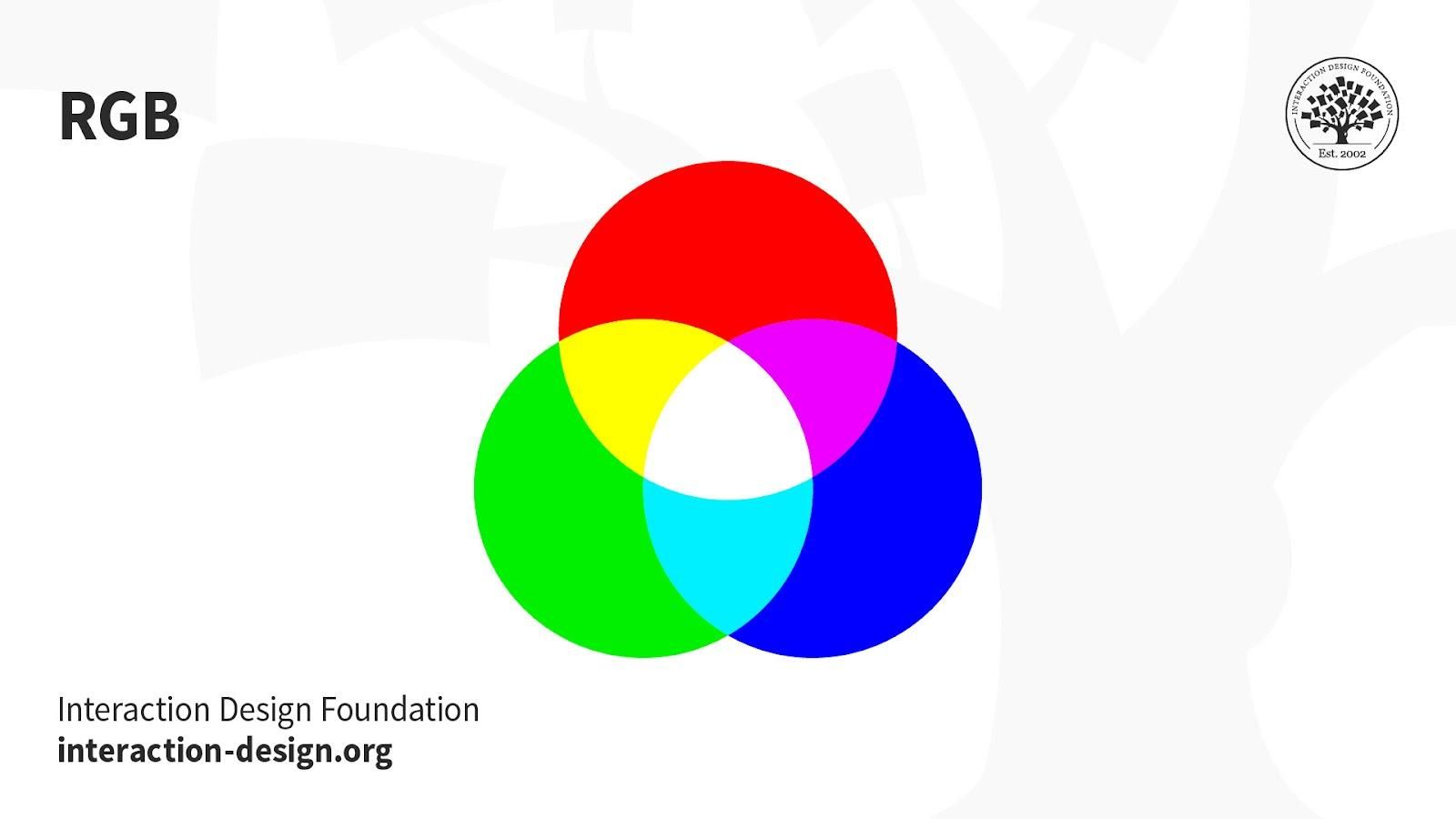
Illustration depicting the rgb color mode

© Daniel Skrok and Interaction Design Foundation, CC BY-SA 3.0

RGB exists exclusively in digital formats (e.g., mobile screens). Although RGB is present across most electronic devices, the color elements vary across systems and models. So, an image can display differently on-screen from brand to brand. 

Uses:

  • Web & App Design.

  • Digital Design.

  • Social Media.

  • Online Advertisements.

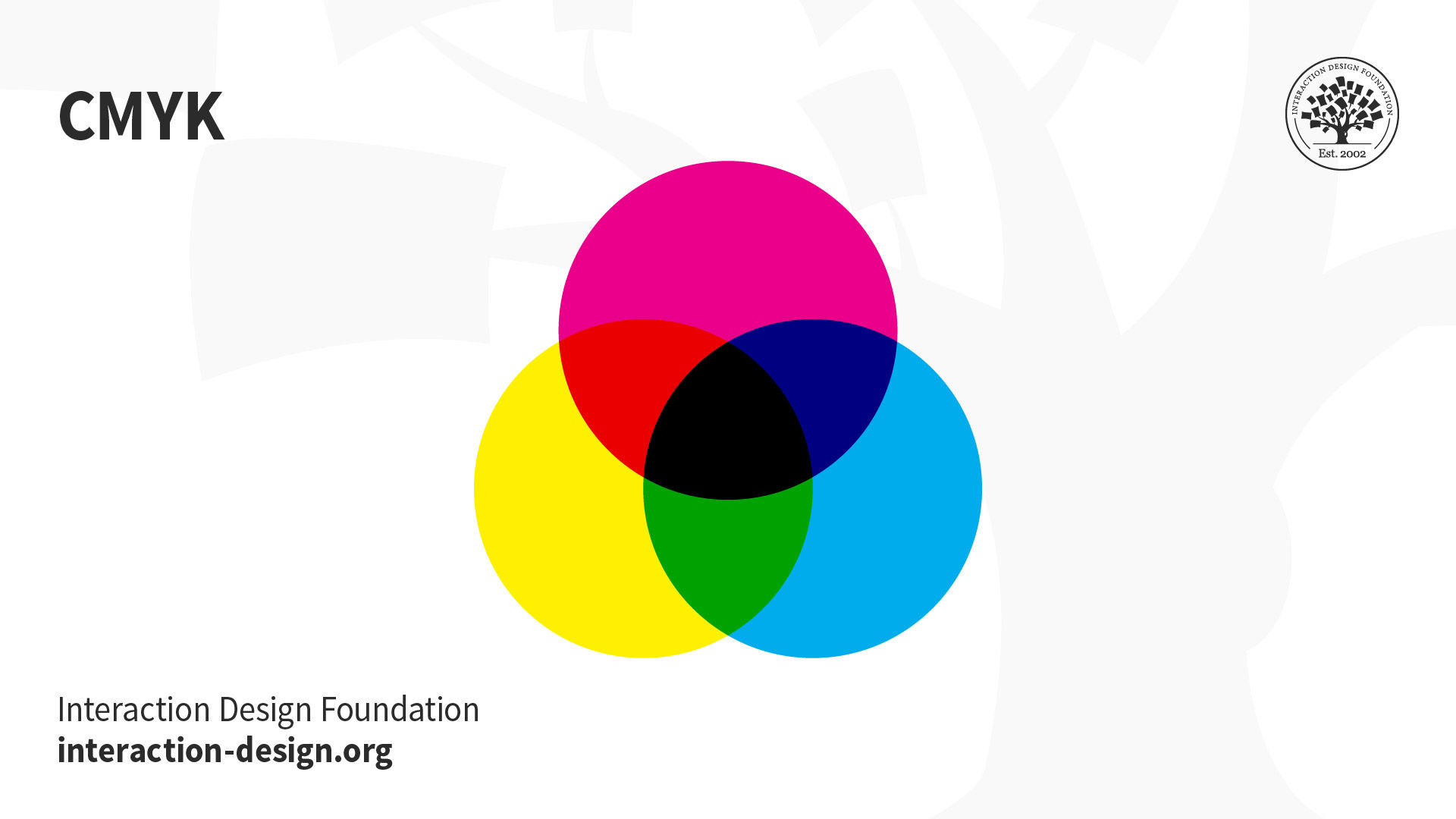
CMYK: This subtractive color mode comprises Cyan, Magenta, Yellow and Key (Black), which combine to produce a range of hues. This four-color process works for most printers.
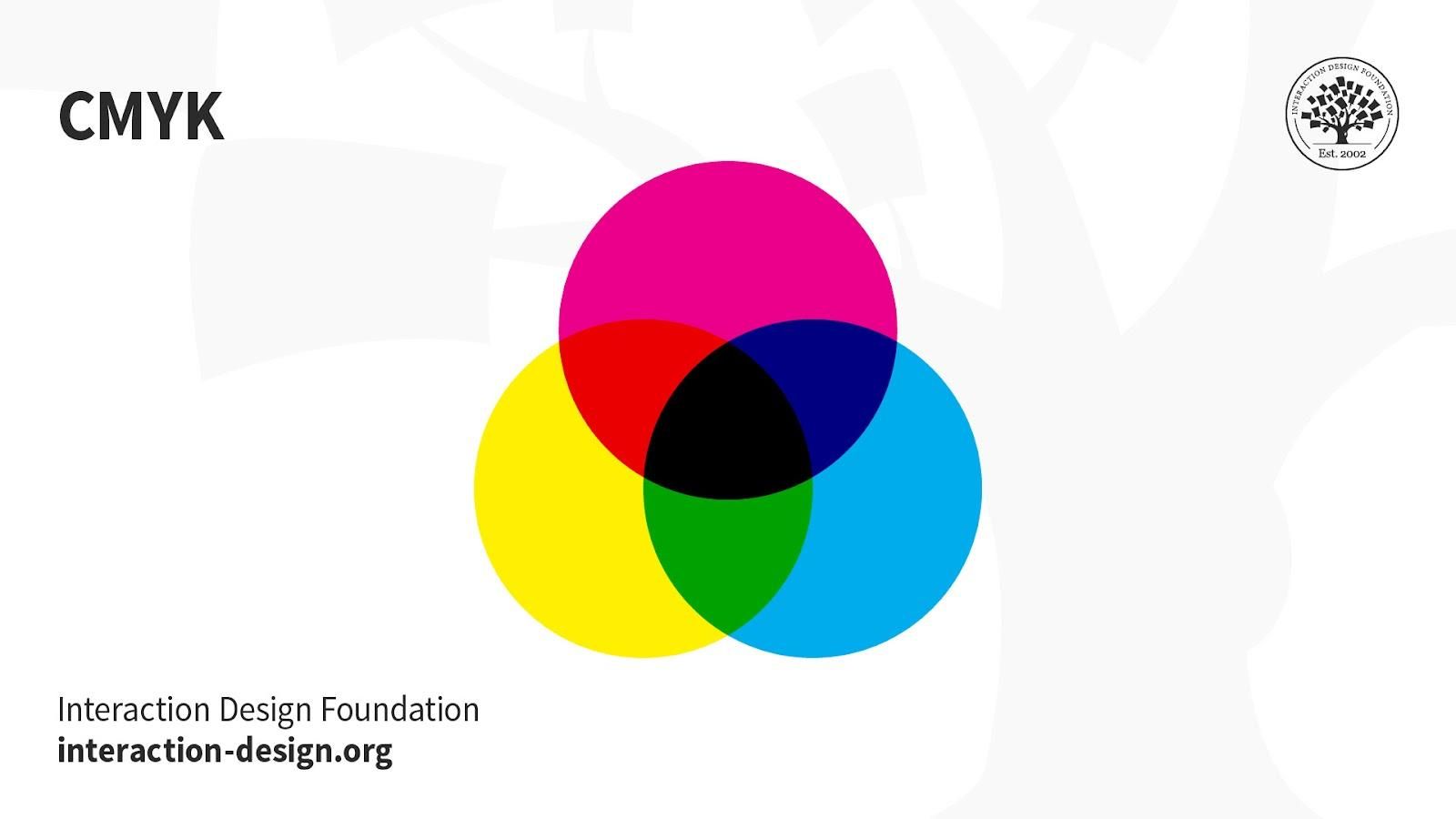
Illustration depicting the cmyk color mode

© Daniel Skrok and Interaction Design Foundation, CC BY-SA 3.0

Printed images are a series of layered four-color dots (measured in dots per inch) that create different hues and gradations. Although CMYK is a standard color model, the exact range of colors represented can vary depending on the press and printing conditions. 

Uses:

  • Stationery (e.g., business cards).

  • Advertising (e.g., posters, flyers, brochures).

  • Product Packaging.

Tip—Use CMYK mode when preparing an image to be printed with process colors, as image conversion from RGB to CMYK creates a color separation. If you start with an RGB image, it’s best to edit first in RGB and then convert to CMYK afterward.  

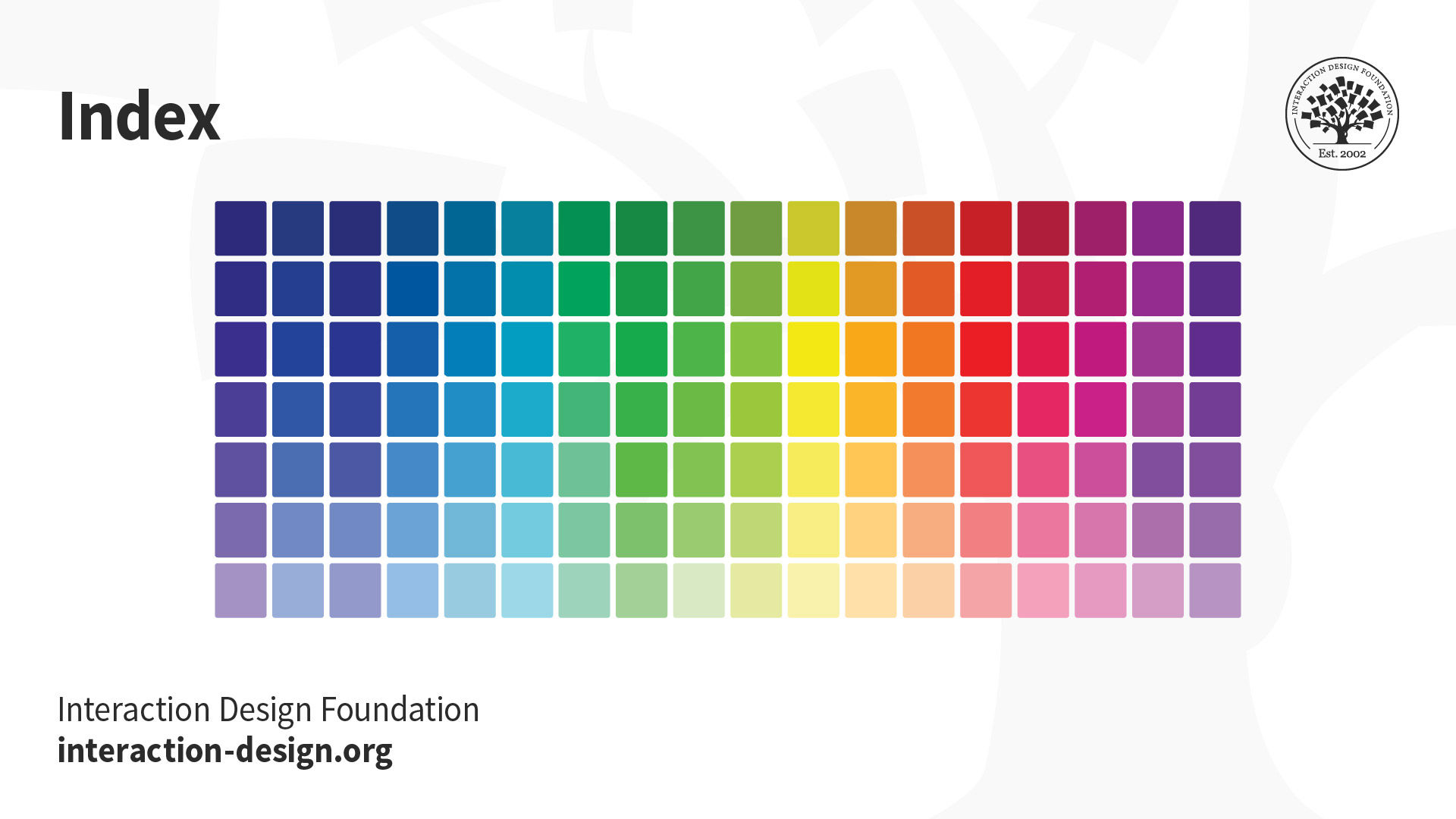
Index: This mode produces 8‑bit image files with up to 256 colors. Like RGB, this color mode is exclusively for digital formats, on-screen. When you convert an image to index color, a color table gets built to store and index the image’s colors.
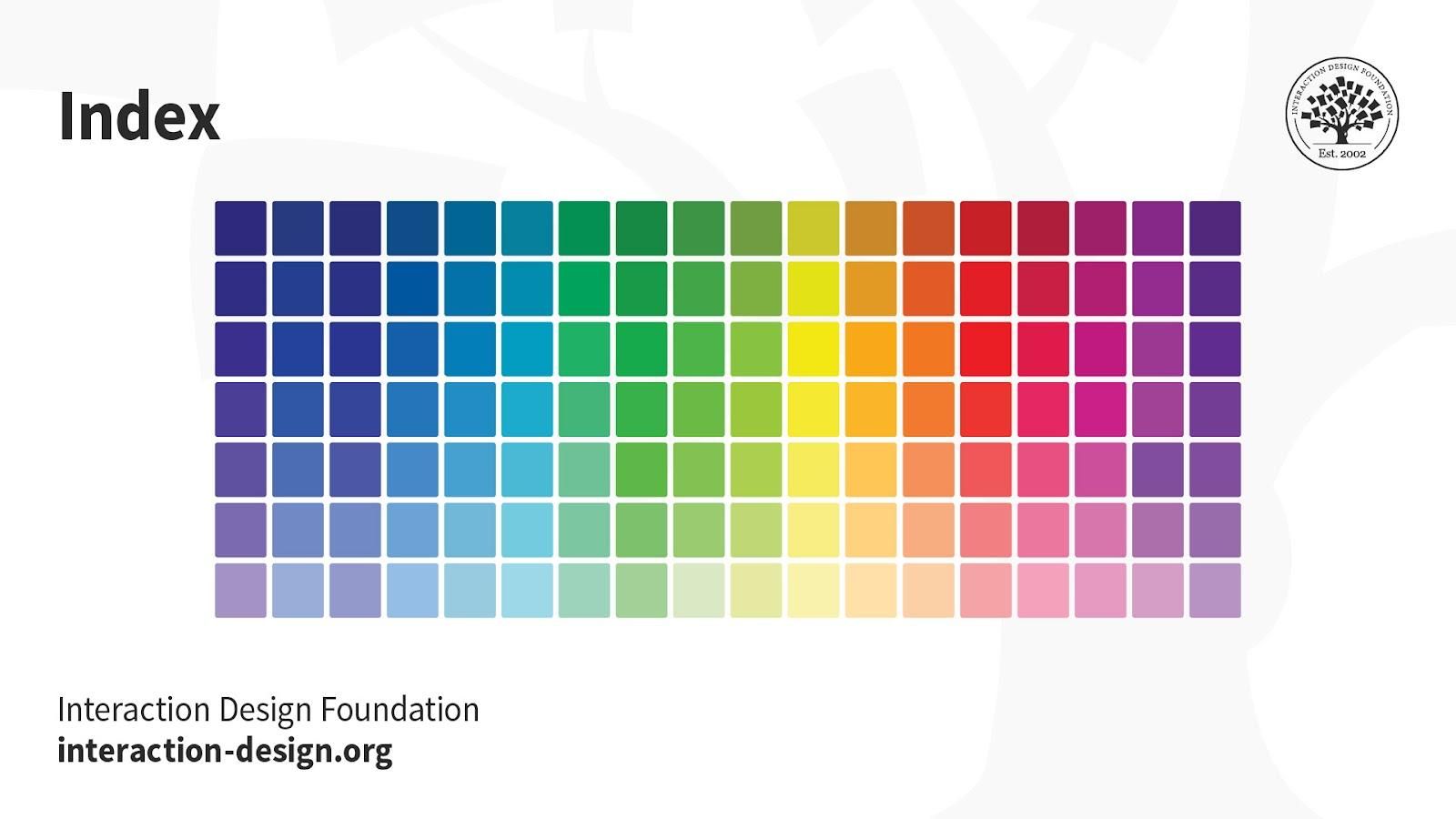
Illustration depicting the index color mode

© Daniel Skrok and Interaction Design Foundation, CC BY-SA 3.0

If a color in the original image doesn’t appear in the table, the software chooses the closest one or uses a dither effect to simulate the color. 

Uses:

While its color palette is limited, index color can reduce file size yet maintain the desired visual quality for digital presentations, websites and mobile applications. So, this mode is ideal for image optimization. For extensive editing, it’s best to convert temporarily to RGB mode.

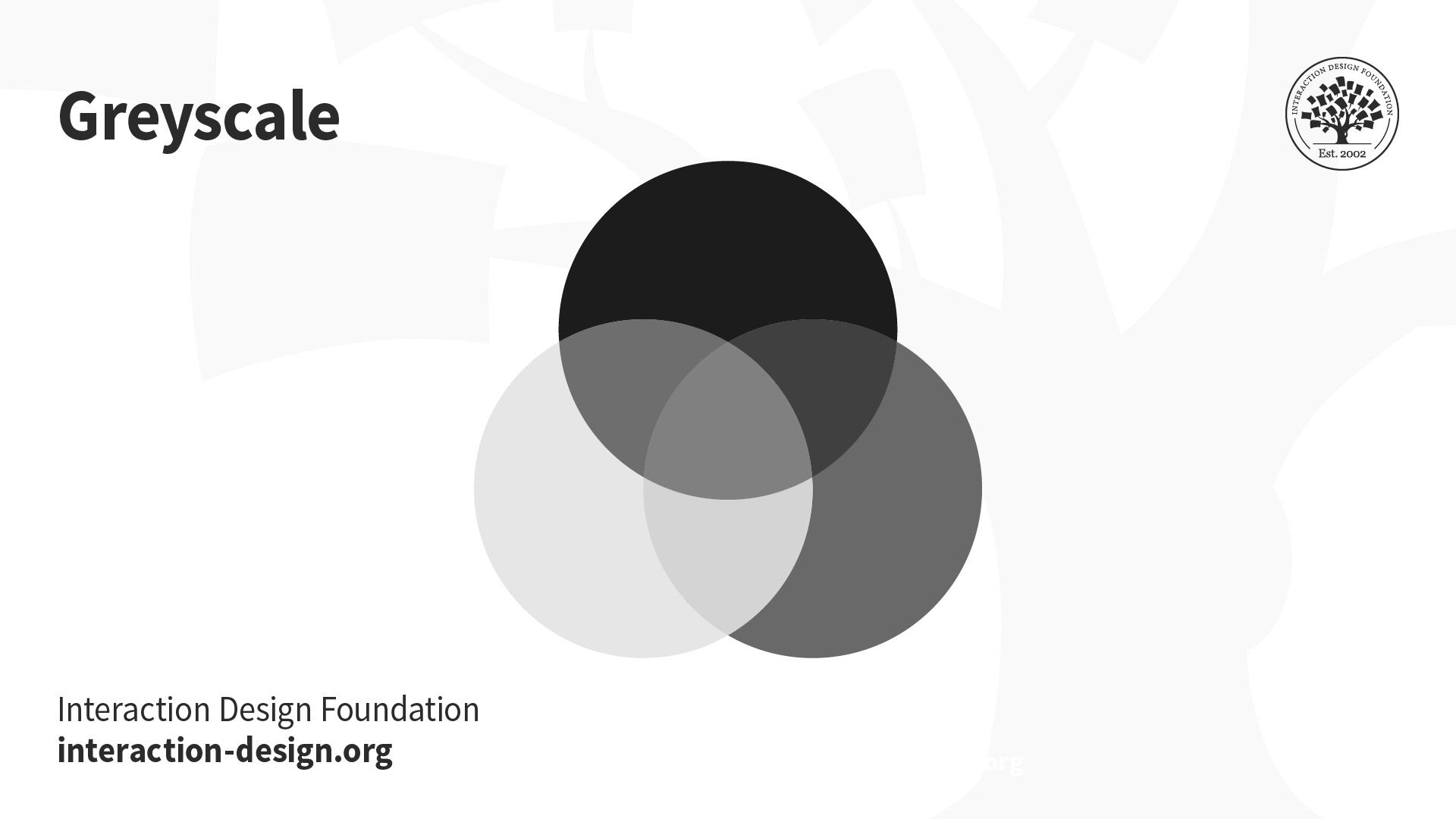
Greyscale: This black-and-white-looking mode comprises various shades of grey within an image.
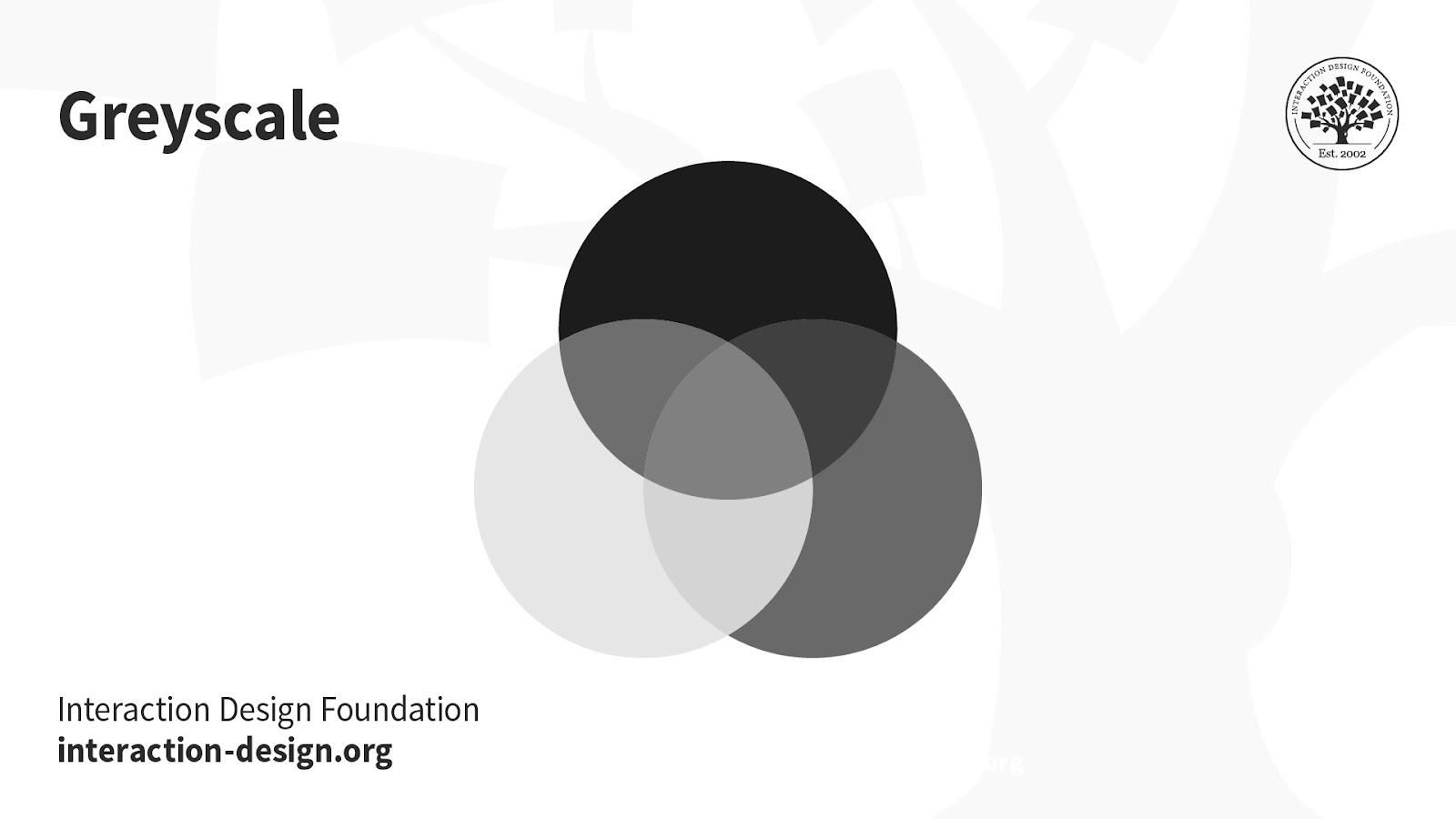
Illustration depicting the greyscale color mode

© Daniel Skrok and Interaction Design Foundation, CC BY-SA 3.0

You can use it in print and digital formats. In digital, each image pixel has a value ranging from 0 (black) to 255 (white). In print, the values range from 0% (white) to 100% (black), representing the amount of black ink used.

Uses: 

  • Digital formats to express a specific tone in your designs. 

  • Print formats to lower costs and minimize ink usage.

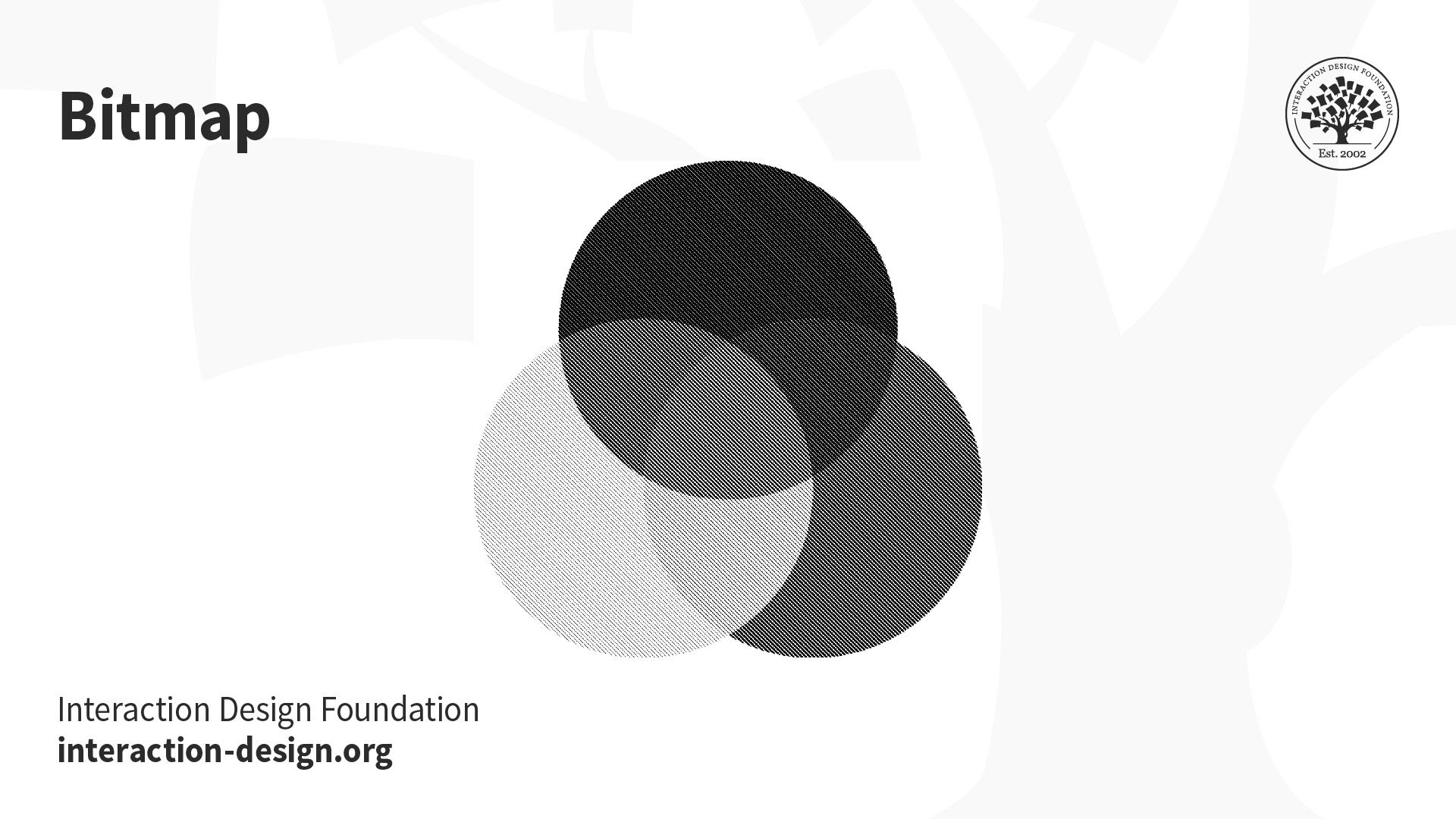
Bitmap (a.k.a. line art): This mode comprises black and white pixels, with no colors or shades of grey.
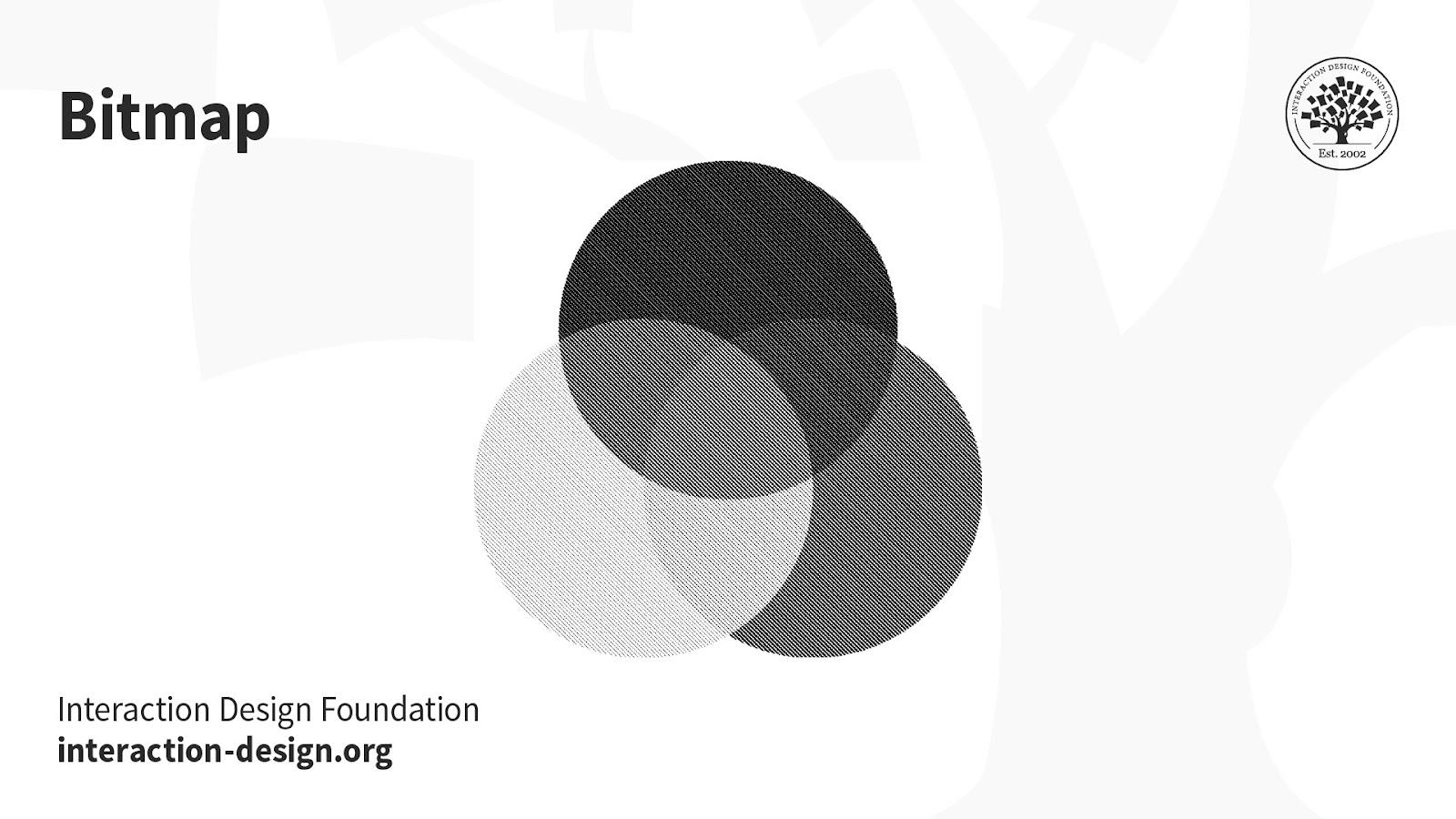
Illustration depicting the bitmap color mode

© Daniel Skrok and Interaction Design Foundation, CC BY-SA 3.0

In digital formats, black and white values represent an image’s pixels, while black ink dots and the white of the paper represent the overall image in print formats.

Uses:

  • Print and digital formats to create a line drawing or hand-drawn sketch or make vintage effects.

While jagged-edged on-screen, bitmap images usually print smoothly with high resolution.

Questions About Color Modes?
We've Got Answers!

Where to learn more about color modes?

The Interaction Design Foundation has published multiple articles on the use and definition of color modes. Take the Visual design course by IxDF to understand when and how to incorporate colors in your designs. This course provides comprehensive insights into the strategic use of colors in your plans in digital and printed formats. It also highlights the detailed use of the color modes in different scenarios and design types.

Understanding color modes is essential in making your designs visually impactful, whether on screens or in print. Colors play a crucial role in capturing attention and conveying messages effectively. Designers use suitable color modes to make their work stand out.

Watch this video to learn what the visual design course offers.

What is the 20-20-20 rule?

The 20-20-20 rule is suggested for users who spend prolonged periods in front of screens. They could be software developers, graphic designers, or end users. The states that users should take a 20-second break to look at something 20 feet away every 20 minutes to reduce eye strain from screen exposure. The rationale behind this rule is rooted in tackling the effects of prolonged screen time, such as digital eye strain and computer vision syndrome. By redirecting the gaze to a distant point, users engage their eyes in different focal lengths, reducing fatigue and potential discomfort. Incorporating the 20-20-20 rule into regular screen-based activities promotes eye health, contributing to sustained visual comfort and well-being.

Can you tell the difference between CMYK and RGB?

There is a difference between CMYK and RGB across many factors. RGB is the more vibrant color mode, uses an additive process, and is used in digital designs. Its ability to create a broad spectrum of vivid colors is particularly advantageous in the digital realm. CMYK is the printing-based color mode, uses a subtractive process, and is used in printed designs like flyers, brochures, etc. Knowing this difference is vital while deciding on the palette for your UI design. The visual characteristics of RGB and CMYK can impact a design's overall aesthetics and consistency across various mediums. Designers must navigate these distinctions thoughtfully to ensure optimal visual outcomes in digital and print contexts. This article by IxDF tells you about the must-knows of UI color palettes.

Which color mode is good for the eyes?

No rule or restriction exists on which color mode is best for human eyes. It is subjective and depends on anomalies, in the viewer's eyesight and in viewing conditions. Generally, warm and muted colors with appropriate brightness are considered eye-friendly. However, personal preferences and visual comfort can vary. Considerations such as color contrast, text size, and ambient lighting play significant roles. Designers may experiment with different color modes, contrasts, and brightness levels to optimize visual comfort based on the context and target audience. Ultimately, a thoughtful and user-centric approach and an awareness of individual visual sensitivities contribute to creating visually pleasing designs.

Transcript

Watch this video to understand how and why we see colors.

Why does RGB look better than CMYK?

RGB may look better than CMYK on screens due to the additive color process, but the choice depends on the intended medium. While RGB may excel in digital environments, its vividness may only sometimes translate accurately to CMYK's more subdued and subtractive color process, commonly used in print. Designers must consider the medium's characteristics and choose the color mode accordingly. With their intense hues, RGB colors often evoke a sense of appeal or extremity, aligning with human emotions and perceptions tied to colors. Humans connect feelings with colors; hence, RGB colors are better for depicting designs. Learn more about color symbolism and how colors portray different emotions and feelings.

What is the best color mode for printing?

CMYK is the best color mode for printing. The 4 color combinations of Cyan, Magenta, Yellow, and Key(Black) are found in most printers. Printed images use a series of these four color dots. Using complementary colors in your designs is suggested for a better appeal. Designers aiming for vibrant and accurate printed outputs should favor CMYK to ensure that the colors visually translate from digital design to print. An additional consideration for enhanced visual appeal in print design involves incorporating complementary colors. Utilizing colors that complement each other within the CMYK spectrum can elevate the overall aesthetics of printed materials. Refer to this article to learn more about the use of complementary colors.

What happens if you print RGB instead of CMYK?

RBG and CMYK follow different color processes, making the theme suitable for specific formats. This is because any digital design will appear different to the eyes when viewed in printed format. RGB relies on an additive color process, combining red, green, and blue light to create a spectrum. In contrast, CMYK employs a subtractive process using cyan, magenta, yellow, and black ink for printing. When a digital design created in RGB is directly printed without conversion, the colors may appear differently in print than on-screen. This will affect the design's visual appeal in the physical form. Converting RGB to CMYK is essential before printing to ensure accurate color reproduction.

Which color mode is better?

The choice between RGB and CMYK depends on the context. RGB is the better choice when designing for digital consumption, as it utilizes an additive color model. Designs intended for digital screens, such as those for websites, apps, and social media, appear more vibrant and visually appealing when using the RGB color mode. CMYK is the better choice for designs that must be printed, like the packages on products, flyers, brochures, and advertisements. CMYK ensures accurate color representation in the printed output, aligning with the capabilities of physical printers. Designers must align their color mode choices with the intended medium to optimize visual impact.

Transcript

Watch this video to learn how colors change in different modes.

What are RGB and CMYK color modes?

RGB is a color mode that uses Red, Green, and Blue hues that can be combined to produce a spectrum of colors. It uses the additive process and suits digital, web, app, and social media designs. CMYK comprises Cyan, Magenta, Yellow, and Key (Black). Primarily used in print design, CMYK colors use the subtractive process and are layered in various combinations to achieve a full spectrum. This mode is crucial for printed materials such as advertisements, brochures, flyers, business cards, product portfolios, and packaging, ensuring accurate color representation in the final output. Digital displays almost exclusively use RGB.

How many modes of color are there?

Recognizing the right colors for your design is essential for every designer. A precise knowledge of the color modes can make it easier for a designer to choose correctly. There are four modes of color:

  • RGB: This color mode utilizes additive color mixing and is used in electronic displays.

  • CMYK: Relies on subtractive color mixing and is essential for print design.

  • LAB: This color mode represents colors in a way that aligns with human perception, making it valuable for precise color reproduction.

  • Pantone Matching System (PMS): The Pantone system is a proprietary color space used in various industries, primarily printing. The Pantone system allows for nearly exact color matching and standardization, meaning designers and printers can know they're on the same page regarding color expectations.

Transcript

Watch this video to learn more about colors.

Earn a Gift Earn a Gift, Answer a Short Quiz!

1
2
3
4
1
2
3
4
Question 1
Question 2
Question 3
Get Your Gift
Interaction Design Foundation logo

Question 1

Why should designers mainly use different color modes in design?

1 point towards your gift

  • To decrease the contrast, saturation and brightness of website images
  • To guarantee color consistency across different devices and materials
  • To simplify the design process
Interaction Design Foundation logo

Question 2

Which color mode should designers use for digital screens?

1 point towards your gift

  • CMYK
  • LAB
  • RGB
Interaction Design Foundation logo

Question 3

Why do we use the CMYK color mode for print materials specifically?

1 point towards your gift

  • It enhances digital animation.
  • It lowers the overall cost of digital productions.
  • It uses a subtractive process suitable for ink-based media.

Learn More About Color Modes

Make learning as easy as watching Netflix: Learn more about Color Modes by taking the online IxDF Course Visual Design: The Ultimate Guide.

Why? Because design skills make you valuable. In any job. Any industry.

In This Course, You'll

  • Get excited when you use visual design principles to create impressive visuals people love! Great visual design makes the message clear, memorable, and persuasive—whether it's an app, a logo, or a presentation slide. You'll learn what makes a design excellent and how science and culture influence what works and what doesn't. You'll create designs that truly connect with people. Visual design isn't just about beauty—it's about shaping ideas that inspire action, build trust, and give meaning to your work. As AI makes visual production faster and cheaper, you stay in demand when you can turn rough or AI-generated visuals into successful designs that get approved, adopted, and used. If you want to stand out with timeless human-centered design skills, this course is for you.

  • Make yourself invaluable with practical design skills that amplify your impact in any industry! Did you know that you only have 50 milliseconds to make a good first impression? Great visual design ensures you pass the test every time. You'll learn to use visual elements to guide emotions, influence purchasing decisions, and optimize User Experience (UX) and User Interface (UI) design. You'll master color theory, typography, and grid systems to improve usability, build credibility, and create designs that stop the scroll.

  • Gain confidence and credibility as you fast-track results with step-by-step exercises and downloadable templates! Complete optional tasks to walk away with portfolio-ready case studies that will help you land your dream job and advance your career. You'll get hands-on and design a low-fidelity wireframe, apply a monochromatic, complementary, or triadic color scheme, choose typefaces, and select a grid system. It's easier than you think! No matter your background, you can master Visual Design. With clear guidance and real-world examples, you'll apply your skills right away. This course will give you the visual design skills you need to solve design challenges, collaborate smarter, and make it easy for decision-makers to say yes to your vision.

It's Easy to Fast-Track Your Career with the World's Best Experts

Master complex skills effortlessly with proven best practices and toolkits directly from the world's top design experts. Meet your experts for this course:

  • Mia Cinelli: Associate Professor of Art Studio and Digital Design at the University of Kentucky.

  • Joann Eckstut: Color Consultant, Founder of The Roomworks, and one of the 12 designers chosen by the Color Association of the USA to create the yearly forecast used by industries to keep up with color trends.

  • Arielle Eckstut: Author, Agent-at-large at the Levine Greenberg Rostan Literary Agency, and Co-Founder of The Book Doctors and LittleMissMatched.

Get an Industry-Recognized IxDF Course Certificate

Increase your credibility, salary potential and job opportunities by showing credible evidence of your skills.

IxDF Course Certificates set the industry gold standard. Add them to your LinkedIn profile, resumé, and job applications.

Course Certificate Example

Be in distinguished company, alongside industry leaders who train their teams with the IxDF and trust IxDF Course Certificates.

Our clients: IBM, HP, Adobe, GE, Accenture, Allianz, Phillips, Deezer, Capgemin, Mcafee, SAP, Telenor, Cigna, British Parliament, State of New York

All Free IxDF Articles on Color Modes

Read full article
What are Color Modes? - Article hero image
Interaction Design Foundation logo

What are Color Modes?

As a designer, it’s important to differentiate the color modes so you can optimize each stage of your design process. If you use the correct color mode in your design, you will also help get your message and tone across. In this lesson, we’ll define common color modes and help you understand when to

Social shares
769
Published
Read Article
Read full article
UI Color Palette 2026: Best Practices, Tips, and Tricks for Designers - Article hero image
Interaction Design Foundation logo

UI Color Palette 2026: Best Practices, Tips, and Tricks for Designers

Color is vital in UI (User Interface) design because not only does it enhance the aesthetics on screens, but it shapes the UX (User Experience), stirs emotions, and influences the decision-making of users who arrive on those screens. Color creates an impactful dialog between what you design for your

Social shares
1.2k
Published
Read Article

What are Color Modes?

What are Color Modes?


As a designer, it’s important to differentiate the color modes so you can optimize each stage of your design process. If you use the correct color mode in your design, you will also help get your message and tone across. In this lesson, we’ll define common color modes and help you understand when to use them in your designs. You’ll never have to fear these acronyms again.

Let’s begin with a quality comparison between several common color modes. The below illustration depicts the difference between LAB, RGB, CMYK, Index, Greyscale and Bitmap color modes. You’ll notice how the quality from left (LAB) to right (Bitmap) decreases as the amount of color decreases.

Image comparing lab, rgb, cmyk, index, greyscale and bitmap color modes

© Daniel Skrok and Interaction Design Foundation, CC BY-SA 3.0

You may be thinking, the quality is far superior in LAB and RGB, so shouldn't I always use this color mode? The short answer is no, as it really depends on the context of use for your users. While the RGB color mode contains millions of colors and is typically a higher quality, it may produce a large file size that is not optimized for the web. So, an optimized Index color mode may be a better solution to help increase your website load time and improve your users’ experience. 

Color Modes:

  • LAB

  • RGB

  • CMYK

  • Index

  • Greyscale

  • Bitmap

LAB

The LAB color mode, also known as CIELab (pronounced See-Lab), is based on the human perception of color. The color mode consists of one channel for Lightness (L) and two channels for Color (A and B). The Lightness channel (L) ranges from 0 to 100 and the Green-Red Axis channel (A) and Blue-Yellow Axis channel (B) range from +127 to -128.

Illustration depicting the lab color mode

© Daniel Skrok and Interaction Design Foundation, CC BY-SA 3.0

When Should I Use LAB?

  • Branded Products (e.g., t-shirts, coffee mugs, banners)

  • Color Reference

  • Photography

LAB color is considered device-independent, which means that it’s easier for you to achieve exactly the same color across different types of media. If your organization wants you to design a branded t-shirt, coffee mug or banner, it would be a good idea to use LAB color as it will ensure that the colors look exactly the same.

Color management systems use LAB as a color reference to predictably transform a color from one color space to another color space. You can also use LAB to make the colors in your images look more vibrant and natural.

RGB

The RGB color mode consists of Red, Green and Blue hues that combine to create extensive variations of colors. This color mode exists exclusively in digital formats to include computer monitors, mobile devices and television screens. Even though RGB is present across most electronic devices, the color elements vary across systems and models. An image you see on your MacBook may display differently on your friend's Dell.

Illustration depicting the rgb color mode

© Daniel Skrok and Interaction Design Foundation, CC BY-SA 3.0

Instead of using ink to produce hues, the RGB profile uses an additive process to produce color by blending light. This is the exact opposite of subtractive color processes, such as mixing ink or paint. The presence of all RGB colors at full intensity produces white, while the absence of color produces black. That is why when you turn your device screen off, you see the absence of RGB color, resulting in black. The color displays on your screen result from the presence of those RGB base hues.

When Should I Use RGB?

  • Web & App Design

  • Digital Design

  • Social Media

  • Online Advertisements

You should reserve RGB for digital designs. Set your documents in RGB when you design for websites, apps, digital design, social media or online advertisements. Essentially, any image that you will design on-screen should be RGB. While you can design in CMYK for a digital design, you’ll reduce your color options due to CMYK’s limited gamut range.

CMYK

Illustration depicting the cmyk color mode

© Daniel Skrok and Interaction Design Foundation, CC BY-SA 3.0

The CMYK color mode consists of Cyan, Magenta, Yellow and Key (Black) that combine to produce a range of hues. This four-color process works for most types of printers. Essentially, printed images are a series of layered four-color dots that create different hues and gradations to form an image. Dots per inch result from printing and involve the CMYK color profiles. Although CMYK is a standard color model, the exact range of colors represented can vary, depending on the press and printing conditions.

Fun Fact: The K in CMYK is known as the Key, because it's the key plate that prints all the detail in a printed image. In printing, Cyan, Magenta and Yellow plates are properly aligned with the Key plate.

In RGB color spaces, all primaries combine to produce white with additive color processing. CMYK modes combine with subtractive color processes, meaning all primaries mask to produce a blackish hue. This process is similar to when, as a child, you mixed every brightly-colored paint you could find and were surprised to end up with brown. You may notice if you layer inks or paints upon one another, they subtract from the white of the paper.

When Should I Use CMYK?

  • Stationery (e.g., business cards, letterhead, envelopes)

  • Advertising (e.g., posters, flyers, brochures, billboards)

  • Product Packaging

You should reserve CMYK for printed designs. Set your documents in CMYK when you design for business cards, letterheads, posters, brochures and packaging. Use the CMYK mode when you prepare an image to be printed with process colors, as image conversion from RGB to CMYK creates a color separation. If you start with an RGB image, it’s best to edit first in RGB and then convert to CMYK at the end of your edit process. Please do yourself and the printer a favor and double-check the documents color mode before you export for printing. This will prevent unbalanced colors that can result from the conversion of RGB colors into CMYK equivalents.

Index

The Index color mode produces 8‑bit image files with up to 256 colors. This color mode exists exclusively in digital formats to include computer monitors, mobile devices and television screens. According to Adobe, when you convert an image to index color, a color table is built which stores and indexes the colors in the image. If a color in the original image does not appear in the table, the software chooses the closest one or uses a dither effect to simulate the color.

Read Adobe’s “Image and Color Basics” to learn more about Color Modes:

https://helpx.adobe.com/photoshop/using/color-modes.html

Illustration depicting the index color mode

© Daniel Skrok and Interaction Design Foundation, CC BY-SA 3.0

When Should I Use Index?

Although its palette of colors is limited, index color can reduce file size yet maintain the visual quality needed for digital presentations, websites and mobile applications. Therefore, Index color mode is ideal for image optimization. As limited editing is available in this mode, you should convert temporarily to RGB mode for extensive editing.

Greyscale

The Greyscale mode consists of different shades of grey within an image. This color mode may be used in both digital and print formats. In digital formats, every pixel within a greyscale image contains a value that ranges from 0 (black) to 255 (white). In print formats, the greyscale values are measured by the percentage of black ink that ranges from 0% (white) to 100% (black).

Illustration depicting the greyscale color mode

© Daniel Skrok and Interaction Design Foundation, CC BY-SA 3.0

When Should I Use Greyscale?

Reserve greyscale for both digital and print designs. In digital formats, use greyscale to capture a certain tone in your designs. In print formats, use greyscale to reduce costs and minimize the amount of ink usage.

Bitmap

The Bitmap mode, or line art, consists of black and white pixels. There are no colors or shades of grey in Bitmap images. This mode may be used in both digital and print formats. In digital formats, black and white values represent the pixels of an image. In print formats, black ink dots and the white of the paper represent the overall image.

Illustration depicting the bitmap color mode

© Daniel Skrok and Interaction Design Foundation, CC BY-SA 3.0

When Should I Use Bitmap?

You should reserve Bitmap for both digital and print designs. In both formats, you may use bitmap to create the effect of a line drawing or hand-drawn sketch. You may also use it to mimic the feel of a vintage illustration. You may notice that bitmap images have jagged edges when viewed on-screen; however, they typically print very clean and smooth with a high enough print resolution.

The Take Away

As a designer, it’s important to understand common color modes so you can get your message and tone across. If you use the correct color mode, you can help optimize each stage of your design process. In this lesson, you learned about common color modes and when to use them in your designs. You’ll never have to fear the below acronyms again.

Color Modes:

  • RGB (Red, Green, Blue)

  • CMYK (Cyan, Magenta, Yellow, Black)

  • LAB (Lightness, Green-Red Axis, Blue-Yellow Axis) 

  • Index

  • Greyscale

  • Bitmap

Advance Your Career With This Free Template for “Color Modes”
Color Modes
We respect your privacy
Get 1 powerful email each week: Design a life you love!

References and Where to Learn More

Read the insightful book “What Is Color? 50 Questions and Answers on the Science of Color” to learn more about Color Theory:
Arielle Eckstut and Joann Eckstut. What Is Color? 50 Questions and Answers on the Science of Color. 2020. (Link)

Image

© Daniel Skrok and Interaction Design Foundation, CC BY-SA 3.0

Feel Stuck?
Want Better Job Options?

AI is replacing jobs everywhere, yet design jobs are booming with a projected 45% job growth. With design skills, you can create products and services people love. More love means more impact and greater salary potential.

At IxDF, we help you from your first course to your next job, all in one place.

See How Design Skills Turn Into Job Options
Privacy Settings
By using this site, you accept our Cookie Policy and Terms of Use.
Customize
Accept all

Be the One Who Inspires

People remember who shares great ideas.

Share on:

Academic Credibility — On Autopilot

Don't waste time googling citation formats. Just copy, paste and look legit in seconds.