Functionality and Mobile Design – Don’t Shrink the Screen, Focus on the Tasks

• 8 min read

781 Shares

Designing for mobile devices is not the same as designing for laptops or desktops. It's about creating a unique user experience that focuses on what matters to mobile users. To achieve this, it's important to focus on the tasks that users want to accomplish and ensure they can be executed efficiently.

Designing for mobile devices is no longer a choice, but a necessity. With billions of people using smartphones and tablets to access the internet, it's crucial for designers to prioritize mobile users to stay competitive. Ignoring this trend could mean missing out on a significant portion of the market.

That means putting mobile first in many product development strategies. It means understanding that mobile is different and not a desktop experience. For example, screen real estate is more limited on a smartphone, connectivity may not be guaranteed, battery life is precious, and many more considerations.

Then there are the benefits of these devices to consider; they are more personal than a desktop, they’re always on (when battery permits), and you can talk directly to the user through them. They have motion sensors, GPS, accelerometers, and more too.

So how do we approach design for mobile? Let’s take a look:

Focus on Mobile

© Interaction Design Foundation, CC BY-SA 4.0

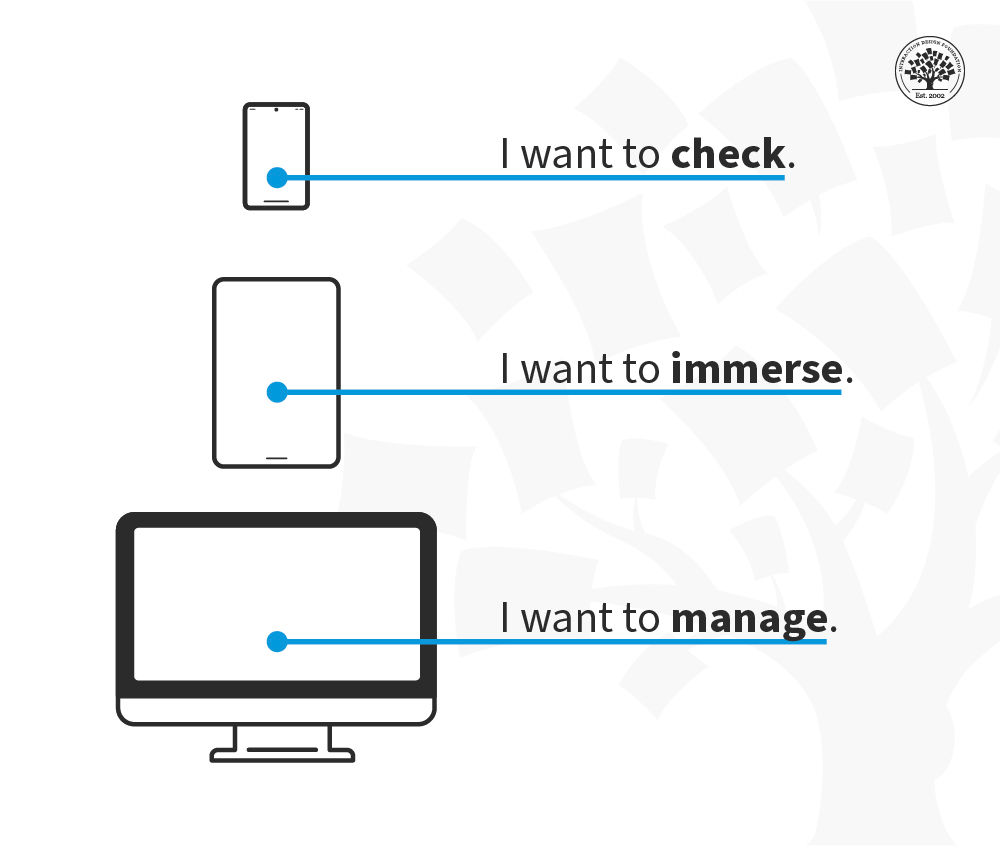
The limitations of screen real estate mean that less is more. You need to keep features to a minimum. You have to focus on the key tasks the user wants to carry out, and you will have to drop stuff from other platforms to make mobile work.

Personal Functionality

If mobile devices are personal, the functions they deliver should also be personal. Make them fun, make them customizable and make them integral to your users’ lives. Getting tasks done doesn’t need to be a chore.

Consider the Context of Use

When will your user access your functionality? When they’re bored? When they’re busy? When they’re lost? Make the functionality fit the situation, and you’re on the road to relevance to your users.

Functions that Fit the Device

The functions you offer need to follow patterns that deliver the experience on every device consistently:
© Interaction Design Foundation, CC BY-SA 4.0

  • Keep the user in the picture. It may take time for data to process, but you need to let the user know when you’ve received their data and how long they will wait, and you must do that immediately.

  • Pay attention to the detail. Apps have to deliver seamless experiences where users can carry out tasks efficiently. They also need to look and feel good to use.

  • Watch the interface. Users are all thumbs, literally, on smartphones. Can your tasks be easily completed with someone’s thumbs? No? Then rethink them.

  • Keep things intuitive. This is back to the thumbs issue – keep buttons, tabs, boxes, etc., to a minimum and keep content easy to access and navigate.

  • Keep controls consistent and at the bottom. This lets the user focus on the content and manipulate it as they need to.

  • Reduce user input where necessary. Pay attention to whether auto-correct is a help or hindrance on the device for your tasks. Make sure that you help the user pick the right keyboard to get the job done. Don’t forget to support a landscape orientation – particularly if you want a lot of typing done. Think about providing an orientation lock to make this easy.

Think about Navigation

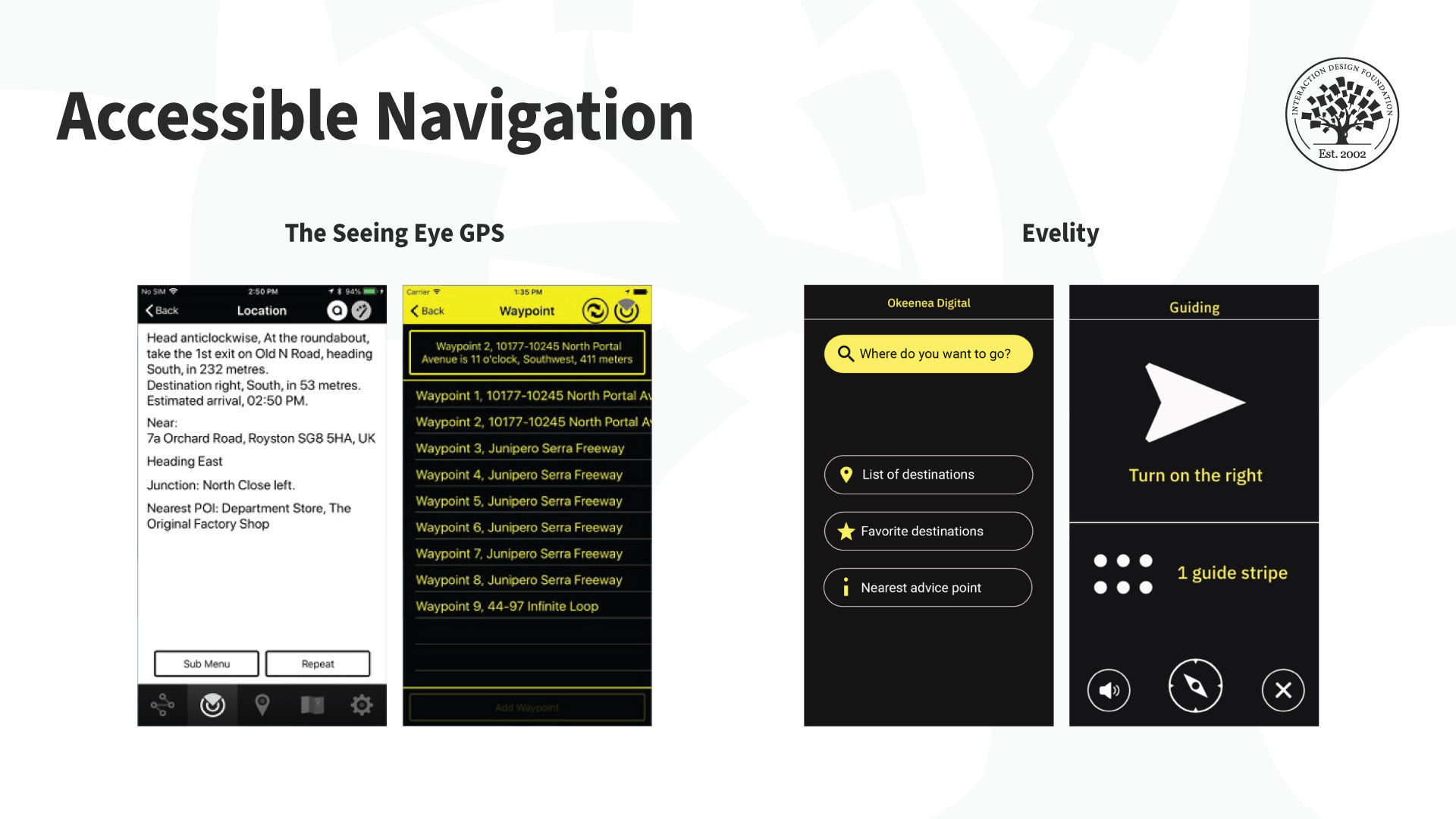
A lot depends on the complexity of your task, but navigation on mobile can fall into these categories:
© Interaction Design Foundation, CC BY-SA 4.0

  • None at all. If you’re releasing a weather app for your neighborhood – a single screen could (and should) deliver all the tasks for the user.

  • Simple tabs. When you need to break consistent content up into several areas. (Think Twitter)

  • Drill down menus. When you need to deliver higher levels of complexity. Group content and make it easy to move through the hierarchy. (Think your settings menu on your smartphone.)

Keep Communicating

It’s important to keep the user informed as they go about their tasks. You need to:

  • Have a method to deliver feedback. From the tactile (think the vibration function) to the visual (progress bars), you must keep users aware of whether things are going well as they execute their tasks.

  • Ask for confirmation when necessary. Modal boxes are annoying, but the exception is when you want to protect the user. For example, if someone wishes to delete a photo, you can ask if they’re sure before you carry out the action.

Keep on Task

If a user exits your app without completing a task, when they open it back up – they should be brought right back to the same task in the same place. Make it fast and easy to restart a process, and your users will love you for it.

Consider Graphics

The icon you use for your app – should ideally be representative of the key task your users want to carry out. Make it blindingly obvious at a glance what your app does, and it will be much more likely to be downloaded and used.

Consider the First Time of Use

Keep things simple and focus very much on key tasks when your app first launches. You can add complexity over time. If it’s confusing or hard to carry out a task the first time your app is used – it will likely never be used again.

The Take Away

By focusing on the tasks required by a user from a mobile platform and ensuring that functionality and form support those tasks – you can deliver a premier mobile user experience through your app. Mobile is different from the desktop, but that doesn’t mean that it’s harder to do a good job, just that a different approach is required.

References

Take our course on Mobile UX Design: The Beginners Guide.

Learn everything you need to know about task-oriented design.

Smashing Magazine offers its Mobile Design Techniques That Boost UX.

SoluteLabas takes a look at mobile UX design principles.

Learn how to balance tasks, content and mobile optimization in mobile UX.

Hero Image: © Interaction Design Foundation, CC BY-SA 4.0

Learn More in This Course:

AI for Designers

12 days
13 % booked
View Course

What You Should Read Next

  • Read full article
    Bad Design vs. Good Design: 5 Examples We Can Learn From - Article hero image
    Interaction Design Foundation logo

    Bad Design vs. Good Design: 5 Examples We Can Learn From

    Looking at examples of bad design alongside counter-examples of good design is not only fun but also draws important lessons for designers. They highlight pitfalls for designers to avoid and let us understand how to translate design theories into solutions that work in the real world. Jared Spool, t

    Social shares
    1.5k
    Published
    Read Article
  • Read full article
    What is Interaction Design? - Article hero image
    Interaction Design Foundation logo

    What is Interaction Design?

    Interaction design is an important component within the giant umbrella of user experience (UX) design. In this article, we’ll explain what interaction design is, some useful models of interaction design, as well as briefly describe what an interaction designer usually does.A simple and useful unders

    Social shares
    1.5k
    Published
    Read Article
  • Read full article
    Apple’s Product Development Process – Inside the World’s Greatest Design Organization - Article hero image
    Interaction Design Foundation logo

    Apple’s Product Development Process – Inside the World’s Greatest Design Organization

    Apple’s Product Development Process may be one of the most successful design processes ever implemented. With a valuation that exceeds $2 trillion, there’s a lot that designers can learn from Apple and introduce into their own design environments.Apple is a notoriously secretive business. In Steve J

    Social shares
    1.4k
    Published
    Read Article
  • Read full article
    Shneiderman’s Eight Golden Rules Will Help You Design Better Interfaces - Article hero image
    Interaction Design Foundation logo

    Shneiderman’s Eight Golden Rules Will Help You Design Better Interfaces

    Follow Ben Shneiderman’s 'Eight Golden Rules of Interface Design' if you want to design great, productive and frustration-free user interfaces. Apple, Google and Microsoft are among some of the highly successful companies whose well-designed products reflect Shneiderman’s rules. The characteristics

    Social shares
    1.4k
    Published
    Read Article
  • Read full article
    User Interface Design Guidelines: 10 Rules of Thumb - Article hero image
    Interaction Design Foundation logo

    User Interface Design Guidelines: 10 Rules of Thumb

    Learn to design with your user’s needs and expectations in mind by applying Jakob Nielsen and Rolf Molich’s Ten User Interface Guidelines. These heuristics have been reflected in many of the products designed by some of the most successful companies in the world such as Apple, Google, and Adobe. Fur

    Social shares
    1.4k
    Published
    Read Article
  • Read full article
    How to Change Your Career from Graphic Design to UX Design - Article hero image
    Interaction Design Foundation logo

    How to Change Your Career from Graphic Design to UX Design

    If there’s an occupation that is 100% linked with the public’s idea of what design is all about, it’s graphic design. From the familiar golden arches of the McDonald’s brand to the typography and colors of movie posters, graphic designers create some of the most iconic and ubiquitous designs around

    Social shares
    1.4k
    Published
    Read Article
  • Read full article
    The Grid System: Building a Solid Design Layout - Article hero image
    Interaction Design Foundation logo

    The Grid System: Building a Solid Design Layout

    Now that we’ve seen some grids at work in the Rule of Thirds article, let’s examine them a little more deeply. As a concept that deals so fundamentally with the fabric and background of our work as designers, it’s easy to overlook the power of grids and think more about the elements we want to creat

    Social shares
    1.4k
    Published
    Read Article
  • Read full article
    The Principles of Service Design Thinking - Building Better Services - Article hero image
    Interaction Design Foundation logo

    The Principles of Service Design Thinking - Building Better Services

    Service design is all about taking a service and making it meet the user’s and customer’s needs for that service. It can be used to improve an existing service or to create a new service from scratch. In order to adapt to service design, a UX designer will need to understand the basic principles of

    Social shares
    1.4k
    Published
    Read Article
  • Read full article
    A Simple Introduction to Lean UX - Article hero image
    Interaction Design Foundation logo

    A Simple Introduction to Lean UX

    Lean UX is an incredibly useful technique when working on projects where the Agile development method is used. Traditional UX techniques often don’t work when development is conducted in rapid bursts – there’s not enough time to deliver UX in the same way. Fundamentally Lean UX and other forms of UX

    Social shares
    1.3k
    Published
    Read Article
  • Read full article
    Dieter Rams: 10 Timeless Commandments for Good Design - Article hero image
    Interaction Design Foundation logo

    Dieter Rams: 10 Timeless Commandments for Good Design

    Let’s pay a virtual visit to a famous industrial designer’s workshop. By examining the principles of his winning approach, we can incorporate vital elements into our designs in the “less is more” age.As user experience practitioners, most of us have worked with Nielsen and Molich’s 10 heuristics or

    Social shares
    1.3k
    Published
    Read Article

Top Articles

Top Topic Definitions

Feel Stuck?
Want Better Job Options?

AI is replacing jobs everywhere, yet design jobs are booming with a projected 45% job growth. With design skills, you can create products and services people love. More love means more impact and greater salary potential.

At IxDF, we help you from your first course to your next job, all in one place.

See How Design Skills Turn Into Job Options
Privacy Settings
By using this site, you accept our Cookie Policy and Terms of Use.
Customize
Accept all

Be the One Who Inspires

People remember who shares great ideas.

Share on:

Academic Credibility — On Autopilot

Don't waste time googling citation formats. Just copy, paste and look legit in seconds.

Feel Stuck? Want Freedom?

Join 326,020+ designers who get one powerful email each week. Learn to design a life you love.

Next email in
1
day
15
hrs
45
mins
51
secs

Free forever. No spam. Unsubscribe anytime.