Online services such as LinkedIn and Craigslist want to show users all of the functionalities they offer. It helps in getting first-time visitors interested and convincing them to engage and contribute. Still, in order for most of these functionalities to work, a user needs to create an account and log in. This allows the service to become more personalized and secure. Due to its vital job of reminding people of this need to sign in, the design pattern we discuss here will be of great use to you. Implemented well, sign-in reminders will not be annoying – they will instead imbue users with the sense they are being supported in the best possible way.
The Design Problem
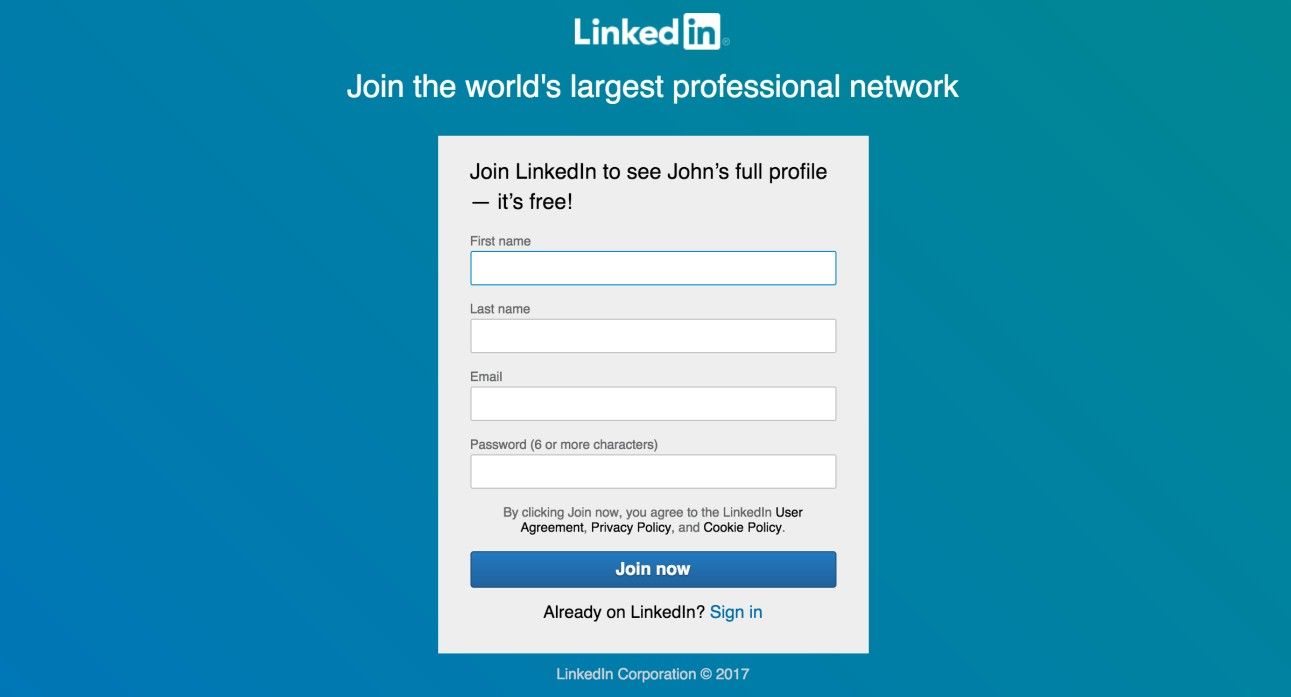
Users might enter a website from a number of different situations. In the case of LinkedIn (see the example below), someone may search for a specific person using the Google search engine; another user may follow a link that a specific person has posted in his portfolio, and someone else may click on a link in a weekly email update on her profile activity. Each of these roads leads to the activity of signing in to access the requested information.
Therefore, the experience of signing in to leave comments, make purchases, or check personal profiles must be consistent across all of the different points of entry and at all levels within the website or user interface. Furthermore, when users attempt to engage with your design, they will need a prompt to inform them that they cannot do so unless they are signed in.
Author/Copyright holder: LinkedIn. Copyright terms and license: Fair Use.se
LinkedIn uses the sign-in reminder to unlock the full profiles of people that a user is trying to view. Without signing in, he or she is restricted to viewing a short summary of each person sought.
The Design Solution
At the first point which requires users to sign in when they attempt to engage with a website or application, remind them of this requirement, and provide them with the means to do so. A sign-in reminder or prompt, in combination with the direct means of logging in to the website or application, helps minimize the amount of time and effort the users must invest before they are able to resume their intended activity (e.g., posting a comment within a forum).
Why Choose a Sign-in Reminder Design Pattern?
“Right now I’m having amnesia and déjà vu at the same time. I think I’ve forgotten this before.”
—Steven Wright, American comedian, actor, and writer
When users are looking for people or things online and find them, they can easily forget about the point they may not be signed in on any number of sites or apps. Sign-in reminders inform the users why they cannot carry out certain actions, such as leaving comments in a discussion forum, leaving feedback in e-commerce sites, or attempting to add a six-pack of herbal tea to an e-shopping cart. Without a short message redirecting them to a sign-in page, users will wonder why they cannot submit replies or feedback, although they may eventually catch on that they need to create an account at the e-store. Therefore, a sign-in reminder, in combination with the facility to log in right at that moment, is an important element in creating a cohesive user experience. The users should be able to carry out their activities with as few barriers as possible. A simple sign-in reminder acts as a quick and easy method of removing the obstacle blocking the user from engaging with your design. The magic we need to work here is similar to a goal of ours elsewhere in user experience design – removing anything that makes the users hesitate or question our designs, and giving them a clear and direct doorway into the online ‘worlds’ they want to visit.
Author/Copyright holder: Zalando. Copyright terms and license: Fair Use.
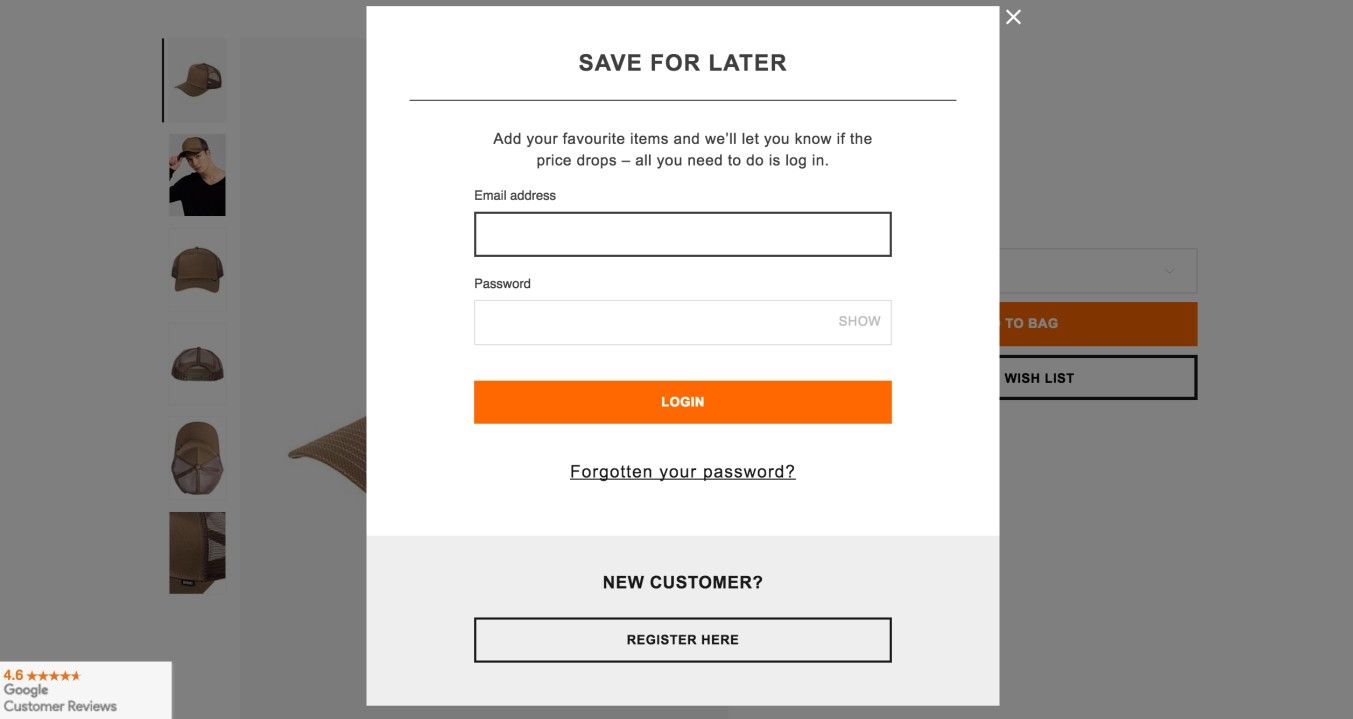
The Zalando online shop provides a sign-in reminder when a user tries to save a product into his or her favorites list. Requiring users to sign-in allows them to view the favorites list after leaving and returning to the website.
Best Practice: How to Implement Sign-In Reminders
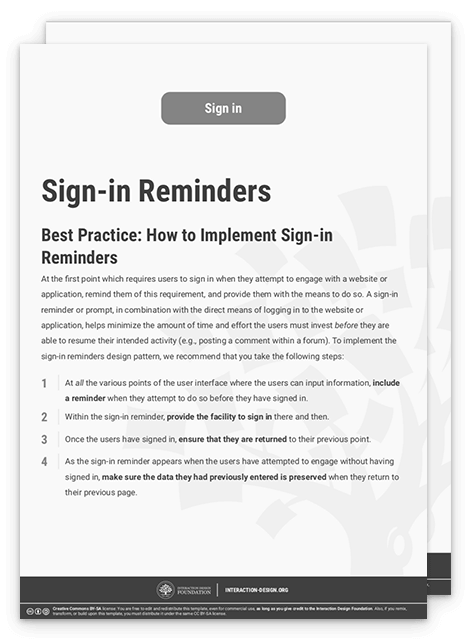
At all the various points of the user interface where the users can input information, include a reminder when they attempt to do so before they have signed in.
Within the sign-in reminder, provide the facility to sign in there and then.
Once the users have signed in, ensure that they are returned to their previous point.
As the sign-in reminder appears when the users have attempted to engage without having signed in, make sure the data they had previously entered is preserved when they return to their previous page.
To help you get started implementing sign-in reminders, you can download and print our “Sign-In Reminders” template:
Potential Problems with Sign-in Reminders
If, for any reason, you have implemented a sign-in reminder that navigates the users away from their current position (e.g., to a dedicated sign-in page or the homepage), they might well become confused, disoriented, frustrated or even annoyed, to say nothing of the time it may cost them to get back on track with what they intended to do. Even a ‘few’ seconds is a long time in this context. A good policy is always to assume the worst-case scenario and that a user’s train of thought will indeed go off the rails. We can liken that to what is known in psychology as the location updating effect. If you’ve ever gone into another room in order to get an item or do something, only to forget what it was—as in, completely draw blanks—that’s the location updating effect (also called “the doorway effect"), a phenomenon where the arrival at new surroundings clouds or blocks the idea that the person had had before going there. Therefore, wherever possible, always try to use a pop-up reminder or an in-page overlay, either of which will allow the users to sign in immediately and resume their activities. If your design requires the sign-in reminder to navigate the users away, then ensure there is a small alert—which can be closed or ignored—warning them that they will be redirected to a new page. This way, users can choose whether to follow the sign-in procedure or carry on from where they left off.
Author/Copyright holder: Spotify. Copyright terms and license: Fair Use.
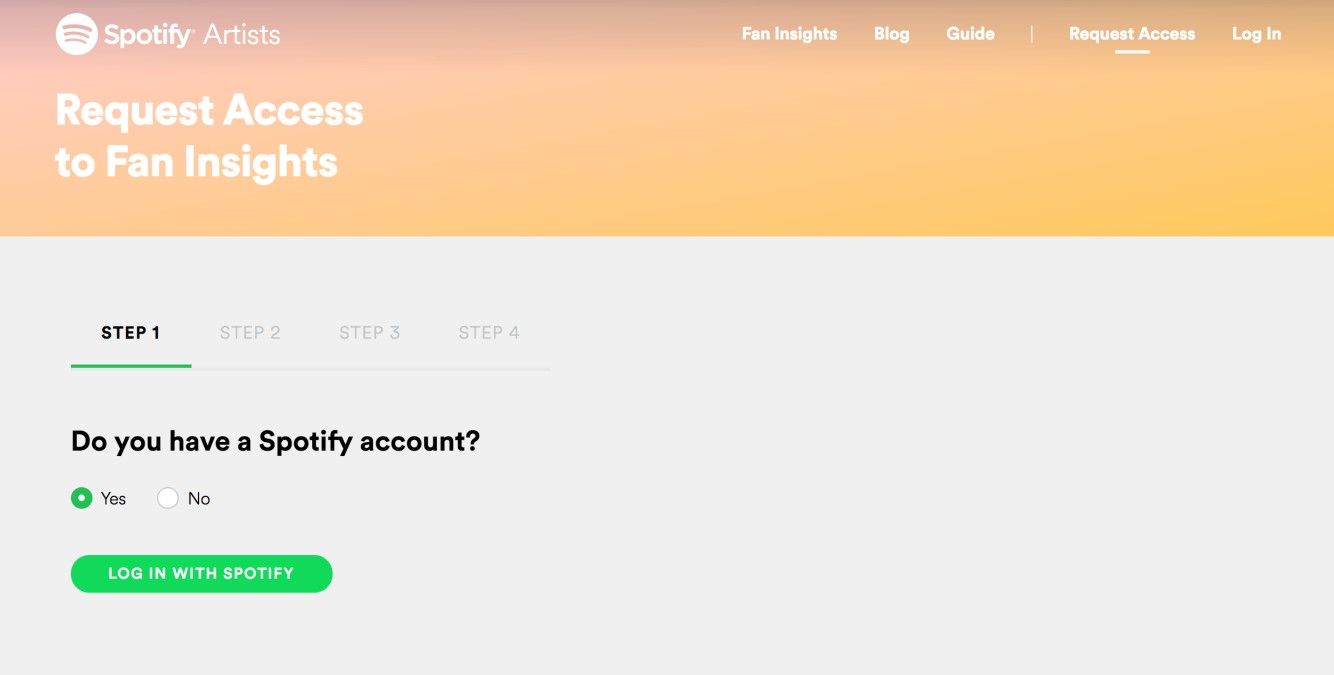
The artists’ version of Spotify can be connected to a user’s original Spotify account. So as to achieve this, a sign-in reminder appears in a wizard (another useful design pattern). If this reminder were to take the user to a sign-in page without resuming the wizard, the user would not be able to complete his or her task successfully. Most likely, the user would refrain from using the fan insights page altogether.
The Take Away
Sign-in reminders help users get access to functionalities they wouldn’t get to enjoy as anonymous users. They are an important design element that should disrupt the user flow as little as possible. In the same way they may have forgotten they weren’t signed in, their train of thought regarding what they intended to do is equally delicate as far as your handling it goes. In order to guide users in the best way, you must ensure that they can always continue with the task they were aiming to perform after signing in. Implementation is a simple four-step process, allowing you to design a solution that engages the users in more personalized activities and lets them transition seamlessly from one intention to the next. A competent deployment of these reminders will help ground users more firmly in the online realities they want to access, making it more likely they will progress to achieve what they—and your organization—want.
References & Where to Learn More
Hero Image: Author/Copyright holder: Ravi Shah. Copyright terms and license: CC BY 2.0.
Jenifer Tidwell, Designing Interfaces: Patterns for Effective Interaction Design, 2010
Martijn van Welie, Pattern Library, 2008: www.welie.com/patterns