MatchDog Build Your Portfolio Project: Flow

by Daniel Rosenberg • 7 min read

416 Shares

The most important tasks found in the upper-left quadrant of your prioritization matrix are those which most users will spend the majority of their time performing. At a minimum, these are the ones that need a full flow design to show how (and with what logic) the user will transition from screen to screen. Which objects are on a given page should be a decision you previously made via the combination of your UX architecture and screen archetype selections.

While your prioritization matrix may be slightly different from the sample in the book (table 9 or 10), the MatchDog organization can’t succeed in its mission unless the following 3 flows are highly usable and contain the fewest possible steps that can hold all the business logic.

  • User profile building (to collect the information to base the match on)
  • Dog selection (and maybe short-listing to narrow down to a few favorites)
  • Dog delivery (meeting, setup and other arrangements to take the dog home)

Sample flows are shown in the book, but there are of course valid alternatives. Those in the book may not be suitable for your architecture and archetype combinations. It is up to you to decide.

Project Brief

Review the full project brief for MatchDog again. With your initial screen design from the prior step, you start to be able to imagine the movie script in your head now.

You may draw ideas from the examples in the book regarding MatchDog flow design. The book intentionally scaffolds this project with examples and discussion of various options for two of the critical UX flows. However, you are the designer, and the flow should reflect your optimized grammar. Your grammar may be different from the one the example flows in the book are based on. You can accept those flows, use them as starting point and refine them or propose equally valid alternatives that meet the functional objectives and maybe even have fewer steps.

Goal of This Exercise

The goal of this exercise is to practice the technique of defining user flows for the most important task sequences in your MatchDog design. These user flows will define how the primary actions the user can take on the various objects will navigate them from screen to screen.

Activities You’ll Perform in This Exercise

In this activity, you will draw boxes representing your primary screens (typically containing one or more objects) and show which global and local actions will move the experience from one screen to another of unflood the content within a single larger screen. You will identify the branching and business logic that needs to be implemented during the navigation to complete the end-to-end pet adoption process with symbols such as the diamond (user decision) and triangle (system decision).

Equipment You’ll Need in This Exercise

Pencil and paper or a vector drawing program such as OmniGraffle or Visio will work fine. You could also use PowerPoint. Any drawing program that can automatically maintain the line and box connection points will increase the speed at which you can create legible UX flow diagrams.

Design Your Flow to…

  • Create your own alternative flow for the profile-building process.
  • Create your own alternative flow for the dog-selection process.
  • Create the final flow to arrange meeting the adorable dog and taking ownership (dog delivery). There is no precedent in the book for this scenario, so you are now faced with a “clean sheet of paper” opportunity instead of re-factoring a previous flow example.
  • Define the flows for any remaining tasks in your top-priority category if they are not already covered by the 3 above.

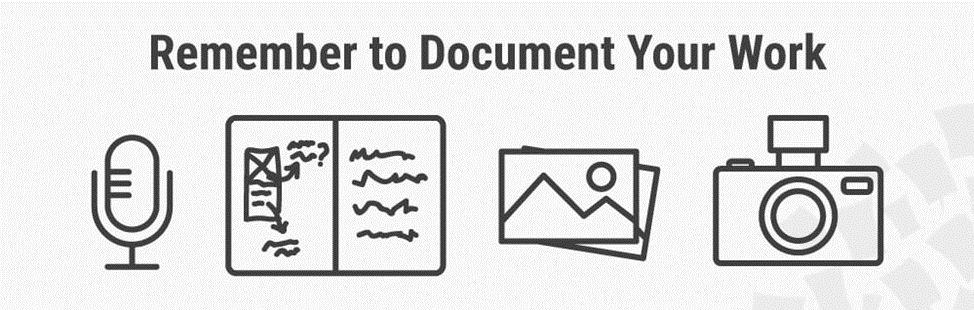
Remember to annotate all your flow diagrams with object types and action names that move the flow forward so they can explain themselves to developers and potential reviewers of your work without you in the room.

Iterate the Design of Your Grammar, Visualization and Flow to Simplify It

Now that you have a complete set of artifacts for grammar, visualization and flow, it is once again time to try to simplify. You have probably identified friction points during the flow design process where you may wish to make a change to your visualization layer decisions or even to the core grammar.

Construct Your Interactive Prototype

When you are convinced you have arrived at the simplest and most cognitively compact solution at these first three framework layers, it is time to stop sketching and switch to the construction of your interactive prototype.

  • Make sure you have an interaction design language level of consistency across your entire design. When the same action appears in multiple screens for a different (or the same) object, it must do the same thing and hopefully be in the same proximate position.
  • Use the guidance provided in the Elegance chapter to lay out your exact pixel grids for screen construction.
    • Use as few pixel-grid templates as possible.

We recommend that you invest in building out your prototype to a level where you are assured it can hold all the tasks in the MVP prioritization matrix even if you don’t simulate all the possible flows and pages in the prototype. This alone will make an outstanding portfolio piece along with all the synthesis and analysis steps along the way that document your skill in Semantic IxD.

Wrap up This Exercise

The UX flows that you just created have accomplished three important things. First, you have specified the logic for the primary navigation paths within the UX design. Second, you have specified the business logic that developers will need to implement in order to code a functional system. Your developers, product managers and technical writers will be delighted with the clarity this particular IxD artifact brings to the table to keep all stakeholder expectations in alignment during the product development lifecycle.

And… third, they have validated that your choices in UX architecture and design patterns can connect in the minimum number of steps – and potentially through iteration you have found even better visualization design patterns than your initial choices and even found ways to further compress your conceptual model grammar.
Author / Copyright holder: Teo Yu Siang and the Interaction Design Foundation. Copyright terms and license: CC BY-NC-SA 3.0

Learn More in This Course:

AI for Designers

9 days
19 % booked
View Course

What You Should Read Next

  • Read full article
    Why Care about Statistical Significance? - Article hero image
    Interaction Design Foundation logo

    Why Care about Statistical Significance?

    The categorical data depicts the success and failure rate of the low-fidelity wireframe above. There is not a large enough difference between the two to determine if the designs were successful.There is an element of error involved in measuring anything. So, when we want to compare measurements, how

    Social shares
    432
    Published
    Read Article
  • Read full article
    Web Fonts: Definition and 10 Recommendations - Article hero image
    Interaction Design Foundation logo

    Web Fonts: Definition and 10 Recommendations

    Web fonts bring digital content to life. They enhance readability, set the tone, and ensure consistency across various platforms—all vital ingredients. When you understand web fonts and their impact, it can help you with effective website creation—and greatly so. We’ll provide a comprehensive overvi

    Social shares
    781
    Published
    Read Article
  • Read full article
    How to Screen Research Participants - Article hero image
    Interaction Design Foundation logo

    How to Screen Research Participants

    Finding the right participants is crucial for gathering user research. We usually need to do research with participants having a particular set of needs or experience. In this short video, you will find out about the basic need for screening and how we make sure that we have suitably qualified parti

    Social shares
    450
    Published
    Read Article
  • Read full article
    Pitfalls in Recruiting Participants for User Research - Article hero image
    Interaction Design Foundation logo

    Pitfalls in Recruiting Participants for User Research

    The level of participant engagement is an important part of the user research results. Our results are dependent on proper engagement with our participants. In this video we look at some of the issues around participant recruitment and hear practical examples that arose in a large online study.[[vid

    Social shares
    419
    Published
    Read Article
  • Read full article
    How to Fit Quantitative Research into the Project Lifecycle - Article hero image
    Interaction Design Foundation logo

    How to Fit Quantitative Research into the Project Lifecycle

    Quantitative research methods fit into the project lifecycle at different stages of the process.In this video, we see where different quantitative research methods fit into a typical project lifecycle. Bear in mind that even with an iterative process such as Agile, the short cycles still address dif

    Social shares
    510
    Published
    Read Article
  • Read full article
    How to Resolve Conflicts Between Design Thinking and Marketing - Article hero image
    Interaction Design Foundation logo

    How to Resolve Conflicts Between Design Thinking and Marketing

    In the past, designers often reported to marketing managers and were neither expected nor allowed to make business decisions. When traditionally-structured companies transition to a design-driven mindset, there can be friction between the marketing and design teams. Let’s take a closer look at this

    Social shares
    682
    Published
    Read Article
  • Read full article
    Stop the Generic Portfolio Trap! Design a Stand-Out Portfolio for Your UX/UI Niche: User Research - Article hero image
    Interaction Design Foundation logo

    Stop the Generic Portfolio Trap! Design a Stand-Out Portfolio for Your UX/UI Niche: User Research

    User research is indispensable—and without it, well... UX design is guesswork. When you’re a user researcher, you know this well—but it can be hard to communicate your work in a way that grabs the viewer and holds their attention. And that’s what a portfolio is all about—grabbing the attention of yo

    Social shares
    382
    Published
    Read Article
  • Read full article
    Top Service Blueprint Templates - Article hero image
    Interaction Design Foundation logo

    Top Service Blueprint Templates

    Service blueprint tools are vital for effective customer experience design—and for designers to make experiences that are exceptional. Here, we’ll discuss why these tools are so important. What’s more, we’ll explore templates and practical resources to create high-quality, efficient service blueprin

    Social shares
    638
    Published
    Read Article
  • Read full article
    How to Write Research Questions that Lead to Confident Design - Article hero image
    Interaction Design Foundation logo

    How to Write Research Questions that Lead to Confident Design

    Designing with Data provides an extensive background to A/B testing.As with all other research methods, we need to start with a research question. A/B testing concerns itself with changes in user behavior, meaning that our questions need to be centered on measurable goals. In many cases, these will

    Social shares
    450
    Published
    Read Article
  • Read full article
    Getting Started - Article hero image
    Interaction Design Foundation logo

    Getting Started

    We start our introduction to A/B and multivariate testing (MVT) by looking at their basic principles and their differences. Note that the video mentions Google Optimize, which has been withdrawn. Google Firebase can be used for mobile platforms. Third-party solutions are needed for A/B testing on th

    Social shares
    225
    Published
    Read Article

Top Articles

Top Topic Definitions

Feel Stuck?
Want Better Job Options?

AI is replacing jobs everywhere, yet design jobs are booming with a projected 45% job growth. With design skills, you can create products and services people love. More love means more impact and greater salary potential.

At IxDF, we help you from your first course to your next job, all in one place.

See How Design Skills Turn Into Job Options
Privacy Settings
By using this site, you accept our Cookie Policy and Terms of Use.
Customize
Accept all

Be the One Who Inspires

People remember who shares great ideas.

Share on:

Academic Credibility — On Autopilot

Don't waste time googling citation formats. Just copy, paste and look legit in seconds.

Feel stuck? Want Freedom?

Get one powerful email each week, like 326,012 others.

Learn to design a life you love.

Next email in:
5
days
22
hrs
3
mins
17
secs