The times when telephone numbers were made up of five digits are long gone, and remembering your best friend’s number if she changes it has become almost impossible. And would you know your mom’s address by heart if she moved out of your childhood home a couple of years ago? Our world is super-connected, and we don’t have the mental capacity to remember all the contact information we have; most of us may not want to resort to using an old-fashioned Rolodex, either. That’s where the long and elaborate contact lists that you keep digitally somewhere come into play. The imported connections design pattern ensures that your users will get all the benefits of this list, without the hassle of copying it by hand when they change to a new application.
The Design Problem
The user needs to establish a list of contacts, such as an address book, but entering all of them manually would be time-consuming, to say the least. He or she already has a contact list in another application and does not want to copy every item in that list manually. That user is looking for a way to migrate them out of there with minimal effort.
The Design Solution
The imported connections design pattern is a function that allows users to import contacts from one application into another. Allowing users to import contacts from one mail client, social media site, or address book to another saves them time and effort. For users to know how to do that, they will need to follow a series of steps. As designers, we give our users such advice via a user manual, a step-by-step installation guide, or a pop-up.
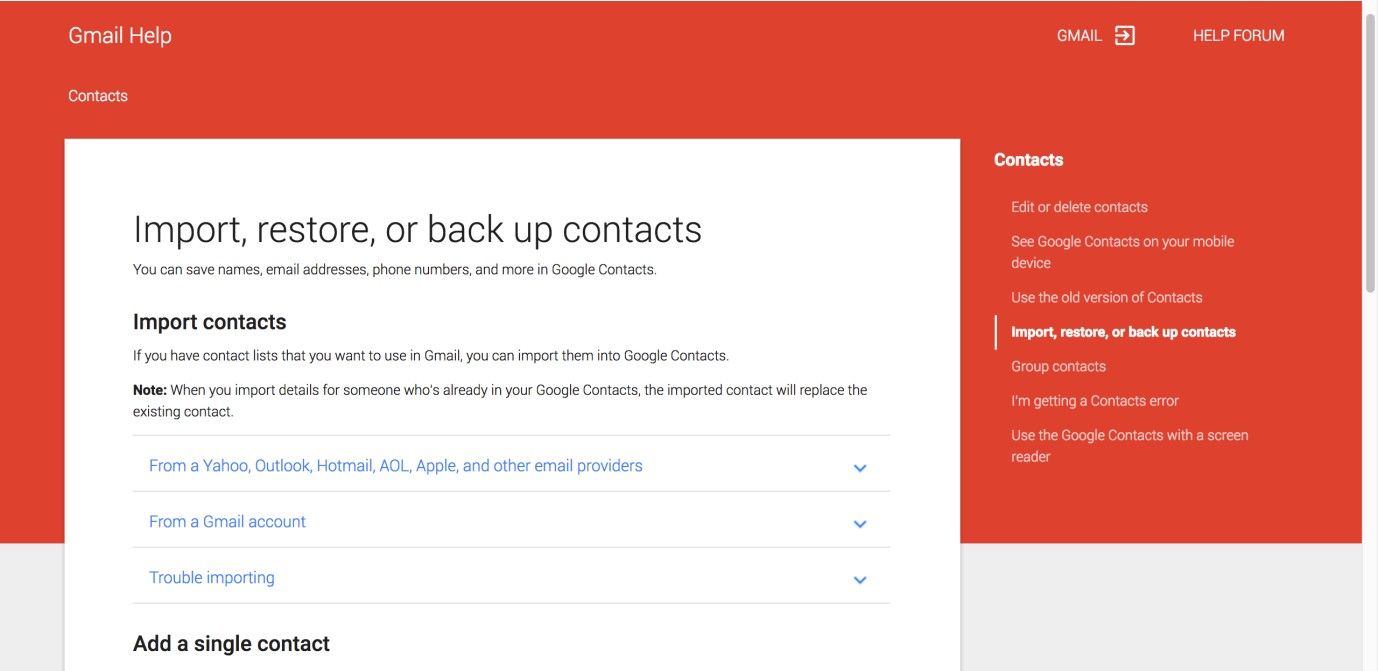
Author/Copyright holder: Google. Copyright terms and license: Fair Use.
In this screenshot, you can see how Gmail supports its users in importing contacts into their accounts. There are different steps to follow for different email providers.
Why Choose an Imported Connections Design Pattern?
In mail clients, social media sites, and any other application where the user contacts others using email addresses, private messages, telephone numbers, and personal details, providing users with a quick and easy way of moving contacts from one application to another is nothing short of vital. It is a great means for saving the users from manually entering all of the contacts they have accumulated over time. In addition, if users have already established a list of contacts in another application, they would get frustrated if they had to go through the process all over again. In fact, if they didn’t have this design pattern as an option, many would cling to their existing systems or devices forever... or until the last keypad, screen, or motherboard transplant fails. Amusingly (at least, in a dark sense), one offshoot effect of that would find us living in a world of very well cared-for (and ever-increasingly aging) phones, tablets, and the like – devices so old that users might end up giving them human-sounding names. However, that would be it for the electronics industry—companies that sell the devices we swear by in the 21st century can’t afford to mirror companies that respect very long consumer ‘gestation’ periods (such as coffin manufacturers or builders of parts for spacecraft). Thankfully, we’ll never have to handle that prospect in the real world; and this is where you come in with this design pattern.
Best Practice: How to Implement Imported Connections
“All good things come to him who waits – provided he knows what he is waiting for.”
—Woodrow T. Wilson, 28th President of the United States of America
Make sure that users know about the facility of importing existing connections when they first begin using your mail client, service, website, or application. This can be part of a user manual, a step-by-step installation guide, or a one-time pop-up. Imparting this information to users allows them to import their contacts immediately, or, at the very least, it informs them of this capacity for a later time.
The system should relieve the users of having to search for their contacts; simply provide the users with a command button that will search the contact list from another application, or guide the users through the process by using a wizard.
Ensure the users have the means of accessing the 'import contacts' function from their main dashboard or menu options, so they can execute this operation at any time they want without having to go through a lengthy, drawn-out process.
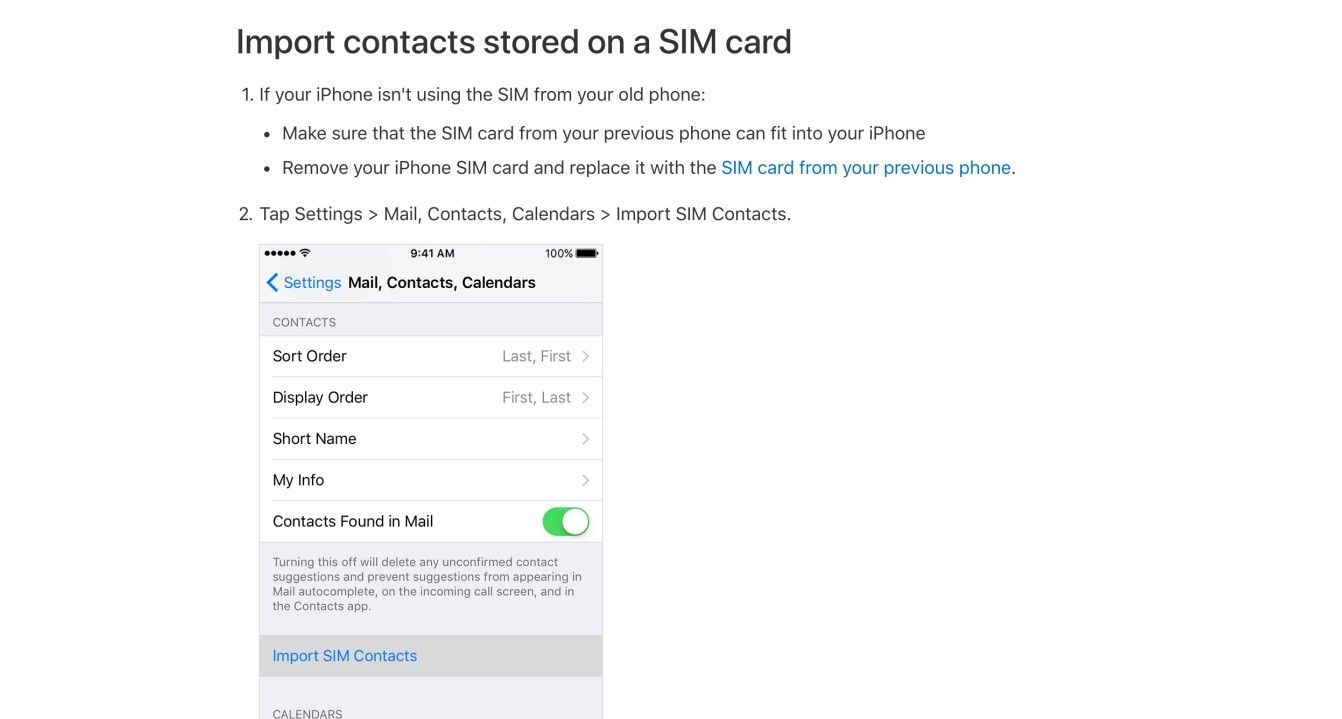
Author/Copyright holder: Apple. Copyright terms and license: Fair Use.
Importing connections is not an activity that a user will perform very often. Therefore, many service providers have manuals online, explaining the steps users need to take to use this great design pattern. This example shows a section of the iPhone manual, explaining how to import connections from an old SIM card.
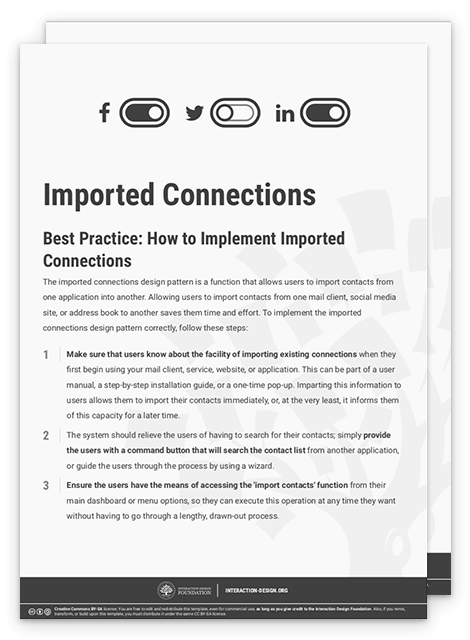
To help you get started implementing imported connections, you can download and print our “Imported Connections” template:
Potential Problems with Imported Connections
The main problems associated with providing users with the facility to import contacts relate to the visual design and the accessibility of this function within the user interface. It is important that the visual characteristics of the 'import contacts' function are consistent with the rest of the user interface design. For example, does the message font fit in with the rest of the text within the display? Is the color scheme consistent with the overall appearance of the user interface? In addition, you must ensure the interactive elements (e.g., the input boxes and command buttons) are apparent and appear prominent within the display, so the user knows exactly where to enter text and which parts of the user interface can be clicked.
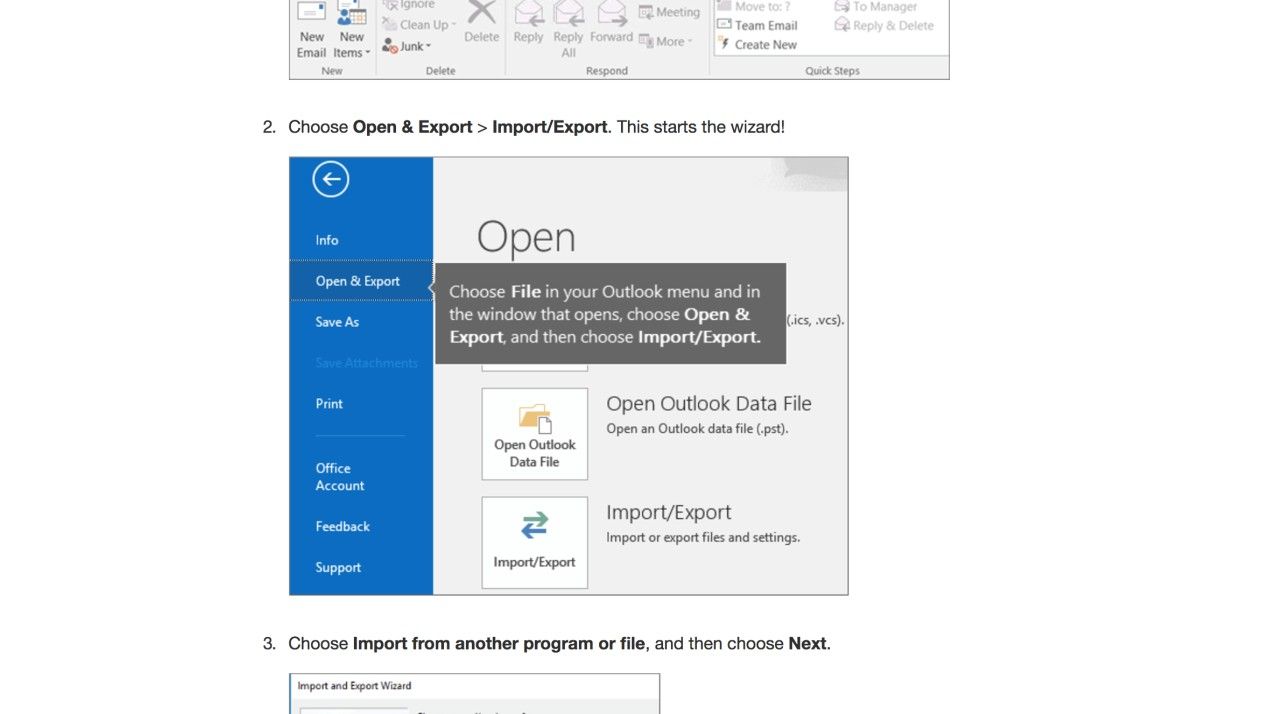
Author/Copyright holder: Microsoft. Copyright terms and license: Fair Use.
In order to import connections, a user must be able to locate the functionality. Besides the visual characteristics, the label names are important for providing users with sufficient cues. In the Microsoft Outlook application, for example, the imported connections design pattern is located under the label ‘Open & Export’. For a user looking to import contact information, this may not be the most logical place to search.
The Take Away
As the world becomes ever-increasingly connected, as a designer, you are more or less duty-bound to help your users import their existing connections from email or telephone providers into your products or services. The imported connections design pattern is there to do just that. We have seen the steps you need to take to implement this well, so you can ensure a satisfyingly sound user experience. The most important consideration is how to make this functionality accessible. Making sure that it is located where the users expect, and has a label that reveals what it does, will not only endear your product to users; it will also ensure a continuity that transcends the lifespan of devices – theoretically, a lifetime of contacts building up through the years, and decades, for users to reach with the tap of a key or three.
References & Where to Learn More
Hero Image: Author/Copyright holder: Unsplash. Copyright terms and license: CC0.
Jenifer Tidwell, Designing Interfaces: Patterns for Effective Interaction Design, 2010
Martijn van Welie, Pattern Library, 2008